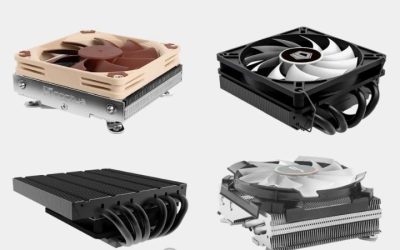
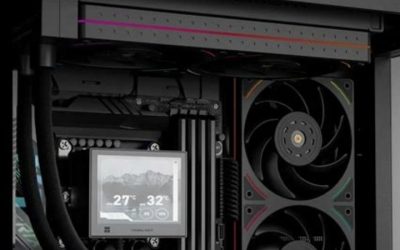
Shopping for the best fanless mini PC coolers is different from buying an ordinary CPU heatsink. Many Intel NUC-class systems use a board-specific blower, so the practical silent upgrade is an aluminum replacement enclosure that transfers heat from the processor into its exterior panels. Our picks focus on documented compatible passive chassis, not universal coolers that may never fit your board. Akasa’s Turing WS is the starting point for compatible NUC 12/13 Pro systems, while the Turing AC Pro offers a higher stated thermal envelope; compact and flat alternatives serve different mounting needs. Confirm your exact board identifier, sustained power target, ports, and US seller availability before ordering.
Quick recommendations: match the chassis to the board first
Unlike a standard PC cooling roundup, there is no useful universal winner for every mini PC. An enclosure with excellent thermal mass can be unusable if a USB connector, CPU contact point, wireless antenna, or rear port differs by a few millimeters. For that reason, the rankings below describe the best application for each confirmed design. They are not comparative temperature-test results or claims of stock at a US retailer.
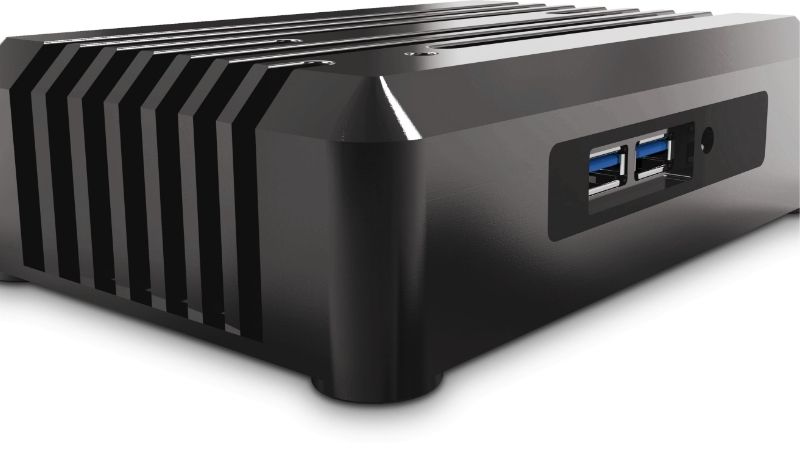
| Passive cooling solution | Best use | Published fit or limit | Important trade-off |
|---|---|---|---|
| Akasa Turing WS (A-NUC87-M1B) | All-metal upright NUC 12/13 Pro conversion | Named 12/13 Pro boards, up to 28W thermal point | Large vertical heat-sink case; exact board list required |
| Akasa Turing AC Pro (A-NUC95-M1B) | More demanding compatible NUC 13 Pro builds | Selected NUC 13/12 Pro boards, 40W maximum stated TDP | Not a 40W guarantee in any room or workload |
| Akasa Newton WS (A-NUC92-M1B) | Compact VESA-mountable NUC 11/12/13 Pro | Named 11/12/13 Pro boards, 28W maximum | Less exposed fin area than an upright Turing-style case |
| Akasa Plato WS (A-NUC85-M1B) | Flat under-monitor or equipment-rack installation | Named 11/12/13 Pro boards, 28W maximum | Needs unobstructed flat-panel convection |
| Streacom FC8 Alpha | Custom passive mini-ITX desktop instead of NUC retrofit | Mini-ITX layout; 65W CPU target recommended | Heatpipe routing, socket, and PSU are build-specific |
The best fanless mini PC cooling enclosures reviewed
1. Akasa Turing WS — best starting point for compatible NUC 12/13 Pro
The Turing WS is a case-as-heatsink solution for specific Intel NUC 12 Pro Wall Street Canyon and NUC 13 Pro Arena Canyon boards. Akasa identifies it as A-NUC87-M1B and describes an aluminum passive construction with vertical or horizontal positioning. Its published maximum thermal point is 28W. That number matters more than the processor’s retail name: a Core i7 system can still exceed the enclosure’s sustained heat-dissipation target if its firmware is left configured for aggressive boost behavior.
Its biggest advantage over thin passive enclosures is the straightforward thermal path and visibly substantial exterior: the casing itself is intended to reject heat into room air. The tall form can work on a desk where a small blower would otherwise cycle up during short bursts of CPU load. Akasa also documents a 2.5-inch drive bay and an internal M.2 SSD heatsink. Neither feature means all drives, all heatsinks, or all NUC sub-models fit; the official compatibility matrix and the precise drive-height allowance must still be checked against your kit.
The reason to pass is equally concrete. This is not a general-purpose cooling shell for an AMD mini PC, NUC 14, or every earlier NUC. Upright placement requires a stable footprint and unblocked fins, while hiding the case in a tight AV compartment undermines the convection advantage. The 28W claim is an enclosure specification, not a measured CPU package-power or temperature benchmark from our own laboratory. Choose it when the exact board is supported, you have air around the case, and silent daily operation matters more than unrestricted sustained turbo power.
2. Akasa Turing AC Pro — best for a higher documented passive power envelope
Akasa’s Turing AC Pro, code A-NUC95-M1B, makes the clearest step up on paper for an appropriate board. The company lists support for specific NUC 13 Pro systems, including documented NUC 12 Pro backward compatibility, and states a maximum TDP support of 40W. That is materially different from the 28W figures associated with several smaller Akasa cases. It is a sensible shortlist choice for a user who needs additional design headroom while keeping the machine fanless.
The manufacturer details an aluminum body and fins, a copper thermal module, and two 6mm copper heatpipes; these components conduct processor heat into the outer casing. It also specifies accommodation for a single 2.5-inch drive up to 9.5mm high. This is important when building a compact workstation: passive CPU cooling does not remove SSD heat, and the enclosure’s internal volume must house the drive, cables, and thermal interface without pinching them. A carefully installed module, correctly sized thermal pads, and the intended hardware stack are essential to the advertised cooling path.
Even a 40W stated limit should not be treated as permission to run any supported processor indefinitely at its most aggressive power setting. Heat dumping depends on ambient temperature, orientation, surrounding clearance, and the CPU’s actual PL1/PL2 configuration. The Turing AC Pro also occupies more desk space than the board’s original plastic shell. It is the premium choice when supported board revision and more generous passive capacity align, rather than a drop-in way to make every mini PC simultaneously silent and faster.
3. Akasa Newton WS — best compact VESA-oriented NUC replacement case
The Newton WS (A-NUC92-M1B) aims at users who want a fanless NUC installation that does not dominate the desk. Akasa lists compatibility with specific NUC 11, 12, and 13 Pro board families and publishes dimensions of 176.5 × 200 × 53.5mm. The stated maximum TDP is 28W. VESA mounting and a 2.5-inch SATA drive position make it appealing behind certain displays, on equipment panels, or in quiet commercial computing setups where a protruding tower would be awkward.
For a compact home server or media endpoint, predictable access to the original NUC ports often matters more than absolute thermal headroom. Newton WS preserves openings for the supported board’s interfaces, yet Akasa makes a notable distinction between generations: the NUC 11 Pro lacks the board-level audio-jack feature found on some later models, and the serial-port situation also changes. Checking that detail before installation avoids assuming that every visible hole on the replacement chassis will work on your system.
VESA compatibility is not an invitation to press the entire heat-sink surface against fabric, thick acoustic foam, or a warm monitor housing. The enclosure still requires free convection. Compared with a tall finned Turing enclosure, the Newton’s form is the stronger fit when placement flexibility is the main constraint; it is not established as thermally superior in a controlled head-to-head test. Buyers must also verify that a seller is offering the exact WS revision rather than an older similarly named Newton variant.
4. Akasa Plato WS — best low-profile fanless NUC enclosure
The Plato WS (A-NUC85-M1B) gives a different answer to the same silence goal: a broad, slim passive case rather than an upright tower. Akasa lists a 247 × 240 × 39mm aluminum enclosure with support for named NUC 11, 12, and 13 Pro boards and an up-to-28W thermal-design specification. A flat case can fit a shelf, a wall-mounted installation, or an AV rack, provided the surface and ventilation gap permit heat to move away.
Its everyday advantage is physical organization. The vendor describes VESA support, multiple front-facing USB ports, access to rear connectors, and accommodation for a 2.5-inch storage device. There are unusual details worth noticing: the front audio connector is not functional when the underlying NUC 11 Pro board does not supply the required interface, and certain serial connections are tied to a particular generation. Those are model-specific compatibility issues, not defects in the enclosure.
The compromise is heat density and orientation. A flat metal panel can become hot while conducting heat successfully, and a packed shelf that traps its warm boundary layer can reduce sustainable performance. Do not place papers or devices directly over the convection surface. If your planned use includes extended rendering, compiling, or CPU-heavy game streaming, confirm the permitted power-limit configuration first. Plato WS earns its place for unobtrusive, low-noise computing where a low profile outweighs aggressive turbo settings.
5. Streacom FC8 Alpha — best alternative for a custom fanless mini-ITX system
The Streacom FC8 Alpha is deliberately a different class of product. It cools a compatible mini-ITX desktop CPU through a heatpipe assembly and side-mounted aluminum heatsink, instead of being a direct enclosure replacement for an Intel NUC board. Streacom’s current product page suggests a 65W CPU TDP target, with higher figures discussed under restrictive conditions; its design and user guide must be consulted for the exact version. That makes it a strong option for someone building a silent mini desktop from scratch.
The ability to choose a Mini-ITX motherboard, storage, RAM, and an appropriate low-power processor can outlast a single proprietary NUC generation. But versatility introduces a demanding compatibility check: the CPU socket, mount-hole layout, placement of VRM heatsinks, and unobstructed path for the heatpipes must all match. The FC8 is also designed around a nano-style external-adapter plus internal DC power arrangement, so a conventional full-size desktop PSU cannot simply be assumed to fit.
This pick should never be presented as a universal cooler for an already-owned sealed mini PC. It is the right purchase only when the motherboard and thermal assembly are planned together. Streacom also warns about fanless graphics cards inside passive cases: components marketed as passively cooled may rely on airflow from nearby chassis fans, which this system does not provide. For a genuine no-fan desktop rather than a NUC conversion, the FC8 offers meaningful flexibility, but also the greatest assembly responsibility in this shortlist.
Buying guide: seven checks before converting a mini PC to fanless
Start with the exact board model, not the mini PC’s marketing name
Read the full model or board identifier from the firmware/system label and compare it character-for-character with the chassis maker’s supported list. NUC model families have tall and slim kits, different port cutouts, vPro variations, and revision-dependent brackets. Two systems advertised with the same Core i5 generation might use incompatible PCB layouts or different cooling contact geometry. An online listing that says only “fits Intel NUC” is insufficient evidence. If the official list stops at NUC 13 Pro, do not infer NUC 14 Pro support merely because the two computers are similarly sized.
Respect the sustained heat limit, not just nominal CPU TDP
A passive chassis is a thermal reservoir and radiator. It absorbs a short burst of heat and slowly transfers that energy to the surrounding room. High boost-power settings can overwhelm the enclosure long before ordinary office work would. Check the manufacturer’s documented maximum thermal point, then review the NUC’s supported long- and short-duration package-power controls. Use the manufacturer’s BIOS guidance for the exact platform; menu paths and permitted settings can change. If the enclosure specifies 28W, do not treat a momentary CPU power reading below 28W as proof that sustained loads will remain safe.
Check the entire thermal transfer stack
Successful conversion depends on a chain of surfaces: CPU or heat spreader, thermal interface, copper module or heatpipes, and exterior aluminum. A missing pad, wrong pad thickness, skewed pressure plate, or mounting screw tightened unevenly can break that chain. A metal enclosure that feels cool may indicate either low workload or poor contact, so exterior temperature alone is not a sufficient diagnostic. Keep the manufacturer’s installation instructions, back up important data before disassembly, and follow the specified torque or tightening sequence if one is provided.
Plan for SSD, VRM, and wireless heat as well
The CPU is only one heat source. NVMe SSDs can throttle in compact sealed spaces, voltage-regulator components may have little ambient airflow, and nearby wireless modules share a warm internal environment. Favor a model with explicit SSD thermal provisions when storage writes are sustained. Avoid improvising a thick thermal pad against a component that the enclosure was not designed to contact; physical pressure can deform the board. If your use involves continuous storage, multiple displays, or warm ambient conditions, temperature logging under the intended load matters more than an idle desktop screenshot.
Allow convection and avoid a sealed cabinet
Fanless means no powered airflow; it does not mean no airflow at all. Warm air must rise or drift off the exterior surfaces, and fresh room air must replace it. Mounting a heat-sink case vertically can change its natural airflow compared with laying it flat, but orientation effects should be judged against each model’s instructions rather than assumed. A tight drawer, stacked network gear, or acoustic-lined compartment may reduce the margin available for a 24/7 mini server. Leave access to fins for dusting, and keep cable bundles from insulating the warm metal sides.
Verify power adapter, ports, and installation costs
Budget for more than the bare chassis. Some listings are a case only, without the original NUC board, SSD, RAM, or external power supply. You may also need an antenna relocation kit, the proper thermal materials, and specialized screws. Make sure all ports you need remain accessible; one wrongly oriented HDMI or Ethernet cutout can turn a seemingly simple conversion into a return. Compare the real combined cost of a fanless retrofit with buying a purpose-built passive mini PC. The retrofit usually makes the most sense when you already own a compatible board and have a defined reason to eliminate fan noise.
Define success using the workload you actually run
Before taking the machine apart, log a baseline: room temperature, idle and loaded CPU package temperature, sustainable clock speed, fan behavior, and SSD temperature. After conversion, run the same tasks with identical power settings and placement. Watch for thermally induced downclocking, freezes, SSD warnings, and unexplained changes in performance. Avoid relying on a single short benchmark, because passive heat soak takes time. Gaming on a mini PC’s integrated graphics can load both CPU and GPU portions of the same package, so a conversion that is comfortable in a browser may not be suitable for a long gaming session.
Who should avoid a fanless mini PC conversion?
Buyers who need maximum sustained turbo clocks, frequent heavy AV1 encoding, extended CPU rendering, or gaming near the edge of an iGPU’s thermal allowance should be cautious. A good blower-cooled mini PC may maintain higher power indefinitely because it actively moves heat away. The trade is not simply “fan noise versus no noise”; it can also be peak throughput, warranty exposure, serviceability, and heat sensitivity to ambient conditions. A passively cooled system can be excellent for a silent meeting-room PC, always-on home automation endpoint, lightweight desktop, or listening-room computer. It is less defensible when thermal capacity has not been documented for the specific board and workload.
Tools and checks that help before purchase
Use the hardware identification page in your system firmware or the operating system’s built-in hardware information to record the complete board/kit identifier. Check the case manufacturer’s compatibility page and assembly manual against that code; both are free and should be consulted before spending money. After installation, use reliable on-device temperature and clock monitoring suitable for your operating system to observe stability under sustained load. None of these tools can substitute for a verified mechanical fit, but together they help determine whether the purchase is safe and worthwhile.
Frequently asked questions
Can I replace the fan in any mini PC with a passive heatsink?
No. Many mini PCs have proprietary boards, blower chambers, and processor contact plates. A standard desktop cooler usually cannot mount to them, and a passive case built for one NUC generation is not automatically compatible with another. Start with the precise board identifier and the replacement case’s published compatibility matrix. When that information is missing, retaining the original cooling hardware is the safer decision.
Does fanless cooling mean the CPU will be faster?
Not necessarily. Removing fan noise can improve the experience in a quiet room, but passive cooling generally imposes a defined sustainable thermal budget. CPU performance depends on sustained power, firmware limits, contact quality, ambient conditions, and the workload. A machine with a well-designed blower may sustain higher clocks than a quieter passive enclosure.
Is a 28W enclosure safe with a Core i7 NUC?
Only if that exact Core i7 NUC board is listed as compatible and its configured sustained and peak power behavior meets the chassis maker’s instructions. The Core i7 label alone does not reveal package-power behavior. Akasa provides power-limit information for some compatible models; follow the instructions for your board rather than guessing a universal BIOS menu or changing voltage settings.
Can I install a passive enclosure behind a monitor?
Some cases, including Newton WS and Plato WS, are designed with VESA installation in mind. Confirm the bracket, screw clearance, display support, and ventilation gap. Avoid sandwiching the enclosure against a hot or completely sealed surface. A mounting method that physically holds the case is not proof that its thermal performance remains unchanged.
Will a fanless mini PC collect no dust?
No. Dust still settles through openings and on exposed fins. A fanless system typically avoids sucking airborne particles through a high-speed intake, but its outer heat-sink surfaces should remain clear. Clean with the unit off and cool, using methods approved by the case maker. Do not place fabric over the enclosure to keep it clean.
Is a passive mini PC good for gaming?
It can be suitable for lightweight games within the package’s sustained power and cooling limits. Heavy iGPU gaming creates combined compute and graphics heat that can overwhelm a low-power passive design. Compare your intended game, frame-rate target, ambient temperature, and long-session load against the enclosure’s supported thermal point; do not mistake quiet idle operation for sustained gaming capability.
Can I keep my existing SSD and power adapter?
Possibly, but verify drive height, mounting provisions, cable route, and the intended power supply for the exact case. Some replacement enclosures preserve the original NUC’s port arrangement while others call for optional adapters or antenna parts. The safest approach is to check the parts list before stripping the donor computer.
Which is better: Turing WS or Turing AC Pro?
For compatible NUC 12/13 Pro boards, the Turing WS makes sense when its published 28W thermal target meets your needs and form factor preference. The Turing AC Pro specifies 40W support for named compatible boards, giving a different documented power envelope. There is no honest universal winner without confirming the exact board and power configuration or measuring the same workload in both cases.
Final verdict
For a compatible NUC 12/13 Pro computer, begin with the Akasa Turing WS and its board list; consider the Turing AC Pro when the documented higher 40W envelope is relevant. Choose Newton WS for compact VESA placement or Plato WS for a slim horizontal footprint. Choose the Streacom FC8 only when building a compatible fanless mini-ITX system rather than retrofitting a proprietary NUC. Before buying any of them, match the exact SKU, board revision, sustainable power limit, and US seller terms. Those checks matter far more than a generic claim of silent cooling.