Finding the best fan controllers for Linux means checking what actually controls the fans after the operating system starts. A powered PWM hub can distribute a motherboard fan curve without Linux drivers, but it cannot create independent fan curves. A USB controller such as the Aqua Computer QUADRO or OCTO adds separate channels, yet support can vary by Linux kernel, liquidctl release, firmware, and device permissions. For users who only need a quieter set of case fans, the Noctua NA-FC1 offers a manual hardware dial and avoids operating-system integration altogether.
Quick verdict: the right controller depends on your Linux workflow
Best independent-channel starting point: Aqua Computer QUADRO. Four PWM fan outputs, temperature inputs, and documented Linux hardware-monitoring support make it a credible choice when a motherboard cannot provide enough controllable zones. Best expansion: Aqua Computer OCTO. It extends that concept to eight PWM channels, with a higher power and cable-management footprint. Best for supported USB software experimentation: Corsair iCUE Commander Core XT. liquidctl documents fan-speed control for the XT, but official Corsair iCUE is a Windows-centered application and its entire RGB feature set should not be assumed to match Linux functionality.
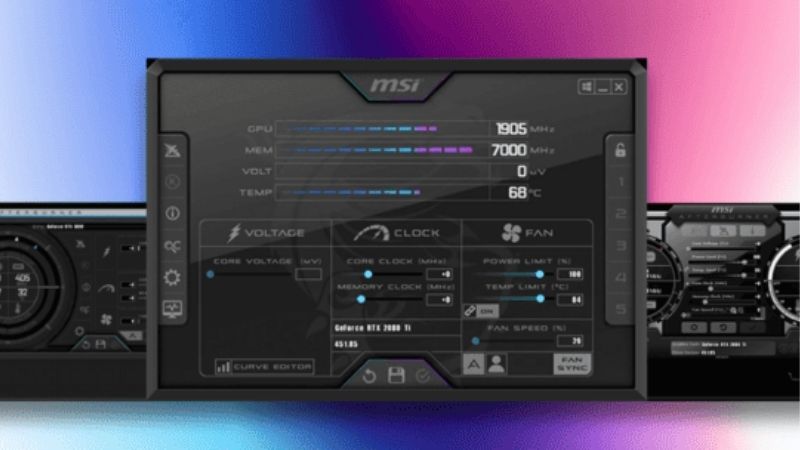
Best without Linux software: Noctua NA-FC1. Its physical PWM dial works regardless of distro, at the cost of not reacting to a CPU or GPU temperature unless used with an upstream controller. Best simple motherboard-header expansion: ARCTIC Case Fan Hub or Noctua NA-FH1. Both are hubs, not independent programmable devices. U.S. price and stock status were not consistently verified for each exact product, and Aqua Computer’s own ordering page lists Windows as a requirement for the company’s aquasuite configuration software. That distinction remains relevant even when Linux has low-level monitoring support.
Side-by-side controller and hub comparison
| Product | Verified functionality | Linux control path | U.S. price / stock | Key limitation |
|---|---|---|---|---|
| Aqua Computer QUADRO | Four separate PWM fan outputs; USB and temperature inputs | Kernel hwmon and supported tools; configuration requires verification | Not independently verified | aquasuite is Windows software |
| Aqua Computer OCTO | Eight PWM outputs; four physical temperature sensor inputs | Kernel hwmon and supported tools; configuration requires verification | Not independently verified | More wiring and controller complexity |
| Corsair Commander Core XT | Six PWM fan channels plus RGB, temperature probe inputs | liquidctl supports fan speed and curves for compatible firmware | Not independently verified | iCUE features are not equivalent on Linux |
| Noctua NA-FC1 | Physical dial; up to three 4-pin PWM fans via supplied splitter | Fully manual hardware control; optional motherboard input | Not independently verified | Not a temperature-aware USB controller |
| Noctua NA-FH1 | Eight-output powered PWM hub | Mirrors supported upstream motherboard PWM | Not independently verified | One control signal for all attached PWM fans |
| ARCTIC Case Fan Hub | Ten 4-pin PWM outputs, SATA powered | Mirrors one motherboard PWM signal; reports first-fan RPM | Not independently verified | No independent per-port curves |
Detailed recommendations for Linux desktops
Aqua Computer QUADRO — best four-zone USB controller
The QUADRO is an actual four-channel controller, rather than a signal splitter. Aqua Computer specifies four individually PWM-regulated fan outputs, each rated up to 25 W, four physical temperature sensor inputs, an internal USB connection, and a small 54 x 49 x 17 mm controller body. The hardware can store and run autonomous behavior after appropriate setup. Linux kernel documentation lists QUADRO among devices handled by the aquacomputer_d5next driver and exposes fan-related readings and PWM interfaces; liquidctl also lists QUADRO support. That is a stronger technical basis for Linux evaluation than a retailer’s unspecific “compatible with all PCs” sentence.
Its most important caveat is configuration scope. Aqua Computer’s manufacturer listing names Windows 10 or newer for the aquasuite software, and some device features rely on initial setup there. Linux hardware monitoring, user-space commands, and full parity with the manufacturer’s software are separate claims. Before buying, check your distribution’s kernel version, the exact CoolerControl or liquidctl compatibility documentation, USB access rules, and any feature that must survive a reboot. A dual-boot Windows configuration session might be practical for some owners, but should not be represented as mandatory or possible on every locked-down computer.
Pros: real independent PWM channels, temperature-probe support, compact body, documented Linux driver surface. Cons: more complex initial configuration, USB/PSU wiring, and incomplete equivalence with aquasuite on Linux. Who should buy: Linux builders who need separate fan zones and are willing to validate their particular software stack. Skip it: if all fans should simply follow one BIOS-controlled curve.
Aqua Computer OCTO — best eight-channel controller for large builds
The OCTO scales Aqua Computer’s programmable controller approach to eight separate PWM outputs. The manufacturer publishes a 25 W ceiling per fan output and a 100 W combined maximum, with four physical temperature sensor inputs and an internal USB connection. The OCTO is intended for complex air-cooled or water-cooled desktops where radiators, case fans, and sometimes a pump need more channel granularity than a standard motherboard provides. Linux kernel documentation identifies the OCTO specifically and describes fan-speed, current, voltage, and PWM-related interfaces; liquidctl lists it in the supported controller family.
Eight outputs can be useful but are not inherently better. A Mini-ITX case may have only two or three fans, and an OCTO would add costs, cables, and unnecessary control scope. It also does not eliminate the setup boundary around aquasuite: Windows is the official manufacturer software environment. Check the kernel driver and selected user-space tool’s per-feature capabilities instead of assuming that a graphical Linux app can program every hardware alarm, temperature mapping, and RGB effect. For complex custom loops, a coolant-temperature sensor may be a more stable fan-curve input than an instantaneous CPU package temperature, but sensor placement and wiring must be planned safely.
Pros: eight true PWM outputs, substantial combined fan power budget, temperature inputs, and published Linux low-level support. Cons: high build complexity, need for space and power connectors, plus cross-OS configuration gaps. Who should buy: Linux workstation/gaming builds with multiple independently managed radiator and case-fan banks. Skip it: for basic two-fan systems where a motherboard curve already works.
Corsair iCUE Commander Core XT — best for liquidctl-aware RGB owners
The Commander Core XT is appealing when a Linux desktop already contains Corsair fan and lighting components. Corsair’s official guide documents six fan connections, RGB outputs, temperature-probe positions, SATA power, and a USB 2.0 motherboard connection. Crucially, the open-source liquidctl documentation names the Core XT and describes reading speeds, setting fixed fan duty, and programming fan-speed curves on supported devices. Its protocol details also distinguish the XT from the Commander Core included with certain AIO units; the XT does not have the same pump channel.
The drawback is the gap between official iCUE use and Linux. Corsair’s own setup instructions rely on iCUE to manage lighting, cooling profiles, and alerts, while liquidctl implements a subset of capabilities. Firmware, kernel driver conflicts, permissions, and RGB behavior may affect the actual experience. Never buy it on the assumption that every iCUE profile or emergency shutdown condition can be reproduced on Linux. Another practical distinction is connector compatibility: standard 4-pin PWM speed control and Corsair’s RGB ecosystem are not interchangeable with generic 5 V ARGB components unless a specific supported adapter exists.
Pros: six PWM channels, Corsair lighting integration, temperature-probe inputs, and documented third-party Linux control. Cons: software-function parity limitations, proprietary lighting aspects, and additional SATA/USB routing. Who should buy: experienced Linux users with compatible Corsair gear who are prepared to confirm liquidctl behavior by model and firmware. Skip it: for a zero-configuration Linux-only build that needs every advertised iCUE feature.
Noctua NA-FC1 — best reliable manual controller with no driver
The NA-FC1 takes a deliberately different approach: a compact hardware dial outputs a PWM signal to supported four-pin fans and can be combined with a motherboard PWM input. Noctua includes a three-way splitter, declares a maximum 36 W power budget, and provides a “no stop” function meant to prevent compatible fans from dropping below about 300 rpm. It does not need a daemon, root permissions, kernel sensor driver, or a particular Linux distribution. This makes it useful for a fixed-speed radiator fan group, an auxiliary intake bank, or a simple workstation where physical predictability beats software convenience.
Its limitations are exactly what make it simple. There is no built-in thermal probe and no autonomous GPU-temperature curve. In manual mode, the knob position—not system load—sets the duty level, so a setting quiet at idle could be insufficient at heavy CPU or GPU load. When connected upstream of a motherboard fan header, behavior depends on the available PWM signal and how the dial attenuates it. Read the power wiring instructions; a physical fan controller is not permission to overload a motherboard header or to mix 5 V and 12 V fan power carelessly.
Pros: operating-system-independent operation, immediate physical control, supplied splitter, and documented power limit. Cons: one shared knob, no independent per-fan profile, and no automatic response without another upstream control source. Who should buy: Linux users who value no-driver simplicity more than dynamically programmable fan zones. Skip it: for headless systems that require remote adjustments based on changing GPU or coolant temperatures.
Noctua NA-FH1 — best protected expansion hub
The NA-FH1 is not a standalone programmable controller. It is an eight-output PWM hub that accepts an upstream PWM input from a motherboard or separate controller. Noctua documents 54 W maximum through its SATA input for 12 V fans, or 24 W through the four-pin input subject to wiring and supply conditions. It also has circuit protection and magnetic mounting. This makes it a useful hardware companion to Linux motherboard control: if BIOS or a supported Linux hwmon control can generate a trustworthy PWM curve on one header, the NA-FH1 distributes that control across a larger number of fans.
Do not mistake eight sockets for eight separately adjustable channels. Attached PWM fans share the input command, and a mixed set of different fan models may spin at different RPM even when given the same duty cycle. On Linux, the hub generally does not appear as a unique USB device; monitoring is mediated through whatever RPM feedback the upstream header exposes. Noctua also warns that SATA input is for 12 V fans only and not to attach the magnetic unit directly to hard drives. Check your fan type and the power budget before connecting high-current fans.
Pros: eight fan positions, protected power distribution, simple hardware integration, and no vendor application dependency. Cons: not independently controllable, no direct Linux device telemetry, and a larger footprint than a passive Y-splitter. Who should buy: a Linux PC with a functional motherboard fan curve but too few physical fan ports. Skip it: if CPU and GPU zones require different curves.
ARCTIC Case Fan Hub — best ten-port budget-oriented expansion
ARCTIC’s Case Fan Hub offers ten four-pin PWM outputs driven by SATA power and a single motherboard PWM signal. The official manual states that all connected fans follow the same PWM command and only the first fan socket’s RPM is returned to the motherboard. ARCTIC lists an input current up to 4.5 A and an output limit up to 1 A per port. This is a practical way to connect numerous case fans in a full-featured Linux workstation without relying on a proprietary RGB/Fan software stack.
Its simplicity is the main benefit and the main limitation. A hub will not give Linux an extra independent speed channel, and an application may show a single fan speed even though several fans are physically attached. If a desktop uses different high-speed radiator fans and low-noise front intake fans, putting all of them on one command can create a poor acoustic compromise. The manufacturer’s European web store may show an unavailable status; that is not evidence of the product’s U.S. market stock. Confirm a U.S. seller and the exact ACFAN00175A SKU before treating it as a current purchase option.
Pros: ten-port capacity, SATA-powered fan distribution, no USB connection, and documented first-port RPM feedback. Cons: a single shared curve, no individual telemetry, and the risk of poor grouping if fan models differ. Who should buy: a Linux system that already has a working BIOS-controlled system-fan header and needs expansion. Skip it: if the goal is separate CPU, GPU, and coolant temperature policies.
How we chose and categorized Linux fan-control hardware
We first separated genuine controllers—which can create or maintain a fan duty command—from hubs, which only replicate a preexisting PWM signal. Next, every USB candidate needed a documented device family and a credible Linux path: Linux kernel hwmon documentation, the liquidctl support matrix, or published user-space integration. This is not a guarantee that every kernel and firmware combination will work, but it prevents a Windows-only marketing page from masquerading as Linux evidence. We also considered power inputs, output-current limits, sensor support, header requirements, and the ability to recover a safe fan speed after an application crash.
No hardware was carefully researched for this article. The presence of a device in a driver table does not automatically verify every feature or vendor-defined alarm. The Windows-only Rem0o Fan Control application is not a substitute for Linux support; Linux projects such as CoolerControl and liquidctl have their own supported hardware scopes. We also did not convert European Aqua Computer catalog prices into U.S. retail checkout prices or assume European availability applies in America. The ranking therefore prioritizes technical and workflow suitability, with all current U.S. stock checks still required.
Linux buying guide: decide where the control signal comes from
BIOS firmware curve versus Linux software curve
A motherboard firmware fan curve often continues to work even when Linux is not running or the fan-control daemon crashes. That resilience makes it a sensible starting point for CPU cooling. Some UEFI interfaces can control only a limited set of sensors; GPU-driven case fan behavior may require a separate Linux service or an independent USB controller. Before spending money, verify whether the existing header can already control your fans and whether your motherboard reports the necessary sensor in Linux. Do not replace a reliable CPU_FAN policy with an experimental script that may stop on boot.
Independent output channels versus a powered splitter
A QUADRO, OCTO, or supported USB device can expose multiple distinct output zones. By contrast, the NA-FH1 and ARCTIC Case Fan Hub take one incoming control value and distribute it; they solve lack of connectors, not lack of control logic. Count the independent temperature policies you need before counting the number of fan plugs. A small ITX PC may need one CPU zone and one case-fan zone, while a larger liquid-cooled workstation may benefit from separately managed radiator banks.
Check Linux hardware support by USB identity and version
Linux compatibility is a stack: USB product ID, firmware, the running kernel’s hardware-monitoring driver, user-space library version, permissions, and the actual software that applies a curve. Read the device guide for your exact model—not a product family with a similar name—and check whether it provides read-only sensors, fixed fan duty, or stored fan curves. Hardware listed in liquidctl can still need initialization and udev permission rules. CoolerControl’s Linux daemon may simplify supported devices, but compatibility must be verified against its hardware support page and the underlying driver.
Understand fan PWM, tachometer feedback, and power
Four-pin PWM fans normally use a 12 V supply plus a separate control signal; tachometer feedback is a report of rotation, not proof of independent control. SATA-powered hubs should draw motor power from the power supply as the manufacturer specifies, reducing load on a motherboard header, but each port and total hub still has an electrical limit. Do not force a three-pin DC fan into an assumed four-pin PWM behavior and expect a precise speed curve without documented support. Keep 5 V ARGB lighting connectors separate from 12 V fan power connections.
Choose a safe startup and failure profile
For a CPU cooler or liquid-cooling pump, define a safe speed before testing a new Linux fan-control tool. Watch CPU and coolant temperatures and verify that fans resume after sleep, reboot, daemon stop, and device reconnection. Some devices persist a hardware profile, while others rely on a user-space process to reapply commands. If a fan reports zero RPM unexpectedly, stop the workload and check the cable, sensor mapping, and physical rotation. Do not suppress safety alerts merely to keep a silent profile.
Consider remote and headless PCs differently
A manual dial works well in an accessible desktop but is inconvenient in a headless server or a case under a desk. For remote operation, an independently programmable controller or a Linux daemon with a reliable system service is more useful. However, remote control is only worthwhile if failed network access does not leave the fans at an unsafe value. Keep a BIOS default or an autonomous controller fallback when the system runs unattended, especially if it houses sustained-load processors or a custom liquid loop.
Practical Linux validation checklist before buying
- List your actual fan count, rated current, connector type, and the number of independent thermal zones required.
- Check motherboard UEFI fan settings first and verify whether its CPU_FAN and SYS_FAN headers already follow appropriate curves.
- For a USB controller, read the Linux kernel hwmon and liquidctl device support documentation for the exact product and your installed versions.
- Inventory a free internal USB 2.0 header and matching SATA or legacy four-pin PSU connection, as specified by the manufacturer.
- Identify how the system will behave at startup, after suspend, or if the control application exits unexpectedly.
- Connect the controller with power disconnected, observing connector polarity, manufacturer current limits, and safe cable routing.
- Test a conservative fixed duty before attempting complex temperature curves, verifying rotation and temperatures under a monitored load.
Frequently asked questions
Will a SATA PWM hub appear as a separate fan controller in Linux?
Usually not. The hub takes its PWM command from a motherboard or separate controller and forwards fan rotation feedback through a defined port. Linux typically sees the upstream motherboard header rather than ten individual USB-connected fan devices. Choose an actual multi-channel controller if you need independently adjustable speeds.
Is Corsair iCUE supported on Linux?
Do not assume that official iCUE functions run natively on Linux. The Corsair Commander Core XT has third-party liquidctl support for particular fan control features, while Corsair’s official guide describes iCUE-driven configuration. The supported subset may not include all lighting, alert, or firmware operations. Check the exact device and liquidctl version rather than treating the manufacturer’s Windows experience as portable.
Can Linux control Aqua Computer QUADRO and OCTO?
The Linux kernel documents both devices under the aquacomputer hardware-monitoring driver and liquidctl lists them in its supported device matrix. That establishes relevant support surfaces, not identical feature parity with aquasuite. Check whether your intended curves, sensors, stored settings, and RGB features are supported by the tool and kernel version you will actually run.
Is a manual PWM dial safe for a CPU or radiator fan?
It can be appropriate if fan rotation remains adequate under the system’s worst realistic heat load and your system retains independent thermal protection. The risk is forgetting that a fixed quiet setting does not rise automatically with temperature. Use a manufacturer-supported minimum speed, monitor thermals during setup, and avoid placing a pump under an unverified restrictive control policy.
What Linux software should I check first?
For fan controllers that appear through Linux hwmon or liquidctl, examine CoolerControl’s hardware-support guidance and liquidctl’s official device-specific pages. The tools have different installation and permission requirements. For a simple motherboard PWM hub, firmware control may be sufficient, and no additional Linux application or purchase may be necessary.
Final thoughts
The QUADRO is the strongest starting point for four independently controlled Linux fan zones, while OCTO targets larger systems needing eight. The Commander Core XT is worth considering only when its documented liquidctl feature set meets your needs. For reliable simplicity, the NA-FC1’s manual dial avoids OS dependencies; for more fan connectors, the NA-FH1 and ARCTIC Case Fan Hub merely extend a working existing PWM control signal. Confirm the specific Linux software path and safe startup behavior before ordering rather than buying by port count alone.