Choosing among the best PS5 Pro cooling stands is less about finding the fastest fan and more about getting a base that fits your console securely, keeps its vents unobstructed, and makes everyday charging easier. Our overall pick is the Fosmon C-10809FL for its dedicated PS5 Pro mounting panel, dual-controller dock, adjustable fan, and game storage. The Beboncool stand is a less expensive alternative, while the BONAEVER horizontal station is worth considering if your entertainment unit cannot accommodate a vertical console. None of these accessories is a proven cure for overheating, however. The PS5 Pro already has a carefully engineered cooling system, and open space around its vents matters more than marketing claims about extra fans.
Quick verdict: Which cooling stand should you buy?
Best overall: Fosmon PS5 Cooling Station C-10809FL. Choose it if you have room for a vertical base and want one organized spot for two controllers, a headset, and physical game cases. It is the most thoroughly documented of our picks, with a PS5 Pro mounting panel specified by Fosmon itself. Its drawback is the higher price and a relatively broad footprint once game storage is included.
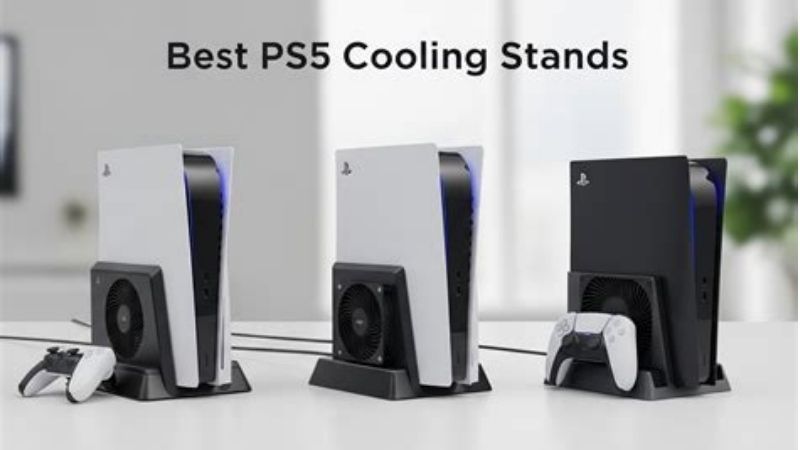
Best affordable all-in-one: Beboncool PS5 Cooling Fan Stand. The white variant combines a three-speed dual-fan base with two controller charging positions. It is a better fit for shoppers who want practical charging more than a large game library organizer. Confirm that you are selecting the Pro-compatible listing rather than an older PS5-only variant.
Best horizontal option: BONAEVER PS5 Pro/PS5 Slim Horizontal Cooling Dock. This is an alternative for people who must keep the console flat, not our highest-confidence product overall. The listing specifically identifies the Pro and Slim and offers dual-controller charging, but it had no product ratings when checked. Buyers who prioritize simplicity and reliability should also consider using Sony’s included horizontal feet without an aftermarket fan.
Before buying: Sony’s PS5 Pro compatibility guidance lists its horizontal feet and the official vertical stand as compatible accessories. Sony has not established that the aftermarket fans featured below lower internal PS5 Pro chip temperatures or prevent thermal shutdowns. Treat fan counts, RPM figures, and seller temperature claims as product specifications or marketing, not independently verified cooling benchmarks.
PS5 Pro cooling stand comparison
Prices, stock indicators, and selected variants were checked against US product pages on October 27, 2026. Stock can change by location, color, and seller. “In stock” means the viewed page offered an add-to-cart or equivalent purchasing option; it is not a guarantee of immediate delivery to every ZIP code.
| Product | Key verified feature | PS5 Pro setup | Price (US seller, checked Oct. 27, 2026) | Stock status | Main drawback |
|---|---|---|---|---|---|
| Fosmon C-10809FL | 3 fan settings; dual controller dock; 15 disc slots | Vertical; included Slim/Pro mounting panel | $44.99, Fosmon | In stock; limited quantity | Wide organizer footprint |
| Beboncool Cooling Fan Stand, white | Dual turbo fans; three speeds; two charging positions | Vertical; listing names PS5 Pro | $29.99, Walmart | In stock | Dongle-based controller seating needs care |
| ZRZLMVP Cooling Station, white | Three USB ports; 13 game slots; three-speed fan | Vertical; listing names PS5 Pro | $29.99, Walmart | In stock | Extra ports do not guarantee high-speed data |
| SWAYVOO Cooling Stand, white | Dual charging; turbo fan; RGB with memory | Vertical; listing names PS5 Pro | $28.50, Walmart | In stock | Limited independently verified performance data |
| YUOY Universal Cooling Stand, model 3532D | 11 game slots; remote dock; two controller chargers | Vertical; listing names PS5 Pro | $29.99, Walmart Business | In stock | Charging is less useful to digital-only households |
| AARONMEI Multifunction Cooling Stand | Three fan settings; 12 disc slots; two USB power outlets | Vertical; specified for PS5 Pro/Slim | $52.00, Walmart | In stock | Small review history and marketplace seller |
| BONAEVER Horizontal Cooling Dock | Three-speed fan; two controller charging positions | Horizontal; specified for PS5 Pro/Slim | $36.99, Walmart | In stock | No product ratings on checked listing |
How we selected these stands
This is a research-based buying guide, not a laboratory thermal test. We compared manufacturer documents, live US store listings, physical orientation, charging options, supported console generations, and visible purchase availability. We did not measure the PS5 Pro’s internal temperatures, fan noise, power draw, or frame rates, and the rankings do not claim such measurements. The strongest buying signals are explicit compatibility with the PS5 Pro, a stable fixing method, documented controls, and a clear seller you can return the stand to if its fit is wrong.
Why does the exact console generation matter? Original PS5 stands and snap-on fans can have a different mounting outline from the 2023 Slim and the 2024 Pro. OIVO, for example, explicitly marks one older horizontal product as unsuitable for the Slim and Pro. A seller calling something “PS5 compatible” is not enough. We looked for “PS5 Pro” in the specific listing, and gave extra weight to a supplied Pro-specific bracket, adapter, or manufacturer’s instruction page.
We also checked whether a buyer could order the specific configuration displayed. Some OIVO products have attractive documentation but showed an out-of-stock status on their direct retail pages when reviewed, so they were not promoted as in-stock winners. Finally, we looked beyond fan advertising. Charger layout, the space taken by game racks, USB power requirements, and avoiding contact with the console’s air intakes often matter more during actual ownership than a headline fan-speed number.
The best PS5 Pro cooling stands reviewed
Fosmon C-10809FL: Best overall for a complete setup
The Fosmon C-10809FL is the clearest all-around choice for an owner who wants a single accessory to organize a vertical PS5 Pro. Fosmon’s own US product page identifies the PS5 Pro among supported models and says the box contains a dedicated Slim/Pro mounting panel, separate from the adapter for older PS5 consoles. That detail is more valuable than a generic “fits all PlayStations” badge: a close-fitting adapter helps the console sit where the stand designer intended without improvising spacers.
The station combines a dual-controller charger, a headset hook, and room for 15 physical game cases. Fosmon specifies three selectable fan speeds—4,500, 4,700, and 5,000 RPM—and a memory feature that restores the previous fan setting. Those RPM values describe the accessory’s own fan, not a measured change to the PS5 Pro’s cooling capacity. The manufacturer also lists approximately three to four hours for controller charging. Buyers should treat that as a product claim dependent on power supply and battery state rather than a guarantee.
There are useful trade-offs. The broad organizer is inefficient if all your games are digital, and lighting plus an extra fan introduces more components, more noise, and another cable. The official product page showed $44.99 and limited stock on October 27, 2026, a higher asking price than several Walmart alternatives in this guide. Fosmon also advertises a limited lifetime warranty, though buyers should read the applicable terms rather than assume every kind of wear or damage is covered.
Buy it if: you own two controllers, keep physical games, and want manufacturer-documented PS5 Pro compatibility. Skip it if: your TV cabinet is tight or you mainly need a small, passive support for the console.
Beboncool PS5 Cooling Fan Stand: Best affordable charger combo
Beboncool’s Pro-compatible white cooling stand offers an appealing balance of core features and price. Its Walmart listing identifies PS5 Pro, Slim, disc, and digital systems and describes a vertical base with two turbo fans, three speed settings, a dual-controller charging dock, USB-A accessory power, and a headset holder. At the checked $29.99 white-variant price, it avoids the premium paid for Fosmon’s larger disc organizer.
The most practical reason to choose this model is having two controllers ready without leaving cables spread across the room. The product uses magnetic USB-C charging connectors, so the important everyday question is whether both controllers make reliable contact when seated. Set each controller down gently and confirm its status light instead of assuming that a controller resting on the stand is charging. The seller states that the dock can use PS5 USB power or a suitable 5V/2A wall adapter; the latter may help if your console’s USB ports are not supplying power while fully off.
The fans are an optional convenience rather than permission to place the console inside a sealed cabinet. Beboncool’s own listing warns that the product only provides auxiliary airflow and cannot guarantee protection against overheating. That is a sensible limitation. Nor should a buyer interpret the advertised safety circuitry as a substitute for using the supplied cable and the manufacturer’s required power input. The base still occupies space around the console, so measure your shelf before ordering.
Buy it if: you want an affordable vertical stand and a useful dual-controller dock. Skip it if: you dislike magnetic charging dongles or need more documented long-term reliability than a marketplace listing can provide.
ZRZLMVP Cooling Station: Best for an accessory-heavy desk
ZRZLMVP stands out for a particularly concrete organizer layout: its white Pro-compatible station lists three extra USB ports, two controller charging bays, 13 game-case slots, a media remote slot, and a headset hook. Unlike a minimalist stand, this design tries to remove several loose accessories from the desk at once. That can be useful if you alternate between a headset, wired accessories, and the PS5 media remote.
Its seller describes a selectable three-speed fan and says the station may be powered through the console’s USB port or an appropriate 5V/2A supply. It also specifies security screws and non-slip feet. For a vertical PS5 Pro, those are meaningful considerations, because stability and the console’s changing outer dimensions matter. The product page specifically names PS5 Pro as supported, although the individual installation illustrations should still be compared with the adapter included in the shipped box before tightening anything.
The limitation is the word “hub.” The listing describes charging and power connections but does not provide the kind of guaranteed data-transfer specifications a buyer would need for a high-speed storage device. Do not assume the stand’s three ports are replacements for the PS5 Pro’s own high-speed USB connections; connect demanding peripherals directly to the console instead. Similarly, the seller’s approximate controller charging time is not an independent test.
Buy it if: you have physical games, a media remote, and several low-power accessories. Skip it if: you expect a data-grade USB hub, or prefer a simple stand with no cable management trade-offs.
SWAYVOO Cooling Stand: Best simple RGB-equipped value
The SWAYVOO vertical station is an option for people who want charging, some lighting, and a conventional all-in-one base without paying for a more elaborate organizer. Its product page identifies PS5 Pro and the other current PS5 variants and lists a cooling fan, RGB illumination with a memory setting, two controller charging positions, and built-in USB ports. The checked white version was $28.50 on Walmart, with an add-to-cart option available.
This model’s main attraction is its straightforward combination of features rather than a unique thermal system. An RGB memory function is handy if you like the lighting effect but do not want to cycle through colors every time you play. A dual charger makes sense in shared living rooms where one controller is in use and another can be left ready. If you mostly play alone with a wired controller and dislike LEDs, those conveniences may not justify an additional powered stand.
Documentation is the reason we rank SWAYVOO below the more clearly specified Fosmon. Its retail description does not establish how much the accessory changes internal CPU or GPU temperature, and a favorable store rating is not a controlled durability or cooling test. Measure the full base width including its controller docks, not just the console’s width. Also confirm that the delivered adapter and retaining mechanism are labeled for the Pro rather than only the original PS5.
Buy it if: you want the basics with some visual customization and a lower upfront cost. Skip it if: you need extensive technical documentation or would rather eliminate accessory fan noise entirely.
YUOY Universal Cooling Stand 3532D: Best for game and remote storage
YUOY’s model 3532D takes a more traditional entertainment-center approach. Its Walmart Business listing names the PS5 Pro, PS5 Slim, and original PS5, and identifies 11 disc-case positions plus a place for a remote, two controller charging bays, and an adjustable three-speed fan. It is particularly relevant to people who have a mix of downloaded games and boxed titles but do not need Fosmon’s larger 15-case capacity.
The seller describes indicator lights that distinguish charging from a completed or idle state and advertises an approximate two-and-a-half-to-three-hour charging window. What matters more is the routine: controllers should be seated so the charging terminals actually contact, and any connected third-party controller needs its own confirmed compatibility. A name like “universal stand” refers to the console generations in the listing; it does not establish universal support for every controller shell, grip, or charging adapter.
There is a space penalty for physical-game storage. An 11-slot rack makes the stand wider than a simple console cradle, and the rack can invite owners to push the whole unit close to a cabinet wall. Resist that. The console’s vents still need their own clearance. We also could not find a trustworthy independent, PS5 Pro-specific before-and-after internal-temperature test for this exact unit, so the cooling effect should not be used as the deciding factor.
Buy it if: you want a visible home for game cases and a media remote. Skip it if: your entire library is digital or you do not have width to spare on the shelf.
AARONMEI Multifunction Cooling Stand: Best Pro/Slim-focused station
Unlike many generic accessories that lead with compatibility for every PS5 model, the AARONMEI listing centers on the PS5 Pro and PS5 Slim, including configurations with and without a disc drive. That narrower target is attractive if you are concerned about a base designed around the larger 2020 chassis. Walmart’s listing shows three fan settings, two controller charging bays, two extra USB charging ports, and space for 12 game cases. The published dimensions also help buyers plan their shelf, although the actual console-plus-stand height still depends on placement.
Its main distinction is therefore compatibility emphasis rather than superior measured cooling. The product’s Y-cable power arrangement is convenient in theory, but every additional plug increases the importance of routing the cable away from the console’s vents and keeping enough USB power available for the charger. A seller-stated overload cutoff is not a reason to connect unapproved supplies or overload the port. If you plan to charge controllers while the console is off, confirm the charging behavior with your actual power configuration before committing to the layout.
At $52.00 from a Walmart Marketplace seller on the checked page, AARONMEI is a more expensive choice than most other options here. Its product page also showed no consumer product reviews at that check. Those limitations make it hard to recommend as the first purchase over Fosmon or Beboncool despite its targeted Pro/Slim design. Warranty and seller returns deserve a close read before checkout.
Buy it if: a Pro/Slim-specific vertical base matters more to you than brand track record. Skip it if: you want stronger product review history or the best feature-to-price ratio.
BONAEVER Horizontal Cooling Dock: Best for a flat console layout
Some gaming cabinets simply do not allow a vertical PS5 Pro. BONAEVER’s horizontally oriented station addresses that specific layout problem. The Walmart page explicitly identifies the PS5 Pro and PS5 Slim, while excluding the original 2020 PS5, and describes a three-speed fan, two-controller charging, and a headset holder. The listing also says standard DualSense and DualSense Edge controllers are supported; buyers with protective controller cases should still confirm that their accessories fit in the charging pockets.
Horizontal placement changes the buying checklist. Measure shelf depth as well as width; check where the console’s rear cables exit; and make sure neither long side is pushed against the cabinet wall. Do not assume that a fan positioned under or alongside the console automatically improves the air path intended by Sony. If the stand contacts or obstructs a vent, or forces the console into a tighter space, its added fan can be a net inconvenience even when the motor works normally.
BONAEVER is the most conditional pick here. The US listing showed $36.99 and a way to order it, but no product ratings. Its marketplace seller history and return policy should be checked carefully. If you prioritize established documentation over integrated charging, using the supplied PS5 Pro horizontal feet on an open, level shelf is a sensible and potentially cheaper alternative to buying this dock.
Buy it if: horizontal placement is mandatory and you specifically want charging integrated with the support. Skip it if: you cannot verify the shipped configuration or your console is already well supported by its factory feet.
Do PS5 Pro cooling stands actually work?
They certainly can spin an additional fan, but that is not the same as proving a lower PS5 Pro internal temperature. The PS5 Pro uses a more involved airflow layout than earlier PS5 consoles. In Sony’s official PS5 Pro teardown discussion, the designers describe added intake-related blade openings, changes to the exhaust surface, and airflow through rear and lower sections of the chassis. That engineering is the baseline any third-party accessory has to work around, not override.
Most third-party listings in this category advertise fan RPM, blade count, LED settings, and controller charging speed. They do not publish controlled PS5 Pro tests showing the console’s internal temperatures before and after installation under the same game, room temperature, fan curve, and cabinet conditions. Even a warmer or cooler reading near an exterior grille would not, by itself, demonstrate a safer CPU or GPU operating temperature. We therefore rank these products mainly by fit, stability, accessory functionality, and buying clarity.
There is a simple hierarchy for keeping the console comfortable. First, place it in an open area with room for the air vents to breathe. Second, prevent dust from building up around the intakes and exhaust. Third, keep the console stable with its approved feet or stand. Only then decide whether a powered aftermarket base earns its space through charging and organization. For normal, quiet operation in an open room, you may not need a cooling stand at all.
How to check compatibility before checkout
Confirm your PS5 model and orientation
The PS5 Pro belongs to the CFI-7000 family, but a product simply described as “for PS5” may have been designed around the original CFI-1000 shell. Look for an explicit PS5 Pro compatibility statement in the listing for the exact color or variant you are ordering. For vertical stands, check whether a Pro-specific adapter or retention screw is supplied. For horizontal models, check whether it supports the PS5 Pro’s actual body layout and does not use mounting hardware made exclusively for the 2020 PS5.
Do not infer compatibility from a photo showing a PS5 Slim. Similar-looking shells can still have different support points and fittings. Also be wary of older horizontal OIVO products that are specifically labeled as incompatible with PS5 Slim and PS5 Pro. A stand with an excellent original-PS5 rating can still be the wrong item for your Pro.
Check power and controller requirements
Different products can charge controllers through direct contacts, USB-C dongles, or magnetic adapters. Read which parts are supplied, whether they fit standard DualSense and DualSense Edge controllers, and whether the dock needs PS5 USB power, a separately purchased wall adapter, or both. A “USB hub” on a cooling base may mean extra charging outlets rather than a data hub. If your headset, external storage, or capture device needs dependable data throughput, use a confirmed console connection.
Measure the whole shelf, not only the console
Game racks and side-mounted charging positions extend the stand’s footprint. Leave room behind the console for power and HDMI cables, and do not pack the accessory against the rear exhaust area. Sony recommends clear space around PS5 vents and warns against narrow, cramped locations. A stand should improve physical organization without using the very space the console needs for cooling.
Safe setup and airflow checklist
- Turn off the PS5 Pro completely. Disconnect the AC cable and all attached accessories before moving or mounting it.
- Place the console and stand on a stable, level surface. Match the supplied Pro adapter, pads, and fixing hardware to the instructions for that exact SKU. Do not force a screw that does not align.
- Confirm that the stand is supporting the console, not bending a faceplate or blocking the side blades, lower openings, or rear exhaust. Reposition it if a vent is obstructed.
- Connect the stand only as directed by its manufacturer. Avoid improvised USB splitters or power supplies that exceed the stated input specification.
- Route cables away from the ventilation paths. If using a controller dock, seat one controller and check its charging indicator before adding another.
- Run the console in an open area with the stand fan off first. Listen for rattling or vibration and make sure the PS5 Pro can exhaust air unobstructed. Try the accessory fan only if it adds acceptable noise and does not interfere with airflow.
- If the console displays a temperature warning, shut it down and let it cool. Inspect ventilation and dust; do not increase the aftermarket fan speed and continue playing through the warning.
If you want charging to continue in Rest Mode, Sony’s settings path is Settings > System > Power Saving > Features Available in Rest Mode > Supply Power to USB Ports. Select a suitable power-delivery option supported by your console’s software and energy-saving configuration, then test that your particular charging dock actually receives power. OIVO’s own stand instructions document this path, but it does not guarantee that every third-party accessory behaves identically.
Frequently asked questions
Does the PS5 Pro need a cooling stand?
No. Sony designed the Pro with its own internal cooling system. The more persuasive reasons to buy a third-party base are stable placement, charging two controllers, storage, and better cable organization. Give ventilation and cleaning priority over a claimed aftermarket temperature reduction.
Is a vertical or horizontal stand better for cooling?
There is no reliable evidence from these specific product listings that one orientation automatically runs the PS5 Pro cooler. Both are supported when set up correctly: Sony lists compatible horizontal feet and an optional vertical stand. Choose the orientation that provides better stability and unobstructed airflow in your actual room. Avoid forcing either position into a cramped cabinet.
Can I use an original PS5 cooling stand with my PS5 Pro?
Only if the manufacturer explicitly identifies PS5 Pro compatibility for that exact stand and provides the appropriate fittings. Some accessories sold for the 2020 PS5 are not compatible with the Pro, even when the fan system itself seems similar. Check the hardware shape and attachment method, not only the product name.
Will a cooling stand stop overheating or random shutdowns?
Do not rely on it for that. A blocked intake, dusty console, poor cabinet airflow, or hardware fault needs the underlying cause addressed. If you see a temperature warning, switch the system off, allow it to cool, move it to an open location, and follow Sony’s support guidance. Persistent shutdowns warrant a proper service assessment.
Can I charge two DualSense controllers while the PS5 Pro is off?
That depends on how the dock is powered. A model that draws power from the console may need an appropriate Rest Mode USB setting, and some stands also support a compatible external wall adapter. The PS5 Pro being fully off does not itself supply USB charging power. Always verify the exact dock’s power instructions and controller contact type.
Should I pick the stand with the highest advertised RPM?
Not automatically. RPM alone does not describe airflow direction, obstruction, acoustic comfort, or internal console temperatures. More aggressive accessory fan speeds may add noise without solving a poor ventilation layout. Treat adjustable speed as a convenience, and prioritize exact Pro fit and safe placement.
Final thoughts
For most buyers seeking the best PS5 Pro cooling stands, the Fosmon C-10809FL offers the most complete, manufacturer-documented vertical organizer, while the Beboncool Cooling Fan Stand is the more affordable route to dual charging and adjustable fans. Consider BONAEVER only when a horizontal all-in-one dock suits your shelf and you accept its limited review history. Before buying anything, move the PS5 Pro into an open, well-ventilated position and check its existing support feet. If that solves your setup problem, the best cooling upgrade may cost nothing.