Key takeaways
- 4 hours used per day × 2 days = approximately 8 hours of runtime.
- Docking it after every session leaves a useful buffer for vibration-heavy games.
- A second controller is more useful than a high-wattage charger if you regularly play long sessions.
The best PS5 accessories are the ones that solve your specific bottleneck: a charging station for daily controller use, a compatible M.2 SSD for a growing library, a low-latency headset for multiplayer, an HDMI 2.1 display for 4K/120Hz, and practical protection for the console and DualSense controllers.
Choose PS5 Accessories by Use Case
| Your situation | Best accessory type | Specifications to prioritize | What to avoid |
|---|---|---|---|
| You recharge one or two controllers constantly | DualSense charging station | Two-controller capacity, proper charging contacts, stable base | Very cheap docks with loose USB-C connectors |
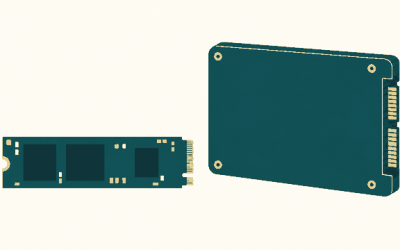
| Your PS5 storage is nearly full | Internal M.2 NVMe SSD | PCIe 4.0, 5,500MB/s or faster read speed, heatsink, 250GB–8TB capacity | Unheatsinked drives or USB drives for running PS5 games |
| You play competitive shooters | Wired or low-latency gaming headset | Clear microphone, positional audio, comfortable fit, USB or 3.5mm connection | Surround-processing gimmicks that make footsteps less precise |
| You own a 4K/120Hz TV or monitor | Certified Ultra High Speed HDMI cable | HDMI 2.1 bandwidth, 48Gbps rating, VRR support | Unbranded cables that do not state their bandwidth |
| You have children, pets, or limited ventilation | Console stand, cable management, and dust control | Stable vertical or horizontal placement with open vents | Enclosed cabinets and aggressive clip-on cooling fans |
Best PS5 Accessories for Charging
DualSense Charging Station
Sony’s official DualSense Charging Station is the simplest upgrade if you use two controllers. It charges both gamepads through contact points rather than occupying the PS5’s USB ports, and it provides a secure place to store them between sessions. A complete charge typically takes around three hours, so it is best treated as a docking and storage solution rather than a rapid-charge device.
For one controller, a good USB-C cable is enough. Use a cable at least 1.5 meters long if you play from a sofa, and connect it to a suitable USB port or power adapter. Avoid repeatedly forcing a side-angled cable into the DualSense port; a charging dock reduces wear on that connector.
Battery life varies with haptics, adaptive triggers, microphone use, and headset power. If your controller lasts about 8 hours and you play four hours per day, its theoretical schedule is:
- 4 hours used per day × 2 days = approximately 8 hours of runtime.
- Docking it after every session leaves a useful buffer for vibration-heavy games.
- A second controller is more useful than a high-wattage charger if you regularly play long sessions.
Do not expect a charging station to increase battery capacity. It only makes keeping the controller charged more convenient.
Best PS5 Accessories for Storage
Internal M.2 SSD: the meaningful storage upgrade
For PS5 games, an internal M.2 NVMe SSD is the best storage accessory. The PS5 expansion slot supports PCIe 4.0 drives, and the SSD must have adequate cooling. Drives such as the WD_BLACK SN850X with a compatible heatsink and the Seagate Game Drive M.2 SSD for PS5 are examples of the correct product class. Check the current PlayStation compatibility requirements before buying a specific capacity or revision.
Look for:
- PCIe Gen4 x4 interface.
- At least 5,500MB/s sequential read speed.
- A heatsink that fits the PS5 expansion bay, with the total height within Sony’s clearance limit.
- 250GB to 8TB capacity, depending on the drive and current console support.
Capacity is easier to estimate by converting the advertised drive size into usable game space. A 2TB drive does not provide exactly 2,000GB after formatting and system overhead; plan for roughly 1.8TB of usable space. If your typical PS5 game occupies 90GB, that equals:
1,800GB ÷ 90GB ≈ 20 large games.
Actual results vary because some games are much larger and updates can require temporary free space. A 1TB drive is sensible for a smaller library, while 2TB is usually the better long-term balance for players who dislike deleting games.
USB storage: useful, but with an important limitation
An external USB HDD or SSD can store PS5 games and play PS4 games, but PS5 games generally must be copied back to internal storage or the M.2 expansion drive before you can launch them. A USB 3.x SSD is much faster and quieter than a hard drive for moving games, while a hard drive is usually cheaper per terabyte and better for archiving.
Use internal M.2 storage for games you play now; use USB storage for your backlog, PS4 library, screenshots, and video clips.
Best PS5 Accessories for Cooling and Placement
The most effective cooling upgrade is usually better placement, not a fan attachment. Keep the console on a hard surface, leave clear space around its air intakes and exhaust, and avoid placing it inside a closed TV cabinet. Do not cover the vents with fabric or place the PS5 directly on thick carpet.
A vertical or horizontal stand can improve stability, especially in homes with pets or children. The stand itself does not magically lower temperatures, but it prevents the console from being knocked over and keeps the intended airflow path clear.
Clip-on USB cooling fans are rarely essential. They can add noise, draw power from the console, and create turbulence without solving a blocked-vent problem. If the PS5 is unusually loud or shutting down, first check for dust, restricted airflow, firmware updates, and room temperature. Persistent overheating is a service issue rather than a reason to keep adding fans.
Best PS5 Accessories for Audio
Pulse Elite for wireless gaming and chat
Sony’s Pulse Elite wireless headset is a strong match for PS5 players who want a dedicated headset with PlayStation integration and a boom microphone. Its wireless connection avoids a cable across the room, while the included charging system is more convenient than constantly replacing batteries. Confirm the current package contents if buying a used or regional bundle.
Pulse 3D for a simpler, lighter setup
The Pulse 3D wireless headset remains a practical choice for players who want a PlayStation-branded headset without moving to a premium price class. It supports PS5 3D audio and includes controls on the earcup. Its built-in microphone is convenient, although a headset with a positioned boom mic can be clearer for competitive chat.
Wired headsets and USB microphones
A wired headset connected to the DualSense is often the best value for single-player gaming and voice chat. It has no wireless battery to manage and introduces very little latency. For streaming or a room where several people need to hear the game, a dedicated USB microphone paired with TV or headset audio can provide better voice quality, but it adds desk clutter and requires more setup.
For competitive games, prioritize microphone clarity, comfort over several hours, and the ability to hear quiet directional sounds. Virtual surround modes are optional; compare them with stereo output because excessive processing can make footsteps harder to locate.
Best PS5 Accessories for Display and Video
To use 4K at 120Hz, variable refresh rate, and HDR together, the display must support those features and the connection must have enough bandwidth. A certified Ultra High Speed HDMI cable is the safe choice. The PS5 includes a suitable cable, so replace it only if it is too short, damaged, or you need a second setup.
The bandwidth requirement can be understood from the signal dimensions:
- 4K resolution is 3,840 × 2,160 pixels, or about 8.3 million pixels per frame.
- At 120Hz, the display receives twice as many frames as at 60Hz.
- HDR and reduced blanking requirements add further data overhead.
- That is why HDMI 2.1, rather than ordinary HDMI 2.0, is the appropriate target for 4K/120Hz gaming.
For a TV, look for HDMI 2.1 ports, 4K/120Hz support, VRR, ALLM, and a gaming mode with low input lag. For a monitor, check whether its HDMI ports—not only DisplayPort—support the desired PS5 resolution and refresh rate. The PS5 does not use DisplayPort directly, so a DisplayPort-only monitor is a poor choice without additional hardware.
Best PS5 Accessories for Protection
A rigid console cover can protect against dust when the PS5 is stored, but it should be removed during play so it does not restrict airflow. A controller case is useful for transporting a DualSense, especially because the adaptive triggers and thumbsticks can be damaged by pressure inside a crowded bag.
For cable protection, route the power and HDMI cables with gentle bends and leave enough slack to prevent the console from being pulled when the TV moves. Adhesive cable clips or a cable sleeve are inexpensive improvements that reduce accidental unplugging and port strain.
Best PS5 Accessories for Multiplayer
For local multiplayer, buy a second DualSense before buying specialized accessories. Four controllers can work for supported games, but every additional wireless device increases charging and storage demands. A charging station that handles two controllers plus a USB charging cable for the others is more practical than a crowded multi-port setup.
For online multiplayer, the priority order should be:
- Stable internet connection, preferably Ethernet when the router is nearby.
- A headset with a clear microphone and a physical mute control.
- Comfortable ear cushions for long sessions.
- Only then, premium audio features such as enhanced wireless modes or extra EQ controls.
Ethernet does not automatically fix every lag problem, but it removes Wi-Fi interference and signal-strength variation from the connection between the PS5 and router. If Ethernet is impractical, use a modern 5GHz or 6GHz Wi-Fi network with the console close to the access point.
What to Buy First
Start with the accessory that removes your biggest inconvenience. Choose a charging station if dead controllers interrupt play, a 2TB internal M.2 SSD if storage is full, a headset if chat or directional audio is weak, and an HDMI 2.1 display only if your current screen cannot deliver the resolution and refresh rate you actually want. For most players, this use-case approach produces a better setup than buying every branded accessory at once.