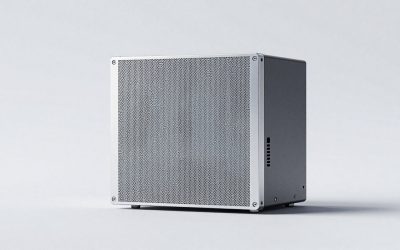
Key takeaways
- Rated host interface and distinguishing feature: USB4 40Gbps; large passive aluminum heatsink; up to 3,836 MB/s claimed
- SSD fit or limitation: NVMe 2230/2242/2280; single- or double-sided; no preinstalled SSD heatsink
- U.S. price observed (seller; Oct. 28): $119.99 (OWC direct)
- Stock status (Oct. 28): In stock, per OWC direct listing
- Main compromise: Heavy and less pocketable
Finding the best USB 4 enclosures for gamers means more than buying a box with “40Gbps” printed on it. The right enclosure needs to accept your actual M.2 NVMe drive, negotiate a fast connection with your PC, shed heat during large game transfers, and remain reliable when moved between setups. For most gamers with a genuine USB4 or Thunderbolt 4 host, the OWC Express 1M2 is the strongest all-around choice because of its substantial passive heatsink and broad backward compatibility. Sabrent’s EC-U4TN is a compelling alternative for anyone who prefers active cooling. This guide covers empty enclosures for adding your own SSD—not finished rugged portable SSDs or internal PC motherboard heatsinks.
Quick verdict: the right enclosure for your gaming setup
Best overall: OWC Express 1M2 (OWCUS4EXP1M2). Its finned aluminum shell, M.2 2230/2242/2280 support, included 40Gbps cable, and compatibility with both faster and slower host ports make it an unusually practical choice. Its size and weight are significant, so it belongs on a desk or in a padded bag rather than dangling from a handheld.
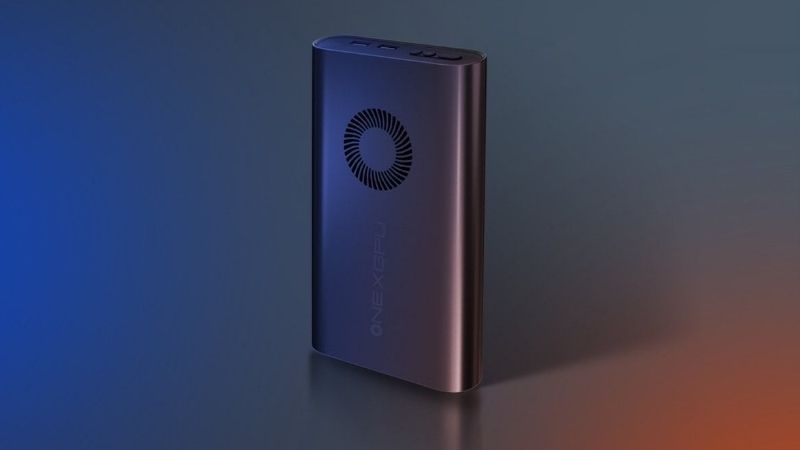
Best for long transfer sessions: Sabrent EC-U4TN. The integrated fan distinguishes it from passive competitors. Sabrent rates the enclosure for up to 3,900 MB/s over USB4 with a suitable host and SSD, but a fan adds a mechanical component and may introduce some noise. Its published USB4, Thunderbolt, and USB 3.2 performance figures are different; read them before assuming a universal speed.
Best tool-free mainstream alternative: Satechi ST-EU4NPM. Installation uses a sliding cover and silicone retention pin. Its official support material excludes double-sided drives and SSDs with factory heatsinks. Satechi’s own product and support pages disagree on whether 2230-length SSDs are supported, so verify that fit directly before buying for a short drive.
Best for transporting a game archive: HyperDrive Next HD5001GL. A removable protective sleeve and manufacturer-claimed IP55 resistance distinguish this 40Gbps model. That rating is conditional on the protective configuration and does not justify treating the device as waterproof. The maker lists a 4TB SSD capacity ceiling.
Best cable-management design: ZikeDrive Z666. Its integrated cable storage and additional cable appeal to players with compact desks or mobile workstations. Availability on the manufacturer page displayed contradictory signals during this research pass, so treat it as a comparison option rather than a confirmed immediately orderable pick.
Best fan-equipped variant to investigate: ACASIS TBU405Pro. Compared with the tool-free TBU405M1, the Pro variant adds a fan. Its Intel JHL7440-based design is not interchangeable with newer ASM2464PD USB4 enclosures, and the manufacturer-page variant/stock display requires a final pre-order check.
Best for a rare 80Gbps-ready PC: HyperDrive Next HD2500GL. It moves beyond the standard 40Gbps category with USB4 v2/80Gbps host support and a published PCIe transfer ceiling of 64Gbps. It is a specialist purchase: an ordinary 40Gbps or 10Gbps PC cannot deliver the 80Gbps benefit.
USB4 NVMe enclosure comparison: prices, speeds and availability
The following are empty SSD enclosures: no NVMe drive is included in these prices. Prices are U.S.-dollar page observations made October 28, 2026 in U.S. time (October 29 in Bangkok). An online listing or Add to Cart control is not checkout confirmation. Speeds are manufacturer maximums under specified conditions, not measurements performed by Geek Gaming Tricks.
OWC Express 1M2 — OWCUS4EXP1M2
- Rated host interface and distinguishing feature: USB4 40Gbps; large passive aluminum heatsink; up to 3,836 MB/s claimed
- SSD fit or limitation: NVMe 2230/2242/2280; single- or double-sided; no preinstalled SSD heatsink
- U.S. price observed (seller; Oct. 28): $119.99 (OWC direct)
- Stock status (Oct. 28): In stock, per OWC direct listing
- Main compromise: Heavy and less pocketable
Sabrent EC-U4TN
- Rated host interface and distinguishing feature: USB4 40Gbps; integrated fan; up to 3,900 MB/s claimed via USB4
- SSD fit or limitation: M-key NVMe 2230/2242/2260/2280; no SATA
- U.S. price observed (seller; Oct. 28): $89.99 (Sabrent direct)
- Stock status (Oct. 28): Orderable listing; checkout not verified
- Main compromise: Active fan and thermal/noise trade-off
Satechi ST-EU4NPM
- Rated host interface and distinguishing feature: USB4 40Gbps; tool-free lid and thermal pad; up to 3,840 MB/s claimed
- SSD fit or limitation: NVMe 2242/2260/2280 per support; not double-sided or factory-heatsink drives
- U.S. price observed (seller; Oct. 28): $119.99 (Satechi direct)
- Stock status (Oct. 28): Orderable listing; checkout not verified
- Main compromise: 2230 support statements conflict
HyperDrive Next HD5001GL
- Rated host interface and distinguishing feature: USB4 40Gbps; protective silicone sleeve; IP55 claimed with sleeve
- SSD fit or limitation: PCIe Gen 3/4 NVMe; up to 4TB; no SSD with heatsink
- U.S. price observed (seller; Oct. 28): $89.99 (HyperShop direct)
- Stock status (Oct. 28): Page reports low stock and Add to Cart
- Main compromise: Capacity ceiling and bulky casing
ZikeDrive Z666
- Rated host interface and distinguishing feature: USB4 40Gbps; ASM2464PD; cable storage
- SSD fit or limitation: M-key NVMe 2230/2242/2260/2280
- U.S. price observed (seller; Oct. 28): $99.99 (ZikeTech direct)
- Stock status (Oct. 28): Unclear: low-stock and sold-out indicators conflict
- Main compromise: Availability cannot be confirmed
ACASIS TBU405Pro
- Rated host interface and distinguishing feature: 40Gbps-class Thunderbolt/USB4-compatible; built-in fan; Intel JHL7440-based
- SSD fit or limitation: M.2 NVMe up to 8TB as claimed; verify SSD fit by variant
- U.S. price observed (seller; Oct. 28): Price not verified for selected variant
- Stock status (Oct. 28): Unclear: variant/stock display differs
- Main compromise: Older controller architecture; variant ambiguity
HyperDrive Next HD2500GL
- Rated host interface and distinguishing feature: USB4 v2 80Gbps; PCIe data up to 64Gbps; tool-free, sleeve
- SSD fit or limitation: NVMe Gen 3/4/5, sizes 2230/2242/2260/2280
- U.S. price observed (seller; Oct. 28): $199.99 (HyperShop direct)
- Stock status (Oct. 28): In stock, per direct listing
- Main compromise: Overkill without an 80Gbps host
Do not read the 40Gbps or 80Gbps interface labels as promised file-copy speeds. USB4 transports data with protocol overhead and host limits; the installed SSD’s controller, cache behavior, thermal headroom, file mix, and available space also matter. A small game update containing thousands of files can behave very differently from copying one large video capture.
The seven best USB4 enclosures for gamers, in detail
OWC Express 1M2: best overall for serious PC game libraries
The OWC Express 1M2 is the first enclosure to consider when you already own a quality M.2 NVMe SSD and want it to become reliable external storage. Its entire finned aluminum body is designed as a passive heat sink rather than a decorative shell around a small internal plate. OWC’s empty-enclosure SKU is OWCUS4EXP1M2; avoid confusing it with 1TB or 2TB preloaded variants, which include an SSD and cost considerably more.
OWC specifies USB4 connectivity up to 40Gbps, a 40Gbps USB-C cable in the box, and support for M-key M.2 NVMe SSDs in 2230, 2242, and 2280 lengths. It supports single- and double-sided drives, but it does not accommodate an SSD with its own factory-fitted heatsink. The case uses screws for assembly rather than a tool-free latch. For a portable gaming SSD that stays assembled for months, that secure construction is a reasonable trade-off; frequent drive swapping is less convenient.
Its headline up to 3,836 MB/s is a test-specific maximum on a fast Windows host with an appropriate SSD. OWC also describes operation at USB 10Gbps speeds near 990 MB/s under its stated test conditions. That fallback makes it useful if your desktop has USB4 but the gaming laptop at a LAN party only has an ordinary 10Gbps Type-C port. The same connection will not reach USB4 speeds on both machines. An independent PCWorld review of this enclosure reported strong results on several interfaces and highlighted the limits imposed by the SSD’s write cache during very long transfers; those were PCWorld’s tests, not ours.
Buy it if you make frequent large backups, keep a substantial Steam library, and want passive cooling without a fan. Skip it if you attach storage to a handheld where 253 grams plus cable strain is awkward, or you need to swap several M.2 sticks every day. At the observed $119.99 OWC direct price, compare the total cost of the enclosure plus SSD against a ready-made portable SSD rather than comparing bare-enclosure prices alone.
Sabrent EC-U4TN: best active cooling for frequent large copies
The Sabrent EC-U4TN earns a distinctive place in this roundup because it includes an integrated cooling fan. Gamers who record long OBS sessions, move large captures, or rebuild local archives repeatedly can push an enclosure harder than someone launching a few games each evening. A fan is not a guarantee against thermal throttling—ambient temperature, installed SSD and airflow still matter—but it provides another route for dissipating heat from the enclosed drive.
Sabrent’s model page specifies an M.2 NVMe-to-USB4 design with M-key slots for 2230, 2242, 2260 and 2280 SSDs, a 0.3-meter USB4 Type-C cable, bus power, and tool-free installation. The advertised transfer ceiling is up to 3,900 MB/s over USB4, versus up to 2,700 MB/s on the vendor’s Thunderbolt path and roughly 1,000 MB/s on USB 10Gbps. Those are vendor-stated figures for different connection types; they are not a universal guarantee for every Thunderbolt or USB4 PC.
The fan is the obvious reason to choose this enclosure over a purely passive competitor, but it also supplies the principal drawback. It may be audible on a quiet desk, it adds another part that could eventually wear, and active airflow does not make a poor-quality NVMe SSD retain fast writes after its SLC cache is exhausted. Sabrent also says the enclosure is designed for Windows and macOS PCs, including portable gaming devices, while other systems may require additional configuration.
Buy it if your workload regularly involves multi-hundred-gigabyte transfers and you accept a fan for the extra cooling option. Skip it if silent operation is paramount or you only have a USB 10Gbps port: in that case the underlying USB host bottleneck makes an inexpensive 10Gbps enclosure worth comparing. The direct Sabrent page showed $89.99 and an Add to Cart control, but the latter is not proof that checkout will succeed at a particular ZIP code.
Satechi ST-EU4NPM: best tool-free option for flexible desktops
Satechi’s USB4 NVMe SSD Pro Enclosure, exact SKU ST-EU4NPM, is attractive if you change SSDs occasionally and dislike searching for tiny screws. The manufacturer documents a slide-to-unlock lid, a silicone SSD retention pin, and a thermal pad. The aluminum construction and included clear sleeve focus on convenient assembly and cooling without the extra motor found in a fan-equipped case.
Satechi advertises up to 3,840 MB/s transfers with a compatible PCIe Gen 4 NVMe drive, USB4/TB4-capable host, and suitable cable. The advertised speed is near the same class as other 40Gbps ASM2464PD enclosures, so the more meaningful purchase factors are drive fit, assembly, noise, warranty and actual seller price. The vendor showed a $119.99 U.S. direct listing during this check, while other retailer offers may differ.
There is an important compatibility discrepancy. Satechi’s product page lists 2230, 2242, 2260, and 2280 lengths, but Satechi’s dedicated support pages list 2242, 2260, and 2280. The support article also excludes M.2 SATA, double-sided SSDs, and SSDs with factory heatsinks. Because a fit mistake can make the entire purchase unusable, assume the narrower officially supported set until Satechi confirms your exact short SSD or PCB revision. Do not infer that the enclosure accepts a double-sided 8TB stick just because the marketing page mentions a large theoretical capacity.
Buy it if your drive is a known-compatible single-sided NVMe module and quick installation is valuable. Skip it if you need guaranteed 2230 support, want to use a double-sided high-capacity drive, or insist on an SSD with a preinstalled heatsink. Those are specific fit risks, not cosmetic preferences, and they outweigh a small price difference.
HyperDrive Next HD5001GL: best for carrying between gaming setups
The 40Gbps HyperDrive Next enclosure, HD5001GL, targets the mobile side of this category. Hyper says the product has a recycled-aluminum body, snap-in installation, and a silicone protective sleeve. It claims an IP55 water- and dust-resistance rating when the protective sleeve is used. That makes it worth considering for a gamer who packs an SSD with a laptop and controller, but an IP rating is not blanket protection from an open connector, rough handling, or immersion.
This enclosure is rated for USB4 40Gbps connectivity and PCIe Gen 3 or Gen 4 M.2 NVMe drives. The manufacturer lists support up to 4TB, a 0.5-meter USB4 cable, and dimensions of 140 × 60 × 21 mm. At 260 grams, it is not actually a featherweight travel accessory. The case is better positioned safely on a desk than hanging freely from a USB-C port. Hyper specifically states that a drive with its own fitted heatsink will not fit.
The direct HyperShop product page displayed $89.99 on the selected variant and a low-stock message. Another storefront snapshot showed a different price, illustrating why the exact product page and selected option matter. Use the amount displayed at your actual checkout rather than assuming a markdown from an older regular price is still active. There is no reason to claim a sustained benchmark from the stated 40Gbps interface alone; the maker presents tested transfer-speed marketing, not a standardized cross-product gaming benchmark.
Buy it if the sleeve, cable length and tool-free assembly match your travel routine and 4TB is enough. Skip it if you need more than the stated capacity ceiling or want to minimize bulk and cable strain around a handheld. The durability claim is an advantage only when the protective configuration is used correctly.
ZikeDrive Z666: best integrated cable organization
The ZikeDrive Z666 is interesting for a problem that performance charts ignore: finding the correct cable when you’re carrying several accessories to a friend’s PC. Zike integrates cable storage into the enclosure and includes an additional USB4 cable, making it easier to keep a short connection with the drive. Its tool-free design, aluminum body and retention plug suit an NVMe module that you might reuse across machines.
Zike lists an ASM2464PD USB4 controller, M.2 NVMe compatibility for 2230/2242/2260/2280, and vendor-advertised read performance in the approximately 3.8GB/s class. Its published specifications are not fully consistent across every performance section: some panels quote up to 3.8GB/s reads and 3.1GB/s writes, while another promotional section presents different figures. For buying purposes, regard these as conditional manufacturer claims rather than an exact sustained-write promise. The host USB4 implementation and SSD are decisive.
One purchasing limitation matters more than another 100 MB/s on a spec sheet: the direct listing displayed both a low-stock quantity and a “Sold out” state in different page elements during this research pass. As a result, its price of $99.99 is an observed reference, not a confirmed buy-now offer. The Z666 also has a relatively large, heavy shell for a device marketed as mobile; it weighs about 245 grams according to the maker.
Buy it if the cable arrangement solves an actual travel annoyance and you can confirm the current variant is purchasable. Skip it for now if you need an enclosure shipped immediately and the contradictory store state persists. The OWC, Sabrent or HyperDrive listings provide clearer alternatives while you wait for reliable availability information.
ACASIS TBU405Pro: best fan-equipped alternative with a caveat
ACASIS offers several similarly named 40Gbps enclosures. The model evaluated here is the TBU405Pro with an integrated fan, not the plain screw-fixed TBU405, the tool-free TBU405M1 without that fan, or the TBU405ProMax two-bay RAID unit. These distinctions change the physical product, price and intended use. A marketplace listing labeled only “TBU405” should not be treated as confirmation that a fan is included.
ACASIS says this family supports M.2 NVMe capacities up to 8TB and connections to Thunderbolt 3/4/5 and USB4 hosts. Its product page describes an Intel JHL7440-based design, which is distinct from the ASMedia ASM2464PD-based native USB4 architecture used by several newer enclosures in this roundup. A 40Gbps connection label does not establish identical fallback operation, controller overhead, or SSD throughput across these chipsets. Confirm compatibility with the specific PC and USB port rather than buying on the largest bandwidth number alone.
The advantage is a cooling fan and the possibility of using a compatible drive in a higher-capacity configuration. The downside is less transparent model selection. Product variants share one online page, and this research pass did not establish a trustworthy TBU405Pro-specific U.S. price and in-stock checkout. Some regional pages also displayed conflicting sold-out signals. Accordingly, this is a conditional comparison pick, not one of the verified orderable recommendations or the default Best Overall.
Buy it only after confirming the seller’s exact variant, fan inclusion, correct cable, U.S. return terms and host compatibility. Skip it if you prefer a clearly identified USB4 enclosure with published current purchase status; the Sabrent EC-U4TN is the simpler active-cooling alternative in this selection.
HyperDrive Next HD2500GL: best for USB4 v2 and 80Gbps hosts
The HD2500GL is a specialist option rather than a routine upgrade from the HD5001GL. It is advertised as a USB4 v2 80Gbps M.2 PCIe enclosure compatible with Thunderbolt 5 and supporting M.2 2230/2242/2260/2280 form factors. The maker also states that its usable PCIe data-transfer speed is up to 64Gbps. Do not confuse the 80Gbps link label with an 80Gbps guaranteed SSD file-copy rate, and do not assume this enclosure can turn a computer’s ordinary USB4 40Gbps port into an 80Gbps port.
Hyper includes an 80Gbps-rated 0.5-meter USB-C cable and a protective silicone sleeve, and it describes tool-free SSD installation. Its advertised IP55 protection is tied to the protective sleeve rather than every possible exposed operating condition. The direct U.S. product page displayed $199.99 with an in-stock message. This is more than twice the observed price of several 40Gbps choices in the current set, before buying the SSD itself.
For a gamer who regularly moves massive capture archives, game development builds, or local mod libraries on a confirmed 80Gbps-capable workstation, the extra bandwidth may be useful. For someone who mostly launches games, it is unlikely to be the first dollar worth spending. Game frame rate is not determined by an external SSD’s sequential file-copy maximum, and a large download may still be limited by internet speed, decompression and the installer’s workflow.
Buy it if you can verify your actual host supports the intended 80Gbps mode and you routinely move very large files. Skip it if your PC is limited to USB4 40Gbps, Thunderbolt 4 or 10Gbps USB-C and you cannot identify a workload that needs this higher tier. The standard OWC and Sabrent options remain more balanced for most gaming systems.
What gamers should verify before paying for USB4
A USB-C socket does not tell you the transfer speed
USB Type-C describes a connector, not a performance promise. A USB-C port might carry USB 5Gbps, USB 10Gbps, USB 20Gbps, USB4 40Gbps, or a different compatible mode. Older Thunderbolt 3 systems may also behave differently with particular USB4-to-NVMe bridges. The enclosure and the host must establish a mutually supported connection, and a hub, dock or low-rated cable can introduce another bottleneck.
Start with the exact motherboard or laptop model and inspect its official technical specifications. For a Windows 11 system with a USB4 host controller, Microsoft documents Settings > Bluetooth & devices > USB > USB4 Hubs and Devices on supported builds. This page can expose connected USB4 hardware and capabilities. If the USB4 section is absent, it does not automatically prove that every Type-C port is slow; check the host’s published spec, firmware and the Windows build before concluding anything. A USB 10Gbps-only host will not become 40Gbps merely because you use a better enclosure.
Choose the SSD first, then check the enclosure’s fit
The M.2 form factor describes the module’s approximate width and length: 2230 means a 22mm-wide, 30mm-long device, whereas 2280 means 22mm by 80mm. The physically similar-looking SATA and NVMe M.2 standards are not interchangeable. Every primary option in this list is intended for NVMe storage. An old M.2 SATA stick should not be placed in a case just because its length looks correct.
Next examine single- versus double-sided components and the existing SSD heatsink. Satechi’s official support material explicitly rules out double-sided drives, while OWC’s enclosure accepts both single- and double-sided modules but not drives with preinstalled heatsinks. Different restrictions mean the SSD you already own can decide the winner more quickly than a reviewer ranking. Also check that the maker’s stated maximum supported capacity covers your specific module, rather than treating a theoretical protocol limit as guaranteed fit.
Think about sustained writes rather than only headline reads
A USB4 enclosure is valuable for copying large game installations, recordings, local media libraries and backups. But the two performance limits are not the same: the enclosure negotiates a host link, while the SSD itself determines cache behavior, native NAND write speed and endurance characteristics. A very fast NVMe drive can fall back to much lower sustained write throughput after exhausting its pseudo-SLC cache. A large radiator or fan cannot create missing write cache, although cooling can prevent some heat-related slowdowns.
Manufacturers usually publish sequential maxima measured under favorable conditions. They rarely tell you how a nearly full SSD will behave during a multi-hundred-gigabyte copy. When a seller claims that an enclosure transfers a certain amount of data in a few seconds, ask what drive, host, file type and test method were used. For a gaming buyer, reliable completion of a 100GB folder transfer is often a more meaningful goal than chasing the highest read number in an empty-drive synthetic benchmark.
Pick the cable and physical setup deliberately
Use the supplied rated cable first, and connect the enclosure directly to the host while confirming initial operation. Avoid assuming a charging-only USB-C cable, unknown USB-C extension, or a convenient front-panel adapter preserves USB4 bandwidth. If the drive disconnects under load, test the official cable and a known-good direct host port before changing SSD firmware or reformatting anything. A port with insufficient power or a loose cable can mimic a defective SSD.
Do not let a heavy enclosure hang from a handheld or thin laptop USB-C socket. Place it on the desk with some slack in the cable. Metal enclosures can become uncomfortably warm during sustained copying; do not cover heat-sink fins with a thick sleeve unless the manufacturer instructs you to use it in that configuration. Keep the device away from liquid even when a product lists an ingress-protection rating; an SSD enclosure is not a data-loss insurance policy.
Can a USB4 enclosure actually improve gaming?
For PC games, a fast external NVMe drive is useful as supplemental storage, an archive, or a place to store some installed games. Whether it improves loading compared with an existing internal SSD depends on the game’s I/O pattern and the baseline drive. It will not increase GPU frame rates, fix stuttering caused by CPU or shader-compilation issues, or magically make online downloads faster. A high-end external solution can be slower than a directly connected internal PCIe NVMe drive and is more vulnerable to cable disconnects.
For Steam libraries, Valve documents creating additional library paths in Steam > Settings > Storage and moving existing titles from that same Storage view. Use Steam’s built-in movement option instead of manually dragging active game folders and assuming the client will discover everything correctly. An external drive may receive a different Windows drive letter when reconnected; if Steam cannot see a library, verify the disk and path before reinstalling. Steam’s support cautions against installing the entire Steam client on an external hard drive because of possible performance issues; that is different from using an alternate storage location for selected games.
For consoles, the label USB4 is not a workaround for platform rules. PlayStation states that PS5 games may be stored on suitable USB extended storage but cannot be played directly from it; they must be transferred back to console storage. PS4 games can be played from compatible USB extended storage on PS5. Similar platform-specific restrictions apply in the Xbox ecosystem. Therefore, buy a USB4 enclosure primarily for a compatible PC unless you have separately confirmed the console’s external-storage format and game-running rules.
For recording and content creation, sequential write throughput and sustained thermals matter more directly. Large high-bitrate captures and archive copies can exploit a 40Gbps link if the capture workflow is actually writing to that SSD and the source data arrives fast enough. Even there, selecting a good NVMe SSD and ensuring a direct, stable connection are as important as the outer shell.
How to build and check your external gaming SSD safely
- Inspect the drive before installation. Confirm it is an M-key M.2 NVMe SSD in a supported length, and check its component thickness and heatsink against the enclosure’s instructions. Unplug both the enclosure and SSD from power before opening the shell.
- Install the drive using the model’s retention method. For tool-free cases, follow the latch and silicone-pin sequence in the manufacturer’s guide. For OWC’s screw-fixed case, use the supplied screwdriver and do not overtighten. Apply the thermal pad where specified, removing its protective film so it makes proper contact; never stack pads indiscriminately.
- Connect directly using the rated cable. Start at a documented USB4 or Thunderbolt-compatible port on a Windows gaming PC rather than a dock with uncertain downstream bandwidth. Check that the enclosure appears in Windows. If the enclosure is detected but a new blank SSD is absent from File Explorer, open Disk Management by right-clicking Start and selecting Disk Management.
- Initialize and format only a truly blank drive. Disk initialization, creating a new volume, or formatting an existing partition can destroy data. Identify the SSD by capacity and device details; do not format a disk containing backups or game saves. For a dedicated Windows library, NTFS is a practical default. For cross-platform storage, evaluate exFAT only after checking each host’s application requirements and backup strategy.
- Verify usable capacity and link behavior. Copy a few large test files, then several smaller folders, and compare observed speed with the source drive and host capability. If speeds are unexpectedly low, verify the host specification and cable first. A short burst of high throughput followed by slower writes may reflect the NVMe drive’s cache, not an enclosure defect.
- Move the intended library with the launcher. In Steam use Settings > Storage to create a library location, select existing games and use Move when appropriate. Launch a game to confirm it is registered and working. Keep separate backups of important saves, mods, and custom configuration files rather than assuming every title uses Steam Cloud.
- Eject before unplugging when practical. Close games and capture software that are accessing the disk, ensure file transfers have finished, and use Windows’ safe removal option when available. Disconnecting a live library mid-write risks file-system corruption even if the SSD is otherwise healthy.
Common buying mistakes and how to avoid them
Paying for 40Gbps when the computer has only 10Gbps USB
A 40Gbps enclosure normally falls back to the speed supported by the actual connection. That may still be a good future upgrade, but calculate the value honestly: if your entire setup is USB 10Gbps for the next few years, spending heavily on the fastest enclosure is unlikely to shorten gameplay load times enough to justify the difference. Confirm the host port before deciding the budget.
Confusing PCIe Gen 4 drive speed with USB4 enclosure speed
A PCIe Gen 4 x4 internal SSD may advertise sequential reads well above 7,000 MB/s. In a standard 40Gbps USB4 case, the external link reduces practical transfer performance. Conversely, an older Gen 3 NVMe SSD can still be a good fit for storing games and captures, even if it never reaches the enclosure’s maximum. Buy for the combined system, not the largest isolated specification.
Assuming all “40Gbps” products use the same bridge
USB4, Thunderbolt 3, Thunderbolt 4 and marketing phrases like “Thunderbolt compatible” refer to related but non-identical connection and tunneling scenarios. The Sabrent, OWC and Zike options publish native USB4-class hardware details, while ACASIS highlights an Intel JHL7440 architecture for the TBU405 family. Read the compatibility list for your specific model and host. Do not assume a connector that fits is enough to deliver the same operation and speed.
Buying from a listing that has contradictory stock information
A product page may show a price, low-stock badge and sold-out state simultaneously because variants are changing or cached page elements are inconsistent. That occurred on the Zike listing in this check, and the ACASIS family pages also required variant-specific caution. Count them as availability unclear, not “in stock” or “definitely sold out” without a confirmed checkout path. A clearly orderable alternative is the better choice when the drive is needed for an event soon.
FAQ
Is USB4 always faster than a normal USB 3.2 NVMe enclosure for games?
Not for every task. USB4 40Gbps offers more bandwidth than USB 10Gbps for suitable bulk transfers, but some game loading is limited by small-file access, decompression or other system components. A good internal NVMe SSD often remains the simpler location for a frequently played title. An external USB4 SSD is most compelling for capacity, flexibility and large transfers.
Can I put a SATA M.2 SSD in these USB4 NVMe enclosures?
No. These seven products are reviewed as M.2 NVMe enclosures, not dual-protocol SATA/NVMe cases. M.2 describes the card shape, whereas NVMe versus SATA describes different storage interfaces. Check the SSD model number and the enclosure’s controller requirements before buying.
Can I use an NVMe SSD that already has a heatsink?
Usually not without removing the preinstalled heatsink, and removal may damage the SSD or affect its warranty. OWC, Satechi and HyperDrive describe fit limits for factory-heatsink modules. Select a bare NVMe SSD that fits the case and then use the thermal pad or heat-spreader arrangement supplied by its manufacturer.
Does a Thunderbolt 4 gaming laptop guarantee full USB4 40Gbps SSD performance?
No. It can provide an appropriate connection path for compatible products, but real storage throughput also depends on the enclosure controller, host implementation, cable, drive, thermals and operation being measured. Verify the laptop’s official port documentation and, where Windows exposes it, review the connected device under USB4 Hubs and Devices.
Will a USB4 enclosure let me play PS5 games directly from external storage?
No. PlayStation’s USB extended-storage rules require PS5 games to be copied back to internal console storage for play. A faster USB-C enclosure does not change that rule. PS4 titles may be playable from compatible USB extended storage on PS5, subject to the console’s requirements.
Is a 40Gbps enclosure worth buying if I already have a 20Gbps USB drive?
Only for a specific reason: you own a USB4-capable host, need significantly faster large-file transfers, and can pair the enclosure with a suitably fast NVMe SSD. A 20Gbps drive remains useful for game archives, backups and many transfers. Compare total upgrade cost, not enclosure pricing alone.
What capacity should I choose for an external gaming library?
For a few frequently rotated games and captures, 1TB can be serviceable; 2TB often provides a more comfortable buffer for modern installations and updates. A larger drive helps if you preserve many raw recordings or several large libraries, but verify the enclosure’s documented capacity ceiling and the physical drive fit first. Do not fill an SSD to the brink if you expect sustained write performance.
Final thoughts
The OWC Express 1M2 is the safest all-around recommendation when you want a well-documented, passively cooled USB4 enclosure for an existing NVMe drive. Choose the Sabrent EC-U4TN when an integrated cooling fan is useful, the Satechi ST-EU4NPM when tool-free access matters and your SSD is on its supported-fit list, or the HyperDrive HD5001GL when its protective sleeve suits your travel routine. Reserve the HD2500GL for a verified 80Gbps host. Before ordering, check your PC’s actual USB4 capability and the SSD’s physical fit; those two checks will prevent more expensive mistakes than chasing another advertised speed figure.