Key takeaways
- Interface; manufacturer-rated max reads: PCIe 4.0 x4; up to 7,450 MB/s
- Ideal buyer: High-performance Gen4 desktop or laptop
- Observed US listing price (seller, Oct. 29): $409.99 (Best Buy)
- Stock status (seller, Oct. 29): Add to cart shown
- Main trade-off: Higher cost than value-oriented alternatives
The best SSDs for DirectStorage games are internal NVMe drives that match your motherboard, have enough capacity for your actual game library, and remain cool during sustained use—not simply the drives with the highest advertised sequential speed. For a mainstream PCIe 4.0 gaming desktop, the Samsung 990 PRO 2TB is our best all-around choice; the Lexar NM790 2TB offers a credible lower-cost alternative. A Samsung 9100 PRO 2TB makes sense for a properly cooled PCIe 5.0 build, but it is not a prerequisite for DirectStorage. This guide focuses on Windows PC gaming SSDs; USB backup drives, NAS disks, and console-specific installation rules are different buying decisions.
Quick verdict: which SSD should you buy?
Best overall for a PCIe 4.0 PC — Samsung 990 PRO 2TB (MZ-V9P2T0B/AM). Its TLC NAND, dedicated DRAM, strong manufacturer-rated performance, five-year limited warranty, and mature management ecosystem suit a mixed Windows-and-games drive. It is not the cheapest option and gains from its maximum speeds depend on the workload.
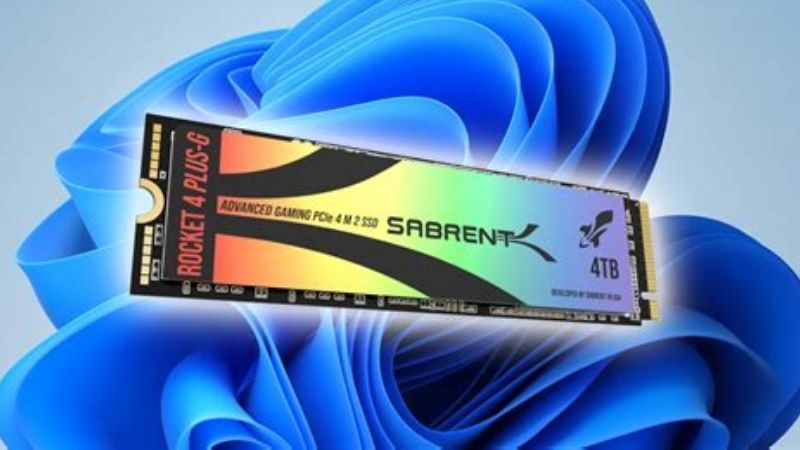
Best value-oriented game library — Lexar NM790 2TB (LNM790X002T-RNNNU). A TLC-based, host-memory-buffer design offers high advertised Gen4 throughput without a separate DRAM package. Buy it primarily for useful 2TB capacity and price relative to alternatives, not a claim that every DirectStorage game loads more quickly.
Best for a thin, low-profile M.2 slot — WD_BLACK SN7100 2TB (WDS200T4X0E). Its unusually thin stated profile is attractive in an appropriate laptop or compact PC. Verify the machine accepts an M.2 2280, M-key NVMe drive; not every handheld or laptop does.
Mainstream Samsung alternative only at a better price — Samsung 990 EVO Plus 2TB (MZ-V9S2T0B/AM). It uses a host-memory buffer and supports PCIe 4.0 x4 or 5.0 x2. Its direct listing price during this check was substantially higher than the 990 PRO; skip that particular offer and consider it only if a fresh, lower verified price appears.
Best for an already-equipped Gen5 desktop — Samsung 9100 PRO 2TB (MZ-VAP2T0B/AM). Its PCIe 5.0 x4 interface and high manufacturer-rated sequential speeds give additional headroom for broader creator workloads. The motherboard slot, shared PCIe lanes, and heatsink matter more than a headline speed figure if you play mostly ordinary games.
Best simple 2TB upgrade when priced competitively — Crucial P310 2280 2TB (CT2000P310SSD8). A compact Gen4 NVMe option with 7,100 MB/s manufacturer-rated reads. It favors affordable gaming capacity over the appeal of a flagship specification sheet; check the exact 2280, not the physically shorter P310 2230.
These are editorial purchase recommendations built from official specifications, retailer listings, and independent published testing. We did not benchmark these six drives ourselves, complete a checkout, or prove that one model reduces loading times by a fixed percentage in every game.
Comparison table: six SSDs, exact models and observed availability
The prices below were displayed on the listed US retailer product pages when checked October 29, 2026 (US). They are observed listing prices, not guaranteed checkout totals or permanent sale prices. A visible Add to cart / In Stock option is a listing-level signal; shipping, seller identity, ZIP-code fulfillment, taxes, and return eligibility must be rechecked immediately before purchase. Each item is a bare internal M.2 NVMe SSD, without a USB enclosure.
Samsung 990 PRO — MZ-V9P2T0B/AM
- Interface; manufacturer-rated max reads: PCIe 4.0 x4; up to 7,450 MB/s
- Ideal buyer: High-performance Gen4 desktop or laptop
- Observed US listing price (seller, Oct. 29): $409.99 (Best Buy)
- Stock status (seller, Oct. 29): Add to cart shown
- Main trade-off: Higher cost than value-oriented alternatives
Lexar NM790 — LNM790X002T-RNNNU
- Interface; manufacturer-rated max reads: PCIe 4.0 x4; up to 7,400 MB/s
- Ideal buyer: Spacious value-focused game library
- Observed US listing price (seller, Oct. 29): $329.99 (B&H)
- Stock status (seller, Oct. 29): In Stock; Add to Cart shown
- Main trade-off: HMB instead of onboard DRAM; cache-dependent long writes
WD_BLACK SN7100 — WDS200T4X0E
- Interface; manufacturer-rated max reads: PCIe 4.0 x4; up to 7,250 MB/s
- Ideal buyer: Thin compatible laptop or compact build
- Observed US listing price (seller, Oct. 29): $339.99 (Best Buy marketplace)
- Stock status (seller, Oct. 29): Add to cart shown; seller/fulfillment varies
- Main trade-off: Check exact marketplace seller and warranty channel
Samsung 990 EVO Plus — MZ-V9S2T0B/AM
- Interface; manufacturer-rated max reads: PCIe 4.0 x4 / 5.0 x2; up to 7,250 MB/s
- Ideal buyer: General-purpose 2TB storage with Samsung tools
- Observed US listing price (seller, Oct. 29): $579.99 (Best Buy)
- Stock status (seller, Oct. 29): Add to cart shown
- Main trade-off: HMB architecture; often poor value if 990 PRO is similarly priced
Samsung 9100 PRO — MZ-VAP2T0B/AM
- Interface; manufacturer-rated max reads: PCIe 5.0 x4; up to 14,700 MB/s
- Ideal buyer: Cooled Gen5 desktop and heavy storage workloads
- Observed US listing price (seller, Oct. 29): $409.00 (B&H)
- Stock status (seller, Oct. 29): In Stock; Add to Cart shown
- Main trade-off: Cooling and lane allocation; little assured gain in everyday games
Crucial P310 2280 — CT2000P310SSD8
- Interface; manufacturer-rated max reads: PCIe 4.0 x4; up to 7,100 MB/s
- Ideal buyer: Straightforward secondary NVMe game drive
- Observed US listing price (seller, Oct. 29): $318.59 (Best Buy marketplace)
- Stock status (seller, Oct. 29): Add to cart shown; shipping listed
- Main trade-off: Marketplace pricing varies; not a high-end sustained-write specialist
The observed prices are snapshots from different retailers and seller channels. In particular, a Gen5 9100 PRO listing happened to be close to the 990 PRO listing during this check. That is not proof that Gen5 drives are generally cheaper. The Samsung 990 EVO Plus also appeared at different amounts across retailer product/search pages; its $579.99 entry uses the amount found on the directly reopened Best Buy product page. That makes it a poor current purchase even though its technical specifications fit the use case. Recheck the exact model and final seller before placing an order.
DirectStorage explained without the marketing shortcuts
DirectStorage is a Microsoft game-development API intended to move game assets from storage efficiently while reducing the CPU work associated with many small reads. Developers can also use decompression paths that reduce the burden of handling compressed assets. The critical detail for buyers is that the game must implement the feature; purchasing a fast SSD does not add DirectStorage support to an older title. It does not act as a universal Windows switch that automatically raises every game’s FPS.
Microsoft’s Windows 11 feature-specific requirements specify an NVMe SSD storing and running a supported game, using the standard NVM Express Controller driver, together with a DirectX 12 GPU supporting Shader Model 6.0. Microsoft does not state that every compatible SSD must be PCIe 4.0 or 5.0. A suitable PCIe 3.0 NVMe drive can satisfy the interface requirement, although older hardware has less peak bandwidth. Windows 11 is the clearest supported target for this buying guide; Windows 10 can run DirectStorage-enabled games under documented software constraints, but you should verify the individual game’s current PC requirements.
A useful reality check comes from independent game-level testing: comparisons across SATA, Gen3, Gen4, and Gen5 SSDs show that the impact depends heavily on the game, settings, and how data is streamed. In at least one DirectStorage title, moving away from SATA improved some observed behavior, but the newer NVMe generations did not automatically separate in every gameplay measurement. That is a more responsible buying principle than assuming a 14,700 MB/s label produces twice the loading speed of a 7,000 MB/s SSD.
DirectStorage does not replace system compatibility
A fast drive cannot compensate for an M.2 slot that is wired only for SATA, an undersized form factor, a BIOS setting that hides the drive, or a system without the GPU capability demanded by a game. Equally, a Gen5 SSD in a Gen4-capable M.2 slot will operate within the host connection’s negotiated limits; the box speed is not a promised result. Laptop cooling and shared PCIe lanes may impose further limits even when the drive appears correctly in Windows.
If you have a healthy 1TB or 2TB Gen3 NVMe drive already, do not upgrade purely because someone describes Gen4 or Gen5 as “DirectStorage-certified.” There is no universal speed tier in Microsoft’s consumer requirement that makes one of the six models mandatory. Upgrade when capacity is limiting, your actual game shows evidence of storage-related stalls, or you need broader storage performance for your work.
How we selected these six drives
We first verified that each candidate is a real, internal M.2 NVMe model with a specific manufacturer part number. We then checked the interface, relevant capacity, peak published sequential reads, form factor, cooling options, endurance/warranty context when documented, and a US retailer listing. We favored exact model documentation over a storefront’s generic family-level marketing. Pricing and add-to-cart signals were checked independently of the manufacturer spec sheets.
We did not rank the drives using synthetic benchmarks borrowed from incompatible systems. Manufacturer “up to” numbers depend on PCIe slot, driver, queue depth, capacity, firmware, temperature, and test conditions. Neither a maximum sequential read score nor a TBW endurance figure, by itself, establishes faster level loading or lower input latency. We also kept the buyer’s constraints central: a 2TB NVMe model that fits and stays cool is more useful than a theoretically faster product that cannot be mounted properly.
There are deliberate omissions. A WD_BLACK SN850X 2TB without heatsink and a Crucial T500 2TB appeared in research, but the particular direct Best Buy pages inspected later reported Unavailable or no longer available in new condition. They remain technically relevant SSD designs, not confirmed current top picks from those particular listings. Another trustworthy retailer may carry them; do not read this as a universal discontinuation claim.
The six best SSDs for DirectStorage games, in detail
Samsung 990 PRO 2TB: best overall for a strong PCIe 4.0 PC
Samsung’s 990 PRO is a sensible default for buyers who have a standard M.2 2280 slot with PCIe 4.0 lanes and want the same drive to handle Windows, a large game library, shader caches, recordings, and ordinary productivity tasks. The 2TB MZ-V9P2T0B/AM model uses Samsung TLC V-NAND, an in-house controller, 2GB LPDDR4 DRAM, and a PCIe 4.0 x4 NVMe 2.0 interface. Samsung rates the family for up to 7,450 MB/s reads and 6,900 MB/s writes, with a five-year limited warranty and a 1,200 TBW endurance rating for the 2TB capacity. These are official claims, not our measured results.
The onboard DRAM separates this model architecturally from HMB-based alternatives in the list. That does not imply that the DRAM model always wins a single game’s loading test. It does, however, offer a well-documented high-end design for a PC doing multiple types of disk work. Samsung’s Magician utility provides a familiar route to check health, installed firmware, and supported optimization tools without relying on unfamiliar third-party installers.
For a desktop, buy the bare version if the motherboard already supplies a correctly fitting M.2 heatsink. If there is no cooling hardware and the slot accepts a drive with an integrated heatsink, compare the official heatsink edition by its own SKU. Those are not interchangeable physical configurations. For laptops, confirm clearance under the bottom cover and that the system’s thermal pad arrangement can contact the drive without exerting pressure on components.
The downside is the observed price. A buyer building a dedicated secondary Steam library does not automatically need its premium controller or onboard cache. During this retailer check, several less expensive NVMe options could still satisfy Microsoft’s basic DirectStorage storage requirement. Buy it when you want a premium Gen4 system/game drive and support ecosystem. Skip it if the machine can only use a short M.2 2230 slot or if price-per-usable-terabyte is your main priority. A Gen5-equipped desktop user should also compare the contemporaneous Samsung 9100 PRO offer rather than buying based on series hierarchy alone.
Lexar NM790 2TB: best value-focused game-library choice
Lexar’s NM790 demonstrates why a good DirectStorage-oriented purchase need not revolve around a high-end DRAM cache. The 2TB NM790 is an M.2 2280 PCIe 4.0 x4 NVMe drive using 3D TLC NAND and a host-memory-buffer arrangement rather than dedicated onboard DRAM. Lexar advertises up to 7,400 MB/s sequential reads and 6,500 MB/s writes for this capacity, and its model documentation specifies a 1,500 TBW figure for 2TB. A host-memory-buffer design uses supported system RAM for some controller-management tasks; it is not the same as turning the entire computer’s RAM into a storage cache.
The most practical reason to choose this model is straightforward: many PC gamers need room for a rotating collection of big releases more than they need incremental synthetic-speed records. At its observed B&H listing, the NM790 offers a useful middle path between unusually cheap unknown-brand drives and the more expensive flagship options. A supported DirectStorage title can use its NVMe capability, while ordinary games also benefit from the general responsiveness of solid-state storage compared with a hard drive.
The trade-offs are worth spelling out. Like other SSDs, the NM790 uses write caching and will not necessarily sustain its maximum advertised write speed through a very long installation, data copy, or near-full-disk transfer. Its host-memory-buffer implementation also means performance characteristics can differ from the Samsung 990 PRO in workloads outside gaming. These are architectural differences, not evidence that the Lexar drive is inherently unsafe or incompatible with a game.
For a thin laptop, verify board clearance rather than assuming an M.2 2280 label guarantees a fit. In a gaming desktop, prefer the motherboard’s supplied thermal solution where the manual calls for it. Buy it for a spacious Gen4 game library at a defensible observed price. Skip it if your workload involves frequent sustained writes for video creation and you would rather prioritize a high-end model with onboard DRAM, or if the seller cannot confirm the exact 2TB part number and warranty channel.
WD_BLACK SN7100 2TB: best low-profile option for compatible laptops
The WD_BLACK SN7100 2TB is especially attractive when your first constraint is physical clearance. The published specification for WDS200T4X0E identifies PCIe Gen4 NVMe, an M.2 2280 format, and a thin stated profile of approximately 0.04 inch in the manufacturer’s listed dimensions. Sandisk rates the 2TB model for up to 7,250 MB/s sequential reads and 6,900 MB/s writes. Manufacturer marketing emphasizes efficiency and portable gaming systems, but this particular 2280 version will not fit devices limited to 2230 cards.
A gaming laptop often creates a different storage problem from a tower PC. You may have only one free M.2 slot, limited air movement under the cover, a preinstalled thermal pad sized for a specific board thickness, and a firmware whitelist or repair procedure from the laptop maker. A low-profile board helps, but it is not permission to discard a required insulating film, thermal pad, or mounting bracket. The laptop service manual remains authoritative.
For games that stream many small assets, the SN7100 provides the NVMe interface the API expects. What it cannot guarantee is the elimination of all stutter: GPU VRAM capacity, shader compilation, memory pressure, game code, and thermal behavior can all influence an in-game hitch. There is no verified independent head-to-head DirectStorage result in this article proving the SN7100 beats the NM790 or 990 PRO in frame-time consistency.
The listed Best Buy page uses a marketplace fulfillment path, so buyer diligence matters. The product title and exact WDS200T4X0E identifier should match the drive’s packaging and warranty eligibility. Check whether the offer is sold by Best Buy or a marketplace merchant, what condition is supplied, and how a return would be handled. Buy it for a compatible 2280 laptop/compact system where thickness and decent NVMe performance matter. Skip it for a 2230-only handheld, and do not pay a premium for claimed DirectStorage exclusivity.
Samsung 990 EVO Plus 2TB: best mainstream Samsung alternative
The 990 EVO Plus is not a cut-down 990 PRO with identical internals. For the 2TB MZ-V9S2T0B/AM, Samsung specifies TLC V-NAND, host-memory-buffer caching, an M.2 2280 package, and a flexible PCIe 4.0 x4 / PCIe 5.0 x2 interface. The manufacturer rates this capacity for up to 7,250 MB/s reads and 6,300 MB/s writes, with a five-year limited warranty and 1,200 TBW endurance rating. The PCIe 5.0 x2 line does not make it equivalent to a full PCIe 5.0 x4 flagship.
For a system with a suitable Gen4 M.2 slot, the EVO Plus is an easy-to-understand 2TB option. There is enough published bandwidth to make a reasonable game-library upgrade, and Samsung’s software ecosystem may appeal to buyers who already use its drives. The HMB design is a cost and power trade-off, not a reason to treat it as unfit for DirectStorage. Its core value is capacity and conventional NVMe compatibility, not any special DirectStorage label.
Compare it directly with both the Lexar NM790 and Samsung 990 PRO on the same shopping day. The specific Best Buy product page we reopened during this session displayed $579.99, substantially above the 990 PRO listing; an older search result showed a much lower amount. We use the directly opened page’s value rather than pretending the two agree. At this observed price, do not buy the EVO Plus: the 990 PRO or another genuinely cheaper option is more sensible for this use case. The EVO Plus becomes compelling only if its current, trustworthy checkout price drops well below the premium alternatives.
Installation is conventional for a motherboard with the correct M.2 standoff and lane support, but the exact slot may share resources with another PCIe connector or SATA port. Read the board’s lane-allocation table before populating several drives. Buy it only after verifying a substantially better price if you want a Samsung-supported, high-capacity mainstream NVMe drive. Skip it if a cheaper equivalent satisfies the task or if a mechanical mismatch rules out a full-length 2280 module.
Samsung 9100 PRO 2TB: best Gen5 choice for a carefully cooled desktop
The Samsung 9100 PRO offers the largest published bandwidth number in this group. The exact bare 2TB MZ-VAP2T0B/AM is a PCIe 5.0 x4 NVMe 2.0 M.2 2280 SSD with Samsung TLC V-NAND and 2GB LPDDR4X DRAM. Samsung’s published 2TB figures reach up to 14,700 MB/s sequential reads and 13,400 MB/s writes, with 1,200 TBW endurance and a five-year limited warranty. Those results assume a capable platform and appropriate conditions; they are not a benchmark of any game’s level transitions.
Why include a Gen5 drive in a DirectStorage list if it is not required? Some buyers use the same PC to capture gameplay, edit large videos, unpack huge archives, build games, or work with local assets. A Gen5 SSD may provide more headroom for those workflows. If you own a motherboard with correctly wired PCIe 5.0 x4 M.2 support, a meaningful thermal solution, and no problematic lane sharing with your GPU, the additional peak bandwidth has value beyond marketing.
The costs are platform complexity and heat. Check the motherboard manual for which M.2 socket offers full Gen5 lanes. Some motherboards reduce a graphics slot’s lane allocation when specific M.2 sockets are occupied; others do not. Do not generalize from a brand or chipset name. The bare 9100 PRO should be paired with the motherboard’s approved cooling method; the Samsung edition with its preinstalled heatsink is a different product with distinct dimensions and removal warnings. For a crowded small-form-factor PC, measure the height allowed below a GPU or other component before purchasing either version.
The observed B&H page showed a Gen5 listing price close to—or lower than—some Gen4 flagship listings. That unusual snapshot is worth comparing at checkout, but it should not change the technical warning: a Gen5 drive in a Gen4 slot runs at the slot’s negotiated Gen4 limits, and a game lacking DirectStorage support gains no special API behavior from a Gen5 upgrade. Buy it when your platform can use and cool it and the real price is competitive for your mixed workloads. Skip it if you are buying only to chase theoretical loading-time gains in today’s game library.
Crucial P310 2280 2TB: best straightforward secondary-library upgrade
The Crucial P310 is easiest to recommend when you want a 2TB M.2 NVMe drive with understandable setup requirements and no elaborate premium features to justify. The CT2000P310SSD8 is the 2280 version of the P310, a PCIe 4.0 x4 NVMe product advertised for up to 7,100 MB/s sequential reads and 6,000 MB/s writes. Do not confuse it with the P310 2230 variant, whose part number and physical length differ despite sharing the family name.
For an empty second M.2 socket in a desktop, this model can be a sensible place to put a Steam library, game captures, or frequently used installers. It supplies the NVMe storage interface that a supported game can access through DirectStorage. It can also reduce frustration when a nearly full existing system drive has little room left for patches and temporary files. None of that means a specific title will load a measurable percentage faster than it would from a different healthy Gen4 SSD.
The trade-off is that this is a mainstream design rather than a sustained-write specialist. If you regularly move hundreds of gigabytes of video footage or write large archive sets, you should investigate real long-write testing and compare more expensive TLC/DRAM drives. For predominantly read-heavy gaming, buying more usable space at the right price may be more rational than overbuying a peak rating. Keep room for free capacity and normal drive maintenance rather than trying to run it at 100% full.
Check the retail channel carefully: the Best Buy page examined in research was fulfilled by a marketplace seller and showed shipment availability rather than universal in-store pickup. Confirm the exact 2280 SKU, seller, condition, expected warranty handling, and total checkout price. Buy it when it is competitively priced and your PC has a genuine NVMe M.2 2280 slot. Skip it if your motherboard only supports M.2 SATA, or if a 2230 device is your actual target.
Buying guide: prioritize these checks before speed
Confirm the slot and lane configuration before choosing Gen4 or Gen5
Start with the motherboard or laptop model number and the manufacturer’s storage section, not the SSD box. Find the supported M.2 key, accepted physical lengths, PCIe generation, number of electrical lanes, and any shared-lane notes. An M.2 connector is not automatically an NVMe connector; some older slots are wired for SATA. A Gen4 drive may run in a compatible Gen3 slot at reduced speeds, while a full Gen5 x4 speed claim requires an appropriately wired Gen5 connection.
On desktops with multiple M.2 sockets, the first CPU-connected slot can behave differently from secondary chipset-connected slots. On laptops, it can be more important to use the correct length and single-sided layout than to chase a marginal peak-speed advantage. For especially tight systems, confirm clearance with the original bottom panel installed; forcing the cover shut risks hardware damage.
Choose 2TB for breathing room, not a magic performance threshold
A 2TB SSD is a useful sweet spot for many enthusiasts because several modern installations, downloadable content, mod folders, and recorded clips can grow unpredictably. But it is not a DirectStorage requirement. A 1TB NVMe drive can support games using the API if the rest of the system and the game itself meet the necessary conditions. A 4TB model can make more sense for a truly large library, but evaluate its exact SKU, price, NAND packaging, and thermal characteristics rather than extrapolating every figure from the 2TB version.
Capacity listings use decimal terabytes, while Windows reports capacity in binary units under labels that can be confusing. Installed files, filesystem metadata, and recovery partitions further reduce free space. Plan around usable storage and leave some headroom for temporary updates. If your game collection is largely unplayed backlog, a cheaper archive drive plus a smaller fast NVMe installation drive can be the better system design—though only games installed on an appropriate NVMe drive can use that drive’s NVMe path.
Treat advertised sequential speed as one input, not a loading-time promise
The maximum numbers in the comparison table are mostly manufacturer sequential-read ratings. Real games read many files and compressed assets with varying request sizes, and they can be constrained by graphics processing, decompression, shader compilation, and engine architecture. High throughput becomes useful when the entire processing pipeline can consume it. That is why one recent independent comparison of several SSD generations across multiple games did not find a universal Gen5 loading advantage.
For the typical gaming-only buyer, a quality NVMe SSD plus adequate capacity often beats paying a large premium for an extreme sequential rating. If you create video or routinely copy massive assets as well, sustained-write behavior and cooling deserve more weight. Never use a PCIe specification alone to promise a certain FPS increase.
Understand onboard DRAM, host-memory buffers, TLC, and cache behavior
Onboard DRAM and HMB both support SSD controller-management tasks, but they do so differently. A model such as the 990 PRO has dedicated memory on the SSD; an HMB-based model such as the NM790 or 990 EVO Plus uses supported host memory for some mapping work. Neither label tells you the entire in-game experience. NAND type, controller, firmware, drive fullness, read pattern, and host implementation also matter.
The six specific drives were selected with documented NAND/interface information, but model-family labels can be confusing when multiple capacities or revisions exist. Always buy the exact part number shown rather than relying on “2TB gaming NVMe” in a marketplace title. Similarly, manufacturers’ TBW figures are warranty/endurance specifications over specified conditions, not guarantees that a drive cannot fail. Keep backups of saves, footage, and configuration files even when using an expensive SSD.
Plan cooling and firmware maintenance together
A motherboard’s M.2 heatsink, applied according to its manual, can be a better fit than buying an integrated-heatsink SSD that conflicts with the GPU or laptop cover. Some laptops require their original pad and heat spreader; others tolerate only a bare board. Gen5 models in particular deserve deliberate thermal planning because sustained activity can raise controller temperature and reduce speed under throttling. Do not confuse an SSD’s published maximum operating temperature with a recommended everyday target.
Use official manufacturer utilities when checking firmware, and do not update firmware casually immediately before a critical gaming session. If the drive contains important data, make a verified backup first, keep the system on stable power, and follow the vendor’s specific instructions. If Windows device encryption or BitLocker is enabled and a storage-related system change could affect boot recovery, make sure you can access the recovery key before proceeding. A normal firmware update is not a substitute for a backup.
How to install and check a DirectStorage-ready NVMe SSD
A buyer should be able to verify the purchase after installation, rather than assuming that an SSD is working at maximum capability because Windows detects it.
- Check your exact system manual. Confirm the empty slot accepts NVMe M.2 2280, or the required shorter format, and identify any required standoff, bracket, and heatsink. If the board uses a shared-lane M.2 socket, review its effect on other PCIe devices before installation.
- Back up anything valuable. If moving Windows or existing games, choose an official-supported migration or reinstall approach and make a separate backup of saves and files. Do not delete the old disk or partition merely to make the new SSD appear.
- Power off and install safely. Unplug the computer, follow the manufacturer’s electrostatic precautions, insert the SSD fully at the correct angle, secure it using the specified fastener, and apply the approved cooling parts. Never force an incompatible heatsink under a laptop cover.
- Check detection in firmware and Windows. After the PC boots, confirm the storage device is present. In Windows 11, right-click Start and open Disk Management. If a new empty data drive is listed, initialize and format only that new drive, using the correct capacity and identity; never guess when several disks are connected. Avoid formatting a cloned boot disk or any volume containing existing data.
- Verify the interface and free space. Open Device Manager > Storage controllers and inspect the NVMe controller, or use the SSD manufacturer’s Windows utility to view its model, firmware, health, and negotiated connection when that utility exposes it. Device Manager alone does not prove a particular PCIe link speed; use motherboard documentation and a reputable diagnostic tool if you need lane-speed verification.
- Install a game on the target drive and test a repeatable scene. In Steam, choose the intended library location when installing; for an existing title, use Steam > Settings > Storage to inspect installed libraries and use Steam’s available move/install controls appropriate to the current client. For other launchers, follow their published game-move or reinstall instructions. Compare the same loading scenario under the same game version and settings rather than relying on a single stopwatch result.
Expected result: Windows sees the correctly sized NVMe volume, there are no storage-related errors, and the game launches normally from the new library. If not: return to the motherboard/laptop storage manual, inspect physical installation and available lanes, and check the official SSD support page; do not change unrelated BIOS settings or format unknown volumes. For a supported game, storage installation alone does not establish whether its DirectStorage code path is active. Use game-developer documentation or a genuine diagnostic source when available, and avoid unofficial “DirectStorage booster” downloads.
Common mistakes that waste money
Buying Gen5 for a Gen3-only board. Backward compatibility can make the drive function, but the faster advertised mode is unavailable. Unless you are planning a near-term motherboard replacement and have a strong purchase-price reason, buy for the host you own.
Confusing DirectStorage with a console SSD certification. A PlayStation 5 drive decision involves Sony’s specific physical/heatsink and performance requirements. A Windows PC DirectStorage guide does not automatically validate the same bare model for every console, nor does a PS5-ready label guarantee anything about PC game implementation.
Choosing a drive based on a synthetic result posted without test context. Queue depth, data size, drive fill, temperature, and firmware can change test outcomes. A screenshot of a sequential read score says little about how a specific DirectStorage-enabled game handles assets.
Ignoring seller channels and pricing dates. An “Add to cart” page does not always mean local delivery, and marketplace sellers can have different return policies from the retailer. Recheck the SKU and condition at checkout; a low advertised price on the wrong capacity or a refurbished listing is not an equivalent offer.
Mistaking TBW for a backup plan. Game saves and recording archives are often irreplaceable. A high-end drive can still fail, be accidentally erased, or suffer from malware. Keep an independent backup, and test at least one actual restore before depending on it.
Frequently asked questions
Do I need a PCIe 5.0 SSD for DirectStorage games?
No. Microsoft’s Windows 11 requirement identifies an NVMe SSD, the standard NVMe controller driver, and a suitable DirectX 12 / Shader Model 6.0 GPU for games that use the feature. PCIe 5.0 is not listed as a universal entry requirement. A compatible Gen4 drive is the more pragmatic option for many PCs; even Gen3 NVMe may satisfy the interface condition. The game still has to implement DirectStorage.
Is Samsung 990 PRO better than Lexar NM790 for game loading?
The Samsung has dedicated DRAM and a premium design; the Lexar relies on HMB and has an attractive observed price. Neither spec sheet establishes a guaranteed winner in every game load. If the actual game, platform, and independent measurement favor one, that matters more than the two quoted maximum read speeds. For a secondary library, price and free capacity may be the deciding factors.
Does DirectStorage increase FPS or eliminate stuttering?
Not universally. It is intended to improve how supported games handle storage requests and asset decompression. Some games may benefit from smoother asset streaming in certain conditions, but GPU load, VRAM use, shader work, CPU limitations, and the engine can still cause stutter. Do not buy a new SSD expecting a fixed FPS boost across a library.
Can I use a SATA SSD or external USB SSD for DirectStorage?
A SATA SSD remains a valid way to install and play many PC games, but it does not meet Microsoft’s stated NVMe requirement for the Windows 11 DirectStorage feature. An external USB SSD should not be assumed to provide the same NVMe controller path merely because the enclosure contains an NVMe module. For this article’s buying scenario, install supported games on a directly connected internal NVMe drive.
Is 1TB enough, or should I buy 2TB or 4TB?
The feature itself does not mandate 2TB. One terabyte can work if it accommodates your Windows environment and the games you actually play. Two terabytes provides helpful room for a growing library, patching and mods; four terabytes is easier to justify if you keep numerous large titles installed simultaneously. Check the exact capacity SKU and its own specifications rather than assuming all versions perform identically.
What is more important: a heatsink or a bigger advertised speed?
Fit and stable operation come first. A drive that throttles heavily under heat or physically conflicts with a GPU is a poor choice regardless of its box rating. Use the cooling method approved for your system, then consider performance. A bare drive under a good motherboard heatsink can be more appropriate than an integrated-heatsink model in a tight enclosure.
How do I tell whether a game actually supports DirectStorage?
Check the game’s official PC technical notes, patch notes, or developer documentation. Microsoft provides the API, but individual developers decide whether and how to use it. A game installed on a fast SSD is not automatically a DirectStorage game, and task-manager activity alone does not prove which API path the software is using.
Should I upgrade an existing healthy Gen4 NVMe SSD to Gen5 just for gaming?
Usually not without game-specific evidence or another pressing storage need. Before replacing a healthy drive, confirm whether your motherboard has a Gen5 x4 slot, whether that slot shares lanes, whether cooling is adequate, and whether your main games show a meaningful benefit. Extra capacity, an improved backup routine, or a GPU/CPU upgrade may be more useful.
Final thoughts
For a conventional PCIe 4.0 Windows gaming PC, the Samsung 990 PRO 2TB is the balanced all-around pick; the Lexar NM790 2TB is the first price-conscious alternative worth checking. A Samsung 9100 PRO 2TB is reasonable only when your Gen5-capable host, cooling, and broader workloads justify it—and a competitive verified checkout price makes the decision easier. Before buying, check your exact M.2 slot and heatsink clearance, choose the capacity you will actually use, and verify the seller’s current SKU, stock, warranty and checkout total. That compatibility check is worth more than chasing an unproven loading-time promise.