Cyber Monday WiFi 7 card deals are not live yet: Cyber Monday in the United States falls on November 30, 2026. This guide records October 28 US pre-sale reference prices, not confirmed Cyber Monday discounts. Five identifiable desktop PCIe adapters are compared on seller availability, actual platform requirements, 6 GHz capabilities, and whether Bluetooth needs an internal USB header. The most important buying step is to confirm your Windows version and Intel-versus-AMD motherboard before chasing a price. For a real November discount, compare the same model and seller with its October reference, verify stock, and look at the final checkout total. [1–12]
Quick verdict: what to watch and who should skip
Best value watch for a general Windows 11 desktop: TP-Link Archer TBE552E. B&H’s US product page displayed $49.99, In Stock and Add to Cart on October 28. It is a BE9300-class, tri-band Wi-Fi 7 adapter with Bluetooth 5.4, included low-profile bracket and two adjustable antennas. It is a practical first comparison for an eligible PC, but its advertised rates are theoretical, and the retailer’s $69.99 strikethrough price is not a Cyber Monday discount. [1–2]
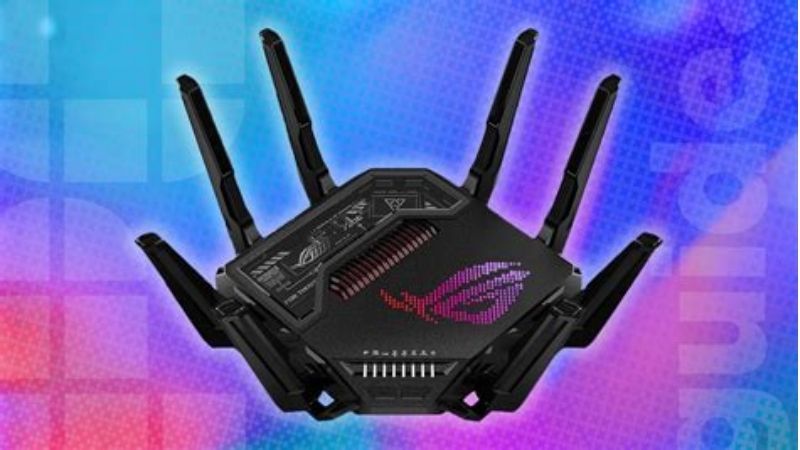
Best antenna-base setup for a gaming desk: TP-Link Archer TBE550E. The B&H US page displayed $72.99, in stock. The included magnetic antenna base with a braided lead is useful when a steel PC case under a desk blocks antennas mounted directly behind the tower. This is a convenience-based selection, not a claim that its gaming ping is measurably lower than the TBE552E in your home. [3–4]
Best clearly documented Intel-only budget alternative: Cudy WE9300 v1.0. B&H displayed $49.99 and In Stock. Cudy identifies its Intel BE200 module and explicitly limits the WE9300 v1.0 to an Intel-CPU Windows 11 PC. An AMD owner should not choose this card based solely on its PCIe x1 connection or price. [5–6]
Best simpler BE6500-tier option to compare only after a price check: TP-Link Archer TBE400E. Newegg’s opened US page showed $79.99 with Add to cart, while other indexed retailer pages showed different prices. That price inconsistency makes it a watch or compare option, not a good-value buy-now recommendation at the recorded Newegg price. The card’s documented 6 GHz ceiling is 2,882 Mbps, versus about 5,760 Mbps on the higher BE9300-tier TP-Link models. [7–8]
Intel-board alternative with an explicit platform check: TP-Link Archer TBE553E. B&H’s US catalog displayed $69.99 and In Stock; TP-Link’s setup guide explicitly requires an Intel motherboard and says the adapter does not support AMD systems. If that is a deal-breaker, skip it rather than gambling on a generic “Wi-Fi 7” listing. [9–10]
Not a buy-now pick: ASUS PCE-BE92BT. The direct B&H page most recently opened said Temporarily Out of Stock at $79.99 even though older category results suggested stock. ASUS’s own US page also describes Intel 13th-generation-or-later platform restrictions. Record a restock watch only after confirming the exact motherboard. [11–12]
US price and stock snapshot — October 28, 2026
All numbers below are observed pre-event prices, not verified Cyber Monday offers. The stock column describes the exact page observed, not an order actually placed. Tax, shipping ZIP code, membership, return eligibility and regional version may change the total. A normal-day discount label on a retailer page is not evidence of a November 30 promotion. [1–12]
| Exact adapter | US seller / observed price (Oct 28) | Price status | Stock (Oct 28) | Purchase-critical caveat |
|---|---|---|---|---|
| TP-Link Archer TBE552E (BE9300) | B&H — $49.99 | Pre-event price; seller showed $69.99 crossed out | In Stock | Windows 11 64-bit; 6 GHz up to 5,760 Mbps; Bluetooth USB header [1–2] |
| Cudy WE9300 v1.0 (BE9300) | B&H — $49.99 | Pre-event price | In Stock | Intel CPU platform only; internal USB 9-pin for Bluetooth [5–6] |
| TP-Link Archer TBE550E (BE9300) | B&H — $72.99 | Pre-event page price; seller showed $79.99 crossed out | In Stock | Windows 11 64-bit; magnetic antenna base; Bluetooth header [3–4] |
| TP-Link Archer TBE553E (BE9300) | B&H — $69.99 (catalog) | Pre-event listing; direct product checkout not verified | In Stock (catalog) | Intel motherboard only; manual requires 24H2 for MLO [9–10] |
| TP-Link Archer TBE400E (BE6500) | Newegg — $79.99 (direct page) | Pre-event page price; other retailer snapshots differ | Add to cart; checkout not completed | 6 GHz up to 2,882 Mbps; compare pricing before buying [7–8] |
| ASUS PCE-BE92BT (BE9400) | B&H — $79.99 | Pre-event page reference | Temporarily Out of Stock | ASUS platform restrictions; do not count as immediately available [11–12] |
The TBE553E’s B&H price and stock came from a current category listing rather than a successfully opened matching standalone product page; therefore treat this row as conditional until the exact product page and checkout are confirmed. The other in-stock labels were observed on product pages. The TBE400E can be added to a cart but order completion and delivery have not been verified. [1, 3, 5, 7, 9, 11]
The four checks that matter more than a headline discount
Windows 11 24H2 is the practical baseline for full Wi-Fi 7
Microsoft states that Windows 11 version 24H2 or newer, a compatible adapter and drivers are required for Wi-Fi 7 functionality. Features such as Multi-Link Operation (MLO) and 320 MHz channels additionally need a supporting Wi-Fi 7 router or access point. A retail box saying “Wi-Fi 7 compatible” does not grant those features to a Windows 10 PC or an older router. Some adapter sellers mention Windows 10 for basic connectivity; that is not the same as full Wi-Fi 7 operation. Check Windows under Settings > System > About > Windows specifications before ordering. [13–14]
Intel and AMD compatibility cannot be guessed from a PCIe slot
The Cudy WE9300 v1.0 uses an Intel BE200 module and explicitly requires an Intel-CPU PC. TP-Link’s Archer TBE553E user guide likewise says it does not support AMD systems. ASUS’s PCE-BE92BT US product page has restrictive and partly differently worded Intel/AMD compatibility guidance; treat it as a platform-specific product, not a universal PCIe card. The TBE552E, TBE550E and TBE400E US product material does not impose the same explicit Intel-only condition in the pages checked; nevertheless, confirm the motherboard model, adapter revision, driver availability and BIOS/PCIe slot mapping before purchasing for an AMD build. “Not labeled Intel-only” is not a certification that every AMD motherboard works. [2, 4, 6, 8, 10, 12]
6 GHz, 320 MHz, MLO and link speed are different things
The BE9300/BE9400 marketing labels typically add separate maximum PHY signal rates from different bands; they do not promise one application will download at 9.3 Gbps. TP-Link’s TBE552E lists maximum radio rates of 5,760 Mbps on 6 GHz, 2,880 Mbps on 5 GHz and 688 Mbps on 2.4 GHz. Its TBE400E lists 2,882/2,882/688 Mbps. Actual throughput and latency depend on router support, distance, walls, interference, channel width, link negotiation, local traffic and your internet plan. MLO may combine links when both ends and the driver allow it; it is not automatically active after installing any Wi-Fi 7 card. [2, 8, 13]
For an online game, fewer retransmissions and consistent packet timing may matter more than the highest advertised Mbps. If Ethernet is already stable and practical, a PCIe Wi-Fi card is generally a convenience upgrade rather than a guaranteed latency improvement. No Geek Gaming Tricks hands-on tests were conducted for this comparison; independent testing of an MSI NCM865-based adapter by Tom’s Hardware illustrates the gap between theoretical peak radio rates and tested real throughput under defined conditions. Do not transfer that measured result to a different model or a different room. [15]
Bluetooth usually needs a separate internal cable
These PCIe cards use the PCIe interface for Wi-Fi, but their Bluetooth function typically requires a cable from the card to an internal 9-pin USB 2.0 motherboard header. The Cudy WE9300 v1.0 manufacturer specifically lists the header, while TP-Link bundles a Bluetooth header cable with the TBE552E and TBE400E. If your sole USB 2.0 header is occupied by an AIO controller, case hub or RGB module, plan the connection before buying. An included low-profile bracket can help in a slim desktop, but the antenna clearance and GPU blocking the expansion slot still need checking. [2, 6, 8]
Exact adapter choices and trade-offs
TP-Link Archer TBE552E: a strong low-price comparison
The Archer TBE552E is the clearest value reference on this particular October 28 snapshot because its observed B&H price was $49.99, the listing said In Stock, and the manufacturer’s US specification page verifies tri-band Wi-Fi 7, Bluetooth 5.4, two antennas, a low-profile bracket and Windows 11 64-bit support. The advertised 6 GHz peak of 5,760 Mbps reflects a supported radio mode, not guaranteed usable throughput. Its main compromise for a gaming tower is that it lacks the TBE550E’s extended magnetic antenna-base arrangement. [1–2]
Buy/watch if: you have a compatible Windows 11 PC, nearby PCIe slot access and suitable antenna positioning. Skip if: you need an antenna base for a computer hidden behind metal furniture or require officially documented support for another OS. On November 30, compare the same TBE552E product ID, not a superficially similar TBE553E or TBE550E listing.
TP-Link Archer TBE550E: external antenna placement and status cues
The Archer TBE550E also belongs to the BE9300 performance class and adds a magnetic, repositionable antenna base and visual status lighting, which can be convenient for a desktop placed under a desk. B&H’s product page displayed $72.99 with In Stock. TP-Link’s current US buying guide specifically presents the TBE550E for gaming setups with wireless accessories, but that is a manufacturer recommendation, not an independently demonstrated advantage in every game. The extra cost over simpler antenna arrangements should be justified by where you will put the base, not by the term “gaming.” [3–4, 16]
Buy/watch if: the desk layout makes the antenna base genuinely useful, or you value its status indication. Skip if: your tower already has good antenna placement and an in-stock TBE552E costs substantially less at the time of purchase. A faster Wi-Fi card will not fix packet loss caused by a congested ISP connection.
Cudy WE9300 v1.0: a good price with a hard Intel requirement
Cudy lists the WE9300 v1.0 as an Intel BE200-based card that supports 2.4, 5 and 6 GHz, Bluetooth 5.4, MLO-capable modes and 320 MHz 6 GHz channels with compatible systems. Its official specification also calls for an Intel-CPU Windows 11 PC and an available internal USB 9-pin connection for Bluetooth. B&H displayed $49.99 with In Stock. The lower price is useful only if the buyer actually passes those prerequisites. Do not confuse the WE9300 v1.0 with other Cudy revisions or names that may use a different antenna assembly or chipset. [5–6]
Buy/watch if: you have confirmed an Intel system, want a straightforward, detachable-antenna PCIe installation and can install the vendor driver. Skip if: you are using AMD, have not checked the motherboard, or require plug-and-play operation on an older Windows release.
TP-Link Archer TBE553E: an Intel-only alternative, not an AMD gamble
TP-Link’s own TBE553E guide explicitly says the computer must have an Intel motherboard and that the adapter does not support AMD motherboards. The product supplies a magnetic antenna base, Bluetooth 5.4 support and BE9300-class radio rates. The B&H listing snapshot identified it at $69.99 and In Stock, but the exact seller product page could not be confirmed directly in this session, so pricing and stock need extra verification at checkout. This is a useful example of why two Wi-Fi 7 cards with similar spec labels can have very different buyer eligibility. [9–10]
Buy/watch if: you have an Intel platform and the complete bundle is priced competitively at checkout. Skip if: you own AMD or cannot match the exact TBE553E model number.
TP-Link Archer TBE400E: a lower radio tier, not necessarily lower cost
The TBE400E is a BE6500 tri-band Wi-Fi 7 adapter with two external antennas, Bluetooth 5.4, a low-profile bracket and Windows 11 64-bit support. Manufacturer specifications put its maximum 6 GHz signal rate at 2,882 Mbps, versus 5,760 Mbps for the TBE552E. That difference is a radio capability difference, not a benchmark claim that a game will run twice as fast on the other card. The opened Newegg listing displayed $79.99 and Add to cart; separately indexed seller results showed lower snapshots. Therefore, the right move is to compare a fresh checkout-ready price, not buy the TBE400E on the assumption that “BE6500” is always cheaper. [7–8]
Buy/watch if: it becomes meaningfully cheaper than the higher-tier cards at the same checkout time, and you do not need a 320 MHz 6 GHz mode. Skip if: the TBE552E is in stock for less money and both fit your system.
How to validate an actual Cyber Monday deal
1. Save a same-SKU baseline now. Write down the model code, seller, October 28 observed price, stock signal, shipping fee and URL. Keep the TBE552E, TBE550E and TBE553E separate; they are not interchangeable codes.
2. Pass the compatibility gate before setting a target. Check Windows 11 version (24H2 or newer for full Wi-Fi 7), motherboard platform and available PCIe slot. If Bluetooth matters, confirm the internal USB header is free.
3. Pick your own total-price threshold. For an eligible TBE552E buyer, use the observed $49.99 B&H price as a reference and set an example alert target below $45 before tax. This is a personal target, not a predicted November price. For the TBE550E, use its separately observed $72.99 price and choose a threshold that makes its antenna base worth paying for.
4. Check product pages on November 30. Search by the exact model on the same US seller’s page, not just “Wi-Fi 7 card.” Record event price, any code or paid-membership requirement, return rules and visible in-stock status. Check an independent seller if available.
5. Compare the delivered total. Include mandatory shipping and any conditional savings, then decide. Buy only after verifying that the retailer accepts your ZIP code and the model meets your platform needs. If the offer vanishes or stock becomes unclear, wait rather than substituting an incompatible card.
The useful decision is buy / wait / skip, not “a sale label means buy.” Buy when the exact, compatible card is in stock and its total reaches your threshold. Wait if the baseline is unchanged. Skip if your OS or motherboard fails the requirements, regardless of discount size. [1–14]
Frequently asked questions
Is Cyber Monday 2026 happening now?
No. Cyber Monday 2026 is November 30. The October 28 retailer prices in this article are pre-event observations and cannot establish any genuine November 30 discount.
Can an AMD gaming PC use any Wi-Fi 7 PCIe card?
No. Cudy explicitly limits WE9300 v1.0 to Intel platforms, and TP-Link explicitly excludes AMD systems in the TBE553E user guide. For other cards, check the exact board and adapter manufacturer’s compatibility documentation rather than assuming support from the PCIe connector. [6, 10]
Do I need a Wi-Fi 7 router to use these adapters?
You generally need a Wi-Fi 7 router or access point to unlock Wi-Fi 7 features such as 320 MHz operation and MLO. An adapter may still connect to older Wi-Fi networks through backward-compatible modes, but it will not create Wi-Fi 7 router capabilities by itself. [13–14]
Will a BE9300 adapter give me 9.3 Gbps internet?
No. The class number represents an aggregate of theoretical band data rates, not the guaranteed throughput of a single download, client session or internet subscription. Router, RF conditions, driver mode and local bandwidth remain bottlenecks. [2, 13]
Is the Bluetooth 5.4 feature automatic after inserting the PCIe card?
Not always. Many cards require an additional small internal USB cable between the adapter and a motherboard USB 2.0 header. Check the installation guide for your exact card revision and confirm the header is available before purchase. [2, 6, 8]
Final thoughts
The strongest October comparison is TP-Link Archer TBE552E at B&H’s observed $49.99 for a compatible Windows 11 desktop; choose the TBE550E if the repositionable desk antenna is worth its price to you. The Cudy WE9300 v1.0 and TBE553E are Intel-platform selections, not universal alternatives. The TBE400E should only be considered after a refreshed price comparison, while ASUS PCE-BE92BT was out of stock on the directly checked retailer page. Save the compatible exact SKU now, then recheck its US seller page and the final delivered price on November 30 before treating anything as a Cyber Monday deal.
EDITORIAL / SOURCE NOTE
Research mode: Web search used for US retailer product pages, US manufacturer specifications, Microsoft Windows requirements and independent testing context.
Prices and availability: Observed on October 28, 2026, not guaranteed at checkout and not Cyber Monday sale prices.
Verification exception: TBE553E price/stock seen on B&H category page, not independently opened standalone SKU page.
Independent benchmark: Tom’s Hardware MSI Herald test is used only as evidence that measured Wi-Fi throughput is below theoretical PHY speeds; no result is attributed to our five cards.
Data disclosure: No product was physically tested by Geek Gaming Tricks for this draft; external QC has not been performed.
Source file: See companion _sources.md for URLs, claim-by-claim evidence and caveats.
SELECTED PRIMARY SOURCE LINKS
[01] B&H Photo Video — https://www.bhphotovideo.com/c/product/1891973-REG/tp_link_archer_tbe552e_be9300_wifi.html
[02] TP-Link USA — https://www.tp-link.com/us/home-networking/pci-adapter/archer-tbe552e/
[03] B&H Photo Video — https://www.bhphotovideo.com/c/product/1834279-REG/tp_link_archer_tbe550e_archer_be9300_wi_fi_7.html
[05] B&H Photo Video — https://www.bhphotovideo.com/c/product/1930377-REG/cudy_we9300_be9300_wi_fi_7.html
[06] Cudy — https://www.cudy.com/products/we9300-1-0
[07] Newegg USA — https://www.newegg.com/tp-link-archer-tbe400e-pci-express/p/N82E16833704763
[08] TP-Link USA — https://www.tp-link.com/us/home-networking/pci-adapter/archer-tbe400e/
[10] TP-Link USA — https://www.tp-link.com/us/document/111614/
[11] B&H Photo Video — https://www.bhphotovideo.com/c/product/1811770-REG/asus_pce_be92bt_wifi_7_pcie.html
[12] ASUS USA — https://www.asus.com/us/networking-iot-servers/wireless-adapters/all-series/pce-be92bt/
[13] Microsoft — https://www.microsoft.com/en-us/windows/windows-11-specifications
[14] Microsoft Support — https://support.microsoft.com/en-gb/windows/experience/connectivity-networking/faster-and-more-secure-wi-fi-in-windows?nochrome=true