Key takeaways
- Air coolers — a heatsink and fan like the Thermalright Peerless Assassin 120 SE offer excellent value, simplicity, and reliability with no risk of leaks.
- Liquid AIO coolers — sealed units like the ARCTIC Liquid Freezer III Pro 360 move heat to a radiator, handle high-wattage CPUs well, and free up space around the socket.
- The verdict — a strong air cooler beats a small AIO; a large 360mm AIO edges out air on the hottest chips and looks cleaner.
Heat is the quiet enemy of every gaming PC. When components run too hot they throttle, dropping clock speeds to protect themselves and stealing the frame rates you paid for, and sustained high temperatures shorten the life of your hardware. Good cooling is not just for overclockers; it keeps any gaming rig running fast, quiet, and stable for years.
This guide explains how PC cooling works, the trade-offs between air and liquid coolers, why case airflow matters as much as the cooler itself, and the simple maintenance that keeps temperatures in check. By the end you will know how to keep your system cool without overspending or overcomplicating things.
Our top picks
 Thermalright Peerless Assassin 120 SE CPU Cooler
- [Brand Overview] Thermalright is a Taiwan brand with…
- [Product specification] Thermalright PA120 SE
- 【2 PWM Fans】TL-C12C
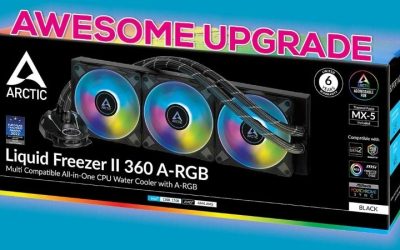
 ARCTIC Liquid Freezer III Pro 360 A-RGB
- CONTACT FRAME FOR INTEL LGA1851 | LGA1700: Optimized…
- ARCTIC's P12 PRO FAN: More power at any…
- Shifting the cold plate center towards the CPU…
 ARCTIC Liquid Freezer III Pro 360
- CONTACT FRAME FOR INTEL LGA1851 | LGA1700: Optimized…
- ARCTIC's P12 PRO FAN: More power at any…
- Shifting the cold plate center towards the CPU…
| Product | Key specs | |
|---|---|---|
| Thermalright Peerless Assassin 120 SE CPU Cooler | [Brand Overview] Thermalright is a Taiwan brand with… [Product specification] Thermalright PA120 SE 【2 PWM Fans】TL-C12C | Check price |
| ARCTIC Liquid Freezer III Pro 360 A-RGB | CONTACT FRAME FOR INTEL LGA1851 | LGA1700: Optimized… ARCTIC's P12 PRO FAN: More power at any… Shifting the cold plate center towards the CPU… | Check price |
| ARCTIC Liquid Freezer III Pro 360 | CONTACT FRAME FOR INTEL LGA1851 | LGA1700: Optimized… ARCTIC's P12 PRO FAN: More power at any… Shifting the cold plate center towards the CPU… | Check price |
 CORSAIR Nautilus 360 RS Liquid CPU Cooler CORSAIR Nautilus 360 RS Liquid CPU Cooler | Simple, High-Performance All-in-One CPU Cooling: Renowned CORSAIR engineering… Efficient, Low-Noise Pump: Keeps your coolant circulating at… Convex Cold Plate with Pre-Applied Thermal Paste: The… | Check price |
 Thermalright Assassin X120 Refined SE CPU Air Thermalright Assassin X120 Refined SE CPU Air | [Brand Overview] Thermalright is a Taiwan brand with… [Product specification]AX120R SE 【PWM Fans】TL-C12C | Check price |
 Thermalright Peerless Assassin 120 SE ARGB CPU Thermalright Peerless Assassin 120 SE ARGB CPU | [Brand Overview] Thermalright is a Taiwan brand with… [Product specification] Thermalright PA120 SE ARGB 【2 PWM Fans】Model:TL-C12C-S | Check price |
 Cooler Master Hyper 212 PRO ARGB CPU Cooler Master Hyper 212 PRO ARGB CPU | Cool for R9 | i7 | Ultra 7:… Superconducting Heat Pipes: By incorporating advanced evaporator and… SickleFlow Edge 120 Fan: Experience premium airflow with… | Check price |
 CORSAIR Nautilus 360 RS ARGB Liquid CPU CORSAIR Nautilus 360 RS ARGB Liquid CPU | Simple, High-Performance All-in-One CPU Cooling: Renowned CORSAIR engineering… Efficient, Low-Noise Pump: Keeps your coolant circulating at… Convex Cold Plate with Pre-Applied Thermal Paste: The… | Check price |
As an Amazon Associate we earn from qualifying purchases at no extra cost to you.
⚡ Save on Your Next PC — Amazon Prime
Prime members get fast free shipping on the systems above, plus early access to Prime Day & Black Friday PC deals. New members get a 30-day free trial.
Watch: How to Cool Your Gaming PC (2026 Guide) — Video Review
Why Cooling Matters
Every component generates heat, and the CPU and GPU generate the most under gaming loads. When temperatures climb past a threshold, the hardware automatically slows itself down to avoid damage — a process called thermal throttling that directly cuts your performance. Effective cooling moves that heat away quickly so your parts hold their top speeds, run quieter (since fans do not have to scream), and last longer. In short, cooling protects both your frame rates and your investment.
Air Coolers vs Liquid AIO Coolers
- Air coolers — a heatsink and fan like the Thermalright Peerless Assassin 120 SE offer excellent value, simplicity, and reliability with no risk of leaks.
- Liquid AIO coolers — sealed units like the ARCTIC Liquid Freezer III Pro 360 move heat to a radiator, handle high-wattage CPUs well, and free up space around the socket.
- The verdict — a strong air cooler beats a small AIO; a large 360mm AIO edges out air on the hottest chips and looks cleaner.
Case Airflow Is Half the Battle
Even the best cooler struggles inside a case full of stagnant hot air. Aim for a balanced airflow path: intake fans at the front pulling cool air in, exhaust fans at the rear and top pushing hot air out. A slight positive pressure (a bit more intake than exhaust) helps keep dust out. Make sure cables are tidied out of the airflow path and that your case has enough fans, because a great cooler in a poorly ventilated case will still run hot.
Thermal Paste and Contact
The thermal paste between your CPU and cooler fills microscopic gaps so heat transfers efficiently. Fresh coolers come with paste applied, but if you reseat a cooler or temperatures creep up after a few years, replacing the paste can drop temperatures several degrees. Apply a small pea-sized amount, seat the cooler evenly, and avoid over-applying. This cheap, five-minute job is one of the most effective ways to fix a rig that has slowly gotten hotter over time.
Maintenance and Monitoring
Dust is a cooler’s worst enemy. Over months it clogs heatsink fins and fan blades, choking airflow and raising temperatures. Clean your fans and filters with compressed air every few months, and keep the PC off carpet where it sucks up fluff. Use monitoring software to watch CPU and GPU temperatures under load; if you see the CPU pushing into the 90s Celsius during gaming, it is time to improve airflow, clean the dust, or upgrade the cooler.
Tips
- Prioritize case airflow first — front intake and rear/top exhaust — before spending big on an exotic cooler.
- A quality dual-tower air cooler handles most gaming CPUs; save AIO liquid coolers for the hottest, high-wattage chips.
- Clean dust from fans and filters every few months with compressed air to prevent creeping temperatures.
- Monitor temps under load; sustained readings in the low 90s Celsius are a signal to act.
Frequently Asked Questions
Is liquid cooling better than air cooling?
Not always. A large air cooler outperforms a small liquid AIO and carries no leak risk. Liquid cooling shines on very high-wattage CPUs and for a cleaner look, but for most gaming rigs a good air cooler is all you need.
What temperature is too hot for a gaming CPU?
Brief spikes into the 80s Celsius are normal under load. Sustained temperatures in the low-to-mid 90s suggest throttling risk and mean you should improve cooling or airflow. Most CPUs are safe up to their rated limit, but cooler is always better for longevity.
How many case fans do I need?
At minimum, one front intake and one rear exhaust. Three to four fans arranged for front-to-back airflow suit most gaming builds. More fans can help, but placement and a clear airflow path matter more than sheer quantity.
How often should I replace thermal paste?
Every few years, or whenever you remove the cooler. If temperatures slowly rise over time despite clean fans, aging paste is often the cause, and a fresh application can drop temps by several degrees.
Conclusion
Keeping a gaming PC cool comes down to fundamentals: a capable cooler sized to your CPU, a case with a clear front-to-back airflow path, fresh thermal paste, and regular dusting. Get those right and your system will hold its performance, stay quieter, and last longer — no exotic setups or overspending required. Cool hardware is fast, stable hardware.