Key takeaways
- Trusting retailer listings. One key-seller page lists only a Windows 8 minimum, which conflicts with Steam and Panic. Use the maker and Steam figures.
- Reading the minimum as “smooth”. Minimum means the game starts; the recommended tier is the safer target.
- Counting any integrated chip as RDNA 3. Only an RDNA 3 GPU with the stated compute unit count matches the line.
- Running low on RAM. With 8 GB and a browser open, memory gets tight; close extras before playing.
- Skipping driver updates. A fresh graphics driver fixes many launch problems on a Unity game.
Despelote’s Steam page asks for a Windows 10 PC with an Intel Core i7-7700HQ or AMD FX-8350, 8 GB of RAM, a GeForce GTX 1050 with 4 GB or an AMD RDNA 3 GPU with 12 compute units, and 8 GB of storage as the minimum, with a Core i5-8600K or Ryzen 5 2600, 16 GB of RAM and a GTX 1660 or Radeon RX 580 as the recommended tier. In plain terms, a mid-range gaming PC from around 2018 or newer is a safe fit.
Short answer: can your PC run Despelote?
If you own a GTX 1050-class card or better with 8 GB of RAM, you meet the minimum. If you have 16 GB of RAM and a GTX 1660 or RX 580 class card, you meet the recommended tier. Despelote is a small, stylised game about a boy in Ecuador in 2002, published by Panic, built on the Unity engine according to PCGamingWiki, and the maker’s requirements page matches Steam. Panic does not publish frame-rate targets, so none appear here.
Minimum vs recommended, as published
| Component | Minimum | Recommended |
|---|---|---|
| Operating system | Windows 10 | Windows 11 |
| Processor | Intel Core i7-7700HQ or AMD FX-8350 (4.2 GHz) | Intel Core i5-8600K (3.6 GHz) or AMD Ryzen 5 2600 (3.4 GHz) |
| Memory | 8 GB RAM | 16 GB RAM |
| Graphics | GeForce GTX 1050 (4 GB) or AMD RDNA 3 GPU with 12 CUs | GeForce GTX 1660 (6 GB) or Radeon RX 580 (4 GB) |
| Storage | 8 GB available | 8 GB available |
What each tier means in practice
Minimum tier
The minimum is built around a laptop-class quad-core Intel chip and a low-end GeForce card. The mention of an AMD RDNA 3 GPU with 12 compute units is a notable inclusion: it points at modern integrated graphics, such as those in some current AMD laptop and handheld processors. The page does not list exact product names for that line, so check your chip’s specifications to count compute units.
Recommended tier
The recommended tier moves to a six-core desktop processor, double the memory and a GTX 1660 or RX 580. These are older mainstream cards, so almost any discrete card sold in the last few years is above this line, including the GeForce RTX 50-series and Radeon RX 9000 cards. If you are buying new hardware for other games, Despelote will not be the deciding factor.
Which hardware tier fits which player
| Your PC | Where you land | Notes |
|---|---|---|
| Recent desktop with GTX 1660 or better, 16 GB RAM | Recommended and above | No concern |
| Older desktop with RX 580 and 16 GB RAM | Recommended | Matches the maker’s list |
| Laptop with GTX 1050 and 8 GB | Minimum | Keep it plugged in; close background apps |
| Laptop or handheld with RDNA 3 integrated graphics (12 CUs or more) | Minimum on the graphics line | Count the compute units in your chip’s specification |
| Intel integrated graphics | Not listed by the maker | Unconfirmed; do not assume it qualifies |
| Windows 7 or 8 | Not supported | The listing starts at Windows 10 |
RAM, storage and SSD needs
Eight gigabytes of RAM is the floor and 16 GB is the stated recommendation. Storage is the same in both tiers at 8 GB, which is small. The listing does not require a solid-state drive and says nothing about load times, so an SSD is a comfort rather than a rule.
Best GPU for Despelote
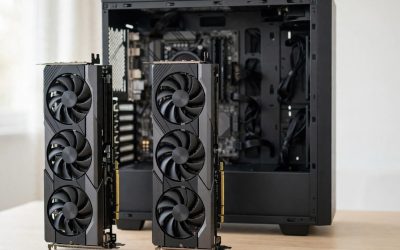
The maker names the GTX 1660 and RX 580 as the recommended graphics class. Anything at that level or above is the practical answer, and the following current cards all exceed it on paper: GeForce RTX 5060 and up, and Radeon RX 9060 XT and up. Panic does not publish 1080p, 1440p or 4K frame-rate figures, and no upscaling support, such as DLSS or FSR, is described on the pages read, so treat those features as unconfirmed.
Mac and other platforms
PCGamingWiki lists a Mac (OS X) version on Steam. The Mac requirements were not found on the pages read, and the Windows figures above should not be applied to Mac hardware. Check the Mac tab of the store page for your machine. The game is also available on consoles, which this guide does not cover.
Steam Deck and handhelds
The pages read carry no official Steam Deck statement. The RDNA 3 mention in the minimum tier suggests modern AMD integrated graphics are in view, but the maker does not say a particular handheld is supported. Look for the Steam Deck compatibility badge on the store page or in your own library before relying on it.
Common mistakes
- Trusting retailer listings. One key-seller page lists only a Windows 8 minimum, which conflicts with Steam and Panic. Use the maker and Steam figures.
- Reading the minimum as “smooth”. Minimum means the game starts; the recommended tier is the safer target.
- Counting any integrated chip as RDNA 3. Only an RDNA 3 GPU with the stated compute unit count matches the line.
- Running low on RAM. With 8 GB and a browser open, memory gets tight; close extras before playing.
- Skipping driver updates. A fresh graphics driver fixes many launch problems on a Unity game.
If the game will not start or runs poorly
| Symptom | Common cause | Fix |
|---|---|---|
| Crash on launch | Outdated graphics driver | Update through NVIDIA, AMD or Intel’s own tool |
| Stutter or slowdown | Under-spec RAM or background apps | Close other programs; consider 16 GB |
| Wrong GPU used on a laptop | System defaults to integrated graphics | Set the game to use the high-performance GPU in Windows graphics settings |
| Steam reports file errors | Corrupted download | Use the Steam file integrity check in the game’s properties |
If problems continue, contact the publisher’s support or a technician rather than changing BIOS or overclocking settings; those can void warranties and cause instability.
Frequently Asked Questions
What are the minimum system requirements for Despelote?
Steam and Panic list Windows 10, an Intel Core i7-7700HQ or AMD FX-8350, 8 GB of RAM, a GeForce GTX 1050 with 4 GB or an AMD RDNA 3 GPU with 12 compute units, and 8 GB of storage.
What are the recommended requirements?
Windows 11, a Core i5-8600K or Ryzen 5 2600, 16 GB of RAM, a GeForce GTX 1660 or Radeon RX 580, and 8 GB of storage.
Can integrated graphics run Despelote?
Only an AMD RDNA 3 GPU with at least 12 compute units is named by the maker. Other integrated chips are not listed, so their results are unconfirmed.
Do I need an SSD?
The listing does not require one. Eight gigabytes of space is all that is stated, so a hard drive meets the rule.
Does Despelote run on Mac?
A Mac version exists on Steam according to PCGamingWiki, but the Windows requirements here do not apply to it. Read the Mac tab on the store page.
Does it support DLSS or FSR?
Neither is mentioned on the pages read. Treat upscaling support as unconfirmed.
FAQ
Short answer: can your PC run Despelote?
What are the minimum system requirements for Despelote?
What are the recommended requirements?
Can integrated graphics run Despelote?
Do I need an SSD?
Does Despelote run on Mac?
Does it support DLSS or FSR?
More from Amazon
Programs that pair well with the guide above. Offers and eligibility are set by Amazon and may change.
Free shipping on eligible items, Prime Video and more. Eligible new members can start with a free trial.
Start a Prime free trialAd-free music streaming. Eligible new subscribers can start with a free trial.
Try Music Unlimited freeA Prime membership for ages 18-24 with a trial period. Eligibility is set by Amazon.
See Prime for Young AdultsAudiobooks and podcasts to listen to on the go. Eligible new members can start with a free trial.
Try Audible freeAs an Amazon Associate we earn from qualifying purchases.