Key takeaways
- AMD AM5: Ryzen 7 9800X3D or Ryzen 9 9950X3D for highest gaming frame rates, or Ryzen 9 9950X for mixed gaming and productivity.
- Intel LGA1851: Core Ultra 9 285K or Core Ultra 7 265K. Both offer PCIe 5.0 support for GPU and M.2.
What's inside
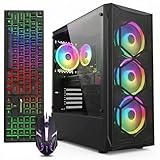
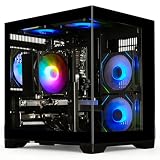
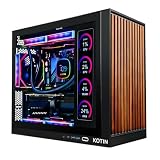
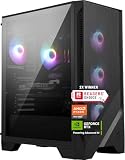
An RTX 5090 new case and powerful gaming setup image should show a full-tower or large mid-tower case with vertical GPU clearance over 410mm, a 1000W-1200W ATX 3.1 PSU, and a 360mm AIO or dual-tower air cooler to handle the 575W GPU and high-end CPU without thermal throttling, all arranged for unobstructed front-to-back or bottom-to-top airflow.
Core Component Matching for an RTX 5090 Build
The GeForce RTX 5090 is built on NVIDIA’s Blackwell architecture with 32GB of GDDR7 memory, a 575W total graphics power rating, and a PCIe 5.0 x16 interface. It requires a 16-pin 12V-2×6 power connector and measures around 304mm long and 137mm tall for the Founders Edition, with many partner cards exceeding 340mm and occupying 3.5 to 4 slots. That size and power draw dictate every other choice.
CPU and Platform Pairing
At 4K, the RTX 5090 is almost always GPU-bound, but at 1440p high-refresh or with ray tracing and DLSS Frame Generation disabled, CPU bottlenecks appear quickly. Pair it with a current flagship CPU to avoid limiting it:
- AMD AM5: Ryzen 7 9800X3D or Ryzen 9 9950X3D for highest gaming frame rates, or Ryzen 9 9950X for mixed gaming and productivity.
- Intel LGA1851: Core Ultra 9 285K or Core Ultra 7 265K. Both offer PCIe 5.0 support for GPU and M.2.
Choose a motherboard with PCIe 5.0 x16 slot reinforcement, at least one PCIe 5.0 M.2 slot, and robust VRM cooling. For RAM, 32GB DDR5-6000 CL30 is the baseline for gaming, while 64GB DDR5-6000 to 6400 is recommended for creation workloads that justify a 5090. The extra capacity matters because the 5090’s 32GB VRAM allows you to run 4K texture packs and local AI models that will spill over into system RAM if you run short.
Storage and Display Bandwidth
To feed 4K textures without stutter, use a PCIe 4.0 or 5.0 NVMe SSD with sustained read speeds above 7000 MB/s, usually 2TB to 4TB. For display bandwidth, uncompressed 4K at 240Hz with 10-bit color needs about 54 Gbps, which exceeds DisplayPort 1.4a limits and requires DisplayPort 2.1b or HDMI 2.1 with Display Stream Compression. The RTX 5090 supports DisplayPort 2.1b UHBR20, so pair it with a monitor that also supports UHBR13.5 or UHBR20 to get full 4K 240Hz without chroma subsampling.
Power Budget: A Worked Calculation Before You Buy a PSU
Do not size your PSU on the GPU TGP alone. Transient spikes from the 5090 and CPU boost behavior can briefly exceed rated power by 20-30%. Use this calculation method with your exact parts:
| Component | Rated Power | Peak Adjusted (+20% Transient Headroom) | Notes |
|---|---|---|---|
| RTX 5090 Founders Edition | 575W | 690W | NVIDIA spec, 12V-2×6 connector required |
| Ryzen 9 9950X3D / Core Ultra 9 285K | 170W – 250W | 204W – 300W | With PBO / ABT enabled under all-core load |
| Motherboard, RAM, NVMe, Fans, AIO Pump | 80W – 100W | 100W | 6-10 fans + 360mm AIO typical |
| Total System Continuous | 825W – 925W | ~990W – 1090W | Peak for seconds during load spikes |
Formula to apply: PSU Recommended Wattage = (GPU TGP + CPU PPT + 100W system) / 0.8. The 0.8 factor keeps peak load at 80% of PSU capacity for efficiency, noise, and capacitor longevity. For a 575W + 200W + 100W = 875W system, 875 / 0.8 = 1093W, so a 1200W ATX 3.1 unit is the logical target. A 1000W ATX 3.1 PSU is the absolute minimum and only safe with a 65W-120W CPU and no overclocking. Always choose ATX 3.1 with native 12V-2×6 cable rated for 600W, not an adapter with three 8-pins.
A good layout for clean power delivery routes the 12V-2×6 cable with a gentle bend radius of at least 35mm from the connector, avoiding sharp 90-degree bends against the side panel. Cases with at least 35mm of cable management depth behind the motherboard tray and a PSU shroud cutout near the GPU make this easier and reduce connector melting risk.
New Case Ideas That Actually Fit and Cool an RTX 5090
An RTX 5090 powerful gaming setup is limited more by case thermals than by aesthetics. The card dumps up to 575W of heat inside the case, so you need volume, fan positions, and mesh where it counts.
Case Types Mapped to Your Situation
| If You Want This Look / Constraint | Best Case Class and Examples | Key Specs to Check | Cooling Strategy |
|---|---|---|---|
| Maximum airflow, no glass restriction | Airflow full-tower: Fractal Design Torrent, Corsair 5000D Airflow, Lian Li Lancool 216 | GPU length > 410mm, CPU cooler height > 180mm, front mesh + 2x 180mm or 3x 140mm intake | 360mm AIO top exhaust or large air cooler, 3x front intake, 1x rear exhaust |
| Panoramic glass showcase build | Dual-chamber panoramic: Lian Li O11 Dynamic EVO, NZXT H9 Flow, Hyte Y70 | Side + bottom intake support, vertical GPU kit included, 420mm radiator support | Bottom 3x 120mm intake directly under GPU, side 360mm intake, top 360mm exhaust |
| Compact but still 5090-capable | Large mid-tower compact: Fractal Design Meshify 2 Compact, NZXT H7 Flow | GPU clearance 360-400mm verified, PSU length < 180mm, removable front panel | Front 360mm AIO intake, top + rear exhaust, undervolt GPU if thermals exceed 78C |
| Silent-focused build | Insulated airflow: be quiet! Dark Base 701, Fractal Design Define 7 XL | Dampened panels but mesh front option, support for 140mm low-RPM fans | 5x 140mm fans at 800-900 RPM, custom fan curve, GPU power limit 85-90% |
What Makes a Case Visually Striking Without Hurting Performance
For an rtx 5090 new case and powerful gaming setup image that looks clean on camera and stays cool, prioritize layouts with these features:
- Bottom intake fans beneath a horizontal GPU. This feeds fresh air directly to the 5090’s flow-through cooler and can lower GPU hotspot temps by 6-10C compared to front-only intake.
- Side-mounted 360mm AIO as intake in dual-chamber cases. It provides cool outside air to the CPU radiator instead of pre-heated GPU exhaust.
- Vertical GPU mount with at least 40mm clearance from glass. Flush glass chokes the fans and can add 12-15C. Use a case with an offset vertical bracket or add a PCIe 5.0 riser cable rated for x16 bandwidth.
- Cable management that hides the 12V-2×6 run behind a shroud or diagonal cable bar, with RGB or lighting strips placed along the top and rear edges rather than in the airflow path.
Step-by-Step: Planning Airflow and Assembly Order
Follow this order to avoid rebuilding around the 5090’s bulk:
- Step 1: Validate fit in PCPartPicker or the case manual. Check GPU length, GPU thickness in slots, and AIO radiator thickness with fans. A 5090 plus a front 360mm AIO can conflict in cases under 470mm deep.
- Step 2: Install PSU and route the native 12V-2×6 cable first, before the motherboard. This ensures you can seat the connector fully with an audible click and no tension.
- Step 3: Mount fans before the motherboard. Set intake vs exhaust: front, side, and bottom as intake; top and rear as exhaust. Aim for slightly positive pressure (one more intake than exhaust) to reduce dust.
- Step 4: Set fan curves in BIOS based on GPU temperature if your motherboard supports GPU temp source, or use motherboard software to link case fans to GPU hotspot. Target 30% at idle, linear ramp to 70% by 75C GPU, 100% at 85C.
- Step 5: After OS install, set an initial undervolt in MSI Afterburner to test efficiency. Many 5090s can hold 2650 MHz at 900-950mV vs stock 1000mV+, cutting 40-60W and 3-5C with less than 2% performance loss. This is especially useful in glass-front cases.
Performance and Thermals to Expect at 4K
With the setup above, expect GPU temperatures of 68-78C under sustained 4K gaming and hotspot temps 12-18C higher, with CPU temps 70-85C depending on cooler class. If your case keeps the GPU above 80C or fans above 1600 RPM for 120mm units, add bottom intake or increase case volume rather than raising fan speed alone. For a silent target, a 140mm fan setup usually runs 4-6 dBA quieter at the same airflow.
VRAM headroom is rarely a limit with 32GB, but system RAM and bandwidth matter: 4K ultra textures in current 2026 titles use 12-16GB VRAM, and pathtraced titles with DLSS Quality still need 14GB+. Keep Windows Game Mode and hardware-accelerated GPU scheduling enabled to ensure VRAM allocation prioritizes the game.
FAQ
Will an 850W PSU run an RTX 5090?
No for most builds. Even if the system boots, an 850W unit leaves less than 50W headroom after transients on a 575W GPU plus a 150W+ CPU, which triggers over-current protection shutdowns. The minimum NVIDIA recommends is 1000W, and 1200W ATX 3.1 is the safer long-term choice, usually $180-$280 depending on efficiency rating.
Do I need a new case if I already have a mid-tower from 2022?
Measure it. You need at least 340mm GPU length for a Founders Edition and over 400mm for most partner cards, plus 90mm of width for 3.5-slot coolers and a cutout for the 12V-2×6 cable bend. Older cases with solid front panels and only two front 120mm positions will throttle a 5090.
Is a 360mm AIO required or will air cooling work?
Both work if the case has airflow. A premium dual-tower air cooler like the Noctua NH-D15 or DeepCool AK620 handles a 9800X3D or 285K in gaming, but a 360mm AIO gives more thermal headroom in compact panoramic cases where air cooler height is limited to 160-170mm.