Key takeaways
- VRAM capacity: Aim for at least 8GB of dedicated VRAM for 1080p gaming at high settings; 12GB or more is safer for 1440p and future-proofing against demanding titles.
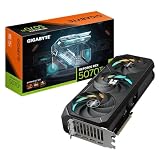
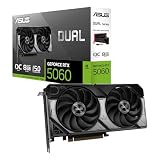
- Discrete vs. integrated: Integrated graphics like AMD Radeon or Intel UHD handle light and older games fine, but serious gaming needs a discrete GPU such as an RTX 5060 or 5070 Ti.
- Display refresh rate match: A high-refresh 165Hz or 180Hz panel is wasted if your GPU can’t push enough frames, so pair faster displays with more powerful discrete cards.
- Thermal design and chassis: The same GPU can perform differently across laptops depending on cooling; check for dual-fan setups and vapor chamber cooling on higher-wattage cards.
- Power draw and battery trade-off: Higher-tier GPUs demand more power and reduce battery life significantly on battery, so consider whether you’ll mostly play plugged in.
What's inside
Choosing the right gaming laptop GPU in 2026 is harder than it looks. Specs sheets are cluttered with AI TOPS, generational naming that resets every year, and marketing terms that blur the line between casual and serious gaming performance. Pick the wrong one and you’re stuck with stuttering frame rates in modern titles or a laptop that overheats the moment you turn on ray tracing.
This guide breaks down the GPUs that actually matter for gaming in 2026, from budget-friendly integrated graphics to flagship discrete cards capable of driving high-refresh QHD displays. We’ve reviewed six laptops spanning entry-level productivity machines to serious gaming rigs, so you can match the GPU to your budget and the games you actually want to play.
As an Amazon Associate we earn from qualifying purchases at no extra cost to you. Product prices and availability are accurate as of the date shown and are subject to change.



🎮 Get More From Your Setup — Free
Prime Gaming gives you free PC games every month, in-game loot, and a free Twitch channel sub — plus fast free shipping on all the gear above. New members get a 30-day free trial.
Watch: Best Gaming Laptop GPU — Video Review
How to Choose a Gaming Laptop GPU (2026)
- VRAM capacity: Aim for at least 8GB of dedicated VRAM for 1080p gaming at high settings; 12GB or more is safer for 1440p and future-proofing against demanding titles.
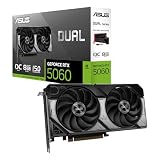
- Discrete vs. integrated: Integrated graphics like AMD Radeon or Intel UHD handle light and older games fine, but serious gaming needs a discrete GPU such as an RTX 5060 or 5070 Ti.
- Display refresh rate match: A high-refresh 165Hz or 180Hz panel is wasted if your GPU can’t push enough frames, so pair faster displays with more powerful discrete cards.
- Thermal design and chassis: The same GPU can perform differently across laptops depending on cooling; check for dual-fan setups and vapor chamber cooling on higher-wattage cards.
- Power draw and battery trade-off: Higher-tier GPUs demand more power and reduce battery life significantly on battery, so consider whether you’ll mostly play plugged in.
The Best Gaming Laptop GPU (2026)s Reviewed
Acer Nitro V 16S AI
The RTX 5060 paired with a 180Hz WUXGA panel makes this a strong value pick for 1080p gaming, and 32GB of DDR5 keeps multitasking and streaming smooth alongside gameplay.
ASUS ROG Strix G16
Backed by an Intel Core i7-14650HX and the same RTX 5060, the Strix G16’s 165Hz FHD+ display and Wi-Fi 7 support make it a well-rounded choice for competitive online play.
Acer Nitro 16S AI Copilot+ PC
This is the standout for serious gamers: the RTX 5070 Ti drives a sharp WQXGA 180Hz display with headroom for ray tracing and high-resolution gaming, backed by ample 2TB storage.
Dell 15.6″ Laptop DC15250
With only Intel UHD integrated graphics, this is built for everyday productivity rather than gaming, though its 120Hz display and Core i5 processor suit light, older, or browser-based games.
HP 14 Laptop Computer
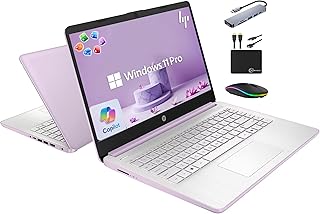
An ultra-light student and business laptop with integrated graphics, this model prioritizes portability and battery life over gaming performance, making it a poor fit for anything beyond casual titles.
Frequently Asked Questions
Is an RTX 5060 enough for 1440p gaming?
The RTX 5060 is best suited to 1080p gaming at high settings; it can handle 1440p in less demanding titles, but you may need to lower settings in newer, graphically intensive games.
How much VRAM do I need for gaming in 2026?
Most modern titles at 1080p run comfortably on 8GB of VRAM, but 12GB or more, like on the RTX 5070 Ti, gives more headroom for 1440p, ray tracing, and future game releases.
Can integrated graphics handle modern games?
Integrated GPUs like AMD Radeon 610M or Intel UHD Graphics can run older or lightweight games at low settings, but they struggle with modern AAA titles and are not designed for serious gaming.
Does a higher refresh rate display matter without a powerful GPU?
A high refresh rate panel only helps if your GPU can consistently produce enough frames per second; pairing a 165Hz or 180Hz display with a weaker GPU means you rarely see its full benefit in demanding games.
Final Thoughts
For most gamers, the Acer Nitro V 16S AI offers the best balance of price and performance with its RTX 5060, while the Acer Nitro 16S AI Copilot+ PC and its RTX 5070 Ti are the top choice for anyone wanting a sharper display and more graphical headroom; the ASUS ROG Strix G16 rounds out the picks as a versatile alternative for competitive gaming.