Key takeaways
- ecobee Smart Thermostat Premium: ships with a SmartSensor for room temperature and occupancy and has built-in air-quality monitoring, according to ecobee.
- Google Nest Learning Thermostat (4th gen): supports Nest Temperature Sensors, with one sensor in the box and up to six per thermostat, per Google.
- Honeywell Home X8S: up to 20 room sensors, plus air-quality readings and radar presence detection, per Honeywell Home listings.
- Sensi Touch 2: works with optional Sensi room sensors and lists humidification and dehumidification control; check Sensi’s page for the current sensor limit.
- Honeywell Home X2S: budget design with Matter, but not designed for room sensors, per Resideo.
Updated November 2026 – The best smart thermostats for home offices and game rooms are those that pair remote room sensors with your system’s wiring: ecobee Premium, Google Nest Learning Thermostat (4th gen) and Honeywell Home X8S lead reviewer lists.
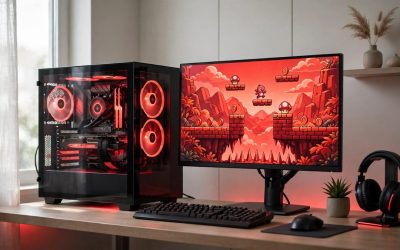
Before comparing models, it helps to know that the best smart thermostats for home offices and game rooms are chosen by wiring, ecosystem and sensors, not brand loyalty. A gaming PC and a monitor array can add real heat to a small room, so a thermostat that reads only the hallway will mislead your cooling. The sections below take the buying decision in the order that avoids returns: check wiring, check the system type, choose sensors, then pick the ecosystem.
Step 1: Does your HVAC system work with a smart thermostat?
Most smart thermostats are made for low-voltage 24V heating and cooling systems, and they are not designed for line-voltage electric baseboard heaters unless the maker says so.
Google lists the Nest Learning Thermostat (4th gen) as working with most 24V systems, including gas, electric, oil, forced air, heat pump and radiant, with a voltage range of 20 to 30VAC. Reviewed notes that the ecobee Enhanced does not work with heat-only 2-wire systems. Zoned systems may need one thermostat per zone. Use each maker’s online compatibility checker, such as Google’s g.co/nest/works, before you buy.
Electrician and HVAC note
Switch off power to the HVAC system at the breaker before removing an old thermostat, and follow the installation manual. If you find unusual voltage, damaged insulation or a system you cannot identify, stop and call a licensed HVAC technician or electrician.
Step 2: Do you have a C-wire?
A C-wire is the common wire that continuously powers a thermostat, and its presence decides which models are simple to install.
| Thermostat | C-wire situation | Source |
|---|---|---|
| ecobee Smart Thermostat Premium | Includes a Power Extender Kit for homes without a C-wire | ecobee |
| Google Nest Learning Thermostat (4th gen) | Power Sharing works with or without a C-wire; in a small share of homes a C-wire or Nest Power Connector is needed | Google specifications |
| Honeywell Home X8S | C-wire required; the box includes a code for a free adapter from Honeywell Home | Honeywell Home listings |
| Honeywell Home X2S (budget, no sensors) | C-wire required; an adapter may be needed | Retailer listings |
| Sensi Touch 2 | C-wire required for all systems; the manual lets you reuse the fan wire if no dedicated one exists | Sensi (Copeland) |
If you must add a wire or an adapter, plan for a modest job: the adapter or extender fits at the furnace control board. Follow the instructions, or use a professional.
Step 3: Which are the best smart thermostats for home offices and game rooms by sensor support?
For sensor support, Honeywell leads on count, ecobee leads on out-of-the-box value, and Nest leads on automatic scheduling.
- ecobee Smart Thermostat Premium: ships with a SmartSensor for room temperature and occupancy and has built-in air-quality monitoring, according to ecobee.
- Google Nest Learning Thermostat (4th gen): supports Nest Temperature Sensors, with one sensor in the box and up to six per thermostat, per Google.
- Honeywell Home X8S: up to 20 room sensors, plus air-quality readings and radar presence detection, per Honeywell Home listings.
- Sensi Touch 2: works with optional Sensi room sensors and lists humidification and dehumidification control; check Sensi’s page for the current sensor limit.
- Honeywell Home X2S: budget design with Matter, but not designed for room sensors, per Resideo.
The older Honeywell T9 and T10 Pro remain in many homes. Honeywell’s store marks the T9 discontinued and names the X8S as its replacement, and the T10 Pro was upgraded to the T10+ Pro per Resideo’s parts catalog.
Step 4: Which smart-home ecosystem do you use?
Choose the thermostat whose supported assistants match the hub and phones in your home, since a mismatch removes voice control and automations.
| Ecosystem | Fits well | Notes |
|---|---|---|
| Apple Home | ecobee natively; Honeywell X8S and X2S via Matter | Reviews disagree on Nest, so confirm on Google’s pages |
| Google Home | Nest Learning Thermostat (4th gen) | Matter certified per reviewers |
| Alexa | ecobee, Honeywell, Sensi | All list Alexa support |
| Samsung SmartThings | ecobee, Sensi Touch 2 | Per each maker’s listing |
Is the ecobee Premium better than the Nest Learning Thermostat for a game room?
For a game room the ecobee Premium is usually the stronger fit because it includes a sensor and offers wide ecosystem support, while the Nest suits households that want automatic scheduling.
Roundups in 2026 mostly rank the ecobee Premium first and the Nest 4th gen second, and some rank them the other way. Nest watches how you adjust for about a week and builds a schedule. Ecobee gives you comfort settings and sensor priority. If your office hours are irregular, the schedule-learning feature can adapt, but a game room with a PC that spikes heat benefits from a sensor placed in the room itself.
What mistakes do buyers make with smart thermostats?
- Buying before checking wiring and system type.
- Placing the sensor on top of the PC or in direct sun.
- Buying an old second-hand Nest: Google ended support for the 1st and 2nd gen Learning Thermostats on 25 October 2025.
- Expecting the thermostat to cool one hot room when the ductwork is the real constraint.
- Skipping the zone issue in homes with multiple heating zones.
How should you set up a thermostat around gaming heat?
Put the sensor at desk height, away from PC exhaust, and prioritise it during play and work hours.
Use occupancy sensing so the system responds when you are in the room. Leave a small schedule gap after long sessions so the system can bring the room down to a comfortable temperature. Consider a window fan or better PC airflow for the heat source itself. A smart thermostat controls the HVAC system and cannot lower the heat your PC generates.
How do the top picks compare on features beyond sensors?
Beyond sensors, the top picks differ in screen, air-quality features, voice control and how much learning or manual scheduling they expect.
ecobee Smart Thermostat Premium
The maker lists radar occupancy sensing, Siri or Alexa built in, an included SmartSensor and an air-quality monitor. Reviewed lists support for Apple HomeKit, Alexa, SmartThings and Google Assistant, and names it best for smart homes.
Google Nest Learning Thermostat (4th gen)
Reviewers describe a larger display, automatic scheduling and Matter certification. Google’s specifications describe Power Sharing and a 20 to 30VAC range. Reviews disagree on Apple HomeKit support, so check Google’s own compatibility page if you use Apple Home.
Honeywell Home X8S and Sensi Touch 2
Honeywell Home listings give the X8S a 5-inch touchscreen, radar presence detection, humidity and air-quality readings and support for up to 20 sensors; Reviewed notes that app setup can be difficult. The Sensi Touch 2 is a C-wire-only touchscreen model with humidification and dehumidification control and optional room sensors.
Budget-tier options
The Honeywell Home X2S has Matter and works with Alexa, Google and Apple Home, but Resideo has said it is not designed for room sensors and it needs a C-wire. The Nest Thermostat (2020) is a simpler device and, per Reviewed, does not need a C-wire in many homes. Both suit a small office with a single heating zone where a remote sensor is not essential.
What questions should you ask an installer or electrician?
Ask whether your system is 24V low-voltage, whether a C-wire is present, and whether zoning or a heat pump needs a specific accessory.
- Is the system low-voltage or line-voltage?
- Is there a spare wire in the cable, or does the furnace board allow a C-wire adapter?
- Do heat pump, dual-fuel or multi-stage systems need special wiring?
- Will the new thermostat conflict with a zone controller?
A licensed professional can also check the furnace control board for damage. Never work on live wiring, and follow local code.
What does a smart thermostat change in a PC-heavy room?
A smart thermostat changes when and where the system responds, but it cannot remove the heat that a gaming PC, monitors and console put into the room.
Think of a thermostat as the decision-maker and the vents as the muscle. When a room warms because of equipment, a sensor placed in that room tells the thermostat the truth, and the system runs longer to cool it. That can leave other rooms cooler than you like. Occupancy settings, which let the system favour the room you are in, reduce that conflict. If the room still overheats, improving case airflow, adding a vent fan or moving the PC exhaust away from the sensor will do more than any thermostat setting.
How should you use schedules and geofencing?
Schedules tell the system what temperature to hold at set times, while geofencing uses your phone’s location to switch to an away mode. Makers describe home and away automation across ecobee and Honeywell models. For a home office with irregular hours, geofencing is simpler than a fixed schedule, but it depends on phone location permissions that you should review for privacy.
Who should pick what?
| You are | Pick | Why |
|---|---|---|
| Short on wiring options | ecobee Premium | Power Extender Kit included |
| A Google Home household | Nest Learning Thermostat (4th gen) | Native integration and Matter |
| Balancing many rooms | Honeywell Home X8S | Up to 20 sensors |
| On a tighter plan | Honeywell Home X2S or Nest Thermostat (2020) | Simple, fewer features |
Frequently Asked Questions
Which smart thermostat is best for a gaming room?
The ecobee Premium is the common choice because it includes a room sensor. Honeywell X8S suits many rooms. Pick based on wiring and ecosystem.
Do I need a C-wire for a Nest thermostat?
Often not, because of Power Sharing, but some systems need a C-wire or Power Connector. Google’s checker will tell you. Heating-only and zoned systems are more likely to need it.
Can a smart thermostat cool one room?
No. It controls the whole system or zone. Sensors help balance temperatures but airflow and ductwork still matter.
Is professional installation necessary?
Not always. Follow the manual and turn off power first. Call a licensed HVAC technician or electrician for line-voltage or unclear wiring.
Does Honeywell still make the T9?
Honeywell’s store marks the T9 discontinued and names the X8S as its replacement, and the T10 Pro was upgraded to the T10+ Pro. Existing T9 units still work.
Will a smart thermostat lower my energy use?
Makers claim savings, for example ecobee says up to 26 percent, but results depend on your home and habits. Treat figures as maker claims.
FAQ
Step 1: Does your HVAC system work with a smart thermostat?
Step 2: Do you have a C-wire?
Step 3: Which are the best smart thermostats for home offices and game rooms by sensor support?
Step 4: Which smart-home ecosystem do you use?
Is the ecobee Premium better than the Nest Learning Thermostat for a game room?
How should you set up a thermostat around gaming heat?
How do the top picks compare on features beyond sensors?
What questions should you ask an installer or electrician?
More from Amazon
Programs that pair well with the guide above. Offers and eligibility are set by Amazon and may change.
Free shipping on eligible items, Prime Video and more. Eligible new members can start with a free trial.
Start a Prime free trialAd-free music streaming. Eligible new subscribers can start with a free trial.
Try Music Unlimited freeA Prime membership for ages 18-24 with a trial period. Eligibility is set by Amazon.
See Prime for Young AdultsAudiobooks and podcasts to listen to on the go. Eligible new members can start with a free trial.
Try Audible freeAs an Amazon Associate we earn from qualifying purchases.