Key takeaways
- 24GB GDDR7 VRAM handles 4K gaming, creation, and local AI with ease.
- Flagship performance that rivals desktop rigs in a portable form.
- Premium displays like OLED and Mini LED at high refresh rates.
- Portability options, from the slim Razer Blade 16 to external GPU enclosures.
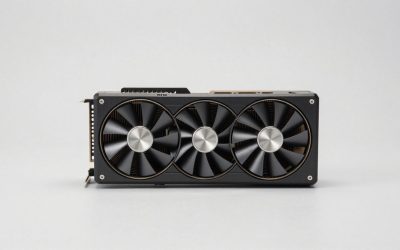
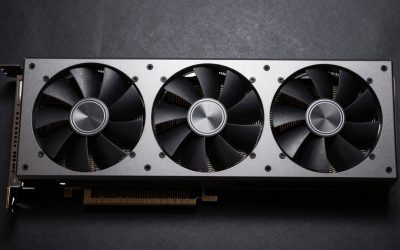
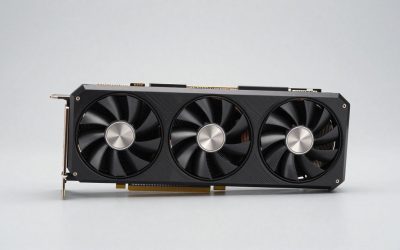
The mobile RTX 5090 is the most powerful laptop GPU you can buy, and its 24GB of GDDR7 VRAM is a big part of the story. That generous memory pool is what lets these machines handle 4K textures, ray tracing, high-resolution content creation, and local AI workloads that would choke lesser cards, all from a portable chassis.
In this review we dig into why RTX 5090 laptop VRAM matters, how it translates into real-world performance, and which flagship machines deliver it best. From the Alienware Area-51 to the Razer Blade 16 and ASUS ROG Strix SCAR 18, we’ll help you understand what that 24GB buffer actually buys you.
Our top picks
 Dell Alienware 18 Area-51 Gaming Laptop 18"
DLSS 4 with Multi Frame Generation boosts smooth frame rates
NVIDIA Reflex 2 Frame Warp further reduces input latency
64GB of memory and 2TB SSD handle heavy workloads
At 9.56 pounds, this is far from a portable laptop
18-inch chassis needs a large, dedicated bag to transport
 msi Stealth 18 HX AI 18” 120Hz
18-inch mini LED display covers a wide color gamut
64GB of DDR5 memory handles the heaviest workloads
RTX 5090 delivers top-tier laptop graphics performance
6.39-pound weight makes this a desktop replacement, not a travel laptop
Large 18-inch chassis needs a correspondingly large bag
 ASUS ROG XG Mobile
- Gamers and creators can harness the incredible performance…
- Sporting a Thunderbolt 5 connection with 120Gbps of…
- Weighing just 2.09 lbs, this external graphics card…
 Lenovo Legion Pro 7i Gen 10 w/Ultra
24-core Ultra 9 275HX handles heavy multitasking workloads
64GB RAM and 2TB SSD cover large game libraries
16-inch OLED panel suited for color-accurate visuals
Weighs nearly 11 pounds, not easily portable
Large 21.75 x 14 x 3.25 inch footprint needs desk space
 Razer Blade 16
240Hz QHD+ OLED display suits fast, color-accurate gaming
RTX 5090 with 24GB GDDR7 handles demanding AAA titles
Vapor chamber cooling supports extended gaming sessions
32GB memory is soldered and non-upgradeable
Premium thin build still weighs about 4.7 pounds
 ASUS ROG Strix SCAR 18
Tool-free latch gives easy access to RAM, SSD and fans
Mini LED display covers 100% DCI-P3 color at 240Hz
Customizable AniMe Vision lid adds a personal touch
6.28-pound weight makes this a stay-at-desk laptop
High-end 175W GPU needs a sizable charger to keep up
 Razer Blade 18
- Execute AAA gaming, streaming, and AI workflows with…
- DUAL MODE 18” DISPLAY FOR PERFORMANCE OR CLARITY
- Sustain high FPS and heavy workloads longer with…
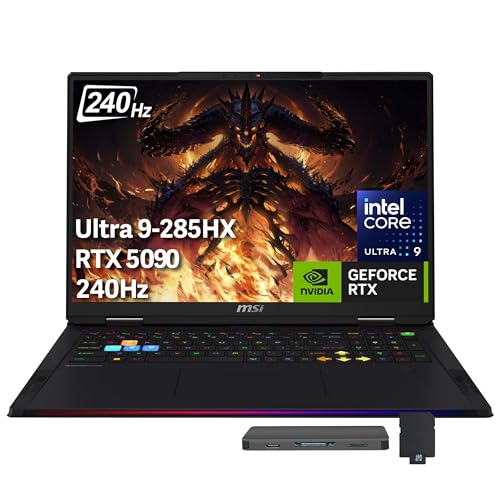 GIGABYTE AORUS RTX 5090 AI Box Graphics
- 【Upgraded】Seal is opened for upgrade only, 1-Year warranty…
- 【Intel Core Ultra 9 285HX Processor】Built for serious…
- 【64GB DDR5 RAM】Get high-bandwidth performance for resource-intensive tasks
As an Amazon Associate we earn from qualifying purchases at no extra cost to you.
🎮 Get More From Your Setup — Free
Prime Gaming gives you free PC games every month, in-game loot, and a free Twitch channel sub — plus fast free shipping on all the gear above. New members get a 30-day free trial.
Watch: Rtx 5090 Laptop Vram: Review & Buyer’s Guide — Video Review
Design & Build
RTX 5090 laptops are premium, statement machines. The Alienware 18 Area-51 and ASUS ROG Strix SCAR 18 go big with 18-inch high-refresh displays and elaborate cooling to feed their power-hungry GPUs. The Lenovo Legion Pro 7i and MSI Stealth 18 HX AI balance performance with refined chassis and stunning OLED or Mini LED panels. The standout for portability is the Razer Blade 16 (2026), which crams an RTX 5090 into a remarkably slim CNC aluminum body with a 16-inch QHD+ 240Hz OLED. The ASUS ROG XG Mobile even delivers desktop RTX 5090 power in an external Thunderbolt 5 enclosure.
Performance
The 24GB of GDDR7 VRAM is the enabler for everything these laptops do well. In gaming, it prevents the texture-streaming stutters that plague lower-VRAM cards at 4K and ultra settings, and it gives ray tracing and DLSS 4 room to breathe. For creators, that buffer handles large video timelines, high-resolution 3D scenes, and demanding renders without spilling into system memory. And for local AI work, 24GB lets you run sizable models that simply won’t fit on 8GB or 16GB GPUs. Paired with Intel Ultra 9 or Ryzen AI processors and 32GB to 64GB of DDR5, these machines are true desktop replacements.
Pros & Cons
- 24GB GDDR7 VRAM handles 4K gaming, creation, and local AI with ease.
- Flagship performance that rivals desktop rigs in a portable form.
- Premium displays like OLED and Mini LED at high refresh rates.
- Portability options, from the slim Razer Blade 16 to external GPU enclosures.
- Very high prices place these firmly in halo territory.
- Short battery life and significant heat under full load.
- Overkill for many gamers who play at 1080p or 1440p.
Alternatives to Consider
If 24GB of VRAM exceeds your needs, an RTX 5080 laptop like a Razer Blade 18 config offers flagship-adjacent performance for less. Gamers focused on 1440p can save substantially with an RTX 5070 Ti machine that still delivers excellent frame rates. And if you want desktop RTX 5090 power without committing to a giant laptop, the ASUS ROG XG Mobile external GPU pairs with a thinner notebook over Thunderbolt 5.
Frequently Asked Questions
How much VRAM does the RTX 5090 laptop GPU have?
The mobile RTX 5090 features 24GB of GDDR7 VRAM, the largest buffer in NVIDIA’s laptop lineup, which is ideal for 4K gaming, content creation, and local AI workloads.
Do I actually need 24GB of VRAM for gaming?
For pure gaming at 1440p, no, a lower-VRAM card suffices. The 24GB buffer pays off at 4K with max textures and ray tracing, and especially for creative and AI tasks.
Which RTX 5090 laptop is best for portability?
The Razer Blade 16 (2026) is the standout, fitting an RTX 5090 into a slim OLED machine. For maximum screen and cooling, the 18-inch Alienware and ROG Strix SCAR models lead instead.
Can these laptops run local AI models?
Yes. The 24GB of VRAM lets RTX 5090 laptops load sizable AI models locally that won’t fit on 8GB or 16GB GPUs, making them appealing for developers and researchers on the move.
Verdict
The RTX 5090’s 24GB of GDDR7 VRAM is what elevates these laptops from fast to genuinely future-proof, unlocking 4K gaming, heavy creation, and local AI in one portable package. The Razer Blade 16 wins for portability while the Alienware Area-51 and ROG Strix SCAR 18 lead on raw screen and cooling. If you need this much power, the VRAM is the reason to buy in.