Key takeaways
- The RTX 5090 on published specs: Blackwell, 32GB GDDR7, DLSS 4 Multi Frame Generation and 575W power, plus who this flagship graphics card actually suits.
As an Amazon Associate we earn from qualifying purchases.
The GeForce RTX 5090 is not really a decision about whether a faster graphics card would be nice. Almost every buyer already knows the answer to that. The real decision is whether your whole computer is ready for NVIDIA’s flagship: a power supply that meets the published guidance, a case with room and airflow for a large partner card, a monitor that can show what the card produces, and a workload that can use 32GB of video memory. Without those pieces in place, the headline specification sits behind a bottleneck somewhere else in the system.
This overview is for three kinds of reader. High-refresh 4K gamers want to know what Blackwell and DLSS 4 actually change. Creators working in 3D, video and local AI want to understand why the memory system matters more than a clock speed. Upgraders coming from an older flagship want a clear account of the costs that arrive with the card itself, from power delivery to physical fit. Everything below rests on published specifications and manufacturer figures, stated as such, rather than on any claim of personal benchmarking.
What It Is
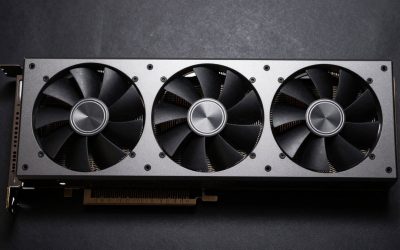
The GeForce RTX 5090 is the flagship desktop graphics card of NVIDIA’s RTX 50 series, launched on 30 January 2025 and built on the Blackwell architecture. Its GPU, known as GB202, enables 170 streaming multiprocessors for a total of 21,760 CUDA cores. Alongside them sit 170 fourth-generation ray tracing cores and 680 fifth-generation Tensor cores, the two specialised blocks that handle ray-traced lighting and AI-driven features respectively. Published reference clock figures put the base clock at 2.01 GHz and the boost clock at 2.41 GHz.
Memory is where the specification separates this card most clearly from the tier below it. The RTX 5090 carries 32GB of GDDR7 memory on a 512-bit interface, giving a published memory bandwidth of 1,792 gigabytes per second. For comparison within the same generation, published figures for the RTX 5080 list half the memory capacity on a narrower bus, which is why so much of the 5090 discussion comes back to memory rather than core counts alone. GDDR7 is new to this generation of GeForce cards, and the wider interface is what allows the bandwidth figure to climb so far beyond the previous flagship.
The defining software feature is DLSS 4, and specifically Multi Frame Generation. Earlier frame generation could insert one AI-generated frame between conventionally rendered frames. DLSS 4, running on Blackwell’s fifth-generation Tensor cores, can generate up to three additional frames for each rendered frame in supported games, which NVIDIA presents as a way to reach very high refresh rates at 4K. DLSS 4 also moves Super Resolution and Ray Reconstruction to a transformer-based AI model, which NVIDIA says improves detail stability compared with the older convolutional approach. These are manufacturer descriptions of how the technology works; the benefit in any individual game still depends on that game supporting the feature.
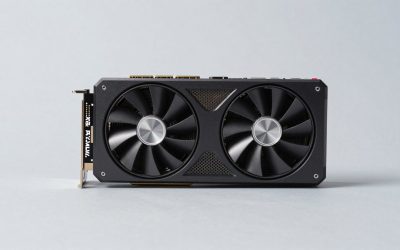
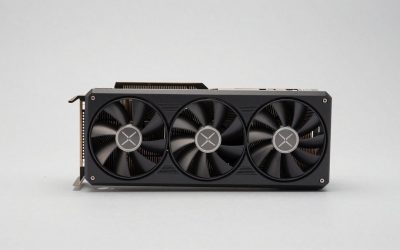
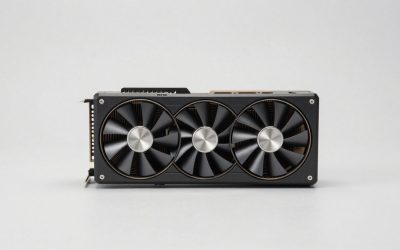
Display and connection specifications reflect the same flagship positioning. The card uses a PCIe Gen 5 interface, and published display outputs include DisplayPort 2.1b and HDMI 2.1b, with support described for very high refresh 4K output and 8K output using display stream compression. NVIDIA’s Founders Edition is a two-slot design, which surprises people who expect a flagship to keep growing, but partner cards from board manufacturers vary widely and many are far thicker, longer and heavier. The Founders Edition dimensions should never be treated as a promise about a partner model.
Power is the specification that shapes the rest of a build. Total graphics power is rated at 575 watts, and NVIDIA’s required system power figure is 1,000 watts. The Founders Edition connects through a single PCIe Gen 5 16-pin cable rated for 600 watts or more, or through a supplied adapter fed by four separate 8-pin PCIe cables. That is the published guidance, and it explains why this card belongs in a planned system rather than in whatever case and power supply happen to be on hand.
How to Choose
Start with the 4K and high-refresh question
The honest first question is what screen the card will drive. NVIDIA positions the RTX 5090 around 4K gaming at very high refresh rates, and the specification supports that aim: DisplayPort 2.1b output, DLSS 4 Multi Frame Generation in supported titles, and enough memory bandwidth to feed high-resolution textures. If your monitor is a 1440p panel with a modest refresh rate, the display itself becomes the ceiling long before this card reaches its limits, and money spent here would do more visible work if it went toward a better monitor first. Treat the card and the screen as one purchase decision even if you buy them months apart, because a flagship GPU paired with an ordinary display is one of the most common ways a build ends up feeling underwhelming for what it cost.
Match the memory to creator and AI workloads
For creators, the 32GB of GDDR7 is the argument that matters most, and it should be judged against the actual projects on your desk. Large 3D scenes, high-resolution video timelines with heavy effects, and local AI models all consume video memory in ways that cannot be fixed by a faster core alone; when a project outgrows the frame buffer, the workflow slows down or fails outright. If your scenes, timelines or models already press against the limit of a smaller card, the jump to 32GB on a 512-bit bus is a concrete, spec-based reason to consider this tier. If your work is light editing, streaming and occasional rendering, that memory will mostly sit unused, and a smaller card covers the same tasks. Check the memory footprint of your largest real project before deciding, not the average one.
Budget for the power supply and the case, not just the card
A 575-watt total graphics power rating and a 1,000-watt required system power figure turn the power supply into a genuine part of this purchase. A modern unit built to the ATX 3.1 and PCIe 5.1 standards, with a native 16-pin 12V-2×6 cable, is the cleanest match for the card’s single-cable connection, and it avoids relying on a multi-cable adapter. Case planning matters just as much. Partner RTX 5090 cards are among the largest consumer graphics cards made, so GPU length, thickness in slots, and clearance for the power cable’s bend all need checking against the specific model and the specific case. Airflow deserves equal attention, because a card at this power level turns a large share of that electricity into heat inside the enclosure.
Weigh it against the 5080-class step down
Every flagship buyer should write down what the tier below gives up, in specification terms, before paying the flagship premium. Published figures put the RTX 5080 at 360 watts of total graphics power, half the memory capacity, and a lower required system power figure. For a gamer at 4K who is comfortable relying on DLSS features, that step down may cover the actual games on the actual monitor in question. The 5090 earns its place when a specific requirement points at it: maximum memory for creator or AI work, the highest available frame rates at 4K in supported titles, or a long upgrade cycle where the extra headroom delays the next replacement. If none of those three applies in writing, the cheaper tier is usually the more rational buy.
Which One Fits Your Situation
You play at 4K on a high-refresh monitor
This is the situation the card was built around. The combination of Blackwell raster performance as described by NVIDIA, DLSS 4 Multi Frame Generation in supported games, and DisplayPort 2.1b output is aimed squarely at driving 4K panels at refresh rates that previous flagships struggled to reach. Provided the power supply meets the published 1,000-watt guidance and the case fits the card you choose, this buyer gets the clearest use of the full specification.
You render, edit or run local AI projects that fill memory
If your limiting factor is video memory rather than raw frame rate, the 32GB GDDR7 frame buffer on a 512-bit interface is the specification to focus on. Scenes, timelines and models that cannot fit in a smaller buffer are the strongest practical case for this card outside gaming. Confirm that your software uses the GPU and its memory in the way you expect, then treat the memory figure, not the gaming features, as the justification.
You are upgrading an older flagship in an ageing case
Proceed carefully. An older build may fall short on three fronts at once: a power supply below the published guidance or lacking a suitable 16-pin cable, a case without the length or slot clearance for current partner cards, and a monitor that cannot display the improvement. In this situation the card is only one line of a larger rebuild, and pricing the whole project honestly often changes the decision.
You mainly play competitive titles at 1440p
This is the weakest fit. Competitive games tend to be limited by the display’s refresh rate and by CPU performance at lower resolutions rather than by a flagship GPU, and a 1440p panel cannot show frame rates beyond its own ceiling. A card from the tier below, paired with a faster monitor, will usually serve this player better than a 5090 feeding a screen that holds it back.
Common Mistakes
- Buying the card before checking the exact length, thickness and cable clearance of the specific partner model against your case.
- Keeping an older power supply that falls short of NVIDIA’s published 1,000-watt system guidance or lacks a proper 16-pin connection path.
- Pairing the card with a 1440p or low-refresh monitor and then wondering why the upgrade feels smaller than expected.
- Assuming every game supports DLSS 4 Multi Frame Generation, when support is decided title by title.
- Judging the card on core counts alone and ignoring the 32GB memory specification that is its clearest advantage for creator work.
Frequently Asked Questions
How much memory does the RTX 5090 have, and why does it matter?
It carries 32GB of GDDR7 memory on a 512-bit interface, with published bandwidth of 1,792 gigabytes per second. That capacity matters most for high-resolution gaming textures, large 3D scenes, demanding video timelines and local AI workloads. If a project fits comfortably in a smaller frame buffer, the extra memory offers little day-to-day benefit.
What power supply does NVIDIA recommend for the RTX 5090?
NVIDIA lists total graphics power at 575 watts and required system power at 1,000 watts. The Founders Edition uses a PCIe Gen 5 16-pin cable rated for 600 watts or more, or an adapter fed by four separate 8-pin cables. A modern ATX 3.1 power supply with a native 12V-2×6 cable is the simplest way to meet that guidance.
What is DLSS 4 Multi Frame Generation?
It is the headline DLSS 4 feature on Blackwell cards. Where earlier frame generation inserted one AI-generated frame, Multi Frame Generation can produce up to three generated frames for each conventionally rendered frame in supported games, according to NVIDIA. It raises displayed frame rates on high-refresh monitors, but it only works in titles that implement it.
Is the Founders Edition size a safe guide for partner cards?
No. NVIDIA’s Founders Edition is a two-slot design, but partner models from other manufacturers are often much longer, thicker and heavier, with different cooler designs and sometimes different power targets. Always check the dimensions and requirements published for the exact card you intend to buy, and measure your case against those figures.
FAQ
How much memory does the RTX 5090 have, and why does it matter?
What power supply does NVIDIA recommend for the RTX 5090?
What is DLSS 4 Multi Frame Generation?
Is the Founders Edition size a safe guide for partner cards?
More from Amazon
Programs that pair well with the guide above. Offers and eligibility are set by Amazon and may change.
Free shipping on eligible items, Prime Video and more. Eligible new members can start with a free trial.
Start a Prime free trialAd-free music streaming. Eligible new subscribers can start with a free trial.
Try Music Unlimited freeA Prime membership for ages 18-24 with a trial period. Eligibility is set by Amazon.
See Prime for Young AdultsAudiobooks and podcasts to listen to on the go. Eligible new members can start with a free trial.
Try Audible freeAs an Amazon Associate we earn from qualifying purchases.