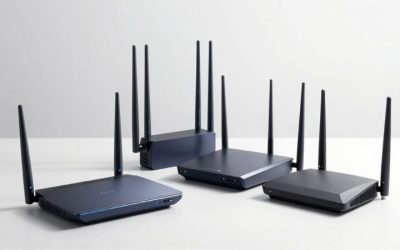
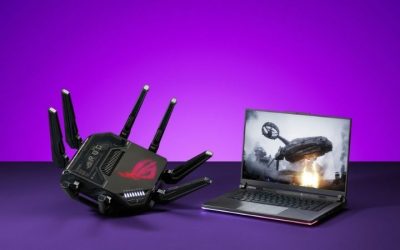
If you are searching for the best gaming routers for fiber internet, start with the ASUS RT-BE92U if your household needs a practical 10Gbps WAN connection, tri-band Wi-Fi 7, and multiple 2.5Gbps wired ports. The TP-Link Archer GE800 is a more gaming-focused option with two flexible 10Gbps ports, including an SFP+/RJ45 combo design, while the TP-Link Archer BE550 makes more sense for many 1–2Gbps plans. Your choice should begin with the speed and connector your fiber provider actually delivers, not the router’s advertised combined Wi-Fi rate. These six US-market options serve different fiber plans and gaming setups; none can guarantee a lower ping to distant game servers.
Quick verdict: match the router to your fiber plan
Best overall for multi-gig fiber — ASUS RT-BE92U. This tri-band Wi-Fi 7 model gives you a configurable 10Gbps WAN/LAN port, another configurable 2.5Gbps port, and three dedicated 2.5Gbps LAN ports. It provides a strong balance for gamers whose fiber installation already supplies an Ethernet handoff, without the size or cost of a flagship gaming router. Its 10G port has to be assigned correctly, and it is not an optical modem or ONT.
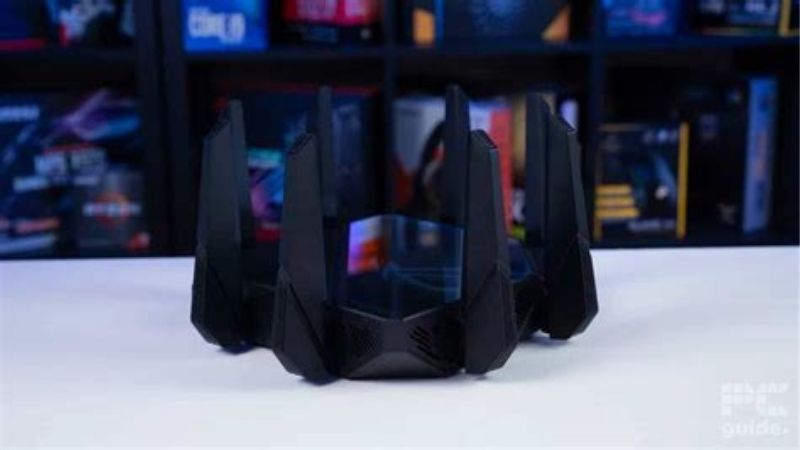
Best gaming-focused 10G alternative — TP-Link Archer GE800. Its two 10Gbps WAN/LAN-class interfaces include an SFP+/RJ45 combo arrangement, and four additional 2.5Gbps LAN ports leave room for PCs, NAS devices, and other gear. TP-Link adds gaming-device and application prioritization. Those features cannot eliminate ISP-side congestion, and independent reviewers have noted that the built-in cooling fan can be audible.
Best premium multi-device gaming setup — ASUS ROG Rapture GT-BE98 Pro. Two 10Gbps-capable Ethernet connections, multiple 2.5Gbps ports, two separate 6 GHz radios, and ASUS gaming features make it exceptionally versatile for an enthusiast household. Its price, large chassis, and client requirements make it hard to justify for a single gaming PC on a basic Gigabit plan.
Best compact 10G wired value — ASUS RT-BE86U. This dual-band Wi-Fi 7 router has a configurable 10Gbps WAN/LAN port, one configurable 2.5Gbps port, and three more 2.5Gbps LAN ports. You get gaming-priority controls and a path to a faster fiber tier, but there is no 6 GHz radio. That matters if your gaming laptop or desktop specifically relies on a nearby 6 GHz Wi-Fi 6E/7 connection.
Best for 1–2Gbps fiber and nearby Wi-Fi 7 devices — TP-Link Archer BE550. One 2.5Gbps WAN and four 2.5Gbps LAN ports are genuinely useful for a 2Gbps service, and its tri-band Wi-Fi 7 configuration adds 6 GHz for compatible clients. It is not a full-speed 5Gbps or 8Gbps fiber router, regardless of the BE9300 label on the packaging.
Best streamlined premium Wi-Fi option — NETGEAR Nighthawk RS700S. Its dedicated 10Gbps internet port, separate 10Gbps LAN port, and tri-band Wi-Fi 7 make fiber-to-router wiring relatively straightforward. Four additional wired LAN ports are Gigabit-only, however, and some NETGEAR security and management services involve optional subscriptions. It is not primarily a gaming-tuning specialist.
Fiber gaming routers compared: ports, prices, and stock
| Exact US model | Verified internet and wired ports | Wireless design | Most suitable fiber setup | Observed US offer, Oct. 29, 2026 | Stock status, Oct. 29, 2026 | Key compromise |
|---|---|---|---|---|---|---|
| ASUS RT-BE92U (BE9700) | 1×10Gbps WAN/LAN; 1×2.5Gbps WAN/LAN; 3×2.5Gbps LAN | Tri-band Wi-Fi 7; 2.4/5/6 GHz | Balanced 2–5Gbps fiber with wired gaming and 6 GHz clients | $289.99, B&H Photo Video | In Stock; Add to Cart | Shared-role WAN/LAN ports require proper assignment; no built-in ONT |
| TP-Link Archer GE800 (BE19000) | 1×10Gbps RJ45 WAN/LAN; 1×10Gbps SFP+/RJ45 combo WAN/LAN; 4×2.5Gbps LAN | Tri-band Wi-Fi 7; 2.4/5/6 GHz | Competitive gaming household with 5–10Gbps Ethernet handoff and many wired devices | $449.99 sale, B&H Photo Video; $599.99 crossed out | In Stock; Add to Cart | Large, cooling-fan noise noted in external reviews; combo port is not an ONT |
| ASUS ROG Rapture GT-BE98 Pro | 1×10Gbps WAN/LAN; 1×10Gbps LAN; 1×2.5Gbps WAN/LAN; 3×2.5Gbps LAN; 1×1Gbps LAN | Quad-band Wi-Fi 7; 2.4/5/6/6 GHz | Enthusiast 5–10Gbps fiber with multiple high-speed local devices | $684.99, B&H Photo Video | In Stock; Add to Cart | High cost and very large footprint; wireless benefits depend on clients |
| ASUS RT-BE86U (BE6800) | 1×10Gbps WAN/LAN; 1×2.5Gbps WAN/LAN; 3×2.5Gbps LAN | Dual-band Wi-Fi 7; 2.4/5 GHz only | Wired-first 2–5Gbps fiber, particularly when gaming uses Ethernet | $239.99 sale, B&H Photo Video; $269.99 crossed out | In Stock; Add to Cart | No 6 GHz despite Wi-Fi 7 branding; one 10G port total |
| TP-Link Archer BE550 (BE9300) | 1×2.5Gbps WAN; 4×2.5Gbps LAN | Tri-band Wi-Fi 7; 2.4/5/6 GHz | 1–2Gbps fiber with several 2.5GbE wired clients | $249.99, B&H Photo Video | In Stock; Add to Cart | WAN limits a faster plan to at most its 2.5Gbps link rate |
| NETGEAR Nighthawk RS700S (BE19000) | 1×10Gbps internet/WAN; 1×10Gbps LAN; 4×1Gbps LAN | Tri-band Wi-Fi 7; 2.4/5/6 GHz | Household prioritizing simple 10G uplink and one 10G gaming/workstation connection | $539.99 sale, NETGEAR US store; $599.99 crossed out | Add To Cart shown; regional stock not independently confirmed | Other four LAN ports limited to Gigabit; optional paid services |
Price and availability note: These are directly observed US seller page states during this research session, not guaranteed checkout prices or durable MSRP figures. Five B&H listings explicitly displayed In Stock and Add to Cart; NETGEAR’s US product page displayed Add To Cart without a confirmed ZIP-specific inventory check. Sales, shipping, taxes, retailer restrictions, and variant selection can change before purchase. We did not order any routers or conduct original throughput, gaming latency, jitter, packet-loss, or coverage measurements. All “best” designations are editorial suitability assessments supported by documented features and published third-party reviews.
How we selected routers for fiber gaming
A fiber connection changes one crucial buying question: can the router’s WAN input accept the speed and connection type supplied by the installer? A router with an advertised 19Gbps or 30Gbps combined wireless rating may still have the wrong port for the service. We therefore checked the manufacturer-listed WAN and LAN interfaces first, then considered whether a gaming PC can actually use the available fast LAN port, the wireless bands supported by common clients, management features, and a visible US purchase path. We selected six model-specific products rather than mixing older editions, regional variants, or price quotes from unrelated storefronts.
For the first tier of evidence, we used manufacturer technical specifications and product pages to confirm ports and bands. US seller pages were opened individually to observe price and order status. Independent evaluations from RTINGS, WIRED, Tom’s Hardware, and other established reviewers helped contextualize wireless limitations, noise, size, and configuration trade-offs. Where reviewers measured performance, those measurements remain their results; none are represented as our own tests. We also checked official GFiber installation guidance to ground the distinction between a fiber handoff and a consumer Ethernet router.
For gaming specifically, we put wired stability ahead of advertised wireless peak throughput. Competitive games often consume far less sustained bandwidth than a large game update; they are more sensitive to spikes in packet delay, Wi-Fi retries, local queue buildup, and loss. A router’s traffic-priority feature can help under certain household-load conditions, but the feature’s presence is not a measured promise of lower latency. We also deliberately keep the setup discussion specific to fiber handoffs, 2.5G/10G port allocation, and ISP-gateway behavior, rather than repeating a general apartment interference guide or ranking whole-home mesh systems.
Best overall for multi-gig fiber: ASUS RT-BE92U
The RT-BE92U wins our overall recommendation because it solves a fiber-specific hardware problem without the usual flagship compromises. ASUS specifies one configurable 10Gbps WAN/LAN RJ45 port and a separate configurable 2.5Gbps WAN/LAN port, plus three dedicated 2.5Gbps LAN connections. When the 10G interface is used for the incoming fiber handoff, that leaves a useful group of 2.5Gbps outputs for a modern gaming desktop, a fast switch, or networked storage. A Gigabit console also works on one of those ports, but it will not magically become a 2.5Gbps client.
The distinction between configurable and dedicated ports matters. A socket labeled 10G WAN/LAN cannot simultaneously connect an external ONT and a 10G local workstation. If your provider delivers 5Gbps Ethernet into that socket, you should plan for 2.5Gbps on any one ordinary LAN connection, while aggregate traffic across supported local devices may use more of the internet plan. Someone who needs a true 10G WAN and a true 10G wired LAN at once should look instead at the GE800, GT-BE98 Pro, or RS700S. On the other hand, a household whose fastest PC network adapter is 2.5GbE could regard this as a sensible compromise rather than a flaw.
ASUS’s tri-band wireless arrangement provides 2.4, 5, and 6 GHz. The 6 GHz radio is especially relevant if a recent PC, laptop, or phone supports Wi-Fi 6E or Wi-Fi 7 and plays near the router. A compatible device may find a cleaner channel there than on a crowded 5 GHz band. That benefit fades through some walls, and not every Wi-Fi 7 feature is enabled on every client. For a stationary competitive-gaming desktop, use one of the 2.5Gbps LAN ports whenever a safe Ethernet run is possible; treat wireless features as a benefit for other household devices.
The router includes ASUSWRT controls such as Adaptive QoS, bandwidth monitoring, VPN capabilities, and AiMesh support according to ASUS’s specifications. These functions can help organize household demand or build a larger network later, but switching on every optimization simultaneously is not a reliable troubleshooting strategy. If you enable QoS, measure the connection with a simultaneous upload or download and compare responsiveness before and after; a setting that does not help your particular bottleneck should not be treated as mandatory.
A technical-source discrepancy deserves emphasis. One B&H specification snapshot describes the three standard Ethernet LAN ports as Gigabit, while ASUS’s model technical specifications and official RT-BE92U quick-start diagram identify them as 2.5Gbps. We follow the manufacturer in this article. Before checkout, compare the exact hardware revision and model label against ASUS’s US product documentation, not a generic marketplace table. That is a material distinction if you intend to cable two or three fast gaming machines.
Buy it if: you have a fiber service that presents Ethernet at 2–5Gbps, want a practical 10G WAN uplink, and value several 2.5GbE outputs alongside a 6 GHz radio. Skip it if: you require a simultaneous 10G WAN and 10G LAN, or you do not need any network port faster than Gigabit. Before checkout: confirm RT-BE92U, select the correct WAN interface during installation, and determine whether your ISP supplies a standalone ONT or requires its own gateway to remain connected.
Best 10G gaming-feature package: TP-Link Archer GE800
For a fiber subscriber who has invested in both a fast internet plan and high-end wired PCs, the Archer GE800 offers a different set of advantages. TP-Link specifies a 10Gbps RJ45 WAN/LAN interface and an additional 10Gbps SFP+/RJ45 combo WAN/LAN interface, accompanied by four 2.5Gbps LAN ports. This layout supports a 10G Ethernet handoff while preserving a second high-speed connection for a compatible device, subject to the chosen port roles and the combo connector’s mutually exclusive options. That is materially more flexible than a router with just one socket rated above 2.5Gbps.
The SFP+ label can lead to an expensive misunderstanding. It is a port for compatible networking modules and links; it is not automatically a substitute for your ISP’s authenticated optical network terminal. Most residential fiber customers should plan to keep the installed ONT or required gateway and take Ethernet from that equipment into the router. The SFP+ path should be considered only if the ISP explicitly supports the optical handoff, transceiver, authentication, and operating configuration. A consumer 10G port does not grant permission to bypass a provider’s optical provisioning.
Gaming features are more prominent here than on a general-purpose router. TP-Link documents game/application acceleration, gaming-device priority, a game dashboard, and a gaming port. If a housemate is filling the uplink with cloud backups while you play an online shooter, prioritizing the gaming device can be worth testing. It will not improve an already idle fiber link by a predetermined number of milliseconds, and it cannot fix a bad route to the game server. The practical test is whether your loaded-latency swings become smaller with realistic competing traffic, not whether a dashboard uses the phrase “game boost.”
Tri-band Wi-Fi 7 gives this model a 6 GHz radio in addition to 2.4 and 5 GHz. Its advertised BE19000 aggregate radio figure is not a prediction that one laptop will download from the internet at 19Gbps. Client antenna count, supported channel width, obstacles, regulatory settings, and the serving WAN port all constrain actual speed. The router’s broad wired port selection is the more concrete reason to recommend it to a 5G or 10G fiber household.
Independent reviewers have reported two physical concerns that a specifications sheet does not convey: noticeable fan sound and considerable heat under some workloads. These are external observations, not our hands-on results. Give the unit open ventilation, especially if the optical terminal and other networking hardware are already packed into a small utility cabinet. The lighting and angular housing are matters of preference; they should not decide a purchase ahead of reliable placement and cooling.
B&H displayed this exact GE800 variant at a $449.99 promotional price, compared with a crossed-out $599.99, with In Stock shown during the check. Treat the discount as temporary. A more expensive router can be a poor investment when the fiber plan has only a Gigabit handoff or when you lack a 10GbE client to use the second fast port.
Buy it if: you need one 10G internet input plus another fast wired connection, want explicit game-traffic controls, and have room for a large actively cooled unit. Skip it if: the SFP+ label is your only reason for buying, your provider has not approved direct optical use, or fan noise is unwelcome near your gaming desk. Before checkout: confirm the exact Archer GE800, inspect your ONT’s output connector, and map each fast port to an actual device.
Best no-compromise enthusiast choice: ASUS ROG Rapture GT-BE98 Pro
The GT-BE98 Pro is built for a network where several demanding activities happen at once: game downloads, large local file transfers, wireless VR streaming, a home media library, and conventional online multiplayer. ASUS lists one configurable 10Gbps WAN/LAN port, a second dedicated 10Gbps LAN port, a configurable 2.5Gbps WAN/LAN port, three more 2.5Gbps LAN ports, and a Gigabit LAN connection. This gives an enthusiast a clean path from a 10Gbps Ethernet ONT to a 10Gbps-capable workstation while still providing a separate set of wired links for less demanding systems.
Its quad-band Wi-Fi 7 system is unusual: one 2.4 GHz radio, one 5 GHz radio, and two distinct 6 GHz radios. For households with multiple recent laptops or high-throughput wireless devices close to the router, that gives the hardware more ways to distribute wireless clients than a conventional tri-band model. ASUS advertises a roughly 30Gbps aggregate wireless class across all bands. That is a radio marketing sum, not a WAN throughput guarantee, and a single client cannot use the total as a single wireless link. A PC using standard Gigabit Ethernet remains limited by its own network adapter regardless of this headline figure.
The dedicated gaming port, gaming-priority tools, OpenNAT profiles, and ASUS router software create an unusually extensive feature set. The 10G LAN gaming port may simplify which wired device receives priority, while selectable policies let you respond to competing household traffic. However, treating these functions as substitutes for proper QoS sizing, a stable wired path, or ISP troubleshooting would be a mistake. In a situation where the fiber plan already provides stable low loaded latency, replacing a functioning router can deliver less noticeable improvement to actual online matches than marketing suggests.
Independent RTINGS and Tom’s Hardware coverage places this product among very capable high-end routers for wireless throughput and network expansion; they also emphasize its physical size and cost. WIRED’s current gaming-router guide likewise considers it a high-end choice. These are reviewers’ findings, not measurements performed for this article. Even a strong 6 GHz wireless result in one test home does not establish that another home’s concrete walls, client drivers, or interference environment will behave identically.
Size and price are the real purchasing filters. ASUS states dimensions around 13.8 by 13.8 by 8.7 inches, with eight external antennas. A shelf that holds a typical upright router may not accommodate it, and the unit needs airflow. At the directly observed $684.99 B&H listing, it is substantially more hardware than most one- or two-device gaming setups require. The premium becomes easier to defend when both fast Ethernet ports will be occupied and the second 6 GHz radio has a credible use.
Buy it if: you have 5–10Gbps Ethernet-delivered fiber, a 10GbE PC or fast network switch, several other multi-gig devices, and a reason to use two 6 GHz radios. Skip it if: your fiber service is 1Gbps, all gaming devices are connected at Gigabit speeds, or the router will sit inside a cramped enclosure. Before checkout: verify the GT-BE98 Pro model rather than a similar GT-BE98 regional variant, then plan the 10G WAN and 10G LAN as separate physical connections.
Best wired-first 10G value: ASUS RT-BE86U
The RT-BE86U has a compelling fiber-focused proposition: pay for substantial Ethernet capabilities without paying for a radio you may never use. ASUS documents one configurable 10Gbps WAN/LAN interface, one configurable 2.5Gbps WAN/LAN interface, and three 2.5Gbps LAN ports. For a 2–5Gbps service feeding a gaming PC with a 2.5GbE adapter, this can be a productive arrangement. The 10G socket takes the incoming link; the remaining 2.5G connections handle the local machines. A second 10G LAN is not included, so a single desktop cannot reach 10Gbps through that same used WAN socket.
Unlike the RT-BE92U, the RT-BE86U is dual-band. It supports Wi-Fi 7 on 2.4 and 5 GHz, with no 6 GHz radio. That does not disqualify it for fiber gaming: Wi-Fi 7 is a wireless standard, and fast wired play is often more relevant for a fixed desktop. It does mean the router is less attractive for someone whose Wi-Fi 6E or Wi-Fi 7 gaming laptop was bought specifically to take advantage of a clean 6 GHz channel. A 5 GHz signal may offer better usable reach through certain obstacles, but results depend on the layout and nearby radio environment.
ASUS includes a dedicated gaming-port function, device prioritization, mobile game mode, OpenNAT profiles, VPN functionality, AiMesh support, and other management features in its documentation. A useful approach is to dedicate a 2.5GbE LAN port to the main gaming computer, then enable only the traffic controls you can test. Priority is most meaningful when bandwidth is contested; forcing a complex configuration on a quiet network can add maintenance without improving game response.
Independent Tom’s Hardware testing found the model especially capable on 5 GHz and highlighted its software options, while questioning its original high price. Dong Knows Tech has also reviewed it favorably as a dual-band network device for users who do not need 6 GHz. These evaluations explain why its value depends on the current price. The B&H product page directly opened for this article displayed $239.99 on sale, down from a crossed-out $269.99, and In Stock. That is a useful current option, but not a permanent guarantee.
There is one useful buying comparison. The RT-BE92U adds a 6 GHz radio and also offers 10Gbps WAN capability. If both are similarly priced when you actually check out, the RT-BE92U will generally appeal to more wireless-device households. The RT-BE86U earns its position for a gamer primarily using Ethernet who prefers its hardware, 5 GHz design, and dedicated gaming-feature mix. Never select the lower-cost product solely because it says “10G”—confirm what is left for the LAN after the WAN port is assigned.
Buy it if: your gaming rig is wired, you want a 10G-capable WAN and several 2.5GbE LAN outputs, and you do not need 6 GHz. Skip it if: your main device requires a 6 GHz radio or you need 10G WAN and 10G LAN at the same time. Before checkout: verify the RT-BE86U model, not an older RT-AX86U, and assign the 10G interface as WAN before relying on the remaining Ethernet ports.
Best 2Gbps fiber fit: TP-Link Archer BE550
A person buying a 2Gbps fiber plan often needs much less router than someone paying for 5Gbps or 8Gbps service. The Archer BE550 is a sensible fit because TP-Link lists one 2.5Gbps WAN input and four 2.5Gbps LAN ports, not a lonely multi-gig connector surrounded by Gigabit-only outputs. This matters when a gaming PC has a 2.5GbE motherboard connection, someone else uses a multi-gig NAS, and you want both connected directly without first buying a separate switch.
The BE550 is a tri-band Wi-Fi 7 router, with 2.4, 5, and 6 GHz bands. A recent Wi-Fi 6E/7 laptop or phone can benefit from the 6 GHz option when signal conditions permit, while a wired desktop remains the preferred choice for predictable frame-to-frame game input responsiveness. TP-Link also documents EasyMesh support and HomeShield features. Those add flexibility, but a single BE550 is not the same product as a multi-node mesh kit and should not be treated as a coverage guarantee for a large home.
Its limitations are straightforward and important. A 2.5Gbps WAN link can never provide a full 5Gbps internet feed through that physical interface. A 2Gbps plan also does not mean every download will run at exactly 2Gbps. The source server, NIC, storage, router processing, and a host of other conditions can limit achieved throughput. The BE9300 designation sums advertised wireless link classes; it does not override the WAN hardware ceiling. If you expect to upgrade to an ISP’s 5G plan soon, buying an RT-BE92U or another 10G-WAN-capable router may avoid replacing this unit later.
One reason this model makes the list is its absence of expensive specialist gaming hardware. It does not need to display a huge “gaming” badge to be a practical choice for a home where gaming happens over Ethernet and the rest of the household uses Wi-Fi. Gaming traffic may be prioritized with supported device QoS features, but do not assume that such a feature outperforms a carefully tuned dedicated queue-management system under every load condition. Test upload-heavy contention rather than changing random bandwidth presets.
RTINGS’ fiber-router roundup identifies this model as a midrange choice and notes the significance of its five 2.5GbE interfaces. B&H’s current exact-model product page displayed $249.99, In Stock, during our check. Other B&H cached pages showed lower historical promotional values, which are not used as the observed price here. The current figure can change; compare live checkout totals before purchase, especially because a discounted 10G WAN alternative may be close in price.
Buy it if: your plan is around 1–2Gbps, you have one or more 2.5GbE wired clients, and you would use a nearby 6 GHz wireless connection. Skip it if: you are already paying for 5Gbps or faster service and want to use its full connection capacity. Before checkout: confirm the BE550 rather than a similarly named BE550 Pro and verify your ONT presents RJ45 Ethernet at a compatible negotiated speed.
Best straightforward 10G installation: NETGEAR Nighthawk RS700S
Some households want a direct answer to a simple question: what router has a clearly identified 10Gbps internet socket and a separate 10Gbps output for a gaming or workstation PC? The RS700S answers that with one dedicated 10Gbps WAN port and one 10Gbps LAN port. NETGEAR also supplies four additional Gigabit LAN ports. The arrangement is easy to map on paper: connect the ISP’s supported Ethernet ONT output to the internet port, connect the one 10GbE PC or switch to the matching LAN port, and use the slower ports for consoles, televisions, or other devices that do not need more than Gigabit links.
The deliberate simplicity has a trade-off. A second 2.5GbE desktop cannot directly connect to any of the four ordinary Gigabit ports at its maximum rate. If you have several 2.5GbE machines, the RT-BE92U or GE800 may offer a more useful port distribution, or you can attach an appropriately rated multi-gig switch to the RS700S’s 10G LAN port. A switch adds cost and another powered component, so consider it before treating the router’s 10G headline as sufficient for every device.
NETGEAR specifies a tri-band Wi-Fi 7 radio system across 2.4, 5, and 6 GHz. Its upright shell occupies a different type of footprint from the wide ROG unit. NETGEAR promotes broad coverage and support for numerous devices, but those are marketing test conditions, not assurances that a game will remain stable through every wall. A wireless gaming PC should still be positioned, tested, and compared against an Ethernet path where possible.
This model also illustrates why a gaming buyer should read the service model, not only the hardware brochure. NETGEAR advertises security and parental-control tools, some under optional paid services such as Armor. Availability, trial periods, and ongoing fees should be confirmed during the purchase decision; paying for a router does not necessarily mean every associated software service remains free forever. The RS700S is best understood as a fast premium general-purpose router that can serve gaming well, rather than one designed chiefly around the deepest gaming-QoS menus.
The NETGEAR US store displayed $539.99, crossed out from $599.99, and an Add To Cart option when checked. That supports an orderable product-page snapshot, but we did not confirm stock for an individual ZIP code. Published independent NETGEAR reviews discuss easy setup and strong Wi-Fi performance under their specific test arrangements; they do not establish a universal lower gaming ping than the other five models here.
Buy it if: your ISP hands off Ethernet at up to 10Gbps, you have one important 10GbE workstation or fast switch, and you prefer a conventional guided installation. Skip it if: several devices require native 2.5GbE outputs or you mainly want specialist game-traffic controls without optional subscription concerns. Before checkout: check the exact RS700S SKU and confirm the current price, stock, and service terms for your address.
The fiber-specific buying guide that matters more than router branding
Confirm what leaves the ONT or gateway
Residential fiber normally terminates at provider equipment such as an optical network terminal, often called an ONT, or at an integrated gateway. The consumer router generally receives Ethernet, not the raw optical service. GFiber’s official bring-your-own-router instructions explicitly tell customers to power the Fiber Jack and connect its Ethernet output to the third-party router’s WAN socket. Other US providers can require a provider-supplied gateway to remain connected, including for authentication, television, or voice-service support. Get the ISP’s approved topology in writing or consult its current official support before replacing or bypassing anything.
Check the actual outgoing connector and rate: RJ45 Gigabit, 2.5GBASE-T, 5GBASE-T, 10GBASE-T, or a specially provisioned optical handoff. The mere presence of an SFP+ socket on an Archer GE800 does not establish compatibility with residential GPON/XGS-PON authentication or ISP optics. Similarly, a 10G RJ45 port needs a compatible electrical Ethernet link; it is not a fiber-optic jack. If a gateway is mandatory, ask the ISP about supported bridge or passthrough arrangements and whether the service’s television or voice features impose restrictions.
Match WAN capacity, then map the fastest available LAN
For 1Gbps fiber, a functioning Gigabit WAN router can be adequate; a 10G gaming router is not a requirement. For 2Gbps fiber, a 2.5G-capable WAN often provides sensible physical headroom, although some providers recommend 10G equipment for their particular handoff and hardware bundles. For 3–5Gbps fiber, a 10Gbps WAN interface is the conservative way to preserve plan headroom. For 8–10Gbps fiber, look for a supported 10Gbps WAN connection and verify the router’s actual forwarding capability under your chosen features rather than assuming port labeling alone guarantees full line-rate throughput.
There is an important arithmetic distinction between internet speed and speed to one PC. A 5Gbps plan feeding a 10G WAN cannot deliver 5Gbps to a gaming desktop plugged into one 2.5GbE LAN port; the port is the ceiling for that individual link. That does not make the network useless: two compatible wired devices may share the aggregate WAN capacity through separate ports. Conversely, an RT-BE92U with its sole 10G-capable port assigned to WAN cannot simultaneously use it as 10G LAN. Draw the topology before paying.
Know whether your gaming device can use multi-gig Ethernet
Many consoles and older desktops have Gigabit Ethernet ports. Their links negotiate at the highest mutually supported rate, so plugging one into a 2.5G or 10G router does not upgrade its hardware. For a gaming PC, inspect the motherboard or add-in NIC specification for 2.5G, 5G, or 10G Ethernet, then confirm the cable and switch path support the required rate. If your main objective is lower in-game latency rather than large file transfers, an already clean Gigabit Ethernet link is often sufficient.
Do not make throughput marketing the proxy for input responsiveness. A multiplayer game might receive only modest packets per second while a background download saturates a much faster connection. What matters is the loaded condition: whether queues, drops, or retransmissions grow when other devices compete for bandwidth. The best reason to buy multi-gig networking is often faster content downloads, file transfers, and serving many devices, while the best reason to prioritize the gaming stream is stability under competing traffic.
Treat Wi-Fi 7, 6 GHz, and MLO as client-dependent advantages
Three routers in this list have tri-band 6 GHz support (RT-BE92U, GE800, BE550), the GT-BE98 Pro has two 6 GHz radios, and the RS700S has one; the RT-BE86U is dual-band and omits 6 GHz. None of these band layouts can guarantee a specific gaming latency without knowing the client and room. A Wi-Fi 7 laptop may support multi-link operation under compatible configuration, while a Wi-Fi 6 gaming device will not gain every Wi-Fi 7-only benefit. A modern client may also default to 5 GHz if 6 GHz signal conditions are poor.
If Ethernet is impossible, place the router in open air, update the client’s wireless driver from its official source, and compare normal use over supported bands. Do not assume the 320 MHz maximum channel width is appropriate for every neighborhood or that every router advertises usable 320 MHz operation on 5 GHz. Wired backhaul, mesh roaming, and multi-node coverage are separate decisions; none is necessary merely because the WAN service comes from fiber.
Make QoS earn its place with a before-and-after test
Quality of service (QoS), game acceleration, and device-priority labels are different software implementations. Some routers prioritize recognized game traffic; others give an entire device precedence or apply bandwidth limits. The effectiveness depends on the actual bottleneck and configured upload/download rates. On a lightly used 5Gbps line, traffic shaping may be unnecessary. On a 1Gbps service with congested uploads, a well-configured scheduler can matter even when the WAN is much slower than every physical port.
Start with baseline measurements: one test with other devices idle and one while a second device performs a substantial upload or download. Track whether latency varies and whether there is loss or stuttering during load. Then enable a single supported prioritization setting and repeat the same conditions. If the router’s setting reduces contention, keep it; if it makes throughput erratic or provides no real benefit, revert. Never cite vendor marketing as a guaranteed numerical millisecond improvement, and remember that an ISP’s upstream route and the game server remain outside the home router’s control.
How to connect a new gaming router to fiber safely
Prepare the physical connection before changing settings
Write down the exact service plan, handoff speed, and model of the installed ONT or mandatory gateway. Identify the WAN input you intend to use on the new router and one LAN port for a wired computer. Use a suitable Ethernet cable—the official GFiber setup guidance advises at least Cat6 for its multi-gig bring-your-own-router scenario—and avoid bending, crushing, or forcing connectors. If the ONT supplies only Gigabit Ethernet, adding a 10G router downstream does not change that handoff rate.
Keep the previous router and its configuration available until the replacement is proven. If the ISP requires PPPoE credentials, VLAN tagging, or other customer-specific settings, obtain them from official support before disconnecting the original unit. Do not factory-reset provider-owned hardware just to try a third-party router. Users with phone or television service should verify that the required ISP equipment remains supported before changing topology.
Connect the WAN and verify negotiated link speed
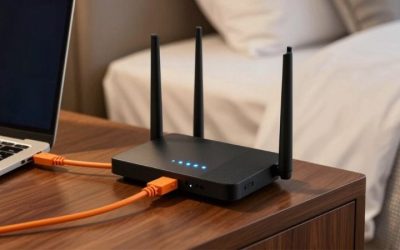
For a service that allows a standalone router, connect ONT/Fiber Jack Ethernet → router WAN, power the approved equipment as the provider directs, and follow the router’s official quick-start flow. GFiber’s documented baseline is to power the Fiber Jack, attach Ethernet from it to WAN, configure Wi-Fi, and retain the company’s equipment. Other providers may require a different sequence or a gateway in between; use their specific instructions. On a router with a shared 10G WAN/LAN port, choose its WAN role as directed by the model-specific setup interface rather than relying on an old screenshot for another firmware release.
After setup, inspect the reported WAN link rate in the router’s current management UI or its per-port status area. Labels vary by firmware; if the device does not expose negotiated port speed, consult the maker’s official status/diagnostic documentation instead of inventing a menu path. Run a speed test on a capable wired client, close background downloads for a clean baseline, and compare observed results with the ISP plan using the provider’s published expectations. An apparently low result may arise from a Gigabit PC NIC, old cable, 1G switch, or QoS setting rather than from the fiber line itself.
Fix double NAT before attempting game port forwarding
If you connected a new router behind a gateway that still routes traffic, you may now have two separate NAT layers. This can complicate inbound connections or some console network-status tests. First check the ISP gateway’s supported bridge/passthrough options in official documentation. GFiber explicitly describes bridge mode on certain supplied gateways. Other providers may offer a passthrough-like feature without offering true bridge mode. Do not assume the same steps apply to all fiber ISPs.
Use the ISP-supported configuration if appropriate, then verify the new router obtains the intended WAN address and that connected devices still have internet and any required TV/phone service. If changing the gateway disrupts connectivity, reverse that change or reconnect the prior approved setup before experimenting further. Avoid putting a gaming PC in the DMZ simply to hide a double-NAT warning; that increases exposure and may not solve provider-side carrier-grade NAT. Check whether the game actually requires incoming ports before opening anything.
Test the network under realistic gaming load
On a wired PC, confirm that the network adapter negotiated its expected speed, then compare game behavior with other household traffic idle and active. A single speed-test number is not enough. Watch for sudden jumps in latency during uploads, packet loss, disconnects, or local Wi-Fi retries. If a router’s gaming priority is enabled, repeat the same test without changing four other settings simultaneously. Save the working configuration after an improvement and document what changed so you can reverse it if the router later behaves poorly.
If you are still seeing poor play despite a stable wired local connection, test another game server region, consult the ISP for line or routing problems, and check official game-network status pages. Buying a higher-priced router cannot solve a distant server, fiber service outage, or poorly provisioned ISP handoff. Replacing cables and moving devices should be motivated by a diagnosed weak link, not done blindly.
Common buying mistakes on fast fiber connections
Mistaking aggregate BE speed for a single connection
BE19000 and BE30000 are marketing classes derived from combined theoretical radio capacities. They do not mean that a console or laptop downloads at those speeds or that a 1Gbps ONT becomes faster. Read actual WAN and LAN interface ratings first. A 10Gbps uplink still requires compatible equipment on each end and enough router forwarding performance for whatever security or traffic-management features are enabled.
Paying for two 10G ports when only one will be used
A second 10G Ethernet port can be worthwhile for a workstation, switch, or NAS that truly supports it. It brings little advantage to a single Gigabit console that never moves large local files. If your plan and clients max out around 2Gbps and 2.5GbE, the BE550 or a midrange ASUS configuration may be a more rational purchase than a premium ROG unit.
Assuming SFP+ will replace the fiber company’s optical equipment
A 10G SFP+ slot accepts compatible networking optics and related modules, but ISP optical authentication is a different matter. A fiber provider can require a specific ONT or gateway, and an Ethernet router’s SFP+ cage does not automatically support the service’s PON standard or provisioning. Ask for provider approval before ordering modules or disconnecting an installed ONT.
Letting advanced features obscure a routing problem
Gaming VPNs, automated port-forwarding helpers, and traffic accelerators are optional functions, not substitutes for a stable local network. An incorrectly configured VPN can add another hop; aggressive priority rules can deprive other household devices of throughput. Check the game’s actual connection status and test one reversible change at a time. Secure defaults and firmware updates should come before elaborate tuning.
Frequently asked questions
Do I need a special gaming router for fiber internet?
No. A reliable router with the correct WAN link speed and enough LAN capacity can work extremely well. Gaming-specific QoS can be useful during household congestion, but a good ordinary router and wired Ethernet may be preferable to a costly “gaming” model that lacks the port configuration you need. Confirm the provider’s allowed router topology before shopping.
Is a 2.5Gbps WAN enough for 2 Gig fiber?
Usually it can provide enough physical link capacity for a service marketed around 2Gbps, subject to ISP requirements and real routing performance. Check whether your provider recommends or requires a 10G interface for its particular ONT and speed tier. A 2.5G port will not deliver a full 5Gbps service regardless of Wi-Fi class.
Will a 10G router lower ping compared with a Gigabit router?
Not automatically. If your existing wired route is stable and underutilized, changing only the Ethernet port ceiling may make no noticeable difference to a match. You are more likely to benefit when the old router causes queue buildup, has unstable wireless coverage, or cannot handle multiple simultaneous high-speed transfers. The ISP route and server also affect ping.
Can I connect fiber directly to the Archer GE800 SFP+ port?
Only if your ISP explicitly supports that exact optical handoff and its authentication and module requirements. For many US residential services, keep the provider’s ONT or gateway and connect its supported Ethernet output to the router’s Ethernet WAN. A physically fitting optic is not proof of internet-service compatibility.
What is the difference between the RT-BE86U and RT-BE92U for fiber gaming?
Both have a configurable 10Gbps WAN/LAN interface and several 2.5GbE options. The RT-BE86U is dual-band 2.4/5 GHz with gaming-oriented controls, while the RT-BE92U adds a 6 GHz radio in a tri-band Wi-Fi 7 design. If your competitive PC is always wired, the BE86U may be plenty; if you have compatible 6 GHz clients, the BE92U is more versatile.
Does a gaming console need 2.5GbE or 10GbE to benefit from fiber?
A console with a Gigabit Ethernet port is limited by that physical link, even if it connects to a 10G router. Fiber can still provide responsive service and enough aggregate bandwidth for other devices. Upgrade local multi-gig hardware only when the specific client and your intended downloads or file transfers can exploit it.
Should I put the ISP gateway into bridge mode?
Only when the ISP supports that configuration and doing so will not interrupt required services. A second routing layer can lead to double NAT, but the remedy differs among providers. Confirm the current gateway model, supported passthrough/bridge behavior, and how you would restore service before changing settings. A new router cannot bypass provider restrictions by itself.
Is Wi-Fi 7 necessary if I use Ethernet for gaming?
No. If the gaming PC or console is always wired, the priority is adequate routing capacity, stable firmware, proper port allocation, and useful network controls. Wi-Fi 7 can be worth purchasing for other wireless clients or future upgrades, but its marketing speed is not the deciding factor for a wired match.
Final thoughts
For a balanced multi-gig Ethernet fiber setup, choose the ASUS RT-BE92U when its 10G WAN and multiple 2.5G outputs match your home. Choose the TP-Link Archer GE800 when you need a second 10G-class connection and will use its gaming controls; the GT-BE98 Pro belongs in a truly demanding enthusiast network. The RT-BE86U serves wired-first buyers without a 6 GHz requirement, the Archer BE550 makes sense for many 1–2Gbps plans, and the RS700S suits a simpler dual-10G layout. Before placing an order, identify your ISP’s actual ONT/gateway output, draw your WAN-to-PC port path, and verify the current price. If the connection you already own meets those requirements and stays stable under load, you may not need a replacement at all.