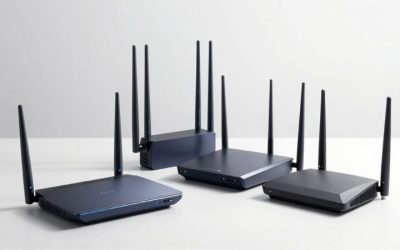
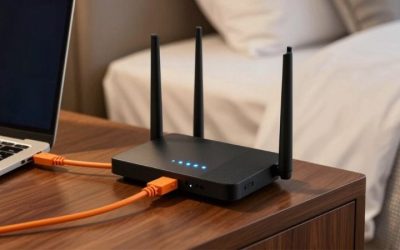
For the best gaming access points for basements, begin with the wiring rather than a headline Wi-Fi speed. A ceiling-mounted UniFi U7 Pro is an excellent choice when you can run Ethernet and supply PoE+; the U7 Lite offers a lower-cost two-band alternative. If the gaming room is surrounded by concrete, one access point in that room on a wired uplink is usually preferable to a wireless repeater on another floor. These six real models address different budgets, mounting locations and power requirements. None can guarantee better game-server ping if the ISP connection itself is congested.
Quick verdict: which one should you buy?
Best overall wired upgrade — Ubiquiti UniFi U7 Pro. Wi-Fi 7 with a 6 GHz radio, 2.5GbE uplink and PoE+ for a properly wired basement ceiling.
Best value — Ubiquiti UniFi U7 Lite. 2.4/5 GHz Wi-Fi 7 and a 2.5GbE uplink for buyers who do not need 6 GHz.
Best basement wall deployment — Ubiquiti UniFi U7 Pro Wall. A room-focused Wi-Fi 7 unit with 6 GHz and 2.5GbE PoE+ uplink.
Best mature Wi-Fi 6 option — Ubiquiti UniFi U6 Pro. A ceiling AP with 4×4 5 GHz and a Gigabit PoE uplink, when multigig is unnecessary.
Best shelf-or-wall option — Ubiquiti UniFi U6 Mesh. Compact vertical form factor and wired PoE input; wireless meshing is optional, not required.
Best Omada alternative — TP-Link Omada EAP650. Wi-Fi 6 ceiling AP with PoE+ or documented DC power and a 1GbE uplink.
Product comparison at a glance
| Product / exact SKU | Verified hardware and use case | Observed US price, checked Oct. 29, 2026 | Stock status, checked Oct. 29, 2026 | Main drawback |
|---|---|---|---|---|
| Ubiquiti UniFi U7 Pro | Wi-Fi 7 tri-band including 6 GHz; 2.5GbE uplink; PoE+; ceiling/wall | $189.00 base; $208.00 surcharge-included, Ubiquiti US | Order page displayed; variant-dependent | Needs PoE+ power and UniFi Network management |
| Ubiquiti UniFi U7 Lite | Wi-Fi 7 dual-band 2.4/5 GHz (no 6 GHz); 2.5GbE PoE uplink | $99.00 base; surcharge displayed, Ubiquiti US | Add to Cart shown | No 6 GHz radio; only two spatial streams per band |
| Ubiquiti UniFi U7 Pro Wall | Wi-Fi 7 tri-band with 6 GHz; 2.5GbE PoE+ uplink; wall mount | $199.00 base; $219.00 surcharge-included, Ubiquiti US | Add to Cart shown; ZIP and variants vary | Wall-focused radiation geometry; needs PoE+ and mounting |
| Ubiquiti UniFi U6 Pro | Wi-Fi 6 dual-band; six spatial streams; Gigabit PoE uplink | $159.00 base; $171.00 surcharge-included on checked store page | Add to Cart displayed | No 6 GHz and Gigabit-only uplink |
| Ubiquiti UniFi U6 Mesh | Wi-Fi 6 dual-band; 4×4 5 GHz; Gigabit PoE; IPX5 with installation conditions | $179.00 base; $197.00 surcharge-included, Ubiquiti US | Add to Cart displayed | Gigabit uplink; no 6 GHz; weatherproofing not an excuse for moisture exposure |
| TP-Link Omada EAP650 | Wi-Fi 6 dual-band AX3000; 1GbE PoE+ port; supports documented DC power | Price not verified for current US exact SKU | Unclear; verify current US merchant stock | Gigabit uplink, no 6 GHz, separate Omada management choices |
Pricing and evidence note: Prices are product-page snapshots and may change by location, shipping, options, taxes or promotional window. “Add to cart” confirms a listing was orderable when observed, not inventory in every ZIP code. An unclear price or stock status has not been replaced by an estimate. Recommendations are based on documented hardware, published technical specifications, relevant independent reporting where available, and anticipated fit—not original detailed research or latency benchmarks.
How we selected these products
We treated these as network access points, not all-in-one modem/router replacements. Our selection criteria were verified Ethernet uplink rate, PoE standard, supported frequency bands, physical mounting options, manageability and practical basement placement. Most options intentionally have wired backhaul support. The problem to solve is a poor local radio path through flooring, not a hypothetical shortage of peak throughput.
We relied on Ubiquiti technical specifications and its U.S. shop for five options, plus TP-Link documentation for an Omada alternative. This concentration is transparent: it provides directly verified U.S. purchase listings and compatible management, but does not mean the brands represent the entire AP market. No original radio survey or basement-site test was performed.
Best overall: Ubiquiti UniFi U7 Pro
The UniFi U7 Pro is a logical starting point for a finished basement where an Ethernet cable can reach the ceiling. Ubiquiti documents a tri-radio Wi-Fi 7 design with 2.4, 5 and 6 GHz, a 2.5GbE uplink and PoE+ power. In the right room, a modern Wi-Fi 6E or Wi-Fi 7 gaming handheld can use the additional 6 GHz band. That band is not a substitute for the wire feeding the access point: without reliable backhaul, an impressive radio specification can be bottlenecked immediately.
The published 1,500-square-foot coverage figure is a manufacturer planning estimate. Concrete, metal ducting and dense foundations change the result dramatically. The key advantage of mounting this unit inside the basement is that the radio path to the PC can be short and unobstructed. It is often better than leaving a powerful upstairs router to send 5 GHz through a floor of concrete and plumbing.
Its 2.5GbE port is also meaningful for local multigig transfers, but only if the upstream switch and cabling support the link rate. The AP needs compliant PoE+ and a suitable switch or injector; a router’s ordinary Ethernet port does not supply PoE power by default. Do not connect random nonstandard power hardware, and account for the injector and mounting labor in your budget.
UniFi gear is managed through UniFi Network. It can be used in a home without buying a large rack, but the owner must still plan how the device will be adopted and configured. An existing UniFi installation makes this a natural addition. When someone needs only one access point and no 6 GHz-capable client, the U7 Lite is simpler to justify financially.
Buy it if: you can provide wired 2.5GbE backhaul and PoE+ and have 6 GHz gaming clients.
Skip it if: you cannot run Ethernet to the basement and expect the 6 GHz radio to penetrate concrete from elsewhere.
Before checkout: confirm U7-Pro and a suitable 802.3at PoE+ injector or switch; check current surcharge and orderable US quantity.
Best value wired AP: Ubiquiti UniFi U7 Lite
The U7 Lite illustrates why shoppers must look beyond a Wi-Fi generation badge. Ubiquiti calls it a Wi-Fi 7 access point, and the official specification confirms its radios are 2.4 GHz and 5 GHz only. It does not offer a 6 GHz band. This is not a defect: a basement Xbox, PS5 or older desktop that operates on 5 GHz may benefit from a properly positioned local access point far more than it would from a distant, more expensive six-gigahertz radio.
The manufacturer lists a 2.5GbE Ethernet uplink and PoE power with ceiling or wall mounting. A compatible 2.5GbE switch is needed to use the uplink faster than Gigabit; a regular Gigabit PoE switch remains usable at its negotiated lower link rate. Ubiquiti quotes 1,250 square feet under its coverage assumptions, but that should not be used as a basement-wall-penetration guarantee.
Its compact circular enclosure is useful in a low ceiling or small office corner, although a mounting position behind HVAC equipment still produces needless signal obstruction. Keep a path clear to the desk and test a conservative 5 GHz channel width before enabling the widest available setting. In dense neighboring environments, a stable channel generally matters more than the theoretical 4.3Gbps 5 GHz PHY rate.
The U7 Lite costs less than the U7 Pro while providing the same broad management platform. The trade-off is straightforward: save money if your use is 5 GHz gaming and ordinary internet, or step up to a U7 Pro if 6 GHz support is part of the purchase requirement. Avoid assuming that adding a second AP automatically improves gameplay; poorly planned cells can interfere with each other.
Buy it if: you need a local 5 GHz Wi-Fi access point on a budget and have compatible PoE wiring.
Skip it if: your main reason to upgrade is a 6 GHz Wi-Fi 6E laptop or a dense 6 GHz device cluster.
Before checkout: read the U7 Lite radio specification carefully; Wi-Fi 7 label does not mean 6 GHz.
Best wall mounting: Ubiquiti UniFi U7 Pro Wall
A basement ceiling may be unfinished, low or inaccessible, whereas a wall next to the gaming desk may have an Ethernet jack already. The U7 Pro Wall is tailored to that situation. Ubiquiti specifies a wall-mounted Wi-Fi 7 device with six spatial streams, 6 GHz support and a 2.5GbE uplink using PoE+. Its housing is shaped and mounted differently from the circular U7 Pro, even though headline radio capabilities look similar.
The advantage is keeping the access point near the room that needs coverage without hanging a ceiling disk over a low basement doorway. If a wall plate can be placed at a sensible height away from a large television, the signal path to a gaming handheld or desktop can be short. Do not mount the unit behind a metal rack or assume an upstairs room will receive the same pattern as the basement room.
Check the exact wall-mount accessories. Ubiquiti sells optional mounting and faceplate components; the plain AP price should not be treated as including every installation accessory. The 2.5GbE uplink still depends on upstream wiring and switch capability. Its Wi-Fi 7 client features also require supported adapters on the PCs or handhelds: a 5 GHz Wi-Fi 6 client cannot somehow receive a 6 GHz transmission.
This model is excellent when a fixed wall position is feasible and aesthetics matter, but not necessarily the best use of money when the ceiling already has a CAT6 drop. The ordinary U7 Pro covers that arrangement cleanly. Keep the purchase decision tied to where the cable exits and where players actually sit.
Buy it if: you have an in-wall Ethernet route or a basement office wall suitable for a mounted AP.
Skip it if: you need desktop placement, lack PoE+, or have no way to route a cable safely.
Before checkout: verify U7-Pro-Wall, mounting position and a compliant 802.3at power source; distinguish base and surcharge-included prices.
Best mature Wi-Fi 6 option: Ubiquiti UniFi U6 Pro
The U6 Pro is a sensible choice for someone who already owns UniFi switches or clients that top out at Wi-Fi 6. It focuses on 2.4 and 5 GHz rather than adding 6 GHz, with the manufacturer’s six-stream description and a Gigabit wired uplink. The practical benefit in a basement is a capable access point placed below the floor, not a claim that a Wi-Fi 6 logo will overpower concrete.
Its ceiling form suits unfinished joists or a finished ceiling with a properly located cable. At a common Gigabit uplink, it is not the best platform for saturating a multi-gig local storage network, but gaming traffic itself seldom needs that amount of throughput. A stable uplink carrying modest game packets is usually more valuable than theoretical Wi-Fi 7 peak rates seen only in a laboratory.
Do not ignore the cost of power and management. The U6 Pro uses PoE and integrates into UniFi Network; homeowners with a third-party router can still run a UniFi access point, but should understand adoption, firmware and SSID configuration. A reused compatible switch may make this the cheapest complete installation. The exact power injector and mounting surface should be checked before purchase.
Use a channel plan that avoids overlap with the main-floor router if their coverage cells intersect at the stairwell. Leaving all nearby APs on automatic wide channels without ever checking their behavior can produce poor roaming and inconsistent airtime. Keep transmit power appropriate to the actual room and test from the gaming location.
Buy it if: you already use UniFi and your basement clients are primarily Wi-Fi 5/6 on a Gigabit uplink.
Skip it if: you need 6 GHz or a 2.5GbE link to a fast local server.
Before checkout: match U6-Pro rather than U7-Pro and confirm PoE supply and wired link speed.
Best versatile placement: Ubiquiti UniFi U6 Mesh
The name U6 Mesh can be misleading for basement projects. It is a functional access point with an Ethernet uplink, not a device that must rely on wireless meshing. Ubiquiti specifies dual-band Wi-Fi 6, a Gigabit Ethernet input with PoE, and mounting accessories for a wall or pole. That flexible cylindrical design is useful when the cable enters near a support post, a storage shelf or a wall where a ceiling disk is awkward.
The device’s IPX5 rating and indoor/outdoor positioning should not be interpreted as permission to put electronics in a wet or flooding basement. Ubiquiti states orientation conditions for weather resistance. Any suspected water intrusion, standing water or unsafe electrical wiring needs correction before adding powered equipment. The best basement AP remains the one installed in a dry, protected location with a clean route to the connected PC.
Because its 5 GHz radio is 4×4, it can serve more than one capable client efficiently under appropriate conditions, but the ordinary 1GbE Ethernet uplink creates a clear aggregate wired ceiling. It is not a problem for a few multiplayer matches; it does matter for large local transfers. A separate wired switch near the gaming desk is useful if you want to connect a console and PC by Ethernet and reserve wireless for a handheld.
Choose U6 Mesh for physical flexibility rather than as a substitute for cable installation. A wireless link to an upstairs UniFi node can function where correctly supported, but running the available Ethernet route is usually the more predictable gaming choice, especially when basement construction attenuates 5 GHz signals.
Buy it if: you need a compact AP for a post, wall or other non-ceiling location and can supply wired PoE.
Skip it if: you want 6 GHz, multigig uplink or have a damp location that needs remediation.
Before checkout: confirm U6-Mesh rather than U6-Mesh-Pro; follow the included orientation and electrical guidance.
Best Omada alternative: TP-Link EAP650
The Omada EAP650 is worth considering when the rest of the house already uses TP-Link Omada or when the owner wants the option of powering the AP from a DC adapter. TP-Link’s official U.S. product page lists 2,402 Mbps maximum PHY rate on 5 GHz and 574 Mbps on 2.4 GHz, a Gigabit PoE+ Ethernet port, and support for both 802.3at PoE+ and DC power with an adapter included in the documented package.
That power flexibility can simplify a dry basement installation close to an outlet, though a ceiling-mounted power cable must still be routed safely under local electrical codes. Its slim circular housing is intended for ceiling, wall or appropriate junction-box mounting. A typical basement gaming room is better served by one well-placed local EAP650 than by multiple low-cost extenders fighting for the same 5 GHz channel.
TP-Link advertises centralized management and roaming-related features with Omada integrations. Some advanced functions require the relevant controller or compatible network configuration; do not assume that merely plugging in a single EAP650 provides an entire managed-campus roaming setup. Basic AP operation can still be appropriate where the home has a third-party router, but adoption and guest-network behavior need to be configured to fit that topology.
Its limitations are clear: it has no 6 GHz radio and no multi-gig uplink. For a gaming desktop with Ethernet, the uplink speed is more than enough for ordinary online matches, while a NAS-heavy local network may benefit from faster hardware. We did not confirm a current US purchase price and in-stock status for this exact model, so it is a compatibility-driven alternative rather than a verified immediate bargain.
Buy it if: you use Omada or prefer the documented PoE+/DC power flexibility.
Skip it if: you require Wi-Fi 6E/7 6 GHz clients or a 2.5GbE uplink.
Before checkout: verify EAP650 exact region and included accessories, and confirm seller stock before ordering.
What actually makes a basement Wi-Fi deployment different
Concrete floors, metal joists, ductwork, water pipes and appliances may block or reflect the signal arriving from an upstairs router. A basement gamer can have a perfectly capable 6 GHz client yet remain trapped on an unreliable connection because the nearest radio is on another floor. The primary buying decision is therefore where the access point can be installed and how it connects to the network, not which AP advertises the largest theoretical speed.
If the router and modem sit upstairs, a Cat6 run to the basement is a good starting point. In a finished room, investigate existing Ethernet jacks or a safe conduit route. In an unfinished utility space, keep cable away from power wiring and mechanical hazards, use appropriate in-wall or riser-rated cable as required, and hire a qualified installer where local code or building ownership requires it. A network device cannot repair poor cable terminations or an unsafe installation.
Wired backhaul versus wireless mesh
An access point in the basement should ideally have an Ethernet uplink all the way back to the router or main switch. In that layout, its Wi-Fi radios are reserved for clients rather than also carrying the repeating traffic to the rest of the house. A compatible mesh-enabled access point can sometimes connect wirelessly, but that does not fix a basement signal path that is weak precisely because the floor blocks Wi-Fi. Additional wireless hops can add variance under load.
PoE has its own practical constraints. IEEE 802.3af PoE and 802.3at PoE+ are not interchangeable with arbitrary passive-injector voltages. Use an officially supported injector or switch, check the power budget and confirm cable category and length. A device with a 2.5GbE uplink needs both the power and the Ethernet negotiation to work correctly; a Gigabit upstream switch can still limit the link. Never connect power injectors to unsuitable or water-damaged wiring.
Choose 6 GHz only when it can reach the client
The 6 GHz band is useful when a Wi-Fi 6E/7 handheld or laptop sits inside the same open basement room as the AP. Its higher frequency is generally less effective through thick materials, so the advantage fades across a concrete wall. If a gaming desktop can be wired, use Ethernet first and decide whether the incremental 6 GHz cost matters for portable clients.
Do not conflate all Wi-Fi 7 APs with tri-band devices. The UniFi U7 Lite is Wi-Fi 7 but uses 2.4 GHz and 5 GHz radios; the U7 Pro and U7 Pro Wall add 6 GHz. Likewise, a 2.5GbE uplink is not proof that every client can download at 2.5Gbps. Radio streams, channel widths, supported client hardware, upstream capacity and interference limit real throughput.
Mounting, heat and moisture protection
A ceiling-mounted AP normally works best when its intended coverage pattern faces the occupied space. Under-floor installations should not trap an access point above HVAC ducts or behind foil-faced insulation. Wall-mounted units are more sensible near a finished gaming room with an existing cable outlet. Think through whether furniture or a large TV will block the path, and do not hide ventilation openings behind boxes or fabric.
A basement with moisture problems is a building-maintenance issue before it is a network-upgrade issue. Even an outdoor-rated AP has specific mounting and ingress-protection conditions. Confirm electrical safety, eliminate condensation and keep the device above potential water level. If you rent, check drilling permission and avoid permanent modifications without approval.
Simple installation and validation sequence
First confirm the current router and switch have a spare LAN port, then test the proposed Ethernet run with a known-good wired computer. Second, choose the AP’s mounting spot and confirm the exact standard and wattage of its PoE source; use official documentation for the particular model. Third, adopt or configure the AP on its supported management platform, select a secured SSID and choose a non-overlapping channel where practical.
Finally, test a gaming device from the actual desk. Record the connected frequency band and compare latency to the gateway, packet loss and jitter during ordinary household use. Test wired Ethernet as a baseline. When results disappoint, change one physical or radio factor at a time. Do not guess that a high PHY rate or maximum transmitter power will produce the lowest in-game delay.
When to buy an AP versus a whole new router
If the basement is the only weak room but the upstairs router otherwise performs well, a wired AP can be a more targeted purchase than replacing the gateway. It leaves the ISP connection and DHCP routing on the existing router and simply improves local radio service. A new router is more appropriate when both wired and wireless clients suffer from overloaded routing, failing hardware or upstream congestion that needs traffic management.
A second AP is not automatically a second router. Avoid placing it in router mode behind the main router unless double NAT is specifically required and understood. Assigning independent DHCP services on the same local segment can cause confusing connectivity problems. In a straightforward home installation, the basement access point should bridge Wi-Fi clients to the existing LAN.
Frequently asked questions
Can I use a Wi-Fi extender instead of a basement access point?
A repeater may help a modest dead zone but must first receive a reliable upstairs signal. A wired access point usually offers more consistent performance when a floor or concrete wall is the original problem.
Does the UniFi U7 Lite have 6 GHz?
No. The model is Wi-Fi 7 with 2.4 GHz and 5 GHz radios only. Select U7 Pro or another verified 6 GHz model if that band is a requirement.
Do access points require an additional router?
An AP normally extends an existing wired network. You still need a router or gateway for internet access, DHCP and firewall functions, plus an appropriate power source for the AP.
Is PoE+ required for every access point on this list?
No. Power requirements vary by exact SKU. For example the U7 Pro specifies PoE+, while the U7 Lite lists PoE and the TP-Link EAP650 documents PoE+ or DC. Match the device specification precisely.
How do I stop two APs from interfering with each other?
Start with measured channel use, select sensible channel widths, avoid unnecessary transmit power and test roaming locations. A controller may automate portions of this, but physical placement still matters.
Will a basement AP reduce cloud-gaming latency?
It may reduce the local Wi-Fi portion if the current path is poor. It cannot overcome remote service distance, ISP congestion or the decoding delay of streamed video.
Final thoughts
Among the best gaming access points for basements, choose UniFi U7 Pro when you have wired 2.5GbE backhaul, PoE+ and a real reason to use 6 GHz. Use U7 Lite for a cheaper local 5 GHz cell, U7 Pro Wall when cabling terminates on a wall, or U6 Pro and U6 Mesh for established Wi-Fi 6 environments. TP-Link EAP650 is a reasonable Omada/DC-power alternative once US stock is confirmed. The decisive step is a safe wired uplink to a dry, well-positioned access point; no AP replaces a functioning router, nor can it bypass congestion beyond your home network.