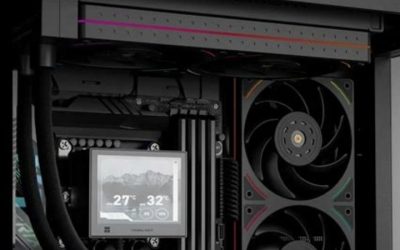
Choosing the best low profile AM5 coolers starts with the clearance above your Ryzen processor, not with a headline thermal rating. For a 37–48 mm console-style enclosure, a compact 92 mm cooler may be the only viable choice; a case with 67–77 mm clearance allows a larger heatsink and potentially gentler fan speeds. Our leading options are the Noctua NH-L12S for a 70 mm envelope, Thermalright AXP120-X67 for a 67 mm envelope, and Noctua NH-L9a-AM5 where 37 mm is the limit. Every recommendation is conditional on the exact motherboard, memory, CPU, and case.
Quick verdict: which low-profile AM5 cooler should you buy?
Best balanced pick: Noctua NH-L12S. Its 120 mm slim fan and 70 mm low-profile arrangement make sense in cases that offer enough room around the AM5 socket, particularly when noise matters more than the smallest possible footprint. The top-fan configuration is taller, so a listing that simply states “70 mm” does not describe every installation. Best 67 mm alternative: Thermalright AXP120-X67. It combines six heat pipes with a 120 x 15 mm fan, but its broad footprint demands a motherboard clearance check. Best for very shallow cases: NH-L9a-AM5. Its 37 mm height and socket-specific mounting simplify fit, with an explicit thermal-capacity trade-off.
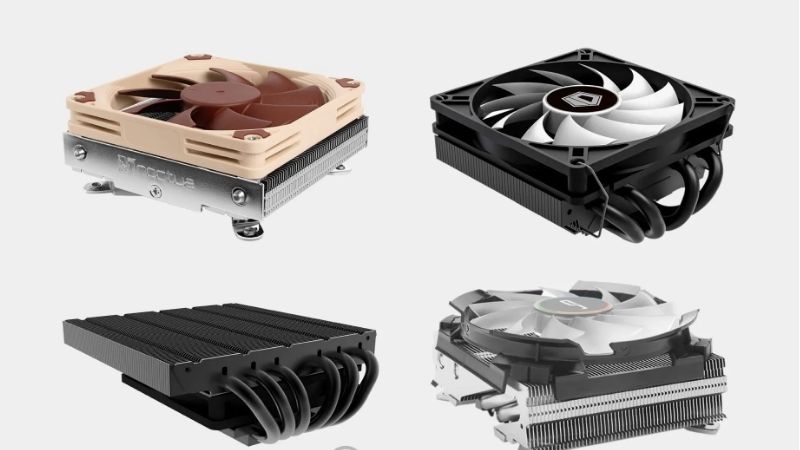
These are specification-led editorial recommendations, not claimed hands-on rankings. We did not run a common AM5 test bench, so there is no defensible cross-product temperature or decibel leaderboard here. U.S. checkout prices and real-time stock were not independently confirmed for every model; inspect the exact listing before treating a pick as immediately purchasable.
Compare the best low profile AM5 coolers
| Product | Verified defining spec | Best-fit buyer | U.S. price / stock | Main limitation |
|---|---|---|---|---|
| Noctua NH-L12S | 70 mm with fan below; 120 x 15 mm PWM fan | 70 mm SFF cases with space around RAM | Not independently verified | 35 mm low-mode RAM clearance; broad footprint |
| Thermalright AXP120-X67 | 67 mm total by 52 mm heatsink + 15 mm fan; six heat pipes | 67 mm builds wanting a large fan | Not independently verified | Wide fin stack can crowd socket components |
| Noctua NH-L9a-AM5 | 37 mm, AM5-only mounting; 92 x 14 mm fan | Ultra-slim cases and low-heat CPUs | Not independently verified | Not intended for high sustained heat loads |
| Thermalright AXP90-X47 | 47 mm total, 92 x 15 mm fan; AM5 support | Very small builds needing more than 37 mm | Not independently verified | Smaller fan can require higher RPM |
| be quiet! Pure Rock LP | 45 mm high; three 6 mm heat pipes; AM5 mount | 45 mm case with simple socket fit | Not independently verified | Small heatsink limits sustained heat capacity |
| Noctua NH-L12Sx77 | 77 mm low mode; 120 x 15 mm fan; six heat pipes | Roomier SFF builds prioritizing headroom | Not independently verified | Too tall for many 70 mm enclosures |
Detailed recommendations and trade-offs
Noctua NH-L12S — best overall for a measured 70 mm case
The NH-L12S solves a common small-form-factor dilemma: a tiny 92 mm fan is easy to fit but may become conspicuous at load, while conventional tower coolers are too tall. Noctua uses a slim NF-A12x15 PWM fan with a horizontal fin stack and gives builders two fan positions. Installed underneath, the combination is 70 mm tall. Installed above, it becomes taller but opens more space below the heatsink for memory and surrounding components. Noctua lists AM5 compatibility and a six-year warranty, although individual Ryzen CPU recommendations still require its compatibility database.
That dual-position design is the reason to choose it rather than assuming the 120 mm fan automatically makes it best in every case. At the 70 mm arrangement, Noctua states 35 mm RAM clearance: tall RGB DIMMs are a genuine problem, even if the case has adequate CPU-cooler clearance. The fin stack can also intersect a motherboard’s rear I/O housing or an unusually large M.2 heatsink. Evaluate potential rotations using the board model, because an otherwise compatible AM5 socket is not proof of unobstructed installation.
Pros: a larger slim fan, flexible mounting orientation, mature socket support, and documented acoustic design. Cons: costly relative to budget 92 mm options, footprint sensitivity, and limited suitability for aggressive sustained CPU boosting. Who should buy: users with verified 70 mm CPU clearance, low-profile memory, and a moderate-power Ryzen gaming build. Skip it: if tall RAM leaves no compatible orientation or the chassis requires a maximum height below 70 mm.
Thermalright AXP120-X67 — best 67 mm wide-fin alternative
The AXP120-X67 provides another route to a broad fan within a small vertical allowance. Thermalright specifies a 123.5 x 120 x 52 mm heatsink, six 6 mm heat pipes, and a TL-C12015 120 mm by 15 mm PWM fan, resulting in a 67 mm nominal assembly. AMD AM5 appears on the official socket list. That makes it a plausible candidate for cases that accept a 67 mm cooler but cannot accommodate Noctua’s 70 mm low configuration.
Its differentiator is geometry rather than any unverified claim of beating the NH-L12S. The heatsink can overhang the memory bank or motherboard heatsinks depending on rotation. With this type of cooler, total height is only one dimension; the safest purchasing sequence is to review the motherboard layout, identify the RAM stick height, then inspect the case side panel and fan intake. A 67 mm metal-and-fan assembly against a solid wall can produce a less favorable acoustic result than one with a few millimeters of breathing room.
Pros: compact 67 mm class, large 120 mm slim fan, six-heat-pipe specification, and AM5 mounting support. Cons: wider footprint, potentially complex access to fan clips, and no common independent measurement against every competing pick in this guide. Who should buy: builders prioritizing a 67 mm envelope and willing to verify the board’s collision map. Skip it: when the build uses tall memory in a conflicting orientation or an I/O shroud presses close to the fin stack.
Noctua NH-L9a-AM5 — best ultra-low 37 mm option
At just 37 mm including its 92 x 14 mm fan, the NH-L9a-AM5 occupies a different category from the larger top-down designs. Its AM5-specific mounting system and compact 114 x 92 mm plan area avoid the usual RAM-slot and PCIe-slot overhang. Noctua explicitly warns that it is not designed for CPUs that create high heat loads; its manufacturer sheet recommends it only for CPUs or APUs up to a 95 W TDP and directs buyers to the CPU compatibility guidance. Do not misread that as a measured 95 W cooling guarantee under every PBO setting.
The obvious win is predictable physical fit in shallow, console-like Mini-ITX cases. The trade-off is a small fin surface and high dependence on case airflow. An AM5 processor can raise clocks and package power aggressively when configured without restrictions; a 37 mm cooler may prompt reduced boost behavior or louder fan operation during long workloads. Eco Mode or a deliberate CPU power limit can be a rational pairing, but should be chosen after checking your exact processor and workload rather than imposed blindly.
Pros: shortest verified option here, AM5-specific kit, unobstructed memory slots, and straightforward assembly. Cons: very limited cooling headroom and a relatively small high-speed fan. Who should buy: the builder whose case clearance rules out every taller model and whose CPU load is appropriate. Skip it: for sustained multi-core rendering or unrestricted high-power Ryzen chips without a validated thermal plan.
Thermalright AXP90-X47 — best compact 47 mm compromise
The standard AXP90-X47 offers a middle ground for cases with approximately 47 mm of cooler clearance. Thermalright publishes a 94.5 x 95 x 32 mm heatsink plus a 92 x 15 mm PWM fan, and lists AMD AM4 and AM5 support. Its four heat pipes and compact footprint allow it to avoid many of the large-overhang conflicts associated with 120 mm low-profile coolers. Keep the exact suffix in mind: the AXP90 family includes different materials and heights, and specifications from one model should never be copied onto another.
The principal reason to choose it over the NH-L9a-AM5 is the additional height available to the fin stack, not a promised temperature advantage. Fan speed, inlet turbulence, chassis side-panel spacing, and socket contact pressure can dominate the actual outcome. Tight sandwich-style cases may place the fan close to a perforated panel; if the fan’s intake whistles, a thin spacer may help in some configurations but also consumes precious height and must not interfere with the blades.
Pros: small lateral footprint, 47 mm assembly, four heat pipes, and standard PWM control. Cons: compact fan acoustics and the need to verify the exact revision and mounting contents. Who should buy: someone with more than 37 mm but less than 67 mm of clearance who values motherboard-space simplicity. Skip it: when the available height is truly capped at 45 mm or you intend to cool a sustained high-power CPU with minimal case ventilation.
be quiet! Pure Rock LP — best 45 mm alternative
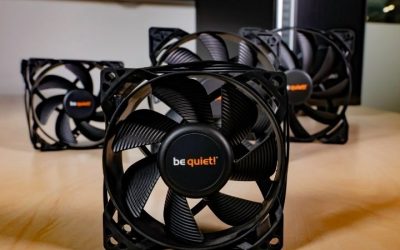
The Pure Rock LP is a useful option in cases where a 47 mm assembly will not fit. be quiet! lists a 45 mm overall height, three 6 mm heat pipes, a 92 mm fan, AMD socket mounting, and a three-year manufacturer warranty. Its official page positions it as an HTPC and compact PC cooler, making it an appropriate inclusion for builders trying to stay inside a strict height budget rather than chasing extreme thermal output.
The important consideration is how conservative the CPU plan must be. The manufacturer’s thermal rating is not a controlled cross-brand benchmark; advertised TDP figures vary in methodology and should not be used to predict exact temperature or noise. A compact cooler inside a hot graphics-card compartment may receive warmer intake air, so even relatively efficient Ryzen processors can show different behavior from open-bench examples. Check the board’s AM5 bracket and the case’s fan-side clearance rather than buying solely by the advertised 45 mm dimension.
Pros: genuinely short assembly, familiar PWM-style control, and a compact heatsink profile. Cons: less metal volume than 67–77 mm designs and a shorter stated warranty than Noctua’s models. Who should buy: builders constrained to roughly 45 mm who want a credible brand-specific AM5 mounting option. Skip it: for long all-core workloads unless the processor’s power envelope and enclosure ventilation have been validated.
Noctua NH-L12Sx77 — best taller low-profile performance candidate
The NH-L12Sx77 carries six heat pipes and the same general slim-120 mm fan concept into a 77 mm low-profile arrangement. Its extra height and fin design make it an attractive candidate for an SFF chassis that offers enough vertical room but still cannot house a tower cooler. The product’s mechanical specifications describe a 77 mm heatsink without the fan and 93 mm when the fan is in the upper position. That distinction matters: the name does not guarantee a 77 mm fit with every fan arrangement, and the installation mode must be specified.
Memory clearance also changes with position. Noctua’s compatibility documentation lists 44 mm RAM clearance in low-profile mode and 56 mm in high-clearance mode; motherboard shrouds and the tubing-like heat-pipe loops may constrain orientation further. A larger cooler only helps if it can inhale air freely, and a case with 77 mm maximum stated clearance may still require a little breathing space between fan and side panel. The cooler is a poor purchase for 70 mm cases regardless of how appealing its additional heat pipes sound.
Pros: broader cooling hardware than tiny low-profile units, full AM5 mounting support, documented RAM modes, and six-year warranty. Cons: 77 mm minimum low-mode requirement, significant socket-area footprint, and a premium price category. Who should buy: users with measured space beyond 77 mm and a compatible board seeking more margin for a performance-oriented but still constrained gaming PC. Skip it: when the case manufacturer quotes 70 mm or less.
How we selected the coolers
Selection began with an exact AM5 mount and a manufacturer-documented geometry. We excluded full-height tower coolers and did not assume that a generic “AM4-compatible” listing includes the necessary hardware for a specific AM5 retail box. Next came a useful spread of build envelopes—37, 45, 47, 67, 70, and 77 mm—so every product serves a different physical constraint. We considered included fans, mounting choices, known RAM collisions, and warnings published by each manufacturer. Independent third-party testing informs general expectations for compact cooling, but no result from different CPUs, rooms, or noise setups was treated as a direct six-way comparison.
Products were not ranked by changing U.S. marketplace prices because a repeatable same-day U.S. price-and-stock check was not available for all six exact configurations. “Best” therefore means best fit for an explicitly described use case, not proof that a retailer is selling the unit today. Verify the final SKU and packing revision before checkout. This distinction is especially important for products with nearly identical names.
Buying guide: check fit, then heat, then noise
Measure the assembled cooler, not just the heatsink
A motherboard’s socket is several millimeters above the board substrate, but case manufacturers usually define cooler clearance as the total installed cooler height, so use each brand’s stated assembled dimension and the case maker’s measurement convention. For coolers with fan-above and fan-below modes, document the exact planned configuration. A 70 mm cooler inside a case with 70 mm published clearance is a geometric edge case, not automatically a noise-optimized fit: the intake side may sit immediately against the panel.
Verify orientation and memory before purchasing
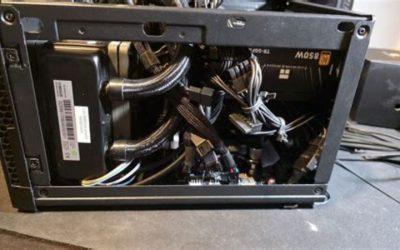
Mini-ITX AM5 motherboards place tall VRM heatsinks, M.2 shields, EPS cables, and memory unusually close together. A cooler can fit the socket on paper yet fail to rotate into the required position. Use your actual DIMM height, a motherboard clearance diagram, and a case build log that identifies the same board revision when available. Stock photos of a low-profile cooler on a different platform are insufficient evidence for a safe, unobstructed fit.
Match heat load to the Ryzen configuration
A processor’s printed TDP is a class identifier, not the complete sustained package-power story. Precision Boost Overdrive, curve settings, thermal limits, ambient temperature, and the workload all change how much heat the cooler must reject. A brief game loading screen is different from an hour of shader compilation or CPU rendering. In particularly thin cases, choosing a lower-power Ryzen SKU or manufacturer-supported power limit can be a more dependable path than forcing a large CPU to behave like it has tower cooling.
Control acoustic expectations
Manufacturer fan dB(A) figures are generally measured using differing setups and are not a fair apples-to-apples comparison. The more informative questions are whether the fan must run near its upper speed range during your real workload and whether the side-panel perforations create airflow turbulence. Adjust a reasonable BIOS PWM curve only after watching temperatures and confirming the fan spins reliably on a cold start. Avoid disabling thermal protection to make an SFF machine appear quieter.
Account for heat from the graphics card
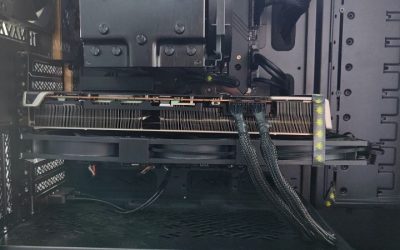
In a compact gaming case, an open-air GPU can heat the air feeding the CPU cooler. A stronger heatsink may not solve recirculation if the cooler repeatedly inhales exhaust from the GPU compartment. Check which way the fan blows, whether the CPU faces an exterior mesh panel, and whether cables obstruct its inlet. Any claimed improvement from a fan swap or duct requires case-specific evidence; treat such mods as optional experiments rather than baseline fit assumptions.
Installation checklist for a small AM5 system
- Identify the exact CPU model, motherboard revision, RAM module height, and case’s published cooler limit.
- Confirm the retail cooler includes the correct AM5 mounting kit and clear instructions for the intended orientation.
- Power down and disconnect the PC; protect the motherboard while removing old mounting hardware or handling thermal paste.
- Dry-fit around memory, M.2 shields, side-panel braces, and the GPU before the final tightening sequence.
- Install the heatsink using the manufacturer’s screw order and thermal compound instructions; plug the fan into the CPU_FAN header.
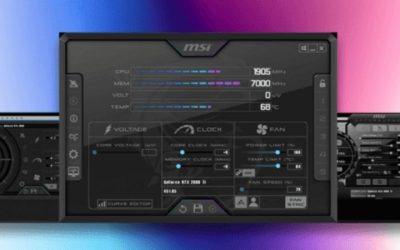
- Before fully closing the case, verify fan rotation and monitor idle and sustained-load CPU temperatures in firmware or your preferred supported monitoring tool.
When a system overheats or shuts down, first stop the load and verify contact, fan operation, and airflow. Do not run repeated high-power stress tests to justify a fit that fails mechanically or thermally. If the use case demands much greater heat capacity, the correct change may be a larger case or a different processor configuration.
Frequently asked questions
Does every AM5 Ryzen work with a 37 mm cooler?
Mechanical socket support does not establish adequate thermal performance. Noctua expressly limits the NH-L9a-AM5’s recommended application and asks buyers to inspect CPU-specific suitability. High-end chips that can boost to substantial package power need a conservative power plan, adequate case intake, or a taller cooler. Choose the CPU and chassis together, not separately.
Is a 120 mm low-profile fan always quieter than a 92 mm fan?
No. A larger fan may deliver useful airflow at lower rotational speed, but blade design, obstruction, panel distance, heatsink restriction, and controller curves can reverse that expectation. Compare independent tests only if the measurement context is consistent. Fit and airflow matter at least as much as the fan diameter printed on the box.
Can I use a Noctua NH-L9a-AM4 on AM5?
Some older coolers can accept updated hardware, but don’t assume that an AM4 retail variant includes an AM5 kit or is equivalent to the purpose-built NH-L9a-AM5. Check Noctua’s socket compatibility and mounting-kit guidance for the exact revision. The recommended product here is specifically the AM5 model.
How much clearance should I leave between fan and side panel?
There is no universal extra-millimeter value that guarantees a quiet result. More intake space can reduce turbulence, but the benefit depends on side-panel design. If the manufacturer gives an exact maximum height, never exceed it, and consider that a perfectly flush fit may be noisier than a slightly shorter cooler with a less restricted inlet.
Do I need liquid cooling for an ITX Ryzen gaming PC?
Not necessarily. Many well-planned gaming systems operate satisfactorily with a compatible low-profile air cooler, especially when the processor is selected for the enclosure’s thermal limits. Liquid cooling introduces radiator, tube-routing, and pump considerations; it is not automatically more appropriate in every Mini-ITX case.
Final thoughts
Buy to your measured height and motherboard clearance map. The NH-L12S is the balanced 70 mm choice, the AXP120-X67 is a strong 67 mm alternative, and the NH-L9a-AM5 is the sensible specialized answer for 37 mm cases. Go up to the NH-L12Sx77 only when the case really has room. Verify the exact U.S. listing and your CPU’s thermal suitability before purchase; the right cooler is the one that fits and cools reliably, not the one with the most ambitious description.