The best PS5 M.2 drives with heatsinks expand your console library without forcing you to shuffle large games between internal storage and USB drives. Samsung’s 990 PRO with Heatsink is our all-around specification-led choice, while the officially licensed WD_BLACK SN850P suits players who want a PlayStation-branded installation and an 8TB option. Crucial T500, Corsair MP600 PRO LPX, Lexar NM790 and Seagate Game Drive offer different trade-offs in capacity, controller design and pricing. Buy the heatsink-equipped SKU—not a visually similar bare drive—and verify Sony’s clearance requirements before checking out.
Quick verdict: which PS5 SSD is right for you?
For many PS5 owners, a 2TB Samsung 990 PRO with Heatsink is a sensible first comparison point: it is a fast PCIe Gen4 x4 drive, Samsung documents PS5 use, and its factory-installed heatsink keeps the installation straightforward. The WD_BLACK SN850P is a more specialized recommendation for people prioritizing official PlayStation licensing or a high-capacity 8TB option; that branding is not proof it loads games faster than other compliant drives. If the price difference is substantial, Crucial T500 with Heatsink or Lexar NM790 with Heatsink may offer better value without requiring a separate cooling accessory.
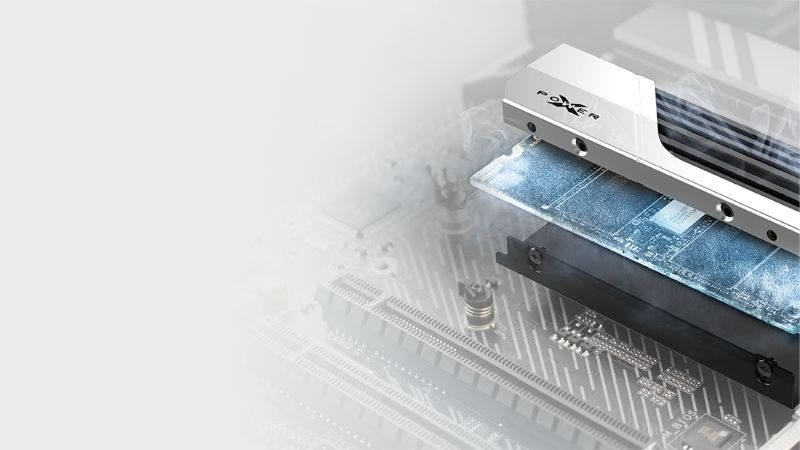
The Corsair MP600 PRO LPX appeals to builders who want an established PS5-focused, low-profile heatsink design. Seagate’s officially licensed Game Drive PS5 NVMe SSD is a clear alternative if its 1TB or 2TB capacity is enough. Manufacturer specifications below describe rated speeds under the brands’ test conditions, not tests conducted by Geek Gaming Tricks. On October 29, 2026, a US Corsair product page explicitly marked its listed 2TB configuration in stock; other seller stock and prices require checkout verification. We do not rank drives by an unverified sale or imply that peak sequential speed alone predicts game loading.
Quick comparison: PS5-compatible heatsink models
| SSD with factory heatsink | Verified capacity choices discussed | Manufacturer-rated sequential read | Best reason to choose it | US price (checked October 29, 2026) | Stock status (checked October 29, 2026) | Main compromise |
|---|---|---|---|---|---|---|
| Samsung 990 PRO with Heatsink | 1TB, 2TB, 4TB | Up to 7,450 MB/s | Strong all-around Gen4 choice and slim cooling design | Price varies by capacity; recheck | Unclear by exact capacity and delivery ZIP | Price can be high |
| WD_BLACK SN850P | 1TB, 2TB, 4TB, 8TB | Up to 7,300 MB/s; up to 7,200 MB/s on 8TB | Officially licensed design and large-capacity option | Price not verified | Unclear by exact capacity | Licensing premium may outweigh benefit |
| Crucial T500 with Heatsink | 1TB, 2TB, 4TB | Up to 7,400 MB/s on 2TB; capacity-dependent | High-performing alternative with integrated cooler | Price not verified | Unclear by exact SKU | Double-check heatsink suffix |
| Corsair MP600 PRO LPX | 1TB, 2TB, 4TB; other options vary | Up to 7,100 MB/s | Compact PS5-oriented heatsink and easy installation | $574.99 for manufacturer-listed 2TB SKU | In stock on US manufacturer page for listed 2TB SKU | Check current value and alternate-capacity listings |
| Lexar NM790 with Heatsink | 1TB, 2TB, 4TB | Up to 7,400 MB/s | Potential value pick with low-profile heatsink | Price not verified | Unclear by exact SKU | DRAM-less design; avoid mixing bare variant |
| Seagate Game Drive PS5 NVMe SSD | 1TB, 2TB in current US offering | Up to 7,400 MB/s listed on US product page | Official PlayStation license and preinstalled cooler | Price not verified | Unclear; manufacturer links to sellers | Less capacity choice than 8TB models |
What Sony requires before any PS5 M.2 upgrade
Sony’s support documentation defines the baseline. The expansion drive must be an M.2 NVMe SSD using PCIe Gen4 x4, Key M, with a supported capacity from 250GB to 8TB. Supported form-factor lengths include 2230, 2242, 2260, 2280 and 22110; most drives in this guide are standard M.2 2280. Sony recommends a sequential read rate of at least 5,500 MB/s. That is a recommendation rather than a promise that a faster advertised drive delivers proportionately faster game loading in every title.
The enclosure is the dimension that causes avoidable returns. Sony allows a width up to 25 mm and total thickness up to 11.25 mm including the heat-dissipation mechanism, with no more than 8.0 mm above and 2.45 mm below the circuit board. These above- and below-board limits matter separately, not just as a total. A factory-installed PS5-oriented heatsink usually simplifies the decision, but you should still check the correct drive revision and its complete dimensions. M.2 SATA SSDs do not work in this slot, and a USB enclosure is not a substitute when you want to launch PS5 games directly.
Sony instructs users to install the latest system software and to follow the exact installation process for their console hardware. The original PS5, Slim, Digital Edition and PS5 Pro have different external chassis arrangements, so do not blindly follow a cover-removal photo for the wrong revision. Once fitted and formatted, compatible expansion storage can hold and launch PS5 games, PS4 games and media apps. An external USB storage device can serve different purposes, but it does not fulfill the same direct PS5 game-launch role. These distinctions are more important than choosing between two already-fast top-tier SSDs.
How we selected these PS5 M.2 SSDs
We screened candidates against Sony’s official capacity, NVMe interface, read-speed guidance and heatsink envelope. Next, we looked for explicit, identifiable heatsink-equipped retail models backed by manufacturer specifications rather than assuming every variant in a product family has a compatible cooler. Each pick has a different buying rationale: broad performance, official licensing, high capacity, low-profile fit, value or simpler procurement. We also considered whether an independent storage reviewer has publicly tested the underlying model, but no third-party benchmark is described as a Geek Gaming Tricks test.
The manufacturer’s peak transfer figures are included only to establish performance class. Such numbers usually come from controlled PC test systems and may be higher than a PS5’s own brief formatting benchmark. Tom’s Hardware’s 2026 SSD roundup explains that real game-copy differences among competent Gen4 drives are often much smaller than headline specifications suggest. That is consistent with prioritizing capacity, heatsink geometry, warranty and actual checkout price once Sony’s threshold is comfortably met. We avoided treating branding, advertising game-count estimates or isolated write-performance claims as direct evidence of faster play.
The best PS5 M.2 drives with heatsinks reviewed
Samsung 990 PRO with Heatsink — best all-around choice
Samsung sells the 990 PRO with Heatsink as a distinct, pre-cooled variant of its PCIe 4.0 x4 NVMe drive. The 1TB, 2TB and 4TB offerings are listed in Samsung’s US portfolio, and the maker specifies sequential reads up to 7,450 MB/s for the family. Its 2280 form factor and documented heatsink-equipped body dimensions of approximately 80 x 24.3 x 8.2 mm fit Sony’s published maximum outer envelope. Samsung explicitly markets the heatsink version for PS5, which is a useful double-check when several nearly identical listings appear side by side.
The practical strength is that you can shop for high-end Gen4 storage without designing a separate cooling assembly. The heatsink is installed at the factory, so the thermal pad and housing are already matched to the drive. Buyers also get a drive that remains suitable for a compatible desktop PC later, although PC software utilities are not automatically usable on the console. A PC benchmark showing 7,450 MB/s does not mean the PS5 will report that exact value or load a particular game faster than another compliant SSD.
Its biggest weakness is value when sellers raise prices. A 990 PRO without Heatsink is a different product, and a discounted bare board plus a third-party cooler can sometimes be less expensive—but that adds a fit and assembly check outside the scope of an all-in-one roundup. Check the complete MZ-V9P…CW heatsink SKU and the current US delivery offer before you buy. The choice makes sense if you want a familiar, well-documented high-performance part and the price per terabyte is competitive with Crucial, Corsair and Lexar at your preferred capacity.
WD_BLACK SN850P — best officially licensed 8TB option
The WD_BLACK SN850P is an officially licensed PS5 expansion SSD with an integrated heatsink bearing PlayStation branding. Sandisk’s product information describes 1TB, 2TB, 4TB and 8TB capacities; the 8TB model is especially relevant if you do not want to revisit the expansion slot for a long time. Manufacturer maximum reads depend on capacity: the 2TB and 4TB models are listed at up to 7,300 MB/s, while the 8TB version is rated at up to 7,200 MB/s. Keeping those specifications separate avoids applying the faster variant’s number to the largest drive.
Its main selling point is procurement clarity, not a unique PS5 performance advantage. Official PlayStation licensing and a specifically designed heatsink reduce uncertainty for buyers who would otherwise compare generic desktop SSDs and aftermarket cooling frames. For a household with several large installed games, an 8TB expansion can avoid repeated downloads, but capacity is not free: the largest drive may cost dramatically more than two lower-capacity options, and the PS5 has only one expansion slot. Size your purchase according to the games you actually keep installed.
The drawback is potential branding premium. Independent reviewers have noted that WD’s SN850P can be less attractive on price than other high-performing WD Gen4 options with compatible cooling. It is a strong, straightforward choice if the license, high capacity and integrated heatsink are valuable to you, not a blanket recommendation at any price. Verify the 8TB variant’s separate performance figures and exact package listing. Do not confuse SN850P with SN850X or older bare SN850 products when reviewing shopping-cart screenshots.
Crucial T500 with Heatsink — best performance-value alternative
Crucial offers the T500 with and without a heatsink, and its manufacturer specifications identify heatsink-equipped capacities of 1TB, 2TB and 4TB. The 2TB heatsink version is rated for up to 7,400 MB/s sequential read, while speeds for other capacities can differ. That is comfortably above Sony’s recommendation, but the reason to buy is not a few hundred megabytes per second of marketing headroom. The more useful factors are a conventional 2280 footprint, a cooling assembly included in the purchase and the opportunity to compare its price directly with the Samsung 990 PRO.
For buyers who alternate between PS5 and PC storage purchases, the T500 is a familiar Gen4 performance-tier product with an established manufacturer ecosystem. It is a reasonable candidate when the exact heatsink-equipped SKU has a better US checkout price per usable terabyte than the more recognizable console-branded drives. The installed cooler also removes the risk of selecting a separate heat sink whose clips, adhesive pad or height interfere with the expansion cover. Sony’s dimensions still take precedence if a newer revision changes physical specifications.
The buying trap is the suffix. Crucial’s T500 naming alone does not tell you whether the listed unit comes with a preinstalled heatsink; 500GB variants and other packagings have different specifications. Compare the exact part number, included cooling, warranty terms and return policy. If a retailer’s photo shows a bare circuit board but the title says ‘with heatsink,’ investigate before ordering. The T500 is compelling when its real delivered price is favorable; without a current matched-price check, it would be misleading to call it categorically the cheapest drive on this list.
Corsair MP600 PRO LPX — best straightforward low-profile fit
The Corsair MP600 PRO LPX is designed around PS5 expansion use, with a factory-installed low-profile aluminum heat spreader. Corsair’s US page identifies the 2TB SKU CSSD-F2000GBMP600PLP, states PCIe Gen4 x4 NVMe support and gives maximum sequential read speeds up to 7,100 MB/s for the family. This exceeds Sony’s recommended read figure, and the M.2 2280 design avoids the extra work of sourcing a compatible clip-on cooler. It is the option to investigate when ease of installation and a PS5-oriented housing matter more than benchmark bragging rights.
The company lists several capacities, but not every one is in stock simultaneously. The page checked on October 29, 2026 marked the specified 2TB product in stock at $574.99; its selector showed different availability for some other capacities. That is a timestamped manufacturer-page observation, not a recommendation to pay that price. Storage markets can shift abruptly, and a much cheaper Samsung, Crucial or Lexar heatsink-equipped alternative may be the rational buy. Always check that the checkout cart reflects the correct capacity, color and LPX variant.
Its main advantage is a simplified purchase decision; its main disadvantage may be value if the list price diverges from other compliant drives. The LPX also demonstrates why a physically correct heatsink can matter more than a slightly higher maximum PC benchmark. Choose it when the exact SKU is available at a competitive total delivered cost, with appropriate warranty support. Do not substitute an MP600 PRO XT or another tall heatsink model simply because it has the same capacity and a higher advertised speed.
Lexar NM790 with Heatsink — best value-oriented alternative
Lexar’s NM790 with Heatsink is a 2280 PCIe Gen4 x4 NVMe SSD offered in 1TB, 2TB and 4TB configurations in the documented heatsink line. Lexar rates sequential read up to 7,400 MB/s and explicitly describes the cooled version as a PS5-compatible product. The manufacturer also identifies the NM790 platform as a DRAM-less design that uses Host Memory Buffer technology in compatible PC environments. The PS5 does not support SSD Host Memory Buffer allocation in the same way as a typical PC, so do not assume the PC’s caching behavior automatically carries over to the console.
Despite that caveat, a DRAM-less label should not be turned into an unsupported claim that PS5 games will stutter. Actual suitability depends on controller behavior, flash, firmware, workloads and pricing. Independent storage testing has shown that well-designed DRAM-less Gen4 SSDs can be strong gaming options. The NM790 with Heatsink is worth comparing when it sells appreciably below licensed models at the same capacity and still offers an integrated cooling solution within Sony’s geometric limits.
The key purchasing warning is again variant identity. Lexar sells a regular NM790 without the full console-ready heatsink, and an ordinary retailer listing can mix photos of both. Confirm that the purchased model is specifically ‘NM790 with Heatsink’ and not a bare NM790 that would require an additional cooler. Also compare its actual US seller availability, support and return policy against Crucial’s T500. A good value recommendation is conditional on a genuine matched-capacity price, not on a launch-period promotional number from years ago.
Seagate Game Drive PS5 NVMe SSD — best licensed 1TB/2TB alternative
Seagate’s current Game Drive PS5 NVMe SSD is an officially licensed M.2 Gen4 product with a built-in heatsink. The US product page identifies 1TB and 2TB capacity choices and advertises maximum sequential read speeds up to 7,400 MB/s for the line. That makes it a meaningful alternative for buyers who specifically want a console-focused product and do not need a 4TB or 8TB single drive. Like WD_BLACK’s licensed model, the PlayStation branding is primarily a packaging and assurance advantage rather than independent evidence of uniquely fast loading times.
Seagate’s range has changed names and product codes over time, so match the exact current Game Drive PS5 NVMe SSD to the seller listing. A similarly titled older Game Drive M.2 SSD with Heatsink may have a different model suffix or capacity offering. The manufacturer’s US sales page provides the current family and ordering choices, which is more useful than copying old marketplace photographs. If your goal is a simple 2TB upgrade with a ready-to-use cooler, it belongs on the shortlist alongside WD and Samsung.
Its weakness is limited choice at the very high-capacity end of this particular officially licensed SKU range. A 2TB Seagate may be attractive at a discount, but it should not displace a lower-priced, comparably capable 2TB Crucial or Lexar just because the box names the PS5. Check the live shopping cart for warranty region, delivery, available capacity and exact part number. Do not presume that an announced maximum PC read figure guarantees a particular PS5 formatting test or title-specific load-time improvement.
Buying guide: choosing capacity and value
1TB, 2TB, 4TB or 8TB: match installed games, not marketing game counts
Start by checking the current storage consumed by your actual games and how often you uninstall or reinstall them. A 1TB expansion is useful when you rotate a modest library, but it can fill quickly if you keep multiple large multiplayer titles, expansions and captures. A 2TB drive is a flexible starting point for many players who want fewer downloads without paying for the largest available SKU. The jump to 4TB is most justified when several people share a console or you keep a large collection installed all at once.
An 8TB option is specialized. It can be convenient for a particularly large library, but its cost per terabyte may be worse than mid-capacity drives, and unused capacity provides no loading advantage. Consider internet speed, data caps, storage habits and how long you intend to keep the console. Because a PS5 has one M.2 expansion slot, replacing a small drive later is possible but adds another transfer step. Buy enough headroom for a realistic library rather than using a brand’s approximate number of games as a universal capacity promise.
Understand the difference between advertised and PS5 read speeds
Most speeds printed on these drives are maximum sequential figures obtained under a manufacturer’s desktop test conditions. The PS5’s own formatting measurement is a quick, different workload and may display another number. A drive with 7,450 MB/s on its box is not guaranteed to outperform a 7,100 MB/s alternative in every game. Real loading involves software, decompression, random access and the rest of the console’s storage architecture. Once the drive meets Sony’s recommended class, diminishing returns can make capacity and total price more important.
There is also no compelling reason to pay a premium for PCIe Gen5 branding solely for a PS5 upgrade. The console specifies PCIe Gen4 x4 supported NVMe storage, and desktop Gen5 speeds cannot simply be reproduced through that connection. If a Gen5 drive’s heatsink is oversized or its price much higher, it may be a worse fit. Focus on a supported Gen4 model with a low-profile cooler, good warranty coverage and a supplier who lists the exact variant you intend to install.
Treat heatsink dimensions as an absolute compatibility test
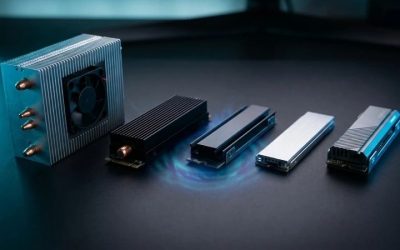
A complete factory-cooled drive may be wider than its bare 22 mm circuit board. Check the final assembled width, height and any below-board protrusion rather than only ‘M.2 2280’ in a retailer title. Sony’s overall height allowance is 11.25 mm, but its separate limits above and below the board are the more useful checks. The M.2 slot cover and surrounding structure need room to close correctly after installation. Do not grind or bend a heatsink to force it into the cavity.
If you already own an uncooled Gen4 SSD, a separately purchased heatsink can sometimes make it usable, but this roundup is specifically about preassembled drives. A complete SSD-plus-heatsink kit minimizes assembly errors, although it does not remove the requirement to read the included instructions. A seller may list a compatible bare drive with a heatsink shown in accessory photos; confirm what actually ships in the box. In a review or affiliate table, link to the precise factory-cooled product rather than to a parent listing that defaults to the uncooled option.
Compare total cost, endurance and warranty with the same capacity
A fair price comparison starts with the same capacity and the same country, date and seller type. A 2TB product listed by its manufacturer cannot be compared directly with a discounted 1TB marketplace listing. Calculate price per terabyte using verified checkout numbers, then check return fees, shipping and warranty validity. Endurance ratings usually use terabytes written and depend on capacity; a higher number does not automatically create faster console performance. For typical game libraries, practical reliability and seller support may matter more than extreme write endurance.
Do not overpay for RGB effects, an oversized desktop cooler, claims of instant loading or a PCIe generation beyond the console’s interface. Likewise, do not automatically reject a DRAM-less drive if reputable evidence supports its use and its actual delivered price is favorable. Look at the use case: game installs and copying benefit from sustained write performance, but everyday playing is not the same as a continuous large-file benchmark. Shortlist compatible pre-cooled models first; only then compare financial value.
Safe installation and first-boot checks
Power off the PS5 fully, disconnect it from the outlet and allow it to cool before opening the cover. Follow Sony’s current model-specific support guide for removing the correct exterior panel and accessing the expansion bay. Arrange the stand or console on a stable soft surface, keep the small screw and spacer under control, and avoid touching exposed electrical contacts. If you have never opened your particular chassis revision, confirm the proper panel direction before applying force. Never pry against the slot or remove the SSD’s factory heatsink just to make it fit.
Once the slot is accessible, set the spacer in the position for the length of your drive, normally 2280 for the products here. Insert the M.2 connector at the angle demonstrated by Sony, lower the drive gently onto the spacer and secure it with the supplied screw. Check that the heatsink lies inside the permitted envelope and that the slot cover can close without pressure. Reassemble the correct exterior cover and reconnect power. Do not force a cover shut over an incompatible cooler; return to the fit check instead.
On the next startup, the console may prompt you to format the expansion SSD. Formatting erases data on that SSD, so a previously used drive must be backed up before installation. Follow the on-screen process, review the resulting storage allocation and move or install a game as a practical functional check. Sony’s support documentation explains how to change game install locations and transfer content. If the PS5 reports that an SSD is unsuitable or has issues, confirm the exact interface, heatsink size and installation before assuming the drive is defective.
If gameplay shows errors after moving a game to expansion storage, Sony advises moving that title back to the built-in console storage for troubleshooting. Avoid editing hidden partitions or attempting PC drive repair instructions on a console without a reason grounded in Sony’s documentation. Firmware tools offered by SSD makers may require a supported PC and may not be available through the PS5 interface. If a firmware update is needed, follow the manufacturer’s exact drive model instructions and protect existing data before making changes.
Common mistakes when buying PS5 heatsink SSDs
The most expensive error is purchasing an uncooled variant when the product gallery shows a heatsink only on another option. The second is confusing internal M.2 expansion with an external USB SSD: USB storage can hold PS5 game data, but Sony does not allow direct launch of PS5 games from ordinary USB extended storage. A third mistake is interpreting a quick PS5 speed result as a full game-load benchmark and returning an otherwise functioning drive because it did not match the box’s desktop read figure. These assumptions can create unnecessary expense and frustration.
A fourth error is making price decisions using historic promotional figures or different capacities. Another is assuming official licensing makes an SSD inherently faster than other compatible Gen4 devices. Finally, a drive that is electrically compatible can still be physically incompatible if its cooler exceeds the expansion bay dimensions. Confirm the complete SKU and physical envelope against Sony’s current requirements, and use a US retailer with an appropriate return policy when uncertainty remains.
Frequently asked questions
Does a PS5 M.2 SSD need a heatsink?
Sony requires effective heat dissipation for M.2 expansion storage. A preinstalled heatsink is the simplest way to satisfy that requirement, provided the complete assembly stays within the stated size limits. A bare drive can sometimes be paired with a separately purchased compatible cooling structure, but you must check thickness, width and attachment instructions. None of the listed product families should be purchased in a bare variant by accident.
What is the fastest PS5 SSD with a heatsink?
There is no universal fastest drive for every PS5 game simply from retail sequential-read specifications. The Samsung 990 PRO with Heatsink, Crucial T500, Lexar NM790 and several licensed products all advertise strong PCIe Gen4 performance. Sony recommends at least 5,500 MB/s sequential reads, and independent game-copy tests often show smaller practical differences than peak PC read ratings suggest. Buy a fully compatible drive with enough capacity at a sensible price.
Can I install an 8TB SSD in the PS5?
Yes. Sony’s current support page lists supported M.2 expansion capacities from 250GB to 8TB. The WD_BLACK SN850P has an identified 8TB heatsink-equipped variant, making it relevant when you need the upper end of Sony’s range. Older guides that still mention a 4TB ceiling may be outdated. You still need to satisfy the PCIe, heatsink and full physical-size requirements for the exact model.
Is the SN850P better than the Samsung 990 PRO?
The SN850P’s strongest advantages are official PlayStation licensing and a specific 8TB option, not a guaranteed performance lead. The Samsung 990 PRO with Heatsink offers an excellent documented Gen4 design and a compact preattached cooler. Compare equal capacities and live US prices, then decide whether the license, heatsink form and warranty channel are worth any price difference. Both belong on a serious shortlist when correctly matched to the console.
Are DRAM-less SSDs a bad fit for PS5 gaming?
Not automatically. A modern DRAM-less controller can still deliver suitable Gen4 performance, but desktop Host Memory Buffer assumptions do not transfer directly to the PS5. The Lexar NM790 illustrates why capacity, sustained behavior, independent observations and price matter more than a single memory architecture label. Avoid blanket claims that all DRAM-less drives stutter or that every DRAM-equipped model is better for games without comparable evidence.
Can I use a PCIe 5.0 SSD in a PS5?
The official PS5 requirement is a PCIe Gen4 x4 supported M.2 NVMe drive. A backward-compatible Gen5 model may negotiate a lower link generation, but there is no PS5 benefit from paying for unavailable Gen5 throughput, and its cooling hardware may be too tall. Unless the exact SKU has documented PS5 compatibility and is competitively priced, a well-supported Gen4 SSD with a preinstalled heatsink is a simpler purchase.
Will adding an M.2 drive delete the games on internal storage?
Installing expansion storage does not normally erase games already stored on the built-in PS5 SSD. However, the new M.2 drive is formatted before first use, and formatting destroys any existing data on that inserted drive. Back up an SSD you previously used in a PC, and follow Sony’s instructions for moving games after installation. Check the selected storage destination rather than assuming all existing games automatically migrate to the new drive.
Can I play PS5 games from an external USB SSD instead?
A regular USB extended storage device is useful for keeping PS5 game data and for compatible PS4 game workflows, but PS5 games cannot be launched directly from ordinary USB extended storage. A compatible SSD installed in the internal M.2 expansion slot can store and launch PS5 titles. If instant launch from expanded storage is the goal, purchase a Sony-compatible internal drive rather than assuming an external enclosure is equivalent.
Does the SSD benchmark on PS5 match the manufacturer’s advertised speed?
Not necessarily. The console’s short formatting test uses different conditions from a manufacturer’s PC benchmark and may return a lower result. A different number is not proof of a defective SSD or a measurable gameplay penalty. Confirm that the console accepts the drive, verify stable operation and compare meaningful transfer behavior. For genuine problems, follow Sony and drive-maker support guidance rather than repeatedly reformatting without a backup.
Is 2TB or 4TB the better upgrade?
Choose 2TB when you keep a moderate set of games installed and would rather save money for other hardware or subscriptions. Choose 4TB when multiple users share the console, your games are exceptionally large, or redownloading is slow or expensive. Compare current total delivered price per terabyte at equal cooling configurations; sometimes a larger capacity has a better ratio, but that cannot be assumed in a rapidly changing SSD market.
Final thoughts
For a straightforward high-performance upgrade, compare the Samsung 990 PRO with Heatsink against the Crucial T500 and Lexar NM790 at your chosen capacity. Choose WD_BLACK SN850P for its licensed installation and available 8TB option, Corsair MP600 PRO LPX for its compact console-oriented cooler when fairly priced, or Seagate’s licensed Game Drive when 1TB or 2TB is sufficient. Confirm the exact heatsink SKU, Sony’s dimensional limits and a real US checkout offer before buying. A correctly sized, well-supported Gen4 SSD with enough capacity matters more than winning a spec-sheet speed contest.