Key takeaways
- Identify exact model revision and whether the microphone is new, certified open box, bundle or a different color of the same model.
- Recheck selected U.S. seller product-page price and stock today; shipping to a specific ZIP, taxes, promotions and order limits are not guaranteed by public listings.
- Budget for all cable and mounting hardware rather than treating an XLR-only microphone sticker price as a complete PC setup.
- Distinguish USB data and digital effects from passive analog XLR. Do not assume one model’s buttons or software features function identically through both.
- Record voice during the loudest real-world condition—clicking keys, running fans, game audio or a second person talking—before turning on processing.
- Choose a sensible gain and mouth distance and avoid an arm that blocks your view or transmits desk vibrations.
- Do not infer proprietary Discord/game audio routing, console USB support, phantom-power needs or software compatibility from a generic “gaming” label.
If you are comparing best microphones for loud keyboards, begin with the problem in your actual gaming setup rather than a promise of perfect background-noise removal. A mechanical keyboard makes two kinds of noise: airborne clicks and vibrations through the desk. A close-positioned mic can improve the voice-to-click ratio, but no microphone here has proved complete click removal in a controlled Geek Gaming Tricks recording. The U.S. prices and public seller stock signals below were reviewed on October 29, 2026; they are not a guarantee that a product will ship to your ZIP code. Geek Gaming Tricks did not physically record or benchmark these microphones.
Microphones for loud keyboards: pickup pattern, distance, and noise paths
A keyboard that is close to the microphone can dominate any voice setup, even when a product advertises directional pickup. The shortlist contrasts Audio-Technica AT2040USB, Samson Q2U, Shure MV7-family options, and other models already discussed below by how they let the player place the capsule near the mouth and away from the switches. A hypercardioid pattern is not a universal noise-erasing setting, since sound can enter from a rear pickup lobe. Before upgrading, move the mic off the keyboard line, reduce desk-transmitted vibration, and check whether your current app is applying unwanted automatic gain. The useful purchase is the mic and mounting arrangement you can position correctly.
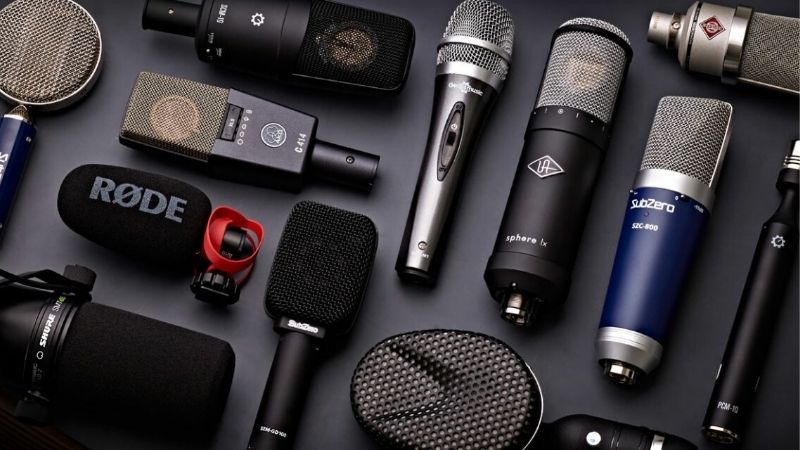
Best straightforward USB pick: Audio-Technica AT2040USB. The hypercardioid capsule and onboard low-cut control are a practical foundation, although the rear pickup lobe means geometry matters.
Best budget complete kit: Samson Q2U (SAQ2U). The included stand and cables lower entry cost, and a more flexible boom arm can be added later to avoid desk vibration.
Best USB controls for an untreated desk: Shure MV7+ Black (MV7+-K). On-mic digital controls and Shure MOTIV Mix can reduce steady background sound, not guarantee click-free speech.
Best lower-cost XLR approach: Audio-Technica AT2040 (analog XLR). For a streamer with an interface already, the XLR AT2040 gives a directional dynamic alternative but no onboard USB DSP.
Comparison: real U.S. microphone offers
| Model and use | Verified hardware/connection | Selected U.S. seller price, Oct. 29, 2026 | Observed stock | Important drawback |
|---|---|---|---|---|
| Audio-Technica AT2040USB | Hypercardioid dynamic; USB-C, low-cut, soft-touch mute, headphone monitor | $159.00 — Sweetwater | In stock | Rear lobe remains audible; requires suitable stand/arm |
| Samson Q2U (SAQ2U) | Cardioid dynamic; USB and XLR; physical on/off; complete starter kit | $79.99 — B&H Photo | In stock | Verify current USB port revision and desktop-stand placement |
| Shure MV7+ Black (MV7+-K) | Cardioid dynamic; USB-C/XLR; USB digital denoiser and touch mute | $299.00 — Sweetwater | In stock | USB controls do not automatically alter passive XLR |
| RØDE PodMic USB | End-address cardioid dynamic; USB-C/XLR; USB processing, 3.5 mm monitoring | $190.00 — Sweetwater | In stock (selected listing) | Category pages also show $209; mount extra; XLR has no USB DSP |
| Audio-Technica AT2040 (analog XLR) | Hypercardioid dynamic; XLR-only; internal shock-mount system | $109.00 — Sweetwater | In stock (six listed) | Different model from AT2040USB; no on-mic digital mute |
| RØDE PodMic Black (analog XLR) | Cardioid dynamic; XLR-only; integrated pop shielding | $86.00 — Sweetwater | In stock | Interface, cable, mount and adequate preamp gain required |
| RØDE Procaster (PROCASTER) | Cardioid dynamic; end-address XLR; internal pop filter and capsule shock isolation | $218.00 — Sweetwater | In stock | Interface, gain and stable boom arm add to total system cost |
Detailed recommendations and buying trade-offs
Audio-Technica AT2040USB: why it belongs here
For a loud mechanical keyboard and fixed desk, AT2040USB is the first device worth examining because Audio-Technica documents a hypercardioid capsule, low-cut control and internal shock mount. These features address direction and some transmitted rumble rather than making click transients vanish.
Put its front toward your mouth while testing the rear lobe with the keyboard, then compare one recording with the stand on the desk and one on a better-isolated arm. The 600 g microphone body deserves a mount that can carry it safely.
Before the purchase, check the exact cable and arm package and compare the selected stock status against your delivery ZIP. Do not rate Audio-Technica AT2040USB as a measured winner over other microphones: the comparison is based on manufacturer specifications and merchant data, not an original same-keyboard laboratory recording.
Samson Q2U (SAQ2U): why it belongs here
A Samson Q2U is a low-cost option for a gamer who wants to move the capsule closer to the mouth without purchasing an interface. The manufacturer includes a desktop tripod, windscreen and two types of recording cable, and the B&H selected kit is currently a distinct in-stock offer.
The included tabletop stand is convenient but can transfer keystroke thumps through the desk. A boom placed off the table or padded mounting experiment may help. Confirm whether the USB port revision pictured by the maker matches the shipped box.
Before the purchase, check the exact cable and arm package and compare the selected stock status against your delivery ZIP. Do not rate Samson Q2U (SAQ2U) as a measured winner over other microphones: the comparison is based on manufacturer specifications and merchant data, not an original same-keyboard laboratory recording.
Shure MV7+ Black (MV7+-K): why it belongs here
Shure MV7+ gives a close-talking dynamic capsule, on-device digital mute and an app workflow for voice processing. The model is most persuasive when the room also has steady fan noise and the streamer values a software-controlled mic.
Do not advertise it as a hard cure for keyboard clicks. The Shure Denoiser focuses on background sound but overlapping transients can remain, and digital signal processing cannot be credited to a passive analog XLR feed without proof.
Before the purchase, check the exact cable and arm package and compare the selected stock status against your delivery ZIP. Do not rate Shure MV7+ Black (MV7+-K) as a measured winner over other microphones: the comparison is based on manufacturer specifications and merchant data, not an original same-keyboard laboratory recording.
RØDE PodMic USB: why it belongs here
RØDE PodMic USB combines a directional dynamic microphone and USB-C recording with an XLR upgrade path. Its integrated mounting system is well suited to bringing the front grille near the mouth, away from the keyboard.
Use RØDE Central to set the USB-side gate and processing carefully; the manufacturer describes noise gate, compressor and high-pass controls. Those tools can improve between-phrase cleanliness, but they can also pass typing while you speak.
Before the purchase, check the exact cable and arm package and compare the selected stock status against your delivery ZIP. Do not rate RØDE PodMic USB as a measured winner over other microphones: the comparison is based on manufacturer specifications and merchant data, not an original same-keyboard laboratory recording.
Audio-Technica AT2040 (analog XLR): why it belongs here
Analog AT2040 is the alternative for players who already have an XLR interface. Its hypercardioid capsule makes orientation more consequential than the generic claim that any dynamic mic is noise cancelling.
You lose the USB model’s on-mic mute, monitoring and low-cut switches when buying this different analog hardware. Include interface gain, cable, mount and realistic gaming desk placement in the real total.
Before the purchase, check the exact cable and arm package and compare the selected stock status against your delivery ZIP. Do not rate Audio-Technica AT2040 (analog XLR) as a measured winner over other microphones: the comparison is based on manufacturer specifications and merchant data, not an original same-keyboard laboratory recording.
RØDE PodMic Black (analog XLR): why it belongs here
The basic RØDE PodMic is a compact XLR-only dynamic choice for a mic arm near a gaming monitor. At the observed Sweetwater price it is inexpensive microphone hardware, not a complete PC audio chain.
An internal pop filter limits breath plosives, not keyboard keycaps. You need a USB interface or mixer with adequate analog mic input and a stable microphone mount, so compare all-in cost with USB bundles.
Before the purchase, check the exact cable and arm package and compare the selected stock status against your delivery ZIP. Do not rate RØDE PodMic Black (analog XLR) as a measured winner over other microphones: the comparison is based on manufacturer specifications and merchant data, not an original same-keyboard laboratory recording.
RØDE Procaster (PROCASTER): why it belongs here
Procaster is a conventional professional XLR dynamic broadcaster’s microphone that rewards close speech and thoughtful mounting. Its end-address cardioid capsule and integrated pop filter are useful when the desk surface is crowded.
It is a higher-cost voice tool, not a proven quieter-keyboard winner over the cheaper alternatives. Extra interface gain, arm capacity and cable placement matter more than its label in a reflection-heavy gaming room.
Before the purchase, check the exact cable and arm package and compare the selected stock status against your delivery ZIP. Do not rate RØDE Procaster (PROCASTER) as a measured winner over other microphones: the comparison is based on manufacturer specifications and merchant data, not an original same-keyboard laboratory recording.
Separate the two keyboard-noise paths
A desk-mounted microphone can pick up low-frequency impacts through a stand even when its acoustic pattern rejects sound from the keyboard. Airborne key switches and mouse clicks travel through the air and can enter the front, side, or rear lobe of a microphone. An internal shock mount helps with the first problem, not necessarily the second. A noise gate works between sentences; it normally opens when you speak, letting simultaneous key clicks through. Begin by moving the microphone off the vibrating desktop, shifting the keyboard out of the mic’s most sensitive direction, and bringing the mic close to the mouth before buying expensive effects.
Position the pickup before adjusting the software
Place a mic roughly a fist-width from the speaking position as a useful starting experiment, then test farther away if plosives become distracting; manufacturer guidance and individual speech level take priority over a fixed magic number. Point the front of a cardioid capsule toward your mouth, its less-sensitive side/rear approximately toward the keyboard, and keep cables from tugging on the arm. For hypercardioids, do not put the keyboard directly behind the capsule without listening: the narrow rear lobe can be surprisingly prominent. Set recording gain so routine speech is audible without frequent clipping. Lowering gain without moving the mic closer will also lower the voice, not improve isolation by itself.
Noise gates, expanders, and suppression: what each actually does
OBS Studio offers a Noise Gate whose Close Threshold and Open Threshold determine when mic audio passes; its documented purpose is to cut background sound while you are not talking. An Expander is less abrupt but still cannot identify keyboard clicks that overlap a vowel. Noise Suppression targets mild fan-like noise and can sound unnatural at stronger settings. Record one passage with the keyboard idle, one with typing between sentences, and one with typing during speech. Compare intelligibility with effects bypassed and enabled at equal listening volume. Treat NVIDIA-based removal as conditional on its installed Broadcast SDK and appropriate hardware, not as a universal plug-in.
Does a dynamic mic beat a condenser for keys?
Not automatically. Dynamic microphones often suit close speech because their sensitivity and directional patterns are used at short distances, while a condenser such as the HyperX QuadCast 2 can still work if positioned close and set to cardioid. Capsule type is not a filter that knows which clicks are unwanted. A cheaper mic mounted close to your face can outperform an expensive mic several feet away in voice-to-room balance. The table therefore emphasizes patterns, placement options, vibration control, actual connectivity and the cost of getting the microphone off the keyboard surface rather than unmeasured decibel improvement claims.
A practical desktop test before you commit
In Windows Settings > System > Sound > Input, select the device and confirm level movement; choose the same device inside Discord or OBS rather than assuming the system default carried over. In OBS, open the microphone Audio Mixer gear menu > Filters, record ten seconds with effects off, then apply one filter at a time. In Discord, check Voice & Video input-device and sensitivity controls in the version installed. Listen to speech recorded during your loudest typing style, including space bar and modifiers, not merely a silent idle room. If your voice becomes thin, sibilants disappear, or syllable starts are chopped, reverse the filter change.
Which keyboard user should buy which route?
Choose USB if you have no audio interface and want a simple Windows or Mac setup. Choose an XLR-only model only after verifying the interface has a clean enough preamp, a compatible cable, monitoring and a mount. If most clicking comes through the physical desk, pay for an isolated boom position before changing microphone capsules. If the room contains a second human voice, treat that as a separate, harder speech-separation problem rather than trying to solve it with a higher noise-gate threshold.
Buyer checklist before ordering
- Identify exact model revision and whether the microphone is new, certified open box, bundle or a different color of the same model.
- Recheck selected U.S. seller product-page price and stock today; shipping to a specific ZIP, taxes, promotions and order limits are not guaranteed by public listings.
- Budget for all cable and mounting hardware rather than treating an XLR-only microphone sticker price as a complete PC setup.
- Distinguish USB data and digital effects from passive analog XLR. Do not assume one model’s buttons or software features function identically through both.
- Record voice during the loudest real-world condition—clicking keys, running fans, game audio or a second person talking—before turning on processing.
- Choose a sensible gain and mouth distance and avoid an arm that blocks your view or transmits desk vibrations.
- Do not infer proprietary Discord/game audio routing, console USB support, phantom-power needs or software compatibility from a generic “gaming” label.
Frequently asked questions
Can a hypercardioid microphone completely ignore the keyboard?
No. A hypercardioid capsule has a narrow front pickup and a rear lobe. Rotate and record the real keyboard and mouth positions; off-axis rejection varies by frequency.
Will a noise gate remove my clicks while I am talking?
Not reliably. A gate opens to pass your speech and often also passes key sounds made during the same phrase. Filtering and physical positioning can help, but a zero-click guarantee is unsupported.
Does a shock mount eliminate mechanical switches?
It is designed to reduce vibration passed through the desk or arm. It cannot prevent airborne acoustic clicks from reaching the diaphragm.
Is the AT2040USB the same as the AT2040 XLR?
No. They share a model family and directional concept, but the USB version has a USB path and on-mic digital controls; the analog model requires an interface.
Is an XLR mic worth it for a beginner?
Only if the cost and complexity of interface, cable and mount fit your needs. A USB dynamic mic and careful placement is often a better first step.
How we selected these microphones
Keyboard interference: a controlled before/after test
Measure two different sources: airborne key-click sound entering the capsule, and mechanical vibration transmitted through the desk and arm. Record ten seconds of typing alone, ten seconds of speaking alone, and ten seconds of speaking while typing. Keep input gain unchanged. This exposes the difference between a gate that mutes keyboard noise during silence and an actual improvement in the voice-to-keyboard balance while speaking.
Move the mic nearer your mouth and rotate its rejection zone before buying a more expensive capsule. A separate shock mount addresses desk transmission, not airborne switch noise. This guide should prioritize rejection geometry and voice distance, leaving XLR interface shopping to the beginner-streamer article.
Loud-keyboard recording protocol: identify vibration, clicks and gate behavior separately
Keyboard noise can reach a microphone as airborne key-switch clicks, a desk-transmitted thud, or an abrupt gate pumping sound from processing. They need different fixes. Record ten seconds of typing with speech paused, then read a paragraph while typing and finally record speech with hands away from the desk. Compare the three files at unchanged input gain; making the keyboard quieter by turning the entire mic down also makes the voice quieter.
Position a cardioid or hypercardioid microphone with its relevant rejection side aimed toward the keyboard, but remember that a hypercardioid pattern has a rear pickup lobe. Place the mic near the mouth on a boom arm before enabling heavy voice isolation. A suspension mount can reduce direct desk vibration; it does not acoustically erase the keycaps hitting switches through air.
When comparing the existing microphone shortlist, do not rank candidates by polar-pattern marketing alone. A user with a loud mechanical keyboard and a small desk may benefit more from a close-talk dynamic USB mic than from an expensive condenser several feet away. Publish no invented decibel-reduction figures: the method here is a repeatable buyer-side test, not a measured product shootout.
Buyer-specific decision matrix
| Buyer situation | Recommended action | Must-verify requirement |
|---|---|---|
| Heavy desk thumps even when not speaking | Move the mic off the desk and check isolation | Use suspension before treating the mic as defective |
| Sharp airborne click sound under speech | Reduce mic-to-mouth distance and aim the null correctly | Do not expect a shock mount to fix airborne clicks |
| Voice gate cuts syllables after key hits | Lower aggressive noise processing and record again | Judge intelligibility rather than silent meters |
Independent loud-keyboard claim audit: same named microphone, different review conditions
TechRadar’s hands-on AT2040USB review reports that the microphone did well with mechanical-keyboard clicks and air-conditioner noise in the reviewer’s own game/Discord and voiceover use. That is an independently researched real-world case, not proof that every switch type or other microphone was tested on that desk. The review also identifies the microphone as USB-C and notes that no desktop stand or arm is included; account for arm cost and the roughly 600 g mic weight.
Podcastage’s AT2040USB test lists exact listening chapters for off-axis pattern, background noise (2:49), untreated room (3:06), shock rejection (3:27), and a PodMic USB comparison (8:54). Its recording settings and demos are not identical to TechRadar’s; comparing the clips as if the microphones experienced a single keyboard at a single level would be misleading. Podcastage describes AT2040USB as presence-forward, while TechRadar calls its speech warm and smooth. Both can be valid under different setups and preferences.
The Audio-Technica datasheet verifies the internal isolation mounting, the optional AT8458a external shock mount, hypercardioid directionality, 80 Hz high-pass filter, USB-C connection, and LED mute state. The separate XLR AT2040 is not the same purchase as AT2040USB. Put the mic close to the mouth, angle it so the keyboard is not aimed at the on-axis front, and record keyboard-only, voice-only and simultaneous voice-plus-keyboard segments with the same gain and the gate disabled. Test any clamp mount for transmitted desk taps separately.
The USB AT2040USB is a strong evidence-supported first try for someone with a keyboard next to a PC. An already-owned interface can change the choice toward XLR models; it does not establish that an XLR model rejects keys better without matched acoustic evidence. Keep the conclusion conditional rather than claiming a numeric noise-reduction advantage.
| Exact product / setup | Verified evidence | Action / caveat |
|---|---|---|
| AT2040USB | TechRadar hands-on keyboard-click and Discord use | Independent setting-specific evidence; no included stand; USB only |
| AT2040USB | Podcastage pattern, room, shock and PodMic comparison chapters | Independent demos; settings differ from TechRadar and buyer setups |
| AT2040 analog XLR | Official Audio-Technica XLR manual | Requires interface; do not transfer USB controls/mute/monitoring claims |
| PodMic USB / MV7+ | Separate external demos; USB processing differs by model | Cannot claim matched keyboard-rejection ranking across all models |
A buyer recording three segments should listen for airborne clicks *during speech*, low desk-thump vibration, and gating artifacts, then compare identical sentences with processing enabled or disabled. This is a repeatable user protocol, not a test we conducted or a published across-SKU benchmark.
Evidence limitations: reviewers tested their own products/setups. GeekGamingTricks conducted no original hardware experiment, complete US ZIP checkout, or independently certified editorial 93-point assessment.
Independent keyboard-noise disagreement: why a quiet demo is not a guarantee
Two in-depth reviews of the same RØDE PodMic USB lead to an important buyer caution. Tom’s Hardware found its end-address design useful for reducing background disturbances, including typing in an untreated room; ComputerBase, by contrast, published sample clips and specifically reported that keyboard noises and even smaller mouse clicks were audible. The findings can coexist because microphone-to-mouth distance, keyboard placement, room acoustics, USB/XLR gain, post-processing and the reviewer’s definition of acceptable noise differ. Neither review establishes that a PodMic USB eliminates clicks while the user speaks.
| Independent evidence and exact model | Observed result | Purchase implication |
|---|---|---|
| Tom’s Hardware — RØDE PodMic USB | Reviewer reported good background separation in an untreated room, including typing; USB DSP and mic position affected use | Reasonable candidate, but do not translate a favorable room test into guaranteed silence |
| ComputerBase — RØDE PodMic USB | Test recordings retained keyboard and mouse clicks despite close-mic use; sample material was published | Review the actual noise samples before buying for a loud mechanical keyboard |
| TechRadar — Audio-Technica AT2040USB | Several weeks of Discord/keyboard hands-on favored vocal clarity and ambient rejection | Good direct-USB starting point; its rear pickup lobe and desk vibration still matter |
| Podcastage — AT2040USB / PodMic USB / Q2U | Named background-noise and model-comparison chapters enable listening, with different recording conditions | Useful for auditioning voice tone; not a same-keyboard rejection league table |
Evidence-led buying sequence: First choose the connection you can actually run (AT2040USB direct USB, PodMic USB in USB or XLR mode, or Q2U with its supplied interface path). Then watch the reviewer’s noise segment and compare it with the same microphone’s speech sample; do not rank different reviewers’ test clips by apparent click loudness. After purchase, capture ten seconds of voice plus active typing with the mic on a boom arm and the keyboard on the desk; listen for speech-overlap clicks, low-frequency vibration and gating artifacts. A gate primarily helps during silence, not while you are speaking.
This disagreement changes our recommendation from a categorical “best at rejecting typing” claim to a conditional shortlist: AT2040USB is still a sensible direct-USB first try; PodMic USB is a good alternative if its auditioned noise samples and DSP workflow meet your needs; Q2U remains a value option but should not inherit the others’ review scores. No same-room, same-gain, identical-keyboard cross-SKU comparison by GeekGamingTricks or the cited reviewers was verified.
Final thoughts
Start by moving a directional mic nearer the mouth and testing the actual keyboard before paying for aggressive noise removal. AT2040USB is a sensible direct-USB pick, Q2U is the budget kit, and the XLR alternatives make sense only if the interface and mount are already budgeted. Keep a bypassed comparison recording. Confirm the exact current item page price and availability before you pay.