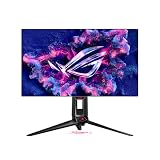
The best 24 inch 240Hz IPS monitors are usually sold as 24.5-inch-class displays, not exactly 24.0 inches. That distinction matters when sizing a desk or choosing a tournament-style viewing distance. A 240Hz label alone cannot tell you whether motion clarity, overshoot, and the GPU’s frame delivery will suit your game. Decide first whether you want a compact 1080p esports screen or need more pixels for desktop work between matches. Response-time claims on product boxes rarely describe the full range of motion behavior, especially overshoot at lower refresh rates. A good stand, usable height adjustment and sensible inputs may matter more to your setup than an extra marketing mode. This roundup emphasizes verified panel class, refresh rate and real purchasing compromises instead of assuming every monitor labeled 240Hz feels identical.
Quick verdict: the right monitor for your gaming setup
In the compact esports-monitor class, a true 240Hz panel is only the starting requirement. Pixel transitions, overshoot behavior and the available video input determine whether the screen feels clear at the frame rates your PC delivers. The shortlist separates straightforward 240Hz IPS buys from faster alternatives whose extra refresh capability may not justify their cost for every player.
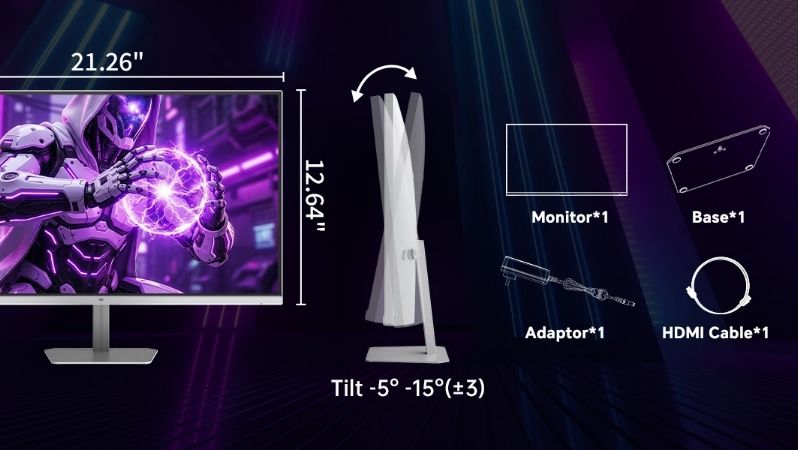
Start with a genuinely 240Hz-capable Fast IPS model in the 24–24.5-inch class; do not pay extra for a 360–380Hz flagship unless your PC can sustain the additional frames and the correct port supports them.
For the primary use case: ASUS TUF Gaming VG259QM5A. The shortlist describes it as a straightforward 240Hz-class esports display with a compact view. Its distinguishing evidence is 24.5-inch Fast IPS, 1920 × 1080, maximum 240Hz, anti-glare surface. The limiting check is confirm the exact port timing, stand needs and US retail variant. These are model-specific factors, not a promise of independent testing or verified U.S. checkout.
A contrasting option: ASUS ROG Strix XG259QNS. The shortlist describes it as useful for an esports setup that may grow beyond 240Hz. Its distinguishing evidence is 24.5-inch IPS, 1080p, up to 380Hz on DisplayPort overclocking; HDMI up to 240Hz. The limiting check is do not confuse the 380Hz DP mode with a 380Hz HDMI mode. These are model-specific factors, not a promise of independent testing or verified U.S. checkout.
Comparison table: displays, specs, and trade-offs
| Product / exact family | Verified feature or evidence boundary | Best fit | Major caveat | US price — exact variant, checked Oct 31, 2026 | Stock status — exact variant, checked Oct 31, 2026 |
|---|---|---|---|---|---|
| ASUS TUF Gaming VG259QM5A | 24.5-inch Fast IPS, 1920 × 1080, maximum 240Hz, anti-glare surface | A straightforward 240Hz-class esports display with a compact view | Confirm the exact port timing, stand needs and US retail variant | $149.00 (CDW US; exact model VG259QM5A) | CDW Add to Cart; Best Buy Sold Out at $179.99 |
| ASUS ROG Strix XG259QNS | 24.5-inch IPS, 1080p, up to 380Hz on DisplayPort overclocking; HDMI up to 240Hz | Useful for an esports setup that may grow beyond 240Hz | Do not confuse the 380Hz DP mode with a 380Hz HDMI mode | $379.00 (ASUS US XG259QNS) | Notify Me; temporarily out of stock |
| Alienware AW2523HF (360Hz step-up, not an exact-240Hz pick) | 24.5-inch Fast IPS 1080p, maximum 360Hz via DisplayPort and 255Hz via HDMI | Optional over-240Hz upgrade, not a qualifying core 240Hz recommendation | The fastest mode needs the correct input and GPU support | No currently purchasable Dell US offer | Dell US states currently unavailable |
| Dell SE2426HGS | 23.8-inch IPS FHD, native 240Hz; RTINGS May 2026 tested | Budget exact-240Hz IPS gaming and accurate sRGB preset | Inverse ghosting at lower Hz, no USB hub, no meaningful HDR; not pivot stand | $119.99 (Dell USA) | Unclear (Add to Cart only) |
| ViewSonic XG2431 | 24-inch-class FHD IPS 240Hz, PureXP strobing, VRR, adjustable stand | Motion clarity tuning for esports enthusiasts | Strobe flicker/brightness tradeoff, limited HDR; stock must be confirmed | US price not verified | Out of stock at Newegg US (not worldwide) |
US price and inventory observations are tied to the named seller, selected SKU, color or memory configuration where specified. “Buy Now” and “Add to Cart” describe purchase buttons, not a completed checkout or guaranteed warehouse stock. Family-level pricing, obsolete variants, and conflicting source badges are explicitly qualified. Unresolved rows are not assumed purchasable.
Additional comparisons and purchase considerations
| Situation | Recommended evaluation or next action |
|---|---|
| Compact competitive desk | Prioritize 24–24.5-inch IPS with verified 240Hz input |
| Photo work alongside gaming | Prioritize calibrated color and ergonomic stand |
| Occasional 120–180 FPS | Evaluate overdrive and VRR across the lower range |
The selected monitors and their key compromises
ASUS TUF Gaming VG259QM5A — fit and limitations
ASUS TUF Gaming VG259QM5A is on this shortlist for a specific reason: 24.5-inch Fast IPS, 1920 × 1080, maximum 240Hz, anti-glare surface. That makes it relevant when a straightforward 240Hz-class esports display with a compact view. Treat panel technology, resolution, refresh rate, motion behavior, and ergonomic fit as separate variables. The GPU must actually drive the chosen timing and the screen must look acceptable at lower frame rates.
The main qualification is confirm the exact port timing, stand needs and US retail variant. Validate refresh over the exact HDMI, DisplayPort, or USB-C path and compare independent response-time measurements before assuming the marketing Hz tells the whole story. This is a specification-led comparison, not a claim that we measured this model in a controlled hands-on test.
ASUS ROG Strix XG259QNS — fit and limitations
ASUS ROG Strix XG259QNS is on this shortlist for a specific reason: 24.5-inch IPS, 1080p, up to 380Hz on DisplayPort overclocking; HDMI up to 240Hz. That makes it relevant when useful for an esports setup that may grow beyond 240Hz. Treat panel technology, resolution, refresh rate, motion behavior, and ergonomic fit as separate variables. The GPU must actually drive the chosen timing and the screen must look acceptable at lower frame rates.
The main qualification is do not confuse the 380Hz DP mode with a 380Hz HDMI mode. Validate refresh over the exact HDMI, DisplayPort, or USB-C path and compare independent response-time measurements before assuming the marketing Hz tells the whole story. This is a specification-led comparison, not a claim that we measured this model in a controlled hands-on test.
Alienware AW2523HF — fit and limitations
Alienware AW2523HF is relevant because 24.5-inch Fast IPS 1080p, maximum 360Hz via DisplayPort and 255Hz via HDMI. That hardware is a reasonable match when an alternative when competitive frame rate and a small field of view lead. Treat panel technology, resolution, refresh rate, motion behavior, and ergonomic fit as separate variables. The GPU must actually drive the chosen timing and the screen must look acceptable at lower frame rates.
The limiting consideration is the fastest mode needs the correct input and gpu support. Validate refresh over the exact HDMI, DisplayPort, or USB-C path and compare independent response-time measurements before assuming the marketing Hz tells the whole story. This is not a claim of detailed research or current retailer stock.
Buying guide: check the display in your setup
Model eligibility and buying decisions
Buying gate: Dell’s SE2426HGS stand specifications conflict: A material model-level source conflict changes how to buy the Dell SE2426HGS . The independent RTINGS sample tested in May 2026 states that its supplied stand does not swivel, while Dell’s U.S. sales specifications for SE2426HGS explicitly list a swivel angle of -173° to +173° and an adjustable height of 4.33 inches. Both sources concern the same displayed model suffix, but their stand descriptions are incompatible. Neither the Dell page nor RTINGS proves which stand is included with every U.S. seller’s current shipment, and horizontal swivel must not be confused with a 90-degree portrait pivot.
| Before ordering the exact SE2426HGS | Evidence that conflicts | Safe buyer decision |
|---|---|---|
| Stand swivel needed for a side desk | RTINGS’ tested unit: no swivel; Dell U.S. spec: ±173° swivel | Request a photograph of the actual stand base/hinge or written confirmation referencing Dell part KWDW6 and the order SKU; do not promise swivel |
| Height for eye level | Dell specifies up to 4.33 inches of height adjustment | Check delivered stand hardware and return eligibility; do not infer pivot from height or swivel |
| 240Hz IPS as the core buying requirement | RTINGS and Dell agree on 23.8-inch FHD IPS at up to 240Hz | Check 1920×1080 at 240Hz on the intended connector and PC before return deadline |
| Using an arm to solve stand uncertainty | Stand accessories do not change RTINGS’ color/motion measurements | Confirm exact VESA compatibility, total cost, available desk clamp space, and safe cable clearance first |
Resolution protocol: save the dated screenshots of both source statements, email the U.S. seller the exact SE2426HGS configuration and Dell part number shown on the listing, and ask whether the in-box stand physically swivels. Upon receipt, verify the supplied stand, test height and swivel without forcing it, and keep all packaging until the return window closes. Treat a seller’s generic “adjustable stand” bullet as inconclusive. This source discrepancy is not a hardware test conducted by GeekGamingTricks, and the visible U.S. manufacturer listing is not a checkout confirmation for a ZIP code.
240Hz entry gate: the LG 24GS65F-B comparison prevents a false shortlist: RTINGS’ direct test of the Dell SE2426HGS and LG 24GS65F-B clarifies a common false equivalence: both are 24-inch 1080p IPS budget gaming monitors, but the Dell reaches 240Hz and the LG 180Hz . RTINGS finds their general motion handling similar and the Dell’s dedicated sRGB mode notably more accurate. The LG may be a rational lower-cost alternative for a PC that seldom exceeds 180 fps, but it must not be counted as a model meeting the best 24 inch 240Hz IPS monitors requirement. That distinction matters more than counting additional retailer listings as independent products.
| Claim or need | What the independent evidence supports | What the buyer must check |
|---|---|---|
| True 24-inch 1080p IPS at 240Hz | Exact Dell SE2426HGS; not LG 24GS65F-B | Model suffix, rated refresh on the actual input and operating-system display mode |
| Budget IPS alternative if actual FPS is 120–180 | LG 24GS65F-B 180Hz, not a qualifying 240Hz recommendation | Accept the lower refresh ceiling only if purchase savings justify it |
| More accurate out-of-box sRGB | Dell mode is independently preferred to LG’s in the head-to-head | Enable the tested sRGB setting; do not assume every color mode matches it |
| Similar product names | RTINGS tested 24GS65F-B; the 24GS60F-B has a different stand | Do not transfer stand, layout, measured color or refresh to another LG suffix |
Return-window exercise: take the exact seller listing plus the monitor rear-label photo, check that Windows or Linux exposes 1920×1080 at 240Hz on the Dell, then photograph the OSD and repeat one fixed game scene at 180 and 240 fps caps. Record blur, overshoot, frame-time spikes and color in sRGB without interpreting them as laboratory measurements. If you instead choose the LG, label it a deliberate 180Hz downgrade and keep it outside the qualifying product list. The independent comparison is a review, not evidence that either SKU is available for delivery to a particular U.S. ZIP code.
Why the 24-inch term is a range: Products advertised as 24-inch esports displays are commonly 24.5 inches. That matters at short viewing distances: test whether you can scan the whole image without large head movements, and decide whether you prefer a compact 1080p target or extra desktop workspace.
Product check: a true 240Hz display versus a faster alternative: For the keyword best 24 inch 240Hz IPS monitors , the qualifying core is a 24-to-24.5-inch-class IPS panel that can actually accept a 240Hz 1080p PC signal. The U.S. ASUS VG259QM5A specification explicitly supports 1920 × 1080 up to 240Hz over DisplayPort 1.4 (HBR2) and HDMI 2.0; it lists tilt and VESA 100 × 100 mm but no height adjustment . That mechanical limitation matters for eye-level alignment if an external arm is not in the budget. Promotional pictures on some international overview pages display a different stand; the exact U.S. tech-spec and part label should control a U.S. purchase.
The similarly named VG259QM without ‘5A’ is a different 280Hz-capable model with a height-adjustable stand. An online listing that drops ‘5A’ cannot be used to infer its ports, stand, or refresh mode. Also, the Alienware AW2523HF is a 24.5-inch-class 360Hz monitor with tested fast response and excellent ergonomics; it is a legitimate upgrade candidate, not an exact-240Hz qualifying pick. RTINGS also finds weak contrast and HDR impact, which matters if the user shares the monitor with cinematic games.
Buy/reject table, using the actual suffix
| Exact display | Confirmed behavior | Use it when | Reject or verify before paying |
|---|---|---|---|
| ASUS VG259QM5A | 24.5-inch Fast IPS, FHD 240Hz; tilt only | You have an adjustable VESA arm or correct desktop height | Do not assume height adjustment from the older VG259QM |
| ASUS VG259QM | FHD, up to 280Hz on DP; 240Hz over HDMI per U.S. spec | You accept a different model and need the adjustable stand | Not the same 5A model or guaranteed seller price |
| Alienware AW2523HF | FHD 360Hz IPS, independently reviewed | Your PC can exploit above-240Hz and the price difference is justified | Not a 240Hz-only recommendation; HDR is a weak reason to buy |
Two-step acceptance test: First, save screenshots of the retailer SKU, monitor label, stand photographs and return policy. Second, connect the actual GPU port, select 1920 × 1080 at 240Hz in the operating system, then compare response overdrive at both 240Hz and a frame rate you realistically maintain. Motion sampling at 240Hz lasts about 4.17ms per refresh, but that arithmetic is not a measured complete input lag, pixel transition, or proof the highest overdrive mode has low overshoot. If the manufacturer or seller cannot confirm the exact U.S. model and return conditions, postpone the purchase rather than assigning it an ‘in stock’ badge.
Fit and design trade-offs
Decision update: tested 2026 budget 240Hz IPS versus motion-blur specialist: The exact-240Hz requirement is easier to meet with a 2026-tested budget option than by substituting a 360Hz screen and calling it 240Hz. RTINGS’ May 2026 independent Dell SE2426HGS review confirms a 23.8-inch IPS 1080p panel at 240Hz, low input lag and acceptable motion at the native rate. It also detects inverse ghosting at lower refresh rates and ineffective HDR. By comparison, RTINGS’ XG2431 test supports a 240Hz IPS alternative with adjustable backlight strobing and more consistent motion clarity, but it is not an HDR image-quality upgrade.
| Practical buyer priority | Exact-model test to prioritize | Reason to reject |
|---|---|---|
| Entry-price 1080p/240Hz IPS | Dell SE2426HGS: check native 240Hz and overdrive at both 240Hz and 120Hz | Visible inverse ghosting when FPS or VRR refresh drops; no USB hub, weak HDR |
| Motion blur-reduction tunability | ViewSonic XG2431: adjust PureXP strobe setting, then compare VRR mode separately | Strobe flicker or dimmer screen hurts comfort; older model may have poor stock |
| 240Hz with a possible 360Hz future upgrade | Alienware AW2523HF: treat as an over-240Hz option, not a true-240-only model | Higher list price or port limitation outweighs real frame-rate benefit |
Port nuance: Dell’s U.S. listing markets an HDMI 2.1 connector but specifies TMDS signaling for its 1080p/240Hz mode; the label is not proof of full-bandwidth 4K/120Hz FRL support. The manufacturer SE2426HGS page and XG2431 timing sheet should be checked for the exact cable and input. Do not transfer the 2020 VG259QM lab rating to the differently suffixed VG259QM5A; NVIDIA lists both as distinct devices .
Repeatable 15-minute trial: choose 1920×1080 240Hz in the OS, confirm it in the monitor information menu, display a frame-time graph in the actual game and repeat a left/right pan at 240, 144 and 100–120 FPS. Test one conservative and one aggressive overdrive preset with VRR on. If ghost edges appear at lower refresh rates, record the artifact before deciding; a claimed one-millisecond pixel number cannot settle this. Compare actual U.S. seller price, warranty and stock at checkout, not historical prices.
Why 24-inch-class IPS is a deliberate compromise: A 24.5-inch Full HD screen puts the entire action inside a relatively compact field of view, which many competitive players prefer to a large 27-inch screen viewed at arm’s length. Fast IPS typically offers broader viewing angles and color consistency than traditional TN, but the actual pixel transition distribution matters more than the panel label. At 1920 × 1080 a player can often drive higher frame rates on a midrange GPU, but text is less sharp than on a QHD display of similar size. Do not sell a 24.5-inch monitor as a physically exact 24.0-inch product where space constraints are strict.
Comfort and stand ergonomics matter more than marketing extras: The smaller screen footprint is useful only when the stand allows the panel to sit at a comfortable height and distance. Check tilt, height adjustment and VESA support on the exact model. Some budget 240Hz units save cost by omitting height adjustment, creating an unplanned need for an arm. Decide whether a matte surface is preferable under your desk lighting. If you also edit photos, seek credible gamut and calibration data instead of assuming “IPS” means color accuracy. Competitive input latency, acceptable overshoot and ergonomic fit should outrank decorative RGB lighting.
ASUS 240Hz port and ergonomics check: Critical specification check: ASUS lists the VG259QM5A as a 24.5-inch, 1920 × 1080 Fast IPS display operating up to 240Hz . Its inputs are one DisplayPort 1.4 (HBR2) and two HDMI 2.0 ports; ASUS lists 48–240Hz vertical signal ranges for both DisplayPort and HDMI. This is a manufacturer timing specification, not evidence that every PC, cable, dock or console outputs 240Hz. ASUS also lists tilt adjustment but no height adjustment , with a 100 × 100mm VESA interface. A purchaser who needs screen-height positioning should budget for a compatible arm rather than assume a height-adjustable stand. ASUS VG259QM5A full specifications .
Why this matters: the product’s advertised 0.3ms minimum is not the same as an average gray-to-gray transition, so it does not determine motion quality at 240, 144 or 100fps. An IPS screen with poor overdrive behavior at your usual frame rates may show bright inverse trails even though its box emphasizes response speed. Compare independent measurements of response time and overshoot where available, and keep overdrive settings modest until you test VRR. This guide did not conduct a measured test.
| Your constraint | What to verify before paying | Do not buy on this assumption |
|---|---|---|
| Strict 24-inch-class desk | 55.9cm chassis width, physical footprint, VESA arm clearance and viewing distance | That 24.5-inch diagonal equals exactly 24.0 inches or the chassis width |
| 240Hz PC setup | 240Hz at 1080p in the operating system with the actual output, cable and GPU | That any dock or older HDMI port negotiates the same mode |
| Ergonomic height | VESA 100 × 100mm mount compatibility and arm budget | That tilt-only means height-adjustable |
| Buy-now US availability | Exact model string, seller, variant and status at checkout | That a historical listed price or sold-out page is live inventory |
Selection rule: choose the VG259QM5A only if you need a compact 1080p 240Hz IPS panel and accept a tilt-only stand. Consider the faster XG259QNS or AW2523HF as separate higher-refresh alternatives, not as proof of better 240Hz response performance without like-for-like testing. The earlier Best Buy listing was marked sold out; its price is not a buy-now offer. Source: ASUS tech specs .
Decision check: should you buy a true 240Hz IPS model or step up to 360Hz?
Start with the display you can actually place correctly. The US ASUS VG259QM5A specification confirms a 24.5-inch Fast IPS panel at 1920 × 1080 and 240Hz, with DisplayPort 1.4 (HBR2) and HDMI 2.0 rated to 240Hz . It does not include an adjustable-height stand; only tilt and VESA 100 × 100 mm mounting are stated. A listing calling it a ‘240Hz ASUS monitor’ should not be confused with the older 280Hz VG259QM, whose independent test findings cannot be attributed to this newer suffix.
On the other side, the RTINGS AW2523HF test describes a 360Hz, 1080p IPS screen with very low input lag, consistent pixel response, and an adjustable stand. It also finds limited contrast and weak HDR. This is an upgrade candidate for a player already producing stable high FPS, not a replacement marketed as a 240Hz model. An excellent 360Hz panel running the wrong overdrive mode can still be a worse practical experience than a properly tuned 240Hz panel.
| Buying gate | VG259QM5A: 240Hz IPS | AW2523HF: 360Hz IPS | What to validate |
|---|---|---|---|
| Exact refresh and model | 240Hz; ASUS model suffix includes QM5A | 360Hz; Dell suffix AW2523HF | Match the US checkout title and rear-label SKU, not a near-identical older model |
| Desk ergonomics | Tilt only; VESA arm needed for height | Independently documented ergonomic stand | Measure eye level and desk depth before paying for accessories |
| Frame delivery | 4.17 ms refresh interval at 240Hz | 2.78 ms refresh interval at 360Hz | Compare PC 1% lows, not an advertised theoretical minimum lag |
| Image quality priorities | 1080p IPS, no proved local dimming advantage | 1080p IPS, weak HDR in RTINGS testing | Do not make either a dark-room HDR recommendation |
Two evenings of return-window testing: First evening: connect by an appropriately rated DisplayPort cable, select 240Hz/360Hz in the OS, record the exact reported signal frequency, and photograph the model-specific overdrive menu. Second evening: play the same competitive map with a capped 240 FPS and uncapped FPS, record average, 1% lows and stutter, and observe inverse-ghosting trails while turning quickly. RTINGS’ 2026 input-lag methodology explains why refresh interval alone is not a measured total input-lag figure. If your PC spends much of the round below 200 FPS, paying for 360Hz may not improve the weakest moments.
Purchase boundary: these are exact-model US-facing specs and third-party lab observations, not a live in-stock checkout at your ZIP code. No own latency or pixel-response testing was performed. Confirm return terms, dead-pixel policy and whether a mounting arm changes the actual total bill.
Performance limits and real-world implications
Direct 240Hz comparison: better color accuracy or clearer movement?
Choosing between 24-inch-class Full HD 240Hz displays is not a refresh-rate tie-break. In the independent ViewSonic XG2431 versus Dell SE2426HGS comparison updated May 7, 2026, RTINGS favors the XG2431 for more consistent moving-image clarity, tunable backlight strobing and a USB hub. Dell’s differentiator is more accurate colors in its sRGB mode. Those are meaningful different buying outcomes despite both having a 1080p 240Hz specification.
| One-screen job | Better test candidate | Decision boundary |
|---|---|---|
| Fast scrolling esports and motion clarity without third-party strobe tuning | ViewSonic XG2431 | Test PureXP with brightness and eye comfort; it is not a guarantee of flicker-free use in strobe mode |
| 1080p gaming plus color-managed sRGB web or school projects | Dell SE2426HGS | Use its sRGB mode; the relative color finding does not fix HDR black level or low-Hz inverse ghosting |
| USB webcam, keyboard or controller sharing at the monitor | ViewSonic XG2431 if the actual listed USB hub/inputs meet the setup | Dell lacks a USB hub; add an external hub to full build cost rather than assuming one is built in |
Controlled two-display acceptance: use the same 1080p/240Hz game build and GPU, repeat a tracking drill and a 144-to-90fps frame-rate swing with VRR, then check ghost trails. Separately display the same sRGB photographic target and disable software color filters on both PCs before comparing. A higher Hz figure or a single “1 ms” sticker cannot answer either question. These are proposed buyer checks, not measured GeekGamingTricks results. Both U.S. offers and exact shipping ZIP require a live retail checkout check.
Pixel response and overshoot are not the same: A claimed 1ms response is a vendor measurement, not evidence of usable 240Hz clarity. Compare measured response distributions, overshoot and input lag at 240Hz. A setting that looks sharp at maximum refresh may produce inverse ghosting at 100–144Hz.
Compatibility, setup and verification
Port modes outrank packaging: The ASUS ROG Strix XG259QNS supports a faster overclocking mode on DisplayPort, not an assumption that all connectors provide 380Hz. On Alienware AW2523HF, the maximum mode differs between DP and HDMI. For a 240Hz shortlist, check the manual’s supported timings for the exact physical input you own.
How to test a new display: Connect directly over DisplayPort when the intended mode requires it, select native 1920×1080 and 240Hz in Windows Advanced display settings, enable VRR if appropriate and run a familiar practice map. Check display OSD refresh and monitor for inverse ghosting, flicker and dead pixels during the return window.
A 240Hz setup test worth doing before the return window closes: Use the manufacturer-recommended DP or HDMI input and inspect Windows Settings → System → Display → Advanced display to confirm the actual active refresh rate; wording can vary by Windows version. Next compare the monitor’s standard and fast overdrive modes at both high and ordinary game frame rates. Excessive acceleration may cause bright inverse trails even if the advertised response-time minimum is tiny. Turn on variable refresh rate if your graphics card, cable and chosen input support it; confirm the game is not capped at 60 or 120 frames. A 240Hz monitor showing 120Hz over the installed cable is a configuration problem, not proof of bad panel quality.
Price and availability checks
Availability correction: the best measured motion is not necessarily the sensible order: An RTINGS U.S. 240Hz buying guide updated October 22, 2026 now recommends the exact Dell SE2426HGS for its low-cost 1080p/240Hz category. Its May 2026 change log explicitly says that the previously selected ViewSonic XG2431 had become difficult to find. This is a meaningful purchase distinction, not a contradiction of the independent XG2431-versus-SE2426HGS motion test : the ViewSonic remains the stronger motion-handling and adjustable-strobing product in that comparison, while the Dell offers more accurate sRGB color in its documented setting. A lab winner with no viable new U.S. order is not a genuine buy-now recommendation.
| Buying condition | Prefer / inspect first | Reject or check before checkout |
|---|---|---|
| Affordable U.S. 1080p 240Hz monitor and ordinary gaming | Dell SE2426HGS, explicitly current in RTINGS’ U.S. guide | Do not order SE2426H or 27-inch SE2726HGS by mistake; the independently researched SE2426HGS lacks a USB hub, but its supplied stand swivel is disputed between RTINGS and Dell U.S.; see the P27 source-reconciliation gate. |
| Blur-sensitive motion at a known 240fps, and verifiably available stock | ViewSonic XG2431 with adjustable backlight strobing | A used, refurbished or unavailable listing is not equivalent to a new U.S. retail offer; strobing can cut brightness and introduce visible flicker. |
| A 24.5-inch competitive screen with 240Hz or faster | ASUS VG259QM5A or Alienware AW2523HF if their exact revision remains sellable | Revalidate product version, panel IPS, input path, and warranty; an older review cannot certify an October 2026 offer. |
Repeatable buy-now gate: record a seller’s full model suffix, condition (new versus refurbished), delivery ZIP, return shipping/restocking fee and stated inventory at the time of checkout. A category-listing recommendation is not live inventory proof. Within the return window, lock both displays to 1920×1080/240Hz , use the same PC/game/test scene and compare visible overshoot, ghost trails and readability with and without permitted strobing. Use a separate color-managed sRGB photo/editing sample to check Dell’s color advantage. Do not call a better-looking pursuit photo a measurement performed by this publication; these are independent-source interpretations and proposed buyer tests.
A real 24.5-inch 240Hz IPS listing, with a stock problem
Why 24-inch class and 27-inch class should not be mixed: ASUS confirms 24.5-inch Fast IPS, 1920×1080 and 240Hz. Best Buy identifies exact model VG259QM5A and showed $179.99 with the item marked Sold Out.
US buying evidence at this checkpoint: Best Buy $179.99, Sold Out at snapshot. This is a page observation, not completed checkout, and must not be presented as universal stock or delivery availability.
A desk-size and overshoot test for competitive players: Screen labels of 24 inches commonly include a 24.5-inch viewable diagonal. Do not silently substitute 27-inch QHD or an OLED model because they share a 240Hz headline.
How we selected these options and checked evidence
We limited the core shortlist to screens that meet the IPS and 240Hz requirement, then considered measured motion, ergonomics, available inputs and US purchasing risk. Higher-Hz alternatives are comparisons, not equivalent picks.
The comparison is based on the exact configuration and technical limitations recorded in this draft, with model identities, connection requirements, and purchase conditions treated separately. Published manufacturer specifications are not substitutes for independent long-duration measurements. Prices and stock are seller-, date-, and region-specific; where no current U.S. checkout was verified, that uncertainty remains visible instead of being presented as a live offer. The recommendations are therefore shortlists for further verification, not accounts of our own hands-on lab tests.
Frequently asked questions
Is 240Hz worth buying if my FPS moves from 150 to 220?
It can improve motion sampling and responsiveness, but the magnitude depends on the game, response behavior and frame consistency. Verify measured response and overshoot at the actual operating range.
Do I need HDMI 2.1 for Full HD 240Hz?
Not necessarily. The supported refresh mode depends on the monitor’s exact input implementation and the GPU. Read the manufacturer’s input-frequency table rather than inferring support from the connector label.
Final thoughts
For a small esports desk, a real 24.5-inch 1080p IPS screen makes aiming targets occupy a predictable portion of your field of view. A buyer who values desktop text sharpness above competitive framing may prefer 1440p, but that answers a different tradeoff.
Verify exact model code and resolution in the seller listing; check stand height, DisplayPort 240Hz support, pixel response at the chosen overdrive setting, overshoot at 120Hz and VRR flicker. Make sure the included cable supports the chosen signal.
Do not list a sold-out Best Buy SKU as a buy-now recommendation. The quoted price is a store snapshot, not proof of US availability.