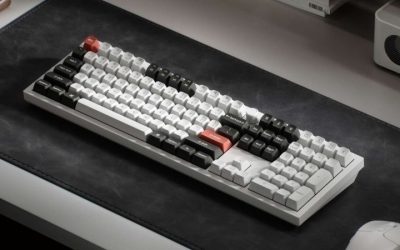
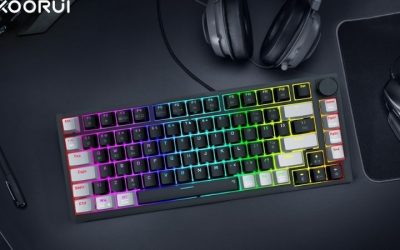
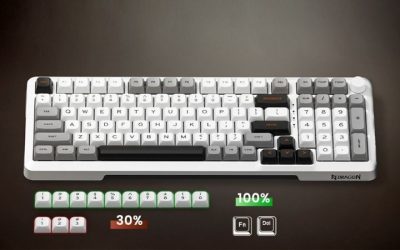
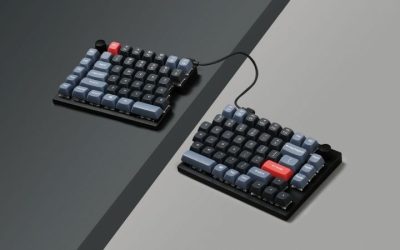
The best compact keyboards with knobs should save desk space without losing a useful physical control for volume or another frequently repeated command. Verify that the knob is included in the chosen variant and that its customization method works on your operating system. A rotary knob may work as a simple volume control, a programmable encoder or a fixed media control depending on the model and firmware. Check what it does without extra software, whether you can remap it on Windows or Linux, and whether profiles remain available when moving between computers. Layout size matters too: a smaller board frees mouse space but may hide navigation keys behind layers. This list focuses on useful everyday controls and gaming practicality rather than assuming the presence of a knob makes two keyboards equivalent.
Quick verdict: compact keyboards with usable knobs
A compact keyboard with a knob should save desk space while making a frequently used adjustment easier, not create a new software dependency. Check whether the rotary control works out of the box, which actions it can perform and how the exact board is configured. The shortlist separates compact everyday boards from larger or gaming-specific alternatives with different trade-offs.
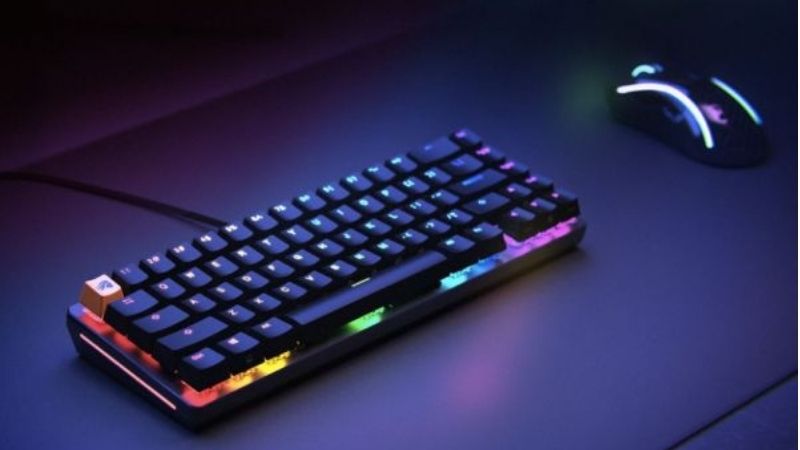
For compact keyboards with a physical knob, 75% models such as Keychron V1 Max and Q1 HE are the cleanest fit. The Lemokey L3 has a knob but occupies more room as an 80%/TKL-class keyboard.
For the primary use case: Keychron Q1 HE. The shortlist describes it as balances compact editing and gaming functions. Its distinguishing evidence is 75% ANSI keyboard with knob, magnetic Rapid Trigger and 0.2–3.8mm adjustable actuation. The limiting check is switch hot-swap supports specified Gateron magnetic family only; not ordinary MX switches. These are model-specific factors, not a promise of independent testing or verified U.S. checkout.
A contrasting option: Keychron V1 Max. The shortlist describes it as a less specialized compact mechanical option with web-based remapping. Its distinguishing evidence is 75% knob mechanical keyboard, gasket mount, 2.4GHz 1000Hz and Bluetooth. The limiting check is conventional mechanical switches do not support magnetic Rapid Trigger. These are model-specific factors, not a promise of independent testing or verified U.S. checkout.
Comparison table: keyboards, features, and trade-offs
| Product / exact family | Verified feature or evidence boundary | Best fit | Major caveat | US price — exact variant, checked Oct 31, 2026 | Stock status — exact variant, checked Oct 31, 2026 |
|---|---|---|---|---|---|
| Keychron Q1 HE | 75% ANSI keyboard with knob, magnetic Rapid Trigger and 0.2–3.8mm adjustable actuation | Balances compact editing and gaming functions | Switch hot-swap supports specified Gateron magnetic family only; not ordinary MX switches | $239.99 (Keychron, selected switch) | Out of stock (backordered) |
| Keychron V1 Max | 75% knob mechanical keyboard, gasket mount, 2.4GHz 1000Hz and Bluetooth | A less specialized compact mechanical option with web-based remapping | Conventional mechanical switches do not support magnetic Rapid Trigger | $114.99 list (Keychron, selected switch) | Out of stock (backordered) |
| Lemokey L3 | 80% TKL QMK board, knob and macro column, double-gasket mount, 1000Hz 2.4GHz/wired | A heavier customizable keyboard for combined games and productivity | Not 75%, heavy, and 1000Hz rather than wireless 8k | $194.99 (Keychron/Lemokey selected barebone variant) | Backordered (selected Navy Blue barebone) |
| EPOMAKER TH80 V2 Pro | 75%, 78 keys; metal knob + mini screen; wired/2.4GHz/BT | Independent maker with physical dial and compact keys | Verify knob mapping, U.S. destination shipping and actual SKU | $77.99 (EPOMAKER, black/Creamy Jade) | Add to Cart (EPOMAKER; checkout unconfirmed) |
| Keychron Q1 Max fully assembled knob | 75% ANSI wireless mechanical, 1724g aluminum, knob, Bluetooth/2.4GHz/wired; published BT 90Hz | Premium metal case and knob with MX hot-swap | Heavy, selected Q1M-M3 Brown variant backordered on current site; 90Hz Bluetooth not 1kHz | $229.99 (Keychron selected Q1M-M1) | Backordered (selected carbon-black/red) |
| Lemokey P1 HE ANSI knob | 75%, 2.4GHz/Bluetooth/wired, 0.2–3.8mm adjustable magnetic actuation | Rapid Trigger gaming plus a genuine knob | Only Gateron Double-Rail Magnetic Nebula switches; stock/ANSI revision must be confirmed | $169.99 (Keychron P1H-P1 listing; promo observed $135.99) | Backordered (selected white shine-through) |
| Ducky OK-M 75 Wireless | 75% gasket mechanical; knob with volume/mute; VIA; wired/2.4GHz/BT | Independent maker with lab-tested compact rotary controls | Less consistent competitive input latency; conflicting maker spec table, verify actual SKU | $79.99 (Lenovo US reseller listing) | Add to Cart; stock not directly checked |
| EPOMAKER TH80 Pro | Independently researched 75% mechanical wireless board with a rotary knob, multiple switch configurations | Casual gaming + productivity when sturdier plastic feel matters | RTINGS identifies competitive-latency shortfall; verify exact Pro variant and switch selection | $71.99 (Walmart US EPOMAKER TH80 Pro) | Out of stock at Walmart selected listing |
US price and inventory observations are tied to the named seller, selected SKU, color or memory configuration where specified. “Buy Now” and “Add to Cart” describe purchase buttons, not a completed checkout or guaranteed warehouse stock. Family-level pricing, obsolete variants, and conflicting source badges are explicitly qualified. Unresolved rows are not assumed purchasable.
Additional comparisons and purchase considerations
| Situation | Recommended evaluation or next action |
|---|---|
| Daily volume adjustment | Prefer default media-control knob |
| Streaming and editing shortcuts | Verify programmable turn/press actions |
| Linux workstation | Prefer open firmware or browser-based configurator |
Shortlisted keyboards and the differences that matter
Keychron V1 Max — fit and limitations
Keychron V1 Max is on this shortlist for a specific reason: 75% knob mechanical keyboard, gasket mount, 2.4GHz 1000Hz and Bluetooth. That makes it relevant when a less specialized compact mechanical option with web-based remapping. Layout and switch technology affect desk space, finger travel, and typing feel in different ways. A knob or gaming mode is useful only when the software and physical controls support your own workflow.
The main qualification is conventional mechanical switches do not support magnetic Rapid Trigger. Verify the layout, switch compatibility, wired/wireless mode, and profile storage on the exact revision before deciding. This is a specification-led comparison, not a claim that we measured this model in a controlled hands-on test.
Lemokey L3 — fit and limitations
Lemokey L3 is on this shortlist for a specific reason: 80% TKL QMK board, knob and macro column, double-gasket mount, 1000Hz 2.4GHz/wired. That makes it relevant when a heavier customizable keyboard for combined games and productivity. Layout and switch technology affect desk space, finger travel, and typing feel in different ways. A knob or gaming mode is useful only when the software and physical controls support your own workflow.
The main qualification is not 75%, heavy, and 1000Hz rather than wireless 8k. Verify the layout, switch compatibility, wired/wireless mode, and profile storage on the exact revision before deciding. This is a specification-led comparison, not a claim that we measured this model in a controlled hands-on test.
Buying guide: fit, switches, and software checks
Model eligibility and buying decisions
Head-to-head: two 75% knob keyboards, different reasons to buy: A rotary knob alone cannot distinguish a usable compact gaming keyboard. RTINGS’ direct EPOMAKER TH80 Pro versus Ducky OK-M comparison tested two different-maker wireless 75% mechanical boards with actual physical knobs. EPOMAKER feels more robust in chassis construction, but Ducky has more consistent stabilizers and its gasket system yields a softer typing action. This comparison is about the tested units and not a claim that every switch/color variant has identical key feel.
For gaming, the trade-off is sharper: RTINGS’ TH80 Pro latency review considers it suitable for casual gaming, but not low-latency competitive play. Its ability to pair multiple Bluetooth devices does not fix that competitive delay. RTINGS’ Ducky OK-M 75 test finds good general performance, albeit less stable than tournament-focused keyboards. The Ducky knob controls volume and mute by default; remapping support does not establish that every game recognizes a custom encoder command.
| What you actually want | Specific board / verification | When to reject it |
|---|---|---|
| Quiet, stable typing with a convenient physical volume knob | Ducky OK-M 75; test knob click-to-mute, VIA access and exact keycap colorway | Unlit Black & Blue legends hinder night use, or repeated fast inputs feel delayed |
| Casual gaming plus a sturdier-feeling 75% chassis | EPOMAKER TH80 Pro, verified TH80 Pro (not an unrelated TH80 revision) | Competitive rhythm/FPS input timing is the primary buying job |
| Competitive adjustable actuation with a dedicated knob | Choose an exact magnetic knob SKU only after independent tests of its actuation and latency | Product page shows a knob on another version or only offers a volume roller |
Return-window control test: connect each board in its intended wired, 2.4GHz or Bluetooth mode; operate the knob in Windows system audio, Discord and a full-screen game; press to mute 20 times; and validate a programmed shortcut after restarting the keyboard and PC. Count missed actions and document whether the knob affects the OS mixer or only a per-app mixer. Do not market an untested remap as guaranteed per-game control. Confirm U.S. seller’s exact switch, colorway and return policy; today’s checkout price and stock remain unverified by this article.
A knob should serve a repeatable action: A rotary encoder is practical for volume, timeline navigation or application shortcuts, but confirm it is remappable in the configuration software before buying for custom actions. Some devices assign knob press, clockwise and counterclockwise turns separately; do not assume all three are available.
Measure the footprint instead of trusting percentages: The advertised 65%, 75% or 80% layout does not fix bezel size, macro columns or wrist clearance. A metal TKL with an extra macro strip can make a surprising desk-space difference. Compare physical width and cable routing for your mouse-sensitivity setting.
Magnetic features versus mechanical feel: Q1 HE is a magnetic model with adjustable actuation; V1 Max is a mechanical gasket-mounted board with 2.4GHz wireless and Bluetooth. For someone primarily editing or working, the latter may be simpler; for rapid-trigger gaming the former earns its added complexity.
The knob-and-shortcut trial: Bind the knob to master volume and choose one application-specific task, then switch between programs. Check whether mappings remain on the keyboard after a reboot and whether the browser-based tool can access the board from your OS.
A knob should do a task, not merely fill a product image: Look for a physically accessible rotary encoder that supports at least turn-left, turn-right and press actions if those functions matter to your workflow. A typical use is system volume and mute, but in-game utility might include zoom level, timeline scrubbing, brush size or microphone balance if the software can bind those operations. A physical knob with a proprietary, Windows-only utility can become less flexible on Linux or a locked-down work PC. Confirm whether remapping is stored in firmware, supported in a browser app, or requires a background process. The Keychron V1 Max should be checked specifically in a knob-equipped variant, rather than assuming every V1 Max package includes it.
Buying choice: an EPOMAKER knob keyboard that is not another Keychron variant: A compact knob roundup can become misleading if it offers several switch colors of one model as separate products. The EPOMAKER TH80 V2 Pro is a genuinely different manufacturer’s 75%, 78-key keyboard with a physical metal multi-function rotary knob and a 1.06-inch display. Its official page states three connection options (USB-C wired, 2.4GHz dongle and Bluetooth), five-layer gasket construction and a 10,000mAh battery. The maker also promotes a 2ms figure; that is a vendor claim, not an independent measured end-to-end latency result and not a reason to rate it above a tested esports board.
Contrast that with the Keychron V1 Max : a 328.5mm-wide 75% model with a separately specified Fully Assembled Knob SKU and an alternative barebone-knob configuration. The chosen assembled brown-switch knob variant on the maker’s page currently shows backorder, so the presence of an Add to Cart widget elsewhere on the page does not verify that exact variant’s immediate U.S. shipment. The Lemokey L3 has a confirmed knob too, but its 401mm-wide 91-key shell makes it materially larger than a 328.5mm V1 Max; the site shows an availability notice rather than reliable ready-to-ship proof.
Choose on controls and footprint, not the number of knobs
| Model | Knob and size | Useful advantage | Gate before purchase |
|---|---|---|---|
| EPOMAKER TH80 V2 Pro | 75%, 78 keys, metal knob plus screen | Different-brand choice with tri-mode and gasket mounting | Verify U.S. destination checkout, software mapping and return policy |
| Keychron V1 Max | 75%, 328.5mm width; specific assembled-knob SKU | QMK/Launcher remapping and 2.4GHz | Selected variant may be backordered; barebone lacks caps/switches |
| Lemokey L3 | 91 keys; 401mm wide | Extra keys if desk allows | Not as compact; availability limited |
Practical test: rotate the knob one detent in Windows volume control and in an active game, then check whether pressing the knob sends the expected command. Distinguish default hardware volume from a custom shortcut stored on-device, and confirm the remap survives reboot and software exit. Measure keyboard width with a tape and include mouse-sweep room; for a competitive low-DPI setup, that extra 72.5mm between L3 and V1 Max can matter more than decorative screen features. None of these maker listings constitutes a complete U.S. ZIP checkout or a lab-confirmed acoustic/input-lag comparison.
Fit and design trade-offs
Choosing between 65%, 75% and compact full-size: A 65% layout typically gives arrows but sacrifices a dedicated function row; a 75% layout keeps more direct navigation. A compact 96% or 1800-style keyboard retains the numeric pad while shrinking gaps. None automatically has smaller keycaps: most use standard key pitch, but the distance between sections changes. For game development and daily spreadsheet work, extra dedicated keys can save remapping effort. For competitive shooters, a narrower chassis gives the mouse more usable space. Calculate the desk’s remaining mouse sweep after measuring keyboard width, not just its nominal percentage.
Variant, desk footprint and connection-specific knob buying gates: Knob configuration is variant-specific. Keychron identifies the V1 Max as a 75% ANSI board measuring 328.5 × 148.7mm, with Fully Assembled Knob and Barebone Knob choices. The barebone excludes switches and keycaps: compare the complete build cost, not just the advertised base price. Keychron specifies 1,000Hz polling for 2.4GHz and wired modes, but only 90Hz in Bluetooth mode. Do not use the 1,000Hz claim to characterize Bluetooth gaming. The inspected Fully Assembled Knob / Brown selection was backordered , so it is not an approved buy-now US pick at that exact configuration. Keychron V1 Max SKU/configurator .
For another 75% knob board, Keychron specifies the Q1 HE with Gateron Double-Rail magnetic switches, aluminum body, gasket mount and configurable rapid trigger. This is not a generic hot-swap MX board: Keychron states that the Q1 HE accepts its supported Double-Rail magnetic switch family and does not support the named Magnetic Jade or KS-20 magnetic switches. That distinction matters if the purchaser expects easy mechanical-switch replacement. Keychron Q1 HE specifications .
| Buyer requirement | Safer selection | Evidence gate |
|---|---|---|
| Smallest 75% knob build, conventional mechanical switches | V1 Max Fully Assembled Knob when the exact switches are available | Check the selected Type, switch and stock; do not count the backordered Brown variant as available |
| Rapid Trigger and knob | Q1 HE; verify magnetic-switch compatibility and current delivery status | Do not treat mechanical hot-swap and magnetic hot-swap as equivalent |
| Strict compact desk | Compare chassis millimeters, not 75% versus 80% marketing | Lemokey L3’s extra column and TKL-class layout may consume more space |
| Linux/macOS remapping | Use Keychron Launcher with a supported Chromium browser and a compatible connected device | Test actual knob mapping and onboard memory before the return period ends |
Checkout workflow: choose the complete variant first, confirm its U.S. seller and delivery promise, add required keycaps or switches for barebone, then confirm that the knob appears on the exact item photograph and variant title. This guide did not complete a ZIP-code checkout, and a manufacturer header price is not a confirmed final delivered price. Keychron Launcher .
Physical footprint test: why a volume roller and a rotary knob are not the same
Two products can be ‘75%’ keyboards yet create different buying experiences. Keychron’s V1 Max has a 328.5mm-wide body, 75% ANSI layout, 2.4GHz and Bluetooth 5.1, and an explicitly named Fully Assembled Knob configuration. On the US-facing page examined, the selected brown-switch assembled-knob version was backordered. The lower price of a barebone knob version does not include switches and keycaps, and should not be presented as the price of a ready-to-type complete board.
The Q1 Max is a premium 75% aluminum construction with a 327.5mm width and a 1000Hz 2.4GHz/wired reporting path. Its selected knob variant also showed a backorder status when examined. It is not an independent smaller-size model merely because it is expensive. Both Q1 Max and V1 Max show much lower manufacturer-listed Bluetooth reporting frequency than their wired/2.4GHz modes; the latter connection is better suited to competitive play. Listing one barebones, one fully assembled and one color as three ‘picks’ would be misleading.
Razer’s BlackWidow V4 75% support page specifies a 321mm width and a dedicated volume roller plus media controls, not necessarily a general-purpose programmable rotary encoder. A volume roller can be the more convenient choice when in-game audio mixing is all you need; it should not receive an invented claim of fully remappable analog knob behavior.
| Buying priority | First model to investigate | Exact rejection check |
|---|---|---|
| Custom knob macros, wireless 2.4GHz, lower chassis weight | V1 Max knob | Do not check out the barebone variant accidentally; selected assembled switch may be backordered |
| Heavy metal case, knob and office/gaming hybrid | Q1 Max knob | At ~1.7kg, it is not a lightweight commuting board; confirm variant stock |
| One-handed volume and media controls on a 75% gaming board | BlackWidow V4 75% | A media roller is not automatically the same programmable encoder as Keychron’s knob |
Macro and physical-space validation: Measure the total keyboard width including the thumb-wheel or any attached wrist rest. Reserve mouse travel space separately and confirm the cable exits. In Keychron Launcher, verify that turning the knob clockwise, counter-clockwise and pressing it can perform the intended supported functions before assuming custom game macros. On Razer, test the roller in Windows and in fullscreen games while the correct Synapse profile is active. Export a profile, restart, and confirm which mappings actually persist. Do not confuse a software demonstration with a guarantee of onboard-profile support for every mapped feature.
US availability note: current displayed stock is a selected configuration and may change by switch, color, kit and shipping ZIP. These pages prove construction and configuration, not final taxes, shipping, checkout eligibility or buyer-owned testing. Do not mark a backordered selection as a buy-now winner.
Compatibility, setup and verification
Test-method correction: a chord-split score is not a rhythm-game guarantee: The RTINGS Ducky OK-M 75 lab review records unusually good performance on its chord-split test, but explicitly cautions against using that result to promise timing accuracy in rhythm games or very dense simultaneous-input titles. This distinction matters for the target keyword: a 75% knob board can have good multi-key packet behavior while still having more variable latency than a competition-focused board. The same tested Ducky Black and Blue colorway has poor shine-through key legends, and Ducky does not publish an expected battery-runtime figure. Do not invent a battery-hours estimate for a knob-and-RGB configuration.
| Buyer asks for | Evidence-led acceptance gate | Disqualifier |
|---|---|---|
| Rhythm-game accuracy with knob-controlled mixer | Record repeated 4-key and 8-key patterns at the intended connection mode, test same pattern after turning the knob rapidly | Mis-timed chords or unintended media events; do not substitute the lab chord-split score for local trial |
| Dark-room gaming and Discord volume | Use the chosen colorway in a dark room, rotate knob and press mute with game in fullscreen | Black and Blue legends unreadable at practical RGB brightness; knob only controls system rather than required application mixer |
| Wireless work across two hosts | Confirm 2.4GHz receiver behavior separately from Bluetooth and save remap before reboot | Unsupported per-app remapping, latency in games, or a seller listing of OK-M 65/98 rather than tested OK-M 75 |
The independent TH80 Pro–OK-M 75 comparison supports a typing-feel choice, not the claim that either keyboard is objectively best for competitive chord timing. Document the model label, firmware, wired/receiver/Bluetooth mode and the tested switch color before submitting a return. This adds a distinct false-positive prevention step to the purchase decision; no first-party test or U.S. ZIP-specific checkout was performed.
Independent-check: Ducky OK-M 75 brings a real knob outside the Keychron family: The shortlist should not become a collection of sibling Keychron model names. RTINGS’ May 2026 Ducky OK-M 75 lab review independently confirms a rotary knob used for volume and mute, a 75% chassis, gasket mounting, VIA programmability and 2.4GHz/Bluetooth options. It measures adequate gaming latency for normal play but warns that timing is less consistent than purpose-built competitive boards. That means the Ducky is a grounded daily-work-plus-gaming alternative, not evidence that every knob keyboard can replace a Rapid Trigger tournament board.
| Need | Prioritize | Do not assume |
|---|---|---|
| Volume/mute knob, quieter office/game typing | Ducky OK-M 75 mechanical 75%, physical volume encoder | Magnetic Rapid Trigger or the fastest measured competitive latency |
| Adjustable reset/rapid inputs plus knob | Lemokey P1 HE exact fully assembled knob variant | Ordinary MX switch swaps work on magnetic sockets |
| Premium metal case with conventional switch feel | Keychron Q1 Max fully assembled knob variant | Bluetooth matches the low-latency 2.4GHz mode |
| Budget mechanical remapping, less weight | Keychron V1 Max knob variant | Every color/packaging variant actually includes a knob |
Important Ducky documentation conflict: the brand’s OK-M page describes tri-mode mechanical units with a knob, but a spec table on the same page contains inconsistent wired-only, magnetic-switch and 8000Hz fields. Those table claims must not override the independently researched OK-M 75 variant. Ducky publishes a separate OK-M-75 Wireless manual/firmware entry . A U.S. shopper should request the printed part number, switch type, connection modes and photo of the exact unit, then compare it with the independent test unit before paying.
Knob functionality trial: first rotate to change system volume, press to mute, then remap it through the matching firmware/VIA profile while USB-connected. Unplug USB, pair 2.4GHz and Bluetooth separately, and test whether the knob mapping persists when returning to the desktop and a game. If binding requires a background app blocked by the intended OS, reject that configuration. For rapid-trigger titles choose the separately validated P1 HE magnetic model; for mixed typing and casual gaming, the Ducky can be the better compromise without pretending the response timings are identical.
Model-specific knob shortlist: four 75% boards, four very different compromises: For compact keyboard buyers, the correct first question is not simply whether the product family has a knob; it is whether the selected assembly and layout include a physical rotary encoder. Keychron’s US V1 Max V1M-D3 listing explicitly selects a fully assembled knob version at 770g, while the Q1 Max Q1M-M3 listing also specifies a knob but grows to approximately 1,724g in aluminum. At the observed time both selected examples were marked backordered, not ready-for-delivery purchases; the seller’s U.S. ZIP checkout must be revisited.
| Real buyer job | Keyboard and model boundary | Before paying, verify |
|---|---|---|
| Low-cost everyday dial + compact wireless | Keychron V1 Max fully assembled knob, mechanical MX-compatible switches, 770g | Current selected knob SKU availability; knob remaps while wired in Chrome/Edge/Opera; actual 2.4GHz dongle included |
| Heavy premium case and mechanical switches | Keychron Q1 Max fully assembled knob, aluminum, approx. 1,724g | Travel weight; 90Hz published Bluetooth polling versus 1,000Hz 2.4GHz/wired; verify desired knob function on each OS |
| Magnetic Rapid Trigger with a physical knob | Lemokey P1 HE 75%, knob, magnetic actuation adjustable 0.2–3.8mm | Only Gateron Double-Rail Magnetic switches; cannot swap standard MX or other HE types; current ANSI US offer |
| Modular magnetic gaming and stronger case | Keychron Q1 HE 75% knob, high-mass aluminum chassis; independent RTINGS test covers its 1,000Hz wired/receiver behavior | Do not transfer test figures to different Q1 HE 8K revision or assume Bluetooth equals receiver latency |
The Q1 HE and P1 HE look related but are different products with different switch compatibility: the P1 HE manufacturer details explicitly exclude Gateron Jade and KS-20 magnetic substitutes. This is more consequential to a modder than a marketing statement about ‘hot swap’. For the Q1 Max, Keychron’s detailed specification gives 90Hz Bluetooth polling versus 1,000Hz using wired or 2.4GHz; neither number is by itself proof of the complete end-to-end typing latency.
Knob acceptance protocol: confirm a photo of the chosen SKU’s upper-right corner, then turn/press the dial to adjust volume in the operating system. Use the documented web configurator over USB to assign a different function, save it, and retest on the 2.4GHz receiver and Bluetooth separately. For P1 HE, enter a Rapid Trigger setting only on the compatible magnetic board, then disable it for typing. Reject the purchase if the knob binding depends on a background app unavailable on the intended OS or the seller only ships barebone/no-knob variants.
Mechanical feel, software and practical installation: Hot-swappable support can ease switch changes, but it does not mean a keyboard supports any magnetic switch. Verify five-pin mechanical sockets versus Hall-effect-specific internals. Gasket mounting may alter acoustic feedback and perceived softness, but does not automatically produce lower input latency. For a wireless model, distinguish Bluetooth from low-latency receiver mode and check battery performance under RGB lighting. Always verify that the knob can be configured on your actual operating system before buying. A buyer who only needs volume adjustment may be happier with a lower-cost board that has a fixed reliable knob.
Price and availability checks
The knob must exist on the exact purchase variant
V1 Max 75% layout and backorder check: The exact V1 Max product page specifies a 75% ANSI layout with knob, 2.4GHz, Bluetooth, 1,000Hz and configurable QMK/Launcher support. The selected assembled knob configuration is marked backordered.
US buying evidence at this checkpoint: Keychron $114.99 displayed; fully assembled knob/Brown variant backordered. This is a page observation, not completed checkout, and must not be presented as universal stock or delivery availability.
Encoder mapping in games versus OS volume controls: A product family can contain knob and no-knob configurations, and a barebone kit can omit switches and keycaps. Price tiles often default to a configuration different from what a gamer expects.
How we selected these options and checked evidence
We prioritized actual compact layouts with a physical rotary control, then checked configuration options and gaming ergonomics. Different operating systems and firmware versions can alter knob functionality.
The comparison is based on the exact configuration and technical limitations recorded in this draft, with model identities, connection requirements, and purchase conditions treated separately. Published manufacturer specifications are not substitutes for independent long-duration measurements. Prices and stock are seller-, date-, and region-specific; where no current U.S. checkout was verified, that uncertainty remains visible instead of being presented as a live offer. The recommendations are therefore shortlists for further verification, not accounts of our own hands-on lab tests.
Frequently asked questions
Can a rotary knob control game volume without software?
Often the default assignment sends system media commands, but game-specific actions usually need remapping. Check the exact model’s onboard and software options.
Are compact layouts worse for productivity?
Not necessarily. Choose by the keys you use daily; a 75% board keeps more navigation keys than a 65% while remaining compact.
Final thoughts
A user seeking a compact layout for game chat and volume control can consider the V1 Max if the knob-equipped complete version becomes obtainable. A buyer prioritizing instant availability should select a separately verified model rather than silently switch to barebones.
Check cart variant name for “Fully Assembled Knob”; photograph the part-number and price; use launcher to bind volume/scroll/macro and ensure in-game key remapping does not conflict with OS media shortcuts.
Do not count barebones and assembled V1 Max as two independent keyboard picks; do not claim the knob is on every listing.