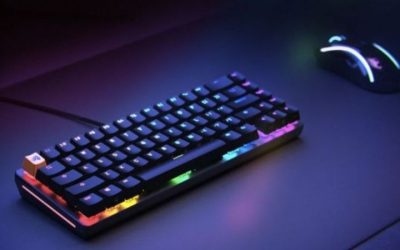
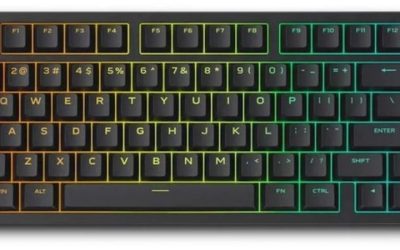
The best RGB keyboards for Linux should work as keyboards before their lighting is considered. The real purchasing distinction is whether RGB modes, remapping and onboard profiles can be controlled from Linux or only from Windows-exclusive software. A keyboard can type normally through standard USB support while still lacking a native Linux app for its RGB effects. Look for onboard lighting modes, firmware-based remapping and well-documented compatibility with tools such as OpenRGB, VIA or the manufacturer’s own utility where applicable. Not every firmware revision exposes the same controls, and community support can differ by device. Choose the keyboard you can actually configure on your distro, then weigh its switches, layout and wireless limitations rather than treating Linux compatibility as a simple yes-or-no badge.
Quick verdict: RGB keyboards that fit Linux setups
Linux compatibility has several layers: basic typing, onboard shortcuts, lighting control and full key remapping. A keyboard can succeed at the first while still requiring Windows-only utilities for the features that prompted the purchase. The picks below distinguish Linux-native configuration approaches from boards that rely more heavily on onboard controls or unverified community support.
An RGB keyboard that types on Linux is not necessarily an RGB keyboard whose lighting you can customize on Linux. Look for Linux-capable configuration tools or truly onboard lighting controls and confirm the exact firmware revision.
For the primary use case: System76 Launch (launch_3b). The shortlist describes it as linux-native graphical per-key RGB and remapping. Its distinguishing evidence is Individually addressable RGB with official Linux Configurator; wired USB and firmware-stored controls. The limiting check is wired and heavy (~948g), not a wireless gaming board; verify SKU/revision. These are model-specific factors, not a promise of independent testing or verified U.S. checkout.
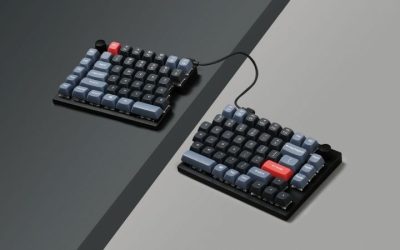
A contrasting option: Kinesis Freestyle Edge RGB Plus. The shortlist describes it as a genuinely split gaming keyboard with independently positioned halves. Its distinguishing evidence is Split wired gaming mechanical keyboard, 20-inch linking cable, included tenting lift and RGB. The limiting check is wired cable between halves limits separation; software feature support varies by OS. These are model-specific factors, not a promise of independent testing or verified U.S. checkout.
Comparison table: keyboards, features, and trade-offs
| Product / exact family | Verified feature or evidence boundary | Best fit | Major caveat | US price — exact variant, checked Oct 31, 2026 | Stock status — exact variant, checked Oct 31, 2026 |
|---|---|---|---|---|---|
| System76 Launch (launch_3b) | Individually addressable RGB with official Linux Configurator; wired USB and firmware-stored controls | Linux-native graphical per-key RGB and remapping | Wired and heavy (~948g), not a wireless gaming board; verify SKU/revision | $285.00 (System76 Launch) | Buy button; checkout availability not confirmed |
| Kinesis Freestyle Edge RGB Plus | Split wired gaming mechanical keyboard, 20-inch linking cable, included tenting lift and RGB | A genuinely split gaming keyboard with independently positioned halves | Wired cable between halves limits separation; software feature support varies by OS | $199.00 (Kinesis MSRP) | Retail price/stock not independently verified |
| Lemokey L3 | 80% TKL QMK board, knob and macro column, double-gasket mount, 1000Hz 2.4GHz/wired | A heavier customizable keyboard for combined games and productivity | Linux USB HID is not proof of native RGB editing; confirm exact OpenRGB device support or Launcher browser/firmware workflow | $194.99 (Keychron/Lemokey selected barebone variant) | Backordered (selected Navy Blue barebone) |
| Keychron V1 Max | 75% knob mechanical keyboard, gasket mount, 2.4GHz 1000Hz and Bluetooth | A less specialized compact mechanical option with web-based remapping | Conventional mechanical switches do not support magnetic Rapid Trigger | $114.99 list (Keychron, selected switch) | Out of stock (backordered) |
| Keychron Q1 HE | 75% ANSI keyboard with knob, magnetic Rapid Trigger and 0.2–3.8mm adjustable actuation | Balances compact editing and gaming functions | Switch hot-swap supports specified Gateron magnetic family only; not ordinary MX switches | $239.99 (Keychron, selected switch) | Out of stock (backordered) |
US price and inventory observations are tied to the named seller, selected SKU, color or memory configuration where specified. “Buy Now” and “Add to Cart” describe purchase buttons, not a completed checkout or guaranteed warehouse stock. Family-level pricing, obsolete variants, and conflicting source badges are explicitly qualified. Unresolved rows are not assumed purchasable.
Additional comparisons and purchase considerations
| Buyer situation | Model to investigate | Evidence-led rejection / acceptance test |
|---|---|---|
| Per-key RGB from Linux without Windows | System76 Launch | Check Linux Configurator installs for exact hardware and saves per-key LED pattern |
| 75% wireless input plus occasional configuration | Keychron V1 Max | Check wired Launcher browser configuration; test profile persistence over 2.4GHz/Bluetooth |
| Split ergonomics with onboard patterns | Kinesis Freestyle Edge RGB+ | Test onboard shortcuts and profile persistence; reject if Linux desktop RGB GUI required |
| Esports magnetic actuation | Keychron Q1 HE | Check actuation and RGB separately on exact firmware; never assume regular MX compatibility |
Shortlisted keyboards and the differences that matter
Kinesis Freestyle Edge RGB Plus — fit and limitations
The wired Freestyle Edge RGB+ addresses the ergonomic problem a conventional 75% board cannot: adjustable separation between physical halves and onboard lighting profiles. Kinesis lists Linux among plug-and-play USB systems, yet its downloadable SmartSet GUI is documented for Windows and macOS. On Linux, treat lighting customization as onboard/conditional rather than claiming a native desktop control panel.
Before buying, use Kinesis’ published shortcuts to switch profiles and test whether the effect survives unplug/replug on the intended Linux distribution. Buyers who need visually edited per-key colors without another OS should prefer a board with a documented Linux configurator.
Lemokey L3 — fit and limitations
The Lemokey L3 is a substantial 80% QMK mechanical keyboard with knob, macro keys and 2.4GHz gaming input; its larger body is not a drop-in substitute for a small 75% layout. Standard Linux typing, a QMK label and a visible RGB pattern are separate from proof that Launcher or OpenRGB can edit this exact board’s LEDs.
Confirm the L3 hardware revision and manufacturer-supported programming route for the buyer’s Linux browser before checkout. Do not treat 1000Hz receiver polling as proof of higher wireless RGB-control compatibility, and measure desk footprint if the knob and macros are not needed.
Keychron V1 Max — fit and limitations
V1 Max is the straightforward compromise for a Linux user who wants a compact wireless keyboard for everyday use and a documented configuration path. The product page explicitly specifies Launcher through Chrome/Opera/Edge with a wired connection, rather than assuming that Bluetooth exposes all programming functions.
Record the exact V1 Max knob/non-knob SKU. With the cable connected, change one harmless binding and a supported LED control, save, unplug and reconnect via Bluetooth or 2.4GHz, then check which settings persist. A Linux browser setup test is a stronger buying gate than a generic QMK badge.
Keychron Q1 HE — fit and limitations
Q1 HE combines Hall-effect adjustable actuation and rapid trigger with a 75% physical layout; those gaming controls are separate from Linux RGB editability. Its magnetic switch/socket compatibility is model-specific and does not mean standard MX mechanical switches can be swapped in.
Check the Q1 HE’s exact Launcher-compatible firmware and whether sensitivity, rapid-trigger profiles and lighting edits survive an OS switch. Reject a configuration that requires a Windows-only setup step for a must-have Linux gaming feature rather than assuming an unsupported workaround will work.
Buying guide: fit, switches, and software checks
Model eligibility and buying decisions
QMK and VIA are not blanket guarantees: Keychron/Lemokey boards marketed around QMK or Launcher often have browser or firmware tooling, but model generation, wired access and browser WebHID/WebUSB support matter. A device may work as a keyboard over Bluetooth yet require a USB cable for customization.
Compatibility, setup and verification
Linux-first buying verdict: proven RGB control is not the same as backlit keys
Linux-native RGB recommendation: put the System76 Launch (launch_3b) on the first comparison shortlist if on-Linux per-key light editing matters more than wireless gaming. System76 documents individually addressable LEDs, a Linux/Windows/macOS Keyboard Configurator and firmware-based customization. The wired, approximately 948g aluminum keyboard is not a light portable 75% wireless board; verify its exact U.S. revision and seller availability before paying. Source: System76 Launch technical specifications .
Buyer decision: choose a Keychron V1 Max if compact 75% wireless use matters and you can accept configuring it in wired mode through a supported Chromium browser. Choose Kinesis Freestyle Edge RGB+ for a split physical layout if Linux onboard effects suffice: Kinesis says Linux typing is supported but offers the graphical SmartSet app for Windows/Mac . Do not sell that combination as native Linux graphical RGB control. Q1 HE is the magnetic-rapid-trigger choice only when its exact firmware, Linux Launcher function and switch compatibility meet the buyer’s needs.
| Named requirement | Evidence-supported path | Reject the model if… |
|---|---|---|
| Linux GUI can set per-key colors | System76 Launch Configurator: explicit LEDs/per-key support | Current Linux package cannot access your exact launch_3b revision |
| 75% plus wireless keyboard | Keychron V1 Max: 2.4GHz/Bluetooth input, wired Launcher programming | Wireless-only configurator control is mandatory |
| Split keyboard with onboard light profiles | Kinesis Freestyle Edge RGB+: onboard profile shortcuts; Linux standard typing | Linux-native graphical lighting editor is mandatory |
| Magnetic actuation and RGB | Keychron Q1 HE: confirm exact Launcher and firmware build | Buyer assumes ordinary MX switches or guaranteed OpenRGB support |
Linux acceptance gate: separate the browser, device permissions and host-only add-ons: Keychron’s current Launcher guide (October 28, 2026) is concrete: supported devices use Chromium WebHID via Chrome/Edge/Opera with a permission prompt; some models accept setup via 2.4GHz receiver while others require a cable. This supports a useful Linux setup route on selected QMK/ZMK boards, not every keyboard with Keychron branding. Keychron also documents a Windows Toolbox driver for some firmware updates and a separate Quick Start Assistant on Windows/macOS. Neither should be silently marketed as available on Linux. OpenRGB 1.1, released October 16, has a different device-support list and USB/I2C privilege path; input-keyboard support does not imply per-key RGB control.
| Layer/test | What official docs establish | False positive to avoid | Linux buyer acceptance |
|---|---|---|---|
| HID typing | Standard USB input may work without proprietary app | Keyboard types, therefore RGB works | Pass typing/reconnect separately |
| Launcher remap/lighting | Exact supported QMK/ZMK model + Chromium WebHID | Any Keychron RGB model supports Launcher on Linux | Observe connect prompt and change one harmless key |
| OpenRGB 1.1 | Exact version/device ID plus USB/I2C access | OpenRGB starts, therefore controller supported | Check device list then LED control |
| Standalone privilege | udev rules often needed for AppImage/Flatpak | Run permanent GUI as root | Apply manufacturer/software documented rule and reopen session |
| Firmware and Quick Start | Windows Toolbox/host Assistant can be necessary | Feature list proves Linux firmware Quick Start | Treat those functions as OS-conditional |
Practical 15-minute return-window procedure (not performed by this publisher): record USB VID:PID, exact SKU and hardware revision; test ordinary typing; connect to supported Chromium browser and authorize only the intended device; remap one nonessential key and restore it; change a lighting zone, cold-reboot, and check persistence; then try OpenRGB 1.1 only if the versioned support list includes your controller. For AppImage or Flatpak permissions follow OpenRGB’s generated udev guidance, and avoid flashing unverified firmware solely to enable effects. Capture which features are onboard, background-service dependent or Windows-only. A failed Linux lighting test should move a board to conditional recommendation, even when it types flawlessly.
Linux RGB 2026: browser HID control, udev permissions and device support are three different tests
Keychron’s October 28, 2026 Launcher guide gives a concrete setup route for compatible Keychron devices: connect over a USB cable or supported 2.4GHz receiver, use Chrome/Edge/Opera, and select the HID device in the browser dialog. That is not the same as proof that a product is supported by OpenRGB. Separately, OpenRGB’s official Linux documentation describes udev permission rules for direct USB/I2C access, with a different route for system services versus AppImage/Flatpak. A device showing up as a standard USB keyboard proves key input, not RGB addressability or onboard lighting persistence. Verify model and firmware support for the exact US SKU before assuming any Linux app provides full lighting control.
| Question | Keychron Launcher (supported models) | OpenRGB on Linux | Pass/fail test |
|---|---|---|---|
| Does Linux type correctly? | USB HID keyboard generally works | Not a prerequisite for lighting control | Confirm login/unlock and keys after reboot |
| Can software see lighting device? | WebHID in supported Chromium browser | Requires exact device support and access to interfaces | Connect USB then enumerate on current release |
| Do profiles persist? | Depends on exact device onboard storage | Depends on device memory or daemon | Cold boot without background app |
| Does USB permission work? | WebHID prompt and Linux device permission | Rules for udev / hidraw / I²C as appropriate | Avoid permanent root launch and verify access |
Non-destructive setup sequence: (1) record keyboard hardware ID, exact marketing SKU and firmware; (2) connect over USB to a Linux desktop and prove normal typing; (3) open supported Chromium Launcher if the device is listed; (4) apply OpenRGB’s distribution-appropriate generated udev rule only where that software supports the controller; (5) set a test lighting profile and cold-reboot without launching the program. If the profile fails to persist, treat RGB as software-dependent rather than promising onboard memory. Avoid untrusted unofficial firmware builds or blanket root-only workarounds. The buyer’s acceptance threshold is verified model-level lighting control, not a generic ‘works on Linux’ badge.
USB HID compatibility is the easy part: Most keyboards can send standard keys on Linux without a vendor driver, but lighting effects, macros and firmware updates are a separate issue. Kinesis acknowledges Linux keyboard operation while its advanced SmartSet RGB application targets Windows/macOS.
Avoid guessing about OpenRGB: OpenRGB compatibility is device and revision specific. Before purchasing, check the project’s supported device list or release notes, look for the exact USB ID if available and avoid installing experimental firmware solely to change colors.
A useful Linux acceptance test: Boot the intended distribution, check keys and function layers, then try the exact supported configuration tool. Save one static color and one profile, disconnect and reconnect the keyboard, and verify persistence. If lighting cannot be changed on Linux, disclose that as a limitation rather than a hidden step.
Linux support has three distinct layers: A generic USB keyboard typically works for typing on Linux without special drivers. Controlling per-key RGB animations, remapping layers and saving macros is another question; it depends on firmware, a supported open configurator or vendor software. The System76 Launch documentation explicitly describes QMK-derived firmware and a keyboard configurator available on Linux, Windows and macOS. Keychron Launcher offers web-based customization for some models but browser USB access and firmware support should be checked on the user’s specific Linux setup. A glossy “Windows/macOS compatible” badge cannot substitute for an actual Linux RGB-control workflow.
Make a safe RGB test before buying extra software: Start with the manufacturer’s supported instructions and identify whether brightness, static color and effects can be changed with onboard shortcuts. If a browser tool is used, test a compatible Chromium-based browser and USB permission prompt on your actual distribution; this is a practical compatibility test, not a guarantee of every release working. Prefer firmware-stored settings if the machine dual-boots, so lighting does not reset when the Windows application is absent. Avoid installing unaudited scripts with root privileges solely to change keyboard colors. Check whether an open-source project lists the exact USB vendor and product ID and firmware revision, not merely a keyboard family name.
Gaming-focused features may narrow the Linux choice: Linux players also need to consider polling settings, analog switch configuration, game-specific remapping and headset or mouse software. A keyboard with QMK/VIA-like support may provide robust custom layouts but lack a particular proprietary rapid-trigger feature; a magnetic esports board can deliver fast input while limiting Linux configuration. Decide whether visual RGB control is the primary goal or a secondary benefit behind switch response. For shared Windows/Linux gaming, test that onboard profiles survive reboot into both operating systems. If macro use is intended for online games, follow the game’s input and automation policies.
Linux-only validation: USB typing, RGB control, and saved profiles are three different tests
A keyboard can type perfectly as USB HID under Linux and still lack a supported way to change its RGB effects on that OS. OpenRGB’s official release history lists version 1.1 on October 16, 2026 with Linux packages, but a fresh release is not proof that an unlisted exact keyboard USB ID is compatible . Before ordering, look for that model and hardware revision in the release-specific device list, and inspect open issues for your Linux distribution. Do not infer OpenRGB support merely from a manufacturer’s ‘RGB’ badge or from the presence of a similar keyboard family.
OpenRGB’s own Linux udev guide explains that the application needs permission for USB and/or I²C interfaces. Package installations may install rules; AppImage, Flatpak or custom builds can need manual rule generation and a udev reload. Running unrelated graphical utilities as root is not a general compatibility fix. Permission errors and an unsupported hardware controller are different failures; resolve the former without claiming to solve the latter.
For some Keychron boards the manufacturer offers another route: Launcher connects to selected wired/2.4GHz devices using the browser’s device permission dialog. The exact model, firmware and WebHID-capable browser matter; Chrome/Chromium-derived browsers are specified. A Linux desktop running Firefox without the required interface cannot be assumed to have the same experience. The Keychron support note says some functions may be inaccessible on other operating systems. A website demonstrating keyboard remapping is not independent proof that every lighting zone, effect or saved profile works with that specific device.
| Claim at checkout | Linux verification step | Pass requirement | What failure means |
|---|---|---|---|
| Keyboard works | Confirm typing/rollover on target kernel and connection mode | All needed modifiers and input keys operate | USB HID functionality not established |
| RGB configurable | Match VID/PID and firmware to OpenRGB list, or model to Launcher | Device controls reachable without Windows-only software | RGB might stay at hardware default or pre-set effects |
| RGB profile persists | Set effect, disconnect power, reconnect and inspect | Same effect stored onboard if portability is required | App-only session state; not persistent profile |
| Wireless effect editing | Test exact 2.4GHz receiver/USB mode documented | Setting applies over the supported path | May require temporary cable even when wireless typing works |
Safe pre-purchase checklist: Write down the exact keyboard hardware revision, firmware build, chosen connection path and Linux distribution; save the return policy; verify the specific OpenRGB device entry or official Launcher support. Only after those checks should the guide label a board ‘Linux RGB configurable.’ If no credible evidence exists for a model, mark lighting control unverified instead of assigning a Linux-compatible award based solely on QMK or physical RGB LEDs.
Linux RGB support: device coverage, permissions and persistence: Separate firmware support from software installation. The OpenRGB website lists Release 1.1 dated October 16, 2026 and Linux packages in AppImage, Flatpak, Debian and Fedora formats. The existence of a Linux build does not prove that OpenRGB can program any named keyboard; support must be checked against that release’s exact supported-devices list and the device’s USB vendor/product identifiers. The OpenRGB Linux udev guidance explains that standalone access to USB/I²C hardware requires appropriate permission rules. It also notes that distro packages may install those rules, whereas AppImage or Flatpak users may need to configure them. OpenRGB releases ; OpenRGB Linux permissions .
Use the vendor route when documented. Keychron lists V1 Max and Q1 HE support for its Launcher web configurator on Linux. Launcher asks users to connect by cable or a compatible 2.4GHz receiver, select the HID device in the browser permission dialog, and configure lighting and remapping. A standard USB keyboard typing immediately after plug-in only proves the input interface works; it does not prove RGB profiles persist after reboot or that every magnetic/analog option is available. Keychron Launcher interface ; V1 Max platform claim .
| Linux buyer check | Pass condition | Failure meaning |
|---|---|---|
| Normal typing | All keys and rollover work in the intended USB/2.4GHz connection | Input path or firmware problem |
| RGB customization | Exact model appears in supported tool, and static per-key or zone changes take effect | Vendor firmware or OpenRGB device list may not support it |
| Permissions | User-space app detects hardware without unsafe ad-hoc permission escalation | Check published udev method rather than running arbitrary scripts as root |
| Persistence | Lighting/remap behavior survives disconnect and cold restart | The profile may be PC-side, not truly saved to onboard memory |
Purchase gate: choose the specific QMK/Launcher model and verify that its exact hardware revision appears in official support materials. For unsupported proprietary RGB devices, do not invent an OpenRGB compatibility result. This guide has not tested a live distribution, kernel or USB VID/PID combination; manufacturer Linux claims and generic HID behavior remain separate levels of evidence.
Linux input compatibility is not full RGB support
OpenRGB 1.1 dependency and device support: OpenRGB published Linux-supported version 1.1 on October 16, 2026, but explicitly requires appropriate hidapi-hotplug packages for Debian/Fedora downloads. Keychron describes Launcher as compatible with Linux for V1 Max.
US buying evidence at this checkpoint: Keychron V1 Max $114.99 storefront family; chosen assembled knob variant backordered. This is a page observation, not completed checkout, and must not be presented as universal stock or delivery availability.
Safe HID permissions and persistent lighting profiles: “Linux compatible” can mean keypresses work out of the box; it does not guarantee dedicated RGB effects, hardware save, per-key remapping or firmware flashing without OS-specific steps.
Price and availability checks
Linux RGB compatibility check: software availability does not prove keyboard support: OpenRGB 1.1 was released October 16, 2026 , and the stable project offers native Linux packages and AppImage/Flatpak options. This is proof that a Linux control application exists, not that the four keyboard models in this buying guide will appear as supported RGB devices. Cross-check the exact device or USB hardware identifier in the stable-version supported-device list; the experimental pipeline can contain changes that are not in the tested stable build.
For a supported device that is not detected on Linux, OpenRGB documents a permissions gate : normal-user access may require udev rules for USB/I2C, especially on AppImage or manually installed builds. Do not tell readers that launching everything as root is the preferred permanent fix. A security-conscious workflow uses supported package instructions, verifies udev group/rules, re-plugs the hardware and checks whether RGB changes survive disconnect and reboot.
Keychron has a separate path. Its Launcher support documentation calls for current Chromium-family WebHID browser and a wired connection for many supported QMK devices; Bluetooth/2.4GHz connection is not sufficient for the documented recognition procedure. The support note also identifies Linux udev problems when the browser says connected but the control page does nothing. Exact-model firmware support, browser permissions and actual device behavior must all align.
| Layer | What you can prove | Wrong conclusion to avoid |
|---|---|---|
| USB HID typing | Keys generate ordinary Linux keyboard events | RGB can be configured or saved |
| OpenRGB stable recognition | Exact VID:PID is on a supported-device list and enumerates with correct permissions | All lighting zones and effects are fully supported |
| Browser Launcher | Specific model connects via wired WebHID with permission | Firmware flashing or wireless config always works |
| Persistent profile | Colors and remaps remain after power cycle and switching hosts | Changes are necessarily stored onboard unless retested |
Linux acceptance procedure before the return deadline: Record distribution/kernel, exact keyboard revision, connection mode, software version and USB VID:PID. First establish working typing. Then connect over wire and test manufacturer-supported Launcher; separately test the current stable OpenRGB build only when your exact device is listed. Check a static color, one effect, a power-cycle, and host swap. Stop if a firmware image is for a different revision; do not recommend speculative flashing. This documentation-level audit does not claim a fresh live test of each Linux/device combination.
How we selected these options and checked evidence
We prioritized actual Linux lighting workflows, identifying whether control depends on USB permissions, web tools, OpenRGB support or onboard profiles. An RGB logo does not establish support for every keyboard revision.
The comparison is based on the exact configuration and technical limitations recorded in this draft, with model identities, connection requirements, and purchase conditions treated separately. Published manufacturer specifications are not substitutes for independent long-duration measurements. Prices and stock are seller-, date-, and region-specific; where no current U.S. checkout was verified, that uncertainty remains visible instead of being presented as a live offer. The recommendations are therefore shortlists for further verification, not accounts of our own hands-on lab tests.
Frequently asked questions
Will RGB work just because the keys light up on Linux?
Lighting may run from onboard firmware even when Linux cannot change effects. Check the supported configuration method for the exact model.
Should I install OpenRGB for every keyboard?
No. Consult its supported-device list and manufacturer guidance, and back up settings before flashing or modifying firmware.
Final thoughts
For a Linux gaming desktop, prioritize devices with vendor-provided browser configuration, on-board profile storage or a documented OpenRGB device entry. A keyboard that needs an unsupported Windows-only utility may be fine for static defaults but risky for frequent remapping.
Record distro, kernel, udev permissions and keyboard USB VID:PID; try browser Launcher or OpenRGB stable release rather than experimental build; test reconnect, reboot and RGB profile persistence; never flash firmware to “try” without a rollback image.
Do not claim OpenRGB recognizes every keyboard, or that a Linux download of OpenRGB makes proprietary firmware universally supported.