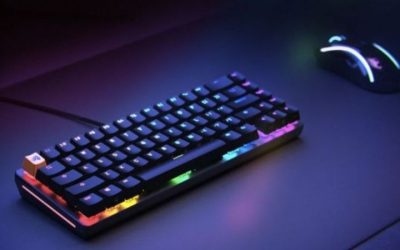
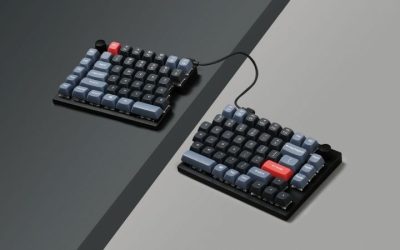
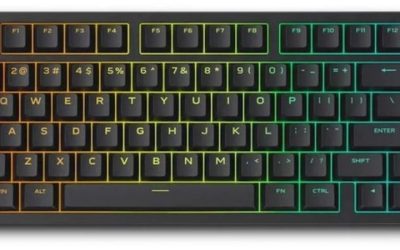
The best keyboards with adjustable actuation let players change when a press is registered, but ‘adjustable’ differs by switch technology and even by which keys support it. The actual range, reset behavior and profile software matter more than a tiny minimum-distance claim. Adjustable actuation and Rapid Trigger are related but different features: one changes the press threshold, while the other changes how a key resets as it moves. They can vary by switch generation and by which keys have the necessary sensors. Verify the supported range, whether settings are stored on the board, and whether profiles require an app. Extremely shallow thresholds can increase accidental inputs, so useful customization matters more than the smallest advertised measurement. Compare software, layout and replacement-switch restrictions before choosing a board for competitive use.
Quick verdict: matching actuation control to play
The important distinction is not just whether a product advertises adjustable actuation, but how precisely its key behavior can be configured for gaming and typing. Some switches support both actuation depth and dynamic reset, while particular keys or connection modes may be limited. Compare the available controls and software before treating competing magnetic and optical designs as interchangeable.
Adjustable actuation lets you set the key travel that registers a press. Choose Keychron magnetic options, SteelSeries OmniPoint or Razer analog optical only after checking exactly which keys and switch revisions support customization.
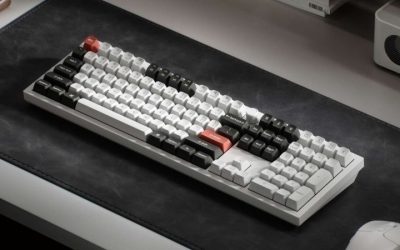
For the primary use case: Keychron Q1 HE. The shortlist describes it as balances compact editing and gaming functions. Its distinguishing evidence is 75% ANSI keyboard with knob, magnetic Rapid Trigger and 0.2–3.8mm adjustable actuation. The limiting check is switch hot-swap supports specified Gateron magnetic family only; not ordinary MX switches. These are model-specific factors, not a promise of independent testing or verified U.S. checkout.
A contrasting option: Keychron K2 HE. The shortlist describes it as a compact magnetic option for gaming and commuting. Its distinguishing evidence is 75% wireless magnetic keyboard, Rapid Trigger, 0.2–3.8mm actuation, 1kHz 2.4GHz/wired. The limiting check is version 1 and Version 2 magnetic switch compatibility differ. These are model-specific factors, not a promise of independent testing or verified U.S. checkout.
Comparison table: keyboards, features, and trade-offs
| Product / exact family | Verified feature or evidence boundary | Best fit | Major caveat | US price — exact variant, checked Oct 31, 2026 | Stock status — exact variant, checked Oct 31, 2026 |
|---|---|---|---|---|---|
| Keychron Q1 HE | 75% ANSI keyboard with knob, magnetic Rapid Trigger and 0.2–3.8mm adjustable actuation | Balances compact editing and gaming functions | Switch hot-swap supports specified Gateron magnetic family only; not ordinary MX switches | $239.99 (Keychron, selected switch) | Out of stock (backordered) |
| Keychron K2 HE | 75% wireless magnetic keyboard, Rapid Trigger, 0.2–3.8mm actuation, 1kHz 2.4GHz/wired | A compact magnetic option for gaming and commuting | Version 1 and Version 2 magnetic switch compatibility differ | $139.99 (Keychron selected K2H-Q1G) | Backordered (selected white/switch v2) |
| Razer Huntsman V3 Pro Mini | Wired 60% analog optical keyboard with 0.1–4.0mm actuation and Rapid Trigger | Small-format adjustable-actuation option when mouse space matters | A 60% layout trades dedicated keys for layers | $139.99 (Razer US white, non-8K) | Add to cart; selected white/US layout |
| SteelSeries Apex Pro TKL Gen 3 | OmniPoint 3.0 adjustable switch family with per-key settings on supported keys | A gaming choice for actuation profiles and SteelSeries software | Only 61 keys have adjustable OmniPoint actuation; measured setpoints can differ from software targets even after firmware changes. | $219.99 (Lenovo US reseller, wired black) | Add to Cart; checkout stock not confirmed |
| DrunkDeer A75 | Wired 75% magnetic keyboard with adjustable 0.2–3.3mm actuation and Rapid Trigger | A wired dedicated HE option for players prioritizing key travel settings | Check ANSI/ISO selection and case/switch package before ordering | From $93.99 (DrunkDeer variants) | Stock varies; a selected variant sold out |
US price and inventory observations are tied to the named seller, selected SKU, color or memory configuration where specified. “Buy Now” and “Add to Cart” describe purchase buttons, not a completed checkout or guaranteed warehouse stock. Family-level pricing, obsolete variants, and conflicting source badges are explicitly qualified. Unresolved rows are not assumed purchasable.
Additional comparisons and purchase considerations
| Situation | Recommended evaluation or next action |
|---|---|
| Counter-strafing and fast tap control | Test actuation plus rapid-trigger reset |
| Writing and gaming on one keyboard | Demand separate persistent profiles |
| Planned switch swapping | Verify compatible magnetic switch family |
Shortlisted keyboards and the differences that matter
Keychron K2 HE — fit and limitations
Keychron K2 HE is on this shortlist for a specific reason: 75% wireless magnetic keyboard, Rapid Trigger, 0.2–3.8mm actuation, 1kHz 2.4GHz/wired. That makes it relevant when a compact magnetic option for gaming and commuting. Adjustable actuation and Rapid Trigger are not interchangeable labels. What matters is how reset sensitivity is configured per key, which switch technology supports it, and whether the mode works in your preferred connection.
The main qualification is version 1 and Version 2 magnetic switch compatibility differ. Verify the actuation and reset menus for the exact keyboard firmware, and keep competitive-game input rules in mind. This is a specification-led comparison, not a claim that we measured this model in a controlled hands-on test.
Razer Huntsman V3 Pro Mini — fit and limitations
Razer Huntsman V3 Pro Mini is on this shortlist for a specific reason: wired 60% analog optical keyboard with 0.1–4.0mm actuation and Rapid Trigger. That makes it relevant when small-format adjustable-actuation option when mouse space matters. Adjustable actuation and Rapid Trigger are not interchangeable labels. What matters is how reset sensitivity is configured per key, which switch technology supports it, and whether the mode works in your preferred connection.
The main qualification is a 60% layout trades dedicated keys for layers. Verify the actuation and reset menus for the exact keyboard firmware, and keep competitive-game input rules in mind. This is a specification-led comparison, not a claim that we measured this model in a controlled hands-on test.
SteelSeries Apex Pro TKL Gen 3 — fit and limitations
SteelSeries Apex Pro TKL Gen 3 is on this shortlist for a specific reason: omniPoint 3.0 adjustable switch family with per-key settings on supported keys. That makes it relevant when a gaming choice for actuation profiles and SteelSeries software. Adjustable actuation and Rapid Trigger are not interchangeable labels. What matters is how reset sensitivity is configured per key, which switch technology supports it, and whether the mode works in your preferred connection.
The main qualification is only 61 keys have adjustable OmniPoint actuation; measured setpoints can differ from software targets even after firmware changes. Verify the actuation and reset menus for the exact keyboard firmware, and keep competitive-game input rules in mind. This is a specification-led comparison, not a claim that we measured this model in a controlled hands-on test.
DrunkDeer A75 — fit and limitations
DrunkDeer A75 is on this shortlist for a specific reason: wired 75% magnetic keyboard with adjustable 0.2–3.3mm actuation and Rapid Trigger. That makes it relevant when a wired dedicated HE option for players prioritizing key travel settings. Adjustable actuation and Rapid Trigger are not interchangeable labels. What matters is how reset sensitivity is configured per key, which switch technology supports it, and whether the mode works in your preferred connection.
The main qualification is check ANSI/ISO selection and case/switch package before ordering. Verify the actuation and reset menus for the exact keyboard firmware, and keep competitive-game input rules in mind. This is a specification-led comparison, not a claim that we measured this model in a controlled hands-on test.
Buying guide: fit, switches, and software checks
Apex Pro TKL Gen 3 has an important switch-zone limitation: SteelSeries specifies OmniPoint 3.0 adjustable switches for the main QWERTY keys, while navigation and function clusters use conventional Red switches. Do not assume every key on this model supports adjustable actuation or dual-actuation features.
Model eligibility and buying decisions
One number cannot define the keyboard: A 0.1mm minimum is a setting range, not proof that it is best for every hand. For typing, shallow actuation can create accidental keys; for deliberate game actions, a slightly longer travel can improve confidence. Treat per-key adjustment as a workflow, not a contest of smallest number.
Reset and press points can be independent: Rapid Trigger changes the reset behavior with travel and may help repeated taps. An ordinary mechanical board cannot gain Hall-effect sensing through software alone. Compare whether adjustment uses on-device keys, a browser configurator or a vendor Windows application.
Not every key is adjustable: Some SteelSeries boards place adjustable sensors on a selected subset; check the exact Apex Pro TKL Gen 3 switch coverage instead of extrapolating to the whole board. Manufacturer support documentation is decisive, especially when purchasing a revision with a similar name.
Build two profiles: Use one moderate profile for email, coding and chat, with longer actuation on Space and modifiers if accidental presses occur. Use a game profile only for movement and actions that genuinely benefit. Save the profiles and verify the board retains or restores them after power cycling.
Actuation point and reset point are different controls: An adjustable actuation keyboard lets the user choose how far a key travels before it triggers. Rapid trigger can reset based on release movement rather than a fixed point; these are separate capabilities even when combined on one product page. Some magnetic switches allow a broad setting range, such as the SteelSeries OmniPoint 3.0 manufacturer range of 0.1–4.0 mm. But the effective behavior depends on firmware, calibration and the key in question. For someone switching between typing and gaming, a moderately deep typing profile and shallower movement-only game profile often make more sense than an extreme globally shallow setting.
A repeatable calibration routine for the buyer: After installing the supported official configurator, record the current profile and default settings. Make small changes to WASD and one or two modifiers, then launch a training range and test intentional taps, diagonal movement, accidental activation during resting fingers and rapid re-press. If the board has multiple onboard profiles, save the changes and disconnect/reconnect to verify persistence. A setting that improves counter-strafe response but causes accidental jumping is a poor real-world result. Restore the prior profile when switching to spreadsheets or long-form typing. Do not treat millimeter increments from different switch mechanisms as guaranteed identical in feel.
Adjustable keys are not necessarily every key
Apex Pro Gen 3 61-key range and Q1 HE comparison: SteelSeries states 61 keys of Apex Pro Gen 3 can be tuned from 0.1–4mm; Keychron Q1 HE lists magnetic adjustable actuation 0.2–3.8mm. Thus “adjustable actuation” does not automatically cover every key in every model.
US buying evidence at this checkpoint: Q1 HE $239.99 listed but selected SKU backordered; SteelSeries US specific SKU price not verified. This is a page observation, not completed checkout, and must not be presented as universal stock or delivery availability.
Safe gaming and typing actuation profiles: Switch actuation distance and Rapid Trigger reset distance are two parameters; an advertised 0.1mm actuation does not establish lower end-to-end key-to-screen latency by itself.
Actuation coverage check: which keys are actually magnetic and adjustable?
A keyboard advertised with adjustable actuation does not necessarily let you set every single key. SteelSeries’ own Apex Pro Gen 3 support page states that 61 keys accept customizable actuation in its 0.1–4mm range. That is a critical limit if you plan to assign unusual movement commands to the navigation cluster, numpad, or modifier positions: confirm that each physical key you need is one of the adjustable switches, rather than assuming the whole keyboard is a Hall-effect board.
RTINGS’ independent review of the full-size Apex Pro Gen 3 confirms strong measured latency and describes analog-feature flexibility, but also identifies standard mechanical switches outside the adjustable alphanumeric area. Its 2025 firmware retest improved actuation setpoint accuracy, so a reader should not mix old results with new firmware or interpret published latency as a guarantee for a different Gen 3 TKL revision. Rapid Trigger is a dynamic reset rule; it is not automatically the same feature as gamepad-style continuous analog output.
| Buyer question | What the evidence supports | What it cannot prove |
|---|---|---|
| Can every key have a 0.1mm threshold? | No; SteelSeries explicitly limits the adjustable set to 61 keys | That every other brand has the same keys or switch layout |
| Will changing actuation always win a duel? | Settings alter when a key reports; independent tests show low keyboard latency | Measured match performance or a personal skill improvement |
| Is Rapid Trigger analog joystick output? | No; SteelSeries explains it as a moving press/reset point | A game recognizing gradual analog axes from that key |
| Can I fit any magnetic switch? | Only model-approved compatible magnetic components are safe to assume | MX-style mechanical compatibility across Hall-effect ecosystems |
Use two profiles, not a universal 0.1mm preset: Start movement keys at a moderate threshold and build a separate higher-actuation typing profile for chat, passwords and long documents. In the configuration utility, inspect the key map for each switch you want to adjust; reboot and check onboard behavior without the application open. Test Rapid Trigger in a harmless offline practice session. If a seller’s title says ‘adjustable keyboard’ but the desired key sits outside the adjustable zone, remove it from your shortlist. This comparison relies on source documentation and published third-party testing, not new in-house firmware or force-meter measurements.
Performance limits and real-world implications
Setpoint check: latency is not actuation accuracy: Low USB input latency and precise physical switch thresholds are not interchangeable. RTINGS found the SteelSeries Apex Pro Gen 3 has excellent latency, but criticized its adjustable actuation accuracy even after documenting a November 2025 firmware improvement. The independent comparison with the Razer Huntsman V3 Pro shows similar overall speed but better adjustment precision on the Razer. RTINGS’ February 2026 evaluation of the distinct, wired Huntsman V3 Pro 8KHz reports exceptionally low latency and excellent adjustable input granularity; do not silently transfer those results to the older Huntsman V3 Pro Mini or an unrelated wireless keyboard.
SteelSeries officially limits adjustable actuation on Apex Pro Gen 3/TKL to 61 supported keys . The remaining navigation, function, and other conventional-switch keys cannot inherit OmniPoint control. Check a downloadable key map before purchasing if you adjust arrow keys, F-keys, or a macro layer. The ‘0.1mm’ number in software is a selectable target, not proof a real switch always triggers at that exact displacement. RTINGS’ controlled research documents deviations between software setpoints and measured press distance across tested keyboards.
| Actual buyer constraint | Evidence-based decision | Reject if |
|---|---|---|
| Lowest competitive delay | Compare same-method tested latency; include wired Huntsman V3 Pro 8KHz as a separate 2026 variant, not an automatic upgrade from the older Mini | The seller offers the non-8K model under a similar name |
| Accurate shallow travel setting | Favor independently measured granularity and repeatability over advertised 0.1mm steps | The desired threshold differs materially from physical measurements |
| Customize non-letter keys | Verify that your specific physical key is adjustable on the exact switch map | Your remap depends on unsupported conventional keys |
Repeatable acceptance check: on current firmware, save separate typing and FPS profiles, test the same key repeatedly at two distinct setpoints, reconnect and retest without configuration software running. This is a buyer protocol, not a claim that this publisher performed lab measurements.
Price and availability checks
Purchase decision: actuation accuracy, exact Razer generation, and key coverage: A low keyboard reporting interval is not proof that an advertised 0.1 mm press threshold reproduces at the measured physical displacement. RTINGS directly compared the wired Razer Huntsman V3 Pro family with the SteelSeries Apex Pro Gen 3 and reported significantly more accurate adjustable actuation on the Razer, even though both are responsive for games. Its separate 2026 review of the explicitly Huntsman V3 Pro 8KHz documents exceptional latency consistency and input adjustment; those findings do not automatically apply to a Mini 2023 listing without the 8KHz suffix. A buyer who adjusts key thresholds for counter-strafing should prefer repeatability rather than assuming an advertised fraction of a millimeter is exact.
There is also a major coverage limit: the Apex Pro Gen 3’s adjustable OmniPoint control applies to 61 specific key positions . Standard-switch keys cannot be magically reassigned adjustable physical travel by a software profile. Check the official supported-key diagram for the exact board layout; the TKL and full-size options may show different unused navigation positions. The Razer U.S. storefront separately labels the Huntsman V3 Pro Tenkeyless 8KHz and the older Huntsman V3 Pro Tenkeyless. Their model naming and prices are not interchangeable; the latter’s product image, even with Snap Tap messaging, does not certify 8kHz operation.
| Buyer goal | Evidence-based selection | Proof before keeping it |
|---|---|---|
| Precise actuation for movement keys | Prefer the tested Razer analog optical response over SteelSeries if adjustable-input accuracy is the deciding criterion | Compare tested physical input thresholds under current firmware, not only software sliders |
| OLED screen plus configurable movement cluster | Apex Pro Gen 3 remains viable when you need OLED controls and only adjust supported 61 keys | Map every key you care about to the official adjustability diagram |
| 8,000Hz wired generation specifically | Specify Huntsman V3 Pro 8KHz with size and retailer exact SKU | Retail item states 8KHz, not only ‘Huntsman V3 Pro’ |
Return-window protocol: record device firmware; assign two movement keys to separate actuation presets; inspect the profile after disconnect/reboot; then test deliberate presses for missed or double activations in an offline game training mode. Disable SOCD/Snap Tap behavior wherever game rules prohibit it. We did not execute a force-gauge or game-compliance test, and US storefront ‘Add to cart’ is not completed checkout.
Software availability and switch replacement are purchase gates: A magnetic keyboard is not automatically compatible with every Hall-effect switch: magnet position, sensor calibration and firmware can differ. Keychron’s Q1 HE page specifically narrows compatibility to its specified Gateron Double-Rail magnetic switch family. Buyers planning future switch replacement should check official documentation before making “hot swap” the reason to buy. Also verify how the configuration utility runs on Windows, macOS or Linux and whether you need the utility open during play. A keyboard that advertises adjustable travel but cannot save profiles on the intended OS may be a worse fit than a slower-looking model with dependable onboard controls.
How we selected these options and checked evidence
We compared which keys offer a tunable actuation point, reset behavior, software controls and ordinary typing usability. Magnetic-switch and optical designs cannot automatically be treated as interchangeable.
The comparison is based on the exact configuration and technical limitations recorded in this draft, with model identities, connection requirements, and purchase conditions treated separately. Published manufacturer specifications are not substitutes for independent long-duration measurements. Prices and stock are seller-, date-, and region-specific; where no current U.S. checkout was verified, that uncertainty remains visible instead of being presented as a live offer. The recommendations are therefore shortlists for further verification, not accounts of our own hands-on lab tests.
Frequently asked questions
Is 0.1mm always best for competitive FPS?
No. Extremely shallow actuation can cause accidental presses. Tune for consistency in the actual game and your own finger rest habits.
Does adjustable actuation require Hall-effect switches?
Not exclusively; analog optical and other sensing approaches can support adjustment. What matters is the documented feature and its implemented range.
Final thoughts
For players customizing WASD while keeping deliberate typing on the remaining keys, inspect how many keys are adjustable. For mixed work/gaming, check whether a stored profile can safely swap between shallow game settings and deep writing settings.
Identify adjustable keys in the configuration utility, set 0.8mm for one movement key and 2mm for a typing key, test false input in chat, then test whether profiles survive a reboot or moving to another computer.
Never state “all 100-plus keys adjustable” when support says 61; do not treat Hall-effect switches as interchangeable between brands.