Our Top Picks
Pros & cons
- 8,000Hz polling rate gives near-instant input response
- Adjustable actuation point tunes each key's trigger depth
- 60% layout frees up considerable desk space
- Compact 60% layout omits a dedicated numpad and function row
- Wired-only connection limits setup flexibility
Pros & cons
- Hot-swappable switches let you change feel without soldering
- Backed by a 24-month warranty
- Full anti-ghosting supports complex key combinations
- Wired-only design limits placement away from the PC
- Light linear red switches lack tactile bump feedback
The best low latency keyboard in this set is a wired Hall Effect board with adjustable actuation, rapid trigger and an 8000Hz polling claim, so the AULA WIN60 HE and WIN68 HE listings are the sensible starting points, and the Keychron V1 8K is the one to pick if you also type and want QMK programming. Raw speed on a spec sheet is only part of the story, though. Switch feel, layout and connection type decide whether a fast board is also a keyboard you want to use for years.
The nine listings below range from budget wired boards to a premium low-profile model. Three are weaker fits for a latency-first buyer, and the sections say so plainly.
Top picks at a glance

AULA WIN68 HE Mechanical Gaming Keyboard 60%, Hall Effect Magnetic Switch, Fast Trigger Mode Adjustable Actuation, 8000Hz Polling Rate, RGB Backlit, Wired Black Keyboard for Laptop/PC Gamer
One of the home product options compared in this guide.
View on Amazon
Razer Ornata V3 Gaming Keyboard, Low-Profile Keys, Black | Mecha-Membrane Switches, UV-Coated Keycaps, Backlit Media Keys, 10-Zone RGB Lighting, Snap Tap, Magnetic Wrist Wrest
One of the home product options compared in this guide.
View on Amazon
Aula WIN60 HE - 60% Mechanical Gaming Keyboard Wired, Magnetic Switch Hot Swappable, Adjustable Actuation Rapid Trigger Mode, 8000 Hz Polling Rate, RGB Small Keyboard 60 Percent Compact Design for PC
One of the home product options compared in this guide.
View on Amazon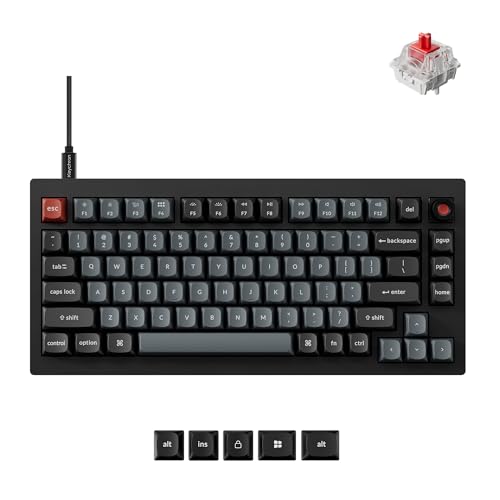
Keychron V1 8K Custom Mechanical Keyboard, 75% Wired Layout, Ultra-Low Latency 8000Hz, QMK Programmable, Hot-Swappable Red Switches, RGB, for Gamers and Typists, Compatible with Mac/Windows/Linux
One of the home product options compared in this guide.
View on Amazon
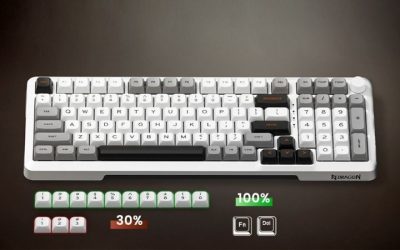
Redragon K719 PRO Wireless 95-Key Gasket Gaming Keyboard, TFT Screen & Knob | Easy-Control LED Info Display, 0-Delay Tri-Mode, Cushioned 5-Layer Noise Dampening for Creamy Thocky Sound, Practical 95 keys
One of the home product options compared in this guide.
View on Amazon
Redragon Mechanical Gaming Keyboard Wired, 11 Programmable Backlit Modes, Hot-Swappable Red Switch, Anti-Ghosting, Double-Shot PBT Keycaps, Light Up Keyboard for PC Mac
One of the home product options compared in this guide.
View on Amazon
Keychron K5 Version 2 Wireless Bluetooth Low Profile Mechanical Keyboard | QMK Launcher, Full-Size Layout with Milk POM Banana Switch, White Backlit with Shine-Through Keycaps for Mac Windows Linux
One of the home product options compared in this guide.
View on Amazon
Logitech G213 Prodigy Wired RGB Gaming Keyboard - Black | Mech-Dome Keys, Palm Rest, Adjustable Feet, Media Controls, LIGHTSYNC RGB, USB, Compatible with Windows
One of the home product options compared in this guide.
View on Amazon
Logitech G915 X Wired Gaming Keyboard (Linear)- Black | Low Profile, Mechanical Switches, Double-Shot PBT Keycaps, RGB lighting, Aluminum finish, PC/Mac Compatible
One of the home product options compared in this guide.
View on Amazon| Model | Key point from the title | Price tier | Best for |
|---|---|---|---|
| AULA WIN68 HE | Hall Effect, adjustable actuation, 8000Hz, wired | Budget | Entry magnetic speed |
| AULA WIN60 HE (CORBOBO brand field) | Magnetic, hot-swappable, rapid trigger, 8000Hz | Budget | 60 percent layouts |
| Keychron V1 8K | 75 percent, wired, 8000Hz, QMK, hot-swappable red | Mid-range | Typing plus gaming |
| Redragon K719 PRO | Wireless tri-mode, 95 keys, TFT screen, gasket | Mid-range | Feel and features |
| Redragon wired mechanical | Hot-swappable red switch, anti-ghosting, PBT | Budget | Cheap wired mechanical |
| Logitech G915 X Wired | Low-profile linear, aluminum, PBT keycaps | Premium | Low-profile mechanical |
| Razer Ornata V3 | Mecha-membrane, low-profile, Snap Tap | Mid-range | Comfort, not speed |
| Logitech G213 Prodigy | Mech-Dome keys, wired, palm rest | Budget | Basic wired gaming |
| Keychron K5 Version 2 | Wireless Bluetooth low-profile | Mid-range | Quiet office use |
What latency means on a keyboard
People use one word for several delays. The first is travel: the time between starting a press and the switch registering it. The second is the reporting interval, set by the polling rate. The third is the connection, which includes any radio hop and the way the keyboard debounces a key. Only the first and second are visible on most listings, and only some titles state either.
Magnetic or optical switches generally allow shorter, adjustable travel, and rapid trigger resets a key the moment it moves back up instead of waiting for a fixed reset point. That helps with quick counter-strafing and repeated taps. Regular mechanical switches have a fixed actuation point, often around the middle of the stroke, and membrane or mech-dome designs add a rubber dome that can feel softer.
None of this makes a keyboard automatically better for everything. A very sensitive board can register accidental brushes, so many players set a moderate actuation instead of the lowest value.
What is changing in this category
Not long ago, a gaming keyboard with adjustable actuation was a premium curiosity. Today the same idea appears on budget listings, and several brands advertise polling rates far above the long-standing 1000Hz figure. The pattern in this set is clear: the cheapest boards copy the headline features of expensive ones, so the label on the box tells you less than it used to.
Two trends matter for a latency-minded buyer. The first is the spread of magnetic switches, which replace a metal contact with a sensor that reads how deep the key is pressed, so actuation and reset points become software settings. The second is the arrival of high polling rates on both wired and wireless boards. Both are real design changes, but neither is a guarantee of a better experience in every game.
It is also worth remembering that many titles cap input handling at the game engine or at the display refresh rate. If a game reads input once per frame on a 60Hz screen, a reporting interval measured in fractions of a millisecond cannot show up on screen. That is not a reason to avoid fast boards, only a reason to avoid paying heavily for the last increment.
How these picks were chosen
The editorial team compared nine listings using published specifications, manufacturer documentation and buyer reviews, then sorted them by how much of the latency chain each title discloses. Nobody on the team used or measured these units. Prices appear only as relative tiers, so check the listing for the current amount. Claims such as zero delay are seller statements and are treated as marketing until a source supports them.
Product-by-product breakdown
AULA WIN68 HE Mechanical Gaming Keyboard
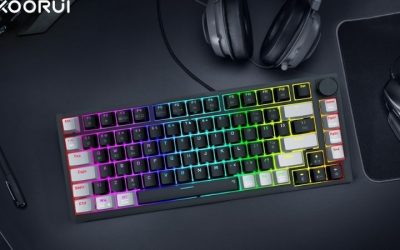
The title packs the speed-focused terms into one line: Hall Effect magnetic switches, a fast trigger mode with adjustable actuation, an 8000Hz polling rate, RGB and a wired connection. It also says 60 percent, while the model name suggests 68 keys, so confirm the real layout on the listing before you decide whether arrow keys are included.
This is the cheapest way into magnetic switching in the set. Someone who plays shooters and wants to experiment with short actuation will get the most out of it. Typists may find a sensitive board tiring until they raise the threshold. Ask before buying: does it have dedicated arrow keys, and can the switches be swapped?
Pros
- Adjustable actuation and fast trigger at a budget tier
- 8000Hz polling claim on a wired board
- Compact layout leaves mouse room
Cons
- Layout wording is inconsistent between 60 percent and the model name
- Less established brand for software updates
Aula WIN60 HE 60% Mechanical Gaming Keyboard
This listing repeats the formula with slightly different words: a magnetic switch, hot-swappable build, adjustable actuation, rapid trigger mode, 8000Hz and a compact 60 percent design. The brand field in the listing shows a different seller name from the title, which is common with resold keyboards, so check who ships and who handles returns.
It is close to a near-duplicate of the WIN68 HE above, so choose between them by layout. Pick the WIN60 if you want the smallest board and are comfortable using a function layer for arrows. Choose the 68-key style if you need cursor keys. Ask before buying: is the hot-swap socket compatible with the switch type you want later?
Pros
- Hot-swappable and rapid trigger in the same listing
- Smallest footprint, ideal for low sensitivity players
Cons
- No dedicated arrows or function row
- Seller and brand naming is unclear
Keychron V1 8K Custom Mechanical Keyboard
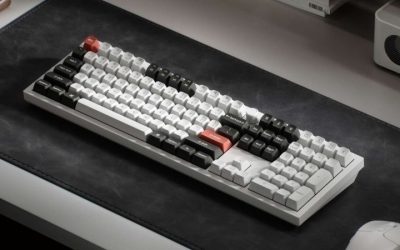
The V1 8K title reads like a typist’s gaming board: 75 percent wired layout, 8000Hz ultra-low latency, QMK programmability, hot-swappable red switches, RGB and Mac, Windows and Linux compatibility. Red switches are linear, which suits rapid taps, and QMK means you can remap and layer keys without being tied to a single vendor app.
It fits a player who also writes, codes or edits, and wants a keyboard that reads as a general-purpose tool. It lacks the magnetic adjustable actuation of the AULA boards, so its speed comes from linear switches and the polling rate rather than rapid trigger. Ask before buying: do you want a fixed-actuation mechanical board, or the adjustable feel of magnetic switches?
Pros
- QMK programmability and cross-platform support
- Hot-swappable switches and 75 percent layout
- 8000Hz claim for a wired build
Cons
- Fixed mechanical actuation, not magnetic
- Higher cost than the AULA pair
Redragon K719 PRO Wireless 95-Key Gasket Keyboard
The K719 PRO is the feature-heavy wireless option: tri-mode connectivity, a TFT screen and knob, a gasket mount, five dampening layers and 95 keys. The title says 0-delay tri-mode, a phrase that is marketing rather than a measurable promise, since wireless links always add some delay, and Bluetooth will not behave like a dongle.
Use it if you want a creamy, quiet and pleasant keyboard that can also work on a laptop, and accept that speed is not its headline. Competitive players should keep it in wired or 2.4GHz mode. Ask before buying: which of the three modes is the lowest-delay mode on this model, and does the listing say?
Pros
- Screen and knob add useful controls
- Gasket build and dampening aimed at a softer sound
- Compact 95-key layout keeps a numpad-free footprint
Cons
- 0-delay is a seller phrase, not a specification
- No polling rate stated
Redragon Mechanical Gaming Keyboard Wired, Hot-Swappable Red
This listing is plain on purpose. It has 11 backlit modes, hot-swappable red switches, anti-ghosting and double-shot PBT keycaps, all wired. No layout size, polling rate or switch brand is mentioned. A budget wired mechanical board with linear switches is already a reasonable foundation for low delay, because the cable removes wireless uncertainty.
It is the pick for a first mechanical keyboard when you want a straightforward, repairable board. The hot-swappable sockets let you change the switches later. Ask before buying: what size is it, and are the arrow keys included? The title never says. Also look for the polling rate in the bullets, since a missing number usually means a standard 1000Hz.
Pros
- Budget wired linear board
- Hot-swappable and PBT keycaps
Cons
- Layout and polling rate not stated
- Fixed actuation point
Logitech G915 X Wired Gaming Keyboard (Linear)
The G915 X title describes a wired low-profile mechanical keyboard with linear switches, double-shot PBT keycaps, RGB and an aluminum finish. Low-profile switches have shorter travel overall, which many players like for quick presses. The title does not state a polling rate or an actuation point, so those details must come from the listing.
It targets buyers who want a slim, premium-feeling build and fewer wrist angles. The top price tier means you pay mostly for build and brand, not for a specification that the title proves is faster than the budget magnetic boards. Ask before buying: is the polling rate on the listing, and does the slim profile feel right for your wrists?
Pros
- Low-profile linear switches and metal finish
- Wired, so no wireless variable
Cons
- Highest tier of the group
- No polling or actuation numbers in the title
Razer Ornata V3 Gaming Keyboard
This is a weaker fit for the keyword. The Ornata V3 uses mecha-membrane switches, which combine a membrane layer with a mechanical-style feel, along with low-profile keys, UV-coated keycaps, media keys, 10-zone RGB, Snap Tap and a magnetic wrist rest. Snap Tap is a feature name from the title and relates to how opposing directional inputs are handled.
It suits a buyer who wants comfort, a wrist rest and a quieter hybrid board for mixed use. Players who are chasing the lowest possible delay should look at the magnetic or linear mechanical options above. Ask before buying: do you value the wrist rest and quieter feel more than adjustable actuation?
Pros
- Wrist rest and media keys included
- Low-profile keys and a quieter feel
Cons
- Hybrid membrane design, not an obvious latency leader
- No polling rate stated
Logitech G213 Prodigy Wired RGB Gaming Keyboard
The G213 is another weaker fit. The title cites Mech-Dome keys, a palm rest, adjustable feet, media controls and LIGHTSYNC RGB over USB. Mech-dome is a rubber-dome design, closer to a membrane keyboard than to a mechanical one.
It is a basic, comfortable wired board for casual gaming and general computing. It does not advertise any fast-trigger feature or high polling rate. Ask before buying: would a cheap mechanical board give you more for the same spend? In this set, the Redragon wired mechanical is usually the better value for a speed-minded buyer.
Pros
- Wired, with palm rest and media controls
- Budget tier
Cons
- Dome design, not a mechanical switch
- No latency-related specs in the title
Keychron K5 Version 2 Wireless Bluetooth Low Profile Keyboard
The title is short: wireless, Bluetooth, low-profile and mechanical. It does not mention a 2.4GHz receiver, a wired mode, a polling rate or a switch type. A Bluetooth-only board is rarely the right answer to a low-latency question.
This listing is useful for a different buyer: someone who wants a slim keyboard that switches between a laptop and a tablet. For play, choose another model or a version with a dongle. Ask before buying: does the model offer a cable mode that the title leaves out?
Pros
- Slim, multi-device convenience
- Recognizable brand
Cons
- Bluetooth-focused, not built around low delay
- Very little technical data in the title
How to choose a low-latency keyboard
Prefer wired or a named 2.4GHz mode
A cable keeps the chain short. If you want wireless, look for a dongle mode rather than Bluetooth alone. Our guide on wireless versus wired keyboards for gaming explains the trade-off in more detail.
Check switch technology
Magnetic switches offer adjustable actuation and rapid trigger. Linear mechanical switches are smooth and consistent. Dome and mecha-membrane designs are quieter and softer but are not marketed for speed.
Choose a layout you can live with
Compact layouts leave more room for mouse swings, and low-profile boards reduce wrist angle. If you want a slimmer typing feel, see the guide to low-profile gaming keyboards. If you are unsure which switch feels right, a switch sampler is cheaper than a wrong keyboard.
Set it up before you judge it
A new keyboard deserves a short setup routine before you decide whether it is fast enough. Work through this checklist in order:
- Plug a wired board straight into a motherboard port on the back of the PC, not a hub, so the polling rate is not shared.
- Switch the board to its wired or 2.4GHz mode and confirm it in the software.
- Start with a mid-depth actuation value and move it shallower in small steps, noticing when accidental presses begin.
- Turn on rapid trigger only after the actuation feels comfortable.
- Keep the polling rate at 1000Hz first, and raise it only if your CPU and USB port handle it without stutter.
- Update the firmware from the manufacturer’s site, since early firmware can be rough.
Plenty of people decide a keyboard is wrong when the real problem is an overly shallow setting. Give the settings a few days before returning anything.
| Spec concept | What to look for | Why it matters |
|---|---|---|
| Polling rate | 1000Hz minimum, 8000Hz where claimed | Sets the reporting interval |
| Actuation | Adjustable on magnetic boards | Shorter travel reaches the register sooner |
| Rapid trigger | Present or absent | Faster reset for repeated taps |
| Connection | Cable or 2.4GHz named | Bluetooth is the weakest link |
| Hot-swap | Sockets for later switch changes | Lets you fix a wrong feel |
| Layout | 60, 75 or 95 keys | Mouse space against needed keys |
Which one for which user
| If you are | Look at | Reason |
|---|---|---|
| A shooter player on a budget | AULA WIN60 HE or WIN68 HE | Adjustable actuation and rapid trigger |
| A player who also types or codes | Keychron V1 8K | QMK, 75 percent layout, wired |
| A first-time mechanical buyer | Redragon wired mechanical | Simple and hot-swappable |
| A premium low-profile buyer | Logitech G915 X Wired | Slim linear build |
| A comfort-first player | Razer Ornata V3 | Wrist rest, hybrid feel |
| A multi-device office user | Keychron K5 Version 2 | Bluetooth convenience |
Worked example: how the delays stack up
These numbers are assumptions for illustration, not results for any listed keyboard. Assume a finger presses a key down at 100 millimeters per second, a regular mechanical switch registers at 2.0 millimeters, a shallow magnetic setting registers at 1.0 millimeter, and the keyboard reports once per polling interval.
| Setup | Travel time to register | Worst-case polling wait | Combined delay |
|---|---|---|---|
| Fixed 2.0 mm actuation, 1000Hz | 20 ms | 1 ms | about 21 ms |
| Fixed 2.0 mm actuation, 8000Hz | 20 ms | 0.125 ms | about 20.1 ms |
| 1.0 mm magnetic, 1000Hz | 10 ms | 1 ms | about 11 ms |
| 1.0 mm magnetic, 8000Hz | 10 ms | 0.125 ms | about 10.1 ms |
The pattern is what counts: halving the actuation distance saves about 10 milliseconds in this example, while moving from 1000Hz to 8000Hz saves under 1 millisecond. Real values depend on how fast you press and on firmware debounce. Treat it as a guide to where the savings come from.
Mistakes buyers make
| Mistake | Better approach |
|---|---|
| Paying for 8000Hz and ignoring actuation | Compare adjustable actuation first |
| Trusting 0-delay wireless wording | Prefer a wired or 2.4GHz mode |
| Setting actuation as shallow as possible | Pick a value that avoids accidental presses |
| Buying a membrane or dome board for speed | Choose magnetic or linear mechanical |
| Skipping the layout check | Confirm arrows and function keys exist |
A mouse matters just as much as the keyboard in a fast setup, so consider the best gaming mouse and keyboard combos if you are rebuilding the whole desk.
Verdict by use case
For the lowest delay per dollar, choose the AULA WIN60 HE or WIN68 HE and set a moderate actuation. For a keyboard you can type on all day, the Keychron V1 8K is the safer choice. For a simple, repairable first board, the Redragon wired mechanical works. The G915 X is a premium low-profile option, while the Ornata V3, G213 and K5 Version 2 are comfort or office boards that do not target speed.
Frequently asked questions
What makes a keyboard low latency?
Three things add up: how far a key travels before it registers, how often the keyboard reports to the PC (polling rate), and how the signal gets there (cable, 2.4GHz or Bluetooth). Magnetic switches with adjustable actuation and rapid trigger cut the first part, 1000Hz to 8000Hz polling cuts the second, and a cable or dongle avoids the Bluetooth penalty.
Is 8000Hz polling worth paying for on a keyboard?
For most players the benefit is small. Moving from 1000Hz to 8000Hz shortens the reporting interval from about 1 millisecond to about 0.125 millisecond, which is far below what a human can notice. It can help in very fast competitive play, but it uses more CPU time and needs a capable USB port. Actuation distance usually matters more.
Are Hall Effect keyboards better than regular mechanical ones for latency?
They offer more control. Magnetic switches let you set a shallow actuation point and use rapid trigger, which resets a key as soon as you ease off. A regular mechanical switch has a fixed actuation point and reset point. The result is a potential edge for strafing and fast taps, but you give up the familiar feel of a tactile or clicky switch.
Is a wireless keyboard fine for competitive games?
A good 2.4GHz wireless connection can be close to wired in feel, while Bluetooth is generally the slowest and least consistent mode. Check that the listing names a 2.4GHz dongle or similar, not Bluetooth alone. If you want zero doubt, a cable is still the simplest answer, and our wired versus wireless comparison covers the trade-offs.
Does keyboard size affect latency?
Not directly. A 60 percent or 75 percent layout does not change reporting speed, but it frees mouse space and shortens the reach, which can improve comfort and consistency. Smaller boards also drop the number row or function keys, so confirm that the keys you bind in your games are present before choosing a compact layout.
Should I buy a magnetic keyboard as my only keyboard?
If you type a lot, start with a moderate actuation and see how it feels over a few days. Many players keep a magnetic board for games and use a familiar mechanical one for work, but a single well-set board is fine for most households. Hot-swappable models give you room to change switches if the feel is wrong.