Key takeaways
- Membrane under $50: Rubber dome, membrane media keys, single-zone or 3-zone RGB, plastic chassis. No switch replacement.
- Mechanical $45-$80: Outemu, Kailh, or Cherry-equivalent switches, ABS keycaps, 1000Hz polling, basic per-key RGB. Often hot-swappable at this price now.
- Mechanical $80-$130: PBT keycaps, 5-pin hot-swap, gasket mount, better stabilizers, dedicated media controls, double-shot legends that do not fade.
What's inside
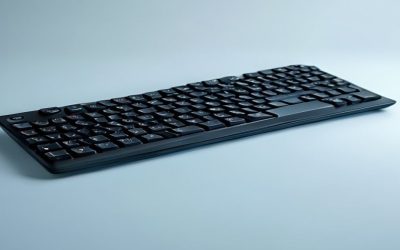
For most gamers hunting for gaming keyboard mechanical vs membrane deals in 2026, mechanical is better if you prioritize feel, speed, and longevity, while membrane is better if you want the lowest upfront cost and quietest operation. The best deal is not the cheapest price tag, but the keyboard that saves you money over 2-3 years of heavy use.
Mechanical vs Membrane: How They Actually Work
Understanding the mechanism explains why they feel and last so differently. This is not just about preference, it directly impacts performance and value.
Membrane Gaming Keyboards
A membrane keyboard uses three layers: a top membrane, a spacer with holes, and a bottom membrane. Pressing a key pushes the top layer through the spacer to make contact and register a keystroke. The rubber dome under each key provides the resistance and return force. Most budget gaming keyboards, including long-running models like the Logitech G213 and Razer Cynosa series, use this design. It is cheap to mass-produce, naturally quiet, and spill-resistant.
Mechanical Gaming Keyboards
A mechanical keyboard gives each key its own independent mechanical switch with a housing, spring, stem, and metal contacts. Popular switch families include linear (like Cherry MX Red and equivalents), tactile (Brown), and clicky (Blue). Each switch actuates at a specific point without needing to bottom out. Models like the Corsair K70 series, HyperX Alloy Origins, and Keychron K-series line are typical examples. This independence is why mechanical boards offer more consistent feel, faster reset, and hot-swappable customization.
Head-to-Head Comparison: Feel, Speed, Noise and Durability
Spec sheets list “anti-ghosting” and “gaming mode” for both types, but the real differences show up in daily use.
| Feature | Membrane | Mechanical (Budget to Mid-Range) |
|---|---|---|
| Actuation Force | 55-75g, increases as dome wears | 45-60g, consistent (e.g., Red 45g, Brown 55g, Blue 60g) |
| Actuation Distance / Total Travel | ~2.5-3.0mm / 4.0mm, mushy bottom-out required | 1.2-2.0mm / 4.0mm, actuates before bottoming out |
| Key Lifespan | 5-10 million presses per key | 50-100 million presses per key |
| Response / Debounce | 8-15ms typical | 1-5ms typical, 1ms with 1000Hz polling |
| Noise Level at 30cm | 35-45 dB | 50-65 dB (linear quietest, clicky loudest) |
| N-Key Rollover | Often 6-key + limited anti-ghosting | Full N-key rollover standard |
| General Market Price Range 2026 | Usually $20-$50 | Usually $45-$130 (mechanical), $140+ for Hall Effect / optical |
Feel and Gaming Performance
Membrane feels soft and cushioned with no clear actuation point. You must press all the way down to be sure the key registered, which slows rapid inputs in FPS and rhythm games. Mechanical provides a defined actuation point. Linear switches are preferred for fast double-taps in FPS titles like Valorant or Apex Legends, tactile Browns give feedback for MOBAs without loud clicks, and clicky Blues are better for typing but can be fatiguing in long sessions.
For 1000Hz polling, the input latency difference is small but real: a mechanical board at 1.2mm actuation can register 0.8mm sooner than a membrane that needs full 3mm travel. At 60 WPM gaming movement, that can mean 15-20ms faster input, roughly equivalent to 1 frame at 60Hz.
Noise and Where You Play
If you game in a shared room, dorm, or stream with an open mic, membrane or linear mechanical with dampened O-rings is the practical choice. Clicky mechanical switches carry the farthest and are often picked up by condenser microphones. For silent builds, look for “silent Red” or “silent Brown” variants rather than standard clicky switches.
Features You Actually Get at Each Tier
- Membrane under $50: Rubber dome, membrane media keys, single-zone or 3-zone RGB, plastic chassis. No switch replacement.
- Mechanical $45-$80: Outemu, Kailh, or Cherry-equivalent switches, ABS keycaps, 1000Hz polling, basic per-key RGB. Often hot-swappable at this price now.
- Mechanical $80-$130: PBT keycaps, 5-pin hot-swap, gasket mount, better stabilizers, dedicated media controls, double-shot legends that do not fade.
Durability and Real-World Value: A Worked Calculation
Deal hunters often compare upfront price only. Lifespan changes the math completely for heavy users.
Consider a player who averages 6 hours of gaming/typing per day, roughly 12,000 key presses per day across WASD, abilities, and chat. That is about 4.38 million presses per year.
Membrane cost per year: A typical membrane rated for 5 million presses will start to feel inconsistent or fail on heavily used keys (W, Space, Shift) in 12-18 months. If you pay $30 and replace it every 1.5 years, your cost is $20 per year. Over 3 years you spend $60. Cost per million presses: $30 / 5 = $6.00.
Mechanical cost per year: A mechanical board rated for 50 million presses will handle the same 4.38M/year for over 11 years before switch wear. If you pay $75, your amortized cost over 3 years is only $25, but the board lasts far longer. Cost per million presses: $75 / 50 = $1.50. Even a $90 mechanical costs just $1.80 per million.
Result: The mechanical deal costs more now but is 3-4x cheaper per million presses and avoids the fade, double-typing, and inconsistent feel membrane domes develop after year one. The value flips even further if you choose a hot-swappable board where a single worn switch can be replaced for usually $0.30-$0.70 instead of replacing the whole keyboard.
Which Deal Should You Choose? Decision Matrix
Use your actual situation, not marketing, to decide when a gaming keyboard mechanical vs membrane deal is worth it.
| Your Situation | Best Deal Type | Why |
|---|---|---|
| Budget under $40, need something now | Membrane | Lowest entry cost; acceptable for casual play <10 hrs/week |
| Play competitive FPS/MOBA 10+ hrs/week | Mechanical – Linear or Tactile | Faster actuation, N-key rollover, consistent reset for spamming |
| Shared room, late-night gaming, streaming | Membrane or Silent Linear Mechanical | Keeps noise under 45 dB; avoids mic bleed |
| Want 3+ years without replacement | Hot-swappable Mechanical | 50M+ lifespan + replace single switches, PBT caps do not shine |
| Heavy typer (coding, writing) + gaming | Tactile Mechanical (Brown equivalent) | Feedback without clicky fatigue, less bottom-out strain |
| Kids / secondary PC / office | Membrane | Cheap to replace if damaged by spills |
How to Spot a Real Deal (Not a Fake Discount)
Because both types are heavily discounted during seasonal sales, check these criteria before buying:
- Check the switch spec, not just “mechanical feel”: Listings labeled “mechanical feel” or “mech-membrane” are membrane. A real mechanical deal will name the switch: Cherry MX, Kailh, Gateron, Outemu, or optical/Hall Effect, and state 50M+ lifespan.
- Demand hot-swap and PBT at $70+: In 2026, a mechanical deal above $70 without hot-swappable sockets and PBT keycaps is poor value. ABS caps shine and smooth within months.
- Verify polling and rollover: Look for 1000Hz polling rate and N-key rollover. If it only lists “19-key rollover” or “1000Hz” is missing, it is likely an older membrane or hybrid.
- Assess the chassis: Aluminum top plate and pre-lubed stabilizers prevent rattle and flex. Membrane deals rarely offer this, but many $55-$75 mechanical boards now do.
- Factor in cleaning cost: Mechanical with removable caps and hot-swap is far easier to clean after dust or spills than a sealed membrane sheet. A board you can keep clean lasts longer.
If you find a membrane for usually $25-$35 and a mechanical with named switches, hot-swap, and PBT for usually $65-$85, the mechanical deal is the better long-term buy for any daily gamer. Only choose membrane when your absolute budget is tight or you specifically need the quietest, most disposable option.
FAQ
Is a cheap $45 mechanical better than a $40 membrane?
Yes, if the $45 board uses real mechanical switches (Outemu/Kailh/Gateron) and offers 1000Hz polling. It will still outlast the membrane 5-10x and offer faster, more consistent inputs. Check that it is not labeled “mechanical feel.”
Are membrane keyboards bad for gaming?
No. They are fine for casual and story-driven games where absolute speed does not matter. The downsides appear in competitive play and after long-term wear, where domes lose firmness and keys need harder presses.
Do I need expensive Hall Effect or optical switches for a good deal?
No. Hall Effect boards (usually $120-$220) offer adjustable actuation down to 0.2mm and 8K polling, which is excellent for esports but unnecessary for most players. A standard mechanical with linear or tactile switches at usually $60-$90 delivers 90% of the performance for half the cost.