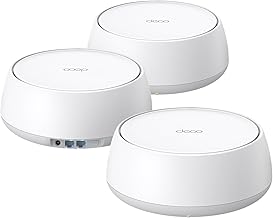
Our Top Picks
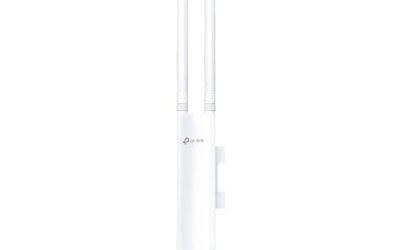
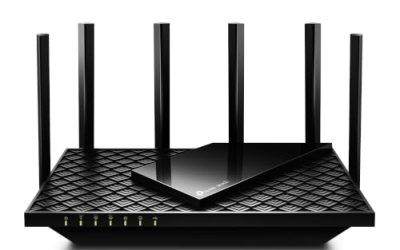
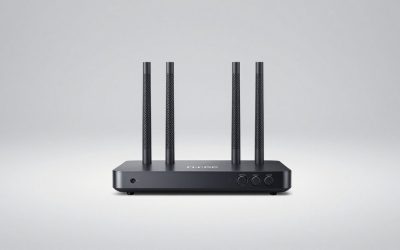
 NETGEAR Nighthawk Pro Gaming 6-Stream WiFi 6 RouterExtra Large11.61 x 7.87 x 2.51 inches1.32 poundsCheck on Amazon
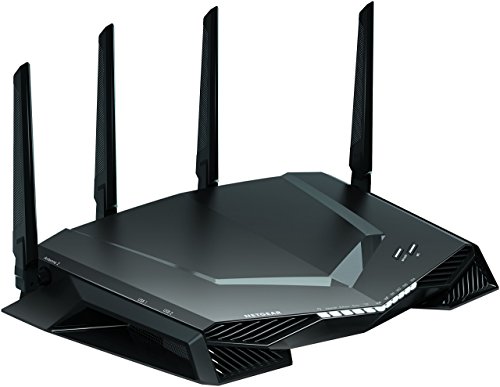 NETGEAR Nighthawk Pro Gaming XR500 Wi-Fi Router withXR5002.2 x 12.7 x 9.6 inches3.71 poundsCheck on Amazon
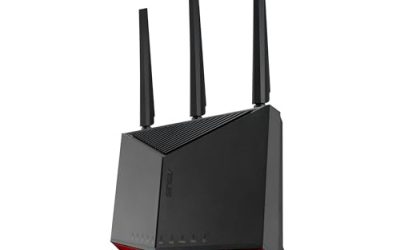
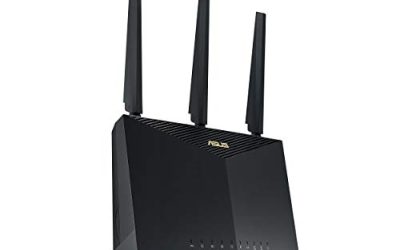
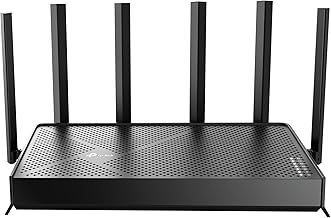
 ASUS ROG Rapture WiFi Gaming RouterAiMesh - Gaming11.46 x 4.72 x 14.88 inches2.2 poundsCheck on Amazon
As an Amazon Associate I earn from qualifying purchases.
The Short Answer
The best gaming router for Xbox One for most players is the NETGEAR Nighthawk XR1000. It pairs Wi-Fi 6 with DumaOS 3.0 software, four Gigabit Ethernet ports, and a compact build. For the most wired capacity and strongest hardware here, the ASUS ROG Rapture GT-AX11000 is the step up, with a 2.5G gaming port and tri-band Wi-Fi 6.
One honest point before the picks: none of the four routers below is built only for Xbox One. The Xbox One connects through standard home networking, so a general gaming router is the right category, and every pick here works with the console wired or over Wi-Fi. The one router marketed specifically for Xbox, the Linksys WRT32XB, was left out because its current Amazon availability could not be confirmed. Confirm availability on the listing before ordering.
Our Top Picks
-
NETGEAR Nighthawk XR1000 — Best overall. Wi-Fi 6, DumaOS 3.0, four Gigabit Ethernet ports, compact body. Check on Amazon
-
ASUS ROG Rapture GT-AX11000 — Best for large households. Tri-band Wi-Fi 6, a 2.5G gaming port, and room for many wired devices. Check on Amazon
-
NETGEAR Nighthawk Pro Gaming XR500 — Best Wi-Fi 5 gaming router. DumaOS with Geo-Filter and bandwidth controls. Check on Amazon
-
ASUS ROG Rapture GT-AC5300 — Best for many wired connections. Eight Gigabit LAN ports and a gaming dashboard. Check on Amazon
Quick Comparison
| Router | Wi-Fi | Wireless Speed | Ethernet Ports | Gaming Software |
|---|---|---|---|---|
| NETGEAR Nighthawk XR1000 | Wi-Fi 6 | AX5400, up to 5.4 Gbps | 4 Gigabit LAN | DumaOS 3.0 |
| ASUS ROG Rapture GT-AX11000 | Wi-Fi 6 | AX11000, up to 11 Gbps | 4 Gigabit LAN plus 2.5G port | Game acceleration, WTFast |
| NETGEAR Nighthawk Pro Gaming XR500 | Wi-Fi 5 | AC2600, up to 2.6 Gbps | 4 Gigabit LAN | DumaOS, Geo-Filter |
| ASUS ROG Rapture GT-AC5300 | Wi-Fi 5 | AC5300, up to 5.334 Gbps | 8 Gigabit LAN | Game dashboard, WTFast |
How to Choose
Start with a wired connection
An Ethernet cable between your Xbox One and your router is the single most effective change you can make for online play. A cable removes Wi-Fi interference and keeps your connection steady when others stream video. Every router here has at least four Gigabit Ethernet ports, so pick one with enough ports for your console and television.
Match the router to your internet plan
A router cannot deliver more speed than your internet plan provides. If your plan tops out below 1 Gbps, a Wi-Fi 5 router such as the XR500 or GT-AC5300 covers your gaming needs. If your plan is faster than 1 Gbps, a Wi-Fi 6 router such as the XR1000 or GT-AX11000 makes more sense.
Look for traffic controls, not just speed numbers
The headline speed number describes combined throughput across all bands, not the speed one device will see. For gaming, Quality of Service controls, nearby server selection, and a dashboard showing bandwidth use matter more. Both NETGEAR picks run DumaOS with Geo-Filter and bandwidth allocation. Both ASUS picks include game acceleration and a gaming dashboard.
Count the devices in your home
One console and a phone or two is a light load. Two consoles, a gaming PC, phones, a smart television, and smart gadgets is a heavy load. Tri-band routers such as the GT-AX11000 and GT-AC5300 split traffic across three bands for busy homes. Dual-band routers such as the XR1000 and XR500 handle a moderate household well and are easier to place.
Check the ports and the placement
Count the wired devices you plan to connect and compare that with the LAN ports. The GT-AC5300 leads with eight Gigabit LAN ports; the other three picks have four each, with the GT-AX11000 adding a 2.5G port. Also measure your shelf. The GT-AX11000 is large at 11.3 x 4.74 x 14.86 inches with eight antennas and needs open space. The XR1000 is far smaller at 11.61 x 7.87 x 2.51 inches and fits a crowded media shelf.
Think about the future of your setup
An Xbox One works well on Wi-Fi 5, so none of these routers is a mismatch for the console itself. Wi-Fi 6 is for the rest of your home: newer phones, laptops, and a future console all benefit. If you plan to keep the router for years, Wi-Fi 6 is the safer choice. If it only serves the Xbox One and older devices, Wi-Fi 5 is enough.
The Picks in Detail
1. NETGEAR Nighthawk XR1000 — Best Overall
The XR1000 fits the most Xbox One setups. This Wi-Fi 6 router runs at AX5400 speed: 600 Mbps on the 2.4 GHz band and 4,800 Mbps on the 5 GHz band according to the listing. A 1.5 GHz triple-core processor powers it, and four Gigabit Ethernet ports wire the console and nearby gear, plus one USB 3.0 port.
DumaOS 3.0 is the reason this router leads the guide: a Geo-Filter that limits matchmaking to nearby servers, a ping heatmap, and Quality of Service controls that give the Xbox One a larger share of bandwidth. NETGEAR states DumaOS 3.0 can cut ping by a large margin, though your result depends on your plan and distance from the servers. NETGEAR Armor security software is included with a 30-day trial; confirm on the listing whether continued use needs a subscription. At 1.32 pounds, the XR1000 is the lightest pick here, with four detachable antennas.
Pros
- Wi-Fi 6 with AX5400 speed covers fast internet plans and newer devices
- DumaOS 3.0 with Geo-Filter, ping heatmap, and bandwidth allocation
- Four Gigabit Ethernet ports for wired console play
- Lightest and most compact router in this guide
Cons
- No multi-gig wired port, so wired speed tops out at Gigabit Ethernet
- NETGEAR Armor needs a subscription after the trial; confirm on the listing
- Only one USB port
2. ASUS ROG Rapture GT-AX11000 — Best for Large Households

The GT-AX11000 is the most powerful router in this guide. This tri-band Wi-Fi 6 router reaches a combined wireless speed of up to 11,000 Mbps: 1,148 Mbps on 2.4 GHz and 4,804 Mbps on each 5 GHz band. A 1.8 GHz quad-core processor drives the unit. The headline feature for wired gaming is the 2.5G gaming port, which pairs with four Gigabit LAN ports and a Gigabit WAN port. The listing counts 15 ports in total, which covers a console, a PC, and a television without a separate switch.
Triple-level game acceleration is the software core here. It prioritizes gaming traffic at three points: the gaming device, the game server, and the game data packets. WTFast integration is included for route optimization, and the router supports AiMesh, so you can add a second compatible ASUS router later to extend coverage. AiProtection Pro provides network security with a lifetime subscription included according to the listing, and VPN Fusion lets a VPN and an ordinary connection run together.
The trade is size. The GT-AX11000 measures 11.3 x 4.74 x 14.86 inches, weighs 4.1 pounds, and carries eight external antennas. It needs a sturdy, open shelf with clear space for the antennas. The warranty is two years.
Pros
- Tri-band Wi-Fi 6, the highest combined speed here
- 2.5G gaming port plus four Gigabit LAN ports for heavy wired setups
- Triple-level game acceleration with WTFast and AiMesh support
- AiProtection Pro security included according to the listing
Cons
- Large and heavy, so it needs a roomy shelf and clear antenna space
- No 6 GHz band, so it lacks the newest Wi-Fi 6E spectrum
- Two-year warranty is shorter than some rivals
3. NETGEAR Nighthawk Pro Gaming XR500 — Best Wi-Fi 5 Gaming Router
The XR500 is the sensible pick when your plan sits below 1 Gbps and you want genuine gaming software without paying for Wi-Fi 6 hardware. It is a dual-band Wi-Fi 5 router with AC2600 speed: 800 Mbps on the 2.4 GHz band and 1,733 Mbps on the 5 GHz band. A 1.7 GHz dual-core processor runs the show, with four Gigabit Ethernet ports, two USB 3.0 ports, and four external antennas.
DumaOS is the heart of this router: a customizable gaming dashboard, a Geo-Filter for nearby servers, bandwidth allocation for busy evenings, and a network monitor showing which applications use bandwidth. MU-MIMO and Beamforming+ keep the wireless signal steady across several devices, and the router supports a gaming VPN client. The listing model number is XR500-100NAS, with a one-year warranty.
One caution: the XR500 is an older model, and new stock can be harder to find than the newer XR1000. Some retailers now carry reconditioned units, so check the listing and make sure the unit you order is new. It is also heavier than it looks at 3.71 pounds, so give it a stable shelf.
Pros
- DumaOS with Geo-Filter and bandwidth allocation at a lower tier than Wi-Fi 6 picks
- Four Gigabit Ethernet ports and two USB 3.0 ports
- MU-MIMO and Beamforming+ for steady multi-device Wi-Fi
- AC2600 speed is ample for plans below 1 Gbps
Cons
- Wi-Fi 5 only, so it cannot serve newer Wi-Fi 6 devices at their full speed
- New stock can be harder to find; confirm the listing shows a new unit
- One-year warranty and a heavy 3.71-pound body
4. ASUS ROG Rapture GT-AC5300 — Best for Many Wired Connections
The GT-AC5300 is the pick for a gaming room full of wired hardware. It is a tri-band Wi-Fi 5 router with a combined speed of up to 5,334 Mbps: 1,000 Mbps on the 2.4 GHz band and 2,167 Mbps on each of the two 5 GHz bands. A 1.8 GHz quad-core processor powers it, and the standout hardware is eight Gigabit LAN ports, twice as many as any other router here. Two USB 3.0 ports add shared storage, and the listing states coverage of up to 5,000 square feet, though walls will reduce that in a real home, so treat it as a best-case figure.
The gaming dashboard is the software center: Game IPS security controls, Game Boost traffic prioritization, VPN Fusion, and WTFast route optimization. AiMesh support lets you pair it with another compatible ASUS router, and AiProtection lifetime security is included according to the listing. Eight antennas spread the signal, and the router uses 4×4 MU-MIMO on the 802.11ac standard.
The GT-AC5300 is an older design, and it shows in the Wi-Fi standard. It is a Wi-Fi 5 router, so it will not match the Wi-Fi 6 picks for wireless efficiency. For an Xbox One on Ethernet, that hardly matters, because the wired connection bypasses Wi-Fi entirely. For a household that leans on wireless, the Wi-Fi 6 picks are the better fit.
Pros
- Eight Gigabit LAN ports, the most here, with link aggregation support
- Tri-band design dedicates one 5 GHz band to gaming
- Gaming dashboard with Game Boost, WTFast, VPN Fusion, and Game IPS
- AiMesh support and AiProtection security included according to the listing
Cons
- Wi-Fi 5 only, so wireless devices cannot use Wi-Fi 6 features
- Older model, so confirm current availability on the listing before ordering
- Eight antennas and a large body need generous shelf space
Who Should Choose What
- Most Xbox One players: Choose the NETGEAR Nighthawk XR1000. It mixes Wi-Fi 6, gaming software, wired ports, and compact size, and it will keep serving newer devices after the Xbox One.
- Large households and heavy wired setups: Choose the ASUS ROG Rapture GT-AX11000. Its tri-band Wi-Fi 6, 2.5G port, and large port count handle many devices at once.
- Internet plans below 1 Gbps: Choose the NETGEAR Nighthawk Pro Gaming XR500. Its DumaOS tools match the XR1000 family, and its Wi-Fi 5 hardware suits a slower plan. Confirm the listing shows a new unit.
- Gaming rooms with many wired devices: Choose the ASUS ROG Rapture GT-AC5300. Its eight Gigabit LAN ports connect a console, a PC, and a television without a separate switch.
- Small rooms and crowded shelves: Choose the NETGEAR Nighthawk XR1000. It is the lightest pick here and the easiest to place.
Common Mistakes
Buying speed your plan cannot use
A router with a huge headline speed number will not make a slow plan faster. Check your plan speed first, then pick a router that matches it with a little headroom. A Wi-Fi 5 router is enough for a plan below 1 Gbps, and a Wi-Fi 6 router fits a faster plan.
Playing on Wi-Fi when a cable is possible
Wireless is convenient, but a cable is steadier, and it costs little. If your console sits near the router, run a cable. If it sits far away, a long cable routed along a wall is still worth the effort, and it frees the Wi-Fi for phones and laptops.
Hiding the router in a cabinet
A router shut inside a closed cabinet loses signal strength and traps heat. Place the router out in the open, up high if you can, with its antennas upright and clear of metal objects. The GT-AX11000 and GT-AC5300 especially need open space for their eight antennas.
Skipping the gaming software setup
A gaming router only helps when its traffic controls are switched on. After setup, open the dashboard, find the Quality of Service controls, and give the Xbox One priority. On NETGEAR picks, set the Geo-Filter to your region. On ASUS picks, switch on game acceleration.
Forgetting the modem
A router is not a modem. If your internet comes through a cable modem or fiber box, you still need that device in front of the router. Make sure the modem is healthy and its firmware is current before blaming the router for lag, because a tired modem can cause the same symptoms.
Ignoring the rest of the household
Online play suffers when someone starts a large download or a 4K stream mid-match. Use the bandwidth allocation tools in DumaOS or the ASUS dashboard to reserve a share for the console, and schedule large updates for the early hours when nobody is playing.
FAQ
Do I need a gaming router for Xbox One, or will any router work?
Any standard router works with an Xbox One, because the console uses ordinary home networking. A gaming router adds traffic controls, server selection, and wired capacity. If you play online often on a busy shared connection, those controls are worth having. If you play mostly offline, a basic router and a good Ethernet cable cover your needs.
Is a wired connection really better than Wi-Fi for Xbox One?
Yes, in almost every case. A cable gives you a steady path with no interference from neighbors, microwaves, or walls. Wi-Fi can be fast, but it still shares the air with every other wireless device nearby. Use a cable when you can.
What is Geo-Filter, and should I use it?
Geo-Filter is a DumaOS tool on the NETGEAR picks that limits matchmaking to servers inside a distance you choose. It keeps you on nearby servers with lower lag for fast multiplayer games. Set the distance wide enough to find matches quickly; a very tight range slows matchmaking during quiet hours.
Does Wi-Fi 6 matter for an Xbox One?
The Xbox One itself uses Wi-Fi 5, so it cannot use Wi-Fi 6 features directly. Wi-Fi 6 matters for the rest of your home: newer phones, laptops, and a future console all benefit, and a Wi-Fi 6 router handles many devices more efficiently. If you plan to keep the router for years, Wi-Fi 6 is the better choice.
How many Ethernet ports do I need?
Count every device near the router that connects by cable: the console, the television, a streaming box, and a PC in the same room. Four ports cover most living rooms. Eight ports, as on the GT-AC5300, suit a dedicated gaming room.
Can I use these routers with Xbox Series X or Series S as well?
Yes. Every router here uses standard networking, so it works with Xbox Series X, Xbox Series S, PlayStation consoles, and gaming PCs alike. The traffic controls and wired ports help any console, and the Wi-Fi 6 picks fit newer consoles that support Wi-Fi 6.
Conclusion
The best gaming router for Xbox One matches your home, not the largest number on the box. For most players, the NETGEAR Nighthawk XR1000 is the right balance of Wi-Fi 6, DumaOS 3.0 gaming tools, and compact size. The ASUS ROG Rapture GT-AX11000 suits large households, the NETGEAR Nighthawk Pro Gaming XR500 covers slower plans with genuine gaming software, and the ASUS ROG Rapture GT-AC5300 serves gaming rooms full of wired devices.
Whichever you choose, pair it with an Ethernet cable to the console, switch on the traffic controls, and place the router out in the open. Those three steps do more for steady play than any single feature on a spec sheet. Confirm availability on the listing before ordering.
FAQ
Do I need a gaming router for Xbox One, or will any router work?
Is a wired connection really better than Wi-Fi for Xbox One?
What is Geo-Filter, and should I use it?
Does Wi-Fi 6 matter for an Xbox One?
How many Ethernet ports do I need?
Can I use these routers with Xbox Series X or Series S as well?
More from Amazon
Programs that pair well with the guide above. Offers and eligibility are set by Amazon and may change.
Free shipping on eligible items, Prime Video and more. Eligible new members can start with a free trial.
Start a Prime free trialAd-free music streaming. Eligible new subscribers can start with a free trial.
Try Music Unlimited freeA Prime membership for ages 18-24 with a trial period. Eligibility is set by Amazon.
See Prime for Young AdultsAudiobooks and podcasts to listen to on the go. Eligible new members can start with a free trial.
Try Audible freeAs an Amazon Associate we earn from qualifying purchases.