Our Top Picks
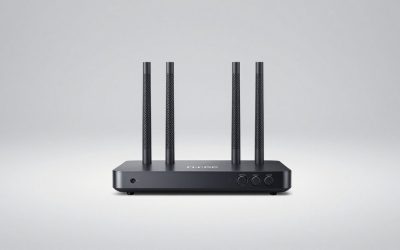
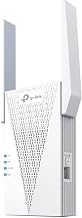
 TP-Link AXE5400 Tri-Band WiFi 6E RouterWiFi 6E, Tri-Band AXE540012.91 x 10.43 x 4.72 inches1.5 poundsCheck on Amazon
As an Amazon Associate I earn from qualifying purchases.
The Short Answer
Voice calls fall apart when a network treats them like any other download. A call needs a steady, low-delay path, and the four routers in this guide were picked for the features that matter most to voice traffic: traffic prioritization, stable wired Ethernet ports for desk phones, and enough processing headroom for a busy household.
One honest note up front: none of the four routers in this guide has a built-in analog phone jack for plugging a traditional desk phone straight into the router. That is normal for modern Wi-Fi routers. With VoIP, the phone itself is an IP desk phone, a headset, or a softphone app, and an analog telephone adapter can connect an older phone. What these routers do is give that voice traffic a clean, low-delay path. If a built-in phone jack is a must-have, confirm on the listing before buying.
For most homes and small offices, the ASUS RT-AX86U Pro is the strongest all-around pick. If your home is large, the TP-Link Archer AX73 brings wide coverage and six antennas. The TP-Link Archer AXE75 adds a 6 GHz band for uncrowded airwaves, and the TP-Link Archer AX21 covers the basics for smaller spaces.
Our Top Picks

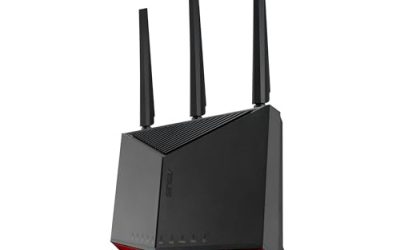
- Best Overall: ASUS RT-AX86U Pro — Adaptive traffic prioritization, a 2.5G port, and a 2.0 GHz quad-core processor. View on Amazon
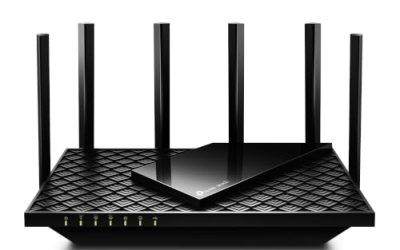
- Best for Large Homes: TP-Link Archer AX73 — AX5400 Wi-Fi 6 with wide coverage, six antennas, and QoS. View on Amazon
- Best Wi-Fi 6E Pick: TP-Link Archer AXE75 — Tri-band Wi-Fi 6E with a new 6 GHz band and a quad-core processor. View on Amazon
- Best Entry Pick: TP-Link Archer AX21 — AX1800 Wi-Fi 6 for a small home or home office. View on Amazon
Quick Comparison
| Router | Wi-Fi Standard | Listed Combined Speed | Traffic Prioritization | Wired Ports | Best For |
|---|---|---|---|---|---|
| ASUS RT-AX86U Pro | Wi-Fi 6, dual-band | Up to 5700 Mbps | Adaptive QoS | 2.5G port plus Gigabit LAN | Busy homes and small offices |
| TP-Link Archer AX73 | Wi-Fi 6, dual-band | Up to 5400 Mbps | QoS | Gigabit LAN | Large homes |
| TP-Link Archer AXE75 | Wi-Fi 6E, tri-band | Up to 5400 Mbps | QoS | Gigabit LAN | Crowded wireless environments |
| TP-Link Archer AX21 | Wi-Fi 6, dual-band | Up to 1800 Mbps | QoS | 4 Gigabit LAN | Small homes and light call loads |
How to Choose
Put voice traffic first with QoS
QoS, short for Quality of Service, is the single most important feature for VoIP: it moves voice packets ahead of downloads, video streams, and cloud backups. Without it, a single large download can make every call in the house sound broken. Every router in this guide lists QoS. Point QoS at your IP phone, your work computer, or your VoIP app. The RT-AX86U Pro adds adaptive QoS, which adjusts priorities on its own. Confirm the exact QoS controls on the listing, because menus vary between brands.
Wire your desk phones when you can
Wi-Fi is convenient, but a wired Ethernet connection is steadier for a desk phone that handles calls all day. A cable removes the ups and downs of wireless signal strength and keeps the phone off the same airwaves as other devices. Count the wired devices first: IP phones, desktop computers, and network storage all compete for LAN ports. Four or more Gigabit LAN ports cover most small offices, and a 2.5G port is a bonus when your plan and modem support it.
Watch latency and jitter, not just speed
VoIP uses very little bandwidth, so a huge headline speed number tells you almost nothing about call quality. What matters is latency, the delay between speaking and being heard, and jitter, the variation in that delay from moment to moment. Both grow when a router is overloaded, when the signal is weak, or when downloads sit in front of your voice packets. A router with a capable processor, modern Wi-Fi, and working QoS keeps those numbers low.
Check SIP handling and the SIP ALG setting
Most VoIP services use the SIP protocol to set up calls, and some routers include a feature called SIP ALG that inspects that traffic. On some networks it helps; on others it causes one-way audio, dropped calls, or registration failures. If calls misbehave after a router change, try turning SIP ALG off and see whether the problem clears. Confirm whether the model you pick lets you adjust it.
Match coverage and capacity to your home
A router can only prioritize traffic it can reach cleanly. If calls happen in a far bedroom or a home office at the other end of the house, coverage matters as much as any feature. More antennas and beamforming help push a stable signal through walls, and a mesh-ready router lets you add a node later if one box cannot cover the whole space. Also count the devices: laptops, smartphones, cameras, and tablets all share the router, and the busy hour is when calls suffer most. The RT-AX86U Pro lists a 2.0 GHz quad-core processor with 1 GB of RAM, and the Archer AXE75 lists a 1.7 GHz quad-core processor with 512 MB of memory.
The Picks in Detail
1. ASUS RT-AX86U Pro — Best Overall
The ASUS RT-AX86U Pro is the most complete router in this guide for voice traffic. It is a dual-band Wi-Fi 6 router with listed combined speeds up to 5700 Mbps, a 2.0 GHz quad-core processor, and 1 GB of RAM. That headroom lets it juggle calls, video meetings, and streaming. The listing states QoS among its special features, plus adaptive QoS that can prioritize voice traffic as conditions change.
Wired connectivity is a strong point: a 2.5 Gigabit LAN port, six ports in total, and four antennas, so an IP desk phone and a work computer can both sit on a wired connection. The listing states WPA3 security and AiProtection Pro, and the router is AiMesh compatible, so a second ASUS router can extend coverage later. Setup runs through the ASUS Router app or a web interface, and the tall unit needs open shelf space with clear airflow.
Pros:
- Adaptive QoS that can prioritize voice and gaming traffic as the network changes
- 2.5G port plus Gigabit LAN ports for wired IP phones and work computers
- 2.0 GHz quad-core processor with 1 GB of RAM for busy households
- AiProtection Pro and WPA3 security included, with AiMesh expansion
Cons:
- Larger and taller than the other picks, so it needs open shelf space
- Advanced settings can feel deep for a first-time router buyer
- No 6 GHz band, so it cannot use the newest uncrowded spectrum
2. TP-Link Archer AX73 — Best for Large Homes

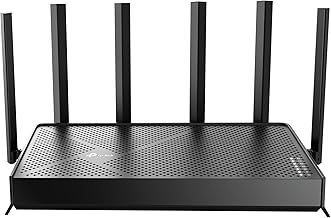
The TP-Link Archer AX73 is the coverage pick in this guide. It is a dual-band Wi-Fi 6 router with listed combined speeds up to 5400 Mbps, and the Amazon listing states QoS and beamforming among its special features. Beamforming steers the wireless signal toward connected devices, which helps keep calls stable two rooms away from the router.
The Archer AX73 suits homes where the router sits in one place and the calls happen somewhere else. Its six antennas suit a house with several bedrooms or a far home office. OneMesh support lets a compatible TP-Link extender join later if a dead zone shows up where you take calls. A USB 3.0 port is listed, and the Tether app handles setup and device management.
For VoIP, wire the desk phone to a Gigabit LAN port when possible, turn on QoS, and let the phone or work computer take priority during busy hours. The AX73 has no multi-gig wired port, so its wired ceiling is Gigabit Ethernet, which is still far more than any voice call needs.
Pros:
- Wide coverage with six antennas and beamforming for calls far from the router
- QoS listed in the features for prioritizing voice traffic
- OneMesh support for adding coverage later without a second network name
- Straightforward setup through the Tether app
Cons:
- No multi-gig wired port, so wired connections top out at Gigabit Ethernet
- No 6 GHz band for uncrowded spectrum
- Some security features sit behind the HomeShield Pro plan
3. TP-Link Archer AXE75 — Best Wi-Fi 6E Pick
The TP-Link Archer AXE75 is the pick for crowded wireless environments: a tri-band Wi-Fi 6E router with listed combined speeds up to 5400 Mbps across 6 GHz, 5 GHz, and 2.4 GHz bands. The 6 GHz band is newer and far less crowded than the bands every neighbor’s router uses, so a Wi-Fi phone or laptop that supports it gets cleaner airwaves. The listing states a 1.7 GHz quad-core CPU, 512 MB of memory, six antennas, and a 2-year warranty.
When the 5 GHz band is full, a 6 GHz-capable device can move to the quieter band while older devices stay where they are. The router also lists VPN client support for OpenVPN, PPTP, and L2TP, which matters for remote workers whose calls travel through a company VPN. WPA3 security is listed.
One detail needs care: sources differ on whether the WAN port runs at 2.5G or Gigabit speed, so confirm the port speeds on the listing. The LAN ports are Gigabit, which is plenty for voice, and a USB 3.0 port is listed. The 6 GHz band only helps devices that support Wi-Fi 6E; older phones and laptops will still use the 2.4 GHz and 5 GHz bands.
Pros:
- 6 GHz band gives Wi-Fi 6E devices uncrowded airwaves for steadier calls
- Tri-band design spreads devices across three bands instead of two
- VPN client support for OpenVPN, PPTP, and L2TP
- 1.7 GHz quad-core processor with 512 MB of memory
Cons:
- Only Wi-Fi 6E devices can use the 6 GHz band; older devices stay on 2.4 GHz and 5 GHz
- Port speeds vary between sources, so confirm the WAN and LAN speeds on the listing
- Gigabit LAN ports rather than multi-gig wired ports
4. TP-Link Archer AX21 — Best Entry Pick

The TP-Link Archer AX21 covers the essentials for a smaller home or a single home office: a dual-band Wi-Fi 6 router with listed combined speeds up to 1800 Mbps, split between 1200 Mbps on the 5 GHz band and 574 Mbps on the 2.4 GHz band. That is far more than voice traffic needs, and the listed OFDMA and beamforming help a busy network share airtime more fairly than older Wi-Fi 5 routers. Four Gigabit LAN ports fit a wired IP phone and a desktop computer, and a built-in VPN server with OpenVPN and PPTP modes is listed.
The AX21 is the simplest pick in this guide, and that is its strength for a first VoIP setup. Setup runs through the Tether app, the interface stays approachable, and the router is compact enough to sit on a desk near the phone. It supports EasyMesh, so coverage can grow later with a compatible node if the calling space expands.
The limits are honest ones. Its AX1800 ceiling and smaller processor suit a light to moderate load, not a house full of heavy simultaneous users. It has no multi-gig port and no 6 GHz band, and its advanced controls are thinner than those on the ASUS pick. For a small household, it is enough; confirm the port count, VPN modes, and QoS controls on the listing.
Pros:
- AX1800 Wi-Fi 6 with OFDMA and beamforming for fair airtime sharing
- Four Gigabit LAN ports for wired phones and computers
- Built-in VPN server with OpenVPN and PPTP modes listed
- Compact size and simple setup through the Tether app
Cons:
- AX1800 ceiling suits light to moderate loads rather than very busy households
- No multi-gig wired port and no 6 GHz band
- Fewer advanced traffic controls than the ASUS pick
Who Should Choose What
Choose the ASUS RT-AX86U Pro if your household is busy and your calls share the network with streaming, gaming, and video meetings. Its adaptive QoS, strong processor, and 2.5G port make it the safest all-around choice.
Choose the TP-Link Archer AX73 if distance is your main problem. When the router lives in the living room and the calls happen in a far bedroom, its coverage and beamforming matter most. Wire the phone when you can, and let QoS handle the rest.
Choose the TP-Link Archer AXE75 if you live in a dense building where every neighbor’s router crowds the same airwaves. The 6 GHz band pays off most when your phone or laptop supports Wi-Fi 6E, and remote workers will like its VPN client support.
Choose the TP-Link Archer AX21 if your space is small and your call load is light. A single home office or a small apartment will get clear calls from it without paying for headroom it will never use. Put the effort you save toward a wired connection for the desk phone.
Common Mistakes
The first mistake is buying for headline speed instead of stability. A router that lists a huge combined speed number can still deliver choppy calls if QoS is off or a download is hogging the line. Turn on traffic prioritization first, before assuming the router is at fault.
The second mistake is putting the router in the worst spot in the house: inside a cabinet, behind a television, or on the floor in a corner. Walls and furniture weaken the signal, which is one of the fastest ways to ruin a call. Place the router in the open, near the center of the calling area.
The third mistake is running everything on Wi-Fi when a cable is within reach. A desk phone that never moves has no reason to use wireless. One Ethernet cable from the router to the phone removes a whole class of problems, including interference from neighbors.
The fourth mistake is forgetting the modem and the internet plan. A router cannot fix a slow or unstable connection coming into the house. If calls break up even on a wired connection with QoS on, the problem may sit upstream.
FAQ
Do I need a special router for VoIP?
No, but a router with QoS makes a real difference. Voice traffic is sensitive to delay and variation in delay, and QoS keeps voice packets ahead of downloads and streams. Any modern router with working QoS, stable coverage, and a wired port will handle calls well.
Can I plug a regular phone into these routers?
Not directly. None of the four routers in this guide lists a built-in analog phone jack. A VoIP setup uses an IP desk phone, a softphone app, or a headset, all of which connect through Ethernet or Wi-Fi. An analog telephone adapter can connect an older phone through an Ethernet port.
Should IP phones use Wi-Fi or Ethernet?
Ethernet when possible. A wired connection is steadier than Wi-Fi, and it keeps the phone off crowded airwaves. Wi-Fi works well for a phone that moves around the house, but a desk phone that never moves belongs on a cable.
What is QoS and why does it matter for calls?
QoS stands for Quality of Service. It is a router setting that ranks traffic by importance, so voice packets move first when the network is busy. Without it, a download or a cloud backup can sit in front of your voice packets and make a call sound choppy. Turn QoS on, point it at your phone or work computer, and leave it on.
Does Wi-Fi 6 or Wi-Fi 6E help voice calls?
Yes, in the right situation. Wi-Fi 6 shares airtime more efficiently, which helps in a busy household. Wi-Fi 6E adds a 6 GHz band that is far less crowded, which helps in dense buildings. Neither one replaces QoS or a wired connection.
How many devices can these routers handle?
That depends on the model and on what the devices are doing. The RT-AX86U Pro and the Archer AXE75 list quad-core processors with headroom for a busy household. The Archer AX21 suits a lighter load with a handful of active devices.
Conclusion
A good router for VoIP is not the one with the biggest speed number on the box. It is the one that keeps voice traffic moving first, holds a steady signal where you take calls, and gives your desk phone a wired port. The ASUS RT-AX86U Pro does all of that with the most headroom, which is why it leads this guide.
Before you buy, confirm the QoS controls, the port layout, and the VPN support on the listing for the model you pick, and remember that none of these routers includes a built-in analog phone jack. Set QoS to favor your phone, wire the desk phone when you can, and place the router in the open.
FAQ
Do I need a special router for VoIP?
Can I plug a regular phone into these routers?
Should IP phones use Wi-Fi or Ethernet?
What is QoS and why does it matter for calls?
Does Wi-Fi 6 or Wi-Fi 6E help voice calls?
How many devices can these routers handle?
More from Amazon
Programs that pair well with the guide above. Offers and eligibility are set by Amazon and may change.
Free shipping on eligible items, Prime Video and more. Eligible new members can start with a free trial.
Start a Prime free trialAd-free music streaming. Eligible new subscribers can start with a free trial.
Try Music Unlimited freeA Prime membership for ages 18-24 with a trial period. Eligibility is set by Amazon.
See Prime for Young AdultsAudiobooks and podcasts to listen to on the go. Eligible new members can start with a free trial.
Try Audible freeAs an Amazon Associate we earn from qualifying purchases.