Key takeaways
- Gaming headset vs headphones compared plainly: microphones, sound tuning, comfort, desk setup and who should buy each, with a feature table and verdicts.
As an Amazon Associate we earn from qualifying purchases.
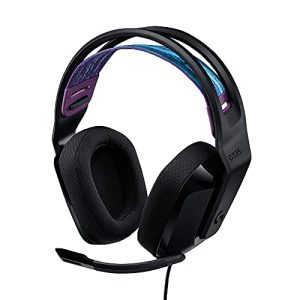
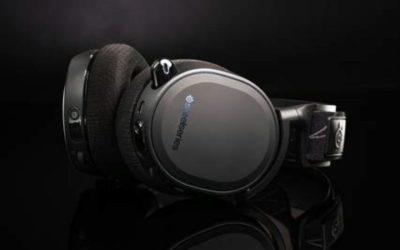
A gaming headset and a pair of headphones look like cousins, and in one sense they are: both put two speakers over your ears. The real difference is everything wrapped around those speakers. A gaming headset is a communication device built for a desk, with a microphone, gaming controls and often its own wireless system folded into one product. Headphones are a listening device, built for music first, with no microphone and no opinion about your game. Choosing between them is really choosing between an all-in-one tool and a specialist, and the right answer depends on how much voice chat, streaming and multi-device use your routine actually involves.
At a Glance
| Feature | Gaming Headset | Headphones |
|---|---|---|
| Microphone | Built in, usually a boom near the mouth | None included |
| Sound tuning | Shaped for game cues, often with software EQ | Shaped for music, varies widely by model |
| Voice chat | Ready out of the box | Needs a separate mic solution |
| Wireless for gaming | Common, low-latency 2.4GHz dongles | Mostly Bluetooth, higher latency |
| On-ear controls | Volume, mute and chat mix are typical | Rare, playback controls at most |
| Console use | Designed for controllers and consoles | Works by cable, features stay basic |
| Music listening | Serviceable, rarely the priority | The entire point of the design |
| Desk footprint | One device, one connection | Headphones plus a mic to place somewhere |
| Replacement path | Whole unit replaced together | Headphones and mic can change separately |
The Dimensions That Matter
The Microphone Situation
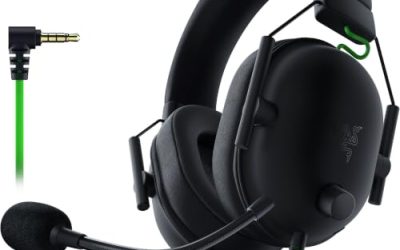
This is the dividing line. A gaming headset carries a boom microphone positioned near your mouth, which is exactly where a voice sounds clearest, and many models add mute switches or detachable booms for flexibility. Headphones ship with no microphone at all, so the moment you join a voice channel you need another plan: a desk mic, a clip-on mic, an inline cable mic or a webcam mic that will make you sound like you are calling from another room. If voice chat is a nightly habit, the headset’s built-in answer is hard to argue with. If you rarely speak in games, the missing mic is no loss at all.
Sound Tuning and What Each Optimises For
Gaming headsets are tuned with game audio in mind: footsteps, reloads and directional cues are pushed forward, and companion software often adds equalizers and preset profiles for different genres. That tuning can make music sound exciting but uneven. Headphones are tuned for music across a huge range of styles, from bass-heavy consumer models to flat studio designs, and the best of them reproduce detail and space that gaming headsets rarely chase. Neither tuning is objectively better. The question is which library gets more hours at your desk: your game collection or your music collection.
Comfort Across Different Kinds of Sessions
Both categories live or die on fit, but they are shaped by different routines. Gaming headsets are designed around long, seated sessions with a mic boom in front of your face, and they tend to use plush pads and strong clamp to stay put while you move. Headphones cover a wider comfort range, including light open-back designs that breathe well and heavy studio models built for short critical listening. One practical catch: adding a third-party mic to headphones can change the balance and cable routing, so a combination that felt perfect in the shop may feel different once it is fully assembled at your desk.
The Desk Setup Around Them
A gaming headset keeps the desk simple. One device charges or plugs in, the mic folds or detaches away, and controls for volume and mute sit on the earcup where your hand expects them. Headphones invite a chain of extras: a separate microphone on a stand or arm, maybe a small amplifier or interface, and cables that each need a route. Some players love that modular desk and the way it grows with them. Others look at the same setup and see clutter, cost and three more things to troubleshoot when audio misbehaves five minutes before a match.
One-Device Simplicity vs Specialist Quality
The honest summary is a trade between integration and ceiling. A gaming headset gives you a known, working combination in one box, with matched controls and one warranty, one battery and one connection to manage. Headphones paired with your own mic choice can reach a higher ceiling for both listening and voice quality, because each piece was designed to do one job well. What you give up is the guarantee that the pieces play nicely together, and the single shopping decision becomes several smaller ones, each with its own research and its own chance of disappointment.
Which Should You Choose?
You Play Team Games With Voice Chat Most Nights
Choose the gaming headset. Your routine is built around callouts, quick mutes and jumping between matches, and the integrated boom mic plus on-ear controls serve that routine directly. A separate mic setup can match the voice quality, but it adds desk hardware and setup time to solve a problem the headset solves in the box. Simplicity wins when the habit is daily.
You Listen to Music as Much as You Play
Choose headphones, and solve voice separately only if you need it. If half your desk time is albums, videos and calls where listening quality matters most, headphones tuned for music will make that half noticeably better. Casual or occasional game chat can run through a modest add-on mic without dragging down the listening experience that dominates your day.
You Stream or Record Content
This is the closest call. A gaming headset keeps a streamer’s desk tidy and the mic consistent, which suits starting out. But creators who want their voice to be a selling point usually end up with headphones and a dedicated microphone they chose for their voice and room. Decide by ambition: hobby streaming favours the headset’s simplicity, while serious content work favours the modular route and its higher ceiling.
You Play on Console From the Sofa
Choose the gaming headset. Console play rewards the all-in-one design: plug into the controller or connect the matching wireless model, and chat, controls and game audio all work in the way the platform expects. Headphones will play game sound through a controller cable, but voice chat then depends on workarounds that are much less comfortable from a sofa than from a desk.
A Note on Hybrids and Middle Paths
The two categories also blend more than the marketing admits. Some headphones accept attachable boom microphones that plug into the earcup, turning them into something very close to a headset while keeping the headphones’ own tuning. Some gaming headsets, with the mic detached and the cable swapped, pass perfectly well as everyday headphones for a commute or a work call. Wireless models on both sides increasingly share the same Bluetooth foundations, and the practical gap narrows every year. None of this erases the core distinction, which is about design intent: one product family starts from communication and adds listening, the other starts from listening and leaves communication to you.
Price comparisons deserve the same honesty. A gaming headset’s cost is the whole cost of the system, while the headphones route only looks cheaper until the microphone, its stand and any adapter join the basket. Counted properly, the two routes overlap far more than shelf prices suggest, and the decision comes back to routine rather than budget theatre. It is also worth remembering that both sides hold their value differently: a respected pair of headphones can serve a decade of desks and devices, while a headset’s wireless system and battery tie its lifespan more tightly to the platform generation it was bought in.
There is also a sensible sequencing strategy for buyers who genuinely cannot decide. Start from the side your current routine already resembles. If you are in voice chat most nights, buy the headset now and let it serve for years; if you later develop a serious music or streaming habit, nothing stops the setup from evolving. If you mostly listen, buy the headphones now and add voice only when a game actually demands it. The mistake is trying to optimise for a hypothetical future routine at the cost of the one you live every evening. Desks, like the players sitting at them, change over time, and audio gear can change with them one piece at a time.
Common Mistakes
- Buying headphones for a voice-heavy routine and then discovering the microphone problem on the first night of ranked play.
- Assuming a gaming headset cannot sound good for music, or that music headphones automatically make game cues clearer.
- Forgetting that Bluetooth headphones carry latency that a 2.4GHz gaming connection is designed to avoid.
- Comparing a headset’s full price against headphones alone, without adding the cost of the mic the headphones still need.
- Choosing open-back headphones for a shared room without realising how much sound they leak in both directions.
Frequently Asked Questions
Can I just add a microphone to my headphones later?
Yes, and many players do exactly that. Clip-on mics, inline cable mics and desk microphones all work, and adding one later lets you spread the spending out. The trade is desk space and setup complexity. If you know voice chat will be central from day one, a headset’s built-in boom is still the tidier answer.
Do gaming headsets sound bad for music?
Most sound fine for casual listening, and some are genuinely enjoyable, but they are tuned for games first, with boosted cues and processing that does not flatter every album. A listener who cares deeply about music will hear the difference in good headphones. A listener who mostly plays games will rarely feel short-changed by a decent headset.
Which is better for competitive shooters?
For cue clarity plus instant comms, a gaming headset is the practical pick, because the boom mic and game-focused tuning arrive together. Some competitive players do use studio headphones with an added mic and play at a very high level, which shows the ceiling argument is real. For most players, though, the integrated option removes friction without giving up anything they will notice in a match.
What about wireless latency on headphones?
Standard Bluetooth is designed for media playback, where a small delay does not matter, and games expose that delay immediately in gunshots and footsteps. Gaming headsets avoid the problem with dedicated 2.4GHz connections. If you want wireless headphones for gaming, check whether the model offers a low-latency mode or a dongle, and treat plain Bluetooth as a phone feature rather than a gaming link.
FAQ
Can I just add a microphone to my headphones later?
Do gaming headsets sound bad for music?
Which is better for competitive shooters?
What about wireless latency on headphones?
More from Amazon
Programs that pair well with the guide above. Offers and eligibility are set by Amazon and may change.
Free shipping on eligible items, Prime Video and more. Eligible new members can start with a free trial.
Start a Prime free trialAd-free music streaming. Eligible new subscribers can start with a free trial.
Try Music Unlimited freeA Prime membership for ages 18-24 with a trial period. Eligibility is set by Amazon.
See Prime for Young AdultsAudiobooks and podcasts to listen to on the go. Eligible new members can start with a free trial.
Try Audible freeAs an Amazon Associate we earn from qualifying purchases.