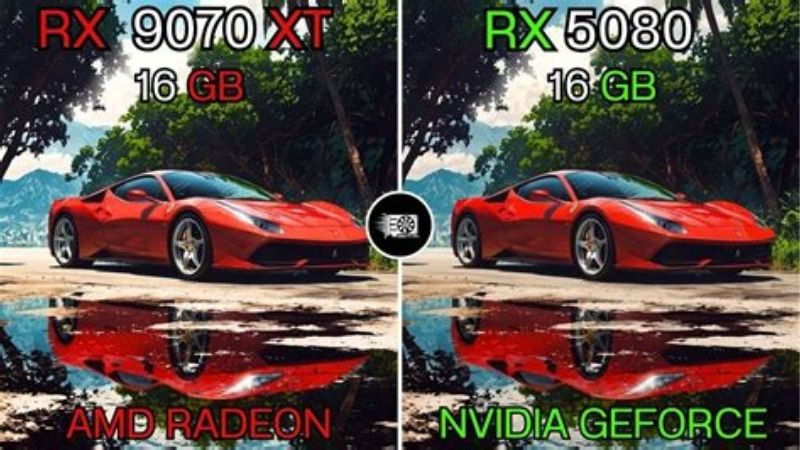
The RTX 5080 vs RX 9070 XT decision is not simply a contest between NVIDIA and AMD. In independent 2026 native-resolution testing, the GeForce RTX 5080 leads by roughly 10% at 1440p and 18% at 4K in traditional rendering, with a larger advantage when demanding ray tracing is enabled. Both GPUs have 16GB of video memory, so capacity alone does not settle the comparison. The Radeon RX 9070 XT has a much lower launch price and typically makes more financial sense for conventional gaming; the RTX 5080 offers extra 4K performance, a stronger ray-tracing position, and NVIDIA-specific software advantages. However, October 2026 U.S. asking prices make the exact card and seller as important as the GPU name.
Quick answer: which graphics card should you buy?
Choose the Radeon RX 9070 XT if your main goal is high-quality 1440p gaming, you play a mix of games without insisting on maximum path tracing, and you can find a sensibly priced U.S. retail model. Its 16GB VRAM and strong native rendering results make it an effective upper-midrange gaming card. At a large real-world price gap, the Radeon tends to offer more frames for every dollar committed, even though it is not the faster GPU outright.
Choose the GeForce RTX 5080 if 4K gaming is central to your setup, you want heavier ray-traced effects in supported titles, or you rely on NVIDIA features for streaming, rendering, and accelerated creative work. The 5080 is demonstrably faster, but its performance improvement is not proportional to the enormous premium on some late-October U.S. listings. Price, availability, warranty, and the specific board model must all pass your checks before you buy.
Do not choose solely by frame generation claims. A screen can display more generated frames while input response still depends on the speed of real rendered frames. Evaluate native performance first, then consider DLSS, FSR, frame generation, latency controls, and image quality in the games you actually use.
The short version: buy Radeon for the better conventional-gaming value at a meaningful discount; buy GeForce when its heavier-ray-tracing headroom or NVIDIA-centered workflow is worth a premium you can personally defend. Neither is automatically the right purchase at any price.
RTX 5080 vs RX 9070 XT specifications
| Specification | GeForce RTX 5080 | Radeon RX 9070 XT |
|---|---|---|
| Desktop GPU architecture | NVIDIA Blackwell | AMD RDNA 4 |
| Video memory | 16GB GDDR7 | 16GB GDDR6 |
| Memory bus | 256-bit | 256-bit |
| Stated memory bandwidth | 960GB/s | Up to 640GB/s |
| Reference or typical GPU board power | 360W total graphics power | 304W typical board power |
| Manufacturer system PSU guidance | 850W for NVIDIA reference configuration | 750W minimum recommendation from AMD |
| PCI Express | PCIe 5.0 | PCIe 5.0 x16 |
| Display connection family | DisplayPort 2.1b and HDMI 2.1b on NVIDIA reference | DisplayPort 2.1a and HDMI 2.1b on AMD specification |
| Launch price in the United States | $999 starting price | $599 suggested e-tail price |
| Upscaling and frame processing | DLSS, supported Multi Frame Generation, Reflex | FSR family, supported frame generation, Radeon Anti-Lag |
| Broadest reason to choose | Faster native 4K and heavy ray tracing | Lower-cost 16GB gaming performance |
NVIDIA’s own GeForce RTX 5080 specification page identifies 10,752 CUDA cores, 16GB of GDDR7, a 256-bit memory interface, 360W total graphics power, and an 850W system-power recommendation. AMD’s Radeon RX 9070 XT specification lists 4,096 stream processors, 16GB GDDR6, a 256-bit interface, 304W typical board power, and a 750W minimum recommended PSU. CUDA cores and Radeon stream processors are different architectural resources and should not be counted as if they were interchangeable units.
The two cards have the same advertised VRAM capacity, but their memory systems differ. NVIDIA lists higher raw memory bandwidth through GDDR7. That can help feed a faster GPU in some workloads, yet it does not mean every game runs 50% faster: cache, compression, shader throughput, game engine, and resolution also matter. AMD uses Infinity Cache in its memory hierarchy. Actual gaming tests, not a single bandwidth number, show the practical difference.
The $999 and $599 prices above are original manufacturer launch references, not current guaranteed checkout prices. Retail-board clocks, connector counts, dimensions, cooling systems, and required power cables can differ. The comparison is about desktop RTX 5080 and desktop RX 9070 XT graphics cards, not laptop variants or an unspecified factory-overclocked board.
1440p gaming: AMD is close enough to make price decisive
The most useful direct comparison comes from Tom’s Hardware’s June 2026 GPU hierarchy. Its rasterization suite reports 128.3 fps for the GeForce RTX 5080 and 116.5 fps for the Radeon RX 9070 XT at 1440p Ultra, using a geometric mean across 11 games. Calculated against the Radeon result, NVIDIA’s advantage is about 10.1% in that particular suite.
That is a measurable lead, not a night-and-day difference for every player. If you are already playing a single-player title smoothly on an RX 9070 XT, an approximately 10% gain in the suite average may not change how the game feels. A display running at 144Hz or 165Hz can make extra frames valuable, but the actual effect depends on where your individual game’s frame rate lands relative to its refresh rate, your graphics settings, and your processor.
Both cards can be very capable at 1440p. The RTX 5080 has more performance headroom for demanding new releases or aggressive ray-traced settings; the RX 9070 XT frees more of the budget for the rest of the setup. For example, the difference between a well-equipped OLED monitor and a basic display may be more noticeable than a small native-FPS advantage in many games. That is a buying-priority judgment, not a claim that monitor purchases increase GPU speed.
Why a 1440p average does not predict your favorite game
A geometric mean combines several games while limiting the influence of unusually high frame-rate results. It is a useful index for comparing cards under the same test procedure, but it is not an FPS forecast. A multiplayer shooter may run into CPU limits at high frame rates, while a visually intensive open-world game can stress shader or memory bandwidth far more heavily.
Independent game-specific reporting also reveals changes in relative strengths. ComputerBase’s 2026 tests of ARC Raiders at 1440p native settings show a substantial RTX 5080 lead in one configuration, whereas TechSpot’s September 2026 Witcher 3 Remastered examination describes a much narrower gap in another scenario. Those examples should not be averaged together: they use different games and methods. Their lesson is simply that aggregate GPU rankings require a game-level check.
When shopping for 1440p, find at least two independent reviews of your three most-played titles. Confirm whether the result is native or upscaled, whether ray tracing is on, whether the cards use comparable quality settings, and which CPU and driver versions were employed. A high FPS claim without those conditions is weak buying evidence.
4K gaming: the RTX 5080 creates more real headroom
At 4K Ultra, the same Tom’s Hardware 2026 rasterization hierarchy records 77.4 fps for the RTX 5080 versus 65.8 fps for the RX 9070 XT. That is about a 17.6% lead for NVIDIA in the test suite, materially larger than the 1440p margin. It matches the general expectation that the heavier pixel workload allows the faster GeForce to distinguish itself more clearly.
Those averages suggest both GPUs can deliver a playable native 4K experience in a mix of rasterized titles, but they do not imply that either maintains 60 fps in every new AAA game at maximum settings. Different engines, unusually expensive effects, VRAM pressure, and patch changes all alter performance. Even one demanding game can fall far below the suite average. Evaluate the titles you care about rather than treating 77.4 or 65.8 fps as a guarantee.
The RTX 5080’s extra native headroom becomes useful when you are trying to preserve image sharpness on a 4K display without leaning as heavily on upscaling. It may also allow higher graphics presets or a more stable starting point for a high-refresh 4K monitor. The RX 9070 XT remains relevant because reducing a couple of costly settings or enabling good-quality upscaling can often bring a title into a comfortable range at far less financial cost.
Which card suits a 4K 120Hz television?
A GPU’s output-port specification and the actual speed at which it renders a game are different. Both GPU families support modern 4K displays, but getting a 4K 120Hz HDR signal also requires a compatible TV input, appropriate cable, and correct Windows/TV settings. The RTX 5080’s faster average makes 120 fps targets more approachable in lighter or optimized games, not universally achievable in demanding AAA releases.
A 4K TV player who mainly runs story games at 60 fps may be satisfied with the Radeon, especially with variable refresh rate and careful quality settings. A buyer who frequently plays at higher refresh rates, or who wants heavy RT on top of 4K output, has a stronger case for the RTX 5080. Check your television’s supported resolution, refresh, VRR, HDR, and bandwidth modes before letting a marketing label drive the purchase.
Ray tracing: NVIDIA has a substantially larger advantage
The difference becomes more consequential when ray tracing adds an expensive lighting, reflection, or global illumination workload. In Tom’s Hardware’s separate 2026 ray-tracing results, the RTX 5080 averages 74.0 fps at 1440p Ultra RT, compared with 55.5 fps for the RX 9070 XT. At 4K Ultra RT, the respective averages are 42.1 fps and 30.1 fps. Calculated from the Radeon baseline, the RTX 5080 is approximately 33.3% faster at 1440p and 39.9% faster at 4K in that RT suite.
These ray-tracing scores are not equivalent to the earlier rasterization results. Tom’s Hardware uses a separate group of ray-traced tests, and the mix of game engines is different. The figures also represent native-resolution rendering rather than a vendor-promoted frame-generation configuration. That distinction matters: a 4K RT result around 42 fps still may need upscaling or reduced settings for comfortably responsive gameplay, even though it beats the Radeon by a large margin.
RDNA 4 represents a notable improvement in AMD ray tracing compared with previous Radeon generations, so the RX 9070 XT is not a non-RT-only card. It can deliver attractive RT effects with appropriate presets, especially at 1440p. However, for users who intentionally buy expensive GPUs to enable the heaviest lighting modes or path tracing, the RTX 5080 is the more convincing technical choice.
Path tracing and conventional RT are not the same workload
Many games use selective ray tracing, such as particular shadows or reflections, while others offer much heavier path-traced settings. A card that maintains high frame rates with moderate RT does not necessarily handle aggressive path tracing equally well. Before buying either GPU for a flagship visual mode, look for a test using that exact preset, a documented upscaling setting, and a note about whether generated frames are included.
If the game is already struggling to render a responsive base frame rate, artificially increasing the displayed FPS count can make animations look smoother without fully solving input latency. Start by checking the native performance and the effect of DLSS or FSR Super Resolution, then consider frame generation after input responsiveness is acceptable. It is a feature to evaluate, not a substitute for real GPU performance.
DLSS versus FSR: the feature ecosystem matters by game
NVIDIA’s RTX 5080 supports DLSS Super Resolution, Ray Reconstruction, Frame Generation, and supported Multi Frame Generation configurations. The RTX 50-series software ecosystem also includes NVIDIA Reflex features in participating games. The available mode depends on the game, application updates, driver, and any NVIDIA App overrides supported at that time. A DLSS logo in a game does not imply that every advanced DLSS function is available.
AMD’s RX 9070 XT supports the modern FSR ecosystem, with machine-learning-based upscaling introduced for the RX 9000 series and later feature development through AMD’s software stack. The exact FSR version and frame-generation functionality available to the player remain game- and driver-dependent. Radeon Anti-Lag features may also help manage latency in supported scenarios. Neither vendor’s technology should be treated as universal across all games.
Visual quality is not simply the number printed next to an upscaling setting. Thin details, motion stability, foliage, reflections, transparency, and HUD elements can look different by implementation. Independent reviewers generally identify DLSS as having an advantage in feature breadth and some image-quality conditions, while FSR continues to improve. Evaluate the actual implementation in the titles you plan to play rather than assuming one method wins every frame.
Frame generation does not multiply real input responsiveness
Multi Frame Generation can insert additional displayed frames between conventionally rendered frames in supported games. This can increase displayed smoothness, but user input is still reflected through actual game simulation and rendering updates. You should distinguish three measurements when comparing screenshots or review charts: native FPS, upscaled real-rendered FPS, and output FPS including generated frames.
For competitive multiplayer, latency, stable frame pacing, and visual clarity generally outrank spectacular frame-generation counter values. For a visually rich single-player game with a healthy base frame rate, generated frames may be attractive. The advantage depends on your game and how sensitive you are to latency and artifacts.
16GB VRAM on both GPUs: capacity is a tie, speed is not
Both desktop cards provide 16GB of VRAM. That is useful for high-resolution textures, demanding 1440p and 4K games, and some heavily modded environments. You do not need to pay more for the RTX 5080 to get additional VRAM capacity because it has no capacity advantage over the RX 9070 XT. For buyers mainly worried that 12GB or 8GB might become restrictive, the Radeon already clears that particular concern.
Memory type and bandwidth differ, however. NVIDIA lists 960GB/s of bandwidth for the 5080’s 16GB GDDR7, and AMD lists up to 640GB/s for the 9070 XT’s 16GB GDDR6. Those are vendor specifications, not independent application-speed measurements. A demanding renderer may benefit from bandwidth, but cache efficiency, compute units, memory access patterns, and other bottlenecks influence the measured result.
VRAM allocation overlays can also mislead. Many games reserve or cache more memory than they strictly need, so a reading of 14GB allocated does not automatically prove that a 12GB GPU would stutter. Similarly, a test showing just 10GB allocated does not prove every 4K texture pack will remain comfortable in future releases. Examine repeatable frame-time behavior and actual quality degradation, not a single memory counter.
For creative applications or local AI experiments, 16GB is a ceiling for both cards. If your workflow genuinely needs a dataset or model that cannot fit, neither becomes a 24GB or 32GB option because one is more expensive. You need to consider an appropriate higher-memory GPU, system-memory offloading, smaller workloads, or different software settings.
Power supply requirements, connectors, and running costs
NVIDIA specifies 360W total graphics power and an 850W recommended system power level for its RTX 5080 reference configuration. AMD specifies 304W typical board power and a 750W minimum recommended PSU for the Radeon RX 9070 XT. The difference between these advertised board-power figures is 56W; it is not a guarantee of a 56W difference in every game. Both products can draw less than the rated value in lighter titles, and factory-overclocked partner cards may differ from reference specifications.
That distinction prevents a common mistake: multiplying the two headline power values as though they were simultaneously measured full-system wattage in the same game. Your actual electrical cost depends on game workload, frame-rate cap, PSU efficiency, total system draw, time spent gaming, and the local electricity rate. When the card is CPU-limited or capped to a low refresh rate, its power behavior can look very different from an unrestricted 4K benchmark.
Check the exact power cable before upgrading
NVIDIA’s reference RTX 5080 guidance includes a 450W-or-greater PCIe Gen 5 power cable option or an adapter fed by three separate PCIe 8-pin connections. Board-partner requirements can differ; always follow the exact card manual and PSU documentation, particularly for high-power 16-pin connections. A cable should be inserted fully with no visible gap at the connector, and it should not be strained or sharply bent right at the plug. Use only manufacturer-approved cabling and never interchange modular PSU cables between unrelated PSU models.
The RX 9070 XT power-connector layout depends on the particular partner design. Do not assume that every Radeon board has exactly the same number or type of auxiliary connectors. Before ordering, confirm the connector requirements on the manufacturer page, whether your PSU has the necessary genuine cables, and whether your case leaves safe cable-clearance space when its side panel is closed.
Physical fit and cooling often matter more than paper efficiency
Case compatibility should be checked with the full board model, not only its GPU family. Cooler thickness, length, weight, and clearance around fans differ widely. A tall triple-fan card may block adjacent slots or interfere with front-mounted radiator hardware even when the GPU itself is electrically supported. Measure the available space inside your actual case, and account for airflow as well as cable routing.
A good 850W unit that meets an RTX 5080 card maker’s specifications is not automatically less reliable than a 1000W unit. Likewise, a high-quality 750W unit may be appropriate for some RX 9070 XT systems, but a particularly power-hungry CPU and many peripherals can change the calculation. Keep margin, quality, and transient-load handling in mind; do not buy a PSU by wattage sticker alone.
Streaming, video editing, rendering, and local AI
If your PC will be used for gaming and professional or semi-professional work, the feature choice may matter more than a raster-game average. NVIDIA’s ecosystem has broad software support for CUDA-dependent tools, and the RTX 5080 supports contemporary NVIDIA encoding and creator features. AMD’s Radeon also offers hardware media encoding and decoding, including AV1 support, but plug-in compatibility and acceleration availability vary among applications, operating systems, and versions.
In Puget Systems’ public Puget Bench comparison for DaVinci Resolve, collected results favor the RTX 5080 in many GPU-oriented and AI-related categories, although not every subtest has the same winner. These are aggregated public submissions grouped for comparability, not a controlled head-to-head with identical CPUs and drivers in every run. They are valuable directional evidence, but should not be converted into a promise that your editing export will be a fixed percentage faster.
A creator who regularly uses a GPU-specific tool, an AI effect, a 3D renderer, or a streaming pipeline should check that exact software vendor’s hardware support list and recent application benchmarks. For example, a workload based on CUDA is not suddenly equivalent on an AMD card merely because both GPUs have 16GB VRAM. Conversely, someone who primarily edits light 1080p footage may not receive a meaningful return on an expensive RTX 5080.
For game streaming, do not confuse codec support with guaranteed stream quality or frame rates. Encoder configuration, video platform acceptance, target bitrate, game load, and CPU overhead all contribute. A side-by-side recorded sample under the same conditions is more meaningful than a generic claim that one brand always looks better.
U.S. pricing and availability checked October 28, 2026
The listed manufacturer prices were $999 for RTX 5080 and $599 for RX 9070 XT at launch. In late October 2026, those numbers are useful as historical starting points, but they no longer describe what every U.S. buyer can actually pay. Retailer pages show much higher amounts for some partner boards and inconsistent stock conditions.
| Exact U.S. listing | Price displayed by seller on Oct. 28, 2026 | Stock status shown | Why it matters |
|---|---|---|---|
| NVIDIA GeForce RTX 5080 Founders Edition, NVIDIA Marketplace | $999.00 | Out of stock | Reference launch-level NVIDIA storefront listing; not immediately buyable |
| MSI GeForce RTX 5080 Gaming Trio OC 16G, Best Buy SKU 6615227 | $1,799.99 | Sold Out | Higher priced partner model; do not present as available |
| PNY GeForce RTX 5080 Overclocked Triple Fan, Best Buy SKU 6616903 | $1,999.99 | Shipping/pickup options shown for retailer-selected ZIP 55423; checkout not tested | Example of a listed purchase path with a very large premium |
| GIGABYTE Radeon RX 9070 XT Gaming OC 16G, Best Buy SKU 6617866 | $929.99 | Add to cart and local pickup shown in the page’s Roseville, Minnesota context; checkout not tested | Concrete RX listing; availability varies with ZIP and store |
These examples are deliberately specific. The $1,799.99 MSI card being sold out does not mean every RTX 5080 is unavailable; the PNY’s delivery widget in one location does not prove it will ship everywhere in the country. Best Buy’s search grid and individual product pages can also display different figures or presentation states. The exact model’s direct product page was used for these entries, and the Radeon direct page displayed a different amount from some search snippets. The table is a timestamped snapshot, not an offer or a storewide minimum-price survey.
It is inappropriate to compare a premium overclocked and RGB-heavy RTX 5080 model against the cheapest Radeon board and then claim that all GeForce products cost the same premium. Yet that does not erase the reality that buyers must pay the actual listing price. A GPU you cannot add to a cart at your location is not a practical recommendation, no matter how attractive its MSRP looks on paper.
A practical value calculation that does not hide assumptions
At launch reference prices, the RTX 5080’s $999 starting price was about 67% higher than the RX 9070 XT’s $599 suggested price. The native raster lead in Tom’s 2026 suite is approximately 10% at 1440p and 18% at 4K. That is a straightforward reason to regard the Radeon as the value-first choice for conventional gaming under those pricing assumptions.
For a current-price comparison, use two verified listings on the same date, account for whether each card is actually obtainable, and compute the percentage premium yourself. If the RTX 5080 costs almost twice as much at checkout, its 10–18% raster lead cannot be described as a commensurate gain in raw FPS per dollar. It can still be worth purchasing for special RT or workflow needs, but that requires a different justification than basic price-to-FPS efficiency.
You should also avoid buying an overpriced Radeon solely because it remains cheaper than an even more overpriced GeForce. Compare the current RX 9070 XT against nearby models, particularly the RX 9070 and RTX 5070 Ti, and decide whether the expected gameplay or software benefits match the total cost. A weaker GPU at a sensible price can be a better purchase than either option during an unfavorable pricing window.
How to check prices without getting misled
First, open the exact manufacturer model and compare U.S. retailers using the full SKU or part number. Next, separate new inventory sold directly by the retailer from third-party marketplace listings, open-box cards, and refurbished offers. Confirm whether the price includes a temporary promotion, rebate, bundle, or membership condition. Shipping, tax, store pickup, and return terms may change the true cost.
Finally, do not use a shopping-search snippet as the authoritative price if the product page says something different. Record the retailer, model, displayed amount, timestamp, and whether checkout is possible in your ZIP code. Recheck immediately before buying; GPU prices can move rapidly, and a product that was available earlier may disappear.
Compatibility checklist before you choose either GPU
A GPU purchase should start with your current system. PCIe backward compatibility makes many older desktops viable hosts for newer GPUs, but you still need the correct physical space, PSU cabling, cooling, and display outputs. The motherboard’s nominal slot generation alone is rarely a reason to replace an entire platform just for this decision.
- PSU and wiring: Confirm quality, output capacity, the exact auxiliary connectors, and whether the card maker calls for a different supply than the GPU reference design. Use approved PSU cables and safe routing.
- Case measurements: Check card length, height, slot thickness, front fan or radiator clearance, and support for a heavy cooler. Never rely on generic measurements for every RTX 5080 or RX 9070 XT.
- Monitor or television: Match your actual resolution, refresh rate, VRR support, HDR requirement, display input, and available cable bandwidth. DisplayPort and HDMI version names do not by themselves document every mode on each retail board.
- CPU pairing: A powerful GPU may be CPU-limited at 1080p and in high-FPS esports gaming. Buying the faster card will not fix an unrelated CPU or memory bottleneck.
- Application support: Check the names and versions of specific editing, AI, streaming, and game tools. A CUDA requirement, for example, is not fulfilled by choosing an RX 9070 XT.
- Total price and warranty: Check whether the exact board is new, who actually sells it, shipping and taxes, return window, and manufacturer warranty terms. An overclocked model is not guaranteed to be the best choice merely because it costs more.
A final safeguard: when replacing an existing graphics card, download the correct current driver from NVIDIA or AMD and follow the vendor’s installation and troubleshooting documentation. Avoid random driver-download sites and unnecessary BIOS or registry modifications. If your old system is stable and the new card is fully supported, there is no reason to make unrelated firmware changes simply because you bought a new GPU.
Who should choose the RTX 5080?
The strongest RTX 5080 buyer already has a suitable 4K high-refresh display or a concrete, performance-hungry RT workload, and can point to games or applications where the lead matters. This user is comfortable spending more than the Radeon costs because they value specific capabilities, not because a larger model number looks impressive. Someone whose paid creative work relies on well-supported NVIDIA acceleration also has a rational reason to prioritize compatibility and time saved over gaming value.
The RTX 5080 is less convincing for a player on a 1440p 60Hz monitor who mostly runs esports or older rasterized games. Its additional horsepower can sit unused or be constrained by the CPU or refresh rate. It is also a weak purchase when the actual seller premium is very large and you have no clear need for stronger RT or NVIDIA software. At that point, a good Radeon purchase and a broader system upgrade may provide a better experience.
Who should choose the RX 9070 XT?
The RX 9070 XT suits buyers who want high-quality 1440p performance, occasional 4K gaming, 16GB memory, and a good balance between capable hardware and total spending. It is especially attractive when you are willing to use game-specific upscaling and adjust a demanding setting or two rather than paying heavily for the last portion of native FPS. For an ordinary gaming-focused desktop, its value proposition is straightforward as long as the specific board is priced reasonably.
It is less suitable if maximum path tracing is your top priority, your must-have application performs significantly better with CUDA acceleration, or your target 4K games need every bit of native headroom available. It is also not automatically a deal at any late-2026 listing price. The sensible Radeon recommendation assumes the real discount is large enough to matter and the board is in stock with a trustworthy seller.
Frequently asked questions
Is the RTX 5080 much faster than the RX 9070 XT?
It depends on what you measure. Tom’s Hardware’s June 2026 native raster averages put the RTX 5080 about 10.1% ahead at 1440p and 17.6% ahead at 4K. In the separate ray-tracing suite, it leads by about 33.3% at 1440p and 39.9% at 4K. Individual games can depart substantially from these averages. Those figures do not include a universal frame-generation multiplier.
Is the RX 9070 XT good enough for 4K gaming?
Yes, for many games with settings chosen sensibly. Tom’s Hardware’s tested 4K Ultra raster suite averages 65.8 fps on the RX 9070 XT, which is a useful starting point, not a minimum across every game. Heavy RT, particularly path tracing, is far more demanding. Use high-quality upscaling, tune effects, and check your exact titles when aiming for a consistent 60 fps or higher.
Does the RTX 5080 have more VRAM?
No. Both GPUs have 16GB. The RTX 5080 uses GDDR7 with more specified raw memory bandwidth; the RX 9070 XT uses GDDR6. A larger memory bandwidth number is not equivalent to more capacity, nor does it specify a fixed FPS difference. Buyers who need more than 16GB of dedicated video memory must consider a different class of card.
Which GPU is better for ray tracing?
The RTX 5080 leads clearly in the independent 2026 ray-tracing suite described above. The RX 9070 XT can still run ray-traced games and may deliver a strong experience with moderate settings or appropriate upscaling. For sustained high-quality 4K RT, NVIDIA’s extra headroom is its most meaningful gaming advantage in this matchup.
Does DLSS Multi Frame Generation make the RTX 5080 automatically better?
No. Multi Frame Generation requires game and software support and should be evaluated in the context of base rendering speed, visual artifacts, and input latency. Its displayed FPS can be higher than real-rendered FPS. In a fast competitive game, responsiveness may matter more than a larger output counter; in a demanding single-player title, frame generation may be valuable once the base frame rate is adequate.
Is a 750W power supply enough for either GPU?
AMD lists 750W as the minimum recommendation for the RX 9070 XT; NVIDIA specifies 850W recommended system power for its RTX 5080 reference configuration. These are not universal guarantees for every custom card and CPU combination. Follow the actual partner-board and PSU manuals, account for power-hungry components, and avoid questionable cable adapters.
Why are October 2026 prices so much higher than MSRP?
Retail prices depend on inventory, the partner model, region, seller, and demand. The manufacturer launch reference price is not a binding guarantee that an exact board will be sold today. In the October 28 product-page checks used here, some premium RTX 5080 boards were listed far above $999, and a mainstream Radeon partner board was above the original $599 reference. Buy using the current checkout price and availability rather than an old launch announcement.
Should I buy an RTX 5080 that is out of stock at MSRP?
No purchase is possible from an out-of-stock listing. A reference price can help you set a target or evaluate whether another offer is poor value, but you should not treat it as a live option. Check legitimate alternative U.S. sellers, and decide whether waiting, choosing a different board, or buying a less expensive GPU better serves your current needs.
Final thoughts
In the RTX 5080 vs RX 9070 XT comparison, NVIDIA earns the technical performance win: higher native 4K frame rates, a meaningful lead in demanding ray tracing, faster listed memory bandwidth, and a strong acceleration ecosystem. AMD earns the stronger conventional-gaming value argument when its actual U.S. shelf price is substantially lower. Both carry 16GB VRAM, and neither should be bought on launch MSRP or generated-frame claims alone.
Your next step is concrete: write down the three games you play most, your monitor’s resolution and refresh rate, any essential CUDA or AI applications, and two exact in-stock U.S. product listings. If you mostly play rasterized games at 1440p, start with a reasonably priced RX 9070 XT. If your use case specifically demands heavy 4K ray tracing or proven NVIDIA application support, consider the RTX 5080—but only after the real price premium passes your own budget test.