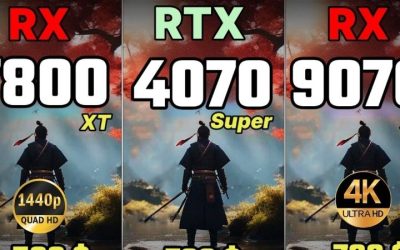
The RX 9070 XT vs RX 7900 XTX decision comes down to what you actually play. AMD’s newer Radeon RX 9070 XT is usually the smarter purchase for a fresh 1440p or 4K gaming build when it is substantially less expensive: it delivers strong native performance, better ray tracing, and a lower reference power rating. The older RX 7900 XTX remains faster in many traditional 4K games and carries 24GB rather than 16GB of VRAM. That extra memory is meaningful for specific high-resolution, heavily modded, and creation workloads—not an automatic FPS boost in every game. This comparison concerns desktop cards, not the RX 7900 XT, RX 9070 non-XT, or laptop GPUs.
Quick verdict: which Radeon should you buy?
Choose the RX 9070 XT if you are buying a new gaming GPU, care about ray-traced games, want a lower stated board-power requirement, and do not have a documented use case for more than 16GB of video memory. Its native raster performance is close enough to the older flagship that a large price premium for the RX 7900 XTX is difficult to justify for ordinary 1440p gaming. At 4K, you give up some native performance, but gain in the more demanding ray-tracing workloads measured by independent reviewers.
Choose the RX 7900 XTX if your main priority is traditional, non-ray-traced 4K performance, your games or production tasks demonstrably need over 16GB of VRAM, or you find a well-priced, warranty-backed card. The XTX’s memory capacity and bandwidth are genuine hardware advantages. However, a used card’s condition, power requirement, physical dimensions, and remaining warranty matter as much as its higher place in a raster benchmark table.
Keep your RX 7900 XTX if you already own one. Replacing it with an RX 9070 XT is generally a feature-oriented sidegrade, not a broad performance upgrade. You would surrender 8GB of VRAM and some traditional 4K speed to improve ray tracing and lower rated board power. Owners of an RX 7900 XT are evaluating a different starting point; this guide addresses the XTX model specifically.
RX 9070 XT vs RX 7900 XTX specifications compared
| Specification | Radeon RX 9070 XT | Radeon RX 7900 XTX | Buying implication |
|---|---|---|---|
| AMD architecture | RDNA 4 | RDNA 3 | Generation alone cannot establish FPS. |
| Launch | March 2025 | December 2022 | Older inventory can be used, refurbished, or limited. |
| Compute units | 64 | 96 | Different architecture; counts are not directly comparable performance scores. |
| Stream processors | 4,096 | 6,144 | More shaders on XTX do not guarantee an RT win. |
| Video memory | 16GB GDDR6 | 24GB GDDR6 | XTX offers 8GB more headroom. |
| Memory interface | 256-bit | 384-bit | Helps explain the XTX’s bandwidth advantage. |
| Reference memory bandwidth | Up to 640 GB/s | Up to 960 GB/s | XTX has 50% more rated bandwidth. |
| Infinity Cache | 64MB | 96MB | Cache arrangements differ; do not treat capacity as an FPS multiplier. |
| AMD typical board power | 304W | 355W | The reference-rating gap is 51W, not a measured gaming average. |
| AMD minimum system PSU | 750W | 800W | Your precise CPU and partner card may require more. |
| Reference display technologies | DisplayPort 2.1a; HDMI 2.1b | DisplayPort 2.1; HDMI 2.1 | Actual outputs and validated display modes depend on the board. |
| PCIe interface | PCIe 5.0 x16 | PCIe 4.0 x16 | Both can work in appropriate older motherboard slots. |
| AV1 hardware encode/decode | Yes | Yes | Either can serve common streaming and editing workflows. |
| Original US suggested launch price | $599 | $999 | Historical prices only; not verified current store offers. |
These figures are based on AMD’s model-level desktop specifications, with memory interface corroborated by independent technical specifications. A graphics card bought from Sapphire, XFX, PowerColor, ASUS, ASRock, Gigabyte, or another vendor may have an overclock, a different connector arrangement, a larger cooler, or a different port layout. Never order a particular partner board using only the reference GPU’s dimensions or connector count.
The specifications reveal two very different design choices. AMD used the RX 9070 XT’s newer architecture to achieve much of the older flagship’s conventional gaming performance with fewer compute units and less memory bandwidth. The RX 7900 XTX uses its larger memory subsystem and additional resources to maintain an edge in high-resolution raster work. Neither description substitutes for measured game data.
Why 24GB of VRAM is not the same as 50% more FPS
The RX 7900 XTX has 50% more VRAM capacity than the RX 9070 XT, and its published memory bandwidth is also 50% higher. Those are two separate properties. Capacity determines how much graphics data can stay in local memory before a workload must manage or relocate it. Bandwidth determines the rate at which data can be transferred under idealized conditions. Neither is a direct calculation of frame rate.
Many 1440p games run comfortably within 16GB, so a 24GB card may offer no meaningful texture-quality benefit in those titles. Large texture packs, extreme 4K settings, substantial mod collections, or memory-hungry creation projects can tell another story. If your workload truly exceeds 16GB, the XTX may avoid disruptive memory pressure that an ordinary FPS average fails to expose. Conversely, high reported VRAM allocation alone is not proof of a capacity bottleneck; applications often reserve more memory than they actively require.
Independent 1440p and 4K gaming benchmarks
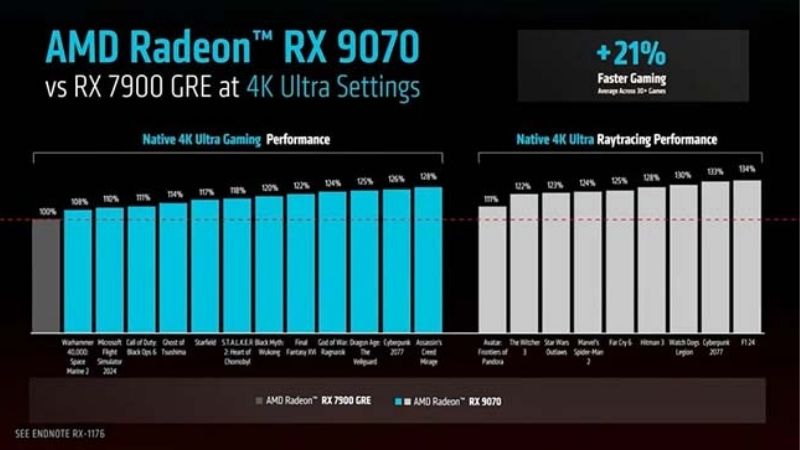
A useful matched comparison comes from Tom’s Hardware’s GPU Benchmarks Hierarchy, updated in June 2026. Its native-resolution raster table uses a geometric mean across 11 games, while the ray-tracing table covers a separate eight-game suite. Upscaling and frame generation are disabled in the reported figures. This makes the two GPUs directly comparable within each test group, though the results cannot predict the exact FPS of every game or every PC.
| Native benchmark, June 2026 | RX 9070 XT | RX 7900 XTX | Result in that test suite |
|---|---|---|---|
| 1440p Ultra, raster | 116.5 FPS | 122.3 FPS | XTX about 5.0% ahead |
| 4K Ultra, raster | 65.8 FPS | 70.6 FPS | XTX about 7.3% ahead |
| 1440p Ultra, ray tracing | 55.5 FPS | 50.5 FPS | 9070 XT about 9.9% ahead |
| 4K Ultra, ray tracing | 30.1 FPS | 27.3 FPS | 9070 XT about 10.3% ahead |
These are published independent laboratory averages, not benchmarks performed by Geek Gaming Tricks. Percentages are computed using the slower GPU as the denominator and rounded to one decimal place. The eight ray-tracing games are not simply the 11 raster titles with an RT switch flipped, so the numbers should not be averaged together. The low native 4K RT results are also a reminder that ray tracing can still demand upscaling or reduced settings on both cards.
A launch-period TechSpot review in March 2025 found the RX 9070 XT 13% slower than the RX 7900 XTX in its 18-game 1440p aggregate. That is a larger difference than the June 2026 hierarchy. The two studies use different game selections, settings, platforms, and driver generations. Their results are not contradictory evidence that one card became universally faster; they demonstrate why a buyer should use a current test in their own favorite game instead of treating any single aggregate as a universal performance law.
1440p gaming: the older flagship’s lead is often small
For high-refresh 1440p play, the RX 9070 XT is already in a powerful class. The 2026 raster averages put it within roughly five percent of the XTX across that specific test set. The difference can be visually minor in an otherwise smooth game, especially if you are limited by the CPU or have a 144Hz or 165Hz monitor. A few titles will favor the XTX more clearly; others can narrow the gap or reverse the order because the architectures respond differently to game engines.
This is why the 9070 XT usually makes more buying sense when its actual checkout price is substantially lower. Paying extra for the XTX simply to move from a very high frame rate to a slightly higher one is not automatically money well spent. A competitive esports player should also examine 1% lows, frame pacing, input latency, and CPU limitations. Average FPS alone cannot establish that either card improves aim consistency or responsiveness.
At 1440p with ray tracing, the recommendation changes. The newer card leads the 2026 RT average even though it has fewer compute units and less VRAM. The architectural improvement matters for the effects that are expensive on RDNA 3. If you play visually demanding ray-traced titles frequently, prioritize the 9070 XT’s RT results over the older card’s advantage in a non-RT average.
4K gaming: the RX 7900 XTX retains a raster advantage
At native 4K, the RX 7900 XTX’s larger memory bandwidth and stronger conventional rendering resources become more relevant. The June 2026 average of 70.6 FPS versus 65.8 FPS favors the XTX by about 7.3% when expressed relative to the 9070 XT. That margin is real within the reviewed suite but not a reason to claim the XTX is dramatically faster in every 4K game. Frame rates in specific titles can deviate widely from an average.
If you target a locked 60 FPS on a 4K television, either GPU may be adequate for many conventional games, though the newest demanding releases will still require selective setting reductions. If your goal is high-refresh native 4K without upscaling, the XTX’s added speed is useful, but the monitor, game settings, and CPU still determine whether that advantage translates into your target experience. A small raster lead does not overcome a large purchase-price premium by itself.
It is also important to separate resolution from memory consumption. Some titles at 4K with Ultra textures fit in 16GB. Others, particularly modded installations, can become constrained. Rather than assuming that 4K always demands 24GB, check independent memory behavior for the particular game and texture pack you plan to use. The XTX is the safer capacity choice when you have a documented need, not necessarily the better value in every 4K build.
Ray tracing: RDNA 4 changes the order
Ray tracing is the clearest technical reason to choose the RX 9070 XT. In Tom’s Hardware’s 2026 RT suite it outpaces the XTX at 1440p and 4K, with gains of about ten percent. TechSpot’s 2025 individual-game testing also found the new Radeon beating the XTX in several difficult RT scenes, including Cyberpunk 2077, Alan Wake II, and Metro Exodus Enhanced, though the magnitude varied significantly by game and settings.
That does not mean the RX 9070 XT is an ideal native 4K path-tracing GPU. Its native 4K aggregate in the later RT suite is only 30.1 FPS; the XTX reaches 27.3 FPS. Both may benefit from upscaling and sensible visual compromises. If you are especially interested in path-traced games, compare scene-specific results and image-quality settings rather than treating a percentage improvement over a slow baseline as proof of a satisfying experience.
For players who seldom enable ray tracing, the XTX’s traditional rendering lead and capacity can matter more. The key is matching the benchmark category to your habit: native raster results for primarily conventional graphics, RT results for lighting-heavy games, and separate upscaling results when you actually intend to use upscaling.
FSR 4.1 in 2026: both cards now support ML upscaling
This comparison requires a significant update to older buying advice. At the RX 9070 XT’s launch, AMD emphasized machine-learning FSR 4 support on Radeon RX 9000 Series hardware. That was accurate for the original rollout, but it is no longer accurate to claim that the RX 7900 XTX cannot use ML-based FSR Upscaling at all. In July 2026 AMD brought an optimized FSR Upscaling 4.1 implementation to RX 7000 cards. AMD’s October 20, 2026 driver information further documents availability through the current Adrenalin software ecosystem.
The support is not identical. The RX 9070 XT uses the newer RDNA 4 implementation, while the RX 7900 XTX runs a more heavily optimized INT8 model. AMD’s feature matrix also distinguishes upscaling from other FSR “Redstone” technologies: expanded upscaling support for RX 6000 and RX 7000 does not mean every ML frame-generation or ray-regeneration feature is available on those cards. Specific games, drivers, in-game implementations, and software toggles determine which option you can actually use.
What the FSR 4.1 tests tell buyers
TechSpot tested the INT8 version on RDNA 3 against the RDNA 4 implementation. Its July 2026 analysis found that the RX 7900 XTX could gain visibly improved image quality over older FSR 3.1 upscaling, but the new model imposed more processing overhead in some games. On the RX 9070 XT, the FP8 implementation was generally more efficient. In other words, compatibility narrows the technology gap but does not eliminate architectural differences.
For example, in TechSpot’s 4K Mafia: The Old Country testing, FSR 4.1 Performance mode achieved 66 FPS on the RX 7900 XTX and 73 FPS on the RX 9070 XT in the reviewed configuration. These are specific externally measured results, not evidence that the newer GPU wins every 4K game. The same publication noted that FSR 4.1 can be slower than FSR 3.1 at equivalent quality presets on the XTX because the more sophisticated model costs more to run.
A practical choice is to start with FSR 4.1 Quality if a supported game needs more performance, then assess image stability, texture detail, motion artifacts, and base-game responsiveness. Use frame generation only where the game and hardware support it and where the underlying rendered frame rate is sufficiently responsive. Frame generation can make motion appear smoother on a high-refresh display, but generated frames are not identical to additional input-sampled game frames.
Check support for the exact game, not just the GPU generation
AMD’s supported-games documentation distinguishes games with native ML upscaling from those that can be upgraded through supported Adrenalin options. The labels can vary between FSR 4, FSR Upscaling, and FSR “Redstone.” A software feature listed for the RX 9000 family should not be assumed to include RX 7000 feature-for-feature. Conversely, an old comparison published before July 2026 should not be used to deny ML upscaling to the RX 7900 XTX.
Before buying based on FSR, verify three things: that your game is on AMD’s supported list, that the relevant version of AMD Software is compatible with your card and Windows installation, and that the feature you want is upscaling, frame generation, or another distinct effect. For the RX 7900 XTX, the October 2026 AMD materials explicitly include RX 7000 support for ML upscaling. For advanced Redstone effects, check the feature-level hardware matrix rather than assuming full parity.
VRAM, mods, streaming, and creator workloads
For most gaming buyers, 16GB is a substantial local-memory budget. The RX 9070 XT is not inherently unsuitable for 4K simply because the XTX has 24GB. Nonetheless, extra memory can be an important reason to retain or buy the older flagship if you can identify workloads that genuinely fill 16GB. Examples may include especially large modded textures, unusually complex 3D scenes, or applications that keep several large GPU buffers resident at once.
Remember that VRAM requirements are application-specific. A game showing 18GB allocated on a 24GB card does not prove it would stutter on a 16GB card. Developers and engines sometimes use spare memory as a cache. Better evidence is a repeatable deterioration in frame times, texture streaming, or task completion as capacity is exceeded, preferably measured under the same software version. For a buyer planning to keep a card for several years, the XTX’s memory headroom can be reassuring without justifying any possible price difference.
Both GPUs provide hardware AV1 encoding and decoding, which is relevant to supported recording, streaming, and video workflows. Neither is guaranteed to outperform the other in every rendering application merely because one has more cores or VRAM. Encoder support, software APIs, plug-ins, driver stability, codec settings, and actual media formats decide the result. If your livelihood depends on a particular editing, render, compute, or AI package, check that program’s AMD GPU support and memory demands before using a gaming comparison as a workstation recommendation.
Is the RX 7900 XTX better for local AI or 3D creation?
Potentially, because 24GB can hold larger models, scenes, or batches than 16GB. But the software stack is just as important as raw memory. Some AI tools are optimized for specific APIs or vendors, and a memory advantage does not guarantee the application launches or runs efficiently on an AMD GPU. Check your exact application version, Windows or Linux environment, supported back end, and required model size. Avoid buying on the unverified assumption that every CUDA-focused workflow has an equivalent Radeon setup.
If you are primarily a gamer who occasionally streams gameplay and edits clips, this memory advantage may be less important than the 9070 XT’s stronger ray tracing, newer technology implementation, and potentially lower purchase price. If you are routinely limited by 16GB in a documented project, the decision can reverse decisively. The point is to treat 24GB as a workload requirement rather than a blanket value badge.
Power draw, PSU requirements, and thermal implications
AMD rates the RX 9070 XT at 304W typical board power and recommends a minimum 750W system power supply. Its RX 7900 XTX reference specifications list 355W and a minimum 800W power supply. The 51W difference is a comparison of AMD’s design ratings, not a measured promise that the XTX always draws 51W more in every game. Real power varies with clock targets, board manufacturer, game load, voltage, driver, and any power limit or undervolt setting.
The XTX’s nominally higher demand may matter in a compact or thermally constrained system, but neither card is a low-power product. A well-cooled case, a reliable power supply, and an appropriate power cable arrangement remain essential. A partner 9070 XT may use more aggressive power limits than AMD’s published baseline, and premium XTX boards can differ significantly from the original reference design.
Verify the exact board before reusing your power supply
Start with your PSU’s actual make, model, wattage, and available PCIe power connectors—not merely the wattage printed in an online build estimate. Then inspect the partner GPU product page and installation manual for that precise SKU. AMD’s baseline lists two 8-pin auxiliary connectors for both GPU families, but aftermarket boards may require three or use different configurations. You cannot safely assume all cards of a GPU family share an identical connector layout.
Use the cable arrangement recommended by the PSU and graphics-card manufacturers. Do not improvise with unsuitable adapters, strain the connectors against a side panel, or treat split cables as universally appropriate. If your supply is old, low quality, missing connectors, or borderline for your CPU and GPU combined, replace it with an appropriately rated model before installing the card. Disconnect power before removing or installing hardware, and ensure the card is fully seated and supported.
Case clearance, cooler dimensions, and display ports
Check GPU length, thickness in occupied slots, power-cable bend clearance, and neighboring expansion cards against your case specification. The RX 7900 XTX AMD reference design is listed at 287mm and 2.5 slots, but many board-partner XTX cards are substantially larger; those reference dimensions do not apply to every listing. The RX 9070 XT is primarily encountered in partner designs, so treat each product’s exact part number as the source for dimensions.
The RX 9070 XT’s reference display-interface specification includes DisplayPort 2.1a and HDMI 2.1b, while the RX 7900 XTX lists DisplayPort 2.1 and HDMI 2.1. These labels are not enough to establish an exact 4K refresh rate, link rate, DSC capability, or cable requirement for a particular board and monitor combination. Validate the physical output ports and supported modes in the card vendor documentation, and compare them with the monitor’s input specifications. Both GPUs can be appropriate for high-refresh displays, but version numbers alone do not guarantee a particular display mode.
Price and buying value in the US
The historical US launch prices were $599 for the RX 9070 XT and $999 for the RX 7900 XTX. Those are useful for understanding positioning, but they are not October 2026 prices and do not prove that any particular card is currently in stock. New inventory, used listings, marketplace sellers, taxes, shipping, rebates, and warranties can change the effective price substantially. Current identical-SKU checkout prices and stock for both products were not independently verified for this article; do not infer a live deal or availability from the older launch figures.
For a fair comparison, write down the actual all-in checkout price for an exact RX 9070 XT model and an exact RX 7900 XTX model on the same day. Note whether each is new, open-box, refurbished, or used, and whether the sale includes a transferable manufacturer warranty or only a seller return window. A two-year-old used XTX at a similar price to a new 9070 XT is not equivalent merely because a benchmark shows higher FPS.
A practical purchase rule for three situations
| Your situation | Better starting choice | What would change it? |
|---|---|---|
| New 1440p gaming build with mixed titles and RT | RX 9070 XT | A significantly cheaper, trustworthy XTX listing or a verified need for 24GB. |
| Native 4K gaming with RT usually off | RX 7900 XTX if competitively priced | A much cheaper 9070 XT can offer better overall value for a modest raster deficit. |
| Large mods, creation scenes, or projects exceeding 16GB | RX 7900 XTX | If your real workload fits 16GB, the extra memory has less practical value. |
| Existing RX 7900 XTX owner considering a swap | Keep the RX 7900 XTX | Switch only for a specific RT, power, or compatibility need that outweighs the losses. |
| Ray-traced games are the main priority | RX 9070 XT | Check exact games; an alternative GPU family may suit extreme path tracing better. |
A useful way to evaluate price is to compare the percentage premium with the relevant measured raster performance gap. In the June 2026 suite, the XTX averages about five percent more native 1440p FPS and seven percent more native 4K FPS than the 9070 XT. If an XTX costs much more than those percentages and you do not need its memory capacity, you are paying a relatively high premium per increment of conventional game performance. This is a decision aid, not a precise price-performance model: warranty, 1% lows, RT, features, resale, and individual games can change the conclusion.
Do not anchor a recommendation to the original $400 launch-price difference. It represents the cards’ positions when introduced, not a validated 2026 opportunity. If a merchant cannot confirm the exact SKU, delivery condition, returns, and warranty, treat that listing as higher risk even when its advertised price looks compelling.
Who should buy each card—and who should skip it?
Buy the RX 9070 XT if you want balanced modern gaming
The RX 9070 XT is a persuasive option for someone building a high-end 1440p PC or a capable 4K rig without requiring the maximum VRAM AMD offered in the previous generation. It delivers competitive native gaming, better ray tracing than the XTX in the measured suites, and a lower AMD power rating. Its support for the newer RDNA 4 implementation of FSR also gives it a useful image-quality and performance route when supported games demand upscaling.
Skip it if your verified workflow exceeds 16GB of VRAM, or if the particular partner card is overpriced relative to a reliable RX 7900 XTX offer. It is also not an obvious upgrade for an existing XTX owner. A newer generation label is not by itself a reason to discard a still-fast flagship.
Buy the RX 7900 XTX if memory and native 4K lead your priorities
The RX 7900 XTX makes sense when you regularly use demanding non-RT 4K settings and the price is competitive, or when an 8GB capacity advantage is truly needed. It has a proven history as a fast traditional gaming GPU, and the 2026 ML upscaling update means it has not been excluded from FSR Upscaling 4.1 simply because it is an RDNA 3 product. Its large memory pool remains its distinctive advantage.
Skip it when the only available options are overpriced or uncertain used cards, when you prioritize demanding ray tracing, or when your case and power supply cannot comfortably accommodate the exact model. The extra VRAM does not make slow RT scenes fast, and a marginal raster gain cannot automatically offset a large purchase premium.
Frequently asked questions
Is the RX 9070 XT faster than the RX 7900 XTX?
Not overall. The RX 7900 XTX is faster in the traditional rasterization averages reviewed here, leading by approximately five percent at 1440p and seven percent at 4K in Tom’s Hardware’s June 2026 suite. The RX 9070 XT is faster in that outlet’s ray-tracing averages by about ten percent. Individual games, drivers, settings, and upscaling modes may change the order.
Is 16GB enough for 4K gaming in 2026?
Often, yes, but there is no guarantee for every game or mod collection. Many 4K games can run within 16GB with reasonable settings, while very large textures and specialized projects may need more. Use per-game testing and frame-time behavior instead of equating all reserved VRAM with required VRAM.
Does the RX 7900 XTX support FSR 4.1 now?
Yes, AMD expanded machine-learning FSR Upscaling 4.1 to RX 7000 hardware in 2026. It uses an optimized implementation that can carry different performance overhead from the RDNA 4 version. This does not imply support for every other Redstone ML feature. Check the game’s integration and your supported AMD Software driver.
Is the RX 9070 XT worth upgrading to from an RX 7900 XTX?
Usually not for overall gaming performance. It exchanges some native 4K raster speed and 8GB of VRAM for better ray tracing and a lower rated board-power baseline. Consider the switch only when those specific advantages solve a problem for your gaming or hardware setup, not as a routine generation upgrade.
Which GPU is better for streaming or video editing?
Both support hardware AV1 encode and decode, making either viable for compatible applications. The XTX’s 24GB can help memory-heavy projects, while the 9070 XT may be more appealing for mixed gaming and streaming. Actual editor, plug-in, codec, and API compatibility should determine the purchase, not nominal VRAM size alone.
Do I need a new power supply for either GPU?
Not necessarily. AMD publishes 750W as the minimum system recommendation for the RX 9070 XT and 800W for the RX 7900 XTX. The right answer depends on your PSU’s quality, CPU, available connectors, and the exact GPU model. Confirm the partner-board requirements before buying; do not use improvised power adapters.
Which is better for a 4K 144Hz monitor?
Both can drive demanding modern displays if the chosen board and monitor support the required modes, but neither guarantees 144 FPS at native 4K Ultra in every modern game. The XTX has a modest edge in conventional 4K benchmarks; the 9070 XT is stronger in measured ray-tracing workloads. Verify display output specifications, cabling, and whether you are comfortable using upscaling or reduced settings.
Final thoughts
For most people buying a new Radeon mainly for gaming, the RX 9070 XT is the stronger starting recommendation if it is substantially cheaper: near-flagship conventional performance, improved ray tracing, and a lower rated power requirement make for a well-balanced card. Choose the RX 7900 XTX when its 24GB capacity or slightly faster native 4K raster performance solves a real need and the actual offer is competitive. Before buying, compare two exact partner SKUs at current checkout prices, confirm warranty and power connectors, and check benchmarks for the games you actually play. Do not replace a healthy RX 7900 XTX merely to move up one GPU generation.