In the RX 9070 vs RX 7800 XT matchup, the newer Radeon RX 9070 is the faster choice for demanding 1440p games and a more capable option when you occasionally play at 4K. Both GPUs provide 16GB of GDDR6 memory, so this is not a simple VRAM-capacity upgrade. The reasons to consider the RX 9070 are higher measured gaming performance, a lower rated board-power requirement, and newer rendering features. However, a well-priced RX 7800 XT remains a sensible 1440p purchase, while current RX 7800 XT owners should upgrade only if the extra speed solves a real performance problem. This comparison focuses on the two standard desktop cards, not the RX 9070 XT or RX 7900 series.
Quick answer: which Radeon GPU should you choose?
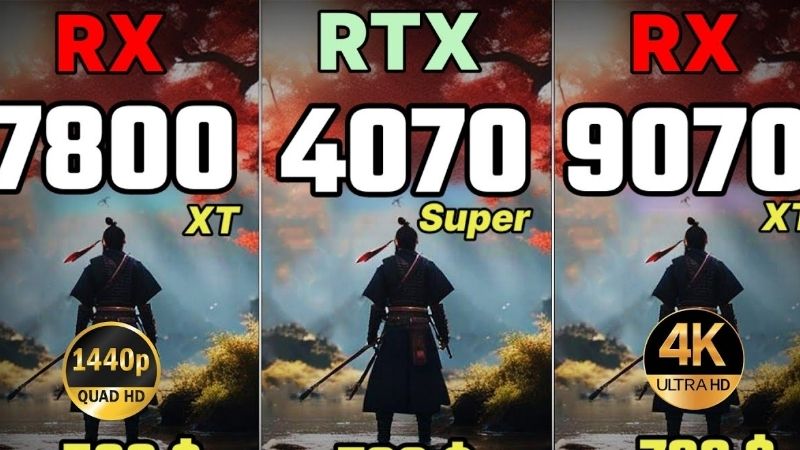
Choose the RX 9070 if you are assembling a new gaming PC, want stronger frame rates at 1440p ultra settings, frequently use demanding ray-traced effects, or want additional 4K headroom. In a December 2025 seven-game comparison using matched conditions, the RX 9070 averaged approximately 30% more performance than the RX 7800 XT at ultra settings. That is a measured result for that particular game suite, not a promise that every game improves by 30%.
Choose the RX 7800 XT if its actual checkout price is substantially lower, you primarily play at 1440p without heavy ray tracing, and you would rather save money than chase maximum settings. If you already own the RX 7800 XT and your games meet your target frame rate, keeping it may be a better decision than purchasing another 16GB card.
The relevant question is the value of the additional performance at today’s price, not which card has the larger model number. This article compares those two GPUs directly; it does not replace a separate RX 9070-versus-RTX 5070 buying decision.
RX 9070 vs RX 7800 XT specifications
| Specification | Radeon RX 9070 | Radeon RX 7800 XT | What it means |
|---|---|---|---|
| GPU generation | RDNA 4 | RDNA 3 | Newer architecture improves more than raw shader counts suggest. |
| Compute units | 56 | 60 | Counts from different GPU architectures are not directly comparable as an FPS metric. |
| Stream processors | 3,584 | 3,840 | More processors on the older card do not automatically make it faster. |
| Graphics memory | 16GB GDDR6 | 16GB GDDR6 | Neither model has a capacity advantage. |
| Memory interface | 256-bit | 256-bit | Both offer a full-width memory interface for this class. |
| Advertised memory bandwidth | Up to 640 GB/s | Up to 624 GB/s | Bandwidth differs modestly; architecture and game behavior matter more. |
| Infinity Cache | 64MB | 64MB | Equal stated capacity, not identical cache behavior. |
| Typical board power | 220W | 263W | AMD rates the newer GPU 43W lower; actual game power varies. |
| AMD minimum PSU recommendation | 650W | 700W | Whole-system needs depend on CPU, power supply quality, and board variant. |
| Display interface generation | DisplayPort 2.1a, HDMI 2.1b | DisplayPort 2.1, HDMI 2.1 | Check the specific board’s output configuration and supported display modes. |
| Original US suggested launch price | $549 | $499 | Historical launch prices, not verified current retail offers. |
These are AMD’s reference-level GPU specifications. An ASUS, Sapphire, PowerColor, XFX, Gigabyte, or other partner card can have a different cooler, dimensions, factory clock, connector layout, and warranty. Before buying, check the full manufacturer part number rather than relying on the GPU name alone.
1440p gaming: where the RX 9070 pulls ahead
The clearest argument for the RX 9070 is actual game performance. In TechSpot’s December 9, 2025 retest of six generations of Radeon cards, the RX 9070 was around 30% faster than the RX 7800 XT in the seven-game ultra-quality average. The review used an AMD Ryzen 7 9800X3D, 32GB of DDR5-6000 memory, Windows 11, and AMD Adrenalin 25.11.1 WHQL. Both cards were assessed in the same test framework, making the comparison more meaningful than combining numbers from unrelated reviews.
One documented example is Call of Duty: Black Ops 6. At 1440p using the basic preset, the RX 9070 reached 243 frames per second and was reported as 29% faster than the RX 7800 XT in that test. That example shows the potential benefit in a fast-moving title, but it should not be mistaken for a typical result in all shooters, or for a result with ray tracing enabled. Some games will show narrower gaps and others can separate the cards more widely.
High-refresh 1440p displays
If you own a 144Hz or 165Hz 1440p monitor, an RX 9070 can help demanding single-player games get closer to your refresh-rate target before you resort to lower visual settings. However, a monitor’s refresh rate is not a performance guarantee. At lower graphics settings, an older CPU, engine limits, or an esports title’s bottleneck may matter more than the GPU. Upgrading from a functioning RX 7800 XT without checking your actual GPU utilization could produce less benefit than the headline benchmark suggests.
For a buying decision, examine the games you personally play and the quality preset you intend to use. Compare average FPS and 1% lows from the same benchmark source, using the same driver and test configuration when possible. Smoothness in a demanding scene is more important than a single high FPS number captured in a lightweight sequence.
1440p at high or ultra settings
The RX 7800 XT is still capable of strong 1440p results with traditional rasterized graphics. Its 16GB memory capacity reduces the chance that a game becomes limited solely by the size of its texture allocation, but it cannot make up for every compute, ray-tracing, or engine bottleneck. The RX 9070 more often gives you room to retain higher quality presets or avoid aggressive resolution scaling. That extra margin matters most when modern games are genuinely GPU-bound.
When evaluating benchmark charts, separate native rendering from upscaling and distinguish ray-tracing-on results from raster-only tests. A frame rate produced using frame generation is not directly equivalent to the native rendered frame rate, particularly when assessing input responsiveness.
4K gaming: the RX 9070 has more headroom, not unlimited speed
Neither card becomes an uncompromised 4K ultra GPU merely because it carries 16GB of VRAM. At 3840 by 2160, rendering workloads can be much heavier than at 1440p, and adding ray tracing can make performance drop sharply. The RX 9070’s stronger architecture gives it a more comfortable starting point for occasional 4K gaming, but the exact advantage depends on the game, preset, and whether image reconstruction is enabled.
For 4K, prioritize an attainable frame-rate target and image quality you find acceptable. A practical approach is to begin with high rather than ultra settings, reduce the few options with the largest performance cost, and then use a supported quality-focused upscaling mode if needed. The RX 7800 XT can still be reasonable for 4K in less demanding games or with carefully chosen settings, particularly if you already own it.
Do not infer 4K display compatibility from the printed HDMI or DisplayPort generation alone. Real output capabilities depend on the board, link mode, display, cable, color format, refresh rate, and sometimes display-stream compression. Check the exact manufacturer’s support table for your monitor and card combination before promising a specific 4K high-refresh setup.
Ray tracing: why generation matters more than core counts
The RX 7800 XT lists more ray accelerators than the RX 9070, but those units belong to an older architecture. Raw accelerator counts cannot be used as a direct performance ranking across RDNA 3 and RDNA 4. AMD changed ray-tracing hardware and related rendering capabilities in the newer generation, making the RX 9070 the more sensible choice when advanced lighting, reflections, or other ray-traced effects are important.
This does not mean every ray-traced game will run comfortably at native 4K on the RX 9070. Performance changes with the particular effects used, the ray-tracing preset, game optimization, and upscaling. Independent tests of the RX 9070 show meaningful improvements over earlier Radeon GPUs in demanding ray-tracing workloads, but comparing percentages across separate review suites would exaggerate the precision of the conclusion.
For a fair comparison, select the same game build, exact ray-tracing mode, output resolution, and image-quality settings on both GPUs. If a title only offers an exceptionally demanding path-tracing mode, treat the ability to enable that mode separately from whether the resulting frame rate is enjoyable.
FSR, frame generation, and software support in 2026
FSR terminology has evolved, and older claims that all machine-learning FSR upscaling is exclusive to the RX 9000 family are no longer accurate. AMD’s current FSR documentation and June 2026 GPUOpen SDK state that supported ML-based FSR Upscaling is available on RX 7000 and RX 9000 discrete GPUs, subject to the game integration, software requirements, and feature version. That means an RX 7800 XT owner should not assume the card is excluded from every newer upscaling path.
The more important distinction is the full feature set. According to AMD’s FSR SDK compatibility table, newer ML-based FSR frame generation and ray-regeneration components require the RX 9000 family or newer, while RX 7000 cards retain support for compatible earlier-generation FSR frame-generation methods. Game developers must implement or support the relevant features, and the driver may require specific settings. A GPU supporting a technology is not proof that every game provides a working toggle for it.
For both cards, first look at the graphics options in your own game. Choose a quality-oriented upscaling preset when image clarity matters, and evaluate frame generation only after you have an acceptable underlying frame rate. Generated frames can improve perceived fluidity, but they do not eliminate the latency associated with a low native render rate. Avoid purchasing either card solely because of a multiplier advertised for a particular game or promotional benchmark.
Power consumption, heat, and PC compatibility
AMD rates the RX 9070 at 220W typical board power versus 263W for the RX 7800 XT. The 43W difference is a comparison of stated board-power figures, not a measured reduction in every gaming session. Actual draw varies with frame-rate caps, workload, power limits, partner-board tuning, and CPU interaction. Nonetheless, the lower rating is a legitimate consideration when planning a quiet or compact system.
The official AMD minimum PSU recommendations are 650W for the RX 9070 and 700W for the RX 7800 XT. These figures assume an appropriately configured complete PC; they are not the GPU’s direct power draw. A quality 650W power supply may be sufficient for a suitable RX 9070 build, but high-draw processors, aggressive overclocks, transient spikes, and a particular card maker’s requirements can call for more headroom.
Both AMD specification pages list two 8-pin supplementary power connectors at the GPU level. Verify the exact retail card before purchase because partner-board layouts and manufacturer instructions take precedence. Never force mismatched power connectors or assume that an adapter supplied for one product is safe for another. Also inspect case clearance, card thickness, nearby drive cages, and the airflow available to the cooler. A technically faster GPU is not an upgrade if its specific board cannot fit your case.
Price and value: compare checkout prices, not old launch prices
The RX 7800 XT launched with a $499 US suggested price in 2023, while the RX 9070 arrived with a $549 suggested price in 2025. Those figures are useful historical context, not current U.S. store quotes. This comparison does not present an unverified October 2026 listing as a live deal; inventory, taxes, seller warranties, and board variations can materially change the final amount.
Using the approximately 30% advantage from the specific seven-game ultra benchmark only as a planning reference, an RX 9070 costs about the same per frame as an RX 7800 XT when its all-in price is roughly 1.30 times as high. If the 9070 costs much less than 1.30 times the older card’s price, its performance-per-dollar is more attractive under those benchmark conditions. If it costs considerably more, the 7800 XT can be the smarter rasterization value. This is a comparison method, not a guaranteed performance ratio for every game.
For example, if you find an eligible RX 7800 XT listing at an actual price you have verified, multiply that number by 1.30 to establish a rough upper comparison threshold for the RX 9070 using the benchmark above. Do not treat the result as a fixed recommended price: a preference for ray tracing, a quieter cooler, a longer warranty, or better video features can justify a different premium. For used cards, account for return rights, proof of purchase, fan condition, prior usage, and warranty transferability.
When the cheaper RX 7800 XT is worth buying
The older Radeon makes the most sense when it is clearly cheaper and you value cost-effective native 1440p gaming more than the latest rendering features. It can also be attractive in a second gaming PC or a budget-constrained build where the money saved improves another part of the setup. Compare complete system results: an excessively slow CPU, inadequate memory, or an unsuitable monitor can waste savings and limit your experience with either GPU.
When paying more for the RX 9070 is justified
The RX 9070 earns its premium when higher 1440p graphics settings, smoother performance in newer demanding releases, improved ray-tracing capability, or lower rated GPU power are meaningful to you. New builds benefit more clearly because no functional older card needs replacing. Buying decisions should reflect real, final retailer quotes for identified board models; the word “newer” by itself is not a purchasing argument.
Should RX 7800 XT owners upgrade to an RX 9070?
If you already own an RX 7800 XT, separate the relative speed gain from your experience. A 30% average gain in one benchmark suite is worthwhile on paper, but it does not add 30 percentage points to every real-world frame rate. A game running at 90 FPS might move into a more comfortable high-refresh range if it is GPU-bound, while a title held back by the CPU may barely respond. Running into a severe ray-tracing limitation is also a different upgrade motive from merely wanting a larger FPS number.
Before spending, open your most demanding game, use the settings you genuinely prefer, and measure frame rate and GPU utilization in the same scene. Record the baseline without frame generation and note whether your problem is average FPS, inconsistent 1% lows, or image quality after upscaling. If the GPU is consistently loaded and settings reductions do not produce the image quality you want, the RX 9070 becomes a more defensible upgrade.
Do not change GPUs merely for VRAM capacity: both models already offer 16GB. Also consider the money recovered by selling the existing card. Your actual upgrade cost is the new card’s all-in total minus what you can realistically receive for the old one, after any selling fees and shipping. If the net expense remains large and your current games run comfortably, waiting is reasonable.
How we compared these GPUs
This is a research-based comparison, not a hands-on test by Geek Gaming Tricks. Technical characteristics were checked against AMD’s official product pages and launch announcements. Gaming-performance claims were limited to identifiable, independent test conditions rather than synthetic FPS estimates. The key matched-card performance reference is TechSpot’s December 2025 retest, which identifies its CPU, memory, OS, driver, games, and presets. AMD’s current FSR documentation and GPUOpen SDK provide the feature-support distinctions.
We do not combine RX 7800 XT benchmarks from 2023 with RX 9070 benchmarks from 2025 to manufacture an exact head-to-head FPS chart. We also avoid presenting manufacturer marketing results as independent testing and do not claim live retailer stock or sale prices without opening the specific seller pages. Readers should check current game patches and drivers before relying on older benchmark margins.
Frequently asked questions
Is the RX 9070 much faster than the RX 7800 XT?
It is meaningfully faster in the tested gaming workloads, but the margin is not universal. TechSpot reported the RX 9070 at roughly 30% ahead in its seven-game ultra-quality average in December 2025. Expect results to vary with individual titles, resolution, settings, and CPU bottlenecks rather than assuming the same increase everywhere.
Do both cards have 16GB of VRAM?
Yes. Both use 16GB of GDDR6 memory and a 256-bit memory interface. Their memory bandwidth and GPU architectures differ. More importantly, the RX 9070 delivers greater rendering performance without requiring a VRAM-capacity change.
Is the RX 9070 better for ray tracing?
Generally, yes. Its RDNA 4 generation delivers more capable ray-tracing performance despite a lower count of nominal ray accelerators. The difference depends on the game and settings, and demanding 4K ray tracing can still require upscaling or reduced effects.
Can the RX 7800 XT use newer FSR upscaling in 2026?
Yes, in supported implementations. AMD’s updated FSR documentation includes RX 7000 support for ML-based FSR upscaling, but not every advanced Redstone component has the same compatibility. The newer ML-based frame-generation and ray-regeneration components require supported RX 9000 hardware or later under the documented SDK. Check the exact game and driver combination.
Is a 650W power supply enough for an RX 9070?
AMD lists 650W as its minimum system PSU recommendation for the standard RX 9070. Whether it is sufficient for your particular PC depends on processor power, other components, PSU condition and quality, and the partner-card maker’s requirements. A wattage label alone does not confirm suitability.
Which GPU is better for a new 1440p gaming PC?
Start with the RX 9070 if its current price fits your budget and the board suits your case and PSU. It offers a stronger performance ceiling and newer rendering options. If the RX 7800 XT is significantly cheaper and your priority is conventional 1440p gaming, choosing the older card can free budget for other upgrades.
Final thoughts
The RX 9070 is the stronger GPU, but the RX 7800 XT is not automatically a bad buy. For a new system, compare two specific retailer-listed boards, verify the final prices and warranties, then use the older card’s price multiplied by roughly 1.30 as an initial rasterization-value check based on the cited test suite. For existing RX 7800 XT owners, measure your real gaming bottleneck first; upgrade only if more speed or newer rendering capabilities solve a problem you can actually see.