Our Top Picks
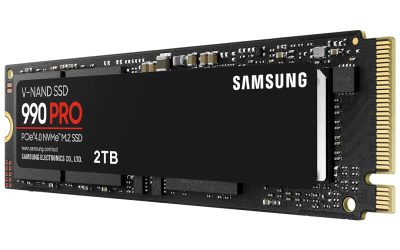
The biggest installs on PC today sit between roughly 100 and 160 GB on the publisher’s own store listing, with a few live-service shooters and simulators growing well past that once every mode, texture pack and language is added. For most gamers the practical answer is simple: plan a dedicated 1 TB NVMe drive if you play several of these titles, and a 2 TB drive if you keep a rotating library of 5 to 8 of them installed at once.
Short answer: which games take the most space
The figures below come from the “storage” line on each game’s official Steam store listing, which is the number the publisher asks you to keep free. It is not always the exact folder size after patches, and it excludes shader caches, save data and the temporary space used while downloading and unpacking. Treat every number as a floor, not a ceiling.

GADFISH Giant 4 in A Row - 2.6 FT Tall Outdoor 4 in A Row Perfect for Indoor & Outdoor Use, 4-to-Score Giant Game Set for Kids & Adults, with 42 Jumbo Rings & Quick-Release Slider (Red & Blue)
Chosen because it specifies 4-to-Score Giant Game Set for Kids & Adults and with 42 Jumbo Rings & Quick-Release Slider (Red & Blue).
View on Amazon
GTPLAYER Big & Tall Gaming Chair, Wide Seat with Footrest, Charcoal | Ergonomic Video Game Chair for Adults, Comfort Padded Seat with Lumbar Support Armrests Recliner & Height Adjustable for Home
Chosen because it specifies Wide Seat with Footrest and Charcoal.
View on Amazon
Ring Toss Outdoor Games with 16 Rings, Backyard Games Lawn Games for Adults & Kids, Backyard Camping Activities, Outdoor Games for Kids, LED Ring Toss
Chosen because it specifies Backyard Games Lawn Games for Adults & Kids and Backyard Camping Activities.
View on Amazon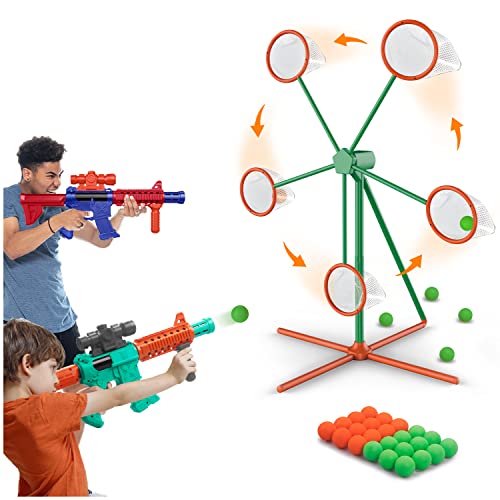
Marlrin Shooting Games Toys for Age 5 6 7 8 9 10+ Year Old Boys, Kids Toy Sports & Outdoor Game with Moving Shooting Target & 2 Popper Air Toy Guns & 24 Foam Balls, Gifts for Boys and Girls
Chosen because it specifies Gifts for Boys and Girls.
View on Amazon| Game | Storage the listing asks for | Why it is big | Drive note |
|---|---|---|---|
| S.T.A.L.K.E.R. 2: Heart of Chornobyl | 160 GB | Large open zone, high-resolution assets | SSD required by the listing |
| Baldur’s Gate 3 | 150 GB | Huge amount of voiced and cinematic content | SSD required |
| Red Dead Redemption 2 | 150 GB | Open-world assets and audio | No SSD requirement listed |
| Black Myth: Wukong | 130 GB | High-detail environments and cinematics | SSD required for recommended spec |
| Starfield | 125 GB | Many handcrafted locations plus procedural content | SSD required |
| Grand Theft Auto V | 125 GB | Years of added content on top of a 2013-era base | Listing for the legacy edition |
| Indiana Jones and the Great Circle | 120 GB | Ray-traced, texture-heavy levels | SSD required |
| Call of Duty (current PC release) | 115 GB at launch | Several modes in one launcher; grows with updates | SSD with 115 GB free at launch |
| The Outer Worlds 2 | 110 GB | Modern AAA asset pipeline | SSD required |
| Forza Horizon 5 | 110 GB | Car models and a large map | No SSD requirement listed |
| Battlefield 2042 | 100 GB | Large multiplayer maps | No SSD requirement listed |
| The Last of Us Part I | 100 GB | Uncompressed cinematic-grade assets | SSD recommended |
Why the number on the store page is not the whole story
A listing is a snapshot. Live-service games add seasons, maps and cosmetics, and the folder keeps growing after launch. Reviewers and storage-focused guides regularly point out that the full Call of Duty library, with every campaign, multiplayer pack and the free-to-play battle royale installed, can climb into the several-hundred-gigabyte range. One roundup of the biggest games by file size cites a figure of about 315 GB for the Call of Duty HQ package on the Xbox store listing, which shows how much the answer changes depending on which modes you install. The same roundups cite ARK: Survival Evolved with its expansions, and Microsoft Flight Simulator in its older edition, as extreme cases that can pass 200 GB depending on which add-ons are included. Those third-party numbers differ from source to source, so use them as a ballpark only.
Microsoft Flight Simulator 2024 is a good example of a listing that understates reality. Its store page lists 50 GB of storage, but it also lists a 10 Mbps minimum and 50 Mbps recommended network speed, because scenery streams in while you fly and caches locally. A small base install does not mean a small footprint over months of play.
What makes an install big
- Uncompressed audio and voice. Games with several spoken languages ship all of them unless the launcher lets you drop some. Baldur’s Gate 3 is often cited as an example of a story-heavy game with a very large asset count.
- High-resolution textures. Optional “ultra” or 4K texture packs can add tens of gigabytes. Some launchers let you skip them.
- Duplicated data. Older engines sometimes store the same asset multiple times so a hard drive can read it faster. Modern titles that require an SSD tend to avoid this, which is one reason a few newer games are smaller than their visuals suggest.
- Cinematics. Pre-rendered video is large. Story-driven games with many cutscenes carry that weight.
- Updates and patches. A patch can temporarily need extra free space equal to a sizeable fraction of the game while it rebuilds files.
How much drive space you actually need
A simple way to plan is to add up the listed sizes of the games you want installed at the same time and then keep 15 to 20 percent of the drive free. SSDs slow down and wear faster when they are nearly full, and game patches need working room. Windows itself, a few creative apps and the shader cache for each game also take space that the store listing never mentions.
| Player type | Typical installed library | Sensible drive tier |
|---|---|---|
| Plays one or two big games at a time | 2 large titles plus a few small ones | Budget to mid-range 1 TB NVMe SSD |
| Keeps 5 to 8 AAA games installed | Roughly 600 to 900 GB of games | Mid-range 2 TB NVMe SSD |
| Installs every Call of Duty mode plus a simulator | Can exceed 500 GB for those two alone | 2 TB or a second 1 TB drive dedicated to games |
| Streams, edits video and games on one PC | Games plus project files | Premium 2 TB or larger, or a separate data drive |
SSD or hard drive for the biggest games
Several of the games above state that an SSD is required, including Baldur’s Gate 3, Starfield, Indiana Jones and the Great Circle, S.T.A.L.K.E.R. 2 and The Outer Worlds 2. A few older large games, such as Red Dead Redemption 2 and Forza Horizon 5, do not list an SSD requirement, so a large, cheap hard drive can hold them if load times are acceptable. A common arrangement among builders is a smaller fast NVMe drive for the games being actively played and a large SATA SSD or hard drive for the backlog. Moving a game between drives through the launcher is usually faster than downloading it again, provided the launcher supports library folders.
Ways to shrink a big install
- Open the launcher’s install options and untick languages you will never use. Several publishers allow this.
- Skip optional high-resolution texture packs if you play at 1080p. They are most useful at 1440p and 4K.
- Uninstall multiplayer modes you do not play. Call of Duty’s launcher, for example, lets you choose which content packs stay installed.
- Use the game’s own file-integrity check or repair option after a failed patch instead of reinstalling everything.
- Clear old shader caches only if the game or the GPU maker’s documentation says it is safe, since rebuilding them can cause stutter on the next launch.
Common mistakes
- Buying a drive for exactly the listed size. The listing excludes patches, saves, caches and Windows overhead.
- Trusting one source’s download size. Download size, installed size and size after patches are three different numbers. Compression means the download is often smaller than the final install.
- Ignoring write endurance and thermals on a full drive. A drive that is nearly full has less room to manage wear and often runs slower.
- Installing everything on the boot drive. If the boot drive fills up, Windows updates and the page file suffer.
- Assuming a bigger install means a harder game to run. Storage size and hardware demand are unrelated. A 150 GB game can run on modest hardware, and a small game can be CPU-heavy.
Pick this approach if
| If you… | Do this |
|---|---|
| Play mostly one big shooter | Dedicate a 1 TB NVMe drive and keep a second slot free for later |
| Collect story games and finish them one at a time | Install one at a time, uninstall after finishing, keep saves backed up |
| Have a small laptop SSD | Use an external SSD for the backlog and read the launcher’s library-folder options |
| Run a Call of Duty library plus other games | Choose only the content packs you play and consider a dedicated games drive |
Frequently Asked Questions
What is the biggest PC game by install size?
It depends on what you count. Among single titles on Steam with a clear storage line, S.T.A.L.K.E.R. 2 lists 160 GB, while the full Call of Duty family with every mode installed can be far larger according to third-party roundups. Flight simulators and survival games with many expansions can also pass 200 GB.
Is 1 TB enough for modern PC gaming?
For a few current AAA games, yes. Three or four titles in the 100 to 160 GB range already take half the drive, and Windows plus patches use more. Many builders move to 2 TB once they want a larger rotating library.
Why does Call of Duty get so large?
The launcher bundles several campaigns, multiplayer modes and a free-to-play mode, and each season adds more content. The current Steam listing asks for an SSD with 115 GB free at launch, and the folder grows from there depending on what you install.
Can I run the biggest games from a hard drive?
Some can, but many newer ones list an SSD as required. Games that do not require one may load slowly or stream textures late. Check the storage line on each game’s store page before deciding.
Do bigger games need a faster graphics card?
Not necessarily. Install size mostly reflects assets, audio and video, while graphics demand depends on the rendering features used. Compare the GPU line on the store listing rather than the storage line.
FAQ
What is the biggest PC game by install size?
Is 1 TB enough for modern PC gaming?
Why does Call of Duty get so large?
Can I run the biggest games from a hard drive?
Do bigger games need a faster graphics card?
More from Amazon
Programs that pair well with the guide above. Offers and eligibility are set by Amazon and may change.
Free shipping on eligible items, Prime Video and more. Eligible new members can start with a free trial.
Start a Prime free trialAd-free music streaming. Eligible new subscribers can start with a free trial.
Try Music Unlimited freeA Prime membership for ages 18-24 with a trial period. Eligibility is set by Amazon.
See Prime for Young AdultsAudiobooks and podcasts to listen to on the go. Eligible new members can start with a free trial.
Try Audible freeAs an Amazon Associate we earn from qualifying purchases.