Our Top Picks
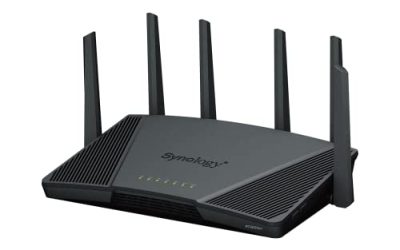
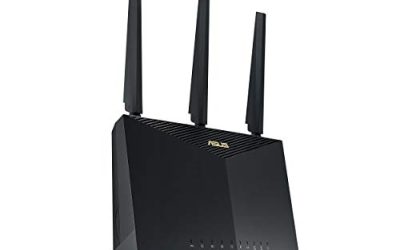
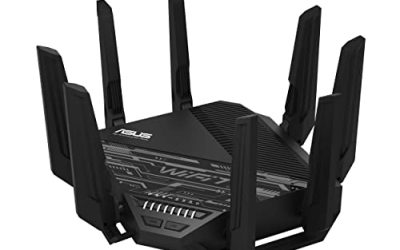
 TP-Link Dual-Band AX3000 Wi-Fi 6 Wireless Gigabit InternetAX300012.99 x 9.45 x 2.87 inches1.66 poundsCheck on Amazon
As an Amazon Associate, we earn from qualifying purchases made through links on this page.
HughesNet households do not shop for a router the way cable or fiber households do, because one hard rule shapes everything: the HughesNet gateway stays. The satellite modem built into the HT2000W, and the gateway hardware supplied with newer HughesNet plans, is the only device that can talk to the satellite network. No third-party modem can replace it, and every router in this roundup is therefore a Wi-Fi router that plugs into the gateway with an Ethernet cable and takes over the jobs the gateway handles poorly: wireless coverage, device management, and control over how your limited satellite bandwidth gets shared.
That framing matters, because it defines what an upgrade can and cannot do. A better router can blanket a farmhouse, workshop, or metal-sided outbuilding in strong Wi-Fi, keep dozens of phones, cameras, and consoles organized, and use QoS rules to stop one device from hogging the link during a video call. What it cannot do is change the physics of a geostationary satellite connection. Round-trip latency on HughesNet sits in the hundreds of milliseconds no matter which router you buy, and HughesNet assigns addresses from behind carrier-grade NAT, so inbound port forwarding and remote access stay limited regardless of your hardware. Buy a router for coverage and control, not for lower ping, and the five picks below make sense. Each one is a current Wi-Fi 6 model that runs happily behind a HughesNet gateway, in access point mode or as a full router on its own subnet.
What to look for in a router for HughesNet
Access point mode, or a changeable LAN subnet. The HughesNet gateway already routes, and it answers at 192.168.0.1. Stack a second router behind it in full router mode with the same default subnet and you get address conflicts and a double NAT layer. The clean fixes are a router with a proper access point mode, which turns off its routing and lets the gateway run the network, or a router whose LAN range you can move to a different subnet such as 192.168.2.1. Every pick here supports one or both approaches, and this single feature matters more on satellite than any speed class printed on the box.
Dual-band Wi-Fi 6 is the sweet spot. HughesNet plans top out far below the throughput of even an entry Wi-Fi 6 router, so the satellite link, not your router, is the bottleneck for internet traffic. Wi-Fi 6 still earns its place for local reasons: OFDMA and MU-MIMO keep many household devices sharing the airtime efficiently, and fast local Wi-Fi helps with file transfers, local game streaming, and casting between devices inside the house. A tri-band or Wi-Fi 7 flagship is not harmful, just unnecessary spend for most satellite homes.
QoS and per-device controls. Satellite plans come with a monthly data allowance, and once the priority portion is used, speeds drop until the next cycle. A router that shows per-device usage, lets you prioritize a work laptop or a VoIP adapter, and can schedule heavy downloads for off-peak hours helps a household stretch that allowance. Basic bandwidth control is useful here in a way it rarely is on unlimited fiber.
Coverage that matches rural housing. HughesNet homes are often larger, spread out, or built with materials that eat Wi-Fi signal. High-gain antennas and beamforming help a single router reach further, and for genuinely large footprints a mesh kit with Ethernet backhaul support beats any single box. Note that a router cannot extend the satellite signal itself; it only redistributes the connection from wherever the gateway sits, so gateway placement still matters.
Gigabit ports and a sane app. Wired devices bypass wireless congestion entirely, so four Gigabit LAN ports remain valuable for a desktop, a console, or a smart TV near the router. App-based setup also matters because the one setting you must get right, the operating mode and subnet, is far easier to change from a guided app than from a desktop web panel.
The best routers for HughesNet
1. TP-Link Archer AX21: the straightforward satellite upgrade

The Archer AX21 is the pick for households that simply want stronger, better-organized Wi-Fi than the HughesNet gateway provides, without paying for speed classes the satellite link can never use. It is a dual-band Wi-Fi 6 router rated AX1800, with up to 1,201 Mbps on the 5 GHz band and 574 Mbps on the 2.4 GHz band, four external antennas, OFDMA, MU-MIMO, and beamforming. Four Gigabit LAN ports plus a Gigabit WAN port cover the wired side, and the Tether app walks through setup, including switching the unit to access point mode so it can sit behind the gateway without a subnet fight.
For a HughesNet home, the AX21 covers the fundamentals well: WPA3 security, parental controls, a guest network for visitors, and VPN client and server support. Its ceiling is honest, though. There is no USB port for shared storage, the AX1800 class gives less headroom for very busy households than the AX3000 and AX5400 picks below, and coverage from a single unit suits small to medium homes rather than sprawling properties. As a first router behind a satellite gateway, it is the balanced default.
Best for: small to medium HughesNet homes that want a simple, modern Wi-Fi 6 network behind the gateway.
2. TP-Link Archer AX55: more headroom and a USB port
The Archer AX55 steps up to the AX3000 class, pairing up to 2,402 Mbps on 5 GHz with 574 Mbps on 2.4 GHz and adding 160 MHz channels on the 5 GHz band for faster local transfers between capable devices. Four high-gain antennas, OFDMA, MU-MIMO, and beamforming push coverage further than the AX21, and a USB 3.0 port lets the router share a drive or printer across the home network, a genuinely useful trick on a connection where re-downloading large files wastes satellite data.
TP-Link’s HomeShield adds network scanning, parental controls, and QoS by device, and the AX55 supports both access point mode and EasyMesh, so it can later become the hub of a mesh setup with compatible extenders instead of being replaced. The limits are the familiar ones for this class: it remains a single unit with a single coverage footprint, HomeShield’s more advanced features sit behind a subscription tier, and like every router here it does nothing for satellite latency. For a busier household that streams, works, and games on one satellite link, the extra headroom is the point.
Best for: busier HughesNet households that want stronger coverage, QoS controls, and a USB port for local file sharing.
3. TP-Link Archer AX73: the long-range single router

The Archer AX73 is the strongest single-box option in this roundup: an AX5400 dual-band router with up to 4,804 Mbps on the 5 GHz band using 160 MHz channels and a 4×4 configuration, 574 Mbps on 2.4 GHz, six external antennas, and a 1.5 GHz triple-core processor. That processing power is not about internet speed, which the satellite caps anyway; it is about handling many simultaneous connections, VPN duties, and QoS rules without the router itself becoming the slowdown.
Six antennas and high-power amplifiers give the AX73 the best shot of any pick here at covering a large single-story home from one location, and it still includes the satellite-friendly essentials: access point mode, OneMesh support for later expansion, a USB 3.0 port, HomeShield controls, and four Gigabit LAN ports. The trade-offs are size and complexity. It is a big, antenna-covered unit that needs shelf space near the gateway, its feature set is more than a small household will touch, and the 5 GHz speed advantage mostly benefits local traffic rather than anything crossing the satellite link.
Best for: larger HughesNet homes that want one powerful router instead of a mesh kit, with processing headroom for many devices.
4. ASUS RT-AX86U Pro: the control freak’s pick

The RT-AX86U Pro is the router for the HughesNet subscriber who wants to manage a capped connection in detail. It is an AX5700 dual-band Wi-Fi 6 router, up to 4,804 Mbps on 5 GHz and 861 Mbps on 2.4 GHz, driven by a 2.0 GHz quad-core processor with 1 GB of RAM. The hardware list includes a 2.5 Gbps port that can serve as WAN or LAN, a dedicated gaming port that prioritizes a connected console or PC, USB connectivity, and AiMesh support for building an ASUS mesh later.
What sets it apart behind a satellite gateway is the software depth: Adaptive QoS with per-device bandwidth monitoring, AiProtection Pro security without a subscription fee, detailed traffic statistics that show exactly which device consumed the data allowance, and flexible operating modes including a clean access point mode. On a metered satellite plan, that visibility is a real feature. The compromises are that the interface rewards tinkerers more than beginners, the gaming branding promises a kind of latency help that satellite physics will not deliver, and the unit is priced by its hardware rather than by anything satellite-specific.
Best for: HughesNet users who want detailed per-device data tracking and QoS control over a capped satellite plan.
5. TP-Link Deco X55 (3-pack): mesh coverage for spread-out properties

When the problem is not speed but distance, a mesh kit is the right tool, and the Deco X55 3-pack is the satellite-friendly version of it. Each unit is an AX3000 dual-band Wi-Fi 6 node, up to 2,402 Mbps on 5 GHz and 574 Mbps on 2.4 GHz, and TP-Link rates the 3-pack for coverage up to 6,500 square feet with support for as many as 150 connected devices. One unit plugs into the HughesNet gateway and the others spread through the house, all sharing one network name with seamless roaming between nodes.
Two details make the Deco X55 work well behind a gateway. First, the Deco app includes an access point mode, so the whole mesh can defer routing to the HughesNet gateway and avoid double NAT entirely. Second, each unit carries three Gigabit Ethernet ports and supports Ethernet backhaul, so a node in a barn office or a far bedroom can be wired back to the main unit for a stable link instead of relying on a wireless hop. The compromises: app-only management with no full web interface, fewer advanced controls than the ASUS above, and dual-band backhaul that shares the same radios as your devices when nodes are not wired.
Best for: large or multi-building HughesNet properties where one router cannot reach, especially with Ethernet backhaul available.
Comparison table
| Router | Wi-Fi class | Bands | Ports per unit | Behind-gateway mode | Standout trait |
|---|---|---|---|---|---|
| TP-Link Archer AX21 | AX1800 Wi-Fi 6 | Dual-band | 4 LAN, 1 WAN Gigabit | Access point mode | Simple, balanced default |
| TP-Link Archer AX55 | AX3000 Wi-Fi 6 | Dual-band | 4 LAN, 1 WAN Gigabit, USB 3.0 | Access point mode, EasyMesh | USB sharing plus mesh path |
| TP-Link Archer AX73 | AX5400 Wi-Fi 6 | Dual-band | 4 LAN, 1 WAN Gigabit, USB 3.0 | Access point mode, OneMesh | Strongest single-unit coverage |
| ASUS RT-AX86U Pro | AX5700 Wi-Fi 6 | Dual-band | 4 LAN, 1 WAN Gigabit, 2.5G port, USB | Access point mode, AiMesh | Per-device data tracking, deep QoS |
| TP-Link Deco X55 (3-pack) | AX3000 Wi-Fi 6 per node | Dual-band | 3 Gigabit per node | Access point mode for the mesh | Whole-property mesh coverage |
Frequently asked questions
Can I replace the HughesNet modem with one of these routers?
No. The HughesNet gateway contains the satellite modem, and HughesNet does not allow third-party modems on its network. These routers connect to the gateway by Ethernet and handle Wi-Fi and home networking duties behind it. The gateway always stays in the chain.
Will a better router reduce HughesNet latency for gaming?
No router can do that. The delay comes from the round trip between your dish, the geostationary satellite, and the ground station, and it stays in the hundreds of milliseconds with any hardware. A good router can remove Wi-Fi congestion inside your home, which helps calls and streaming feel stable, but online gaming latency on HughesNet is set by the satellite link itself.
Should I run the router in router mode or access point mode behind the HT2000W?
Access point mode is the simpler and usually better choice: the HughesNet gateway keeps routing, the new router focuses on Wi-Fi, and there is no double NAT. Router mode also works if you change the router’s LAN subnet away from the gateway’s 192.168.0.1 range, and it unlocks the router’s own QoS and parental controls, at the cost of that extra NAT layer. Note that HughesNet’s carrier-grade NAT already limits inbound connections either way, so neither mode restores port forwarding.
Does Wi-Fi 6E or Wi-Fi 7 make sense on HughesNet?
For internet traffic, no: the satellite connection is far slower than even Wi-Fi 6, so the extra bands never get exercised by the link itself. Wi-Fi 6E or 7 hardware only pays off for fast transfers between devices inside your home. Most HughesNet households are better served by solid dual-band Wi-Fi 6 coverage and good QoS controls.
Is mesh worth it on a satellite connection?
Yes, when coverage is the problem. Mesh does not change your satellite speed or latency, but it spreads the connection you have across a large house or outbuildings without dead zones. A kit with access point mode and Ethernet backhaul, like the Deco X55 above, integrates cleanly behind the HughesNet gateway.
Conclusion
Adding a router to HughesNet is about taking control of everything on your side of the gateway: coverage, device management, and how a finite data allowance gets shared. The Archer AX21 is the easy default for smaller homes, the Archer AX55 and AX73 add headroom, USB sharing, and range for busier or larger households, the ASUS RT-AX86U Pro serves anyone who wants to watch and shape traffic device by device, and the Deco X55 mesh solves the spread-out properties a single router cannot reach. Set whichever you choose to access point mode, or move its subnet off the gateway’s range, and you will get the full benefit a router can honestly deliver on a satellite connection.
More from Amazon
Programs that pair well with the guide above. Offers and eligibility are set by Amazon and may change.
Free shipping on eligible items, Prime Video and more. Eligible new members can start with a free trial.
Start a Prime free trialAd-free music streaming. Eligible new subscribers can start with a free trial.
Try Music Unlimited freeA Prime membership for ages 18-24 with a trial period. Eligibility is set by Amazon.
See Prime for Young AdultsAudiobooks and podcasts to listen to on the go. Eligible new members can start with a free trial.
Try Audible freeAs an Amazon Associate we earn from qualifying purchases.