We research everything we recommend. When you buy through our links, we may earn a commission. As an Amazon Associate we earn from qualifying purchases.
5 Most Efficient GPUs Ranked for Gaming (November 2026)
Ranked by performance class against official board power, these efficient GPUs cover quiet small builds, 1440p gaming and new low-heat desktops for 2026.
Choosing an efficient graphics card is really a decision about heat, noise and power supply headroom, not about chasing the highest performance tier you can find. Every watt a GPU turns into heat has to leave your case, and in a small room, a small case or a PC that runs for long evening sessions, that heat is the thing you feel long after the game has loaded.
This ranking is for three kinds of buyer: small-form-factor builders who need a card a modest power supply can feed, 1440p players who want strong performance without a hot and loud system, and upgraders replacing an older card who want a clear step up without rewiring their whole PC. Each pick was selected from its Amazon listing name and specifications, then ranked by performance class relative to the board power published by NVIDIA or AMD, described qualitatively rather than with invented benchmark figures.
Quick Picks
As an Amazon Associate we earn from qualifying purchases.
Product
Best for
Key spec from title
GIGABYTE Radeon RX 9070 Gaming OC 16G
High performance at a moderate board power
16GB GDDR6, PCIe 5.0, 220W board power
ASUS Prime GeForce RTX 5060 Ti 16GB
1440p gaming with generous memory headroom
16GB GDDR7, PCIe 5.0, 180W graphics power
GIGABYTE Radeon RX 9060 XT Gaming OC 16G
Mainstream 1440p play in a compact build
16GB GDDR6, PCIe 5.0, 182W board power
MSI GeForce RTX 5070 12G Ventus 2X OC
A faster class for high-refresh displays
12GB GDDR7, 192-bit, 250W graphics power
MSI GeForce RTX 5060 8G Shadow 2X OC
The lowest power draw in this group
8GB GDDR7, 128-bit, 145W power consumption
Efficiency means different things at different performance levels, which is why the table pairs each card with the job it suits rather than with a single laboratory number. A card that sips power but cannot hold the settings you play at is not efficient for you, because you will replace it sooner. A stronger card that finishes the same work at a moderate board power can be the smarter long-term choice, even when its headline wattage looks higher at first glance.
How to Choose
Start with board power, not with the power supply label
Board power, called total graphics power by NVIDIA and total board power by AMD, is the ceiling the card itself is designed around, and it is the only honest starting point for an efficiency comparison. The RX 9070 is listed at 220W and the RTX 5060 at 145W, for example, and those published figures tell you more about heat than a power supply recommendation does. A recommended supply wattage includes headroom for the processor, drives and fans, so two cards with similar supply advice can still dump very different amounts of heat into a case.
Match the performance class to your resolution
Efficiency only matters inside the class you actually need. A 1080p player gains nothing from a 250W card whose extra performance sits unused, while a 1440p high-refresh player will push a 145W entry card to its limit in every session, running it hot and loud the whole time. Think in tiers first: entry cards for 1080p, the 180W class for 1440p, and the 220W class for heavier 1440p or entry 4K settings. Buying one tier above your monitor usually preserves efficiency better than buying the cheapest card and overworking it daily.
Count memory as part of efficiency
A card that runs out of video memory wastes its power advantage, because stuttering and lowered texture settings mean the watts it draws are not producing the image you wanted. That is why the 16GB versions of the RTX 5060 Ti and RX 9060 XT rank ahead of faster-on-paper alternatives with less memory in this list. GDDR7 on the NVIDIA cards and GDDR6 on the AMD cards also matter: newer memory generations move more data for a given power budget, which supports the performance class each card can sustain at its listed board power.
Check the connector, slot width and case airflow
A low board power only helps if the card physically suits your build. Confirm whether a model uses a single 8-pin connector or a newer multi-pin arrangement, because an adapter stuffed into a small case can block the airflow the card depends on. Note the slot width in the listing title, such as the 2.5-slot design of the ASUS Prime card, and leave an empty slot beneath it where possible. In a compact case, a slightly slower card with room to breathe will hold its clocks more calmly than a stronger card pressed against a solid panel.
The 5 Best Options
The order below follows the method set out above: performance class delivered for the board power the maker publishes, with memory capacity used as a supporting factor where two cards sit close together. It is a ranking of classes, not a claim of identical results in every game, because settings, resolution and the rest of the system change what any individual player will see. Cards near each other should be read as a tier, and the notes under each one explain where its efficiency argument is strongest and where it starts to weaken.
GIGABYTE Radeon RX 9070 Gaming OC 16G
Top Pick
GIGABYTE Radeon RX 9070 Gaming OC 16G
Best for: Players who want the strongest performance class here without moving into a much hotter tier.
Memory: 16GB GDDR6
Board power: 220W total board power (AMD specification)
Players who want the strongest performance class here without moving into a much hotter tier.
Watch out for
Factory overclocked partner models can be configured above the reference board power, so confirm the exact card’s specification before assuming the 220W figure.
The RX 9070 takes first place because it delivers the highest performance class in this group while holding board power to 220W, a figure AMD publishes for the design. That combination suits players moving up to demanding 1440p or lighter 4K settings who do not want the heat output of the next tier up. Its 16GB of memory supports that class properly, so the power it draws goes toward higher settings rather than toward fighting memory limits in newer games with large texture sets.
ASUS Prime GeForce RTX 5060 Ti 16GB
Runner-Up
ASUS Prime GeForce RTX 5060 Ti 16GB
Best for: 1440p players who want a balanced card that a modest power supply can run comfortably.
Memory: 16GB GDDR7
Graphics power: 180W total graphics power (NVIDIA specification)
Second place goes to the RTX 5060 Ti in its 16GB form, a 1440p-class card built around a 180W total graphics power figure from NVIDIA. That is a restrained budget for the performance tier it occupies, and the doubled memory compared with the 8GB version makes the efficiency last longer, because the card stays usable at higher texture settings for more years. The Prime design is also described as SFF-Ready in its listing, which matters for builders whose cases punish hot, oversized cards.
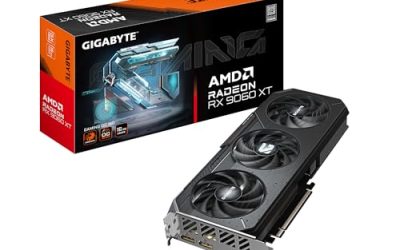
GIGABYTE Radeon RX 9060 XT Gaming OC 16G
GIGABYTE Radeon RX 9060 XT Gaming OC 16G
Best for: Mainstream players who want 16GB of memory and a moderate heat output in a smaller build.
Memory: 16GB GDDR6
Board power: 182W total board power for the 16GB configuration (AMD specification)
The RX 9060 XT sits close behind the RTX 5060 Ti, pairing a mainstream 1440p performance class with a 182W board power figure for the 16GB configuration in AMD’s published specifications. It earns its place on memory as much as on watts: 16GB gives this tier real staying power, and the card avoids the trap of looking efficient at purchase and then struggling with texture settings shortly afterwards. For a compact or mid-tower build that plays after work rather than all day, that balance is easy to live with.
MSI GeForce RTX 5070 12G Ventus 2X OC
MSI GeForce RTX 5070 12G Ventus 2X OC
Best for: High-refresh 1440p players who need a higher performance class and accept more heat for it.
Memory: 12GB GDDR7, 192-bit
Graphics power: 250W total graphics power (NVIDIA specification)
Clock listed by MSI: Extreme Performance 2557 MHz
Interface: PCIe 5.0 class connection, per the product family listing
The RTX 5070 is the fastest-feeling step up in everyday terms for high-refresh players, yet it ranks fourth here because its 250W total graphics power rises faster than its performance class advantage over the 220W RX 9070. Efficiency is a ratio, and this card spends more watts to buy its extra headroom. It still belongs on the list: for a player who would otherwise run a weaker card at full load constantly, the 5070 can be the calmer, quieter working choice at the settings they actually use.
MSI GeForce RTX 5060 8G Shadow 2X OC
MSI GeForce RTX 5060 8G Shadow 2X OC
Best for: 1080p players and older PCs that need a modern card on a limited power and cooling budget.
Memory: 8GB GDDR7, 128-bit
Power consumption: 145W (MSI specification)
Power connector: 1 x 8-pin
Recommended power supply: 550W (MSI specification)
The RTX 5060 draws the least power of any card here, at 145W in MSI’s own specification sheet, and in a build judged purely on electricity and heat it would win easily. It ranks fifth because this list weighs the performance class delivered for those watts, and this is an entry class card: it is efficient at 1080p and lighter 1440p settings, not a substitute for the tiers above. Its single 8-pin connector and compact dual-fan design make it the simplest upgrade in the group for an older, low-power system.
Which One Fits Your Situation
You play at 1440p and your room gets warm
Choose the ASUS Prime RTX 5060 Ti 16GB. Its 180W graphics power keeps case heat manageable through long sessions, while the 16GB of GDDR7 memory protects the settings that make a 1440p monitor worthwhile. If your game library is especially demanding and you want more headroom at a similar heat level, step up to the RX 9070 rather than jumping straight to the 250W tier.
You are building inside a small case
Start with the MSI RTX 5060 Shadow 2X OC if your games are mainly 1080p titles, because its 145W consumption and single 8-pin connector are the easiest load for a compact power supply and limited airflow. Builders aiming higher inside a small enclosure should look at the SFF-Ready positioning of the ASUS Prime RTX 5060 Ti 16GB, then measure slot width and cable clearance carefully before ordering anything.
You are upgrading an older PC without changing the power supply
The RTX 5060 is the natural first check, since MSI lists a 550W recommended supply for this specific card and its connector is a single familiar 8-pin plug. Work through your existing supply’s age and connector layout before assuming any card here is a drop-in swap, though. Where the supply has genuine headroom, the RX 9060 XT 16G offers a bigger step in performance and memory for a still-moderate 182W board power.
You want the most performance you can get before heat becomes the problem
Pick the GIGABYTE RX 9070 Gaming OC 16G. It holds the highest performance class in this ranking at 220W, undercutting the board power of the RTX 5070 while carrying more memory, which is exactly the trade an efficiency-focused buyer should look for. Choose the MSI RTX 5070 instead only when its specific feature set or availability matters more to you than the wattage gap between the two cards.
Common Mistakes
Comparing cards by power supply recommendation instead of by the board power the GPU maker publishes for the card itself.
Assuming the lowest-watt card is automatically the most efficient, without checking whether its performance class matches your resolution.
Buying an 8GB version of a card when a 16GB version exists under a nearly identical listing name, then blaming power draw for poor settings.
Ignoring factory overclocks, which can raise a partner card’s configured power above the reference figure used in a ranking like this one.
Sealing a low-power card into a case with no intake airflow and expecting low wattage alone to keep it cool and quiet.
Frequently Asked Questions
Does a lower board power always mean a more efficient GPU?
No. Board power describes how much the card can draw, not how much useful performance it returns for that draw. A 145W entry card and a 220W upper-tier card serve different resolutions, so efficiency has to be judged inside a performance class. The useful question is which card reaches your target settings while drawing the least, not which card has the smallest number in isolation.
Should I undervolt one of these cards to improve efficiency?
Undervolting can reduce heat and fan noise on many modern cards, because stock settings leave some voltage headroom for stability across every chip produced. It is optional rather than necessary, and results vary from card to card. Change one setting at a time, keep the original profile saved, and stop if a game becomes unstable, since an unreliable system wastes more time than a few saved watts are worth.
How much power supply headroom do these cards need?
Follow the card maker’s recommendation for the exact model, because it already accounts for a typical processor and system load. MSI lists a 550W recommended supply for the RTX 5060 Shadow 2X OC in its specification, for example. An older or heavily loaded system deserves extra caution, especially with several drives and a high-draw processor, so treat the recommendation as a floor rather than a guarantee.
Is 16GB of memory worth it on an efficiency-focused card?
For a card you plan to keep through several game release cycles, usually yes. Memory capacity does not change the board power ranking directly, but it decides how long the card can hold the texture settings its performance class was bought for. The 16GB versions of the RTX 5060 Ti and RX 9060 XT exist for exactly that reason, protecting the value of the watts drawn every session.
N
Noah Parker
We compare specs, materials and verified owner reviews before a product earns a spot. Rankings are never paid.
FAQ
Does a lower board power always mean a more efficient GPU?
No. Board power describes how much the card can draw, not how much useful performance it returns for that draw. A 145W entry card and a 220W upper-tier card serve different resolutions, so efficiency has to be judged inside a performance class. The useful question is which card reaches your target settings while drawing the least, not which card has the smallest number in isolation.
Should I undervolt one of these cards to improve efficiency?
Undervolting can reduce heat and fan noise on many modern cards, because stock settings leave some voltage headroom for stability across every chip produced. It is optional rather than necessary, and results vary from card to card. Change one setting at a time, keep the original profile saved, and stop if a game becomes unstable, since an unreliable system wastes more time than a few saved watts are worth.
How much power supply headroom do these cards need?
Follow the card maker’s recommendation for the exact model, because it already accounts for a typical processor and system load. MSI lists a 550W recommended supply for the RTX 5060 Shadow 2X OC in its specification, for example. An older or heavily loaded system deserves extra caution, especially with several drives and a high-draw processor, so treat the recommendation as a floor rather than a guarantee.
Is 16GB of memory worth it on an efficiency-focused card?
For a card you plan to keep through several game release cycles, usually yes. Memory capacity does not change the board power ranking directly, but it decides how long the card can hold the texture settings its performance class was bought for. The 16GB versions of the RTX 5060 Ti and RX 9060 XT exist for exactly that reason, protecting the value of the watts drawn every session.
Affiliate disclosure. As an Amazon Associate we earn from qualifying purchases at no extra cost to you. Prices accurate as of the date shown.
Compare the best 120mm and 140mm case fans for gaming PCs, from quiet Noctua and be quiet! picks to pressure-focused ARCTIC fans for radiators and mesh cases.
Compare the best budget GPUs for 1080p gaming, new versus used, with verified VRAM, outputs and fit checks for prebuilts, small cases and older PCs today.
Compare gaming power supplies by wattage, from a 650W Bronze unit for single-GPU builds to a 1000W Gold unit for high-end cards, with modular and ATX 3 picks.
Compare AM5, AM4 and LGA 1851 gaming motherboards from MSI, ASUS and Gigabyte, with socket, chipset, DDR4 or DDR5, WiFi and M.2 checks before you buy a board.
Ranked strictly by VRAM, these five GPUs run larger local LLMs on a single card, from a 32GB flagship down to 16GB cards for quantised mid-size models at home.
Ranked by VRAM and performance class for their segment, these value GPUs cover 1080p and 1440p gaming, from the RX 9060 XT 16GB to the Arc B580 12GB card.


 MSI GeForce RTX 5070 12G Ventus 2X OC
 MSI GeForce RTX 5060 8G Shadow 2X OC