Key takeaways
- Your motherboard has a PCIe 4.0 M.2 slot.
- You want one drive for Windows, applications, and games.
- You regularly copy files or install games but do not need workstation-class sustained writes.
- You value a five-year warranty and respectable endurance.
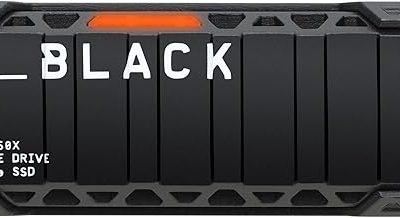
The best budget SSDs for most 2026 gaming and everyday PCs are the WD Blue SN580 for a balanced PCIe 4.0 build, the TeamGroup MP44L for low-cost capacity, the Crucial MX500 for older SATA systems, and the Samsung 990 EVO Plus when you want noticeably higher performance without moving into flagship pricing.
Best budget SSDs ranked
| Rank | SSD | Interface | Usable capacities | Rated sequential speed | Endurance | Best for |
|---|---|---|---|---|---|---|
| 1 | WD Blue SN580 | PCIe 4.0 x4, NVMe | About 931GB, 1.81TB, 3.63TB | Up to 4,150MB/s read; 4,150MB/s write on 1TB and larger | Up to 900TBW on 2TB | Best overall value |
| 2 | TeamGroup MP44L | PCIe 4.0 x4, NVMe | About 465GB, 931GB, 1.81TB | Up to 5,000MB/s read; up to 4,500MB/s write | Up to 1,200TBW on 2TB | Affordable gaming capacity |
| 3 | Samsung 990 EVO Plus | PCIe 4.0 x4 or PCIe 5.0 x2, NVMe | About 931GB, 1.81TB, 3.63TB | Up to 7,250MB/s read; 6,300MB/s write | Up to 2,400TBW on 4TB | Fastest premium-budget option |
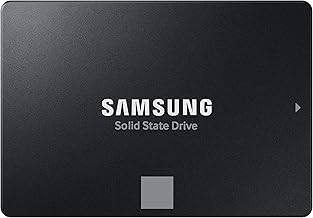
| 4 | Crucial MX500 | SATA 6Gb/s | About 931GB, 1.81TB, 3.63TB | Up to 560MB/s read; 510MB/s write | Up to 700TBW on 2TB | Older desktops and laptops |
| 5 | Crucial P3 Plus | PCIe 4.0 x4, NVMe | About 931GB, 1.81TB, 3.63TB | Up to 4,800MB/s read; 4,200MB/s write | Up to 800TBW on 4TB | Large, lightly written game libraries |
Usable capacity is lower than the number on the box because manufacturers advertise decimal capacity while Windows reports a smaller binary value. A “1TB” drive normally provides roughly 931GB before formatting, and leaving 10–15% free space helps maintain write performance.
1. WD Blue SN580: best overall budget SSD
The WD Blue SN580 is the safest recommendation when its price is close to other mainstream PCIe 4.0 drives. It combines strong sequential performance with good random access behavior, low power consumption, and a five-year limited warranty. Its TLC NAND is also a more comfortable choice for a system drive than many inexpensive QLC alternatives.
Its rated read speed is more than enough for gaming, and its 4K random performance makes Windows, applications, and game-launcher activity feel responsive. The 1TB model is usually the sweet spot, while the 2TB version offers better value if you keep several large games installed.
Choose the SN580 if:
- Your motherboard has a PCIe 4.0 M.2 slot.
- You want one drive for Windows, applications, and games.
- You regularly copy files or install games but do not need workstation-class sustained writes.
- You value a five-year warranty and respectable endurance.
2. TeamGroup MP44L: best low-cost gaming capacity
The MP44L is attractive when every dollar matters. Its advertised sequential speeds are higher than the SN580’s, although those figures do not automatically make it faster in ordinary gaming. Game loading depends heavily on queue depth, small-file latency, CPU decompression, and the game engine—not only on the largest sequential number.
It is particularly useful as a game-library drive. The 2TB model provides about 1.81TB of usable space, enough for a large modern library without immediately needing a second drive. As with other affordable SSDs, performance can fall during very large transfers after the dynamic cache is exhausted, so it is less suitable for constant video-production workloads than for gaming.
Check the exact capacity’s specifications before buying: NAND configuration and rated endurance can differ between capacities and production revisions. The MP44L is best when its warranty terms and current price are clearly listed by the seller.
3. Samsung 990 EVO Plus: best performance near the budget tier
The Samsung 990 EVO Plus is the performance-oriented choice in this group. Its PCIe 4.0 x4 or PCIe 5.0 x2 compatibility lets it work across more recent platforms, and its rated speeds are substantially above entry-level drives. That advantage matters most when moving large files, compiling projects, editing high-bitrate media, or loading content from applications capable of using fast storage.
For a normal gaming PC, it will not make frame rates higher, and the difference in game loading may be modest compared with a cheaper TLC drive. It becomes easier to justify in a high-end system, especially if the price gap is small or the PC will also handle heavy file transfers. A motherboard heatsink is recommended during sustained workloads.
4. Crucial MX500: best SATA SSD for older PCs
The MX500 remains a sensible choice for computers without an NVMe slot. SATA limits it to roughly 550MB/s, but that is still dramatically faster and more responsive than a hard disk drive. It is available in the 2.5-inch format, making it compatible with many older desktops and laptops.
For Windows, office software, web browsing, and older games, the MX500 can transform an aging machine. It is not the right choice for a new PCIe 4.0 gaming build unless a SATA drive is substantially cheaper or you specifically need a 2.5-inch form factor.
Before buying an MX500
- Confirm that the laptop accepts a 2.5-inch SATA drive and supports the drive’s thickness.
- For a desktop, check that a SATA data cable and an available power connector are present.
- Do not expect NVMe-level transfer speeds; the benefit is compatibility, not peak performance.
5. Crucial P3 Plus: best for a large, lightly written game library
The P3 Plus uses QLC NAND, which helps keep high-capacity models affordable. It can deliver strong short bursts and good game-loading results, but its endurance and sustained-write behavior are less attractive than TLC-based alternatives. Once its dynamic cache fills, a very large file transfer can slow considerably.
That trade-off is reasonable for a secondary library drive that mostly reads installed games. It is less suitable as the only drive in a workstation, a security-recording PC, or a machine that writes hundreds of gigabytes every day.
Which budget SSD should you buy?
| Your situation | Recommended choice | Reason |
|---|---|---|
| New gaming PC with PCIe 4.0 | WD Blue SN580 | Balanced TLC performance, endurance, power use, and warranty |
| Cheapest sensible 1TB gaming upgrade | TeamGroup MP44L | High burst speed and competitive capacity pricing |
| Large game library, mostly reads | Crucial P3 Plus or MP44L 2TB | Capacity matters more than workstation write endurance |
| Frequent large file transfers | Samsung 990 EVO Plus | Higher sustained-class performance and strong rated endurance |
| Older PC with no M.2 slot | Crucial MX500 | Reliable 2.5-inch SATA compatibility |
| Heavy daily writes or professional work | A TLC NVMe model with a higher endurance rating | QLC budget models are not the ideal long-term workload choice |
How much SSD capacity do you need?
Choose 1TB if the PC mainly runs Windows, applications, and a moderate number of games. Choose 2TB if you play several large modern titles, use game mods, or want to avoid repeatedly uninstalling and reinstalling software. A 4TB drive can be economical for a large library, but only if its price per usable gigabyte is close to the 2TB version.
A practical calculation illustrates the difference: a nominal 2TB SSD provides about 1,819GB in the decimal-to-binary conversion used by operating systems. Keeping 12% free leaves roughly 1,601GB available for files and games. If Windows and applications consume 150GB, about 1,450GB remains—enough for a library of ten 100GB games plus patches and saves, but not enough to treat the drive as unlimited storage.
Sequential speed versus random speed for gaming
Sequential speed describes large, orderly transfers such as copying a movie archive. Random speed describes many small requests, which are closer to normal operating-system activity. A budget NVMe SSD rated around 4,000–5,000MB/s is already fast enough that doubling the headline number rarely doubles game-loading speed.
For gaming, prioritize TLC NAND, a five-year warranty, adequate free space, and a good 1TB or 2TB price. For video editing or large project files, prioritize sustained-write behavior and endurance. For an older computer, compatibility is more important than any NVMe benchmark.
Installation and setup tips
- Install an M.2 drive in the fastest compatible CPU-connected slot when the motherboard manual identifies one.
- Remove the motherboard’s protective film from an M.2 heatsink before installation.
- Update the motherboard firmware if the drive is not detected, especially on an older platform.
- Enable the operating system’s TRIM support; current Windows installations normally enable it automatically.
- Keep at least 10% free space, and avoid filling a budget SSD completely before a large game installation or file transfer.
- Use the manufacturer’s storage utility occasionally to check firmware health and remaining life, but do not defragment an SSD manually.
Final verdict
The WD Blue SN580 is the best all-round budget SSD for most PCIe 4.0 PCs. Buy the TeamGroup MP44L when its capacity is cheaper, choose the Samsung 990 EVO Plus for heavier storage work, use the Crucial MX500 for SATA-only systems, and select the Crucial P3 Plus when inexpensive bulk game storage matters more than sustained-write endurance.