Key takeaways
- Form factor: M.2 is a small stick that mounts flat on the motherboard, while SATA SSDs are 2.5-inch drives that sit in a bay and connect with a data and power cable.
- Speed: M.2 drives running NVMe hit 5,000–14,000MB/s, whereas every SATA SSD is capped near 550MB/s by the interface — roughly a 10x–25x gap in sequential throughput.
- Installation: M.2 drops into a single slot with one screw and zero cables; SATA needs a drive bay plus two cables, which is fiddlier but works on nearly any system ever made.
- Compatibility: SATA SSDs work in virtually any PC or laptop with a 2.5-inch bay, while M.2 requires a motherboard with the right slot and, for full speed, PCIe/NVMe support.
- Capacity value: SATA remains cheaper per terabyte for large libraries, making it a smart secondary drive, while M.2 delivers the performance-per-dollar that matters for your OS and games.
- Slot limits: Most boards offer only two or three M.2 slots, so once they’re full, SATA is the natural path to expand storage without swapping drives.
Walk into any storage aisle in 2026 and you’ll hit the same fork in the road: the slim M.2 gumstick that plugs flat into your motherboard, or the classic 2.5-inch SATA drive that connects with a cable. They look nothing alike, yet buyers constantly confuse the two because “M.2” describes a shape while “SATA” describes a connection — and that confusion leads to real mistakes at checkout.
The choice matters because it decides how fast your games load, how tidy your build looks, and whether your motherboard even has a free slot to accept the drive. Get it right and you gain speed, simplicity, and a clean cable-free install; get it wrong and you’re returning a drive that physically won’t connect. Let’s break down what actually separates an M.2 SSD from a SATA SSD so you buy once and buy correctly.
Our top picks
 Samsung SSD 990 PRO 2TB
- Consider this a cheat code
- Gen4 steps up with faster transfer speeds and…
- The speed you need for any occasion
 WD_Black SN7100 2TB NVMe SSD
- This product has been replaced by our latest…
- OCTANE GAMING
- BUILT
 Samsung SSD 9100 PRO 2TB
- BREAKTHROUGH PCIe 5.0 PERFORMANCE: Supercharge your workflow and…
- EVERY TASK, TURBOCHARGED: Speed past productivity limits
- THINK FAST, CREATE FASTER: With random read/write speeds…
| Product | Key specs | |
|---|---|---|
| Samsung SSD 990 PRO 2TB | Consider this a cheat code Gen4 steps up with faster transfer speeds and… The speed you need for any occasion | Check price |
| WD_Black SN7100 2TB NVMe SSD | This product has been replaced by our latest… OCTANE GAMING BUILT | Check price |
| Samsung SSD 9100 PRO 2TB | BREAKTHROUGH PCIe 5.0 PERFORMANCE: Supercharge your workflow and… EVERY TASK, TURBOCHARGED: Speed past productivity limits THINK FAST, CREATE FASTER: With random read/write speeds… | Check price |
 Silicon Power 2TB NVMe M.2 PCIe Gen3x4 Silicon Power 2TB NVMe M.2 PCIe Gen3x4 | PCIe Gen 3x4 interface with read speeds up… TBW=1200 The warranty terms on all of its SSDs… | Check price |
 Crucial P310 M.2 2280 2TB PCI-Express 4.0 Crucial P310 M.2 2280 2TB PCI-Express 4.0 | M.2 2280 2TB PCI-Express 4.0 x4 NVMe | Check price |
 Western Digital 2TB WD Green SN350 NVMe Western Digital 2TB WD Green SN350 NVMe | Fast NVMe performance for daily computing needs SSDs offer shock-resistance against accidental bumps and drops The slim M.2 2280 form factor is ideal… | Check price |
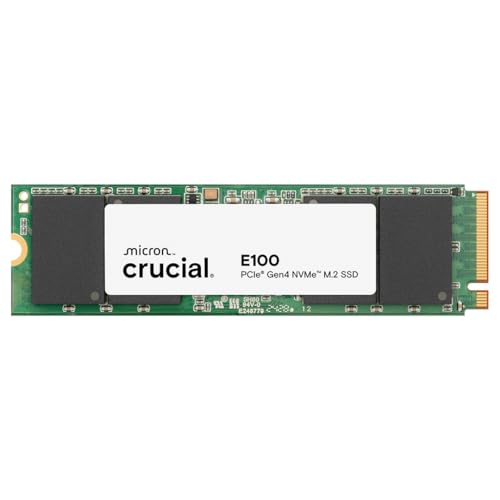 Crucial E100 2TB M.2 NVMe PCIe Gen4 Crucial E100 2TB M.2 NVMe PCIe Gen4 | Gen4 performance at 5,000MB/s is 8x faster4 than… SAVE MORE PHOTOS, VIDEOS AND MORE: Get up… Follow step-by-step instructions for easy installation and cloning | Check price |
 Crucial P310 2TB SSD Crucial P310 2TB SSD | PCIe 4.0 Performance: Delivers up to 7,100 MB/s… Spacious 2TB SSD: Provides space for AAA games,… Broad Compatibility: Works seamlessly with laptops, desktops, and… | Check price |
As an Amazon Associate we earn from qualifying purchases at no extra cost to you.
⚡ Save on Your Next PC — Amazon Prime
Prime members get fast free shipping on the systems above, plus early access to Prime Day & Black Friday PC deals. New members get a 30-day free trial.
Watch: M.2 vs SATA SSD: Which to Choose in 2026? — Video Review
Quick Verdict
An M.2 NVMe drive like the Samsung 990 PRO or WD_Black SN7100 is the right pick for almost every modern desktop and laptop — it’s faster, cleaner, and needs no cables. A 2.5-inch SATA SSD earns its place when you’ve run out of M.2 slots, you’re reviving an older machine, or you need cheap bulk capacity for a game and media library.
Key Differences
- Form factor: M.2 is a small stick that mounts flat on the motherboard, while SATA SSDs are 2.5-inch drives that sit in a bay and connect with a data and power cable.
- Speed: M.2 drives running NVMe hit 5,000–14,000MB/s, whereas every SATA SSD is capped near 550MB/s by the interface — roughly a 10x–25x gap in sequential throughput.
- Installation: M.2 drops into a single slot with one screw and zero cables; SATA needs a drive bay plus two cables, which is fiddlier but works on nearly any system ever made.
- Compatibility: SATA SSDs work in virtually any PC or laptop with a 2.5-inch bay, while M.2 requires a motherboard with the right slot and, for full speed, PCIe/NVMe support.
- Capacity value: SATA remains cheaper per terabyte for large libraries, making it a smart secondary drive, while M.2 delivers the performance-per-dollar that matters for your OS and games.
- Slot limits: Most boards offer only two or three M.2 slots, so once they’re full, SATA is the natural path to expand storage without swapping drives.
M.2 SSD: Compact Speed With No Cables
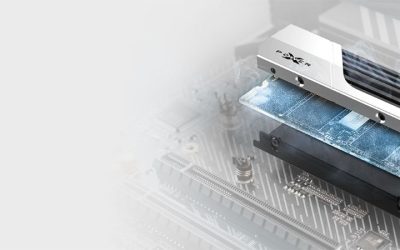
The M.2 form factor is the modern default for good reason. Drives like the Samsung 990 PRO 2TB and the Crucial P310 slot directly onto the board, disappear under a heatsink, and deliver NVMe speeds that make SATA feel prehistoric. There are no cables to route, no bay to find, and the whole install takes about a minute with a single screw.
Beyond aesthetics, M.2 is where the real performance lives — Gen4 and Gen5 NVMe drives load games, transfer huge files, and boot Windows dramatically faster than anything on SATA. It’s the obvious choice for a primary OS-and-games drive, for compact builds where cable clutter is the enemy, and for laptops that have no 2.5-inch bay at all. If your motherboard has a free M.2 slot, this is what belongs in it.
SATA SSD: Universal Fit and Cheap Capacity
The 2.5-inch SATA SSD is the great equalizer. It fits practically every desktop and older laptop, upgrades an ancient hard-drive machine to genuinely snappy performance, and costs less per terabyte for the large libraries where raw speed barely matters. When your M.2 slots are already occupied, a SATA drive is the easiest way to bolt on more space.
It’s slower — the interface pins throughput near 550MB/s no matter how good the flash is — but for storing games you’ve already installed, video projects, or a media archive, that ceiling is invisible in daily use. Reliable, affordable, and universally compatible, a SATA SSD is the sensible secondary drive and the best rescue for older hardware that can’t take M.2. Just don’t expect it to feel as instant as NVMe for heavy transfers.
Which Should You Buy?
- For For your main OS and games drive: pick M.2 NVMe because faster boot, load, and transfer times are exactly where you’ll notice the difference every day.
- For For a small or clean-look build: pick M.2 because it eliminates cables entirely and hides under the board for a tidy, minimal interior.
- For For expanding a full system: pick SATA once your M.2 slots are occupied, since it’s the simplest way to add bulk capacity without swapping drives.
- For For reviving an old PC or laptop: pick SATA because it fits nearly any 2.5-inch bay and turns a sluggish hard-drive machine into a responsive one cheaply.
- For For a large game or media library: pick SATA for the lower cost per terabyte, since sequential speed matters little once files are just being stored.
Frequently Asked Questions
Is every M.2 SSD faster than a SATA SSD?
No — some M.2 drives use the SATA protocol and are capped at the same ~550MB/s. Only M.2 drives labeled NVMe deliver the multi-gigabyte speeds people expect, so check the spec, not just the shape.
Can I use both an M.2 and a SATA SSD together?
Absolutely, and it’s a common setup: a fast M.2 NVMe drive for Windows and your main games, plus a roomy SATA SSD for everything else. Just confirm your board has both a free M.2 slot and a SATA port.
Will an M.2 drive fit my motherboard?
It depends on the slot. Check your board for an M.2 slot and confirm it supports the drive’s key and length (usually 2280). Some slots are SATA-only, some are NVMe, and many modern boards support both.
Do I need a heatsink for an M.2 SSD?
High-speed Gen4 and Gen5 NVMe drives run warm and benefit from a heatsink to avoid thermal throttling during long transfers. Many motherboards now include M.2 heatsinks, and drives like the 990 PRO are available in heatsink versions.
Final Verdict
For your primary drive in 2026, choose M.2 NVMe every time — the speed, clean install, and load-time gains are transformative and the price premium has shrunk to almost nothing. Keep SATA in mind for exactly two jobs: adding cheap bulk capacity once your M.2 slots fill up, and breathing life into older machines that can’t accept an M.2 stick. Match the drive to the slot and the task, and you’ll never overpay or return a drive that won’t connect.