Our Top Picks
 Amazon Basics USB-Powered Computer Speakers with Volume Control1-Pack2.76 x 3.55 x 5.3 inches1.5 poundsCheck on Amazon
A desktop tower almost never includes a camera or speakers — you buy the computer, then supply the display, webcam and audio separately. The exceptions are all-in-ones and some mini PCs, which build a screen, speakers and occasionally a webcam into the chassis. Monitors are the gray area: many office and productivity monitors have built-in speakers, but built-in webcams remain rare outside conferencing-specific models.
What actually ships inside a desktop box
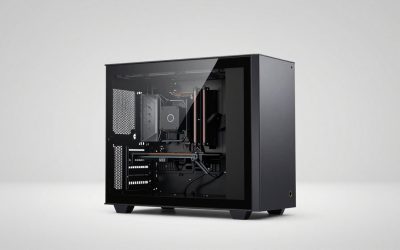
A standard tower or desktop PC contains the CPU, GPU, storage, motherboard and power supply. Audio comes from the motherboard’s onboard codec — a Realtek ALC-series chip on most consumer boards — which feeds the rear 3.5 mm jacks (green line-out, pink mic-in, blue line-in) and a front-panel HD Audio header that drives the headphone and mic ports on the case.
Amazon Basics USB-Powered Computer Speakers with Volume Control for Desktop or Laptop PC, Compact Size, Headphone Jack, Portable, Plug-N-Play, Black
Chosen because it specifies Compact Size and Headphone Jack.
View on Amazon
LENRUE Computer Speakers,PC Speakers for Desktop,Wired USB-Powered Sound-bar for Computer with 10W Stereo Sound and Colorful Light,Plug-n-Play (A39PRO /Black)
Chosen because it specifies PC Speakers for Desktop and Plug-n-Play (A39PRO /Black).
View on Amazon
Computer Speakers, 2 in 1 PC Speaker , Gaming Speakers for PC Computer Laptop Desktop Monitor, RGB Speakers with Touch Sensitive Lighting, USB Powered 3.5mm Aux(Package Only Two Speaker, No Soundbar)
Chosen because it specifies 2 in 1 PC Speaker and Gaming Speakers for PC Computer Laptop Desktop Monitor.
View on Amazon
Logitech Z207 2.0 Stereo Computer Speakers with Bluetooth | 10 Watts peak power, active drivers with passive radiators, 3.5 mm input and headphone jack, ideal for PC setups
Picked as a relevant option in this category.
View on AmazonTwo things get confused with “speakers” here:
- The internal piezo buzzer. Many cases and boards still include a tiny speaker that emits POST beep codes at startup. It is a diagnostic device, not an audio output, and it plays no music or game sound.
- HDMI and DisplayPort audio. Your GPU can send a digital audio stream down the video cable. If the monitor has speakers, the desktop effectively gains speakers with no extra hardware — you just have to select the monitor as the playback device.
All-in-ones are the genuine exception. An iMac-style machine or a 24-inch all-in-one from a mainstream PC brand typically includes stereo speakers, a webcam and a microphone array, because the whole point is a single-cable setup. Compact mini PCs often have a small mono speaker good enough for system sounds but not for media.
Monitors: speakers are common, webcams are rare
Per manufacturer spec sheets, speaker output on monitors is listed as watts per channel, and it’s usually modest. The table below shows what each class typically includes.
| Monitor class | Built-in speakers | Built-in webcam | Typical price |
|---|---|---|---|
| 24″ 1080p 75 Hz office | Often, 2×2 W | Almost never | $90–$160 |
| 27″ 1440p USB-C hub | Often, 2×3 W to 2×5 W | Rare, conferencing SKUs only | $250–$450 |
| 27″ gaming, 144–240 Hz | Uncommon; 2×2 W when present | Almost never | $250–$700 |
| 32″–34″ ultrawide / 4K creator | Sometimes, 2×5 W | Rare | $500–$1,200 |
| Enterprise conferencing display | Yes, 2×5 W to 2×10 W | Yes, 1080p plus mic array | $400–$900 |
The pattern: gaming monitors cut speakers to save cost and space, office monitors keep them, and only business-oriented conferencing displays bundle a camera. Those 2 W drivers are fine for a video call and thin for music, because a 2 W driver in a plastic enclosure has very little cabinet volume to work with.
How to check what your setup already has
- Look at the back of the tower for the audio jacks. If you see green, pink and blue 3.5 mm ports, the board has analog output. That green jack is the one you’d connect powered speakers to. Reason: if the ports exist, you don’t need a USB sound card or DAC to add audio.
- Check the monitor’s on-screen menu for an Audio or Volume entry. Manufacturers list speaker wattage on the spec sheet, but the OSD is the fastest confirmation. Reason: many monitors have a headphone passthrough jack but no speakers at all, and those two features look identical from the outside.
- Open Settings → System → Sound (Windows) or System Settings → Sound (macOS) and read the output list. You should see entries for your monitor, your motherboard’s codec, and any USB audio device. Reason: HDMI audio only appears as an option when the monitor actually reports speaker capability over EDID.
- Open the Camera app and look for a device. No camera listed means nothing is connected — desktops don’t have a hidden one. Reason: this rules out the “is it disabled in privacy settings” rabbit hole before you spend money.
- Play a test tone and watch which device’s volume meter moves. Reason: it tells you which output is actually active rather than which one you think is active, which is the most common cause of “no sound” on a new desktop.
Do the math before you buy
Two numbers decide what works: video bandwidth and USB power.
Bandwidth. A 1080p frame at 60 fps in uncompressed 8-bit 4:2:2 is 1920 × 1080 × 2 bytes = about 4.15 MB per frame, so 4.15 MB × 60 = roughly 249 MB/s, or about 2 Gbit/s. USB 2.0’s theoretical 480 Mbps (real-world throughput nearer 280–320 Mbps) cannot carry that, which is exactly why webcams compress to MJPEG or H.264 on the fly. Scale up to 4K30 and you need about 498 MB/s uncompressed — roughly 4 Gbit/s — so a 4K webcam has to compress aggressively, and many cap at 4K30 for that reason. Practically: 1080p60 over USB 2.0 is fine with good compression, but if you want 1080p60 with low compression artifacts, plug into a USB 3.x port and keep the camera off a shared hub.
Power. Per the USB-IF specification, a standard port delivers limited current:
| Port type | Voltage | Max current | Max power |
|---|---|---|---|
| USB 2.0 Type-A | 5 V | 0.5 A | 2.5 W |
| USB 3.x Type-A | 5 V | 0.9 A | 4.5 W |
| USB BC 1.2 charging port | 5 V | 1.5 A | 7.5 W |
| USB-C with Power Delivery | 5 V and up | 3 A at 5 V, negotiated higher above | 15 W and up |
Now apply it to speakers. A pair rated at 2×3 W outputs 6 W total. At a typical 80% amplifier efficiency, that needs 6 ÷ 0.8 = 7.5 W of input — more than a USB 3.x port’s 4.5 W ceiling. That single calculation explains why almost every desktop speaker set ships with a wall adapter rather than being truly bus-powered, and why the ones that do run off USB are limited to a few watts.
Webcam options by need
| Spec class | Best for | Key specs | Price range |
|---|---|---|---|
| 1080p30 fixed focus | Basic meetings | 1080p30, ~78° field of view, dual mic, USB-A | $40–$70 |
| 1080p60 autofocus | Everyday work and streaming | 1080p60, autofocus, ~90° field of view, privacy shutter | $90–$140 |
| 4K30 / 1080p60 HDR | Streaming, cropping, detail | 4K30 capture, 1080p60, HDR, adjustable field of view | $150–$250 |
| IR Windows Hello class | Password-free sign-in | 1080p RGB plus infrared sensor | $60–$120 |
Best overall: 1080p60 with autofocus
This is the sweet spot for a desktop. Autofocus matters more than resolution for most people, because fixed-focus cameras go soft when you lean back or hold something up to the lens. Models in this class — the Logitech Brio 500 and similar — add a privacy shutter and a wider field of view. Trade-off: they cost roughly double a basic 1080p30 camera, and the extra sharpness is wasted if your room lighting is poor.
Best budget: 1080p30 fixed focus
The long-lived Logitech C920 and its many equivalents still cover meetings well. A fixed-focus lens set for arm’s-length distance is sharp at exactly that distance. Trade-off: softness if you move closer or further away, and no Windows Hello support unless the model includes an IR sensor.
Best for streaming and detail: 4K class
4K capture is mainly useful for cropping and panning inside a 1080p output, which is why streamers use it. Trade-off: it demands USB 3.x bandwidth, a brighter room, and a machine that can encode the stream without dropping frames.
Speaker options by need
| Your situation | What fits | Why |
|---|---|---|
| Small desk, mostly calls, under $60 | Compact 2.0 speakers with a wall adapter, or use the monitor’s speakers | Cheapest path; call audio needs intelligibility, not bass |
| Music and video, $100–$200 | Active bookshelf speakers with 3–4″ woofers | Real cabinet volume produces bass a monitor or soundbar can’t |
| Gaming with positional cues | Wired headset, or 2.1 with a subwoofer | Headphones beat any near-field setup for directionality |
| Monitor used as a small TV | Soundbar over HDMI ARC or optical | Fits under a panel and takes one cable |
| Music production or monitoring | Powered studio monitors, 5″ woofer, balanced inputs | Flat response and TRS/XLR connectivity |
One compatibility rule to check before buying: passive hi-fi speakers will not work plugged into a green 3.5 mm jack. That output is line-level and unamplified. You need either active (self-powered) speakers or a separate amplifier. Active bookshelf models such as the Edifier R1280T class or the PreSonus Eris E3.5 class, generally $100–$200, include their own amplification and take a 3.5 mm or RCA input directly.
Frequently Asked Questions
Do desktop computers come with a camera built in?
No, not standard towers or mini PCs. All-in-one computers and a handful of conferencing monitors include one. If you buy a tower, budget for a separate USB webcam — a basic 1080p30 model usually runs $40–$70.
Can I use my monitor’s speakers instead of buying speakers?
Yes, if the monitor has them. Connect over HDMI or DisplayPort, then select the monitor as the playback device in your OS sound settings. Per spec sheets, built-in monitor speakers are usually 2×2 W to 2×5 W, which is adequate for calls and system audio but thin for music.
Why is there no sound from my new desktop?
The three usual causes are the wrong output device selected, a muted mixer, or speakers that need external power and aren’t plugged in. Check the output list in your sound settings first, then confirm the speakers’ power adapter is connected and the volume knob is turned up.
Can I use my phone as a webcam for a desktop?
Often yes. iPhones can act as a webcam through Continuity Camera on a Mac, and Android phones offer webcam modes plus integration with Windows through the phone-link feature. Image quality usually beats a budget webcam, but the phone is then occupied and needs to stay plugged in.
Do all monitors have built-in speakers?
No. Gaming monitors frequently omit them, and ultrawides often skip them too. The reliable check is the manufacturer’s spec sheet — look for a “speakers” line listing watts per channel — or the Audio menu in the monitor’s on-screen display.
Is a soundbar or a pair of 2.0 speakers better for a desktop?
A soundbar wins on desk space and cable count, especially under a large monitor. A pair of active 2.0 speakers wins on stereo separation and bass, because the left and right drivers sit apart from each other. For a desk wider than about 4 feet, separate speakers generally sound better for the same money.