Our Top Picks
The Samsung 9100 PRO 2TB is the best PCIe 5.0 NVMe SSD on this page for most buyers: it reads at up to 14,700MB/s, writes at about 13,400MB/s according to Samsung’s published figures, carries a five-year warranty and comes in a capacity that holds a large game library. The SanDisk Optimus GX PRO 8100 matches it for speed, and the Samsung 4TB suits heavy storage needs. “PCIe 5.0” means the drive talks to the processor over a link twice as fast as PCIe 4.0, which only pays off in a compatible M.2 slot.
Quick List
- Samsung 9100 PRO 2TB – best overall for a fast, roomy primary drive
- Samsung 9100 PRO 1TB – best for a Gen5 boot drive with a smaller footprint
- Samsung 9100 PRO 4TB – best for a single large library of games, projects and media
- SanDisk Optimus GX PRO 8100 2TB – best for the highest listed read speed with strong write speed
- SIX NVME M.2 1TB X15000 – best for shoppers who want a Gen5 drive from a lesser-known brand, with details to confirm
- SanDisk Optimus GX PRO 8100 1TB – best for a compact Gen5 drive with the same read speed as the 2TB
Which One Is Right for You?
| If you… | Choose |
|---|---|
| want one fast drive that does everything well | Samsung 9100 PRO 2TB |
| keep a large game collection and creative projects on one drive | Samsung 9100 PRO 4TB |
| care most about sequential write speed on a 2TB drive | SanDisk Optimus GX PRO 8100 2TB |
| only need Windows and a handful of games on Gen5 | Samsung 9100 PRO 1TB or SanDisk Optimus GX PRO 8100 1TB |
| are comfortable researching a lesser-known brand to save effort elsewhere | SIX NVME M.2 1TB X15000 |
| want a drive with well-documented endurance and warranty | Samsung 9100 PRO or SanDisk Optimus GX PRO 8100 |
| have a system with only PCIe 4.0 M.2 slots | Consider a PCIe 4.0 drive instead; all six here are Gen5 |
If you are still deciding between Gen5 and Gen4 at all, remember that a Gen5 drive is a premium part. It is best suited to a build that already has a PCIe 5.0 M.2 slot, a good cooling plan and a workload that moves large files regularly. A system used for browsing, office work and a few games gains little from the extra speed. All six drives use the M.2 2280 shape and a PCIe 5.0 x4 link, so the choice is mostly about capacity, sustained write speed and how much the maker documents. Larger models of the same drive often write faster and last longer, which is why capacity is the first decision to make.

Samsung SSD 9100 PRO 2TB, PCIe 5.0x4 M.2 2280, Up to 14,700MB/s | NVMe Internal Solid State Hard Drive best for AI Computing, Gaming, and Heavy Duty Workstations (MZ VAP2T0B/AM)
Chosen because it specifies PCIe 5.0x4 M.2 2280 and Up to 14.
View on AmazonSamsung SSD 9100 PRO 1TB, PCIe 5.0x4 M.2 2280, Up to 14,700MB/s | NVMe Internal Solid State Hard Drive best for AI Computing, Gaming, and Heavy Duty Workstations (MZ VAP1T0B/AM)
Chosen because it specifies PCIe 5.0x4 M.2 2280 and Up to 14.
View on AmazonSamsung SSD 9100 PRO 4TB, PCIe 5.0x4 M.2 2280, Up to 14,800MB/s | NVMe Internal Solid State Hard Drive best for AI Computing, Gaming, and Heavy Duty Workstations (MZ VAP4T0B/AM)
Chosen because it specifies PCIe 5.0x4 M.2 2280 and Up to 14.
View on Amazon
Sandisk Optimus GX PRO 8100 2TB PCIe 5.0 NVMe SSD, M.2 2280 | Up to 14,900MB/s Read Speeds, Up to 14,000MB/s Write Speeds, Internal Solid State Drive - SDSP82200TAN
Chosen because it specifies M.2 2280 and Up to 14.
View on Amazon
SIX NVME M.2 SSD 1TB - PCIe gen 5.0x4 X15000 M.2 2280, Seq. Speed Up to 14,300MB/s,AI Computering Gaming by Internal Solid State Hard Drive for Laptop/Desktop PC Nvme m2 PCIe 5 1TB with Heatsink
Chosen because it specifies PCIe gen 5.0x4 X15000 M.2 2280 and Seq. Speed Up to 14.
View on AmazonSandisk Optimus GX PRO 8100 1TB PCIe 5.0 NVMe SSD, M.2 2280 | Up to 14,900MB/s Read Speeds, Up to 11,000MB/s Write Speeds, Internal Solid State Drive - SDSP82100TAN
Chosen because it specifies M.2 2280 and Up to 14.
View on AmazonAll 6 Picks in Detail
1. Samsung 9100 PRO 2TB – Best Overall for a Fast, Roomy Primary Drive
As an Amazon Associate we earn from qualifying purchases at no extra cost to you.

The 2TB 9100 PRO is the middle capacity of Samsung’s PCIe 5.0 line and the one that balances speed, space and endurance. The listing names PCIe 5.0 x4, M.2 2280 and read speeds up to 14,700MB/s. Samsung’s published specifications give about 13,400MB/s sequential writes, a 1,200TBW endurance rating and a five-year limited warranty. The drive uses Samsung’s own Presto controller and V-NAND TLC. The listing wording suggests this model may be sold with or without a heatsink, so confirm which version you are buying.
- 2TB, M.2 2280, PCIe 5.0 x4, NVMe 2.0
- Up to 14,700MB/s sequential read
- About 13,400MB/s sequential write per Samsung
- 1,200TBW endurance per Samsung
- Samsung Presto controller with V-NAND TLC
- Five-year limited warranty; heatsink option: confirm on listing
Pros
- Strong write speed and well-documented endurance
- Large enough for a main drive with room to spare
Cons
- Runs warm under sustained load and needs a heatsink
- Real-world gains over a good PCIe 4.0 drive are modest
Next to the SanDisk 2TB model, it lists a slightly lower read speed on paper, but Samsung publishes full write and endurance figures for every capacity.
2. Samsung 9100 PRO 1TB – Best for a Compact Gen5 Boot Drive
The 1TB version offers the same 14,700MB/s rated read speed as the 2TB, with a slightly lower rated write speed of about 13,300MB/s according to Samsung. Endurance is 600TBW with the same five-year limited warranty. It is the best fit for a system that needs an operating system drive and a few games, or for someone adding a Gen5 drive alongside a larger secondary drive. Because capacity is limited, a modern game library fills it quickly.
- 1TB, M.2 2280, PCIe 5.0 x4, NVMe 2.0
- Up to 14,700MB/s sequential read
- About 13,300MB/s sequential write per Samsung
- 600TBW endurance per Samsung
- Presto controller and V-NAND TLC
- Five-year limited warranty; heatsink option: confirm on listing
Pros
- Same headline read speed as the larger models
- The lowest entry point into the 9100 PRO family
Cons
- Capacity fills fast with large games
- Lower endurance in total terabytes than the 2TB or 4TB models
Pick the 2TB version instead if you plan to keep more than a handful of large games installed.
3. Samsung 9100 PRO 4TB – Best for a Single Large Library
The 4TB model tops out at 14,800MB/s reads in the listing, and Samsung’s data gives about 13,400MB/s writes with 2,400TBW of endurance. It suits a creator who works with large video files, a gamer with a very large library, or anyone who would rather install one big drive than manage several. It is the most capacious drive in this set, and the one that makes the most sense of the high link speed because large transfers stay fast over longer periods.
- 4TB, M.2 2280, PCIe 5.0 x4, NVMe 2.0
- Up to 14,800MB/s sequential read
- About 13,400MB/s sequential write per Samsung
- 2,400TBW endurance per Samsung
- Presto controller and V-NAND TLC
- Five-year limited warranty; heatsink option: confirm on listing
Pros
- Highest capacity and endurance in the group
- One drive can hold a whole library
Cons
- Sits at the top of the cost range for a single M.2 drive
- More data in one place makes a backup plan more important
It beats the 2TB model on capacity and endurance but offers little extra speed, so buy it for space rather than performance.
4. SanDisk Optimus GX PRO 8100 2TB – Best for the Highest Listed Read Speed

The 2TB Optimus GX PRO 8100 lists up to 14,900MB/s reads and up to 14,000MB/s writes, the highest figures of the 2TB drives in this set. SanDisk’s published information describes 8th-generation BiCS TLC NAND, an LPDDR4 DRAM cache, nCache 4.0, TCG Opal encryption support and a five-year limited warranty, with endurance of 1,200TBW for the 2TB model. Versions with and without a heatsink exist, so check which is on the listing.
- 2TB, M.2 2280, PCIe 5.0 x4 NVMe
- Up to 14,900MB/s sequential read
- Up to 14,000MB/s sequential write
- BiCS TLC NAND with LPDDR4 DRAM cache, per SanDisk
- 1,200TBW endurance per SanDisk
- Five-year limited warranty; heatsink option: confirm on listing
Pros
- Highest sequential figures at 2TB in this set
- DRAM cache and encryption support
Cons
- Peak speeds mean a hot drive that needs good cooling
- The best speeds are only reached in a true PCIe 5.0 slot
It trades blows with the Samsung 9100 PRO 2TB: the SanDisk leads on paper for sequential speed, while the Samsung is the more widely documented drive.
5. SIX NVME M.2 1TB X15000 – Best for Gen5 on a Lesser-Known Brand

This is the least documented drive in the set. The listing names a 1TB M.2 2280 PCIe 5.0 x4 drive with sequential reads up to 14,300MB/s, and it positions itself for AI computing and gaming. The listing name does not state the write speed, controller, NAND type, endurance rating, warranty length or whether a heatsink is included. All of those matter on a Gen5 drive, so confirm them on the product page before buying, and think carefully about warranty support from a smaller brand.
- 1TB, M.2 2280, PCIe 5.0 x4
- Up to 14,300MB/s sequential read
- Write speed: confirm on listing
- Controller and NAND type: confirm on listing
- Endurance and warranty: confirm on listing
- Heatsink: confirm on listing
Pros
- Gen5 read speed at a smaller capacity
- Gives buyers another option outside the big brands
Cons
- Key specifications are not in the listing name
- Support and firmware updates from a smaller brand may be limited
Compared with the SanDisk 1TB model, it lists a lower read speed and far less documentation, so it only makes sense after a close look at the product page.
6. SanDisk Optimus GX PRO 8100 1TB – Best for a Compact Drive With 14,900MB/s Reads
The 1TB Optimus GX PRO 8100 lists the same 14,900MB/s read ceiling as the 2TB model, but its rated write speed drops to up to 11,000MB/s because a smaller drive has fewer NAND chips writing in parallel. SanDisk publishes 600TBW of endurance for the 1TB drive, a five-year limited warranty and a DRAM-cache design. It is a good fit for a primary drive when you do not need much capacity but want the fast link.
- 1TB, M.2 2280, PCIe 5.0 x4 NVMe
- Up to 14,900MB/s sequential read
- Up to 11,000MB/s sequential write
- BiCS TLC NAND with LPDDR4 DRAM cache, per SanDisk
- 600TBW endurance per SanDisk
- Five-year limited warranty; heatsink option: confirm on listing
Pros
- Top read speed in a compact capacity
- DRAM cache and encryption support
Cons
- Noticeably lower write speed than the 2TB version
- Limited space for a modern game library
Against the Samsung 9100 PRO 1TB it reads faster on paper but writes slower, so choose on which direction matters more to you.
Specs Compared
| Product | Capacity | Interface / form factor | Max read | Max write | Endurance / warranty |
|---|---|---|---|---|---|
| Samsung 9100 PRO 2TB | 2TB | PCIe 5.0 x4, M.2 2280 | 14,700MB/s | About 13,400MB/s per Samsung | 1,200TBW, 5 years per Samsung |
| Samsung 9100 PRO 1TB | 1TB | PCIe 5.0 x4, M.2 2280 | 14,700MB/s | About 13,300MB/s per Samsung | 600TBW, 5 years per Samsung |
| Samsung 9100 PRO 4TB | 4TB | PCIe 5.0 x4, M.2 2280 | 14,800MB/s | About 13,400MB/s per Samsung | 2,400TBW, 5 years per Samsung |
| SanDisk Optimus GX PRO 8100 2TB | 2TB | PCIe 5.0 x4, M.2 2280 | 14,900MB/s | 14,000MB/s | 1,200TBW, 5 years per SanDisk |
| SIX NVME M.2 X15000 | 1TB | PCIe 5.0 x4, M.2 2280 | 14,300MB/s | Confirm on listing | Confirm on listing |
| SanDisk Optimus GX PRO 8100 1TB | 1TB | PCIe 5.0 x4, M.2 2280 | 14,900MB/s | 11,000MB/s | 600TBW, 5 years per SanDisk |
Two patterns show up in the table. First, within a single product line, write speed and endurance climb with capacity: the Samsung family moves from 600TBW at 1TB to 2,400TBW at 4TB, and the SanDisk drive moves from 11,000MB/s writes at 1TB to 14,000MB/s at 2TB. Second, the headline read speeds sit within about 600MB/s of each other across the whole set, which is a gap you are very unlikely to notice. That makes endurance, write behavior, cooling and documentation the more meaningful tie-breakers, and it is why the SIX drive, with several blanks in its row, needs the most homework before you commit.
How We Chose These
We worked from the six drives supplied and compared each listing’s own wording with the maker’s published specification pages and with retail specification fields. The comparison covers interface, capacity, rated sequential speeds, endurance, warranty and what the maker discloses about controller and cooling. Where a figure appears only on the maker’s page, such as Samsung’s write speeds or SanDisk’s endurance, the table says so. Where a listing is silent, the table says to confirm. This is a research-based guide, so it ranks drives on documented specifications rather than on any measured results.
What to Look For
PCIe 5.0 and what it really changes
A PCIe 5.0 x4 link has a theoretical limit near 15.8GB/s per direction, roughly double PCIe 4.0 x4, which tops out near 7.9GB/s. That is why Gen5 drives advertise 14,000MB/s-class reads while the best Gen4 drives sit near 7,400MB/s. In daily use the gap is smaller than the numbers suggest, because game loading and application launching depend heavily on the processor, memory and how data is compressed. Large file copies, video editing scratch drives and big game installs are where you will notice the difference.
When Gen5 is worth it over Gen4
Gen5 earns its place in three situations: you move very large files often, such as raw video or virtual machine images; you are building a new system around a Gen5 slot and want the extra headroom for future games; or you want one fast drive and do not mind paying a premium for it. It is a weaker buy if your board has no spare Gen5 slot, if the drive will live in a cramped case with poor airflow, or if your daily tasks are mostly small files. Those workloads are limited by random access speed and latency, and a Gen4 drive handles them nearly as well.
Check the slot before you buy
Only the M.2 slots wired to PCIe 5.0 will run a Gen5 drive at full speed, and most motherboards offer just one of them, usually the slot closest to the processor. On some boards, using that slot reduces the lanes available to the graphics card or disables another M.2 slot, so read the manual. A Gen5 drive in a Gen4 slot still works, but it falls back to PCIe 4.0 speeds of roughly 7,000MB/s and you lose the reason to buy it.
Heat, throttling and cooling
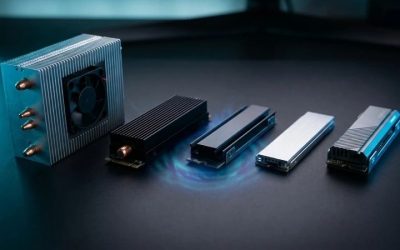
PCIe 5.0 drives run hotter than earlier generations, with a power ceiling around 9 watts according to SanDisk’s specifications. Without cooling they can slow themselves down during long transfers to protect the NAND. Use the motherboard’s M.2 heatsink, or buy a version with its own heatsink, and keep some airflow over the slot. A graphics card mounted right above the slot can trap heat, so check the layout. Laptops are a poor match for most Gen5 drives for the same reason.
Capacity, speed and endurance
Capacity affects speed, not just space. Larger drives have more NAND chips to write to in parallel, so the 2TB SanDisk lists 14,000MB/s writes against 11,000MB/s for the 1TB. Endurance scales the same way: the 600TBW of a 1TB drive means 600 terabytes of writes inside the warranty period, which is about 330GB every day for five years, far beyond normal use. As a worked example, a 100GB game install at a sustained 10,000MB/s takes about 10 seconds, against roughly 15 to 20 seconds at typical sustained Gen4 speeds. That is real, but it is not transformative.
Installing and setting up a Gen5 drive
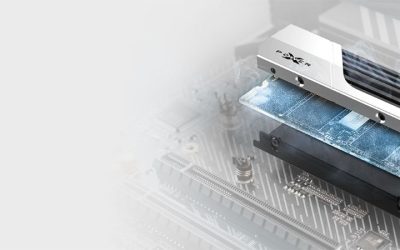
Switch the PC off and unplug it, ground yourself on the case, and find the PCIe 5.0 slot in the motherboard manual. Remove the slot’s heatsink, seat the drive at a slight angle, press it flat and secure it with the screw or latch, then replace the heatsink with its thermal pad against the drive. If the drive ships with its own heatsink, use that and leave the board’s cover off. Boot, initialize the disk in Windows Disk Management, and check that the link shows as PCIe 5.0 in the BIOS or in a system information tool. Afterward, install the maker’s firmware or management tool to watch drive temperature.
Reading the speed numbers honestly
Every figure on these listings is a best-case sequential number, usually measured with a short burst of data landing in a fast write cache. Once that cache fills, a long copy settles to a lower sustained rate, which is why larger drives with more NAND hold their speed longer. Random performance, which governs how quickly small files open, is a separate figure and a better indicator of everyday snappiness. When you compare listings, use the headline speed only as a rough guide and weigh endurance, cooling and warranty as seriously as the first number you see.
Backups matter more with big drives
A 4TB drive holds a lot of irreplaceable data in one place, and an SSD can fail without warning. Keep a second copy on another drive or in cloud storage, and do not treat a long warranty as a substitute for a backup. The warranty replaces hardware; it does not recover files.
Documentation and support
A drive from a maker that publishes its controller, NAND, endurance and firmware tools is easier to trust and update. Lesser-known brands can offer good hardware, but missing specifications mean you carry more risk. Look for a warranty of at least three years, and keep your own backups regardless of the brand.
Questions
Do I need a PCIe 5.0 SSD for gaming?
No. A good PCIe 4.0 drive loads games almost as quickly in practice because loading is limited by other parts. Gen5 is a nice-to-have for large transfers and for future games that use faster storage.
Will a PCIe 5.0 SSD work in a PCIe 4.0 slot?
Yes, PCIe is backward compatible. The drive simply runs at PCIe 4.0 speed, around 7,000MB/s, so you will not get the headline numbers.
Do these drives need a heatsink?
Yes, assume so. Use the motherboard’s M.2 heatsink or a version with its own, and check the listing to see which one you are buying. A bare drive without any cooling can slow itself down during long transfers.
Which capacity should I buy?
2TB is a good balance for most gaming and general use, since it holds a large library and writes faster than the 1TB model. Choose 4TB only if you truly need the space.
What does TBW mean on an SSD?
TBW stands for terabytes written, the amount of data the maker says the drive can take during its warranty period. A 1,200TBW rating on a 2TB drive is far more than most users will ever write.
Is the SIX drive a safe choice?
The listing gives a read speed but not the controller, endurance or warranty. Check those on the product page and prefer a drive whose maker documents them before you trust it with important data.
Update History
- October 20, 2026 – Initial publication; product set drawn from current catalog listings.
- Check the product page for current specifications and availability before buying.
Sources
- Manufacturer product and specification pages for Samsung and SanDisk SSDs
- Retailer listing titles and specification fields for each drive
- Published SSD reviews and news coverage used to cross-check Samsung’s and SanDisk’s published figures