Key takeaways
- CPU and firmware: Verify your exact Ryzen desktop CPU is named in the motherboard CPU-support list and note any required minimum BIOS version. Download firmware only from the manufacturer if an update is required.
- Memory: AM5 uses DDR5, not DDR4. Memory overclocking speeds are conditional, not guaranteed. For a new purchase, compare the RAM kit against the board’s qualified list and CPU configuration.
- Case and cooler: Match ATX or micro-ATX dimensions with the case; check the cooler, radiator and header locations. Socket compatibility does not automatically guarantee physical clearance.
- SSD and expansion layout: Count PCIe 5.0 and 4.0 M.2 sockets separately, and inspect which extra PCIe slots or lanes are disabled when all drives are installed.
- Connectivity: Verify the exact Wi-Fi version, Ethernet speed, rear versus internal USB-C connectors, and whether you need genuine USB4 instead of a similarly shaped slower Type-C connector.
- Condition and warranty: Review new versus open-box condition, the actual marketplace seller, included Wi-Fi antenna, and the applicable U.S. warranty/return terms.
Looking for Cyber Monday AM5 motherboard deals? Cyber Monday 2026 falls on November 30, and as of October 27 no November 30 motherboard offer can be verified as live. What you can check now is the actual U.S. selling price of specific Socket AM5 boards. A baseline makes it easier to recognize a meaningful discount instead of buying because a listing displays a large percentage-off badge.
For most new Ryzen gaming builds, start with a capable B850 motherboard; pay extra for X870 when its standard USB4 connectivity or additional expansion features solve a real need. The four specific boards below illustrate different budgets and use cases. Every price here is an October 27, 2026 retailer snapshot, not a Cyber Monday deal or a promise of future availability.
Verified U.S. price baselines before Cyber Monday
The following product prices were visible on U.S. retailer listings checked October 27, 2026. Prices may change without notice; sales tax, location-dependent availability, shipping and any order-level promotions can change the final amount. For Newegg listings, the noted offer was sold by Newegg rather than an unrelated marketplace seller.
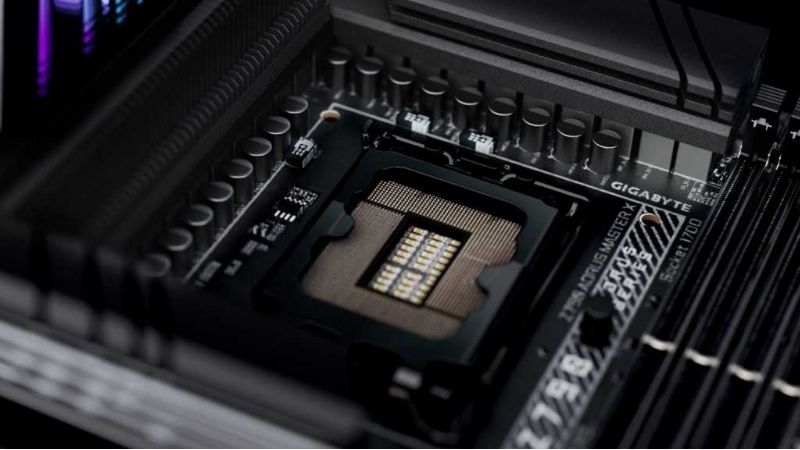
| Exact motherboard | Price on October 27 | U.S. seller | Verified buying reason | Trade-off to check |
|---|---|---|---|---|
| ASRock B850M Pro RS WiFi | $158.99 | Newegg | Micro-ATX B850, Wi-Fi 6E, three M.2 slots and BIOS Flashback | Less room for add-in cards; filling M2_3 disables PCIE2 |
| MSI MAG B850 TOMAHAWK MAX WIFI | $209.99 | Newegg | ATX B850 with four M.2 sockets, Wi-Fi 7 and 5GbE LAN | One M.2 socket is PCIe 4.0 x2; some expansion bandwidth is shared |
| GIGABYTE B850 AORUS ELITE WIFI7, rev. 1.x | $229.99 | Newegg | ATX board with three M.2 sockets, Wi-Fi 7 and 2.5GbE | Check board revision and actual model before comparing prices |
| ASUS TUF GAMING X870-PLUS WIFI | $229.99 | Best Buy | ATX X870 with two 40Gbps USB4 ports and four M.2 sockets | Using M.2_2 drops primary PCIe x16 slot to x8 on applicable CPUs; two SATA ports |
Price-status note: Newegg displayed the MSI price at $209.99, the ASRock board at $158.99 and the Gigabyte board at $229.99. Best Buy displayed the ASUS X870-PLUS WIFI at $229.99 with a comparison value of $249.99. A displayed comparison value is not proof of the product’s actual 30-day price history, and none of these October listings establishes a Cyber Monday price.
Which AM5 motherboards are worth watching?
ASRock B850M Pro RS WiFi: sensible starting point for a smaller build
ASRock lists the B850M Pro RS WiFi as a micro-ATX Socket AM5 board supporting Ryzen 7000, 8000 and 9000-series desktop CPUs, four DDR5 DIMM slots, a PCIe 5.0-capable primary graphics slot with supported processors, three M.2 SSD sockets, 2.5Gb Ethernet and Wi-Fi 6E. Its BIOS Flashback function can also be useful when firmware compatibility needs attention. The verified Newegg price makes it a useful budget baseline, not an automatic winner for every build.
Choose it when your case supports micro-ATX and you primarily need one graphics card and a few SSDs. Avoid assuming its secondary expansion slot remains available with all drives installed: ASRock states that occupying M2_3 disables PCIE2. Wi-Fi 6E also means you should not pay a premium believing this SKU includes Wi-Fi 7. Confirm that the exact white WiFi model, rather than the non-WiFi version, is in the cart.
MSI MAG B850 TOMAHAWK MAX WIFI: strong connectivity for a full ATX build
MSI specifies four M.2 sockets for this board, including two processor-connected sockets capable of PCIe 5.0 x4 with supported Ryzen 7000 or 9000 CPUs, plus 5Gb wired LAN, Wi-Fi 7, a PCIe 5.0 graphics slot and a front-panel 20Gbps USB-C header. At $209.99 from Newegg when checked, it offers a different feature mix from less expensive B850 boards, especially if several storage drives or faster wired networking matter.
Do not treat all four M.2 sockets as equal. MSI identifies M2_3 as PCIe 4.0 x2; using it also changes the bandwidth available to an auxiliary expansion slot. The product name matters: MAG B850 TOMAHAWK MAX WIFI, MAG B850 TOMAHAWK MAX WIFI II and other Tomahawk variants are not interchangeable listings. Compare UPC or manufacturer model codes and the actual specs before checkout.
GIGABYTE B850 AORUS ELITE WIFI7: a conventional ATX alternative
Gigabyte’s B850 AORUS ELITE WIFI7 offers four DDR5 slots, three M.2 sockets, a PCIe 5.0-capable main graphics slot with qualifying CPUs, Wi-Fi 7 and 2.5Gb Ethernet. Its tool-friendly storage and GPU latches may appeal to builders who frequently change components. The $229.99 Newegg price is a starting point for comparison against the MSI and ASUS boards, not a claim that it performs better.
Verify that you are comparing the standard B850 AORUS ELITE WIFI7 with the same board revision. Gigabyte’s specification page distinguishes revisions for some onboard components, and its ICE variant is a separate color/model offering. The normal black board may be perfectly adequate if you do not need the extra USB4 connectivity found on the ASUS X870 option.
ASUS TUF GAMING X870-PLUS WIFI: choose it for USB4, not the chipset label
This ASUS board combines Socket AM5, four M.2 slots, Wi-Fi 7 and two rear 40Gbps USB4 Type-C ports. Those ports distinguish it from typical B850 options if you regularly use high-speed external drives or compatible USB4 devices. Best Buy showed a $229.99 U.S. price on October 27, making this an especially relevant cross-chipset comparison at that snapshot.
There are important trade-offs. ASUS says that using M.2_2 with supported Ryzen 7000/9000 processors changes the primary PCIe 5.0 graphics slot from x16 to x8, and using M.2_4 disables the secondary x16-shaped slot. The board also provides two SATA ports rather than four. If you have several SATA drives, or need all the expansion lanes simultaneously, check the manual’s lane-sharing table before buying.
How to tell whether a Cyber Monday motherboard discount is real
A retailer label alone cannot establish savings. Use the October price snapshots above as one data point, and make a new comparison when the U.S. Cyber Monday listings go live.
- Match the exact SKU. Record the full model name, Wi-Fi version, revision, color, and whether the board is new or open-box. A differently named “MAX,” “II,” or “ICE” variant can legitimately cost more.
- Check the seller and total. Compare offers sold directly by the retailer with marketplace listings separately. Include shipping, coupon conditions and any membership requirement before calling one price lower.
- Compare real historical prices. Save screenshots or dated prices before November 30 and consult an independent price-history record where available. Retailer “comparable value” numbers alone are insufficient.
- Account for bundle value. CPU, motherboard and DDR5 packages can be attractive, but calculate the sum of matching standalone items and confirm the exact memory capacity, speed and return rules. Do not value an unwanted freebie at full MSRP.
- Read the return conditions. Look for limitations on open-box items, damaged motherboard sockets, missing accessories and seller-specific shipping or restocking policies; verify terms on the actual checkout listing.
- Confirm compatibility before payment. Check the manufacturer’s CPU support list, minimum BIOS version, case fit, memory QVL and slot-sharing rules. The right board at a modest discount beats an incompatible board with a dramatic banner.
B850 versus X870: where spending extra makes sense
AMD lists Ryzen processor and DDR5 overclocking support for both B850 and X870 platforms. B850 provides PCIe 5.0 NVMe support at the chipset-platform level, while PCIe 5.0 graphics support varies by board design and processor; the particular B850 models above advertise Gen5 graphics with supported CPUs. On X870, USB4 is a standard platform capability, which explains part of the upgrade appeal. The chipset name alone does not tell you how many usable USB ports or storage lanes any individual retail board has.
For gaming, the motherboard usually does not add meaningful frame rates by itself when the same CPU, GPU and correctly configured memory are used. Pay for features you will use: enough M.2 sockets, documented CPU support, appropriate USB ports, dependable network options, BIOS Flashback and a layout that fits the case. Do not spend extra on an advertised DDR5 overclocking ceiling while ignoring the CPU memory controller and actual memory compatibility list.
Older B650 boards can also be valid AM5 choices if their real price is lower and the required features are present. AMD notes that 600-series motherboards may require a BIOS update for some Ryzen 8000/9000 processors. Check the precise CPU on the board maker’s support page; never assume every older box is ready to boot a newer CPU without preparation.
Compatibility checks that can save a return
- CPU and firmware: Verify your exact Ryzen desktop CPU is named in the motherboard CPU-support list and note any required minimum BIOS version. Download firmware only from the manufacturer if an update is required.
- Memory: AM5 uses DDR5, not DDR4. Memory overclocking speeds are conditional, not guaranteed. For a new purchase, compare the RAM kit against the board’s qualified list and CPU configuration.
- Case and cooler: Match ATX or micro-ATX dimensions with the case; check the cooler, radiator and header locations. Socket compatibility does not automatically guarantee physical clearance.
- SSD and expansion layout: Count PCIe 5.0 and 4.0 M.2 sockets separately, and inspect which extra PCIe slots or lanes are disabled when all drives are installed.
- Connectivity: Verify the exact Wi-Fi version, Ethernet speed, rear versus internal USB-C connectors, and whether you need genuine USB4 instead of a similarly shaped slower Type-C connector.
- Condition and warranty: Review new versus open-box condition, the actual marketplace seller, included Wi-Fi antenna, and the applicable U.S. warranty/return terms.
When should you buy?
If you need a working PC now and the October price already meets your budget, buying before Cyber Monday can be reasonable. Waiting until November 30 is more logical when your parts list is flexible and you can compare several same-SKU offers. Set a maximum all-in price before the sale starts rather than chasing an unverified countdown timer.
A good deal is the least expensive compatible model with the features you need—not necessarily the largest advertised percentage reduction. Keep a second-choice motherboard handy in case the exact board sells out, but do not switch to a different socket, memory standard, or unsuitable form factor to save a few dollars.
Frequently asked questions
Are Cyber Monday 2026 AM5 motherboard deals live yet?
No verified November 30, 2026 Cyber Monday offer is established by the retailer pages checked on October 27. The prices in this guide are pre-sale reference points. Recheck listings and promotion terms on the actual sale date.
Does a B850 motherboard support Ryzen 9000?
AMD identifies B850 as a Socket AM5 platform for Ryzen 7000, 8000 and 9000 desktop processors. That does not eliminate the need to check the individual model’s CPU-support list and current firmware requirements.
Do I need X870 for a PCIe 5.0 graphics card?
Not necessarily. Several specific B850 boards in this article have PCIe 5.0 graphics slots with supported Ryzen CPUs. Confirm the slot’s electrical mode with your processor rather than relying on the chipset family alone.
Is an open-box motherboard worth it?
Only if the saving compensates for the added risk and the seller allows adequate inspection and returns. Inspect socket contacts, heatsinks, M.2 hardware, antenna, board revision and accessories. Compare the final open-box price against the same new SKU; this guide’s table lists new offers.
Final verdict
For price-conscious micro-ATX builds, the ASRock B850M Pro RS WiFi is the most affordable of these four verified October listings. MSI’s MAG B850 TOMAHAWK MAX WIFI is the more connectivity-focused B850 option, while Gigabyte’s B850 AORUS ELITE WIFI7 is another full-size ATX comparison. If USB4 matters, the ASUS TUF GAMING X870-PLUS WIFI deserves attention at the checked $229.99 price—provided its lane-sharing and SATA limitations fit your plans.
These are verified model specifications and dated U.S. price snapshots, not confirmed Cyber Monday savings. Recheck the same-SKU listings on November 30, compare total costs, and buy only after confirming compatibility and the current retailer terms.