Key takeaways
- Confirm the exact chip name. Desktop RTX 5070 and RX 9070 are not their Ti, XT, GRE, or laptop relatives.
- Compare tests that match your settings. Native resolution, one game build, comparable graphics presets, and a clearly stated RT mode matter.
- Decide whether 12GB is enough. Look at texture settings and the actual games or creative projects in your workload rather than guessing from a single memory-use overlay.
- Price the complete build. A longer cooler, new PSU cable, or case change can erase a GPU-only discount.
- Check software dependency. CUDA, DLSS, FSR feature version, encoder support, and app plug-ins should be verified for your workflow.
- Read the partner-card specifications. Check length, slot thickness, HDMI/DisplayPort layout, power connectors, fan behavior, and warranty policy.
- Recheck the seller at checkout. The displayed price and stock status can change by ZIP code, seller, and time.
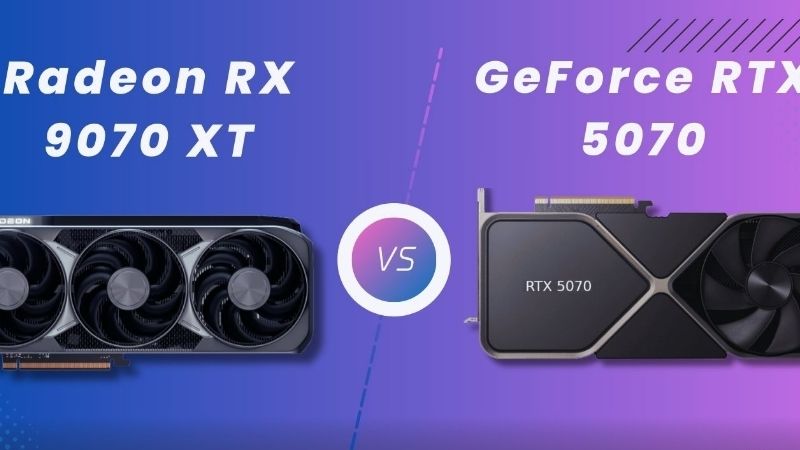
The RTX 5070 vs RX 9070 decision comes down to what you play, how much memory you need, and what the actual checkout prices are. For most people buying primarily for native-resolution 1440p games, the Radeon RX 9070 has the more compelling hardware balance: 16GB of VRAM, competitive efficiency, and a modest rasterization lead in multiple independent test suites. The GeForce RTX 5070 remains the smarter choice for some ray-traced games, DLSS-dependent workflows, and CUDA-based creator software. Neither card deserves an automatic recommendation merely because its original launch price was $549. US retail prices in October 2026 can differ sharply from that baseline, and your particular games may reverse the averages.
Quick answer: which GPU should you buy?
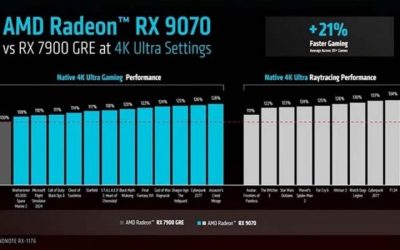
Choose the Radeon RX 9070 if your priority is 1440p high or ultra settings without heavy ray tracing, you want 16GB for demanding texture packs and longer-term flexibility, and the complete card costs less than—or close to—a comparable RTX 5070. In TechSpot’s March 2025 18-game suite, the RX 9070 averaged 4% faster than the RTX 5070 at 1440p and 8% faster at 4K in mostly rasterized games. Tom’s Hardware’s later head-to-head found an 8.2% lead at 1440p in its 15-game rasterization geomean. The different percentages are test-suite results, not competing claims about one universal FPS number.
Choose the GeForce RTX 5070 if you prioritize certain demanding ray-traced workloads, rely on DLSS and NVIDIA Reflex in supported games, use Blender or other well-supported CUDA applications, or find an appropriately priced board that suits your case and power supply. TechSpot’s six-game 1440p ray tracing sample favored NVIDIA by 16%, while Tom’s Hardware measured nearly a tie in its different 1440p ray-tracing aggregation. Individual titles matter more than treating either average as a guarantee.
At current US prices, check before clicking buy. On October 28, 2026, the Best Buy page for the ASUS PRIME RTX 5070 OC showed $909.99 and an Add to cart control; the Amazon US page for the ASRock Challenger RX 9070 16GB showed $699.99 with a purchase control. Those figures refer to those exact seller listings, not every version of either GPU. Regional stock, taxes, seller changes, and promotions can alter the comparison before checkout. At those two checked prices, the Radeon would be the clearer gaming-value choice for most raster-focused buyers; the RTX card would need a specific NVIDIA-related benefit to justify the premium.
RTX 5070 vs RX 9070 specifications: what actually differs?
| Specification | GeForce RTX 5070 | Radeon RX 9070 | What buyers should know |
|---|---|---|---|
| GPU architecture | NVIDIA Blackwell | AMD RDNA 4 | Architectural names alone do not determine FPS. |
| Desktop VRAM | 12GB GDDR7 | 16GB GDDR6 | AMD has 4GB more physical memory. |
| Memory interface | 192-bit | 256-bit | Bus width must be considered alongside memory speed and cache. |
| Theoretical memory bandwidth | 672 GB/s | Up to 640 GB/s | NVIDIA’s higher bandwidth does not make it faster in every 4K title. |
| On-die cache | 48MB L2 (NVIDIA reference description) | 64MB Infinity Cache (AMD official) | Different cache designs cannot be compared only by size. |
| Reference board power | 250W total graphics power | 220W typical board power | Different vendor definitions; neither is wall-system consumption. |
| Recommended minimum system PSU | 650W (reference) | 650W (AMD reference recommendation) | Actual partner cards and CPUs may require more. |
| PCI Express interface | PCIe 5.0 | PCIe 5.0 x16 | Check the actual card and motherboard configuration. |
| Display standards | DP 2.1b UHBR20 and HDMI 2.1b in NVIDIA reference specs | DP 2.1a and HDMI 2.1b on AMD specifications | AIB port count, DSC modes, and cable support still matter. |
| Launch US suggested price | $549 | $549 | These are historical launch targets, not current offers. |
The VRAM difference is clear, but the memory-technology comparison is more nuanced. GDDR7 gives the RTX 5070 very high transfer speed through a narrower interface. AMD pairs conventional GDDR6 with a wider interface and Infinity Cache. One layout cannot be declared universally superior by reading the bandwidth row: memory behavior also depends on the data set, texture size, render resolution, compression, and engine workload.
A note on source accuracy: AMD’s own RX 9070 product page specifies 64MB of Infinity Cache. Some third-party comparisons have used a larger cache number, apparently conflating specifications. For a purchase-relevant hardware value, we use AMD’s direct specification rather than copying that secondary figure.
Desktop versions and board-partner models are not interchangeable
This comparison is about the desktop RTX 5070 12GB and desktop RX 9070 16GB, not laptop chips, the RTX 5070 Ti, the RX 9070 XT, or the RX 9070 GRE. Those products have different performance, memory configurations, and price positions. A store search that returns an XT instead of the plain 9070 invalidates a side-by-side price comparison even though the names look similar.
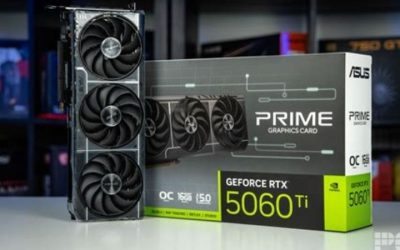
Individual cards also differ. An ASUS PRIME, ASRock Challenger, MSI Gaming Trio, or other add-in-board model can use a different cooler, factory boost, thickness, power connector placement, and warranty. Treat GPU-level specifications as a starting point. Before paying, open the manufacturer’s specification page for the exact suffix printed in the listing and compare its dimensions to the available space inside your case.
1440p gaming: the Radeon usually leads in standard rendering
For native-resolution rasterized gaming, both cards are appropriate for high-refresh 1440p monitors, though the FPS target is game dependent. TechSpot’s 18-game average favored the RX 9070 by only 4%. That means the broad performance gap was modest in its launch-period review, not a decisive upgrade tier. Tom’s Hardware used a different game selection and reported an 8.2% rasterized 1440p advantage for the RX 9070. Taken together, these results support a small-to-moderate AMD lead across mixed standard-rendering workloads, not a universal lead in every game.
The game-level spread is more instructive than either average. TechSpot found its 1440p Call of Duty: Black Ops 6 result strongly favored the Radeon—about 40%—but its Counter-Strike 2 result favored the GeForce by roughly 7%. The same review placed the two GPUs virtually equal in Dragon Age: The Veilguard at 1440p, at around 79 fps. If you regularly play one title rather than a rotating mix, you should treat that game’s own engine behavior as the first filter when deciding which card is faster for you.
Competitive games add another complication. Low settings can move the bottleneck from the GPU to the CPU, particularly when aiming for very high frame rates. A GPU that wins at 1440p ultra may not win by the same margin on a tournament-style preset. For a 240Hz or 360Hz esports display, evaluate CPU headroom, frame-time stability, and your actual settings before spending more for a small average-FPS advantage.
A practical 1440p decision
If you play modern single-player games at high texture quality, the RX 9070’s 16GB is a useful buffer against games that load larger assets. If you primarily play lower-detail competitive games, memory capacity is less likely to be the immediate limiting factor; the better driver/game combination and lower purchase price matter more. Neither statement claims that 12GB is insufficient in every new game. The VRAM benefit is workload-dependent, while 4GB of extra physical memory remains an objective difference.
Be careful with videos displaying DLSS or FSR frame generation next to native-rendered results. Those are different measurements. Use native-versus-native for a baseline GPU comparison, then evaluate each vendor’s upscaling and frame-generation implementation separately if you plan to enable them.
4K gaming: extra VRAM and AMD’s stronger average matter
Both GPUs can run 4K games, but neither is a blanket promise of native 4K ultra settings at 60 fps in every demanding release. At higher resolution, memory consumption and rendering load increase. Lowering a few expensive settings, using balanced upscaling, or choosing a less demanding ray-tracing preset can make a bigger practical difference than a small architecture-level lead.
TechSpot’s raster-heavy sample recorded an 8% average RX 9070 advantage at 4K; Tom’s Hardware found an approximately 11% average lead across its 4K ultra measures, including the particular ray-tracing tests in that review. The larger advantage at 4K makes the RX 9070 attractive for buyers who expect to use a 4K monitor now or soon. It does not mean every game gains 8–11% or that 16GB automatically eliminates stuttering.
In TechSpot’s 4K tests, Hogwarts Legacy favored the Radeon by around 21%, whereas Dragon Age: The Veilguard again ran nearly identically on the two cards at 53 fps. The Last of Us Part I also showed similar performance, at roughly 48 fps each in that test configuration. These examples show why neither the memory specification nor the aggregate average should replace real benchmarks for the games on your list.
A practical 4K rule is to choose the Radeon for its standard-rendering value and memory headroom unless you have a clear NVIDIA feature requirement. Even then, evaluate ray tracing as a separate category: a native 4K raster win does not guarantee a path-tracing win.
Ray tracing: NVIDIA keeps an advantage in demanding effects
Ray tracing is the biggest reason not to treat AMD’s raster advantage as the entire story. Reflections, global illumination, shadows, and full path tracing create very different levels of computational demand. A game with a few accelerated reflections should not be treated as equivalent to a path-traced scene that relies heavily on denoising and reconstruction.
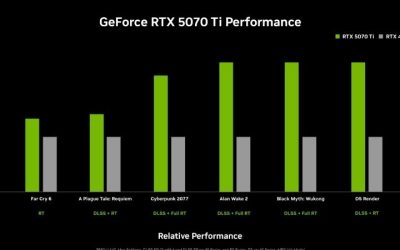
TechSpot tested six ray-tracing games at 1440p and found the RTX 5070 16% faster on average than the RX 9070. In the same review, AMD’s deficit widened in its upscaled 4K RT sample; however, the reviewer warned that the playable outcomes at those extreme settings were often poor for both GPUs. The right takeaway is not to buy the RTX card expecting effortless 4K path tracing. It is that the NVIDIA architecture and software stack can be advantageous in RT-heavy workloads.
Tom’s Hardware, using another group of RT tests, saw the RX 9070 effectively draw level at 1440p in its RT geomean and narrowly edge ahead in several scenarios. That is not necessarily a contradiction. Different games use different ray-tracing paths, workloads, settings, drivers, and upscaling choices. Broad headlines flatten those differences. For a game such as Cyberpunk 2077 or Alan Wake 2, look for a test that specifies whether RT or path tracing was enabled, exactly which preset was used, and whether DLSS or FSR was part of the measurement.
How to compare ray tracing without being misled
First compare native or identically defined internal resolutions with frame generation disabled. Next compare image quality at a similar frame rate using the game’s available upscalers. Finally decide whether frame generation adds acceptable perceived smoothness at the latency you can tolerate. A video showing four generated frames for every rendered frame should not be interpreted as four times the simulation responsiveness.
For someone who seldom uses ray tracing, paying considerably more for a theoretical RT advantage is difficult to justify. For someone buying a GPU specifically to play titles with demanding RT modes and optimized NVIDIA reconstruction, the RTX 5070 can still be the sensible choice even if the raw raster scores lean AMD.
DLSS versus FSR: compare supported games, not feature logos
NVIDIA’s RTX 5070 supports DLSS Super Resolution, DLAA, Ray Reconstruction, Frame Generation, and Multi Frame Generation under its supported software stack. NVIDIA Reflex is also a relevant option in supported titles. DLSS features are not all interchangeable, and a setting shown in one game or driver release may be absent from another. Check your specific game’s menu and support notes rather than assuming every RTX title offers every feature.
AMD’s RX 9070 supports ML-based FidelityFX Super Resolution 4 as part of the RDNA 4 generation, and AMD now lists its expanded FSR Redstone software family among the technologies supported by the RX 9070. The correct comparison depends on the current driver and the game integration: upscaling quality, frame generation, anti-lag behavior, and the rendering pipeline can differ. A game labeled “FSR” may expose a different version or subset of options from another title.
Both vendors provide tools intended to help image quality or frame presentation, but their outputs are not interchangeable benchmarks. When shopping, pick two or three games you actually play and answer three questions: Can the feature be enabled on this specific GPU? How does the image look at your target resolution? Does mouse or controller response still feel acceptable? A few well-chosen settings comparisons are more useful than a theoretical “maximum AI FPS” marketing number.
Generated frames and responsiveness are different measurements
Frame generation can increase the number of frames sent to a display and make motion look smoother, particularly when the underlying rendering frame rate is already healthy. It cannot retroactively make the game’s simulation run faster. Poor base FPS can still produce sluggish response, artifacts, or uneven control feel even while an overlay reports a much larger displayed frame count.
If you primarily play competitive shooters, use native frame rate and latency as the priority. If you play cinematic single-player games, high-quality upscaling and reasonable frame generation may be more appealing. Both GPU families require per-game evaluation. Do not use generated-frame counters to argue that a slower native card has become intrinsically faster hardware.
12GB versus 16GB VRAM: what changes today and later?
The Radeon supplies one-third more VRAM capacity than the GeForce: 16GB versus 12GB. This gives it additional space for textures, large scenes, high-resolution assets, and some GPU-accelerated workflows. Memory capacity does not translate linearly into FPS, however. A game that genuinely needs less than 12GB may show no benefit from the additional space, while one that pushes beyond available memory can suffer texture compromises or frame-time inconsistency depending on how the engine manages streaming.
The most useful question is not “Will every game need 16GB?” but “How much performance headroom do my specific games need at my preferred settings?” Look at independent tests with the same game build, texture quality, ray-tracing state, and resolution. Avoid treating VRAM-allocation readouts as exact usage requirements; some engines reserve memory without needing all of it continuously.
For a buyer who holds a GPU for several years and favors modded titles, large texture packs, or 4K assets, the Radeon offers more flexibility. For a buyer prioritizing CUDA-accelerated creative applications or a specific NVIDIA-supported game feature, 12GB can still be a reasonable trade if their real workload fits. Neither outcome should be presented as a future-proofing guarantee.
Power, cooling, ports, and fit
AMD rates the RX 9070 at 220W typical board power, while NVIDIA rates the RTX 5070 at 250W total graphics power. Both manufacturers list a 650W minimum system PSU recommendation for their reference assumptions. Those figures are not measurements of the same complete PC under an identical workload. TechSpot’s measured RX 9070 power draw varied substantially across its test games; in some workloads the Radeon used more power than the RTX 5070 even while its rated board number was lower.
This is why “220W versus 250W” is a useful planning reference, not proof that your electricity bill or case temperature will always favor AMD. Cooler design, voltage tuning, fan curve, case airflow, CPU choice, frame-rate caps, and game behavior can change actual consumption. A well-tuned RTX board may be quieter than a poorly ventilated RX board, or the reverse. Check independent reviews of the exact partner model when noise is an important purchasing criterion.
PSU cables and safe installation
The RTX 5070 reference design specifies a PCIe Gen 5 power cable rated for at least 300W or the appropriate two-8-pin adapter arrangement supplied with the card. Specific board-partner designs can differ. Radeon RX 9070 power input is likewise defined by the exact board model, so confirm the manufacturer diagram instead of assuming every card uses a particular number of 8-pin sockets. Use only compatible PSU cables, fully seat the connector, and avoid force-fitting cables or using unmatched modular PSU leads.
Before installing a GPU, shut down the PC, switch off the PSU, unplug AC power, and check motherboard and case clearance. Confirm that the new card will not obstruct front radiator fans or require an unsafe sharp bend in its power cable. After installation, update the graphics driver from NVIDIA or AMD directly; if switching brands, follow the vendors’ supported installation instructions rather than downloading unknown driver-cleaning packages from advertisements.
Monitor connectivity and display modes
NVIDIA lists DisplayPort 2.1b with UHBR20 capability and HDMI 2.1b for its reference RTX 5070. AMD lists DisplayPort 2.1a and HDMI 2.1b for the RX 9070. These standards may be relevant to certain high-resolution, high-refresh displays, but the version number alone does not prove that a monitor and cable combination can run every advertised mode without compression.
Verify the exact partner card’s physical ports, the monitor’s supported mode over that input, and whether Display Stream Compression is used. A 4K 240Hz OLED or a specialized ultra-high-refresh monitor can have distinct requirements from a conventional 1440p 165Hz model. A GPU’s support for a signal format is also not a claim it can render modern games at that frame rate.
Streaming, video editing, Blender, and creator workloads
Both families support hardware video encoding and AV1, but support in the software you actually use can be more decisive than the codec name. NVIDIA identifies one ninth-generation NVENC encoder for the RTX 5070, while AMD lists AV1 encode and decode on the RX 9070. Before choosing for OBS, Premiere, DaVinci Resolve, or another creator app, verify the current app version, supported acceleration mode, output codec, and any effects you rely on.
The RTX 5070 has a stronger case when CUDA is a requirement. In Tom’s Hardware’s application comparison, the RTX 5070 was about 68% faster on average in Blender than the RX 9070 under that review’s tested configurations. The same review found a wider NVIDIA lead in its Procyon AI Vision test, while other professional suites favored Radeon. That is a good warning against broad claims such as “NVIDIA always wins at professional work” or “AMD is only for games.” Application support and specific acceleration pathways determine the result.
If a particular renderer or machine-learning environment requires CUDA, choosing the RX 9070 may create a compatibility problem that no amount of extra VRAM fully solves. If your workflow uses applications with well-supported AMD acceleration and benefits from additional local graphics memory, the RX 9070 merits consideration. Check a current workflow-specific test rather than assuming a gaming average predicts export times or inference speed.
October 2026 US prices: compare exact partner cards
The two GPUs launched at a $549 US suggested price, but that historical figure is not an accurate substitute for a current store listing. Supply constraints and board-partner pricing can make one much more expensive than the other. Comparing a discounted AMD entry card against a premium-cooled NVIDIA model without disclosing the variants is not fair; comparing only the launch prices is not useful to someone buying now.
| Listing checked October 28, 2026 | Displayed US price | Availability signal when checked | Important limitation |
|---|---|---|---|
| ASUS PRIME RTX 5070 OC 12GB, model PRIME-RTX5070-O12G, Best Buy | $909.99 | Add to cart and shipping/pickup options on the reviewed page | Stock and pickup locations depend on destination; other 5070 models differ. |
| ASRock Challenger RX 9070 OC 16GB, Amazon US listing B0DTTKCTRD | $699.99 | Buy Now control and price visible on the reviewed listing | Marketplace seller and final shipping address must be checked at checkout. |
The difference between these two examples was $210.00 before tax and shipping, using the directly inspected listing prices from the same research session. It is not the universal difference between an RTX 5070 and RX 9070. At these particular prices, AMD offers both more physical VRAM and the stronger average native raster result for considerably less money. A buyer who needs CUDA or specific NVIDIA RT functionality may still prefer the RTX card, but should also compare alternative 5070 board listings before paying a large premium.
For extra context, a US GPU price tracker recorded lower and higher prices for both families across October and warned that a stock flag is only a recent observation, not a guarantee of successful checkout. We do not use tracker prices as though they were prices verified on those retailers’ own pages. Price histories are helpful for deciding whether to wait, but they do not establish what a seller will charge you today.
A better value decision than comparing two MSRPs
Choose your top three actual games and decide what FPS or quality compromise you will accept at your monitor resolution. Then find the lowest-priced new, properly warranted board from a reputable US seller for each GPU and compare the price on the same day. If both cost roughly the same, the RX 9070 is a strong default for raster gaming and memory headroom. If the RTX 5070 is cheaper or your use case genuinely depends on NVIDIA functionality, reevaluate the choice instead of following a generic verdict.
Do not compare a used card with no transferable warranty to a new card at full retail price without adjusting for risk. Likewise, do not mistake RX 9070 XT or GRE search results for the 16GB non-XT Radeon discussed here. The suffix is part of the purchase decision.
Who should buy each card?
Buy the RX 9070 for high-quality 1440p gaming
This is the simplest recommendation for a buyer whose library centers on modern rasterized games and who wants comfortable texture flexibility. The 16GB VRAM configuration is tangible, TechSpot and Tom’s Hardware both found positive average raster results for AMD, and the checked October 2026 RX listing is meaningfully cheaper than the checked 5070 listing. The compromise is that you may give up performance in specific ray-traced games and applications built around NVIDIA acceleration.
The RX 9070 also makes sense for a mixed 1440p/4K setup where you occasionally move demanding games to a 4K television. You may still need upscaling or lower settings, but the larger memory capacity and stronger high-resolution raster average provide a compelling starting point. Make sure the specific card fits your case and its cooler works with the airflow you have.
Buy the RTX 5070 for NVIDIA-specific software or RT priorities
The RTX 5070 is more defensible when your most-played games support a particular DLSS or ray-reconstruction configuration you prefer, you rely on NVIDIA tools, or a CUDA-focused workflow would be disrupted by switching platforms. The card’s 12GB is a real constraint relative to AMD’s 16GB, but not an immediate deal-breaker for every 1440p game. Its RTX-feature ecosystem can outweigh memory capacity for buyers who actually use it.
At an unusually large price premium, however, be selective. Do not pay hundreds more just because a game supports the DLSS label or because an advertisement promotes AI-generated frames. Use a documented feature requirement, a workload benchmark, or a genuinely better store offer to justify the purchase.
Consider neither if the price gap to the next tier is small
The RX 9070 XT is a different, faster card and should not be silently included in this comparison. But it is a sensible price cross-check: if a genuine, in-stock RX 9070 XT costs only a modest amount more than an RX 9070, investigate the higher-tier card’s independent benchmark advantage and additional power needs. Likewise, compare the RTX 5070 Ti if your budget rises substantially. Do not assume the original $50 Radeon launch-price spacing still holds in late 2026.
Sometimes the best move is to keep a functioning GPU, reduce a few quality settings, and wait for a realistic price. A new card that exceeds your budget or requires additional PSU and case changes is not a bargain simply because it wins a chart.
Buying checklist before checkout
- Confirm the exact chip name. Desktop RTX 5070 and RX 9070 are not their Ti, XT, GRE, or laptop relatives.
- Compare tests that match your settings. Native resolution, one game build, comparable graphics presets, and a clearly stated RT mode matter.
- Decide whether 12GB is enough. Look at texture settings and the actual games or creative projects in your workload rather than guessing from a single memory-use overlay.
- Price the complete build. A longer cooler, new PSU cable, or case change can erase a GPU-only discount.
- Check software dependency. CUDA, DLSS, FSR feature version, encoder support, and app plug-ins should be verified for your workflow.
- Read the partner-card specifications. Check length, slot thickness, HDMI/DisplayPort layout, power connectors, fan behavior, and warranty policy.
- Recheck the seller at checkout. The displayed price and stock status can change by ZIP code, seller, and time.
Frequently asked questions
Is the RX 9070 faster than the RTX 5070 at 1440p?
On average in standard rasterized workloads, independent reviews generally found the RX 9070 ahead. TechSpot reported a 4% lead in its 18-game 1440p sample; Tom’s Hardware measured 8.2% in its own 15-game raster geomean. Those figures are from different test configurations and should not be averaged together. Some individual titles favor NVIDIA, and ray-traced results can change the leader.
Is 16GB of VRAM better than 12GB for gaming?
More physical memory gives the RX 9070 additional headroom when a game or high-resolution texture configuration needs it. It does not automatically create more FPS in workloads that fit comfortably within 12GB. Long-term value depends on your game choices, texture settings, and how often you upgrade your system.
Which GPU is better for ray tracing?
The RTX 5070 has an advantage in some demanding RT-focused test suites and NVIDIA-specific reconstruction workflows. TechSpot’s six-game 1440p RT average favored it by 16%, but another publication found near parity in a different 1440p RT mix. Check the exact ray-tracing mode and your priority games, particularly if full path tracing is involved.
Which is better for streaming and recording?
Both can accelerate video encoding and support AV1, but real performance depends on your encoder settings, OBS or editing-software version, and whether the app supports the specific GPU pathway well. The RTX 5070 has NVIDIA NVENC and a well-established ecosystem. The RX 9070 also offers hardware AV1 capabilities. Do not infer an absolute streaming winner from gaming FPS.
Do I need a new PSU for an RTX 5070 or RX 9070?
Not necessarily. Both vendors provide 650W reference system recommendations, but the appropriate PSU depends on your CPU, the exact partner board, connector compatibility, and the quality and age of your existing unit. Confirm manufacturer requirements before changing hardware, and never substitute modular PSU cables from an unrelated power supply.
Is an RTX 5070 worth paying more for in 2026?
Only if that premium buys a benefit you actually need, such as better performance in a priority ray-traced title, CUDA application support, or a preferred DLSS feature. At the specific US listing prices checked for this article, the RX 9070 offers better value for conventional gaming. That conclusion could change with a different seller pair or a meaningful RTX discount.
Final thoughts
For most buyers comparing native 1440p gaming performance, memory capacity, and the directly checked October 2026 US listings, the Radeon RX 9070 is the better buy. Independent reviews give it a modest raster lead and its 16GB provides more room for demanding assets. The RTX 5070 remains worth choosing when a particular ray-tracing game, DLSS implementation, CUDA workflow, or creator application clearly rewards NVIDIA hardware. Your next step is to price one exact board of each GPU at the same US retailer tier, verify your top three games and PSU connectors, and choose the card that meets those concrete requirements—not the one with the louder marketing claim.