Key takeaways
- Confirm the desktop chip and the suffix. RTX 5070 Ti is not RTX 5070 or a 5070 Ti laptop GPU; RX 9070 XT is not RX 9070 or a GRE model.
- Match benchmarks to your games. Record resolution, graphics preset, RT mode, upscaling status, driver date, and 1% lows before drawing a conclusion.
- Compare identical purchase conditions. New versus new, valid US warranty versus valid US warranty, clear seller identity, and prices taken on the same date.
- Check the exact board’s dimensions. Account for radiator thickness, drive cages, power cable bend space, and available expansion slots.
- Verify PSU connectors and sufficient capacity. Consult the partner card and PSU maker; avoid improvised or incompatible power cables.
- Check your display connection. The monitor, cable, GPU port, and DSC/VRR support must all work for the desired 4K high-refresh mode.
- Review software dependencies. CUDA, OptiX, HIP, DLSS mode, FSR Redstone feature, encoding support, and preferred applications can affect the choice.
- Recheck the live offer before checkout. Stock and tax differ by seller and location; a product page showing Add to cart is not a guarantee of delivery to every ZIP code.
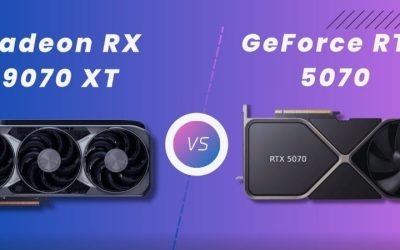
The RTX 5070 Ti vs RX 9070 XT decision is less about a dramatic average FPS gap than about your games, ray-tracing settings, software, and the price of the exact card you can buy. Both desktop GPUs have 16GB of VRAM and can handle demanding 1440p gaming and many 4K workloads. In TechSpot’s May 2026 comparison of 52 games, the GeForce led by only about 1.4% at 1440p and 4% at 4K across a mix of graphics presets. The RTX 5070 Ti is a stronger fit for some heavy ray-tracing and CUDA-dependent tasks. The RX 9070 XT is frequently the better gaming value when it costs substantially less.
Quick answer: which graphics card should you buy?
Choose the Radeon RX 9070 XT if you mainly play conventional, non-path-traced games at 1440p, want 16GB without paying an NVIDIA feature premium, and can find a reliable US seller with a meaningful price advantage. In the TechSpot comparison, the Radeon often performed particularly well in rasterized PlayStation ports, Forza Horizon 5, and other games where AMD’s current architecture is competitive. The drawback is that demanding ray-tracing and some creator workloads can favor the RTX card even though both have the same VRAM capacity.
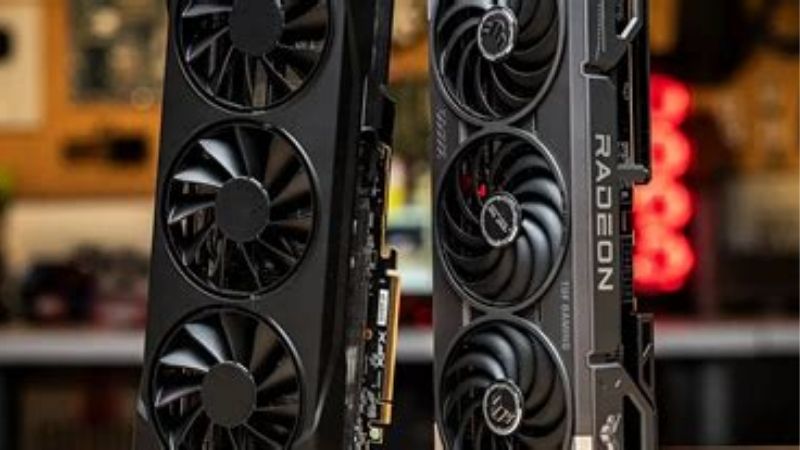
Choose the GeForce RTX 5070 Ti if you spend significant time in games using heavy ray tracing or path tracing, rely on CUDA or OptiX-supported rendering, or place special value on supported DLSS features. NVIDIA also offers dual ninth-generation NVENC encoders on the reference specification, a meaningful point for some creator setups. The drawback is price: a modest overall gaming lead is difficult to justify when the specific GeForce board costs hundreds more than a suitable Radeon model.
For most pure gaming builds, compare the checkout prices first. On October 28, 2026, a Newegg-sold PNY EPIC-X RTX 5070 Ti listing showed $1,349.99 and an Add to cart control; a Newegg-sold Sapphire PULSE RX 9070 XT listing showed $1,049.99 with the same purchase control. That is a $300.00 premium for those specific new card listings on the same date, or approximately 28.6% more for the PNY model. Those are not universal lowest prices, and taxes, location-specific availability, third-party offers, and promotions can change the calculation. Do not buy either card based on those figures without rechecking the live page.
Specifications compared: what the numbers mean
| Specification | GeForce RTX 5070 Ti | Radeon RX 9070 XT | Buying implication |
|---|---|---|---|
| Desktop GPU architecture | NVIDIA Blackwell | AMD RDNA 4 | Different feature ecosystems; architecture alone does not predict every game |
| Graphics memory | 16GB GDDR7 | 16GB GDDR6 | Equal physical capacity, different memory technologies |
| Memory interface | 256-bit | 256-bit | Bus width alone does not establish real-world throughput |
| Manufacturer-stated memory bandwidth | 896 GB/s | Up to 640 GB/s | NVIDIA has higher raw bandwidth; real game performance varies |
| AMD Infinity Cache | Not directly comparable | 64MB | AMD’s cache affects memory behavior; do not compare it with unrelated NVIDIA cache figures |
| GPU-level rated power | 300W total graphics power | 304W typical board power | These published ratings are not measurements of entire-system draw |
| Reference minimum system PSU | 750W | 750W | Individual factory-overclocked cards and PCs may require more |
| PCI Express interface | PCIe Gen 5 | PCIe 5.0 x16 | Check board compatibility and actual installation space |
| Display standard | DisplayPort 2.1b UHBR20; HDMI 2.1b | DisplayPort 2.1a; HDMI 2.1b | Actual output count and supported signal modes depend on exact board |
| Hardware AV1 encoding | Yes; NVIDIA lists two ninth-gen NVENC units | Yes; AMD lists AV1 encode and decode | Software support and quality settings matter as much as the label |
| Original US launch starting price | $749 | $599 | Historical price positioning, not current store pricing |
NVIDIA publishes the desktop RTX 5070 Ti’s 16GB GDDR7 memory, 256-bit interface, 300W total graphics power, and 750W minimum system recommendation. AMD separately lists 16GB GDDR6, a 256-bit interface, 64MB Infinity Cache, 304W typical board power, and a 750W system recommendation for the RX 9070 XT. NVIDIA’s original $749 launch target and AMD’s $599 suggested price explain how the cards were positioned in 2025, but neither is an October 2026 sale price.
Higher theoretical memory bandwidth does not automatically translate to an equal percentage of extra game performance. Compression, caching, shader workloads, textures, display resolution, and game-engine behavior all intervene. That is why the GeForce’s 896 GB/s versus AMD’s stated maximum 640 GB/s should be treated as an architectural difference to investigate, not as proof of a 40% FPS lead.
Equal 16GB VRAM changes the buying question
This is not a 12GB-versus-16GB decision. Both cards offer the same 16GB physical memory capacity, so neither wins simply because a demanding game needs more than 12GB. At 1440p and 4K, that common capacity is useful when increasing texture quality, loading larger worlds, or moving between a game and GPU-accelerated creative applications.
Memory usage overlays need interpretation. A game can allocate most available VRAM without requiring all of it to run smoothly. Conversely, a workload can stutter when its working set exceeds available capacity even if average FPS remains acceptable. The right test is to match your game, settings, and recorded frame times to a repeatable benchmark, not assume that more allocated memory always equals more needed memory. With capacity tied here, the GPU, feature stack, and price carry more weight.
Reference specifications are not exact retail-board specifications
The names RTX 5070 Ti and RX 9070 XT identify GPU families, not one physical card each. PNY EPIC-X, Sapphire PULSE, ASUS TUF, MSI Gaming, PowerColor Hellhound, and other variants differ in cooler design, thickness, length, clock limits, display outputs, warranty terms, and sometimes power connectors. A graphics card that technically satisfies the GPU recommendation can still fail to fit a compact case or block an adjacent expansion slot.
The two Newegg listings used for the pricing example are deliberately identified by exact product names. They should not be mistaken for a reference-design performance test. Likewise, do not compare a refurbished or marketplace-imported listing with a new US-warranty card as though they carry the same buyer protections. Review the board manufacturer’s model code before purchase.
1440p gaming: an average tie hides important game differences
In the May 22, 2026 TechSpot study, Steven Walton’s 52-game sample gave the RTX 5070 Ti only a two-frame-per-second average advantage at 1440p, approximately 1.4%. Average 1% lows were 108 fps for NVIDIA and 107 fps for AMD. The sample included different quality settings, with ray tracing enabled in some configurations and disabled in others. Those numbers describe that particular mixed workload, not a universal rasterization-only result.
This distinction matters because the individual game results move in both directions. TechSpot found Radeon ahead by roughly 7% in Forza Horizon 5 at Ultra quality, and AMD often performed well in titles such as Ghost of Tsushima and God of War Ragnarök. But Warframe favored the GeForce by around 10–15% in the same 2026 review, while the two were nearly tied in some Marvel Rivals configurations. Your own top five games may produce a different ranking from the 52-game average.
The practical effect of a 1.4% aggregate lead is small for most players. If you are seeing around 140 fps, a two-frame difference is rarely a reason to spend significantly more. An uneven 1% low, visible stutter, a missing upscaling feature, or a substantial price difference is more likely to change the experience. For a 1440p high-refresh monitor, check native-resolution tests using the graphics preset you will actually run before focusing on a single brand’s average.
Competitive games and CPU bottlenecks
Esports titles often behave differently from demanding single-player games. In TechSpot’s Apex Legends results, both cards reached the game’s roughly 300 fps cap at 1440p; that makes small GPU differences hard to interpret. In other very high-frame-rate games, CPU throughput or engine limits can dominate the comparison, especially at reduced quality settings.
If you use a 240Hz or 360Hz monitor, the most useful evidence is a test of your specific title, CPU class, and competitive graphics settings. A powerful GPU cannot eliminate a CPU limit, network latency, or uneven frame pacing. NVIDIA Reflex can help in games that support it, and AMD has Anti-Lag technologies, but neither vendor’s latency feature converts a poor CPU-limited result into unlimited frames.
4K gaming: NVIDIA edges forward, but not decisively
At native 4K, TechSpot’s 2026 52-game aggregate measured 84 fps for the RTX 5070 Ti and 81 fps for the RX 9070 XT. That is a roughly 4% GeForce lead in its tested mix. It is meaningful as a measured result, but still much smaller than the difference between many current retail prices. The extra bandwidth and architectural behavior of Blackwell may help in some high-resolution scenarios, yet several titles remain tied or favor AMD.
Both GPUs can deliver enjoyable 4K experiences when the game is well optimized or settings are selected carefully. Neither guarantees native 4K ultra at 60 fps in every new release, and 4K with heavy ray tracing is more demanding again. A good 4K decision therefore starts with the games you play, your tolerance for upscaling, the monitor’s refresh rate, and whether you prefer high textures over the most intensive lighting effects.
For a 4K television used from a couch, also verify HDMI capabilities, VRR behavior, cable quality, and the port configuration of the exact partner card. NVIDIA lists HDMI 2.1b and DisplayPort 2.1b UHBR20 for the reference RTX 5070 Ti; AMD lists HDMI 2.1b and DisplayPort 2.1a for its RX 9070 XT specification. A standards label alone does not promise every desired bit depth, refresh rate, or uncompressed output mode. Check the monitor’s input specification and the manufacturer’s actual card layout.
Ray tracing and path tracing: the RTX card has the clearer advantage
Ray tracing is where averaging standard and ray-traced results can conceal a real product difference. Tom’s Hardware’s 2026 GPU hierarchy shows the RTX 5070 Ti ahead of the RX 9070 XT in its ray-tracing-only suite. At 1440p ultra RT, its published averages were 66.2 fps for NVIDIA versus 55.5 fps for AMD. At 4K ultra RT, the corresponding averages were 36.7 fps and 30.1 fps. Those are Tom’s Hardware suite results, not numbers from TechSpot’s 52-game aggregate, and the two methodologies should not be combined into one invented test.
Individual games can produce even larger gaps. TechSpot measured a 15% NVIDIA advantage with ray tracing enabled in its Cyberpunk 2077 comparison at 1440p; it also found the RTX 5070 Ti dramatically ahead in an Indiana Jones and the Great Circle high-RT setting. In Doom: The Dark Ages with path tracing, NVIDIA reached 31 fps at 1440p and was about 63% faster than AMD in that specific test. Importantly, 31 fps was still too slow for TechSpot’s preferred experience: relative dominance is not the same as excellent playability.
AMD is not uniformly poor at every ray-traced title. TechSpot reported that the RX 9070 XT could tie or beat the GeForce in some RT configurations of Pragmata, Resident Evil Requiem, and Monster Hunter Wilds. The right conclusion is that the RTX 5070 Ti has a more reliable advantage when ray tracing becomes especially complex, while the size of that advantage depends on engine, effects, render resolution, and quality settings.
Should you pay extra for path tracing?
Path tracing attempts to model more complete light transport than selective ray-traced reflections or shadows. It can be visually impressive and computationally expensive. If your goal is maximum lighting fidelity in particular supported games, NVIDIA’s result is a real argument for spending more, but you still need to decide whether upscaling and reduced settings are acceptable.
If you generally disable ray tracing to maximize native FPS, its advantage should receive much less weight in your purchase decision. Paying a large premium for an effect you do not use offers little practical benefit. Likewise, do not conflate a game’s low-level ray-traced shadows with the full path tracing mode shown in a promotional screenshot; they can create very different GPU workloads.
DLSS, FSR Redstone, and frame generation in late 2026
Both vendors now provide multiple technologies that modify the rendering pipeline, but their names describe different functions. Upscaling renders a scene below the display’s final pixel count and reconstructs detail. Frame generation synthesizes intermediate presentation frames. Ray reconstruction or regeneration aims to improve aspects of ray-traced output. These features can be valuable without being interchangeable, and supported modes vary by game and graphics hardware.
NVIDIA’s RTX 50-series software includes DLSS Super Resolution, Ray Reconstruction, Frame Generation, and Multi Frame Generation in supported titles. NVIDIA has also launched DLSS 5 3D-Guided Neural Rendering for RTX 50-series GPUs, with a September 2026 debut in NBA 2K27 and additional game support announcements. DLSS 5 is not simply a new name for Multi Frame Generation or a guarantee of higher native FPS; it is a distinct neural rendering feature that requires game support. The relevant option may be labeled DLSS Neural Rendering in supported titles.
AMD’s current FSR Redstone umbrella includes ML-based upscaling, frame generation, and ray-regeneration features with different levels of game integration. AMD states that its former FSR 4 upscaling branding is now encompassed within FSR Upscaling/Redstone terminology. The RX 9070 XT supports the AMD RDNA 4 features, but you should verify the specific game, driver, feature, and enablement method before assuming that everything described on an AMD technology page is active in every title.
Why generated FPS is not the same as responsive FPS
A frame counter can rise dramatically when interpolation produces extra presentation frames, but the simulation and user input still depend on the underlying rendered frame rate and processing pipeline. If a game renders at an inconsistent 40 fps before generation, synthesized frames do not erase every input-latency or frame-pacing problem. The ideal scenario is a reasonably smooth base frame rate, sensible synchronization, and an implementation that you like visually.
When comparing cards, first examine native rendering under the same game version and preset. Then make a separate, clearly labeled comparison using the available upscaling modes. Do not compare NVIDIA’s generated frames against AMD’s native frames and describe the difference as raw GPU superiority. Also check artifacts in fast motion, HUD elements, fine geometry, and camera pans rather than judging only the highest displayed FPS.
Power use, PSU compatibility, and case fit
The official specifications are surprisingly close in rated GPU-level power: NVIDIA lists 300W total graphics power and AMD lists 304W typical board power. Both vendors give 750W as the minimum recommended system PSU for their reference configurations. Those numbers have different definitions and are not independent measurements of gaming power draw. Real draw changes with board tuning, GPU voltage, workload, drivers, and power limits.
TechSpot’s May 2026 discussion notes that its Radeon configuration typically consumed about 20% more power than its GeForce configuration during the relevant testing, an observed result that is larger than the four-watt gap between vendor ratings. Treat this as a finding from a particular setup, not a universal claim that every RX 9070 XT will always draw 20% more than every RTX 5070 Ti. If electricity cost or case thermals are a deciding factor, seek sustained board-power tests for the actual partner models you intend to buy.
For installation, confirm the PSU’s quality and age as well as its wattage. NVIDIA lists a 300W-or-greater PCIe Gen 5 cable or two PCIe 8-pin cables with the appropriate reference adapter arrangement; AMD’s reference specification lists two 8-pin connectors. However, partner cards may use different designs. Check the exact board’s connector, the PSU’s documented native cable support, and case clearance. Use only cables intended for that PSU, fully seat every power connector, and avoid sharply bending a high-power cable immediately at the plug.
Airflow and cooler size matter more than branding
Long triple-fan models can be quiet and effective, but not if the case’s front radiator or drive cage prevents installation. Check maximum GPU length with existing front fans or radiator installed, slot thickness, side-panel clearance, and room for the power connector. A large board can crowd a nearby PCIe card or intake vent. These practical limits may justify choosing a smaller version of the same GPU over a more expensive flagship cooler.
Neither a factory overclock nor decorative RGB lighting guarantees a noticeably different gaming experience. When the GPU family and memory capacity are the same, cooling quality, noise, return policy, and warranty can be more important than an advertised clock uplift. If two boards have similar cost and documented acoustics, choose the one that fits your existing system without unnecessary changes.
Streaming, video editing, Blender, and creator workflows
The RTX 5070 Ti is especially attractive to users who run GPU-accelerated applications developed around NVIDIA CUDA or OptiX. Blender Cycles, for example, offers OptiX rendering on supported NVIDIA GPUs and HIP on supported AMD GPUs. Blender Open Data includes public community benchmark submissions, but scores across different Blender versions, operating systems, and rendering backends should not be casually divided into a claim of exact universal speed. For a paid rendering workflow, benchmark the same scene and version with the actual backends you plan to use.
NVIDIA’s specification lists two ninth-generation NVENC units and AV1 encode/decode support on the RTX 5070 Ti. AMD also lists AV1 hardware encoding and decoding for the RX 9070 XT. That means both can be relevant to streaming and recording with modern applications; it does not establish identical quality, session behavior, plugin compatibility, or export speed. Check the actual OBS, Premiere Pro, DaVinci Resolve, or other application requirements and test files using the codec you will deliver.
If your workload is mainly gameplay streaming, either GPU may be suitable. If a specific plugin requires CUDA, NVIDIA becomes a practical compatibility choice rather than a vague brand preference. Conversely, if you primarily record games, edit ordinary video, and never use CUDA-dependent effects, it is harder to justify a major RTX premium without measured benefits in the exact editor and export preset you use.
October 2026 US pricing: calculate value from real listings
The launch pricing gap was $150: $749 for the RTX 5070 Ti and $599 for the RX 9070 XT. Those figures come from NVIDIA’s and AMD’s 2025 announcements and are useful historical anchors, not promises that shoppers can currently find those prices. The practical question for a US buyer in late 2026 is the cost of a new, genuine, in-stock partner card with a workable warranty and compatible dimensions.
| Checked US listing, October 28, 2026 | Price displayed by Newegg | Visible stock indicator | How to interpret it |
|---|---|---|---|
| PNY ARGB EPIC-X RTX 5070 Ti 16GB, VCG5070T16TFXXPB1-O | $1,349.99 | Add to cart; sold and shipped by Newegg | A specific premium GeForce board, not the lowest RTX family price |
| Sapphire PULSE RX 9070 XT 16GB, 11348-03-20G | $1,049.99 | Add to cart; sold and shipped by Newegg | A specific Radeon board, not an across-market AMD price guarantee |
These direct product-page snapshots were checked on the same date and both showed Newegg as seller. At those exact offers, the PNY card costs $300.00 more than the Sapphire, a premium of about 28.6%. If you use TechSpot’s approximately 1.4% 1440p aggregate advantage as the sole justification for that higher purchase price, the GeForce is poor value for standard mixed gaming. That is a conditional illustration, not a claim that PNY is the cheapest GeForce board or that Sapphire is the cheapest Radeon board.
A separate TechSpot price discussion published September 7, 2026 noted an unusually large market-level GeForce Ti premium versus the Radeon. That historical observation reinforces the need for real price checks, but it must not substitute for October checkout figures. A seller might show an earlier promotional price in a search result while the product page displays a newer amount. Prefer the current product page, identify the seller, and verify stock rather than blindly trusting scraped snippets.
How much extra is reasonable for the RTX 5070 Ti?
There is no single correct premium for every buyer. For mainly rasterized 1440p gaming, where the 2026 52-game average is very close, a premium in the high double digits or hundreds of dollars is difficult to defend unless your particular games strongly favor NVIDIA. If you frequently run intensive ray tracing, rely on CUDA, or need a specific NVIDIA-supported feature, a larger premium may be rational because you are buying a genuinely different capability.
Do not turn a hypothetical threshold into a fake market price. Start with the most affordable reputable new cards that meet your build requirements, then check how much you would actually pay for the additional feature. For example, if choosing the RTX card requires replacing your PSU or case while a Radeon model fits immediately, include those costs before deciding. On the other hand, if your preferred editor’s plugin only runs on CUDA, software compatibility could outweigh a moderate hardware price difference.
Which GPU fits different kinds of buyers?
High-refresh 1440p gamer: usually the RX 9070 XT at a lower price
When your main goal is high frame rates with conventional effects, both cards offer strong 1440p results. TechSpot’s broad 2026 aggregate was effectively tied, so the Radeon becomes an attractive default if a comparable, warranted card is materially cheaper. Its 16GB VRAM also avoids a capacity compromise versus the GeForce. You are not giving up a whole performance tier in ordinary gaming based on the reported 52-game average.
The catch is title selection. If you specialize in one shooter or a narrow game library, check that game’s current benchmark and frame-time results before paying. Some games favor NVIDIA by a noticeable margin and some favor AMD. The practical value of the Radeon depends on a match between your games, current price, and acceptable feature trade-offs.
4K graphics enthusiast: RTX 5070 Ti if features matter
At 4K, NVIDIA’s modest average lead, higher memory bandwidth, and stronger results in demanding ray-tracing workloads make the RTX 5070 Ti a compelling technical choice. You may still need to lower settings or use upscaling in challenging titles. It is not a substitute for a higher-tier GPU if your expectation is locked native 4K ultra with full path tracing in every major release.
If your actual 4K library uses little ray tracing and the Radeon remains much cheaper, RX 9070 XT still deserves priority. TechSpot’s 84-versus-81 fps 4K average is not a performance difference large enough to automatically justify a major price premium. The best choice depends on whether you are buying better lighting options, a few percent of average FPS, or mainly a brand name.
Blender or CUDA-focused creator: start with the RTX 5070 Ti
For users whose paid work depends on CUDA-accelerated filters or OptiX rendering, platform support can matter more than game FPS. NVIDIA’s wider presence in some professional and hobbyist GPU tools makes the RTX card the safer initial candidate when a specific supported workflow is known. Confirm the software release, renderer, and GPU compatibility before budgeting, because application support changes and benchmark results can vary by version.
An RX 9070 XT is not excluded from creative work: it supports hardware video encoding and AMD’s HIP rendering ecosystem. But a buyer must check their actual software path rather than assuming that equal 16GB VRAM makes two rendering platforms interchangeable. Buy for measured workflow compatibility, not generic claims that one brand is best for all content creation.
Budget-sensitive upgrader: buy only after a complete-build check
If the card will be installed in an existing PC, the best deal is the one that works with your case, CPU, PSU, monitor, and warranty expectations. Compare the total outlay rather than the GPU price alone. At sufficiently high prices, keeping a working graphics card while monitoring better listings can be sensible; neither GPU provides value if the purchase forces upgrades you did not plan or exceed your budget.
A 750W recommendation is not an automatic instruction to replace every working power supply below that figure, nor a guarantee that all 750W units are suitable. Follow the actual partner card and PSU manufacturer guidance, account for CPU transients and power-cable compatibility, and do not risk an unstable or mismatched connector to save money. This is one purchase where safety and fit outrank a small FPS difference.
Buying checklist before you pay
- Confirm the desktop chip and the suffix. RTX 5070 Ti is not RTX 5070 or a 5070 Ti laptop GPU; RX 9070 XT is not RX 9070 or a GRE model.
- Match benchmarks to your games. Record resolution, graphics preset, RT mode, upscaling status, driver date, and 1% lows before drawing a conclusion.
- Compare identical purchase conditions. New versus new, valid US warranty versus valid US warranty, clear seller identity, and prices taken on the same date.
- Check the exact board’s dimensions. Account for radiator thickness, drive cages, power cable bend space, and available expansion slots.
- Verify PSU connectors and sufficient capacity. Consult the partner card and PSU maker; avoid improvised or incompatible power cables.
- Check your display connection. The monitor, cable, GPU port, and DSC/VRR support must all work for the desired 4K high-refresh mode.
- Review software dependencies. CUDA, OptiX, HIP, DLSS mode, FSR Redstone feature, encoding support, and preferred applications can affect the choice.
- Recheck the live offer before checkout. Stock and tax differ by seller and location; a product page showing Add to cart is not a guarantee of delivery to every ZIP code.
Frequently asked questions
Is the RTX 5070 Ti faster than the RX 9070 XT at 1440p?
It was barely faster in TechSpot’s May 2026 52-game mixed-setting average: approximately 1.4%, with only a two-fps average gap. That figure does not mean NVIDIA wins every title. AMD can lead when ray tracing is disabled, while the GeForce can pull ahead in particular competitive games or ray-traced presets. If the cards have different current prices, gaming value may matter more than the aggregate lead.
Which card performs better at 4K?
TechSpot’s 2026 52-game average measured 84 fps for the RTX 5070 Ti and 81 fps for the RX 9070 XT at native 4K, about a 4% NVIDIA advantage. Some specific games favor AMD or run nearly identically. Neither GPU guarantees smooth native 4K ultra gameplay with every RT effect enabled, so upscaling choices and the games you actually play should determine whether the small mean difference is meaningful.
Does the RX 9070 XT have less VRAM than the RTX 5070 Ti?
No. Both desktop GPUs have 16GB of VRAM. NVIDIA uses GDDR7 on a 256-bit bus; AMD uses GDDR6 on a 256-bit bus and lists 64MB of Infinity Cache. The RTX has higher theoretical memory bandwidth, but that does not translate directly into an equal percentage of extra gaming performance. Memory capacity alone does not break the tie.
Which is better for ray tracing and path tracing?
The RTX 5070 Ti generally has the stronger position in heavy RT and especially demanding path tracing. Tom’s Hardware’s 2026 1440p RT hierarchy measured 66.2 fps versus 55.5 fps in its test suite. TechSpot also observed large GeForce leads in particular full path-tracing settings, though some modern games produce closer RT results. The size of the advantage depends on the exact effects and whether upscaling is enabled.
Are DLSS 5 and FSR Redstone available on these cards?
The RTX 5070 Ti is part of NVIDIA’s RTX 50 series, which officially supports DLSS 5 3D-Guided Neural Rendering in games where developers have integrated it; other DLSS components include upscaling, ray reconstruction, and frame generation. The RX 9070 XT supports AMD’s FSR Redstone feature family, subject to game and driver support. Neither brand name guarantees that the specific feature is present in every game or that generated FPS equals native responsiveness.
Do I need a new 750W power supply?
Not automatically, but both vendors publish 750W reference system recommendations. Evaluate the PSU’s actual quality, capacity, age, CPU load, native cable provision, and partner-card requirements. Some factory-overclocked models may need additional headroom or different connector arrangements. Do not adapt modular cables across PSU brands or assume that a matching plug means a cable is electrically compatible.
Is NVIDIA better for Blender and streaming?
NVIDIA can be preferable when your Blender workflow benefits from OptiX or another tool explicitly requires CUDA, and the RTX 5070 Ti lists dual ninth-generation NVENC encoders. AMD supports HIP rendering and AV1 hardware encoding on the RX 9070 XT. Actual render/export performance, quality, and software support should be checked for the precise application version and settings rather than inferred from the GPU badge alone.
Is the RTX 5070 Ti worth the price premium in October 2026?
Only if the specific GeForce card’s extra cost buys something you will use. On the two directly checked October 28 Newegg listings, the PNY RTX 5070 Ti cost $300.00 more than the Sapphire RX 9070 XT. That premium is difficult to defend from an approximately 1.4% mixed-setting 1440p lead alone, but CUDA or heavy RT can change the decision. Compare equivalent new models again at checkout; those example listings are not a market-wide price floor.
Final thoughts
For a gaming-first desktop, the RX 9070 XT is the stronger value candidate whenever a compatible new board costs materially less. The RTX 5070 Ti deserves its premium for buyers who actually prioritize heavier ray tracing, supported DLSS features, or CUDA/OptiX-dependent creation. Both provide 16GB VRAM and excellent 1440p capability; the TechSpot 2026 aggregate gives NVIDIA only a small overall lead. Before ordering, check your five most-played games, exact board dimensions and connectors, and same-day US checkout prices. Choose the card whose specific strengths you will use, not the one with the louder marketing claim.