Key takeaways
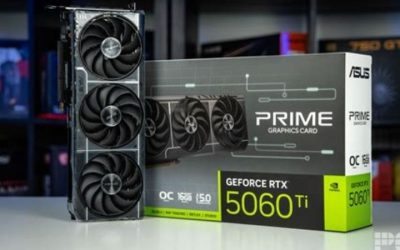
- Confirm the exact memory variant. The 8GB and 16GB RTX 5060 Ti listings have materially different long-term trade-offs; marketing photos may look nearly identical.
- Check the specific game and resolution. Prefer recent same-system native-resolution benchmarks and 1% lows over generalized performance calculators.
- Check Arc readiness. Confirm UEFI boot, motherboard Resizable BAR or Smart Access Memory support, and a current driver path before choosing B580.
- Verify the actual product SKU. Board dimensions, outputs, power connectors, included adapters, and warranty conditions vary.
- Separate MSRP from sale price. Record the seller name, shipping cost, tax, return terms, stock signal, and checkout total. A crossed-out price does not establish value.
- Compare alternatives at the same final budget. When a 16GB 5060 Ti costs hundreds more than its launch price, do not restrict your comparison to the B580 alone.
The RTX 5060 Ti vs Arc B580 choice looks simple until you notice there are two GeForce cards: the RTX 5060 Ti 8GB and the RTX 5060 Ti 16GB. Both typically produce substantially more frames than Intel’s 12GB Arc B580 when memory is not a limitation, but the 8GB version can suffer unusually poor frame pacing at settings the B580 handles better. In October 2026, U.S. retail prices widen that decision further: a low-cost B580 can be the sensible budget purchase, while an expensive 5060 Ti is difficult to justify. The right answer depends on the exact VRAM version, your games, your CPU, and the actual checkout price—not the launch MSRP.
Quick answer: which GPU should you buy?
Buy the Arc B580 12GB when your ceiling is roughly the price of a current $330–$350 U.S. listing, your motherboard supports Resizable BAR, and you mostly want budget 1080p or carefully tuned 1440p gaming. It is slower in ordinary GPU-limited tests but gives you more texture-memory headroom than an 8GB card without asking for a large price premium. Check game-specific performance before purchasing, especially if your processor is old or you depend on a particular older game.
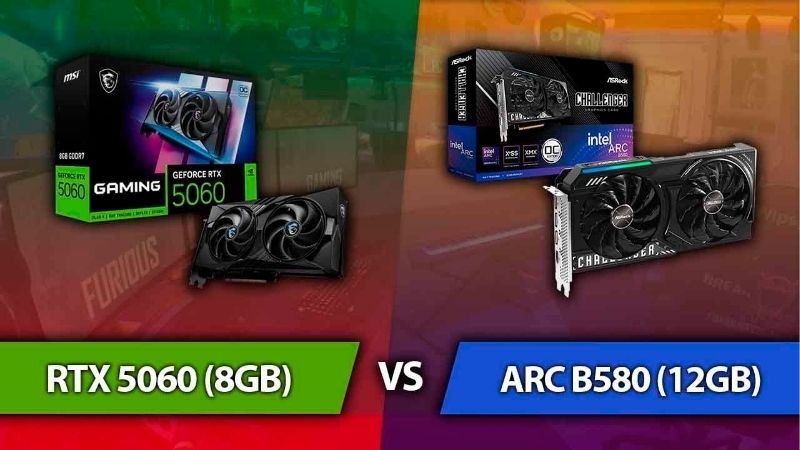
Buy the RTX 5060 Ti 16GB only if the verified price is acceptable relative to other current GPUs and you will benefit from its higher native FPS, stronger ray tracing, DLSS ecosystem, or supported CUDA-based work. It is clearly the faster option in comparable test suites and has the most VRAM of these three versions. That does not automatically make it good value at today’s inflated prices.
Do not treat the RTX 5060 Ti 8GB as equivalent to the 16GB model. It can be fast in esports titles and moderate-quality settings, yet modern texture-heavy games can erase the lead and produce distracting stutter. At the U.S. prices sampled for this article, the 8GB model is an especially weak middle purchase: far more expensive than the B580 without offering the stronger memory reserve of the 16GB version.
One caveat guides every recommendation here: GPU benchmarks are measurements under particular conditions. Prices and inventory are snapshots, not promises that a card is available at your ZIP code or that the offer will survive checkout.
RTX 5060 Ti vs Arc B580 specifications compared
| Specification | RTX 5060 Ti 8GB | RTX 5060 Ti 16GB | Intel Arc B580 12GB |
|---|---|---|---|
| Desktop architecture | NVIDIA Blackwell | NVIDIA Blackwell | Intel Xe2 Battlemage |
| Video memory | 8GB GDDR7 | 16GB GDDR7 | 12GB GDDR6 |
| Memory interface | 128-bit | 128-bit | 192-bit |
| Advertised GPU power | 180W total graphics power | 180W total graphics power | 190W total board power |
| Graphics interface | PCIe 5.0 x8 on listed retail boards | PCIe 5.0 x8 on listed retail boards | PCIe 4.0 x8 |
| Launch reference price in U.S. | $379 | $429 | $249 |
| Upscaling family | NVIDIA DLSS | NVIDIA DLSS | Intel XeSS |
| Manufacturer-highlighted feature | Tensor-powered effects and RTX | Same, with more VRAM headroom | 12GB VRAM and XMX acceleration |
| General buying role | Higher FPS where 8GB is enough | Fastest and most flexible of the three | Budget value when platform is ready |
NVIDIA’s official GeForce RTX 5060 family specification page confirms the 8GB and 16GB memory configurations, 128-bit interface, 4,608 CUDA cores, 180W graphics power, and a 600W system-power recommendation for the family. Intel’s Arc B580 specification sheet lists 12GB GDDR6, a 192-bit interface, 456GB/s memory bandwidth, PCIe 4.0 x8, and 190W total board power. Those manufacturer specifications support the basic comparison; they are not independently measured gaming power or identical retail-board requirements.
The PCIe interface describes the electrical link, not physical fit in a full-length motherboard slot. It is especially worth investigating on older PCIe generations when a game frequently moves data between system memory and GPU memory. But you should not assume that a newer PCIe version alone makes the RTX faster by a fixed percentage. Compare the entire tested setup rather than one printed number.
Why 8GB, 12GB, and 16GB matter differently
VRAM stores textures, geometry, frame buffers, and other resources the GPU needs rapidly. Capacity and processing horsepower solve different problems. The Arc B580’s 12GB can accommodate a larger working set than an 8GB GeForce, but the 12GB alone does not enable the B580 to render complex scenes at the same speed as a faster 16GB 5060 Ti. The 16GB GeForce combines greater headroom with the quicker GPU in these tests.
When a title exceeds the practical memory budget, the symptoms are not limited to a small drop in average FPS. Texture assets may be downgraded, new areas can hitch during traversal, or the 1% low frame rate may fall sharply. A memory monitoring overlay reports allocation, which is not identical to the quantity required for smooth rendering. Judge the actual game behavior and repeated runs, not an allocation number in isolation.
For a new 1080p build targeting medium-to-high graphics settings, 8GB is not automatically unusable. For someone who wants high-resolution textures, extensive mods, heavier ray tracing, or 1440p over several years, it is a limitation worth paying attention to. The more expensive the GPU, the less compelling it becomes to accept that limitation when other choices exist.
1080p performance: NVIDIA is faster until memory becomes the limit
Tom’s Hardware’s June 2026 GPU hierarchy provides a useful like-for-like starting point. Its native-resolution rasterization averages, expressed as geometric means across 11 games in the same suite, put the RTX 5060 Ti 16GB at 105.2 fps, the RTX 5060 Ti 8GB at 100.4 fps, and the Arc B580 at 71.5 fps in its 1080p Ultra column. Those measurements indicate roughly a 47% lead for the 16GB GeForce and a 40% lead for the 8GB GeForce over Intel in that particular test collection. They are not universal margins for every game.
What does that gap mean while playing? In a game where the B580 is operating near 70 fps, a sufficiently CPU-unrestricted 5060 Ti can have meaningful extra room for a high-refresh display. That may let you keep better visual settings, reach closer to a 120Hz target, or reduce the upscaling needed to stay smooth. These are use-case implications of the measured performance gap, not a guarantee of your personal frame rate.
However, Steve Walton’s May 2025 TechSpot comparison deliberately selected memory-stressed scenarios for the 8GB 5060 Ti. In Horizon Forbidden West, the Arc B580 not only held up but outperformed the 8GB Nvidia card in a demanding high-quality scene; the GeForce’s 1% lows became particularly poor. TechSpot also found cases where the B580’s fuller memory allocation prevented severe stuttering that the 8GB GPU experienced. The lesson is not that B580 is generally faster; it is that a faster processor on an undersized memory configuration can deliver a worse experience under particular settings.
Esports settings and CPU ceilings
Competitive players often reduce visual settings to keep frame rates high. That reduces texture and rendering pressure, which makes the RTX 5060 Ti 8GB’s performance advantage more likely to show. But esports benchmarks can also run into a CPU limit or an engine-specific FPS cap; a top-end GPU result measured with a Ryzen 7 9800X3D cannot be transplanted directly into an older six-core PC.
For Counter-Strike 2, Fortnite, or another high-refresh title, look for matching CPU, resolution, and low-preset data. Prioritize 1% lows and frame pacing rather than only a headline average. If your monitor is 144Hz and your CPU regularly tops out below that level, spending heavily on a larger graphics card may not translate into a smoother competitive experience.
1440p performance: the 16GB 5060 Ti is clearly ahead
The same 2026 Tom’s Hardware rasterization suite reports 73.4 fps for the 5060 Ti 16GB, 68.6 fps for the 8GB version, and 50.7 fps for the Arc B580 at 1440p Ultra. That is approximately a 45% lead for the 16GB model and 35% for the 8GB model over B580 under those test conditions. The raw numbers support describing the B580 as an entry-level 1440p option, rather than a direct equal to the 16GB GeForce.
At 1440p, the Intel GPU will often need a move from Ultra to High or a suitable XeSS mode to preserve a comfortable frame rate in new demanding games. The RTX 5060 Ti 16GB gives more room to preserve detail or increase FPS before making those compromises. Upscaling can work on either GPU, but implementations, supported games, and image-quality presets differ. Do not compare an NVIDIA DLSS Quality result directly with an Intel XeSS Performance result as though they represent identical rendering work.
The RTX 5060 Ti 8GB falls between those possibilities in an awkward way. In games with modest memory demand, its engine delivers more frames than B580. When textures or additional visual effects push memory beyond 8GB, its advantage can shrink or disappear. This is why a single average score should sit beside the separate TechSpot stress test rather than replace it.
How to set a realistic 1440p target
Start with a defined target: either around 60 fps for demanding single-player games or a higher average with good 1% lows for competitive games. Test native resolution at your desired texture quality, then lower expensive effects such as shadows, volumetrics, and ray tracing before reducing texture detail on a card with adequate VRAM. If the GPU is consistently bound by rendering throughput, choose a good quality upscaler next.
For 8GB owners, texture quality deserves earlier attention because lowering shadows alone may not resolve a working-set problem. On the B580, check whether XeSS is available in the title and whether the visual quality suits you. On the 16GB GeForce, preserving high textures is often easier, but the GPU still has finite shader and ray-tracing capacity. More memory does not turn either card into a flagship 4K product.
Ray tracing: greater 5060 Ti headroom, but settings still matter
Tom’s Hardware separates its ray-tracing results from ordinary rasterization. At 1080p Ultra in the site’s 2026 ray-tracing table, the RTX 5060 Ti 16GB posts 56.2 fps, the 8GB model 46.0 fps, and the B580 34.9 fps. At 1440p Ultra, the corresponding results are 38.9, 26.6, and 23.1 fps. These are suite averages; none should be mistaken for a fixed score in Cyberpunk 2077 or any single title.
A clear pattern emerges: the RTX 5060 Ti 16GB provides the strongest native ray-tracing foundation, while the 8GB card can struggle disproportionately as both graphics and memory requirements increase. The Arc B580 can enable supported ray-traced effects, but demanding presets are a poor starting point without quality reductions or upscaling. The 16GB 5060 Ti also may require such concessions in especially intensive path-traced games.
NVIDIA’s DLSS feature set, including supported frame-generation modes, adds another consideration. Generated frames can improve visual smoothness and displayed frame rate when the base game is already responsive, but they do not create equivalent reductions in simulation latency or solve stutters caused by insufficient VRAM. Intel’s XeSS ecosystem likewise depends on the particular game’s implementation. Compare native or equivalent upscaled base frame rates first; evaluate frame generation separately.
For someone who primarily plays conventional rasterized games, paying a large extra sum for ray tracing that will remain disabled is poor budgeting. For someone specifically interested in games with extensive ray tracing and supported DLSS features, NVIDIA’s additional performance and ecosystem have a concrete benefit.
Frame time and 1% lows are part of the purchase decision
An average of 75 fps can feel worse than a stable 60 fps if the 75-fps experience contains long frame-time spikes. A 1% low is one measure of the slower tail of a frame-rate distribution, although methods differ by publisher. The most convincing evidence combines averages, lows, frame-time plots, repeatable runs, and the same test scene and software versions.
The TechSpot 8GB-versus-B580 test is valuable precisely because it shows how an average FPS result can conceal texture failures and stutter. It intentionally focuses on demanding, memory-limited workloads, so its results should not be averaged with an 11-game general benchmark and presented as a new performance index. One study answers which card is faster on average across selected titles; the other answers what happens when the graphics settings exhaust an 8GB memory budget.
There is also a difference between genuine game-engine shader compilation stutter and stalls from memory pressure. Both can look similar while playing. Check whether the hitch occurs once during initial compilation or repeatedly at the same texture-heavy area. A graphics-card upgrade may not fix the former if it stems from the game’s compilation workflow.
Arc B580 CPU overhead and driver updates
Early Arc B580 coverage found substantial performance losses in certain CPU-limited games when the GPU was paired with an older processor. This made it risky to assume a high-end benchmark machine represented every budget upgrade system. Importantly, that is a driver-and-game behavior, not a blanket claim that Intel cannot work with older CPUs.
TechSpot revisited the problem in October 2025 and demonstrated tangible improvements after Intel driver optimizations, including a marked recovery in Marvel’s Spider-Man Remastered on a Ryzen 5 5600. That later work also found problems remaining on much older hardware such as a Ryzen 5 2600 in some games. The evidence supports a more nuanced conclusion: B580’s CPU overhead has improved, but platform age and title still matter.
Intel’s official B-series download page listed Windows driver 32.0.101.9150, dated October 2, 2026, during this research. That is useful context for prospective buyers rather than a promise that every older-game issue is fixed. If you are examining older B580 review results, check the driver version and CPU testbed. If you own an old Ryzen or older Intel platform and cannot find fresh tests of your favorite games, the purchasing risk is greater than for a modern CPU with validated Resizable BAR support.
Resizable BAR is a prerequisite to check before buying Arc
Intel’s Arc B-series desktop quick-start documentation says Resizable BAR or Smart Access Memory should be enabled for optimal performance. It also details the relevant UEFI boot and motherboard settings. Before buying, confirm that your motherboard supports the feature, that the BIOS firmware exposes it, and that your existing Windows installation is configured appropriately. This is particularly important for a used or upgraded desktop of uncertain age.
Do not casually disable legacy boot compatibility or convert an old system disk simply because a buying guide says to enable Resizable BAR. Changing UEFI boot settings on a legacy installation can leave Windows unable to boot. If you need a firmware or partition change, consult the exact motherboard and Windows vendor documentation, back up your files, and prepare a recovery path first. If the machine cannot support the required configuration safely, a different GPU can be the more practical investment.
DLSS, XeSS, drivers, and creator tools
NVIDIA and Intel each provide more than raw shader power. GeForce cards support NVIDIA’s DLSS technologies in compatible games, while Arc B580 supports Intel’s XeSS upscaling ecosystem. Game support matters more than feature branding: if your five most-played games do not include a feature, the value of that feature to you is low. Look for reviews that specify the upscaling version and whether any latency or artifact trade-offs appeared.
For streaming and recording, both modern families include hardware video encoding options, but support depends on the capture application, codec, operating system, and driver. Before promising AV1 or an accelerated editing workflow, check your actual OBS version, editing software, and required export format. A product page listing a codec is not a guarantee of equal quality at a given bitrate or identical application support.
For Blender, AI experimentation, or other GPU-accelerated work, software compatibility can become more important than gaming FPS. Tools that depend on NVIDIA CUDA or OptiX may strongly favor the 16GB GeForce even if a budget Intel GPU has enough memory for some scene assets. Workloads that use cross-vendor APIs may support Arc, but performance still requires an application-specific test. Do not buy a 5060 Ti primarily for a creative tool until you verify that tool’s current acceleration backend.
The extra 4GB of the NVIDIA 16GB card can be useful for large scenes and some local workloads. At the same time, raw capacity is not the only limiter for AI models or 3D rendering: compute throughput, software support, and memory transfer behavior are all relevant. A standalone 16GB card is not a substitute for checking the software’s supported GPU list.
Power, PCIe, and physical compatibility
The NVIDIA specification lists 180W total graphics power for the RTX 5060 Ti; Intel specifies 190W total board power for B580. That 10W difference is too small to justify a purchase on its own. Actual board consumption depends on workload, cooler, firmware power limit, and factory overclocking, and it is not identical to the system’s power draw from the wall. Independent energy tests, such as Igor’sLAB measurements of the 16GB 5060 Ti, provide context but should not be pasted onto every partner card.
NVIDIA’s 600W system-power recommendation is a general guidance point based on its reference test conditions, not a universal guarantee that any 600W unit is suitable. On the Intel side, check the requirements for the specific ASRock, Sparkle, ONIX, or other B580 model. A quality PSU with the correct native connector, adequate capacity, and good condition matters more than buying solely from a wattage headline.
Physical fit also changes by partner card. Check the exact model’s overall length, thickness in occupied slots, clearance to front fans, and whether the power cable will bend tightly against the case panel. Some GeForce boards use an 8-pin power connection while others use a different connector arrangement. Use only the manufacturer-approved cable configuration; don’t assume every model in a GPU family shares the same connector or rear-panel ports.
PCIe 5.0 x8 on listed RTX 5060 Ti cards and PCIe 4.0 x8 on B580 are worth noting for buyers reusing old boards. For a current mainstream motherboard, the expansion slot generally accepts these full-size retail graphics cards, subject to BIOS and space. On older PCIe 3.0 systems, extra data movement can compound memory pressure. Treat compatibility as a board-specific check, not an invented universal FPS penalty.
Real U.S. prices and inventory checked October 28, 2026
A comparison that uses only launch prices would mislead readers in the late-2026 market. Intel listed the B580’s recommended customer price at $249 on launch. NVIDIA’s published launch pricing was $379 for the 5060 Ti 8GB and $429 for the 16GB model. Those figures explain product positioning, but they are not a reliable indication of today’s checkout total.
| Exact retail board | Seller and observed listing | Listed price, Oct. 28, 2026 | Displayed stock signal | Caveat |
|---|---|---|---|---|
| ASRock Arc B580 Challenger 12GB | Best Buy U.S. search listing | $349.99 | Add to cart displayed | Final shipping/pickup and ZIP availability not verified |
| ASRock Arc B580 Challenger 12GB, B580 CL 12GO | Newegg U.S. filtered page | $329.99 sold price | Out of stock on the opened page | Not an actionable purchase offer; listing differs from other snapshots |
| ZOTAC Gaming RTX 5060 Ti Twin Edge OC 8GB, ZT-B50610H-10A | Newegg U.S. | $529.99 | Add to cart displayed | Tax, ZIP-based availability, and checkout not verified |
| MSI Gaming RTX 5060 Ti 16G Gaming Trio OC | Newegg U.S. | $799.99 | Add to cart displayed | Sale presentation shown; final total not verified |
These entries are observations from the named U.S.-facing seller pages, not a promise that every buyer can get the same price. Retailer pages may be personalized by store location, update between page loads, or show third-party marketplace offers. The Newegg B580 listing explicitly showed out of stock when opened even though separate searches and trackers showed available stock in the same general period; that discrepancy is why the Best Buy offer is presented separately, without asserting nationwide fulfillment.
At those specific displayed prices, the B580 offers a much lower entry cost, but it also produces lower native FPS. A $529.99 8GB GeForce is difficult to recommend for heavy new games because the money still buys only 8GB. A roughly $800 16GB GeForce is the strongest performer of these three but occupies a completely different budget category and deserves comparison with alternative GPUs before purchase.
Cost per frame: useful, but easy to misuse
You can divide an actual seller price by an average FPS from a single consistent benchmark suite to compare approximate acquisition cost per native frame. The result is not an energy-efficiency number, warranty assessment, or proof of long-term value. The chosen game’s settings, CPU, resolution, frame-time quality, and upscaling methods still influence what you are buying.
For example, at 1440p Ultra in Tom’s Hardware’s 2026 raster suite, the B580’s 50.7-fps average and the Best Buy $349.99 listing yield about $6.90 per average fps. The 16GB 5060 Ti’s 73.4-fps figure and the Newegg $799.99 listing yield about $10.90 per average fps. These are calculated from the named listing snapshots and the same benchmark column, with shipping and tax excluded. They illustrate the price problem; they do not imply both cards would be equally smooth in every title.
That calculation also ignores product lifetime, game compatibility, warranty, and creator applications. A user who needs CUDA or ray tracing may value a GeForce’s capabilities more than this raster-only metric suggests. A budget gamer who simply wants a stable 60 fps in a known title should prioritize actual title-specific results over an abstract ratio.
Which card makes sense for your build?
Budget 1080p gaming with a modern CPU
Choose the B580 when its actual delivered price remains well below the GeForce options, the motherboard supports Resizable BAR, and independent tests show acceptable FPS in your games. Spending the saved money on an SSD, memory, or eventually a stronger monitor may be more useful than a large premium for a faster GPU. The risk is uneven performance in some games and less headroom when you increase rendering quality rather than just texture capacity.
1080p esports on a high-refresh monitor
The 5060 Ti family can be meaningfully faster when GPU-bound, but the 8GB model becomes sensible only at a strong discounted price relative to the B580 and 16GB alternatives. Check CPU-limited benchmarks and frame-time stability. If the game is already CPU-bound, the GeForce’s additional GPU performance might not deliver the desired increase. An expensive 8GB purchase is hard to defend merely because the average score looks good.
1440p single-player games with rich textures
For the smoother, higher-quality target, the 5060 Ti 16GB is the more capable choice. The B580 is a practical cheaper option for players willing to tune quality settings and enable XeSS where appropriate. The 8GB GeForce needs special caution in new memory-intensive titles: it may win a general FPS chart while losing badly in specific texture-heavy scenes.
Ray tracing, streaming, and CUDA workloads
The 16GB GeForce is the strongest fit for supported ray-traced games and workloads that explicitly benefit from NVIDIA’s software stack. But at a high retail markup, compare a similarly priced alternative GPU before final purchase. Don’t pay a premium based on the existence of DLSS, an AV1 encoder, or CUDA unless one of those capabilities is part of your actual workflow.
Older or OEM desktop upgrades
Start with the machine, not the graphics card. Confirm the exact motherboard and BIOS revision, usable PCIe slot, UEFI and Resizable BAR status, PSU quality and connectors, and case clearances. The Arc B580’s price may be attractive but the older CPU and firmware combination can be the decisive risk. The RTX 5060 Ti may avoid some Arc-specific overhead concerns, yet older PCIe bandwidth and 8GB memory limits still deserve attention.
Buying checklist before placing the order
- Confirm the exact memory variant. The 8GB and 16GB RTX 5060 Ti listings have materially different long-term trade-offs; marketing photos may look nearly identical.
- Check the specific game and resolution. Prefer recent same-system native-resolution benchmarks and 1% lows over generalized performance calculators.
- Check Arc readiness. Confirm UEFI boot, motherboard Resizable BAR or Smart Access Memory support, and a current driver path before choosing B580.
- Verify the actual product SKU. Board dimensions, outputs, power connectors, included adapters, and warranty conditions vary.
- Separate MSRP from sale price. Record the seller name, shipping cost, tax, return terms, stock signal, and checkout total. A crossed-out price does not establish value.
- Compare alternatives at the same final budget. When a 16GB 5060 Ti costs hundreds more than its launch price, do not restrict your comparison to the B580 alone.
Frequently asked questions
Is the RTX 5060 Ti faster than the Intel Arc B580?
Generally yes. Tom’s Hardware’s 2026 raster benchmark averages put both RTX 5060 Ti memory variants ahead of the B580 at 1080p and 1440p. The 16GB model is the stronger and more consistent GeForce choice. The critical exception is individual games or settings that exceed the 8GB card’s practical VRAM capacity, where B580 can deliver better frame times and sometimes higher averages.
Is 12GB VRAM on B580 better than 8GB on RTX 5060 Ti?
For texture and memory headroom, 12GB is an advantage. For raw processing speed in games that stay within 8GB, the RTX 5060 Ti can be considerably faster. Neither rule by itself determines the entire gaming experience. Use workload-specific tests to decide whether your games benefit more from extra capacity or extra GPU speed.
Should I buy the RTX 5060 Ti 8GB to save money?
Not automatically. In the checked U.S. listing sample, the 8GB model cost $529.99, while a B580 search listing showed $349.99. That is a substantial jump for a card with less memory headroom. If you can find a genuinely discounted 8GB GeForce and primarily play modest-memory competitive titles, it may serve you, but the current sample offers weak value for someone buying a new long-term gaming card.
Can the Arc B580 play games at 1440p?
Yes, but the settings and target frame rate matter. Tom’s Hardware measured 50.7 fps on average in its 1440p Ultra raster test suite, which is a reminder that Ultra in every demanding game is not a guaranteed 60-fps experience. High presets or XeSS upscaling may be necessary, and some CPU/platform combinations perform worse than a high-end benchmark setup.
Do I need Resizable BAR for the B580?
Intel’s desktop guidance calls for Resizable BAR or Smart Access Memory to be enabled for optimal Arc B-series performance. Check your platform before purchase and follow motherboard-specific documentation. Don’t make risky boot-mode changes on an installed Windows system without backups and a clear recovery route.
Is RTX 5060 Ti 16GB worth the price in late 2026?
It delivers the best overall performance of these options, but that is separate from being a smart purchase at a particular price. At a checked Newegg listing around $800, buyers should compare other available midrange GPUs and their own software needs before committing. Reassess if prices fall substantially; the recommendation is explicitly tied to the observed U.S. market.
Final thoughts
The correct outcome is a three-way decision, not a simple NVIDIA-versus-Intel brand contest. The Arc B580 12GB is the more approachable budget option if your system is ready for it and its tested performance matches your games. The RTX 5060 Ti 16GB is the faster and more feature-flexible option, especially for demanding ray tracing or supported creator workloads, but current retail prices can make it poor value. The RTX 5060 Ti 8GB is difficult to endorse at a large premium because memory-related frame-time problems undercut its performance advantage in some modern titles. Before you buy, choose your target game and resolution, verify platform fit, then compare the final checkout prices of the exact three SKUs—not just the GPUs’ names.