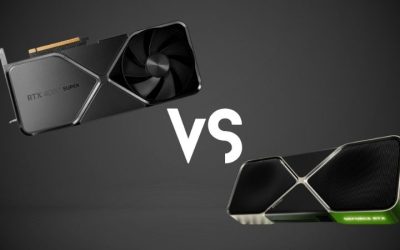
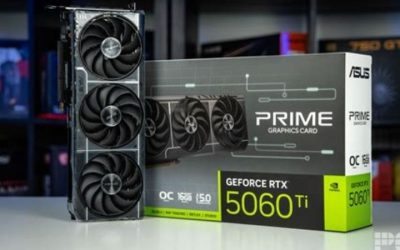
The RTX 5070 Ti vs RTX 4080 Super decision is closer than their generation numbers suggest. Independent gaming benchmarks place the GeForce RTX 5070 Ti near the RTX 4080 Super at 1440p and 4K, while the older card retains a small advantage in many native-rendering and ray-tracing comparisons. The RTX 5070 Ti counters with newer display connectivity, GDDR7 memory, and RTX 50-exclusive DLSS Multi Frame Generation. Neither has a VRAM-capacity advantage: both offer 16GB. If you already own an RTX 4080 Super, the newer model is usually a sideways move. If you are buying today, compare actual card condition, warranty, and checkout price rather than historical list prices. This guide covers desktop GPUs, not laptop variants or the standard RTX 4080.
Quick verdict: the right choice depends on what you own
Choose the RTX 5070 Ti for a new build when a suitable, warranty-backed partner model is priced competitively with your available RTX 4080 Super options. It delivers essentially the same class of conventional gaming performance, supports newer display output standards, and unlocks Multi Frame Generation in compatible games. That makes it easier to recommend when the competing RTX 4080 Super is used, open-box, or offered at an unjustified premium.
Choose the RTX 4080 Super when you find a meaningfully better-priced unit in verified good condition, already own one, or prioritize native ray-traced frame rates over frame-generation multipliers. It remains a very powerful 1440p and 4K card; its lack of Multi Frame Generation does not erase the strong performance its hardware already provides.
Do not upgrade directly from an RTX 4080 Super to an RTX 5070 Ti for raw FPS. The two GPUs are too close in the benchmark sets reviewed to justify a replacement merely for a new generation label. A different comparison, such as RTX 5070 Ti versus RTX 4070 Ti Super, addresses an older-tier upgrade rather than the near-peer choice evaluated here.
RTX 5070 Ti vs RTX 4080 Super: specifications that matter
| Specification | GeForce RTX 5070 Ti | GeForce RTX 4080 Super | Why it matters |
|---|---|---|---|
| Architecture | Blackwell | Ada Lovelace | Different generations; core counts alone do not predict FPS. |
| CUDA cores | 8,960 | 10,240 | The older GPU has more CUDA cores, but architectural differences complicate comparisons. |
| Memory | 16GB GDDR7 | 16GB GDDR6X | Same capacity; different technology and transfer rates. |
| Memory bus | 256-bit | 256-bit | Equal bus width does not mean equal bandwidth. |
| Reference memory bandwidth | 896 GB/s | 736 GB/s | RTX 5070 Ti has more theoretical bandwidth; game gains are workload-dependent. |
| NVIDIA total graphics power | 300W | 320W | 20W reference-rating difference is not a measured game-power gap. |
| NVIDIA recommended system PSU | 750W | 750W | Actual needs vary by CPU, card variant, and power supply. |
| PCI Express support | PCIe 5.0 | PCIe 4.0 | Both remain usable in compatible older PCIe slots. |
| Reference display interface | DisplayPort 2.1b, HDMI 2.1b | DisplayPort 1.4a, HDMI 2.1a | Newer DP link can matter for demanding monitor configurations. |
| NVIDIA encoder | Two ninth-generation NVENC units | Two eighth-generation NVENC units | Both support AV1 encoding; workflow and application support matter. |
| US original launch price | $749 | $999 | Historical starting prices, not checked 2026 storefront offers. |
These are GPU-level or NVIDIA reference specifications. Actual graphics cards from MSI, ASUS, PNY, Gigabyte, Zotac, and other partners vary in size, boost clock, cooling, video-output mix, included adapter, and warranty. In particular, the RTX 5070 Ti has no NVIDIA Founders Edition model; it is a partner-card product. Check the exact manufacturer part number before applying any generic dimension or connector assumption.
The 5070 Ti’s greater memory bandwidth does not guarantee an equal lead in performance. The 4080 Super has more shaders and a mature Ada Lovelace design; the RTX 5070 Ti uses newer Blackwell hardware. A purchase should be based on matched game results at your intended settings, not an isolated percentage from a specification sheet.
Real gaming benchmarks: 1440p and 4K
The clearest recent cross-check comes from Tom’s Hardware’s 2026 GPU hierarchy, which uses a common 11-game rasterization suite and reports a geometric mean rather than a single cherry-picked title. Its published averages are below. These numbers describe that outlet’s test platform and game selection, not a guarantee of identical FPS in your PC.
| Test condition | RTX 5070 Ti | RTX 4080 Super | Advantage in this suite |
|---|---|---|---|
| 1440p Ultra, rasterization | 116.8 FPS | 118.6 FPS | RTX 4080 Super, about 1.5% |
| 4K Ultra, rasterization | 68.6 FPS | 69.4 FPS | RTX 4080 Super, about 1.2% |
| 1440p Ultra, ray tracing suite | 66.2 FPS | 69.5 FPS | RTX 4080 Super, about 5.0% |
| 4K Ultra, ray tracing suite | 36.7 FPS | 38.5 FPS | RTX 4080 Super, about 4.9% |
The ray-tracing suite is separate from the rasterization suite, and its results should not be combined into one overall percentage. Do not interpret the 4K ray-tracing aggregate as the frame rate of every game: individual scenes and settings can range widely. The site also tests ray-traced games that require the feature, so the RT numbers reflect a different set of workloads than the 11-title raster average.
An earlier TechSpot review from February 2025 reached a compatible broad conclusion: the RTX 5070 Ti often operated near RTX 4080 Super-class performance in conventional games, but could trail in difficult ray-traced workloads. Its ray-tracing summary placed the 5070 Ti roughly 9% behind the RTX 4080 Super at 4K in that particular group of tests. The difference between this and the 2026 hierarchy is not an error to average away; the game lists, presets, test systems, and drivers differ.
At 1440p: both are more than ordinary 60Hz cards
For high-quality 1440p gaming, both GPUs have enough horsepower to target high refresh rates in many titles. They are sensible choices for an owner of a 144Hz or 165Hz monitor who wants to keep image-quality settings high. Whether a demanding game actually reaches the monitor’s maximum refresh rate depends on its engine, the graphics preset, CPU performance, and the effects enabled. The matched 2026 result shows almost no meaningful difference in raster performance on average.
Do not buy the RTX 5070 Ti because a marketing chart multiplies displayed frames through Multi Frame Generation. That can improve apparent motion on a fast monitor in a supported title, but it does not turn a poorly responding base game into an equally responsive high-native-FPS game. For competitive play, assess native or upscaled game-engine frame rates, 1% lows, and latency first.
If you already have a 4080 Super, verify whether your actual games are consistently GPU-limited. A CPU-bound game at 1080p or lighter 1440p settings may show almost no benefit from swapping either card. The two are also close enough that factory overclocks, different coolers, drivers, or individual game updates can reverse a small lead.
At 4K: similar baseline performance, different conveniences
At 4K Ultra, the matched hierarchy shows both cards around the same performance level. The RTX 4080 Super’s advantage is less than one frame per second in the rounded test averages, so it would be misleading to call either a clearly faster 4K raster GPU. In less demanding games, both can exceed 60 FPS. In heavier games, especially with full ray tracing or path tracing, you will often need to lower selected settings or enable a quality-oriented upscaling mode.
Both offer 16GB of video memory, which can be useful at high resolutions and with substantial texture allocations. Neither is immune to VRAM pressure in the most extreme modded scenes, nor does a 16GB label prove that a particular game can stay at Ultra textures without stutter. Compare actual memory allocation, frame times, and your targeted output resolution.
The 5070 Ti becomes more interesting if you plan to pair it with a demanding DisplayPort monitor or use an RTX 50-specific rendering mode. But these are feature and display-compatibility benefits; they should be considered separately from native 4K FPS.
Ray tracing: newer RT cores do not mean an automatic win
The RTX 5070 Ti includes NVIDIA’s fourth-generation ray-tracing hardware, while the RTX 4080 Super uses third-generation RT cores. That sounds decisive, but GPU architecture, total silicon resources, graphics workload, and game optimization collectively determine real frame rates. As the independent benchmark results illustrate, the RTX 4080 Super can remain ahead in ray-traced games despite its older generation.
In Cyberpunk 2077, Alan Wake 2, and Black Myth: Wukong-style demanding effects, exact RT mode is especially important. Standard RT, path tracing, and aggressive preset combinations are not interchangeable. Compare the same game version, resolution, upscaling setting, and RT preset on both cards before interpreting a claimed lead. A game tested with Frame Generation enabled on just one GPU is not a valid native-RT speed comparison.
If visual quality matters more than a high output-frame counter, start with native or DLSS Super Resolution results. Look at how many frames the engine actually renders and whether movement feels responsive at your preferred settings. The 4080 Super’s small but recurring RT advantage makes it an attractive bargain when the price and condition are right. The 5070 Ti may offer smoother displayed animation through its extra frame-generation options, but that is a different benefit.
DLSS 4.5: the RTX 5070 Ti has an exclusive advantage
This is the largest functional split in the comparison. As of NVIDIA’s March 2026 feature rollout, the RTX 50 family supports DLSS Multi Frame Generation, including Dynamic Multi Frame Generation and higher fixed multipliers in compatible games. The RTX 4080 Super supports conventional DLSS Frame Generation but not RTX 50-exclusive Multi Frame Generation. Both GPUs can use supported DLSS Super Resolution and Ray Reconstruction features; the broader DLSS 4.5 Super Resolution improvements are not exclusive to RTX 50 cards.
What Multi Frame Generation actually changes
Regular Frame Generation inserts an AI-created frame between traditionally rendered frames in supported applications. Multi Frame Generation on RTX 50 cards can generate multiple additional frames, raising the displayed output rate beyond what the game engine natively renders. NVIDIA’s DLSS 4.5 update also allows dynamic adjustment toward a display refresh-rate target, with up to 6X modes where supported.
These generated frames improve perceived smoothness and the motion presentation of supported games, especially when the base rendering frame rate is already comfortably playable. They do not create equivalent new input samples for every additional displayed frame. Keyboard and mouse response still depends heavily on native render performance, game latency, Reflex support, and how the frame-generation pipeline behaves.
Therefore, a screenshot claiming 240 FPS with Multi Frame Generation does not demonstrate that the 5070 Ti is several times faster than a 4080 Super in engine throughput. For a fair purchasing comparison, record native FPS, DLSS-upscaled FPS without frame generation, and display FPS with supported generation as three separate metrics. Do not mix them into one leaderboard.
Does the RTX 4080 Super miss out on DLSS 4.5 entirely?
No. DLSS 4.5 Super Resolution introduced updated transformer models broadly available to supported RTX hardware, including RTX 40-series GPUs. An RTX 4080 Super can still benefit from better reconstruction quality in compatible games and supported NVIDIA app overrides. It also retains DLSS Frame Generation and Reflex where those features are supported.
What it does not gain is the RTX 50-only Multi Frame Generation feature. This distinction is especially important for used-card shopping: sellers sometimes advertise an RTX 4080 Super as a generic ‘DLSS 4’ GPU, and the shorthand can wrongly imply it has every feature offered on a newer Blackwell card.
Compatibility varies by game and software version. In NVIDIA app releases supporting the feature, the Graphics tab includes a DLSS Override – Frame Generation Mode setting for compatible titles. Dynamic mode can target the monitor’s refresh rate, but NVIDIA noted compatibility restrictions with V-Sync and some frame-rate limiting configurations. Treat game support and current app behavior as requirements, not universal guarantees.
Memory and creator workloads: capacity ties, technology differs
The RTX 5070 Ti uses 16GB of GDDR7 on a 256-bit bus, yielding 896 GB/s of specified bandwidth. The RTX 4080 Super combines 16GB of GDDR6X with a 256-bit bus and 736 GB/s. The newer card therefore has a meaningful theoretical bandwidth advantage without having more VRAM. For ordinary texture-heavy gaming, capacity parity is often more significant than the memory-type label, and tested performance remains the final deciding factor.
For streaming and recording, both GPUs include dual NVIDIA hardware video encoders and support AV1 encode and decode. The RTX 5070 Ti uses a newer NVENC generation. That can matter for particular software workflows, but you should confirm your intended application, codec, chroma mode, and export settings actually use the newer capabilities. A theoretical codec or encoder-generation advantage does not guarantee faster exports in every editor or a perceptible quality improvement at every streaming bitrate.
For CUDA applications, NVIDIA’s published specifications place the RTX 5070 Ti on compute capability 12.0 and the RTX 4080 Super on 8.9. Developers and AI hobbyists should check software framework, CUDA toolkit, model implementation, and driver support rather than assuming every tool that runs on an older Ada card immediately works identically on Blackwell. Both cards have 16GB of VRAM, so a workload requiring more GPU memory than that will not be fixed simply by choosing the 5070 Ti.
Power, cooling, PSU connectors, and fit
NVIDIA lists the RTX 5070 Ti at 300W total graphics power and the RTX 4080 Super at 320W, with a 750W recommended system power supply for both reference configurations. This is a difference between board-power ratings, not proof that every game will draw exactly 20W less on a 5070 Ti. Manufacturer factory overclocks, power limits, chip characteristics, and workload can change observed consumption.
A healthy, correctly wired 750W PSU can satisfy NVIDIA’s reference recommendation for an appropriately configured system, but some heavily overclocked partner models or high-draw CPU builds may call for more headroom. For example, a premium RTX 4080 Super partner card may recommend an 850W PSU. Always use the specific card manufacturer’s guidance rather than treating the GPU-family rating as a universal limit.
Power adapters also differ. NVIDIA’s standard 5070 Ti specification lists two PCIe eight-pin leads through an adapter or a suitable 300W-or-greater PCIe Gen 5 cable; the 4080 Super reference guidance lists three eight-pin leads through an adapter or a suitable 450W-or-greater PCIe Gen 5 cable. The exact boxed adapter and native cable requirements depend on your board partner and PSU. Use only the manufacturer-approved cabling, insert the connector fully, avoid tight bends immediately at the plug, and leave clearance from the side panel.
Case fit is an even more practical issue. There is no single NVIDIA Founders Edition size for the 5070 Ti, while 4080 Super Founders Edition dimensions do not apply to every aftermarket 4080 Super. Before purchasing, verify length, thickness in slots, height above the PCIe bracket, power-cable bend clearance, and adjacent-card obstruction. Cooling performance and fan noise vary between board designs; a premium 4080 Super cooler can be quieter than a basic 5070 Ti, and the reverse is also possible.
DisplayPort, HDMI, and high-refresh monitors
The RTX 5070 Ti’s DisplayPort 2.1b UHBR20 capability provides an advantage for very high-resolution, high-refresh-rate displays that can use the higher link bandwidth. NVIDIA lists HDMI 2.1b on the newer family as well. The RTX 4080 Super uses DisplayPort 1.4a and HDMI 2.1a. That distinction is worth considering if you are purchasing an unusually demanding 4K or 8K monitor, running multiple displays, or seeking a particular color depth at a high refresh rate.
However, a newer port version does not automatically guarantee a particular monitor mode. The monitor’s input limits, cable certification, DSC support, chroma format, HDR settings, and actual card outputs all matter. The 4080 Super can still drive high-refresh 4K displays with appropriate output modes and compression. A user with a conventional 1440p 144Hz display should not pay a large premium solely for DisplayPort 2.1b.
Check the exact board’s I/O sheet: some RTX 4080 Super models provide two HDMI sockets, while others provide only one. Do not plan a four-monitor configuration from a generic reference diagram when a particular partner model changes the output mix.
Price and value: use a real offer, not launch MSRP
NVIDIA originally positioned the RTX 5070 Ti from $749 and the RTX 4080 Super from $999. Those numbers explain the intended product tiers at their respective launches. They do not represent verified current retail prices or stock on October 28, 2026. No live, matching US retail listings for both exact models were confirmed for this article, so current prices, active discounts, and availability are not asserted.
If both options carry a comparable new-product warranty and similar cooling quality, the RTX 5070 Ti usually makes more sense at an equal or lower checkout price: native gaming is close, while you also gain RTX 50-specific frame-generation features and newer output options. The RTX 4080 Super is worth consideration when the verified offer is cheaper enough to compensate for its age or condition, or when you specifically favor its small native-RT edge.
For a used 4080 Super, make an all-in comparison rather than lining up a used-card asking price against the 5070 Ti’s historical MSRP. Add tax, shipping, return risk, any missing adapter, and the cost of a replacement if the unit proves faulty. Ask for the exact model, original purchase receipt if available, warranty transfer terms, fan condition, photos of the power connector, and proof it works under a sustained gaming load. A card sold ‘as is’ should require a much stronger discount than a fully warranted new alternative.
A practical buying decision for three situations
| Your situation | Better starting point | What should change the decision? |
|---|---|---|
| Building a new 1440p/4K gaming PC | RTX 5070 Ti | A verifiably cheaper, well-protected RTX 4080 Super offer. |
| Already have an RTX 4080 Super | Keep the RTX 4080 Super | A specific RTX 50-only feature you actually use justifies the cost. |
| Shopping a discounted or used 4080 Super | Compare condition and total cost | Warranty, return rights, and card condition can outweigh a small FPS difference. |
If your budget stretches only to an inflated 5070 Ti partner model, avoid assuming the GPU must be a good buy just because the original launch price was lower. Check other current-generation GPU options at the same actual checkout price, and compare their matched benchmarks and feature support separately. This article is a two-card decision, not a claim that either GPU has the best price-to-performance ratio across the whole market.
Which GPU should you buy for different gaming habits?
Competitive esports at high refresh rates
For Counter-Strike-style or other CPU-sensitive games, neither GPU’s advantages may be fully visible until you raise resolution or graphics settings. Use the game’s own performance data and a repeatable scene to determine whether you are GPU-limited. The 4080 Super and 5070 Ti both have ample throughput for many high-refresh 1440p use cases; choose based on price, thermals, monitor connectivity, and warranty. Do not treat a Multi Frame Generation output number as interchangeable with native input responsiveness.
Cinematic single-player games with ray tracing
A strong RTX 4080 Super offer remains compelling for high-quality native and upscaled rendering. In several independent suites it holds a modest advantage when ray tracing is enabled. Choose the 5070 Ti when a newer warranty-backed card and compatible Multi Frame Generation titles matter more to you. At path-traced 4K settings, expect to tune effects and upscaling on either GPU rather than assuming all settings can remain maxed at an uncompromised frame rate.
Creators who also play games
The RTX 5070 Ti’s newer dual NVENC generation and Blackwell compute features may make it more attractive for specific supported workflows, but the RTX 4080 Super remains a capable AV1 encoder and CUDA card. Check benchmark results from your actual editing, rendering, and AI applications before switching. A professional workflow limited by VRAM capacity will still face the same 16GB ceiling on both devices.
Frequently asked questions
Is the RTX 5070 Ti faster than the RTX 4080 Super?
Not consistently. In Tom’s Hardware’s 2026 matched rasterization averages, the RTX 4080 Super slightly leads at 1440p and 4K, and its ray-tracing average is also somewhat higher. The practical gap is much smaller than a GPU generation change might imply. Specific games can favor either card, so individual matched benchmarks matter more than a blanket winner.
Is the RTX 5070 Ti an upgrade from an RTX 4080 Super?
Usually not in native gaming performance. It offers newer DLSS Multi Frame Generation modes, DisplayPort 2.1b, GDDR7, and updated encoding hardware, but measured game FPS is too close to make it a compelling straightforward performance upgrade. Keep your 4080 Super if it already meets your targets.
Do both graphics cards have 16GB of VRAM?
Yes. The 5070 Ti uses 16GB GDDR7; the 4080 Super uses 16GB GDDR6X. Although the 5070 Ti has higher specified bandwidth, both have the same memory capacity. Neither upgrade path increases the size of the framebuffer.
Can the RTX 4080 Super use DLSS 4.5?
It can use supported DLSS 4.5 Super Resolution improvements and standard DLSS Frame Generation, but not RTX 50-exclusive Multi Frame Generation. Feature support also depends on the particular game and NVIDIA software version, so verify the title before buying solely for a DLSS feature.
Which one uses less power?
NVIDIA’s listed total graphics power is 300W for the 5070 Ti versus 320W for the 4080 Super. That is a rating, not a measured per-game savings. Both have a 750W reference PSU recommendation, and premium partner cards can specify more.
Which GPU is better for 4K gaming?
Their native 4K raster performance is extremely close in the matched 2026 benchmark suite. The 4080 Super has a small ray-tracing lead in that dataset; the 5070 Ti has newer output and Multi Frame Generation capabilities. Choose based on the games you play, the monitor you own, the price you can actually pay, and the card’s warranty.
Final thoughts
For most new buyers choosing between otherwise comparable offers, the RTX 5070 Ti is the more flexible purchase because it matches RTX 4080 Super-class gaming performance while adding newer display and frame-generation features. The RTX 4080 Super remains excellent and can be the smarter deal when verified condition and a lower all-in price outweigh those extras. If you already own a 4080 Super, keep it unless you need a specific feature it lacks. Before purchasing, check one matched benchmark for your favorite game, then compare exact SKU dimensions, power cabling, return terms, and final checkout totals.