The RTX 5080 vs RTX 4080 Super decision is less dramatic than the generation names suggest. The newer RTX 5080 is generally faster at 4K, uses higher-bandwidth GDDR7, and adds RTX 50-series Multi Frame Generation. Yet both desktop cards have 16GB of VRAM, and independent tests show relatively small gains in conventional gaming. If you already own a healthy RTX 4080 Super, upgrading solely for ordinary FPS is difficult to justify. New buyers should compare actual card prices, power requirements, and the games they play—not just the launch-era $999 prices. This comparison covers desktop GPUs, not laptops or the original RTX 4080.
Quick answer: which GPU makes more sense?
Buy the RTX 5080 when choosing between two similarly priced, genuinely available cards in comparable condition. It has a modest native-performance advantage, newer display connectivity, and exclusive support for Multi Frame Generation, including compatible DLSS 4.5 Dynamic modes. These differences matter most to enthusiasts building a new 4K gaming system around a high-refresh monitor or experimenting with supported path-traced games.
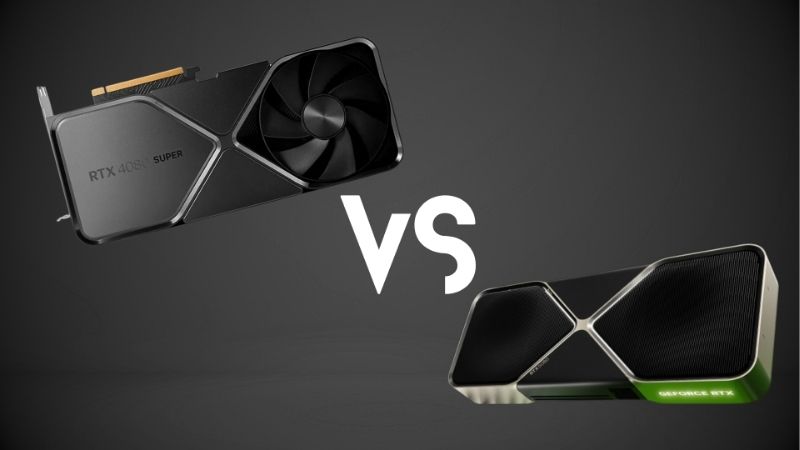
Keep or buy the RTX 4080 Super when you already own one, find a substantially better used deal, or prioritize a strong 1440p/4K experience without paying a large premium for mostly incremental improvements. Its 16GB capacity, ray tracing, DLSS upscaling, and standard Frame Generation remain useful. A well-priced 4080 Super should not be dismissed merely because its architecture is older.
Choose neither when the asking prices have detached from the cards’ gaming value. The original suggested retail prices were approximately $999 for each card at its respective launch, but those historical figures are not reliable October 2026 checkout prices. Compare full, tax-adjusted offers, including condition and warranty, before committing.
| Your situation | Better starting choice | Reason | Check before buying |
|---|---|---|---|
| Building a premium 4K PC; prices close | RTX 5080 | Faster baseline GPU plus RTX 50-series-only frame generation | PSU, cable, board size, actual selling price |
| Already own an RTX 4080 Super | Keep RTX 4080 Super | Modest conventional-FPS uplift from switching | Your actual games and resale value |
| Buying used with a big discount | RTX 4080 Super | Similar core experience for potentially less money | Test card, seller protection, remaining warranty |
| 4K high-refresh display using newer DP features | RTX 5080 | DisplayPort 2.1b UHBR20 capability on reference specs | Monitor, cable, DSC and board connectors |
| 1440p esports with a strong CPU | Either; favor value | CPU limits can hide the GPU gap | Frame-time results in your chosen games |
| Ray tracing with maximum generated-frame flexibility | RTX 5080 | DLSS 4.5 Multi Frame Generation modes where supported | Game support and native/rendered base FPS |
RTX 5080 vs RTX 4080 Super specifications
NVIDIA’s official reference specifications reveal a generational upgrade without an increase in memory capacity. RTX 5080 uses the Blackwell architecture, 10,752 CUDA cores, and 16GB of GDDR7. RTX 4080 Super uses Ada Lovelace, 10,240 CUDA cores, and 16GB of GDDR6X. The newer card’s memory bandwidth is substantially greater, but bandwidth alone does not predict an equal percentage increase in gaming FPS.
| Specification | GeForce RTX 5080 | GeForce RTX 4080 Super |
|---|---|---|
| Desktop GPU architecture | Blackwell | Ada Lovelace |
| CUDA cores | 10,752 | 10,240 |
| NVIDIA reference boost clock | 2.62 GHz | 2.55 GHz |
| VRAM | 16GB GDDR7 | 16GB GDDR6X |
| Memory bus | 256-bit | 256-bit |
| Memory data rate | 30 Gbps | 23 Gbps |
| Theoretical memory bandwidth | 960 GB/s | 736 GB/s |
| PCIe generation | PCIe 5.0 | PCIe 4.0 |
| NVIDIA total graphics power | 360W | 320W |
| NVIDIA recommended system PSU | 850W | 750W |
| Founders Edition DisplayPort | DP 2.1b UHBR20 | DP 1.4a |
| Founders Edition HDMI | HDMI 2.1b | HDMI 2.1 |
| RTX 50-only Multi Frame Generation | Yes, in supported games | No |
| Standard DLSS Frame Generation | Yes, supported titles | Yes, supported titles |
| Original US suggested launch price | $999 | $999 |
Specifications represent NVIDIA reference or Founders Edition designs where applicable. Factory-overclocked and custom-cooled models can have different dimensions, connectors, clocks, noise levels, and power limits. Check the exact part number rather than trusting a generic GPU comparison listing.
Why more memory bandwidth is not the same as more VRAM
The RTX 5080 offers approximately 30% greater theoretical bandwidth than the 4080 Super, rising from 736GB/s to 960GB/s. That helps move data more quickly between the GPU and its on-board memory, which can matter at higher resolutions and in bandwidth-sensitive scenes. It does not give the 5080 30% more memory or guarantee 30% more frame rate. Both cards still hold up to 16GB of video-memory data at once, and a game that needs more than that can encounter capacity pressure on either model.
This distinction matters for shoppers who assume a newer memory standard automatically solves future-proofing. A 16GB graphics card may run today’s demanding 4K games well with an appropriate preset, but large texture packs, path tracing, creation workloads, or poorly optimized titles can still test the capacity ceiling. When the working set exceeds VRAM, changes in texture quality and frame-time consistency matter as much as the average FPS counter.
Real gaming performance: 1440p and 4K
The most useful comparison is a same-test-rig set of native or conventionally upscaled gaming results, not marketing charts that blend frame generation into ordinary performance. At launch, TechSpot’s 17-game RTX 5080 review found the new card about 4% faster at 1440p and 11% faster at 4K than the RTX 4080 Super on average. At 1080p, the two were essentially tied in that suite. These figures are from TechSpot’s January 2025 methodology, not tests conducted by Geek Gaming Tricks in 2026.
Tom’s Hardware’s separate 22-game combined rasterization and ray-tracing suite reported a similar direction: its RTX 5080 was about 5.2% ahead at 1440p and 8.5% ahead at 4K. The two publications used different games, settings, weighting, and test setups, so their figures should be presented side by side rather than averaged into a fictitious single benchmark. Neither test predicts every 2026 game after later drivers and patches.
| Independent test suite | RTX 5080 lead at 1440p | RTX 5080 lead at 4K | Important context |
|---|---|---|---|
| TechSpot, 17-game launch suite (Jan 2025) | About 4% | About 11% | Standard gaming results across that site’s game set |
| Tom’s Hardware, 22-game combined suite (Jan 2025) | About 5.2% | About 8.5% | Rasterization plus ray tracing within one methodology |
| TechSpot, ray-tracing subset (Jan 2025) | About 5% | About 9% | 4K testing used quality upscaling in its RT summary |
The practical conclusion is more useful than choosing one percentage as an absolute truth: the RTX 5080 is generally faster, and the gap tends to become more visible at 4K than at 1440p, but the RTX 4080 Super remains remarkably close. A 4–11% result can make a benchmark chart look different without transforming how a game feels.
What the same-suite results say about individual games
Game engines do not all scale equally. TechSpot reported an approximately 22% RTX 5080 lead in Hogwarts Legacy at 4K, yet only about 5% in Star Wars Outlaws at that resolution. Cyberpunk 2077: Phantom Liberty showed a bigger-than-average 4K benefit in the conventional gaming section, while several other titles were near parity. Some tests even placed the older card ahead at lower resolutions. These examples explain why choosing solely from aggregate charts is risky.
If you spend most of your time in one title, look for measurements taken on that game with similar quality settings, CPU, upscaling configuration, and driver generation. If you play a broad mix, the multi-game average is the better starting point. In both cases, consider 1% lows and frame-time spikes. Smoothness can deteriorate even when the average frames per second appears healthy, particularly during asset streaming or shader compilation.
At 1440p, a fast CPU may matter more
At 2560×1440, either GPU can deliver strong performance in many competitive and single-player games. However, the relative benefit from a faster graphics card shrinks when the CPU, engine, or game simulation becomes the limiting factor. This is why an RTX 5080 upgrade may produce little visible improvement at the same high-refresh setting in some esports titles. A stronger CPU, corrected memory configuration, or less aggressive background workload may affect performance more in those particular circumstances.
For 1440p buyers, start by matching the card to a realistic monitor target: stable high refresh for esports, or heavier visual quality for demanding single-player titles. The 5080 becomes more compelling when you routinely raise settings until the GPU is the bottleneck. If you rarely exceed the performance of a 4080 Super, the extra cost buys unused headroom rather than a radically new experience.
At 4K, the RTX 5080 has a clearer case
At 3840×2160, the GPU processes substantially more pixels, so graphics work plays a larger role. That is where the 5080’s additional compute and bandwidth are most likely to show up. Yet a roughly 9–11% advantage across large launch-review suites is still an incremental step, not a doubling. Imagine a game where the older card delivers 60 rendered fps under one fixed scenario: an 11% increase would be roughly 67 fps, not 100 fps. That arithmetic is illustrative, not a measured result for a named game.
For players targeting 4K 120Hz or higher, settings and upscaling remain central to the experience. Ultra presets are not always a sensible use of GPU resources, even on premium cards. Reducing a costly shadow or volumetric setting can be a more meaningful change than replacing one of these GPUs with the other. Treat the 5080 as the stronger new-buy option when price is reasonable, rather than an urgent replacement for a working 4080 Super.
Ray tracing: improved hardware, modest measured gains
Blackwell adds newer-generation ray-tracing hardware, but an architectural improvement should be judged by actual game behavior. In TechSpot’s launch ray-tracing subset, the RTX 5080 averaged about 5% above the RTX 4080 Super at 1440p and 9% at 4K with quality upscaling. Games varied considerably. Both cards were already high-end ray-tracing options, so moving between them does not guarantee a dramatic difference in a scene dominated by complex lighting effects.
Ray tracing also changes the importance of the rest of the graphics pipeline. Performance depends on how a game implements shadows, reflections, global illumination, denoising, ray reconstruction, and path tracing. It can be limited by compute throughput, memory behavior, or a particular shader workload. Two cards can differ in their theoretical RT specifications without differing by the same margin in gameplay. Read results from the actual RT mode you intend to enable; do not combine RT-on and RT-off benchmarks without labeling them.
Path tracing is where upscaling and frame pacing become critical
A full path-tracing preset can be far more intensive than selective ray-traced reflections. In such games, neither 16GB card should be sold as a guaranteed native-4K, high-frame-rate solution at maximum settings. DLSS Super Resolution can lower the internal rendering workload while producing a higher-resolution output; Ray Reconstruction can improve denoising in supported content. Whether the final image looks better depends on scene motion, the game’s implementation, and the chosen quality mode.
The RTX 5080 can go further with Multi Frame Generation in supported titles, but generated frames are not equivalent to extra engine simulation steps or the same reduction in input delay as a higher rendered frame rate. Start from a responsive rendered baseline before raising the multiplier. Players sensitive to latency should compare input response and frame pacing, not only the FPS number displayed by an overlay.
DLSS 4.5: the most important feature split in 2026
A common error is to write that the RTX 4080 Super cannot use any DLSS 4.5 technology. NVIDIA distinguishes between the family of upscaling and reconstruction models and the hardware-limited frame-generation features. NVIDIA’s January 2026 guidance says the improved DLSS 4.5 Super Resolution model is available for GeForce RTX owners in supported games and NVIDIA app overrides. The RTX 4080 Super can therefore benefit from updated upscaling or compatible DLSS components; it is not limited forever to its original DLSS 3-era image-quality model.
The key exclusive is Multi Frame Generation. RTX 4080 Super supports ordinary Frame Generation in compatible games, while the RTX 5080 supports Multi Frame Generation. NVIDIA’s March 31, 2026 NVIDIA app update also made DLSS 4.5 Dynamic Multi Frame Generation and up to 6X modes available to RTX 50-series users. The 6X maximum requires a compatible title and supporting software; it is not a universal setting that works in every game. NVIDIA identified GeForce Game Ready Driver 595.97 or newer as a requirement for all features described in that specific release.
What each card can actually use
Both GPUs can run DLSS Super Resolution where supported and can access newer transformer-based improvements through compatible releases or the NVIDIA app. Both can use regular Frame Generation in supported games and NVIDIA Reflex technologies appropriate to the game and GPU. Only the 5080 can use NVIDIA’s RTX 50-series Multi Frame Generation modes, including Dynamic adjustments and expanded multipliers. The practical value depends on your game list: someone playing mostly older titles or competitive games with frame generation disabled may gain almost nothing from the newer mode.
For a supported RTX 50-series game, NVIDIA documents a route through the NVIDIA app > Graphics area to DLSS Override – Frame Generation Mode. Selecting Dynamic allows a target such as the display’s maximum refresh rate; choosing Fixed permits an available multiplier. The March 2026 announcement warned that Dynamic mode was not compatible with frame-rate limiters and V-Sync at that time. Do not treat this route as proof that every account, title, driver, or installed configuration exposes the same override: confirm the game is supported and update drivers from NVIDIA before troubleshooting a missing option.
Generated FPS versus actual responsiveness
A 6X generated-output multiplier does not make a game respond as though six times as many frames were fully rendered by the engine. There is still a base frame rate, and the generated intermediate images depend on the real frames, optical-flow information, and frame pacing. Multi Frame Generation can improve apparent fluidity on a high-refresh screen, particularly for visually demanding single-player games, but it should not be used to disguise a sluggish baseline. If a game already delivers excellent native responsiveness, ordinary upscaling or no frame generation may remain the preferable setup.
VRAM: both cards have the same 16GB capacity
The shared 16GB framebuffer is the biggest reason the 5080 is not an automatic long-term upgrade. Newer GDDR7 delivers substantially higher bandwidth, but a title needing more than 16GB of allocated video memory can place pressure on either GPU. You should therefore resist claims that the RTX 5080 will automatically handle every upcoming 4K texture workload simply because it is newer. Memory capacity, memory bandwidth, GPU processing power, and the game engine’s memory management are different variables.
For 4K gaming today, 16GB is a meaningful amount of VRAM for many demanding workloads, but it is not unlimited. Different engines change their texture streaming or quality settings when capacity becomes constrained. As a result, the correct buying test is not merely whether an overlay reports a certain amount of VRAM use. Check for delayed textures, repeated stuttering, significant 1% low drops, or the inability to hold a desired texture preset. When those happen, lowering textures or other memory-heavy settings can be a more immediate remedy than a small generation-to-generation upgrade that retains the same capacity.
Content creation and local AI workloads
For GPU-accelerated video, 3D rendering, and AI software, the 5080 brings newer compute hardware and NVIDIA’s newer video-engine generation. NVIDIA lists two ninth-generation encoders for the RTX 5080, versus two eighth-generation encoders for the 4080 Super. Both support AV1 encoding and decoding. Specific export speed and feature benefits depend on the application’s implementation, driver, codec settings, and exact workload; a raw hardware-generation claim should not be turned into an invented editing-time percentage.
Capacity often decides whether a large project or local AI model fits in GPU memory at all. Because both cards have 16GB, the newer card does not solve a memory-fit problem that requires 20GB or 24GB. Someone primarily doing memory-intensive creative work should check application benchmarks and model-size requirements before treating gaming FPS as a purchasing guide. If the requirement is capacity rather than processing speed, neither of these 16GB cards may be the right upgrade.
Power draw, PSU requirements, and efficiency
NVIDIA specifies 360W TGP and an 850W recommended system power supply for the RTX 5080, versus 320W TGP and 750W for the RTX 4080 Super. This is a planning difference, not proof of a constant 40W real-world gaming gap. Tom’s Hardware measured roughly 297W average board power for the 5080 Founders Edition and 299W for the 4080 Super in its 4K Ultra suite. In that particular method, the newer GPU delivered somewhat more performance at very similar measured board power. Other game suites, power limits, and factory-overclocked models can behave differently.
The correct interpretation is that the 5080 has a higher published board-power envelope and a higher system PSU recommendation, while typical gaming draw can be well below that envelope. Do not substitute a single gaming measurement for safe PSU sizing. CPU selection, GPU transient behavior, system peripherals, and the PSU’s condition all affect the margin you need. A high-quality existing 750W unit could be adequate for some real configurations, but it is not NVIDIA’s published 5080 recommendation and must not be advertised as officially sufficient for every build.
Connectors and installation safety
NVIDIA’s RTX 5080 Founders Edition requirements specify three dedicated PCIe eight-pin leads through the supplied adapter or one PCIe Gen 5 cable rated for at least 450W, with an appropriate power supply. NVIDIA lists similar reference connector choices for the RTX 4080 Super. Different add-in-board products may include different accessories or recommend different PSUs, so check the manual for the exact card purchased. Never mix modular PSU cables across brands or even product families unless the manufacturer explicitly certifies them as compatible.
Before installation, switch the PC off, disconnect power, check the card’s full length and thickness, and ensure the power plug can seat fully without a sharp bend directly at the connector. Avoid forcing the side panel against the cable. If a required power lead is unavailable, use a compatible manufacturer-approved solution or a properly matched PSU; do not improvise a connector arrangement to make the card start.
Display connections, PCIe, and monitor compatibility
RTX 5080 introduces a meaningful connection advantage for users with certain high-bandwidth monitors: its Founders Edition specifications include DisplayPort 2.1b with UHBR20 support and HDMI 2.1b. RTX 4080 Super uses DisplayPort 1.4a and HDMI 2.1-class connections. DisplayPort 2.1b gives the 5080 greater potential link bandwidth for supported high-resolution, high-refresh combinations. However, it cannot make a monitor exceed its actual refresh-rate, timing, DSC, or port limitations, and the GPU cannot produce enough rendered FPS merely because the display link supports a high refresh rate.
NVIDIA advertises up to 4K at 480Hz on the 5080 under specified DSC conditions, compared with up to 4K at 240Hz for the 4080 Super’s reference connection specifications. Those are supported signal/output configurations, not game-performance promises. The full chain has to cooperate: exact graphics-card output, certified cable, monitor input, display settings, and possibly DSC. Many existing 4K 120Hz or 144Hz monitors can still be served well by the older card’s connections. Buy a 5080 for this feature only if your actual display needs it.
PCIe 5.0 does not force a motherboard upgrade
The 5080 uses a PCIe 5.0-capable interface, while the 4080 Super is a PCIe 4.0-era card. PCIe generations are backward compatible within typical desktop GPU slots, so a PCIe 4.0 motherboard can generally host a PCIe 5.0 graphics card. It will negotiate the lower supported link generation, and your actual performance change depends on the workload and full platform. Do not replace a perfectly capable motherboard simply because the RTX 5080 specification sheet says PCIe 5.0.
Check the motherboard’s physical x16 slot location and available lanes, BIOS support for your system, CPU clearance, and enclosure layout. In prebuilt PCs, proprietary PSU wiring and case depth can be greater obstacles than PCIe link speed. A card only delivers value if it installs safely and performs reliably in the existing hardware.
Prices and value in the US: avoid the MSRP trap
Both cards were introduced with US starting prices near $999, but they did not launch at the same time. Those prices describe launch positioning, not a verified purchase option in October 2026. By late October 2026, public US retail trackers were showing volatile, sometimes much higher new-retail asking prices and uneven inventory for these older and newer premium GeForce models. A third-party tracker captures listings at a point in time; it does not guarantee that the product remains available or that shipping, tax, and warranty terms are acceptable at checkout.
For this reason, this guide does not claim one definitive current US price for either GPU. Before purchasing, open an actual US seller’s listing for the exact model, verify the final price and stock, and distinguish new, open-box, refurbished, and used units. The prices of two different factory-overclocked cards cannot be treated as a clean GPU-to-GPU value comparison if one includes an expensive cooler or limited edition styling.
A usable cost-per-frame decision rule
Start with the same game suite and resolution, then compare what you would actually pay. As a simple illustration, suppose a 5080 gives about 11% more 4K performance in a relevant test mix. If the 5080 costs 50% more than a reliable 4080 Super option, paying that premium for conventional gaming speed alone is poor value. That is a hypothetical calculation, not a statement about current selling prices. The result can change if the newer card includes a better warranty, a feature you genuinely use, lower failure risk, or a significant display-port benefit.
Conversely, if both are available new from reputable sellers at nearly the same total price, the 5080 is normally the stronger purchase. Paying close to the same amount for a discontinued or scarce 4080 Super rarely makes sense when a newer GPU offers somewhat more speed and capabilities. There is no single universal dollar gap that settles the question for every buyer because condition, warranty transfer rules, local taxes, and replacement costs differ.
How to judge a used RTX 4080 Super
Used pricing may be the more realistic reason to choose the 4080 Super. Request the exact manufacturer part number, proof that the card works, clear photos of the PCB and connectors, a seller return window, and evidence of stable operation under a sustained demanding game or stress test. Check for display artifacts, unexpected shutdowns, damaged power plugs, excess fan noise, and abnormal thermal behavior. If buying remotely, buyer protection is more valuable than a slightly cheaper listing with no recourse.
Do not assume the remaining warranty transfers automatically to the second owner; check the specific board partner’s terms in the United States. A supposedly discounted used card can become expensive if it arrives defective and the seller provides no remedy. Compare its total risk-adjusted cost with an in-stock, warranted newer card instead of comparing asking prices alone.
Should RTX 4080 Super owners upgrade to RTX 5080?
For an owner who already has an RTX 4080 Super running well, the default answer is no. The published launch test suites do not show a generation-changing native-FPS boost. Both cards have 16GB VRAM, both handle ray tracing, and both support meaningful DLSS upscaling improvements. A 5080 purchase may be justified if you have a confirmed high-value resale offer, need RTX 50-exclusive Multi Frame Generation in several games you actually play, or use a new monitor that benefits from its display interface.
Use your real bottleneck to decide. First capture your average FPS, 1% low, GPU utilization, and frame times in two or three games at your preferred settings. Determine whether lower native performance or visual quality is the actual problem. Then compare those results against trustworthy same-configuration 5080 tests. If the projected improvement is barely perceptible, keeping the 4080 Super is the more rational choice—even if the newer card wins a review chart.
A simple decision checklist for new buyers
Make the purchase a sequence rather than an impulse: confirm a reputable seller and exact SKU; check GPU length, width, cooler clearance, and included power cable; verify the system PSU; note the primary monitor resolution; identify two or three must-play games; and compare current checkout totals. Treat exclusive generated-frame features as an additional benefit, not the only evidence for a faster GPU. If the 5080 commands a large premium and you cannot name a supported feature you would use, the 4080 Super—or a different GPU at that actual price—deserves serious consideration.
Frequently asked questions
Is RTX 5080 much faster than RTX 4080 Super?
Not in ordinary gaming. Independent January 2025 review suites placed the 5080 roughly 4–5% ahead at 1440p and about 8.5–11% ahead at 4K on average, depending on the test mix. Individual games differ. That is useful headroom for a new build but not automatically worth replacing a functioning 4080 Super.
Does the RTX 5080 have more VRAM?
No. Both desktop GPUs have 16GB of graphics memory. The RTX 5080 uses faster GDDR7, while the RTX 4080 Super uses GDDR6X. Faster memory bandwidth does not fix workloads that need more than 16GB of capacity.
Can RTX 4080 Super use DLSS 4.5?
Yes, it can use compatible newer DLSS Super Resolution or reconstruction models, including those made available through supported NVIDIA app overrides. It supports standard Frame Generation in compatible games, but RTX 50-series Multi Frame Generation is not available on RTX 4080 Super. Availability also depends on the particular game and software version.
Does RTX 5080 need an 850W PSU?
NVIDIA’s published recommendation for the reference 5080 is an 850W system power supply; the 4080 Super recommendation is 750W. Real gaming draw can differ significantly from the specified TGP, and individual manufacturers may list different requirements. Size the power supply for the whole PC and the exact card, not one isolated benchmark reading.
Is an RTX 4080 Super still good for 4K gaming?
Yes. It remains a capable high-end 4K card with 16GB VRAM, ray-tracing hardware, and DLSS support. Certain demanding games will benefit from balanced settings or upscaling, and a monitor refresh target matters. The RTX 5080 is faster in most broader test suites but does not make the older GPU obsolete.
Should I pay extra for RTX 5080 Multi Frame Generation?
Only if you play supported games, begin with a sufficiently responsive rendered frame rate, and appreciate smoother output on a high-refresh display. Multi Frame Generation improves presented-frame cadence but does not increase native simulation or input responsiveness by the same multiplier. Competitive players may prefer no generated frames.
Final thoughts
For a fresh desktop purchase at a comparable, trustworthy US checkout price, choose the RTX 5080 for its modestly higher 4K performance, updated ports, and RTX 50-series frame-generation options. If you already own an RTX 4080 Super, keep it unless a specific game, display, or workflow clearly benefits from those changes. Before paying, verify the exact board, seller, warranty, PSU and connector fit, and the final price; if those conditions are unfavorable, neither card is an automatic buy.