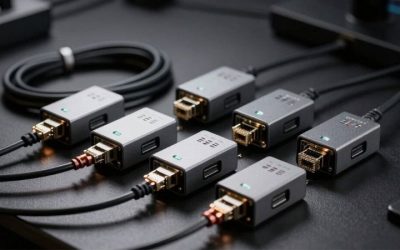
If you want the best MoCA adapters for gaming, start with a Hitron HTEM5 two-adapter kit if your home has usable coax wiring but no Ethernet near your gaming setup. It provides MoCA 2.5 connectivity and a 2.5GbE port on each adapter without requiring you to route a new cable through the walls. The TRENDnet TMO-313C2K is a strong alternative with clearly documented specifications, while the TMO-312C2K can serve an ordinary Gigabit console setup. None guarantees a lower internet ping. The benefit is replacing a potentially variable Wi-Fi hop with a wired coax backbone—provided your outlets, splitters, and cable service are compatible.
Quick verdict: which MoCA setup makes sense?
Best overall starter kit — Hitron HTEM5 (two-pack). Choose this when you need to bridge a router room to a gaming PC or console room and want 2.5GbE headroom. The maker’s US store lists a complete two-adapter kit, including connection cables, which makes its observed sale price compelling. The trade-off is the wiring work: a MoCA-compatible splitter and appropriate point-of-entry arrangement may still be needed.
Best fully documented 2.5GbE alternative — TRENDnet TMO-313C2K (two-pack). Both included TMO-313C units offer a 2.5GbE port and MoCA 2.5. TRENDnet also publishes a detailed compatibility list. Pick it when clarity about the exact hardware and a direct manufacturer-store listing outweigh the difference in observed price.
Best for a Gigabit-only setup — TRENDnet TMO-312C2K (two-pack). This kit uses MoCA 2.5 across coax but has 1GbE Ethernet ports. That is not a defect if the router and gaming device are both Gigabit; it is a hard ceiling if you plan to move large files across a multi-gig home LAN. Check the current price because a faster-port kit may offer better value.
Best familiar ScreenBeam multi-gig alternative — ECB7250K02 (two-pack). This uses two ECB7250 units with 2.5GbE ports and official troubleshooting guidance. The directly observed stocked seller is substantially more expensive than the manufacturer-store alternatives, so choose it for a deliberate brand or support preference, not a presumed ping advantage.
Best single-unit expansion — TRENDnet TMO-313C. Add one documented 2.5GbE MoCA 2.5 node if you already have a working MoCA 2.5 network or a verified MoCA-capable gateway. This is not a complete two-room starter kit by itself.
Legacy Gigabit ScreenBeam option — ECB6250K02 (two-pack). Its MoCA 2.5 coax rating should not distract from the 1GbE port on each adapter. A retailer displays a price and Add to Cart, but current fulfillment was not definitively confirmed; check checkout availability and compare it against the better-priced alternatives before buying.
Best MoCA adapters for gaming compared
| Exact product and package | Key verified connection | Best use | Observed US price, seller (Oct. 29, 2026) | Stock status (Oct. 29, 2026) | Main drawback |
|---|---|---|---|---|---|
| Hitron HTEM5, two-adapter kit | MoCA 2.5; 2.5GbE per adapter; cables and power included | Best first connection between router room and gaming room | $119.99 sale, Hitron US store (listed $159.99) | Orderable — Add to Cart shown | Splitters/PoE filter may be extra; check shared-coax service |
| TRENDnet TMO-313C2K V1, two-pack | Two TMO-313C units; MoCA 2.5; 2.5GbE per unit | Multi-gig starter kit with explicit compatibility documentation | $153.99, TRENDnet US store | Orderable — Add to cart shown | Only one Ethernet port on each unit; cable accessories need checking |
| TRENDnet TMO-312C2K V1, two-pack | MoCA 2.5 coax; 1GbE per unit | Gigabit console/PC connection, if priced appropriately | $131.99, TRENDnet US store | Orderable — Add to cart shown | Cannot deliver more than a 1GbE endpoint link |
| ScreenBeam ECB7250K02, two-pack | Two ECB7250 units; MoCA 2.5; 2.5GbE per unit | ScreenBeam ecosystem and documented MPS support | $235.21, Sandra Network | In stock — seller shows In Stock and Add to cart | Higher observed seller price; availability varies sharply by retailer |
| TRENDnet TMO-313C V1, one adapter | MoCA 2.5; 2.5GbE; single node | Add a gaming room to an existing MoCA LAN | $82.49, TRENDnet US store | Orderable — Add to cart shown | Another MoCA endpoint or active gateway is required |
| ScreenBeam ECB6250K02, two-pack | Two ECB6250 units; MoCA 2.5 coax; 1GbE per unit | Existing ScreenBeam/Gigabit preference | $158.03, PCNation | Unclear — direct listing has Add to Cart, not explicit live inventory | Gigabit ports; stock not independently confirmed at checkout |
How to read this table: A listed two-pack contains two adapters, while the single TMO-313C does not. A 2.5GbE port is useful only if the other equipment can use it; it does not mean an online game consumes 2.5Gbps. Prices are observed US seller-page snapshots, excluding tax, shipping, and local availability. “Orderable” means the page displayed an Add to Cart action; no test order was placed. We did not test these devices or measure their latency.
How we selected these adapters
We prioritized six purchasable configurations, not six unrelated chipsets. Two TRENDnet entries are the same TMO-313C hardware sold as a two-pack and a single expansion node, and the ScreenBeam options differ mainly in the Ethernet port speed. That distinction matters when you plan the actual number of rooms and know whether your router and gaming device support more than Gigabit Ethernet. A product that says “MoCA 2.5” without specifying its Ethernet interface is not a sufficient purchase decision.
The selection process cross-checked manufacturer’s exact-model pages for MoCA version, RJ-45 speed, number of units in the box, compatibility limitations, and supported security options. We then opened US seller listings for the prices and purchase states reported above. We favored complete, orderable starter kits and retained a single-unit expansion option because a second two-pack would be unnecessary for many users with an existing MoCA gateway. No adapters were provided to us, and no original latency, iPerf, signal attenuation, or packet-loss tests were performed.
Independent material helps establish expectations, not a winner-by-ping ranking. The Multimedia over Coax Alliance documents MoCA Home 2.5 as a low-latency, up-to-2.5Gbps MAC-throughput home-network standard. Those are standard-level capabilities, not a guarantee for a particular coax plant. Community tests have reported strong results with short, uncomplicated coax runs, but they do not control for every home splitter, cable modem, firmware version, ISP route, or loaded network. Our “best” labels therefore describe fit, purchasing completeness, and published specifications.
Best overall: Hitron HTEM5 two-adapter kit
The Hitron HTEM5 addresses the most common request behind this search: you have a router near a cable outlet, a console or desktop in another room with a cable outlet, and unreliable Wi-Fi between them. The store’s stated kit contents are two HTEM5 adapters, two coax cables, two Ethernet cables, and two power supplies. That avoids the common mistake of ordering one adapter and discovering that there is no MoCA endpoint at the router. A separately purchased MoCA-compatible coax splitter may still be needed where the modem already occupies the wall outlet.
Each HTEM5 has one 2.5GbE RJ-45 connection and one coax F-type connection. Hitron documents MoCA 2.5, a 1125–1675 MHz operating band, backward compatibility with prior MoCA generations, and status LEDs. The manufacturer also describes an accessible management interface. These features are useful for determining whether the link has formed and for maintaining firmware; they are not proof that its real-world ping beats another MoCA 2.5 adapter by a measurable amount.
At the manufacturer-store sale price we observed, this was the most attractive complete multi-gig starter kit in the comparison. The qualification is important: a two-pack alone does not fix a poorly connected coax network. If the two outlets terminate on separate, disconnected wiring runs—or a satellite-system splitter, incompatible amplifier, or mismatched filter is in the path—the adapters might never establish the expected MoCA link. On a shared cable-modem feed, coordinate the splitter and point-of-entry filter arrangement with your ISP or installation documentation.
A console with a standard Gigabit Ethernet port will still negotiate a Gigabit endpoint link, even if both adapters have 2.5GbE. The extra port capacity is a hedge for a future multi-gig PC or for a downstream 2.5GbE switch; it is not an online competitive advantage in itself. The sensible reason to buy HTEM5 is a complete, documented two-endpoint setup with room to expand without replacing the adapter hardware immediately.
Buy it if: you want a ready-to-plan MoCA pair for a gaming room, use ordinary cable-style coax in the home, and value 2.5GbE headroom at the current observed price. Skip it if: you have no continuous coax path, only isolated satellite wiring, or want a device that replaces your router or cable modem. Before checkout: verify the HTEM5 two-adapter kit, the seller’s current sale and availability, and whether a splitter/filter is required for your exact cable-service topology.
Best 2.5GbE documentation: TRENDnet TMO-313C2K V1
TRENDnet’s TMO-313C2K is an explicit two-unit bundle of TMO-313C adapters. That naming clarity matters when a retailer mixes pictures of a one-pack and a two-pack. The company specifies MoCA 2.5 networking over coax, one 2.5GbE Ethernet port on each unit, backward compatibility with MoCA 2.0/1.1/1.0, and a maximum network of 16 MoCA nodes. The V1 technical documentation also spells out its operating band and equipment exclusions. We would rather see these details than a generic “gaming-speed” label.
The appropriate scenario is a multi-gig router on one side of an already-connected coax network and a PC, switch, or wireless access point with a 2.5GbE port on the other. With properly matched ports, the adapter avoids introducing a deliberate 1GbE Ethernet bottleneck at either endpoint. It still cannot create a 2.5Gbps internet plan, guarantee that the WAN will keep up, or make the whole household’s shared coax link behave like a dedicated full-rate Ethernet cable under all traffic conditions.
TRENDnet also offers the individual TMO-313C under a different product listing. That makes a phased rollout practical: a two-pack for the initial bridge and one additional unit for another connected coax room later. However, placing three nodes on the same coax network means they share the underlying network capacity. If several people are moving large PC game libraries or backups while another player is online, queue management at the router and congestion elsewhere still matter.
Compatibility deserves attention. TRENDnet specifically excludes DIRECTV, DISH Network, AT&T U-verse, and non-MoCA subscription services from this product’s intended network use. That is more meaningful than trying to infer compatibility simply because a wall jack accepts an F-type coax plug. Also inspect the package accessories for your chosen seller; the manufacturer’s single-unit accessory list should not be assumed to match every retail two-pack’s cables or splitters.
Buy it if: you want two clearly specified 2.5GbE MoCA nodes and prefer direct manufacturer purchasing and documented support. Skip it if: a 1GbE bridge is entirely sufficient and a less expensive complete kit is in stock, or your coax service is expressly unsupported. Before checkout: confirm the TMO-313C2K suffix, Version V1, and the two-unit bundle—not a single TMO-313C listing.
Best for standard Gigabit gaming: TRENDnet TMO-312C2K V1
The TMO-312C2K solves the same basic physical problem as its newer-looking sibling but has an important specification difference: each included TMO-312C unit has a Gigabit Ethernet port. Its coax-side protocol is still MoCA 2.5. The manufacturer describes up to 2.5Gbps capacity across the MoCA network, yet an individual wired PC or console attached to a 1GbE RJ-45 port cannot use a faster Ethernet link through that adapter. Confusing the coax network rating with the per-port rating is a common way to overpay for the wrong capability.
For a living-room console, a 1GbE port is not automatically a serious handicap. Gameplay consumes dramatically less bandwidth than large file downloads, and the consistent wired link can matter more than an unused multi-gig port. If the room’s router, switch, and console all top out at Gigabit, the physical connection can perform the intended job. You should still inspect the price: in our same-date seller snapshot, TRENDnet’s 2.5GbE TMO-313C2K was only modestly higher, and the Hitron HTEM5 kit was listed for less. Those observations are not a promise that the relative prices will remain so.
The TMO-312C2K may be appealing if you already use TMO-312C units, need a matched pair for support simplicity, or encounter a genuine local discount. It is less attractive as a future-proof purchase for a home with 2.5GbE NAS, gaming desktops, and multi-gig switches. It is also not a compatibility escape hatch: TRENDnet gives the same satellite television and AT&T U-verse exclusions as the TMO-313C family. Any relevant splitters, cable amplifiers, or point-of-entry provisions still require attention.
Buy it if: your installation is genuinely Gigabit end-to-end and this exact two-pack is attractively priced at checkout. Skip it if: you already own a 2.5GbE gaming PC or intend to use the coax bridge for fast local game transfers. Before checkout: verify that the listing says TMO-312C2K rather than TMO-313C2K; a single digit changes the Ethernet port speed.
Best ScreenBeam multi-gig alternative: ECB7250K02
The ScreenBeam ECB7250 is a familiar MoCA 2.5 adapter with one 2.5GbE Ethernet port. The ECB7250K02 buying configuration is the two-adapter kit, whereas ECB7250S02 is a single-unit variant. The manufacturer’s materials document backward compatibility with older MoCA versions, support for MoCA Protected Setup, and a full two-endpoint installation path. ScreenBeam also maintains public troubleshooting and firmware information, which can be useful long after the purchase if a gateway change affects the coax network.
Its technical proposition is straightforward: make the home’s existing cable-style coax act as a wired network segment. This makes it a legitimate alternative for a room where Wi-Fi signal strength varies with doors, walls, or a mesh node’s wireless backhaul. However, the adapter cannot repair packet loss beyond your router, resolve overloaded ISP routes, or lower the latency of a game server geographically far away. Treat the product’s speed rating as a local network capability rather than a promise about online-game response.
The buying caveat is retail availability and price. We observed an in-stock ECB7250K02 listing at Sandra Network for $235.21, while other ScreenBeam retailer pages showed different inventory states. That price is higher than the other complete 2.5GbE kits in this comparison at their observed sellers. There is no basis to declare the ScreenBeam faster in games simply to justify the difference. It is sensible when your preferred seller, company procurement process, brand ecosystem, or support expectations make its overall offer attractive.
ScreenBeam warns that some DOCSIS 3.1 cable-modem installations can overlap MoCA frequencies and cause intermittent disconnects. Its support guidance calls for proper point-of-entry filtering, MoCA-compatible splitters, sound coax connectors, and suitable amplifier placement. Do not troubleshoot such a problem by blindly adding a filter wherever there is a free coax connector; a misplaced filter can prevent the adapters from seeing one another.
Buy it if: you prefer ScreenBeam hardware and find an appropriately priced, clearly in-stock ECB7250K02 two-pack. Skip it if: you are paying a large premium solely because a marketing page says “gaming” or “low latency.” Before checkout: distinguish the two-pack K02 from single-unit S02, confirm the actual seller’s stock, and check the manufacturer’s service-specific cautions.
Best for adding one more gaming room: TRENDnet TMO-313C
A single TMO-313C is the more rational purchase when you already have MoCA working at the router and at another room. It is the same 2.5GbE-equipped design supplied in the TMO-313C2K kit, but the individual listing includes only one MoCA adapter. That prevents an unnecessary extra unit from ending up unused. You can connect it at another coax outlet, then attach a PC, game console, or a conventional Ethernet switch for multiple devices in that room.
This is also useful when your gateway already contains a MoCA endpoint that you have confirmed is enabled and compatible. That confirmation is crucial: a coax connector on a modem does not automatically mean the router exposes a usable MoCA LAN interface. Some gateways have the feature disabled, locked by a provider, or implemented with an earlier standard. A new 2.5GbE adapter can work with older MoCA technology but will not make that existing gateway a multi-gig endpoint.
TRENDnet’s one-pack store page shows the exact V1 unit and a 2.5GbE port. The cost comparison should be based on total project needs, not just the cheaper sticker price of one box. If you have no existing MoCA network, you generally need a second endpoint and must budget for it. Two separately purchased singles may not be the best deal compared with a purpose-built two-pack, and splitters or a filter can increase the actual installation cost.
Buy it if: one additional coax room is being added to a working MoCA network, or you have a verified compatible MoCA gateway at the other end. Skip it if: this would be the first and only MoCA device you own and your router has no MoCA functionality. Before checkout: confirm the other endpoint, the coax path, and the one-adapter package contents.
Alternative for ScreenBeam Gigabit networks: ECB6250K02
The ECB6250 two-adapter kit uses MoCA 2.5 on coax but provides 10/100/1000 Ethernet, not 2.5GbE. ScreenBeam’s own product page explicitly limits attached Ethernet-device throughput to 1.0Gbps, and its technical data explains that the coax network and individual Ethernet interfaces are separate constraints. This is an acceptable option for a Gigabit connection but not a multi-gig upgrade for an existing fast PC or NAS.
The strongest reason to consider it is continuity with an installed ScreenBeam Gigabit MoCA deployment. A matched kit and familiar documentation may reduce the burden of figuring out a mixed-vendor setup. It can also help when only standard 1GbE ports exist on both ends, provided it is priced competitively. The trouble is that a technically adequate 1GbE kit can still be a poor purchase if currently listed for more than an orderable 2.5GbE alternative.
PCNation displayed a $158.03 listing with Add to Cart for ECB6250K02. The page did not independently establish live inventory at a selected destination, so its stock status is listed as unclear rather than “in stock.” Treat this as a conditional option and check checkout before relying on it. It is not our top pick while a complete, currently orderable 2.5GbE kit is available from a manufacturer’s own store at the observed price.
Buy it if: you specifically want a matched ECB6250 two-pack for an existing Gigabit MoCA environment and can verify a reasonable checkout price. Skip it if: you want 2.5GbE endpoint speed, or the seller cannot confirm stock. Before checkout: compare against the ECB7250 and the alternative 2.5GbE kits; do not assume identical port speeds from the common MoCA 2.5 label.
How to choose the right MoCA adapter for a gaming setup
Separate MoCA capacity from Ethernet port speed
MoCA 2.5 describes the coax networking standard and its shared capacity; 2.5GbE describes the speed of the RJ-45 Ethernet port attached to a PC, router, or switch. A MoCA 2.5 adapter with a 1GbE port is constrained to a 1GbE link at that local interface. For an ordinary wired console, a Gigabit port is often enough. For copying an installed game from a NAS, moving capture footage, or using a 2.5GbE desktop, the multi-gig port becomes more relevant. Neither number substitutes for stability, low jitter, or a healthy internet route.
The PC’s network adapter and the router or switch ports matter as well. A 2.5GbE MoCA unit connected to a 1GbE router LAN port will negotiate at the slower supported rate. You may also have a fast coax link but a slower WAN plan; that is not a hardware failure. Check the actual port labels and device specifications at both ends before buying the more expensive option.
Decide whether you need one adapter or a pair
A typical network has one adapter at the router-side coax outlet and another near the gaming device. The path looks like this: router LAN → Ethernet → MoCA adapter → connected in-wall coax → second MoCA adapter → Ethernet → gaming PC or console. If the router already has a verified enabled MoCA LAN endpoint, you may need only one external adapter. If you are starting from scratch, a single unit cannot magically connect two ordinary non-MoCA Ethernet ports.
For a third room, add another compatible endpoint to the same coax network. The supported node count is not the same as guaranteed full throughput for every node simultaneously; several active rooms share the medium. If a gaming room has a PC, console, and streaming box, one adapter feeding a suitable Ethernet switch can be simpler than one MoCA adapter per device.
Audit the coax topology, not just the wall jack
Two coax wall outlets can be physically present and still be disconnected from each other. Some older homes have unused cables gathered at an exterior box or a utility closet. Others have coax routed through splitters and amplifiers intended for TV bands. Find out whether the outlets you want belong to a common coax system and whether every component along the path passes MoCA’s high-frequency signals. For the D-band MoCA 2.5 products in this roundup, look for splitters specifically rated through at least 1675 MHz where required by the manufacturer’s guidance.
A point-of-entry filter may be needed where a cable-company coax feed enters the home so MoCA signals do not leak outside or interact with neighboring networks. However, filter placement matters. If you put a MoCA-blocking filter between the two rooms you intend to bridge, the link can fail. In modern cable systems, DOCSIS frequency plans can overlap some MoCA bands, so coordinate the appropriate filter and gateway arrangement with the ISP rather than applying a universal diagram blindly.
Match the adapter to the internet service
Cable TV and traditional cable internet installations often provide usable coax infrastructure, but the presence of a cable modem is not enough to guarantee an easy installation. Satellite installations such as DIRECTV or DISH generally use different RF equipment; the makers of several adapters listed here explicitly rule them out. AT&T U-verse coax arrangements may also be unsupported. Fiber internet is not inherently incompatible: a router connected by fiber-fed Ethernet can send LAN traffic onto a separate, suitable coax network through MoCA adapters. What matters is the actual coax topology and services sharing it.
In apartments, shared risers and building-owned coax can create both access and network-isolation issues. Do not rewire a common distribution panel or alter provider equipment without permission. Confirm whether the coax line is yours to use and consult the provider about point-of-entry isolation and MoCA security features. A private dedicated coax run between two rooms is a different case from a building network that multiple subscribers use.
Account for the whole installation cost
Compare complete two-endpoint prices when starting a network. Add any missing short coax cables, Ethernet patch leads, suitable splitters, a correctly positioned PoE filter where appropriate, and perhaps a switch at the destination. Verify whether accessories are included rather than assuming a product photo represents the box contents. A cheap single adapter is not the cheapest solution if you still need another unit and several compatible coax accessories.
Review the return policy before cutting any existing cable or changing a complicated splitter arrangement. The greatest buying risk is often an unusable coax path, not that one well-specified MoCA 2.5 adapter is slightly slower than another. Test the link using a known connected pair of outlets before investing in multiple expansion nodes.
Setup: connect a gaming PC or console over MoCA
Use the model-specific installation guide for the exact hardware you purchase; labels and security buttons differ. The sequence below is a general wired-LAN layout, not a substitute for a cable provider’s RF installation rules.
- Verify the route first. Identify a coax outlet near the router and another near the gaming device. Trace or confirm the shared coax network. Determine whether your gateway already has enabled MoCA and whether the outlets pass through compatible splitters or an amplifier. If you cannot confirm shared wiring, stop and ask your ISP or a qualified low-voltage technician rather than buying blindly.
- Prepare the coax network safely. Consult the ISP about the correct point-of-entry isolation/filtering if a provider cable feed is involved. If a coax outlet is occupied by the cable modem, use a suitable MoCA-compatible splitter as documented by the hardware maker and ISP. Do not disconnect a shared building feed or place a filter in the intended adapter-to-adapter path.
- Wire the router end. Connect a LAN port on the router to the first adapter’s Ethernet port. Connect that adapter’s coax port to the appropriate coax branch, then connect its supplied power adapter. Do not attach the MoCA unit’s Ethernet lead to the modem’s WAN side unless the product and network design explicitly require that architecture.
- Wire the gaming-room end. Connect the second adapter to the other confirmed coax outlet and power. Run an Ethernet cable from its RJ-45 port to the gaming PC, console, or a suitable switch. If you are using a one-unit expansion purchase, the other functioning MoCA endpoint must already exist.
- Confirm the link lights. Check that both units have power, an established MoCA/coax link, and an Ethernet link according to their manuals. A power LED alone does not prove that the coax path works. Some units take time after power-up to negotiate their MoCA link.
- Verify the gaming device’s network path. Confirm that the PC or console has received a valid network address from the intended router and can reach the internet. On Windows 11, open Settings > Network & internet > Ethernet to inspect the active wired connection. Do not infer internet connectivity from the coax LED alone.
- Compare a repeatable baseline. Test a game or network task at the same time of day before and after changing the local connection. Record whether packet loss, ping variation, or interruptions improve. Keep Wi-Fi disabled on the test PC where appropriate so you know which network path is active. Do not expect the reported game-server ping to drop by a fixed amount.
If the MoCA link does not come up, first test whether the two adapters link over a short known-good coax cable in the same room, following the maker’s documentation. That isolates the devices from the in-wall wiring. If the pair links locally but not between rooms, inspect connectivity between the coax branches, splitter ratings and orientations, amplifier placement, and interference. If the adapters link but the PC has no internet, inspect the router-side LAN connection, DHCP configuration, and Ethernet link rather than replacing the coax immediately.
Does MoCA improve ping, jitter, or packet loss?
MoCA can make the local link more consistent than a noisy Wi-Fi connection, particularly where walls, neighbor networks, or wireless mesh backhaul cause unstable retransmissions. The industry alliance describes MoCA Home 2.5 as a low-latency wired medium, but a standards figure is not a measurement of the particular adapter sitting behind your desk. Using coax does add another network segment and processing path; the relevant question is whether replacing an inconsistent Wi-Fi hop improves the complete experience.
Game responsiveness is affected by the device’s input and display pipeline, the local network, router queuing, ISP congestion, server location, and game engine. A stable MoCA link cannot eliminate a saturated upstream connection or route a distant server closer to your home. If upload traffic causes spikes, router queue management may deserve more attention than changing among adapters with the same MoCA standard. No credible source supports a universal claim that an expensive ECB7250 cuts ping by a specific number of milliseconds compared with an HTEM5 or TMO-313C in every house.
Think of the desired outcome in three separate measurements: local link stability, connection capacity, and end-to-end game-server behavior. Confirm the adapter link does not repeatedly reset. Check whether your device negotiates 1GbE or 2.5GbE as expected. Finally, monitor several real gaming sessions for stutters and variable ping rather than assuming a speed-test download number predicts shooter performance. This distinction protects you from spending money on the wrong layer of the connection.
Common installation mistakes that waste money
Buying a single adapter for two ordinary Ethernet devices
The coax network needs MoCA capability at both ends. A modem with a coax WAN input is not automatically a MoCA LAN endpoint. If the gateway offers no enabled MoCA function, buy a two-pack or two compatible singles. Treat single-node products as expansion purchases unless you have verified the existing endpoint.
Assuming a MoCA 2.5 label means 2.5GbE at the PC
It does not. TRENDnet’s TMO-312C2K and ScreenBeam’s ECB6250K02 are MoCA 2.5 products with Gigabit Ethernet ports. They may work well for console gaming, but a 2.5GbE PC cannot negotiate its full interface speed through those particular RJ-45 ports. When you plan local file transfers, read the explicit Ethernet interface specification and confirm every other device’s port capability.
Connecting to a coax leg blocked by a filter or amplifier
A MoCA-blocking point-of-entry filter is useful at the right boundary, but the same filter on an internal segment can separate two adapters. Traditional amplifiers and low-frequency splitters may also interrupt the D-band path. Diagnose the physical route; do not assume coax wires are connected just because they emerge from similar wall plates.
Using satellite or provider-owned coax without checking
The F-type connector looks the same across several services, but its operating frequencies and network ownership differ. TRENDnet and ScreenBeam list exclusions that include satellite and some AT&T arrangements. If a provider controls the coax plant, verify compatibility and get permission before modifying splitters, security, or ingress filters.
Believing throughput marketing is a ping benchmark
A stated 2.5Gbps rate is a capability of the standard or adapter interface, not a promise about internet speed, Wi-Fi replacement, or server response time. Neither a 2.5GbE port nor a higher price demonstrates better online-game performance in an untested house. Use the hardware to remove an unreliable wireless hop, then test the new connection honestly.
Frequently asked questions
Is MoCA better than Wi-Fi for gaming?
It can be a better connection when Wi-Fi is unstable or has inconsistent latency, because MoCA uses existing coax instead of a radio path between rooms. It is not automatically faster in every home. An uncomplicated nearby Wi-Fi connection may already be satisfactory, while a coax network with bad splitters can perform poorly. Dedicated Ethernet remains the most straightforward wired option when practical.
Do I need two MoCA adapters for a PS5, Xbox, or gaming PC?
Usually two if the router has no enabled MoCA LAN function: one near the router and one near the gaming system. You may only need one if your gateway already exposes a verified compatible MoCA endpoint. The console or PC simply connects through its ordinary Ethernet jack, so it does not need built-in MoCA support.
Does MoCA 2.5 guarantee 2.5Gbps download speeds?
No. MoCA’s advertised capacity is not your internet plan speed, and multiple nodes share the coax medium. A 1GbE adapter port, router port, console port, or WAN subscription can limit the delivered rate. Even with 2.5GbE throughout, cable condition and network load affect usable throughput.
Can I use MoCA with Xfinity, Spectrum, Cox, or fiber internet?
It can be feasible on an appropriately configured coax network. With cable internet, pay attention to DOCSIS frequency overlap, gateway support, splitters, and filter placement. With fiber internet, a router’s Ethernet LAN can feed a separate coax distribution network through a MoCA adapter. Check the actual hardware topology and provider rules rather than assuming all plans or gateways behave the same.
Can I use MoCA with DIRECTV, DISH, or AT&T U-verse?
Do not assume it will work. Several models in this roundup expressly exclude those systems, and shared satellite/provider coax may operate differently. Use a separate supported coax run only if the provider and equipment documentation allow it; otherwise choose Ethernet or another approved networking method.
Can I connect multiple gaming devices to one MoCA adapter?
Yes, an Ethernet switch connected to the adapter can provide ports for a PC, console, and streaming device at the same location. The switch does not increase the MoCA segment’s underlying shared capacity. Choose a 2.5GbE uplink if moving large local files is a priority and both the adapter and switch support it.
Will mixing MoCA 2.0 and MoCA 2.5 devices work?
These products generally advertise backward compatibility, but the capabilities of an older node can constrain a mixed installation. The gateway’s integrated MoCA version is especially important. Verify compatibility with the chosen manufacturer’s guidance before expecting full MoCA 2.5 performance from a mixed network.
Should I buy a MoCA filter and splitter with the kit?
Possibly. A point-of-entry filter often matters when MoCA shares a cable-provider coax distribution network, and a MoCA-rated splitter may be needed if a wall outlet already serves a cable modem or TV. The right parts and placement depend on the ISP’s DOCSIS configuration and the coax topology. Follow current manufacturer and ISP guidance rather than buying a generic filter and installing it anywhere.
Final thoughts
For most US homes with usable cable-style coax and no Ethernet in the gaming room, the Hitron HTEM5 two-pack is the first kit to compare because it combines two complete MoCA 2.5 endpoints, 2.5GbE ports, and an observed manufacturer-store purchase path. The TRENDnet TMO-313C2K is the clearest alternative when you prefer TRENDnet’s detailed hardware documentation; buy a single TMO-313C only for expansion or a verified MoCA gateway. Gigabit-only kits such as the TMO-312C2K and ECB6250K02 can be adequate, but evaluate their actual port ceiling and current price. Before placing any order, verify the coax path, provider compatibility, package count, splitter/filter needs, and seller stock. Those checks matter more than a promise of lower ping that nobody measured in your home.