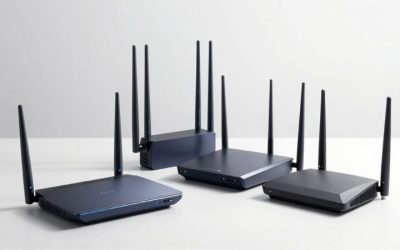
If you are shopping for the best gaming routers for apartments, start with the TP-Link Archer BE550 for a balanced Wi-Fi 7 setup, or the TP-Link Archer AX55 if you have a modest internet plan and want an inexpensive wired gaming connection. The ASUS TUF Gaming BE9400 adds gaming-specific traffic controls, while the Archer GE650 offers faster Ethernet options for demanding shared setups. An apartment changes the buying equation: nearby networks compete for airtime, your router may be stuck beside the front door, and a stronger radio cannot defeat thick walls or a congested ISP connection. This guide compares six exact US-market routers, their trade-offs, and the setup decisions that matter more than an advertised speed class.
Quick verdict: the right router for your apartment
Best overall for most apartments — TP-Link Archer BE550. This tri-band Wi-Fi 7 router has 2.4, 5, and 6 GHz radios and five 2.5GbE ports: one WAN and four LAN. It is a sensible choice if a nearby gaming PC can use 6 GHz or Ethernet while roommates keep their devices online. Its 6 GHz band does not have the same reach through walls as 5 GHz, and the 2.5GbE WAN is not designed for plans above 2.5Gbps.
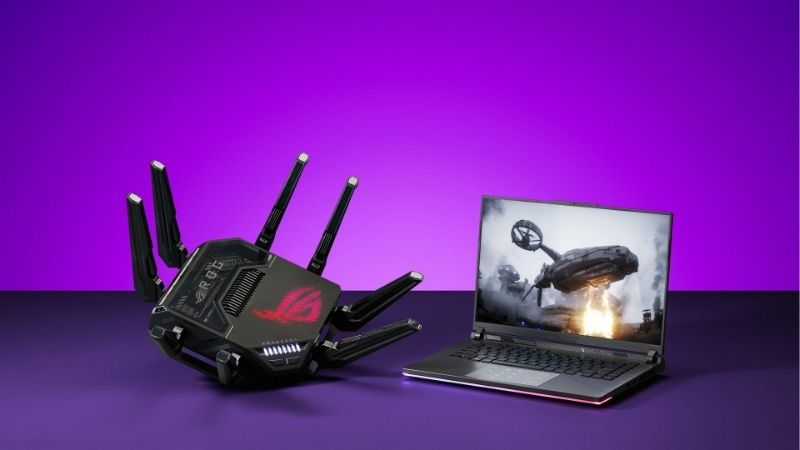
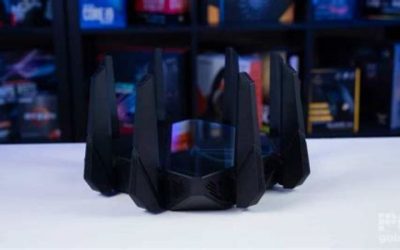
Best dedicated gaming controls — ASUS TUF Gaming BE9400. The gaming port, Adaptive QoS, mobile game mode, and OpenNAT settings are worth considering if several people share a connection. It is still a conventional router, not a method for bypassing slow game servers or a congested building network. Its six external antennas and body need more clearance than a small vertical router.
Best for a serious shared gaming setup — TP-Link Archer GE650. This tri-band gaming router pairs a 5Gbps WAN port with a 5Gbps LAN port and three 2.5GbE LAN ports. It adds game-device and application prioritization, but its size, lighting, price, and multi-gig ambitions are harder to justify in a one-bedroom apartment on an ordinary broadband plan.
Best for a multi-gig internet upgrade — ASUS RT-BE92U. Its 10Gbps configurable WAN/LAN port, another 2.5Gbps WAN/LAN port, and three 2.5Gbps LAN ports offer unusual wired flexibility. It is a stronger fit for a power user with a multi-gig fiber handoff than for someone chasing a lower ping on a 300Mbps plan. Actual service speeds and port assignment depend on the installation.
Best for configurable networking and VPN workflows — GL.iNet Flint 2 (GL-MT6000). This Wi-Fi 6 router has two 2.5GbE ports, four Gigabit LAN ports, DFS-capable 5 GHz operation, and OpenWrt-based configuration. Its value is control, not a 6 GHz band: there isn’t one. Advanced settings can help a careful user but introduce complexity that a plug-and-play buyer may not want.
Best budget apartment router — TP-Link Archer AX55. For a small apartment, Gigabit-or-slower service, and a gaming PC or console that can use Ethernet, this dual-band Wi-Fi 6 model may be all the hardware you need. It gives up 6 GHz and multi-gig ports, so people in especially crowded 5 GHz environments should weigh the savings against a tri-band alternative.
Apartment gaming router comparison
| Router and exact model | Verified wireless and wired configuration | Best apartment use | Observed US listing, October 29, 2026 | Seller page status | Main drawback |
|---|---|---|---|---|---|
| TP-Link Archer BE550 (BE9300) | Tri-band Wi-Fi 7; 2.4/5/6 GHz; 1×2.5GbE WAN and 4×2.5GbE LAN | Best overall for a busy one- or two-bedroom apartment | $249.99, B&H Photo Video | In Stock; Add to Cart | No 10GbE; 6 GHz loses strength through walls |
| ASUS TUF Gaming BE9400 (TUF-BE9400) | Tri-band Wi-Fi 7; 1×2.5GbE WAN and 3×2.5GbE LAN; gaming prioritization | Players who need accessible game traffic controls | $279.99, B&H Photo Video | In Stock; Add to Cart | Larger six-antenna chassis; coupon terms may change |
| TP-Link Archer GE650 (BE11000) | Tri-band Wi-Fi 7; 1×5GbE WAN, 1×5GbE LAN, 3×2.5GbE LAN | Roommates with multiple gaming and transfer-heavy devices | $299.99, B&H Photo Video | In Stock; Add to Cart | More costly and conspicuous than most apartments need |
| ASUS RT-BE92U (BE9700) | Tri-band Wi-Fi 7; 1×10GbE WAN/LAN, 1×2.5GbE WAN/LAN, 3×2.5GbE LAN | Apartment with multi-gig fiber or fast local file transfers | $289.99, Best Buy, model RT-BE92U, SKU 6594276 | Add to Cart; orderable page | No gaming-only advantage; verify selected WAN/LAN assignment |
| GL.iNet Flint 2 (GL-MT6000) | Dual-band Wi-Fi 6; 1×2.5GbE WAN, 1×2.5GbE WAN/LAN, 4×1GbE LAN | Advanced users needing VPN, custom DNS, or flexible routing | $169.99, GL.iNet US store, US warehouse/plug | Add to cart; orderable page | No 6 GHz; advanced controls require attention |
| TP-Link Archer AX55 (AX3000, 1G variant) | Dual-band Wi-Fi 6; 1×1GbE WAN, 4×1GbE LAN | Budget 1Gbps-or-slower setup with wired PC/console | $74.99, B&H Photo Video | In Stock; Add to Cart | No 6 GHz and no multi-gig port |
Price and availability note: These figures were read from the exact listed US seller pages on October 29, 2026 during research. B&H promotions and in-cart coupons are temporary, and a retailer may show a different price by the time you check out. The AX55 listing has a separate 2.5GbE configuration selector; the price above refers to the clearly identified 1G Ethernet Only configuration. The RT-BE92U number is the Best Buy-sold product, not a cheaper refurbished or marketplace alternative. Taxes, shipping, ZIP-code inventory, and eligibility for promotions can change the total. We did not place orders or physically test any router.
How these six routers were selected
We prioritized one-router apartment setups before whole-home coverage claims. Six separate devices make the shortlist because they answer different decisions: value and 6 GHz, built-in gaming prioritization, higher-speed ports, multi-gig expansion, configurable traffic management, and a low-cost Gigabit baseline. The selection is based on manufacturer specifications, directly opened US retailer listings, and independent router testing from RTINGS, WIRED, and other published reviewers. Any reviewer test findings remain those reviewers’ work. This article contains no original ping measurements, wireless throughput benchmarks, range maps, or hands-on impressions.
Gaming traffic generally needs modest sustained bandwidth but reacts badly to jitter, packet loss, and long queues. A router can help when a weak Wi-Fi connection, overloaded local radio, or competition among household devices is the actual bottleneck. It cannot remove the distance to a game server, change the quality of an ISP peering route, or guarantee that a wireless connection equals a properly installed Ethernet cable. That limitation is central to how we assign the “best” labels: they are buying-fit judgments rather than laboratory latency rankings.
For apartments, we also weighted desk and shelf practicality. A short Ethernet run to a gaming rig can be more useful than buying an oversized router. A separate 6 GHz radio can provide a cleaner nearby wireless option for compatible Wi-Fi 6E or Wi-Fi 7 devices, but it is not a magic through-wall coverage band. We included two Wi-Fi 6 models deliberately because many consoles, older PCs, and budget households will not benefit proportionally from paying for Wi-Fi 7 features they cannot use.
Best overall: TP-Link Archer BE550
The Archer BE550 is the most balanced recommendation for a modern apartment because it combines the features that can genuinely matter on a busy floor without demanding a premium gaming-router budget. TP-Link identifies it as a BE9300 tri-band Wi-Fi 7 model with separate 2.4, 5, and 6 GHz radios. More importantly, its five Ethernet connections are all rated for 2.5Gbps: one WAN and four LAN. That provides useful headroom for a 2Gbps internet service and several capable wired devices while allowing a straightforward Gigabit console to connect normally.
A small floor plan often places the router close enough to a gaming laptop or Wi-Fi 6E desktop adapter to make the 6 GHz radio worthwhile. Other nearby routers may be numerous on 2.4 or 5 GHz, particularly in an apartment tower. A compatible laptop in the same room can use 6 GHz while older phones, streaming boxes, and smart-home devices remain on their supported bands. The device’s Wi-Fi 7 features, including 320 MHz channel support and Multi-Link Operation, depend on a matching client, software, and suitable regulatory or radio conditions. Do not expect a Wi-Fi 5 console to gain those features automatically.
The BE550 is also physically easier to accommodate than several enthusiast routers. Its internal-antenna vertical form factor avoids a ring of projecting antennas, which can help on a narrow shelf. That does not permit placing it behind a television, in a metal media cabinet, or next to a microwave. It still needs an open location and ventilation. If your internet handoff is stuck at the far end of the apartment, experiment with positioning first; a poorly placed premium router can underperform a well-positioned budget unit.
TP-Link lists EasyMesh compatibility, which is an option for future expansion if your floor plan turns out to have a genuine dead zone. However, most small apartments should start with one router. An extra wireless mesh hop can add airtime competition, especially if the connection between nodes is weak. If you eventually add a node, a wired backhaul or a carefully chosen placement can be a better approach than placing the extender exactly where the signal is already bad.
The main limitation is not raw speed. The Archer BE550 is a general-purpose router rather than a model whose identity revolves around a gaming dashboard. You can use standard prioritization and configuration tools where supported, but it is not the same product as TP-Link’s GE gaming series. The 2.5GbE WAN also establishes a clear boundary for those with faster-than-2.5Gbps internet service. For them, the ASUS RT-BE92U’s 10GbE-capable port or the GE650’s 5GbE options may be more appropriate.
Buy it if: you share a one- or two-bedroom apartment, want 6 GHz for compatible nearby gear, and need several wired ports without enthusiast styling. Skip it if: all your devices are Gigabit-only, your existing Ethernet connection is already stable, or your ISP plan justifies a WAN port faster than 2.5Gbps. Before checkout: verify the exact Archer BE550 model, not the similarly named BE550 Pro or a BE-series dual-band router without 6 GHz.
Best gaming-specific controls: ASUS TUF Gaming BE9400
ASUS’s TUF Gaming BE9400 is aimed at the buyer who wants router controls built around gaming rather than simply a capable network switch and wireless access point. Its official US specifications confirm tri-band Wi-Fi 7, with 2.4, 5, and 6 GHz operation and one 2.5Gbps WAN plus three 2.5Gbps LAN ports. The company also documents a dedicated gaming port, Adaptive QoS, mobile game mode, a device-prioritization feature, and OpenNAT profiles. These are concrete management functions, not evidence that every game will run a fixed number of milliseconds faster.
Think of a shared apartment where one roommate uploads large videos, another downloads games, and you need reliable responsiveness in a multiplayer match. If a particular device is responsible for queue buildup, putting it on a dedicated port or configuring traffic priority may help preserve responsiveness during local contention. The important phrase is may help: effectiveness depends on how accurately the router is configured, available upstream bandwidth, the nature of the competing traffic, and where the bottleneck really occurs. Quality-of-service rules cannot fix a saturated or unstable ISP path beyond your gateway.
ASUS includes AiMesh support, meaning you could expand coverage later with compatible ASUS hardware. The better apartment strategy is still to test one router before adding nodes. Wi-Fi 7 equipment broadcasting a broad 320 MHz channel in the 6 GHz band is attractive for a compatible device close by, but not every client supports such a channel. The 6 GHz signal may deteriorate more quickly than 5 GHz around bathroom walls, structural concrete, and large appliances. A stable 5 GHz configuration can outperform a weak 6 GHz link on the other side of the unit.
The hardware is a trade-off. ASUS documents six fixed external antennas and overall dimensions of roughly 320 × 179 × 191 mm. Check whether it fits the actual surface and whether the antennas can stay clear of books, cabinet sides, and heat. The TUF styling is quieter than some RGB-heavy gaming models, but it is not a tiny travel router. Also distinguish the TUF-BE9400 from the BE6500 and BE3600 TUF variants: similarly styled products can use different radios, Ethernet capabilities, and feature mixes.
The security and parental-control features are useful for a shared household, though configuration deserves care. Changing WAN rules, opening ports, or enabling a gaming VPN without understanding the purpose can create new problems. In particular, OpenNAT’s assisted port forwarding is not a solution to carrier-grade NAT upstream. If the ISP does not give you a usable public address or you are behind multiple routing layers, you need to diagnose that topology before editing forwarding rules.
Buy it if: you want a gaming-priority interface, a 6 GHz option for compatible clients, and several 2.5GbE connections in a household with competing traffic. Skip it if: your gaming PC already has a direct stable Ethernet run and you would never use traffic controls; the BE550 or a lower-cost router is likely enough. Before checkout: confirm TUF-BE9400 and check any advertised coupon separately from the seller’s displayed list price.
Best for a demanding shared setup: TP-Link Archer GE650
The Archer GE650 is a more specialized choice for an apartment where a gaming PC is not the only serious device. TP-Link’s US specification identifies a BE11000 tri-band Wi-Fi 7 router with one 5Gbps WAN, one 5Gbps LAN, and three 2.5Gbps LAN ports. That configuration could be useful if the household pays for multi-gig broadband, has a fast NAS or home server, and wants wired networking capacity beyond the normal Gigabit endpoint. Its radios cover 2.4, 5, and 6 GHz, so compatible clients can choose a modern band rather than competing exclusively in crowded legacy spectrum.
TP-Link’s Game Center adds application-based QoS, game-device prioritization through a gaming port, a dedicated gaming-band function, and game network reporting. The company also references optional game server acceleration through a gaming private network; buyers should inspect whether an extra service, region coverage, or recurring fee applies before counting it as part of the router’s value. A networking dashboard is useful for visibility, but it should never be confused with a measured change to server-side latency. If a game is lagging because the ISP route is poor, a higher router speed class does not rewrite that route.
The GE650 makes the most sense when several roommates can actually use its hardware. A console connected to one of its 2.5GbE LAN ports still negotiates only at the maximum rate supported by that console. A PC with a 5GbE-capable adapter and a network storage system may gain more practical local transfer benefit, but that scenario is different from ordinary online play. Likewise, a large advertised BE11000 combined wireless rating is not a single-client internet speed. It sums theoretical radio capabilities under compatible test conditions.
An apartment buyer should also consider noise, light, and placement. The GE650’s gamer-oriented styling and RGB may appeal in a dedicated setup but may be less welcome on a shared living-room bookshelf. It is a distinct chassis from the more extreme Archer GE800 and should not inherit that other model’s port count, test scores, or specifications. Check which ethernet jack is the WAN input after installation, because connecting the ISP modem or ONT to a LAN-only port will not provide the intended topology.
Compared with the ASUS TUF BE9400, GE650’s compelling reason is the higher wired port ceiling, not the expectation that its game label automatically confers an advantage. At the observed B&H price, the incremental cost can be justified for a specific 5Gbps use case. For a small apartment with 500Mbps service and one laptop, that money is probably better spent on a longer Ethernet cable or simply not spent at all.
Buy it if: you are building a serious shared apartment network with multi-gig endpoints, want visible gaming controls, and can place the router openly. Skip it if: you need only one Gigabit console and a few phones or dislike paying for features and aesthetics you will never use. Before checkout: verify Archer GE650, the two 5Gbps ports, and the current price rather than accidentally selecting a GE400, GE550, or GE800 listing.
Best for future multi-gig fiber: ASUS RT-BE92U
ASUS RT-BE92U is the practical power-user alternative in this roundup. Its official technical sheet documents a 10Gbps WAN/LAN port, an additional 2.5Gbps WAN/LAN port, and three 2.5Gbps LAN ports, alongside tri-band Wi-Fi 7. That is an unusually flexible wired layout at this end of the market. For a new apartment with a multi-gig fiber service and an optical network terminal already present, it can help avoid the common situation of paying for 5Gbps internet but connecting it through a 2.5Gbps-only router WAN port.
There is an important caveat: interface labels matter. A port marked WAN/LAN can operate in a selected role according to the router’s configuration. It does not mean the same socket is simultaneously a 10Gbps WAN and a 10Gbps LAN. Plan the desired connection path from the ONT to the router and then from the router to the gaming PC or switch. If the single 10Gbps connector is used for WAN, the remaining LAN hardware determines how fast one directly attached local device can connect without extra equipment. You should not read ASUS’s aggregate wired-capacity marketing as a guarantee of 10Gbps to every LAN device.
This router is also suitable for a small apartment because a central standalone device may cover the entire usable space without satellites. ASUS supports AiMesh if a later layout requires expansion, but buying multiple units at the start is often unnecessary. The radio is 2.4/5/6 GHz; its 6 GHz capability is meaningful if the gaming computer is near the router and has Wi-Fi 6E or Wi-Fi 7. If the device lives behind two thick walls, treat Ethernet or a wired access point as the preferred fix rather than assuming the widest Wi-Fi 7 channel will reach it.
Some independent reviewers have reported excellent speeds from this class of router, but there is no controlled test in this article claiming the RT-BE92U improves gaming ping by any specific amount. Its advantages are ports, flexibility, and modern wireless compatibility. It does not provide a dedicated hardware gaming port as a defining purchase reason comparable to the TUF or GE series. Buyers who need only a conventional one-gigabit connection may notice very little day-to-day benefit over a much less expensive device.
Physical fit still matters. ASUS lists four external antennas and includes wall-mount hardware, but installation should follow the manufacturer’s clearance and airflow guidance. If you rent, check rules before drilling or attaching wall brackets. The Best Buy listing opened during research was a standard new RT-BE92U offered by Best Buy, distinct from nearby refurbished or marketplace listings for the same family.
Buy it if: a multi-gig ISP plan and wired equipment are part of your near-term setup, or you want to route around a 2.5Gbps WAN ceiling. Skip it if: your main concern is a crowded 5 GHz channel on a 300Mbps plan; a tri-band device with fewer premium ports may be better value. Before checkout: map the 10G and 2.5G port roles and verify that your modem/ONT, switch, and PC NIC can actually negotiate the desired rate.
Best for advanced configuration: GL.iNet Flint 2 (GL-MT6000)
The Flint 2 deserves a place in a gaming-apartment roundup despite using Wi-Fi 6 rather than Wi-Fi 7. GL.iNet specifies AX6000 dual-band wireless, one 2.5GbE WAN port, a second configurable 2.5GbE WAN/LAN port, and four ordinary Gigabit LAN ports. That is a strong wired foundation for a desk-based setup. The router is based on OpenWrt and provides a manufacturer interface for VPN client/server functions, AdGuard Home, multi-WAN behavior, and other network controls. It is a different buying proposition from a gaming router that concentrates on a single preset button.
In a shared apartment with a modest upstream bandwidth allocation, flexible traffic configuration can be valuable if you know how to use it. For example, separate work and personal devices, manage DNS filtering, or route only selected traffic through a VPN when appropriate. GL.iNet publishes high VPN throughput figures under its own local-network test conditions, but those are VPN throughput claims, not in-game latency measurements. Sending a competitive game through a distant VPN endpoint may actually increase ping or cause region and service issues. Leave game traffic on its ordinary route unless you have a specific verified reason to change it.
A further practical feature is US DFS certification for its 5 GHz radio. DFS channels can provide additional options when the usual 5 GHz channels are crowded, subject to radar detection and local rules. They are not guaranteed to remain usable at all times, and a forced channel change can briefly disrupt traffic. This router does not have a 6 GHz radio at all. If your reason for upgrading is to move a compatible gaming laptop away from the neighboring 5 GHz networks entirely, a tri-band Wi-Fi 7 unit such as the Archer BE550 is a more logical buy.
The Flint 2 can suit people who prefer their gaming PC on Ethernet and want the router to handle more of the household’s broader networking tasks. Its four Gigabit LAN ports are plenty for a console, PC, TV, and access point, but only one of the 2.5GbE sockets remains available for a faster LAN client when the other is serving as WAN. That port arithmetic should be understood before purchasing a 2.5GbE switch or NAS. The manufacturer store was showing a US-warehouse/US-plug option when checked.
The price of flexibility is a learning curve. Misconfigured VLANs, custom firewall policies, or DNS rules can lock out devices or make troubleshooting harder. Take a configuration backup before major changes, update firmware only from official GL.iNet channels, and change one setting at a time. The router can run well without custom tweaks, but buyers who want no administrative involvement may prefer TP-Link’s simpler Tether setup flow.
Buy it if: you want a capable Wi-Fi 6 router with multi-gig ports, advanced DNS/VPN controls, and an Ethernet-first gaming setup. Skip it if: you specifically need 6 GHz for an apartment full of competing 5 GHz networks or prefer a deliberately simple interface. Before checkout: verify model GL-MT6000 and the selected US plug/warehouse option, not the newer Flint 3 Wi-Fi 7 model.
Best inexpensive wired baseline: TP-Link Archer AX55
The Archer AX55 is proof that an apartment gaming router does not need to have an expensive speed class or RGB. TP-Link identifies it as an AX3000 dual-band Wi-Fi 6 router, with a Gigabit Ethernet WAN port, four Gigabit LAN ports, 2.4 GHz and 5 GHz wireless, and one USB connection. For someone on a 300Mbps to 1Gbps service who can run Ethernet to a console or desktop, that may already address the important practical needs: consistent local access, basic wired connections, and usable Wi-Fi for everything else.
The AX55 is relevant when a buyer is replacing a poor ISP-provided Wi-Fi router, not when they assume any router can solve a bad ISP connection. Independent router testing from RTINGS identifies it as a budget gaming option and reports adequate performance for common apartment-sized coverage scenarios. That finding is not our own benchmark and does not guarantee the same results behind the reinforced walls of every building. On an extremely crowded 5 GHz floor, this model has no 6 GHz escape route. Its 160 MHz 5 GHz channel support also should not be treated as a mandate to use the widest setting if nearby networks make it unstable.
The B&H listing checked for this article has a selector separating the ordinary 1G Ethernet Only version from a configuration described as having a 2.5G Ethernet WAN/LAN. The observed price in the comparison table is for the ordinary AX55 1G unit. That qualification matters: do not copy a price from one product option while claiming the ports of another. Five Gigabit sockets are sufficient for many console and PC setups, but they cap the physical WAN or LAN link at Gigabit Ethernet speed.
There are reasonable software conveniences. TP-Link’s Tether setup, guest access, WPA3 support, and HomeShield options are useful for renters managing their own network. Certain enhanced security functions require a subscription, so check the specific tier rather than assuming every option is included forever. You can also expand a compatible TP-Link setup later, but the exact OneMesh/EasyMesh relationship depends on hardware revision and firmware. It is safer to verify the exact interoperability list than to assume all routers with the same brand create one mesh.
The most important reason to choose AX55 is value. If the gaming PC sits six feet from the router, use a short Ethernet cable and avoid buying wireless capabilities solely because marketing calls them gaming features. If the PC is wireless and the apartment is surrounded by other 5 GHz networks, think twice before committing to a dual-band router. A tri-band Wi-Fi 7 purchase may be worthwhile specifically because it offers a compatible device another frequency band, not because its headline Mbps is several times larger.
Buy it if: your service is no faster than Gigabit, your gaming rig can use Ethernet, and the budget is more important than advanced wireless features. Skip it if: you have a Wi-Fi 6E/7 gaming client you intend to operate on 6 GHz or you require multi-gig wired networking. Before checkout: confirm the selected 1G Ethernet Only configuration and recheck any time-limited B&H promotional price.
What matters more in an apartment than a router’s advertised speed
Neighboring Wi-Fi networks and actual channel contention
Apartment buildings concentrate access points into a small area. Your phone’s Wi-Fi list may show networks from units above, below, and on the same floor. On 2.4 GHz, the limited number of cleanly separated channels can make interference especially noticeable. On 5 GHz, channel availability is broader, but overlapping wide channels and heavy usage can still reduce airtime efficiency. A router’s maximum rated speed assumes favorable conditions; it does not tell you how much shared airtime your floor has at 9 p.m. on a weekend.
This is why a 6 GHz radio is worth investigating for an apartment with a compatible laptop or desktop adapter. The band can be less occupied by legacy consumer equipment and permits wider channels under suitable conditions. However, access point placement and client distance remain essential. Do not automatically enable 320 MHz because a model advertises it. Wider channels consume more spectrum, and real-world reliability may improve with a narrower configuration when the local environment is difficult. First measure a few practical spots in your home rather than treating a speed-class number as the answer.
Ethernet usually beats premium wireless for the main gaming device
If you can run a cable safely from the router to the gaming PC or console, do it before spending hundreds of dollars to improve a wireless link. Wired Ethernet removes the shared Wi-Fi radio hop for that device. You still have internet and game-server latency, but you eliminate one common local source of variation. In a rental, consider a short cable along a wall using removable cable guides that comply with your lease, and avoid creating a tripping hazard. For a different room, plan the route without damaging walls or door seals.
A 2.5GbE or 5GbE socket does not create a faster online game. A single 1GbE port is more than adequate for the bandwidth needs of most actual game sessions. The value of faster ports appears when you have multi-gig internet, a high-speed file server, large game updates, or simultaneous demanding local transfers. Check the internet service’s advertised downstream and upstream rates and the maximum speed of your PC’s network adapter before deciding that a 10GbE label is necessary.
Router placement, heat, and landlord constraints
A router trapped near the front door is a frequent apartment problem. A fiber ONT, modem, or coax outlet may leave very few physical options. Put the router above floor height, away from metal objects, and in open air when possible. Don’t hide it under a desktop PC, behind a large TV, or inside a closed cabinet. Wi-Fi travels through walls imperfectly, and dense materials can affect higher frequencies disproportionately. Big external antennas still need clearance; they are not a guarantee of reaching through reinforced concrete.
In a building with a centrally managed internet network or a student residence, you may not be permitted to operate your own router. Check the lease, building rules, or residence network policy before buying. A private router behind the landlord’s gateway might also create double NAT. If you own a separate modem or ONT and the provider permits a personal router, verify bridge or passthrough requirements before removing the old equipment. Do not assume your new device contains a cable modem or optical terminal; none of these six routers is a replacement for every ISP access device.
6 GHz is a short-range advantage, not a wall-penetration upgrade
In the same room, a compatible 6 GHz Wi-Fi 6E or Wi-Fi 7 client may benefit from less competition and high available bandwidth. Across a kitchen, hallway, and bathroom, 5 GHz may be more dependable. Other factors—antenna design, regulatory power, building materials, and client support—also affect coverage. A tri-band Wi-Fi 7 router can still work with older devices, but a Wi-Fi 5 laptop cannot become Wi-Fi 7 by changing the access point. If the gaming computer has no 6 GHz adapter, that purchase feature may sit idle until a client upgrade.
Multi-Link Operation deserves similar care. Wi-Fi 7 MLO requires device and driver support on both ends and is implemented according to supported link combinations. Marketing about combined radios should not be read as an automatic multiplication of gaming speed for every console. Check your actual PC Wi-Fi chipset, operating system, and router firmware if MLO is a central reason for buying. A stable single-link connection remains a perfectly valid outcome.
QoS, SQM, and the limits of gaming mode
Quality of Service can help when the router itself is managing a queue created by several competing devices. For example, roommates uploading videos can consume upstream bandwidth and make interactive traffic wait. Gaming-priority settings attempt to change how traffic is scheduled; they don’t create extra bandwidth. Smart Queue Management can be valuable on some connections because it controls queue buildup more explicitly, but not every router here offers the same SQM implementation or exposed controls. Never buy a model assuming a particular algorithm is present without confirming its firmware documentation.
A useful troubleshooting comparison is a quiet household versus a controlled download or upload load. If the game feels fine when the connection is idle but suffers under load, local queuing or upstream saturation deserves investigation. If it is poor even with only one wired PC connected, inspect the ISP line and routing path before buying another router. Avoid adjusting multiple QoS presets at once; some acceleration features and traffic inspection modes can interact in unexpected ways. Save the original configuration so you can roll back.
Apartment router buying checklist by your actual setup
Studio or small one-bedroom with one wired gamer
Check the ISP plan and physically measure the cable run first. If it is no faster than Gigabit, the AX55 is a rational budget choice; you may not need an upgrade at all if the existing router already provides stable Ethernet. If the gaming rig is a wireless laptop with a 6 GHz-capable adapter and 5 GHz congestion is severe, the Archer BE550’s tri-band radio becomes more relevant. Avoid paying for 5GbE/10GbE ports that neither your plan nor devices can use.
Two-bedroom apartment with roommates
Give your primary gaming computer Ethernet where practical. Then decide whether the remaining devices need a separate 6 GHz option. The BE550 balances ports and bands; TUF BE9400 adds explicit gaming-priority controls for a shared household. If a roommate streams and uploads large files, consider whether your bottleneck is upload saturation. A gaming feature helps only insofar as it addresses that actual traffic condition. One well-placed router is preferable to deploying a second wireless hop without evidence of a coverage gap.
Multi-gig fiber service and a fast local NAS
The RT-BE92U has the clearest 10GbE-capable uplink option among these six; the GE650 offers 5GbE WAN and LAN for a different balance. Draw the port diagram before spending: ONT or modem speed, router WAN port, switch uplink, NAS interface, and PC NIC. A single 10GbE port used as WAN cannot simultaneously serve as a separate 10GbE LAN port. If your NAS and desktop exchange large game files locally, a compatible switch may matter more than a gaming-specific dashboard.
Rented apartment with awkward router placement
Check whether the ISP connection can be extended with a suitable Ethernet cable, whether the router can be mounted without violating rental rules, and where power is available. If no safe cable route exists and one room genuinely has a dead zone, consider a supported mesh or wired-backhaul solution as a separate project. A single router with twice the advertised peak speed might not overcome a reinforced wall. This article is intentionally about standalone router choices, not a ranking of multi-node mesh kits.
How to set up a gaming router without creating new problems
Check the internet handoff before swapping hardware
Identify whether your provider uses a separate cable modem, fiber ONT, or combined gateway. Confirm that the replacement router has a compatible Ethernet WAN connection and that the provider permits third-party equipment. Photograph or record existing settings you are authorized to change, such as the WAN connection type and any documented VLAN requirement. Some providers need DHCP, PPPoE credentials, or other settings. Never reset provider-owned equipment blindly; if bridge mode is needed, follow that provider’s instructions.
Start with firmware, security, and sensible bands
Use the manufacturer’s current official setup interface and firmware update instructions for the exact hardware revision. Set an admin password that is different from the Wi-Fi password, enable WPA3 where all relevant devices support it, and keep a compatible WPA2 option if older devices need access. Put guests and untrusted smart devices on appropriate supported guest or IoT networks. Do not use blanket port forwarding or DMZ mode to make a game “faster.” Those features primarily affect inbound connectivity and security, not ordinary ping.
Start with automatic channel selection or the manufacturer’s recommended defaults, then reassess if the apartment has noticeable interference. Keep the 2.4 GHz band available for older or IoT devices when required. Test 5 GHz and 6 GHz individually for the gaming client rather than assuming a combined SSID always makes the best decision. Don’t disable safety features simply to chase a performance promise that has not been measured on your setup.
Test the connection in three separate layers
First, run a local wired baseline and check that the PC’s Ethernet link negotiates at the expected port rate. Second, if Wi-Fi is necessary, compare signal quality, stability, and throughput at the actual gaming desk with no major household traffic. Third, repeat while another device performs a substantial download or upload. This separates a short-range radio issue from a queueing issue. Keep a record of what you changed and revert one setting at a time if results worsen.
For latency investigation, a continuous ping to your router can reveal local link instability; a separate test toward a reliable external endpoint helps locate additional delay outside the home. These aren’t game-specific server benchmarks and should not be treated as a single definitive score. If you see packet loss only across Wi-Fi, adjust placement or band choice. If loss persists over wired Ethernet, inspect cabling, modem health, ISP service, and the destination path before making another purchase.
Avoid port forwarding and double NAT shortcuts
A game that reports strict NAT may need a different fix from a game with high ping. If your ISP gateway is still routing in front of the new router, the household may have two NAT layers. Resolve that architecture with supported bridge or passthrough options, or ask the provider. UPnP and manual forwarding have security implications and should be enabled only where needed and documented. Carrier-grade NAT cannot be bypassed merely by adding an OpenNAT profile. If you are on a managed building network, your rights to change upstream addressing may be limited.
Common buying mistakes to avoid
Buying the biggest router without checking the radio client. An older Wi-Fi 5 laptop and a Gigabit console won’t take advantage of 6 GHz or MLO. A newer router may still improve overall household operation, but the advertised new protocol isn’t active on those clients.
Treating combined wireless Mbps as an internet speed. BE9300 and BE11000 are speed-class names that aggregate theoretical bands, not what one gamer downloads over one connection. Your ISP service, WAN port, client radio, and environmental interference impose separate limits.
Overbuilding a studio with mesh nodes. A second access point does not automatically reduce gaming ping and may compete for airtime if its backhaul is wireless. Identify real coverage gaps first; use a wired uplink when possible.
Assuming a game-priority button can fix the ISP. Local QoS helps only in specific congestion scenarios. It can’t repair physical line errors, distant game-server queues, or a poor route beyond your apartment.
Comparing the wrong retail variation. The AX55 1G configuration is different from a selector labeled 2.5G WAN/LAN; the RT-BE92U new Best Buy unit is distinct from refurbished marketplace offers. Match the exact model and ports before checkout.
Frequently asked questions
Do I need a dedicated gaming router in an apartment?
Not necessarily. If your current router delivers stable internet over Ethernet and the household does not suffer from congestion, a separate “gaming” label may not change online play. Upgrade for a documented limitation: weak Wi-Fi, a needed 6 GHz band, insufficient Ethernet ports, unstable traffic management, or a WAN interface that is slower than the service you pay for.
Is Wi-Fi 7 better than Wi-Fi 6 for apartment gaming?
It can be, particularly when a Wi-Fi 6E/7 client can use 6 GHz nearby or a Wi-Fi 7 client supports features such as MLO. But a Wi-Fi 7 router without a 6 GHz radio will not create one, and an older console cannot use Wi-Fi 7 just because the router supports it. For a wired console on a Gigabit plan, a solid Wi-Fi 6 router can be sufficient.
Is 6 GHz always less crowded than 5 GHz?
No. It may be less congested because many older devices cannot use it, but local occupancy varies and range through obstacles is often more limited. Check whether your gaming device supports 6 GHz and whether it will be close enough to maintain a strong connection. In another room, 5 GHz or Ethernet may work better.
Will a gaming router lower ping in Valorant, Fortnite, or Call of Duty?
Only if your current router or local Wi-Fi is contributing to the delay. Better channel selection, Ethernet, or appropriate queue management may reduce local jitter or wait time in some situations, but there is no credible promise of a fixed ping reduction for a particular game. Test local and upstream conditions before blaming or replacing the router.
Can I use my own router with apartment-provided internet?
It depends on the property and provider. An individual cable or fiber subscription with an Ethernet modem/ONT may allow third-party routing; centrally managed building access or dormitory service may prohibit extra routers or require special configuration. Check the building rules, compatible handoff, and potential double NAT before buying.
Should my gaming PC use 2.5GbE or 10GbE?
For online matches alone, Gigabit Ethernet is usually ample. Faster ports matter more for multi-gig ISP plans and large local transfers to a compatible NAS or another PC. If you want 10GbE, confirm the network adapter, router port roles, switch, and cabling together. A single faster port on one device does not upgrade the whole path.
Is a mesh system better than a standalone router in an apartment?
In most small apartments, a centrally placed standalone router is the sensible starting point. Mesh becomes attractive when the floor plan has a proven coverage gap that a single unit cannot reach. A wired backhaul often makes more sense for a gaming room than a second weak wireless hop. Choose the topology based on actual wall and room conditions, not square-footage marketing alone.
Which router makes sense if I use a VPN?
Flint 2 is the configuration-focused pick because GL.iNet provides built-in VPN tools and an OpenWrt-based environment. ASUS and TP-Link also document VPN functions on particular models. VPN throughput and privacy features are separate from gaming latency: routing a game through a distant VPN server can raise ping and may be blocked by some services. Use the exact manufacturer’s documentation for the chosen feature.
Final recommendation
For most renters, the TP-Link Archer BE550 is the strongest all-around purchase in this selection: tri-band Wi-Fi 7 gives a compatible nearby gaming device access to 6 GHz, while four 2.5GbE LAN ports support a practical wired household. Choose the ASUS TUF Gaming BE9400 if managing game traffic matters, the GE650 or RT-BE92U if you genuinely need faster Ethernet connections, and the GL.iNet Flint 2 if advanced network control is central to your setup. The Archer AX55 remains the sensible budget answer for a Gigabit-or-slower, Ethernet-first apartment. Before buying any of them, test a wired baseline, inspect your actual ISP service and client hardware, and verify the current US seller price. The best upgrade is the one that fixes your apartment’s bottleneck, not the one with the largest number on its box.