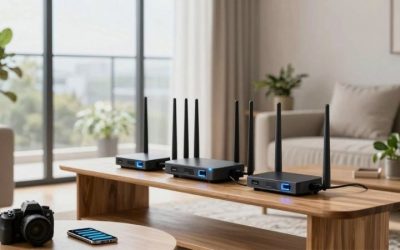
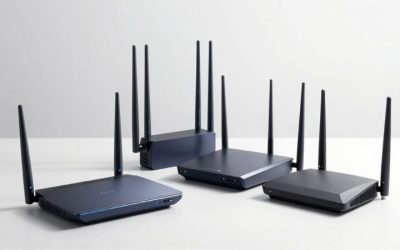
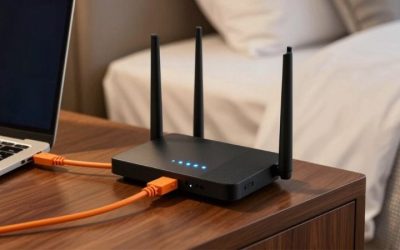
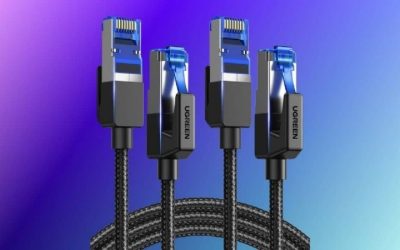
The best WiFi antennas for desktop gaming are the ones that fit your existing Wi-Fi card and let you move the antenna away from a metal PC case. For most threaded dual-port Wi-Fi 6E setups, the Eightwood EWUA0210 tri-band magnetic kit is a sensible first option; for newer ASUS Q-Antenna push-on boards, its threaded connector would be wrong. A replacement antenna cannot give a Wi-Fi 5 adapter a 6 GHz radio or turn an unstable ISP connection into low ping. This roundup checks exact connector types, frequency bands, cable lengths and buying limitations before recommending six real kits.
Quick verdict: which one should you buy?
Best overall for 6E RP-SMA — Eightwood EWUA0210. Two-lead magnetic base, tri-band coverage and a 6.5-foot extension suit many threaded desktop ports.
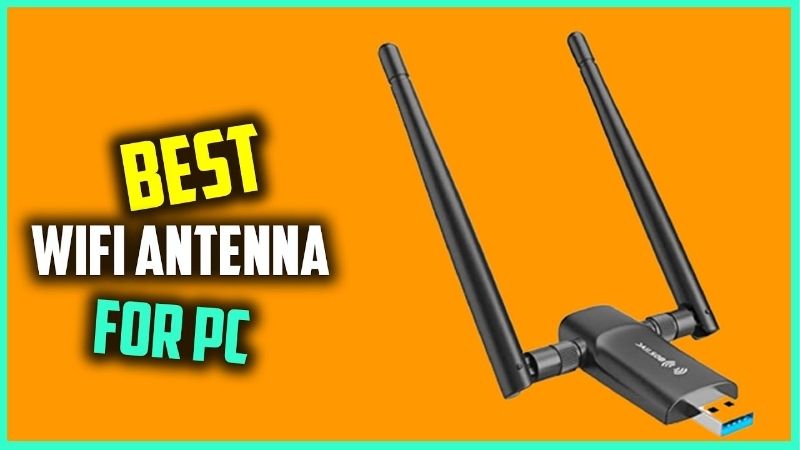
Best newer RP-SMA Wi-Fi 7 option — Eightwood EWAN0125US. A specified 6dBi tri-band magnetic antenna for standard threaded RP-SMA connections.
Best ASUS Q-Antenna replacement — Eightwood EWAN0119US. A push-on connector option for supported ASUS Q-Antenna motherboards, not conventional RP-SMA ports.
Best for legacy 2.4/5 GHz — Eightwood EW-US-AN079V01. A budget-oriented dual-band base that makes sense when the PC cannot use 6 GHz.
Best high-gain 6E kit — Bingfu BFUSAN0482. An 8dBi-claimed 2.4/5/6 GHz magnetic kit when compatible orientation and cable placement matter.
Best budget dual-band alternate — Bingfu BFUSAN0602. Two-lead 2.4/5.8 GHz magnetic base for older Wi-Fi cards with RP-SMA outputs.
Product comparison at a glance
| Product / exact SKU | Verified hardware and use case | Observed US price, checked Oct. 29, 2026 | Stock status, checked Oct. 29, 2026 | Main drawback |
|---|---|---|---|---|
| Eightwood EWUA0210 | 2.4/5/6 GHz Wi-Fi 6E; RP-SMA male pair; magnetic base; 2m cable | $17.49, Eightwood official store | Add to cart shown; shipping not guaranteed | Not compatible with ASUS proprietary push-on Q-Antenna ports |
| Eightwood EWAN0125US | Wi-Fi 7 tri-band 2.4/5/6 GHz; RP-SMA male; claimed peak 6dBi; 2m magnetic cable | $16.99, Eightwood official store | Add to cart shown | Claimed gain is not a measured reduction in gaming ping |
| Eightwood EWAN0119US | Tri-band 2.4/5/6 GHz; ASUS Q-Antenna push-on; magnetic base; 2m cable | $18.99, Eightwood official store | Product price shown; checkout stock not independently confirmed | Does not fit threaded RP-SMA motherboard ports |
| Eightwood EW-US-AN079V01 | Dual-band 2.4/5 GHz; two RP-SMA male leads; 5dBi claim; 2m magnetic base | $13.99, Eightwood official store | Add to cart displayed | No documented 6 GHz coverage |
| Bingfu BFUSAN0482 | Tri-band 2.4/5/6 GHz; claimed 8dBi; dual RP-SMA male; 2m magnetic base | $19.99, Bingfu US storefront | Add to cart shown | High-gain marketing cannot establish actual in-game latency advantage |
| Bingfu BFUSAN0602 | 2.4/5.8 GHz dual-band; dual RP-SMA male; 2m magnetic base | $17.99, Bingfu US storefront | Add to cart displayed | No verified 6 GHz compatibility; lower advertised gain |
Pricing and evidence note: Prices are product-page snapshots and may change by location, shipping, options, taxes or promotional window. “Add to cart” confirms a listing was orderable when observed, not inventory in every ZIP code. An unclear price or stock status has not been replaced by an estimate. Recommendations are based on documented hardware, published technical specifications, relevant independent reporting where available, and anticipated fit—not original detailed research or latency benchmarks.
How we selected these products
We limited this roundup to actual replaceable antenna assemblies, not PCIe network adapters whose bundled antenna is inseparable from the purchase. Every model has a specified connector type and at least one documented frequency range. We prioritized movable bases for desktop use because the original antennas are often obstructed by the PC enclosure. The six SKUs cover standard RP-SMA, ASUS push-on and both dual-band and tri-band installations.
The manufacturer storefronts were inspected for exact SKU identifiers and displayed U.S.-dollar prices. Advertised dBi values were recorded as manufacturer claims, not independent gain or latency measurements. There is no original RF chamber test, throughput measurement or comparison performed by this publication. Buy only when your exact motherboard and adapter have compatible ports.
Best overall RP-SMA kit: Eightwood EWUA0210
The Eightwood EWUA0210 is the easiest starting point for a desktop whose Wi-Fi card already has two standard threaded RP-SMA antenna sockets. Its manufacturer page identifies a tri-band antenna assembly for 2.4, 5 and 6 GHz with an integrated magnetic base and 6.5-foot extension cables. That gives the owner two practical advantages: appropriate frequency coverage for a Wi-Fi 6E radio, and freedom to move the pickup point out from behind the PC case.
This matters because rear motherboard I/O panels are often pressed close to a wall or buried below a desk. Two small stock antennas can be electrically adequate but badly placed. Moving a magnetic base onto an elevated metal shelf or the top of the case can reduce obstruction, depending on the room. It is not a guaranteed latency improvement, and the length of RF cable introduces some signal loss of its own. Test positions rather than accepting any advertising claim that a cable is completely lossless.
The product page and supplied tri-band documentation describe RP-SMA male connectors, with a center hole rather than the pin found in ordinary SMA configurations. Match the physical port and connector gender visually. Do not try to force a threaded connector into a motherboard’s ASUS Q-Antenna push-on port. The kit can only carry frequency bands that the installed Wi-Fi card already produces; an AX200 Wi-Fi 6 card will not acquire 6 GHz support by changing antennas.
At the observed Eightwood price of $17.49, this is a reasonable targeted upgrade when the existing radio works and only placement is poor. If Windows does not detect any Wi-Fi adapter at all, an antenna kit is the wrong purchase: investigate the card, drivers and BIOS settings instead.
Buy it if: your motherboard or PCIe card has two threaded RP-SMA outputs and already supports the bands you use.
Skip it if: your motherboard uses ASUS push-on Q-Antenna, an internal MHF4 connector or an adapter with no external antenna port.
Before checkout: confirm SKU EWUA0210 and two compatible antenna sockets; the official listing displayed $17.49 and Add to cart.
Best RP-SMA Wi-Fi 7-labeled option: Eightwood EWAN0125US
The EWAN0125US is a newer Eightwood product aimed at desktop owners buying replacement antennas for a Wi-Fi 7 build. Its listing specifies 2.4, 5 and 6 GHz coverage, traditional threaded RP-SMA male connectors, a magnetic base and a 6.5-foot extension. The seller calls out ASUS, MSI, Gigabyte and ASRock boards with threaded sockets, but such brand examples are not a substitute for checking the exact motherboard revision.
The stated maximum 6dBi gain is a radio antenna characteristic, not an extra six decibels of internet speed or a promise that packets arrive six milliseconds sooner. Antenna pattern and orientation matter. A higher-gain design may concentrate energy differently from a lower-gain omnidirectional device; a ceiling-to-basement link might perform differently from a same-room horizontal path. For gaming, the useful outcome is a stable link with fewer retransmissions, not a headline gain number by itself.
Treat the 2-meter extension as a placement tool. Try the base on an elevated metal surface away from a dense cable bundle or PC exhaust, then compare the operating system’s reported signal quality and a repeatable local gateway ping test. Rotate the adjustable elements one at a time. If the router is located across several concrete walls, no antenna on the desktop can completely repair the path; wired Ethernet or another access point may be required.
Its relatively low price may appeal to Wi-Fi 7 builders, but it remains a passive antenna assembly. The network card, drivers, router and Windows support determine whether Wi-Fi 7 link modes and 6 GHz operation are available. The seller explicitly says its standard RP-SMA connector will not fit proprietary push-on Q-Antenna sockets.
Buy it if: you want a tri-band threaded replacement kit for an existing modern Wi-Fi 6E or Wi-Fi 7 desktop.
Skip it if: you are expecting a passive accessory to add a new Wi-Fi generation to the PC.
Before checkout: verify SKU EWAN0125US and the connector close-up; an ASUS Q-Antenna motherboard needs a different design.
Best ASUS push-on replacement: Eightwood EWAN0119US
ASUS has introduced quick-attach antenna connectors on a number of newer motherboard families, often called Q-Antenna. They are not the threaded RP-SMA sockets found on many older gaming boards. The Eightwood EWAN0119US is built for that specific push-on use case. Its seller lists a tri-band 2.4/5/6 GHz magnetic assembly with a 6.5-foot cable and explicitly warns against buying it for a screw-on RP-SMA port.
This is an important buying distinction because a photo of two gold connectors can look similar at a glance. With the computer powered down, inspect whether the rear I/O has threaded outer barrels or the ASUS push-on interface. Then confirm the motherboard’s actual model and revision against the manufacturer’s connector documentation. Forcing the wrong antenna onto a connector can damage the port, making a cheap signal upgrade an expensive motherboard repair.
The practical reason to replace a compatible Q-Antenna is usually placement, loss or damage of the original antenna, not an automatic performance upgrade. A magnetic base lets the owner position the reception elements above a tower or farther from metal obstructions. A functional original ASUS antenna may perform equally well in a sensible spot, so a replacement is unnecessary unless there is a specific reason to switch.
The seller includes a motherboard compatibility list, but model family names alone are not proof of support across every generation or board variant. Check ASUS’s official board manual first, particularly if the system was built with a different antenna connector in a mid-generation revision. Also confirm whether the original board uses two radio chains and the replacement provides the right lead arrangement.
Buy it if: you own a confirmed ASUS Q-Antenna push-on desktop board and need a compatible replacement or more convenient placement.
Skip it if: the PC has threaded RP-SMA, USB Wi-Fi without an antenna socket or an internal laptop-style MHF4 lead.
Before checkout: verify exact motherboard model, antenna interface and EWAN0119US; price was visible but availability at checkout remains unverified.
Best inexpensive dual-band choice: Eightwood EW-US-AN079V01
Not every desktop needs a 6 GHz accessory. The EW-US-AN079V01 is a straightforward dual-band antenna system for 2.4 and 5 GHz Wi-Fi cards with two RP-SMA connectors. Eightwood lists 6.5-foot extension cables, a magnetic base and a 5dBi antenna specification. It is designed for the sort of desktop where the stock antenna sits directly behind a metal case and the user wants a better place to mount it.
The most appealing part of this SKU is that it does not pretend to offer a new Wi-Fi radio. A Wi-Fi 5/6 motherboard with 2.4/5 GHz hardware remains just that after the antenna swap. If your future plan includes Wi-Fi 6E’s 6 GHz band, this antenna set is the wrong way to future-proof; upgrade the network adapter and obtain a specified tri-band antenna when appropriate.
For gaming, a weak or fluctuating signal can lead to additional radio retries even when average download speed looks fine. A repositioned antenna may help if case obstruction is the cause. However, 5 GHz airspace may also be crowded with neighbors, and an antenna cannot clear that spectrum. Try a better router channel or a wired connection before assuming the receiving element is defective.
The low observed price makes experimentation reasonable if the connector is compatible and the return terms are acceptable. Do not buy it for a laptop with internal antenna leads or for a USB Wi-Fi dongle with no removable external antenna. If the existing card reports no networks at all after a driver update, troubleshoot the adapter first rather than replacing the passive antenna.
Buy it if: you have 2.4/5 GHz Wi-Fi and need a low-cost magnetic base for a threaded two-port desktop.
Skip it if: you need a verified 6 GHz antenna or ASUS Q-Antenna connector.
Before checkout: verify exact dual-band SKU and RP-SMA center-hole connection; the seller displayed $13.99 with Add to cart.
Best 8dBi-claimed tri-band alternative: Bingfu BFUSAN0482
Bingfu’s BFUSAN0482 provides another tri-band magnetic antenna option for desktop cards with two threaded RP-SMA ports. The manufacturer lists 2.4, 5 and 6 GHz ranges, dual RP-SMA male connectors and a 6.5-foot cable. A claimed 8dBi gain differentiates its positioning from lower-gain budget sets, but there is no basis for treating the numerical gain alone as a gaming ranking.
Real installations depend on radiation pattern, polarization, feed-cable losses and the router’s location. If a gaming desktop is under a metal desk, moving the base toward a clearer route could matter more than the difference between two advertised peak-gain figures. Test several angles and keep the base away from large obstructions. Some long cables add attenuation, especially at 6 GHz, so a shorter and cleaner path can be preferable to extending a cable needlessly.
The product is not an antenna for every ASUS board, despite brand examples in storefront marketing. Traditional threaded RP-SMA male plugs need corresponding female jacks. It also cannot act as an external Wi-Fi modem, replace a broken network card or enable 6 GHz on a card lacking that radio. The seller’s ‘Wi-Fi 7 ready’ description refers to its passband and connector, not to an active Wi-Fi 7 chipset inside the base.
At the official listing’s $19.99 price, it is a reasonable alternative when Eightwood kits are unavailable or the Bingfu form factor fits your desk better. There are no controlled independent side-by-side ping results here, so choose based on exact socket fit, placement freedom and return policy rather than claims of guaranteed zero interference.
Buy it if: you want another verified 6 GHz RP-SMA dual-lead kit with a repositionable magnetic base.
Skip it if: you need an ASUS push-on plug or expect a passive antenna to provide measurable fixed ping savings.
Before checkout: confirm Bingfu BFUSAN0482 and the two RP-SMA connectors; $19.99 was visible on the US storefront.
Best simple dual-band alternative: Bingfu BFUSAN0602
The Bingfu BFUSAN0602 is a low-friction option for replacing damaged stock antennas on an older Wi-Fi motherboard or PCIe card. The maker’s product page identifies dual-band 2.4 GHz and 5.8 GHz support, a magnetic base, two RP-SMA male plugs and 6.5-foot extension cables. This is the appropriate kind of product when the radio is already working but the original antenna cannot be positioned away from a tower’s crowded back panel.
Compared with tri-band models, it gives up verified support for 6 GHz. That may be irrelevant to an ordinary Wi-Fi 5 or Wi-Fi 6 gaming PC. It is also often more sensible to buy the inexpensive correct antenna than to spend extra on Wi-Fi 7-labeled parts that cannot unlock features absent from the card. Verify that the motherboard has the two external sockets the product expects.
The unit’s advertised 3dBi description is not a weakness in every environment. Antenna gain changes the distribution of signal rather than creating power from nothing. In a multilevel house with a distant router, the ideal pattern may differ from an apartment with the router across one open room. Evaluate stable signal and link quality from the actual PC location, not a generic gain contest.
As with the other passive replacements, a magnetic base only improves things when the original problem was antenna position, damage or mismatch. If packet loss is present on a wired Ethernet test or the ISP uplink saturates, changing the external antenna will not help. The official Bingfu page displayed $17.99 and Add to cart, but order completion remains subject to region and shipping.
Buy it if: your existing Wi-Fi 5/6 desktop uses threaded dual-band RP-SMA antennas and a remote base would be useful.
Skip it if: you plan to connect over 6 GHz or need a push-on connector.
Before checkout: match BFUSAN0602 and inspect whether the card needs two RP-SMA leads, not one.
Start with the existing Wi-Fi card, not the antenna advertisement
The antenna is a passive radio-frequency component. It does not contain the Wi-Fi chipset, firmware or network interface that determines standards support. A Wi-Fi 5 card remains Wi-Fi 5, regardless of whether an aftermarket antenna is labeled Wi-Fi 7. To use 6 GHz, the computer’s adapter and operating system must support Wi-Fi 6E or later, the router must offer a permitted 6 GHz network, and regulatory settings must allow it. For an older desktop, a PCIe Wi-Fi adapter kit with included compatible antennas may be a smarter upgrade than replacing the antennas alone.
Check which card the PC actually uses through Windows Device Manager under Network adapters, then look up its vendor specifications. Before disconnecting anything, inspect the back-panel antenna sockets and count how many cables the original assembly used. Most consumer desktop kits shown here have two leads, but that does not mean every board has two removable ports. Some systems use a proprietary module or internal laptop-style connectors that need a different solution.
RP-SMA versus SMA versus ASUS Q-Antenna
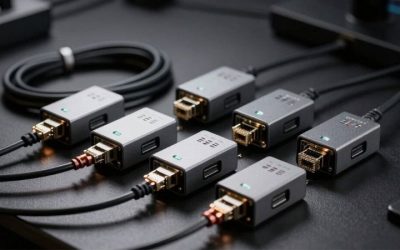
A threaded RP-SMA male Wi-Fi antenna connector generally has external internal threading and a center hole; its corresponding RP-SMA female equipment port has the matching pin. Ordinary SMA uses different center-pin conventions despite similar outer threading, so forcing or guessing can damage contacts. Check the actual photos and the manual rather than buying from the phrase ‘standard antenna.’ The majority of aftermarket desktop kits here are RP-SMA, not universal accessories.
ASUS Q-Antenna uses a proprietary push-on attachment on certain newer motherboards. A screw-on RP-SMA plug will not fit just because both systems are called Wi-Fi antennas. A purpose-built push-on replacement such as the EWAN0119US is included specifically to address that difference. If you are uncertain, use the original motherboard documentation or contact the vendor with its exact model and revision before purchasing.
How many antenna leads do you need?
Many modern PCIe adapters and desktop motherboards use two radio chains and provide two external antenna connections. A dual-lead magnetic base is a practical way to move both antennas together. Connecting only one port may impair MIMO performance or cause inconsistent operation depending on the card design. A four-connector card or a special antenna connector block cannot be assumed compatible with a two-lead replacement.
Do not connect or disconnect antenna leads while a powered radio is transmitting if the manufacturer warns against it. Power down the PC, unplug it if appropriate, and hand-tighten threaded connectors without tools or excess torque. Arrange the base so cables are not sharply kinked at the rear panel. If Bluetooth and Wi-Fi share the same antenna hardware, an incorrect replacement can also affect Bluetooth controllers and headsets.
Does more dBi mean lower ping?
No. dBi represents gain relative to an ideal isotropic radiator and relates to antenna directivity. It is not a measure of internet latency, signal processing speed or packet success under every orientation. A higher stated number can sometimes be beneficial along a preferred direction, but may perform worse outside its main radiation pattern. Signal quality depends on antenna matching, cable losses, obstructions, distance, radio transmit power and the receiving environment.
A practical gaming test is to ping the local router for a few minutes while observing loss and jitter, repeat it with a known-good wired connection, and then compare a few reasonable base positions under similar household activity. Keep the same SSID, band and channel settings between tests. If you change both the antenna and router channel simultaneously, you cannot tell which change mattered. Avoid treating one spectacular speed-test result as a scientific proof of reduced game-server latency.
Cable length and magnetic-base positioning
Six-and-a-half-foot antenna leads let many people move the receiving elements from behind a metal chassis to a shelf or the top of the tower. That flexibility is the main reason to consider these products. However, coaxial cable has insertion loss that rises with frequency and length. Do not assume that a longer cable always improves signal, particularly at 6 GHz. A slightly shorter path through clear air may beat a long extension to a poorly placed location.
Position the base away from large metal obstructions, thick appliances and crowded cable bundles. A magnetic base is intended for suitable steel surfaces; do not put it where the magnet can scratch expensive finishes or interfere with sensitive objects. If signal quality drops after a swap, restore the original antennas and check the physical connectors before concluding that the router has failed.
When an antenna replacement is not the answer
If Windows does not show a Wi-Fi interface, no passive antenna can make an absent adapter appear. If a laptop has poor coverage, its internal antenna arrangement differs from these desktop kits. If 6 GHz is invisible because the motherboard’s chip is Wi-Fi 6 rather than Wi-Fi 6E, choose a compatible active adapter rather than a tri-band passive antenna. And if internet gaming lags over Ethernet too, the bottleneck is likely upstream or outside the radio link.
Avoid overbuying. Someone with a perfectly located stock magnetic antenna and a clean wired baseline may see no meaningful advantage from another $20 antenna. Someone whose tower is behind a refrigerator or under a steel desk may notice better reception simply from moving the existing antenna first. Confirm the actual problem, the connector and the band before placing an order.
Frequently asked questions
Can a Wi-Fi 7 antenna upgrade a Wi-Fi 6 desktop to Wi-Fi 7?
No. The network adapter is the active component that supports Wi-Fi 7. A passive antenna can only carry supported frequencies; adding a new wireless standard requires compatible hardware and software.
Do all desktop motherboards use RP-SMA antenna connectors?
No. Some newer ASUS motherboards use push-on Q-Antenna, and some systems have internal connectors. Inspect the exact board manual before buying.
Should I buy a 6 GHz antenna for a Wi-Fi 5 card?
A tri-band antenna may physically work on supported older bands, but it cannot add 6 GHz support. A less expensive dual-band model is usually sufficient unless you are upgrading the active adapter.
Are two antennas better than one for gaming?
If the Wi-Fi adapter uses two radio chains and supplies two outputs, use the manufacturer-intended two-antenna arrangement. Leaving a port disconnected can reduce supported MIMO capability.
Does a longer antenna extension always improve reception?
No. It makes positioning easier but coaxial cable adds insertion loss, particularly at higher frequencies. Test the shortest sensible route and clear placement.
Should I replace antennas if Ethernet gaming also lags?
No. A wired test largely removes Wi-Fi radio issues. Investigate loaded latency, ISP connectivity, packet loss and the game service before buying antenna hardware.
Final thoughts
The best WiFi antennas for desktop gaming depend first on the PC’s antenna connector and radio generation. Eightwood EWUA0210 is a practical tri-band RP-SMA starting point; EWAN0125US offers another threaded Wi-Fi 7-labeled design, while EWAN0119US serves certain ASUS Q-Antenna push-on boards. The inexpensive dual-band Eightwood and Bingfu models suit older cards, and Bingfu BFUSAN0482 covers tri-band installations. Confirm the exact socket, count your card’s antenna outputs, and try relocating a functioning original base before buying. An antenna is not a Wi-Fi adapter and cannot solve ISP-side lag.