Key takeaways
- Best for: Bottom/side intake arrays with the fan face visible through glass.
- Strengths: Infinity-mirror lighting, reverse intake, interlocking wiring.
- Drawbacks: Single packs omit a controller; proprietary ecosystem setup.
- Before buying: Select the UF-RSLIN120 reverse SKU and review controller compatibility.
The best reverse blade RGB case fans solve a specific problem: putting visible, illuminated fan faces on the intake side of a glass-panel PC without reversing the intended airflow. A standard RGB fan mounted with its attractive face toward the window may blow in the wrong direction for your case. Reverse-blade versions allow an inward airflow path from the attractive side, although every manufacturer’s direction arrows still need checking. Our overall showcase pick is the Lian Li UNI FAN SL-INF 120 Reverse Blade; the Phanteks D30-120 Reverse is the choice for builders with extra depth. These judgments come from verified product documentation, not claims of our own hands-on tests.
Quick verdict: choose an ecosystem and verify airflow
Use the SL-Infinity reverse model for striking mirror lighting, the D30 Reverse when you want a linked 30 mm frame, Corsair LX120-R if you already own iCUE LINK hardware, or Lian Li TL Reverse for a performance-oriented UNI FAN family. Thermaltake SWAFAN EX12 ARGB Sync is the most flexible layout option because it supplies physical reverse blade sets, while CT120 EX Reverse ARGB Sync is a straightforward motherboard-synchronized three-fan choice. The correct kit matters as much as the fan: expansion units and mixed series may lack the required controller.
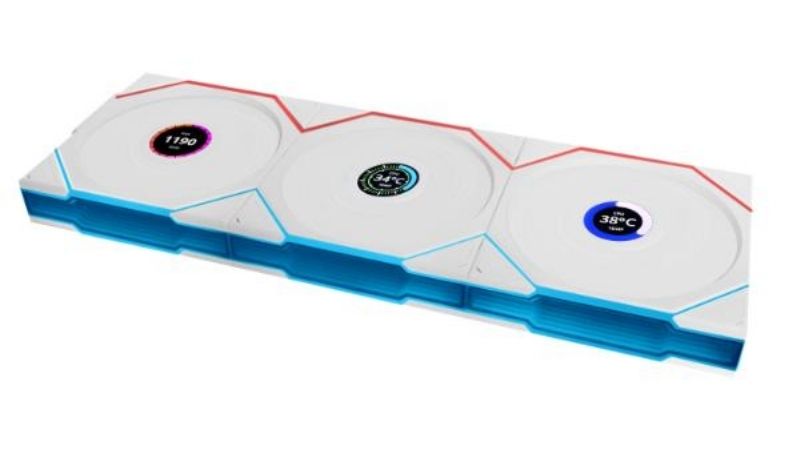
Reverse RGB fan comparison: model-specific data
| Model | Dimensions | Manufacturer reverse configuration | Ideal user | US seller / stock |
|---|---|---|---|---|
| Lian Li UNI FAN SL-INF 120 Reverse Blade | 120 x 122 x 25 mm | 0, 200–2,100 rpm; 63.6 CFM | Visible bottom or side intake in showcase case | US price/stock: verify pack and retailer |
| Phanteks D30-120 Reverse | 120 x 120 x 30 mm | 250–2,000 rpm; 61.5 CFM | Wide-clearance side intake with D-RGB linking | Newegg listing: $29.99 shown; availability varies |
| Corsair iCUE LINK LX120-R RGB | 120 x 120 x 25 mm | 400–2,400 rpm; up to 66.7 CFM | Corsair iCUE LINK showcase intake | US price/stock: verify kit versus expansion |
| Lian Li UNI FAN TL 120 Reverse Blade | 124 x 120 x 28 mm | 0, 200–2,300 rpm; 83.4 CFM | Showcase intake with L-Connect fan clusters | US price/stock: check seller and controller |
| Thermaltake SWAFAN EX12 ARGB Sync | 120 x 120 x 25 mm | 500–2,000 rpm; reverse blade 56.26 CFM | Mixed intake/exhaust system with same visible face | US price/stock: confirm triple-pack offer |
| Thermaltake CT120 EX Reverse ARGB Sync | 120 x 120 x 25 mm | 500–2,000 rpm; 65.82 CFM | Motherboard-sync reverse intake array | US price/stock: verify seller and color |
The table deliberately identifies the reverse configuration when there are two airflow directions. Airflow and static-pressure claims are manufacturer endpoints, not like-for-like performance measurements. Prices marked as unverified were not assigned speculative US dollar amounts; a single inspected Newegg listing for the Phanteks reversed model displayed a price, which should be checked again before buying.
The best reverse blade RGB case fans for different builds
Lian Li UNI FAN SL-INF 120 Reverse Blade — best overall showcase intake
Lian Li’s SL-Infinity reverse model is a showcase-first answer that still respects the desired airflow path. The manufacturer specifies a 120 x 122 x 25 mm frame, up to 2,100 rpm and 63.6 CFM, with 40 LEDs per fan and a two-year warranty. The 122 mm frame dimension matters in tight channels, and the reverse-blade design is meant to show the illuminated face while the fan operates as an intake at the appropriate position.
The UNI FAN interlocking system reduces the quantity of wires between neighboring units, which makes a visible three-fan bottom row look less cluttered. Lian Li’s infinity mirror and frame lighting are a particularly strong match for glass-front or dual-chamber cases. The single reverse-blade product is listed without a controller, however. Before ordering, check whether a compatible L-Connect controller and cables are already included with other fans in the build or must be purchased separately.
Do not confuse this part with the standard SL-INF 120. They can look similar in a storefront, but reversing the fan orientation of a standard unit does not recreate the same presentation from the viewer’s side. The 32 dBA maximum acoustical figure is manufacturer-supplied and is not a matched acoustic win against any competitor. Users also need to consider the entire RGB ecosystem rather than comparing the single-fan sticker price with a complete starter kit.
- Best for: Bottom/side intake arrays with the fan face visible through glass.
- Strengths: Infinity-mirror lighting, reverse intake, interlocking wiring.
- Drawbacks: Single packs omit a controller; proprietary ecosystem setup.
- Before buying: Select the UF-RSLIN120 reverse SKU and review controller compatibility.
Phanteks D30-120 Reverse — best premium 30 mm frame
The D30-120 Reverse is not a standard 25 mm-thick RGB fan. Phanteks specifies a 30 mm frame, 250–2,000 rpm, 61.5 CFM, 2.72 mm H2O static pressure and 30 LEDs. That extra depth is a mechanical tradeoff, not a cosmetic footnote. For a spacious dual-chamber case it can be an intentional design choice; next to a radiator, GPU support bracket, or thick motherboard tray it can be a dealbreaker.
Its biggest appeal is a clean, continuous assembly. Bridge connectors and screw-cover plates let adjacent fans appear as one coordinated band rather than a row of separate frames. Phanteks also supplies adapter and mounting hardware for different uses, which can simplify a first-time build. The reverse model keeps the attractive side of the blades on display during intake, but the manufacturer’s separate regular and reversed ratings must not be mixed in comparison tables.
The reverse unit’s published maximum airflow is 61.5 CFM and noise 31.8 dBA; the regular unit has different published values. Confirm product identifiers ending in the reverse designation rather than grabbing a regular D30 bundle. A US Newegg product listing displayed $29.99 for the reversed single fan when checked, but shipping, promotions and inventory are dynamic and must be reconfirmed at checkout.
- Best for: Case windows where a 30 mm fan row has enough clearance.
- Strengths: Bridge-linked design, 30 LEDs, distinct reverse-airflow part.
- Drawbacks: 30 mm depth and premium construction may complicate fit.
- Before buying: Measure 30 mm behind the panel and confirm reverse PH-F120D30R SKU.
Corsair iCUE LINK LX120-R RGB — best for existing iCUE LINK systems
Corsair’s LX120-R is specifically a reverse-rotor RGB intake design, not a standard LX120 positioned backward. Corsair lists a 120 x 120 x 25 mm frame, 400–2,400 rpm, 11.5–66.7 CFM in the technical specifications and a five-year warranty. The lighting system uses 18 LEDs arranged in two loops, while the motor uses the company’s Magnetic Dome bearing.
The decisive reason to buy this model is ownership of the iCUE LINK platform. A compatible LINK hub and cabling can make an array of front-facing intake fans easier to manage and synchronize with existing Corsair equipment. There is a major difference between an expansion fan and a full starter bundle: a single expansion listing is not proof that all necessary control hardware is included. Examine the product contents for the specific US SKU, not just the glamour photograph.
A published maximum sound level around 38 dBA does not tell you how the fan behaves at the quieter speed settings typically used in a glass-sided gaming PC. The user experience also depends on Corsair’s software and hardware ecosystem, which may be redundant for an otherwise motherboard-controlled 5 V ARGB setup. Avoid buying the LX120-R solely because its stated maximum pressure looks high; pressure and airflow endpoints are separate.
- Best for: A build already standardized on Corsair iCUE LINK.
- Strengths: Reverse blade, 18 LEDs, five-year warranty, LINK integration.
- Drawbacks: Controller and cabling costs can dominate an expansion purchase.
- Before buying: Verify LX120-R reverse variant and whether the hub is included.
Lian Li UNI FAN TL 120 Reverse Blade — best performance-oriented UNI FAN option
The reverse-blade UNI FAN TL 120 favors an assertive technical specification over the SL-Infinity’s mirror effect. Lian Li lists the reversed TL120 at 124 x 120 x 28 mm, 200–2,300 rpm, 83.4 CFM and 2.66 mm H2O maximum static pressure. Its 28 mm depth and 124 mm outer dimension are especially important when planning a dense side intake array next to a motherboard tray or radiator.
Interlocking fan groups, controller-based operation and L-Connect make this a strong candidate for users who already like the UNI FAN ecosystem but want the TL visual style. One reason to prefer it to the SL-INF reverse version is the higher published maximum airflow rating, although that cannot be translated directly into better temperatures or quieter performance without controlled tests. For an aesthetic build, first decide whether the TL appearance or the infinity-mirror design better suits the rest of the system.
The manufacturer’s stated 34 dBA maximum for the reverse TL120 is not directly comparable with the 32 dBA stated for the reverse SL-INF under unknown cross-brand conditions. More importantly, Lian Li distinguishes single packs from triple packs with respect to controller inclusion. Check the pack and controller model before mixing hardware generations. Do not mistakenly select a TL LCD or TL Wireless fan; those are different products with different dimensions and controls.
- Best for: Builders needing an RGB reverse intake in a compatible UNI FAN cluster.
- Strengths: 83.4 CFM manufacturer maximum, interlocking design, 3-year warranty.
- Drawbacks: 28 mm thick; controller ecosystem and SKU naming complexity.
- Before buying: Confirm the 12RTL reverse model, pack controller and 28 mm clearance.
Thermaltake SWAFAN EX12 ARGB Sync — best reversible-blade flexibility
This product is useful because it comes with two physical blade sets rather than relying on a single direction of operation. Thermaltake specifies that the three-fan SWAFAN EX12 ARGB Sync package includes three standard blades installed plus three reverse blades. In the reverse configuration, the listed maximum airflow is 56.26 CFM, pressure 2.02 mm H2O and noise 32.5 dBA, which are explicitly different from the published standard-blade figures.
The swappable design is ideal when a build plan is still evolving. You can configure attractive bottom intakes and ordinary top exhausts without changing the fan-frame look, provided installation follows Thermaltake’s instructions. Magnetic frame linking also reduces cable clutter. Unlike Corsair’s iCUE LINK line, this ARGB Sync variant is intended for a compatible 5 V motherboard ARGB header. Thermaltake cautions against simultaneously using competing lighting control methods.
A blade swap is a maintenance operation, not something to attempt while the PC is running. Turn power off, follow the official manual, and handle the hub carefully; Thermaltake’s maintenance instructions address lubrication after repeated blade changes. The brand offers several similarly named SWAFAN EX12 RGB and ARGB versions with different controllers. Verify that the exact pack is EX12 ARGB Sync if direct motherboard 5 V lighting is what you want.
- Best for: Builders wanting flexibility between attractive intake and exhaust layouts.
- Strengths: Both blade directions in the box, magnetic fan linking, 5 V ARGB sync.
- Drawbacks: More handling and SKU complexity than fixed reverse-blade fans.
- Before buying: Check the EX12 ARGB Sync pack and follow the manufacturer blade guide.
Thermaltake CT120 EX Reverse ARGB Sync — best 5 V ARGB magnetic-link three-pack
The CT120 EX Reverse ARGB Sync is a dedicated reverse-blade family with a magnetic MagForce 2.0 connection and a three-fan bundle. Thermaltake specifies 120 x 120 x 25 mm, 500–2,000 rpm, 65.82 CFM and 1.87 mm H2O maximum static pressure. It is a practical option for builders who want a clean three-fan intake strip without accepting a separate proprietary RGB software platform.
The important combination is the reversible-looking fan presentation and familiar motherboard lighting standards. A three-pack can simplify getting matching frames and cables in a side or bottom panel, and the MagForce 2.0 connection is designed to reduce the fiddly wires between neighbors. Thermaltake publishes a model-specific limit for fan chaining; the correct manual and motherboard header power budget govern the real wiring plan. The available colors and precise product number also matter when buying a matching set.
Do not mistake CT120 EX Reverse for standard CT120 EX: the ordinary model publishes different maximum pressure and airflow. Neither model should be linked to a 12 V RGB connector; the lighting side uses 5 V ARGB. The reported 31.2 dBA maximum is a manufacturer figure, not an independently verified low-noise claim. Check retailer availability before treating a specific color three-pack as ready to ship.
- Best for: Three matching visible intake fans controlled from motherboard ARGB.
- Strengths: MagForce 2.0 connection, dedicated reverse blades, 25 mm profile.
- Drawbacks: Three-pack availability/color can vary; less ornate lighting than premium rivals.
- Before buying: Check CL-F192-PL12SW-A for black three-pack and 5 V connector.
How we selected these reverse RGB fans
Every model was screened for a manufacturer-described reverse blade or a physically supplied reverse blade set. That is more meaningful than product photos showing an attractive fan face: the same fan can be photographed on either side, and a normal fan does not reverse airflow merely because the user flips it around. Lian Li, Phanteks, Corsair and Thermaltake provide the model-specific dimensions and power/control information used here. We prioritized the useful tradeoffs of each ecosystem rather than filling a list with unverified lookalike storefront entries.
No shared laboratory testing was performed. Manufacturer dBA, CFM and pressure claims are not treated as matched benchmarks, and we did not assign a “quietest” or “coolest” award without normalized independent data. Retail listings were consulted separately from engineering documents. A visible price at one seller is a momentary observation and is not a guarantee of current stock, taxes, availability, or delivery date for another US customer.
Buying guide: six decisions that prevent a bad RGB fan purchase
Know where the fan should draw and expel air
Draw a simple airflow diagram: front and bottom positions are commonly intakes, while top and rear positions often exhaust warm air. This is a planning convention, not an immutable rule; the case manual and installed radiator arrangement take priority. A reverse-blade intake keeps the visually preferred side on display, but its frame still has a directional arrow. Use that arrow during assembly. The correct end result is a sensible intake/exhaust balance, not all visible blades facing the same way regardless of airflow.
Allow for frame depth and width, not just 120 mm mounting
The D30-120 Reverse is 30 mm thick, Lian Li TL Reverse is 28 mm, and SL-INF Reverse is specified as 120 x 122 x 25 mm. A case may advertise three 120 mm side fan mounts but have limited radiator or motherboard clearance. Measure toward the glass, PSU shroud, and any adjacent radiator. Also check the external frame shape where multiple units interlock. A builder who gets the airflow direction right but ignores a 5 mm thickness mismatch can still end up with an impossible installation.
Check whether you need a proprietary controller
Lian Li UNI FAN and Corsair iCUE LINK families involve specific cabling and control ecosystems. An expansion fan is normally intended to extend an existing set, not necessarily to provide every required hub and cable on its own. Thermaltake’s motherboard-sync ARGB options can be simpler when the board has available 5 V ARGB and PWM connections. Read package contents for the exact SKU, then count the number of fan groups, USB connections, powered hubs, and motherboard headers before ordering.
Do not mix 5 V addressable RGB with 12 V analog RGB
Most current addressable RGB fans use 5 V three-pin lighting connections, but a fan’s motor usually draws 12 V via a different connector. They are not interchangeable. Forcing a 5 V ARGB lead onto an incompatible 12 V RGB header can damage components. Check the manufacturer’s wiring diagrams, note keyed gaps, and confirm the current limits of any shared header or hub. Turn the PSU off before changing connectors and avoid routing loose wires near moving blades.
Use published airflow figures carefully
A fan rated for 80 CFM at peak speed is not guaranteed to move more useful air at the noise level you will tolerate than a model rated for 65 CFM under another test setup. Radiator resistance, filter density, grille shape, and noise spectrum all change the result. Lian Li TL Reverse has an ambitious published maximum; Corsair LX120-R lists substantial static-pressure headroom. Neither fact alone proves a better thermal outcome in your actual case. Set a realistic fan curve, then evaluate the installed machine under a repeatable workload.
Budget for the complete group, not an isolated fan
The price that matters is the total installed cost of three matching fans, any required controller, cable extensions, and possibly a compatible case bracket. A premium single unit can look affordable until a hub and two more units are added. Conversely, a fixed three-pack may contain more fans than a compact build needs. If you already own compatible Lian Li, Corsair, or Thermaltake equipment, continuing with that ecosystem may avoid redundant control hardware.
Installation checklist and first power-on
Plan airflow with the case manual, then lay out all parts outside the chassis. Check each model label and identify the true reverse unit or reverse blade set. With the PC shut down and unplugged, test-fit the fans and check any radiator screw length. Assemble links exactly in the direction allowed by the manufacturer, connect motor and 5 V lighting hardware to their appropriate ports, and secure any hub power lead. Keep cable slack away from rotors before replacing glass panels.
At first boot, confirm every fan spins and the intended lighting controller detects the group. Verify intake direction with the printed arrows and, when safe, a small tissue near the external ventilation rather than touching spinning blades. Create a smooth curve for gaming loads and watch GPU and CPU temperatures during normal use. If one fan does not light, first isolate its ARGB connection and software pairing; if it does not spin, check PWM power and link orientation. Do not treat a lighting failure as evidence of an airflow-direction problem.
Reverse-blade RGB fan FAQs
Is a reverse-blade fan the same as mounting a normal fan backward?
No. Mounting a normal fan in the opposite physical orientation changes which face you see and where it blows. A reverse-blade design changes rotor geometry or provides replacement reverse blades so the attractive face can remain visible while it serves the desired intake direction. Always use the manufacturer airflow arrow rather than relying on which side looks like the front.
Can I use reverse-blade fans for exhaust?
You can arrange a reverse-blade fan to exhaust air if its mounting orientation and case geometry allow it, but that may defeat the visual purpose of purchasing the reverse variant. For an upper exhaust row, a regular fan often presents its preferred face toward the interior more naturally. Build the cooling plan first and choose regular or reverse based on each location.
Will a single Lian Li or Corsair expansion fan work by itself?
It depends on the precise kit, cable, hub, and existing control setup. Do not assume a product called “expansion” includes the same hardware as a starter kit. Check exact product contents and controller generation. Compatibility across visually similar fan lines should be verified using the manufacturer’s documentation before mixing groups.
Are reverse fans less efficient?
Direction variants can have different specifications, as Phanteks D30 and Thermaltake SWAFAN explicitly show. But broad statements that all reverse fans are inherently weaker or louder are unsupported. Compare matched independent tests at the same usable airflow and noise target, or focus on the documented model’s fit and controls if such tests are unavailable.
Can I connect ARGB fans directly to a motherboard?
Some lines, such as Thermaltake’s ARGB Sync models, are designed for compatible 5 V motherboard lighting headers, while other ecosystems depend on dedicated hubs. Always distinguish the motor’s PWM connection from the lighting connection. Respect the connector’s pinout and electrical limit; if the board lacks the necessary port, use a manufacturer-supported controller rather than improvised adapters.
Final thoughts
For an RGB showcase intake, the Lian Li UNI FAN SL-INF 120 Reverse Blade provides the most distinctive combination of mirror effects and orderly fan grouping. Choose the Phanteks D30-120 Reverse when your case has room for its 30 mm body, or the Corsair LX120-R when an iCUE LINK setup is already installed. If complete flexibility matters more than one fixed airflow direction, the Thermaltake SWAFAN EX12 ARGB Sync earns a place on the shortlist. Verify the exact reverse SKU, controller contents, and US seller stock before checkout.