Key takeaways
- USB / rated read speed: 10Gbps; up to 1,050 MB/s
- Rugged rating: IP65; up to 3m claimed drops
- Observed U.S. price (seller; Oct. 28): $517.47 (B&H)
- Stock status (Oct. 28): In stock at B&H
- Main drawback: Premium price for 10Gbps performance
Finding the best rugged SSDs for LAN parties is less about chasing the biggest advertised transfer number and more about choosing a drive that survives a packed gear bag, works with the ports on your gaming PC, and keeps your game files organized. For most players moving between a desktop and a friend’s setup, the Samsung T7 Shield is the straightforward all-around choice. Players with a confirmed USB 20Gbps port should also consider the faster SANDISK Extreme Portable SSD V3. Below, we compare seven genuine portable SSDs, explain their compromises, and separate drives with observed U.S. purchase availability from models worth monitoring rather than ordering blindly.
Quick verdict: which rugged SSD should you take to a LAN party?
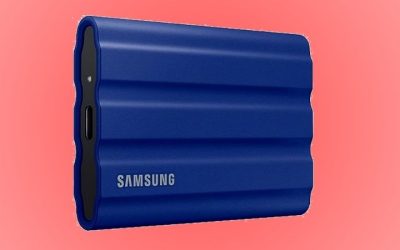
Best overall for mixed gaming PCs: Samsung T7 Shield 2TB. Its USB 10Gbps connection makes sense for the ports commonly available on gaming desktops and laptops, while the rubberized shell and IP65 protection suit frequent packing and unpacking. It is not the cheapest 2TB option in the current listings checked, and it cannot reach the peak throughput of a true USB 20Gbps drive.
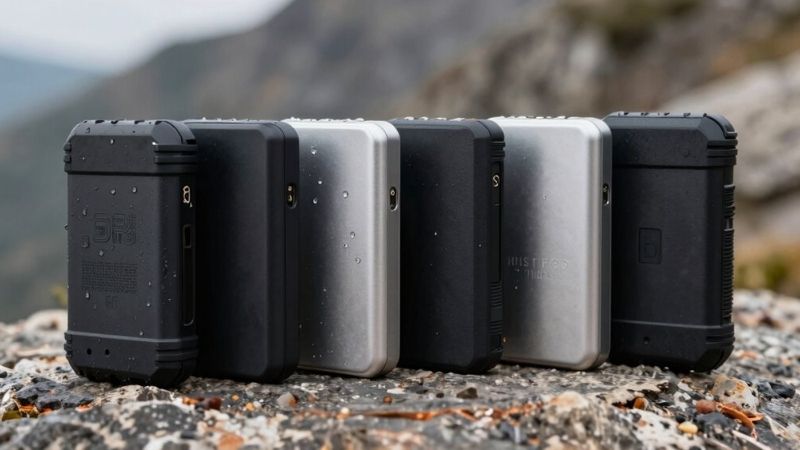
Best fast travel drive: SANDISK Extreme Portable SSD V3 2TB. It combines an IP65 enclosure with up to 2,000 MB/s advertised reads over USB 3.2 Gen 2×2, but that maximum demands a compatible 20Gbps host. If you only have USB 10Gbps, compare its actual price with the T7 Shield rather than paying extra for a speed tier you cannot use.
Best pocket-sized 20Gbps option: Kingston XS2000 2TB. Its light body and included removable rubber sleeve are appealing for compact setups; keep the sleeve on for the stated rugged protection. The observed Newegg purchase offer is from a third-party marketplace seller, so check the seller, return terms, and fulfillment before ordering.
Best premium protection-first option: OWC Envoy Pro Elektron 2TB. The metal case and IP67 rating make it compelling for demanding travel, but its USB 10Gbps performance and high observed price weaken its value for everyday game libraries.
Interesting alternatives to monitor: Lexar ARMOR 700 2TB has an IP66 rating and 20Gbps interface but was temporarily out of stock on the direct B&H listing checked. Crucial X9 Pro 2TB offers a very compact IP55 option, while ADATA SD810 2TB has stronger IP68 protection; neither received a verified U.S. in-stock listing in this research pass.
Rugged portable SSD comparison for LAN-party setups
All capacities, speed figures, and protection ratings below are manufacturer-rated maximums or published laboratory ratings, not benchmarks performed by Geek Gaming Tricks. U.S. retailer price and stock observations were checked October 28, 2026; neither a listing nor an Add to Cart button guarantees stock at checkout in your ZIP code. The product code matters because similarly named older and newer drives may have very different interfaces.
Samsung T7 Shield MU-PE2T0S/AM — best overall
- USB / rated read speed: 10Gbps; up to 1,050 MB/s
- Rugged rating: IP65; up to 3m claimed drops
- Observed U.S. price (seller; Oct. 28): $517.47 (B&H)
- Stock status (Oct. 28): In stock at B&H
- Main drawback: Premium price for 10Gbps performance
SANDISK Extreme Portable SSD V3 SDSSDE70-2T00-G25 — fast pick
- USB / rated read speed: 20Gbps; up to 2,000 MB/s read
- Rugged rating: IP65; up to 3m claimed drops
- Observed U.S. price (seller; Oct. 28): $426.94 (B&H)
- Stock status (Oct. 28): In stock at B&H
- Main drawback: Needs a 20Gbps host for peak speed
Kingston XS2000 SXS2000/2000G — pocket pick
- USB / rated read speed: 20Gbps; up to 2,000 MB/s read/write
- Rugged rating: IP55 with included sleeve
- Observed U.S. price (seller; Oct. 28): $469.99 (Newegg marketplace: MobileMonster)
- Stock status (Oct. 28): Orderable listing at Newegg
- Main drawback: Sleeve matters; third-party offer
OWC Envoy Pro Elektron OWCENVPK02 — premium protection
- USB / rated read speed: 10Gbps; up to 1,011 MB/s
- Rugged rating: IP67 aluminum shell
- Observed U.S. price (seller; Oct. 28): $699.99 (B&H)
- Stock status (Oct. 28): In stock at B&H
- Main drawback: Very expensive for its speed tier
Lexar ARMOR 700 LAR700X002T-RNBNG — weather-resistant alternative
- USB / rated read speed: 20Gbps; up to 2,000 MB/s read/write
- Rugged rating: IP66; up to 3m claimed drops
- Observed U.S. price (seller; Oct. 28): $379.99 listed (B&H; not orderable)
- Stock status (Oct. 28): Temporarily out of stock at B&H
- Main drawback: No verified immediate purchase on checked page
Crucial X9 Pro CT2000X9PROSSD9 — compact 10Gbps alternative
- USB / rated read speed: 10Gbps; up to 1,050 MB/s
- Rugged rating: IP55; up to 2m claimed drops
- Observed U.S. price (seller; Oct. 28): Price not verified
- Stock status (Oct. 28): Unclear in U.S.
- Main drawback: Less environmental protection than IP65 picks
ADATA SD810 SD810-2000G-CBK — IP68 alternative
- USB / rated read speed: 20Gbps; up to 2,000 MB/s read/write
- Rugged rating: IP68 with properly sealed port
- Observed U.S. price (seller; Oct. 28): Price not verified
- Stock status (Oct. 28): Unclear in U.S.
- Main drawback: Port cover and 20Gbps host requirements
Availability note: Kingston’s listed seller is not Newegg itself. Lexar’s retailer snapshots have conflicted across pages, so the direct item page’s out-of-stock status is the cautious choice. Prices are snapshot observations, not guaranteed deals or shipping-inclusive totals. An out-of-stock model is included for technical comparison only and should not displace an orderable recommendation.
Best rugged SSDs for LAN parties: seven models compared
Samsung T7 Shield 2TB — best overall for a mixed-PC group
The T7 Shield gets the top everyday recommendation because its strengths line up with the reality of most LAN events: a drive gets packed with controllers and power bricks, moved between desks, and plugged into computers whose USB ports are not always labeled clearly. Its rubberized exterior provides useful grip, and Samsung rates it IP65 for dust and water resistance with protection against drops from up to three meters under its test conditions. The 2TB black U.S. model examined here is MU-PE2T0S/AM, not the unprotected standard T7.
Samsung specifies up to 1,050 MB/s sequential reads and 1,000 MB/s writes through USB 3.2 Gen 2. Unlike 20Gbps Gen 2×2 SSDs, the T7 Shield does not need an uncommon dual-lane USB interface to reach its stated connection class. A properly implemented 10Gbps USB port and suitable cable are still necessary; a 5Gbps port or slow hub will reduce performance. This drive can hold a substantial Steam library, installer archive, modpack collection, or local recording folder, but its SSD enclosure does not make game installations transferable across unrelated accounts.
The compromise is value. The observed B&H price is high for a 2TB drive with 10Gbps speeds. If your gaming PC has a confirmed 20Gbps port, a faster rugged SSD at a lower checkout price may be the smarter purchase. Buy the T7 Shield when straightforward host compatibility, rubber protection, and a familiar 10Gbps interface matter more than winning a throughput specification contest. Skip it if your priority is the fastest possible large-file copy or if you can protect a much cheaper portable drive adequately.
SANDISK Extreme Portable SSD V3 2TB — best for a fast game-install archive
The important phrase here is V3. The 2TB drive uses part number SDSSDE70-2T00-G25 and a 20Gbps USB 3.2 Gen 2×2 interface. That distinguishes it from older SANDISK Extreme Portable generations with different rated transfer speeds. SANDISK publishes up to 2,000 MB/s sequential reads for this generation but does not give the same 2,000 MB/s guarantee for writes in its datasheet. It also specifies IP65 water and dust resistance, up to three-meter drop protection, and a five-year limited warranty.
Its strongest LAN-party use is preparing and moving large game folders, raw clips, recorded match footage, and archives between a host PC and portable storage. On a verified USB 20Gbps Windows desktop, the interface offers more bandwidth than a 10Gbps drive. That does not mean games load twice as fast; loading time also depends on CPU work, decompression, shader compilation, game design, and random I/O. A USB4 or Thunderbolt Type-C port should not automatically be treated as Gen 2×2 support, so check the actual host specification before buying for peak speed.
Choose this V3 for its combination of current orderability, rated protection, and 20Gbps headroom. Its drawback is speed dependence on the receiving computer and potentially slower sustained writes than peak marketing figures imply. Do not mix V3 and V2 prices, reviews, or capacity listings when comparing sellers; confirm the full model code before checkout. Anyone carrying unique video recordings should still keep a second backup instead of treating an IP65 shell as data-loss insurance.
Kingston XS2000 2TB — best when every ounce in the bag matters
At a published 28.9 grams before considering the included rubber sleeve and cable, the Kingston XS2000 is particularly easy to tuck into a compact gear pouch. Kingston specifies USB 3.2 Gen 2×2 and peak sequential read/write speeds of 2,000 MB/s. Its included 12-inch USB-C cable and removable rubber sleeve make the accessories part of the purchase rather than an extra item to hunt down before your first event.
The sleeve is more important than it might look. Kingston’s ruggedness claim describes IP55 protection and tested drop resistance up to about 1.8 meters with the sleeve. Remove it to save a little space and you should not assume the same tested protection continues to apply. IP55 offers useful protection from limited dust ingress and water jets, but it is not submersion protection. It is still wise to keep the drive dry and disconnected while drinks are being moved around the table.
This drive suits players building a small portable Steam library or sharing personal media and recordings between their own machines. The available U.S. orderable listing found in this check was a Newegg marketplace offer sold by MobileMonster, not a direct manufacturer storefront, while a B&H listing showed the product as no longer available. That is not evidence that the model itself is obsolete everywhere; it is a reason to verify the exact seller, warranty handling, and return terms. Skip the XS2000 if you want a built-in, nonremovable protective casing or an uncomplicated single-retailer purchase.
OWC Envoy Pro Elektron 2TB — best for maximum protection on a 10Gbps link
OWC takes a different approach from rubber-sleeved drives. The Envoy Pro Elektron uses a solid aluminum enclosure rated IP67 for dust and water resistance. OWC positions it as crush-resistant and specifies USB 3.2 Gen 2 performance up to 1,011 MB/s. The exact 2TB model assessed is OWCENVPK02. A rugged metal enclosure can be attractive when you regularly carry the drive with camera mounts, adapters, or other hard equipment and want a body designed to take abuse.
The trade-off is severe if you are shopping mainly for game storage. OWC’s observed 2TB U.S. retail price is much higher than several competing rugged SSDs, even though the rated transfer ceiling is in the 10Gbps class. IP67 is a stronger ingress-protection classification than IP55, but it does not make your game files invulnerable to a damaged connector, user error, malware, electrical faults, or accidental deletion. Do not treat a crush-resistance marketing statement as permission to abuse a live drive or its cable.
Buy the Envoy Pro Elektron only when the enclosure protection, broad connection compatibility, compact shape, and OWC ecosystem justify that premium to you. For a weekend LAN party held indoors, most gamers will get a better balance from the T7 Shield or the SANDISK V3. If you already own a protective pouch and do not need IP67, prioritize capacity and reliable backups over spending extra for an enclosure feature your setup rarely needs.
Lexar ARMOR 700 2TB — strong IP66 protection, but check stock first
The ARMOR 700 stands out technically for its IP66 classification, rated three-meter drops, and up to 2,000 MB/s read/write claims with USB 3.2 Gen 2×2. Lexar’s specifications make it an appealing candidate for gamers who take gear to outdoor events, dusty venues, or conventions where backpacks are often set on crowded floors. The 2TB U.S. product code examined is LAR700X002T-RNBNG. IP66 indicates dust-tight protection and resistance to powerful water jets under controlled test conditions; it is not a promise of surviving immersion.
There is a meaningful catch: the direct B&H 2TB item page examined during this check displayed Temporarily Out of Stock. Other listings and cached category pages showed different availability, which is why this roundup does not promote the ARMOR 700 as an immediately orderable Best Overall pick. If the model returns to stock at a competitive price, its ruggedness-to-throughput combination is worth reconsidering. Confirm the model code and shipping promise on the actual seller page rather than relying on a search snippet.
From a gaming standpoint, the same 20Gbps-port rule applies. Lexar’s published top speeds are achievable only in suitable conditions on a compatible host. On a typical 10Gbps system, the extra-rated bandwidth cannot be fully used. Choose it if your priority is strong ingress protection and fast file transfer once stock is confirmed; skip it when you need a guaranteed delivery date before an upcoming event.
Crucial X9 Pro 2TB — understated compact option for 10Gbps PCs
The X9 Pro is easy to overlook because its body looks more like a minimalist accessory than a rugged gaming drive. Crucial rates it IP55 and for drops up to two meters, with USB 3.2 Gen 2 transfer speeds up to 1,050 MB/s. Its small metal-and-rubber design occupies little desk space beside a mousepad and is convenient when a laptop bag already contains a charger, mouse, keyboard, and headset. The exact 2TB model is CT2000X9PROSSD9.
It is best viewed as a simpler alternative to the T7 Shield, not an outright replacement for everyone. A 10Gbps connection can be sensible for moving large game libraries on mainstream laptops. However, IP55 provides less dust-sealing and water-resistance protection than the T7 Shield’s IP65 classification, and the X9 Pro does not become faster just because its internal components are based on solid-state technology. Independent coverage of the 2TB X9 Pro also describes a 10Gbps implementation rather than a 20Gbps model, consistent with Crucial’s published specifications.
No direct U.S. seller page in this check established both a trustworthy current price and orderable stock for the exact 2TB SKU, so the table marks those values as unverified. Consider the X9 Pro if you find an authorized U.S. seller offering it materially below the T7 Shield and you mostly play indoors. If prices are close, the Samsung’s stronger published environmental rating may make more sense for a frequently traveled drive.
ADATA SD810 2TB — an IP68 candidate for wet and dusty travel
ADATA’s SD810 has the highest numbered ingress-protection class in this selection: IP68. ADATA also specifies USB 3.2 Gen 2×2, up to 2,000 MB/s for sequential reads and writes, and a limited five-year warranty. The relevant black 2TB model is SD810-2000G-CBK. Its design is attractive for users who take a gaming laptop to camps, tournament venues, or other trips where moisture and dust are more realistic threats than they would be at a home desk.
That IP68 rating needs context. It describes controlled resistance to dust and water under the manufacturer’s stated conditions, not permanent waterproofing or protection while the USB port is exposed. A port cover that is not fully sealed can undermine the practical value of the rating. Keep the connector dry before inserting a cable, inspect the cover for debris, and do not plug a damp drive into your PC. ADATA’s 20Gbps speed claim is also conditional on an appropriate host rather than guaranteed through an ordinary USB-C port.
Because a reliable current U.S. price and in-stock offer for this exact 2TB SKU were not verified, the SD810 is a watchlist option, not an immediate purchase recommendation. If a reputable U.S. retailer lists it and the price is competitive, it may deserve priority for genuinely harsh travel conditions. For conventional indoor LAN events, IP65 protection and a dependable orderable seller are usually enough; avoid spending more simply because the IP number is higher.
How to choose a portable SSD for your actual LAN setup
Start with the USB port on the slowest PC you expect to use
USB Type-C tells you the connector shape, not the transfer speed. USB 3.2 includes 5Gbps, 10Gbps, and 20Gbps operating modes, and USB-IF states that connections operate at their lowest common supported speed. A 20Gbps SSD can work at lower speeds on compatible ports, but it cannot force a 10Gbps laptop or hub to become a 20Gbps host. Check your motherboard manual, laptop specifications, or manufacturer port diagram for the exact port speed. A front-panel Type-C socket may have a different link rate from a rear motherboard port.
Choose a 10Gbps SSD if your main system offers only USB 10Gbps, you want an uncomplicated plug-in archive, or you plan to use several friends’ PCs with varying ports. Consider Gen 2×2 when your own desktop has a verified 20Gbps port and your workload includes copying large archives or footage. If your laptop only lists Thunderbolt or USB4, verify Gen 2×2 explicitly; those labels by themselves do not confirm its two-lane mode. Use a cable rated for the drive’s speed, connect directly when possible, and avoid expecting maximum performance through an unverified hub.
Understand what an IP rating does—and does not—protect
The first IP digit refers to solid-particle ingress, while the second refers to water exposure. IP55 and IP65 both specify resistance to water jets, but IP65 provides a higher dust-protection class; IP66 increases the water-jet resistance level, while IP67 and IP68 address specified immersion conditions. Those tests are not interchangeable, and a higher number does not automatically mean a drive is tougher in every type of impact. Also distinguish manufacturer-rated drops from independently established survival of your exact unit after a fall.
For indoor LAN parties, the risks are more often a dangling USB cable, a drive kicked off the edge of a table, or a bag containing hard accessories. A short, flexible cable, a secure position away from drink containers, a padded pouch, and safe drive ejection can matter as much as the difference between IP65 and IP67. No ingress rating replaces backups; most manufacturers exclude various forms of accidental damage, and data recovery is not guaranteed by the enclosure specification.
Pick capacity based on an event library, not your entire digital life
A 1TB model can be practical when you bring a small rotation of multiplayer games, installers, and personal media. A 2TB drive is a balanced choice for players juggling several large games plus local footage. A 4TB drive makes more sense if you frequently travel with an extensive archive, need redundant installers, or create large video files. Remember that the advertised terabyte count is decimal, the operating system will show a different-looking usable number, and some free space should remain for updates and temporary files.
Do not assume buying twice the storage automatically improves gaming performance. The right question is whether your needed games and event files fit without constant deletion. Calculate the current install sizes inside the launcher, then add room for patches, DLC, workshop items, and any recordings. If your only goal is reducing downloads at a venue with poor internet, keeping a known-good backup library is often more important than paying for the very highest sequential transfer rating.
Plan for launchers, licenses, file systems, and safe removal
A portable SSD is not a universal plug-and-play game cartridge. Steam supports additional library locations and moving installed game folders, but a game may still require launcher recognition, account authentication, updates, redistributable components, anti-cheat software, or a fresh integrity check on a second PC. Some save games are stored outside the game’s installation directory. Pack offline installers or backup copies only where you are authorized to use them; never assume the SSD bypasses licensing or allows your purchases to run on someone else’s account.
For a Windows-only Steam library, NTFS can be useful for ordinary Windows permissions and file handling. ExFAT is a more cross-platform choice for video clips and shared documents, but check your applications and consoles before formatting because console game-storage modes can erase the drive. Avoid changing file systems the night before a LAN party. Safely eject the drive before unplugging it, and shut down or exit launchers that are still writing files. A disconnection during a game update can corrupt library metadata regardless of the drive’s rugged rating.
Practical LAN-party preparation checklist
- Three days before: check game updates, free capacity, launch requirements, and whether your host actually supports 10Gbps or 20Gbps USB.
- Before copying: keep a separate copy of irreplaceable saves, recordings, or documents; a portable SSD is not itself a backup strategy.
- When moving Steam titles on your own PC: open Steam > Settings > Storage, add or select the destination library, choose the relevant installed games, and use Move. Confirm the process completes before disconnecting.
- When packing: bring the cable that came with the SSD, a second verified data cable if available, and the removable protective sleeve or fitted port cover.
- On arrival: use a reliable host USB port, verify the expected drive and files appear, and launch one permitted game from your account to catch missing dependencies early.
- After the event: close running games and file transfers, safely remove the drive, inspect its port for dust or moisture, and copy new recordings to another device.
Console caution: PS5 games cannot be played directly from standard USB extended storage, although PS4 games can. Optimized Xbox Series X|S games likewise generally need internal storage or a compatible expansion card to play, even if an external USB SSD stores them. Those platform restrictions do not disappear when a drive has a fast USB interface. This roundup is primarily for PC LAN-party travel, not a recommendation to buy a USB SSD as a replacement for a console’s internal game drive.
How we selected these SSDs
We selected real, identifiable 2TB models with published manufacturer specifications for USB interface and environmental protection, then checked U.S. retailer pages where accessible. The comparison emphasizes four factors that matter when moving between LAN venues: protection during transport, actual port compatibility, capacity for a practical event library, and orderable U.S. stock. We did not perform hands-on throughput, drop, water, endurance, thermal, or game-loading tests; manufacturer numbers are labeled as such, and no independent benchmark is being passed off as our own.
Stock information came from visible seller pages reviewed on October 28, 2026, not completed checkout orders or ZIP-code-specific warehouse confirmation. The Lexar direct listing showed temporary unavailability despite conflicting search/category snapshots. Kingston was orderable through a Newegg third-party marketplace offer, while several other models lacked a verified immediately orderable U.S. listing. These distinctions matter: a drive with excellent specifications but no dependable purchase option should not outrank a suitable product that a buyer can actually obtain for an upcoming event.
Frequently asked questions
Is a rugged SSD worth it for a LAN party?
Yes, when you carry a drive frequently, handle it around crowded desks, or transport it with other equipment. The enclosure and ingress rating can reduce exposure to common accidents, but they are not a guarantee against failure. If the SSD never leaves a protected desk, a less rugged model with comparable capacity and a good backup plan may offer better value.
Does USB 20Gbps improve FPS or reduce online ping?
No. SSD throughput does not directly increase GPU rendering performance or change network latency. It can help with some installs, transfers, and storage-intensive loading operations, but observed gains vary by game and computer. Choose a faster connection for your actual file-transfer workload rather than expecting better aim, lower ping, or a universal FPS increase.
Can I bring a Steam game library to a friend’s PC?
You can physically carry the files and may be able to point Steam to an existing library, but game recognition, account authorization, updates, and dependencies still apply. Launchers and saved-game locations differ. Test the workflow on devices you own and use authorized accounts; do not count on immediate launching at a venue with no internet connection.
Will these SSDs let me play PS5 or Xbox Series X|S games directly?
Not as a general rule. PS5 titles need compatible console storage to run, and USB extended storage primarily serves as a place to keep those titles until moved back. Xbox Series X|S optimized games generally cannot be launched from an ordinary external USB drive. Check the platform’s current game-storage rules before buying.
Which is more important, IP67 or a faster USB interface?
For a typical indoor LAN party, a solid IP65 drive with appropriate capacity and a reliable cable is often sufficient. For harsh outdoor travel, higher ingress protection may matter more. For people routinely transferring hundreds of gigabytes on a confirmed 20Gbps host, interface speed can matter more. Neither characteristic replaces a second copy of files that cannot be recreated.
Should I buy a 1TB, 2TB, or 4TB rugged SSD?
Start with the installed sizes of the games you will actually take. A 1TB SSD is fine for a smaller curated library, while 2TB leaves more flexibility for modern games and recordings. Buy 4TB only if your real archive requires it and your budget covers a trustworthy seller; do not sacrifice backup discipline just to carry more data on a single device.
Final thoughts
For most PC players traveling to LAN parties, start with the Samsung T7 Shield 2TB if you want a protective, easy-to-match USB 10Gbps drive. If your machine explicitly supports USB 20Gbps and you routinely copy large files, compare the SANDISK Extreme Portable SSD V3 2TB at checkout instead. Before paying, verify the exact SKU, current U.S. stock, warranty seller, and your PC’s port speed—and copy essential game saves to a second location before the event.