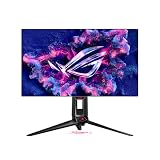
The best 32 inch dual mode monitors must switch between materially different signal modes, not merely scale the same image. The defining use case is one display that can deliver high-detail 4K play and substantially faster 1080p competitive gaming, with the cost and OLED ownership trade-offs stated honestly. Dual-mode displays are designed for people who alternate between detail-rich games and fast competitive titles without keeping two monitors on the desk. Check the actual supported resolution-and-refresh combinations, since the maximum Hz figure usually applies to the lower-resolution mode. Also examine the switching experience, scaling quality, desk depth and the connection your graphics card must provide. For OLED models, static interface use and screen-care policies belong in the buying decision, not as an afterthought after the panel’s headline specification.
Quick verdict: 4K detail or high-refresh esports?
A dual-mode monitor is most useful when one setup alternates between visually detailed games and fast competitive play. Compare how conveniently each screen changes between its two advertised modes, along with panel finish, connectivity and any operating compromises. A higher headline refresh rate is not automatically the best choice if the lower-resolution mode is rarely used.
LG 32GS95UE-B and ASUS PG32UCDP genuinely support 4K at 240Hz or full-HD at 480Hz. Choose by panel treatment, ports, firmware comfort and price—not by assuming 480Hz makes 1080p on a 32-inch screen look sharp.
For the primary use case: ASUS PG32UCDP. The shortlist describes it as auto KVM; USB-C default 65W, optional 90W OSD. Its distinguishing evidence is 4K240 / FHD480; matte WOLED. The limiting check is best if one-cable laptop plus KVM is essential; verify 90W toggle. These are model-specific factors, not a promise of independent testing or verified U.S. checkout.
A contrasting option: ASUS XG32UCWMG. The shortlist describes it as kVM, 15W USB-C; DP1.4. Its distinguishing evidence is 4K240 / FHD480; glossy WOLED. The limiting check is pick for glossy clarity, not one-cable laptop power. These are model-specific factors, not a promise of independent testing or verified U.S. checkout.
Comparison table: displays, specs, and trade-offs
| Exact model | Verified modes | USB-C / KVM | Selection or rejection | US price — exact variant, checked Oct 31, 2026 | Stock status — exact variant, checked Oct 31, 2026 |
|---|---|---|---|---|---|
| ASUS PG32UCDP | 4K240 / FHD480; matte WOLED | Auto KVM; USB-C default 65W, optional 90W OSD | Best if one-cable laptop plus KVM is essential; verify 90W toggle | $1,199.00 (ASUS US PG32UCDP) | Buy Now button; stock unconfirmed |
| ASUS XG32UCWMG | 4K240 / FHD480; glossy WOLED | KVM, 15W USB-C; DP1.4 | Pick for glossy clarity, not one-cable laptop power | $899.00 (ASUS US display listing) | Unclear |
| LG 32GS95UE-B | 4K240 / FHD480; WOLED | No USB-C/KVM | Pick for simple dual-mode gaming; add external switching | $1,099.99 (LG US catalog; was $1,399.99) | LG US catalog Add to Cart; checkout not confirmed |
US price and inventory observations are tied to the named seller, selected SKU, color or memory configuration where specified. “Buy Now” and “Add to Cart” describe purchase buttons, not a completed checkout or guaranteed warehouse stock. Family-level pricing, obsolete variants, and conflicting source badges are explicitly qualified. Unresolved rows are not assumed purchasable.
Additional comparisons and purchase considerations
| Product / exact family | Verified feature or evidence boundary | Best fit | Major caveat | US price and stock (29 Oct 2026) |
|---|---|---|---|---|
| LG UltraGear 32GS95UE-B | 31.5-inch OLED; native 4K 240Hz and switchable 1080p 480Hz Dual Mode; anti-glare/low-reflection | Balances detailed sims and very fast competitive games on one panel | 1080p on a 32-inch display appears less sharp at close range; OLED care matters | Unverified — confirm exact US seller SKU |
| ASUS ROG Swift OLED PG32UCDP | 31.5-inch WOLED, 4K 240Hz or FHD 480Hz Dual Mode; USB-C DP Alt Mode and up to 90W PD | A premium alternative for mixed 4K gaming and 480Hz esports | High refresh is a mode with source/cable demands, not guaranteed in every game | Unverified — confirm exact US seller SKU |
| Situation | Recommended evaluation or next action |
|---|---|
| AAA cinematic games and esports | Dual Mode may justify its premium |
| Mainly office work and flight simulation | Favor readable native 4K and panel longevity |
| Laptop through a hub | Verify actual dock output and DSC before buying |
The selected monitors and their key compromises
LG UltraGear 32GS95UE-B — fit and limitations
LG UltraGear 32GS95UE-B is relevant because 31.5-inch OLED; native 4K 240Hz and switchable 1080p 480Hz Dual Mode; anti-glare/low-reflection. That hardware is a reasonable match when balances detailed sims and very fast competitive games on one panel. Treat panel technology, resolution, refresh rate, motion behavior, and ergonomic fit as separate variables. The GPU must actually drive the chosen timing and the screen must look acceptable at lower frame rates.
The limiting consideration is 1080p on a 32-inch display appears less sharp at close range; oled care matters. Validate refresh over the exact HDMI, DisplayPort, or USB-C path and compare independent response-time measurements before assuming the marketing Hz tells the whole story. This is not a claim of detailed research or current retailer stock.
ASUS ROG Swift OLED PG32UCDP — fit and limitations
ASUS ROG Swift OLED PG32UCDP is relevant because 31.5-inch WOLED, 4K 240Hz or FHD 480Hz Dual Mode; USB-C DP Alt Mode and up to 90W PD. That hardware is a reasonable match when a premium alternative for mixed 4k gaming and 480hz esports. Treat panel technology, resolution, refresh rate, motion behavior, and ergonomic fit as separate variables. The GPU must actually drive the chosen timing and the screen must look acceptable at lower frame rates.
The limiting consideration is high refresh is a mode with source/cable demands, not guaranteed in every game. Validate refresh over the exact HDMI, DisplayPort, or USB-C path and compare independent response-time measurements before assuming the marketing Hz tells the whole story. This is not a claim of detailed research or current retailer stock.
Buying guide: check the display in your setup
Model eligibility and buying decisions
Independently reviewed decision: LG 32GS95UE-B versus ASUS PG32UCDP: Both monitors genuinely offer 3840 × 2160 at 240Hz and a separate 1920 × 1080 at 480Hz mode, but two refresh-rate labels alone do not decide the purchase. RTINGS’ LG measurements and comparisons call out exceptionally fast OLED response, low input lag and noticeable VRR flicker when frame rates vary. Its review also identifies no USB-C video input and no KVM ; do not purchase the LG expecting single-cable laptop switching.
RTINGS’ ASUS PG32UCDP review validates its 1080p/480Hz Frame Rate Boost and identifies a KVM, USB-C video plus up to 90W charging. The same review notes that the ASUS VRR anti-flicker control can introduce stuttering as a trade-off. The two are not interchangeable if you want a workstation KVM, or if your games frequently fall far below the selected refresh rate.
| Primary activity | Preferred shortlist logic | Validate before buying |
|---|---|---|
| Single high-end desktop, competitive shooters | Either LG or ASUS if you can actually render very high frame rates at 1080p | Confirm game supports 1080p fullscreen and your GPU/port/cable can enumerate 480Hz; 480Hz is not a promise of 480fps |
| One gaming PC plus a USB-C laptop | ASUS PG32UCDP is the more functional fit on published KVM and 90W USB-C specifications | Check laptop DP Alt Mode, charging needs and USB upstream arrangement; 90W may be insufficient for a high-load gaming laptop |
| Changing VRR frame rates in dark scenes | Read RTINGS’ model-specific VRR flicker results; ASUS offers a reduction control with a smoothness trade-off | Try representative dark scenes and your own FPS range during the retailer return period |
| All-day static spreadsheets or interface elements | Consider an LCD if burn-in risk and static content outweigh OLED contrast | Read warranty exclusions and plan OLED care, screen-off and pixel-refresh settings |
Important limits to the 1080p esports mode: Full-HD image quality on a 31.5-inch panel has much lower pixel density than native 4K; the screen does not become a genuine 24-inch esports panel merely because the game uses a smaller resolution. Check whether the monitor’s aspect-size simulation and display scaling options suit your field of view, and whether text and HUD clarity are acceptable. OLED response-time benefits exist even when you cannot sustain 480fps, but the full smoothness gain needs the game to deliver enough fresh frames.
US checkout rule: search the exact suffix 32GS95UE-B or PG32UCDP and distinguish it from similarly named QD-OLED or newer glossy variants. Price and stock snapshots are not live purchase guarantees; no P6 cart checkout or direct lab test was performed.
Fit and design trade-offs
Three dual-mode 32-inch OLEDs do not share one USB-C or coating feature set
A new exact-model comparison prevents a costly false equivalence. The ASUS ROG Strix XG32UCWMG is a genuine 4K 240Hz / 1080p 480Hz dual-mode glossy WOLED with an integrated KVM, but its USB-C charging is only 15W and it uses DisplayPort 1.4 bandwidth. The ASUS ROG Swift PG32UCDP also switches those two refresh-rate modes but has a matte coating and a USB-C output that can be set to 90W through its on-screen menu (65W by default). The LG UltraGear 32GS95UE-B shares the two visual modes without a USB-C KVM. A 1440p feed is scaled on the native 4K panel; it is not a third optimized native Dual Mode. These claims are limited to the listed models.
Pre-purchase test plan: confirm 3840×2160 at 240Hz and 1920×1080 at 480Hz are selectable with your GPU/cable combination, then switch modes in the monitor OSD and verify the desktop and game both return to a stable image. A 4K display rendering 1440p still needs scaling: do not market it as a native ‘1440p 480Hz’ monitor. If laptop peripherals must follow a KVM, trace the actual USB upstream routing and check power-delivery wattage on the exact page, not an adjacent ROG or UltraGear revision. Expect possible VRR flicker with variable frame pacing, and inspect OLED pixel care and warranty before purchase.
OLED ownership is a separate decision: A display that also hosts spreadsheets, MMO HUDs or flight panels all day faces more fixed elements than a movie-focused system. Verify pixel-care prompts, automatic pixel refresh, burn-in warranty conditions and return terms. Do not confuse panel brightness ratings with sustained full-white brightness.
OLED care, desktop work and value: Many 32-inch Dual Mode models are OLED. This brings excellent near-black response and perceived contrast but also a different risk profile for people who keep static work panels, cockpit instruments or code editors onscreen for long sessions. Check the specific maker’s pixel-care features, burn-in warranty terms, finish and brightness behavior under daylight. A conventional 4K 144Hz IPS monitor may be a more rational work-first purchase even when it cannot do 480Hz. The premium is easiest to justify for someone genuinely alternating between cinematic AAA play and a fast competitive title, not someone who plays exclusively one of those.
Dual-mode check: 480Hz esports does not equal identical desk connectivity: Both the LG 32GS95UE-B and ASUS PG32UCDP provide 4K at 240Hz or a lower-resolution 1080p mode at 480Hz, but the RTINGS LG review explicitly notes that this LG model lacks a USB-C input and a KVM switch. The RTINGS ASUS PG32UCDP review documents USB-C Power Delivery of up to 90W and a KVM. For a desktop-only competitive system that may be irrelevant; for one desk serving a gaming PC and a laptop, it changes cable count and whether a separate USB switch and charger are needed.
There is also a motion-behavior distinction that a headline 480Hz badge hides. Both lab reviews describe VRR flicker in dark scenes with changing frame rates . ASUS provides a flicker-reduction option, but RTINGS reports a potential stutter penalty. TechSpot measured very low LG processing delay in both 4K/240Hz and 1080p/480Hz modes, which supports the mode’s responsiveness, not a promise that a user’s GPU sustains 480 FPS.
| Need | LG 32GS95UE-B | ASUS PG32UCDP | Practical decision |
|---|---|---|---|
| 4K detail and 1080p high refresh | Documented 240/480Hz dual mode | Documented 240/480Hz dual mode | Both qualify; verify exact selected mode in Windows |
| One cable to laptop and switching USB devices | No USB-C or integrated KVM per RTINGS | USB-C up to 90W and KVM per RTINGS | Favor ASUS for shared PC/laptop desk; compare laptop wattage |
| Variable-FPS dark games | Noticeable VRR flicker in independent testing | Flicker reduction may trade off smoothness | Test the actual game and frame-rate pattern |
| Competitive 480Hz benefit | Very low processing delay measured by TechSpot | Near-instant response and low lag measured by RTINGS | Demand FPS and frame-time evidence before paying extra |
Check the correct 32-inch SKU at purchase: PG32UCDP and PG32UCDM differ: the latter is a 4K 240Hz QD-OLED, not the same 1080p/480Hz Dual Mode panel. Capture the suffix on the US seller page and compare it to the review’s tested model before checkout. Try both refresh modes at the desk and check pixel scaling, mouse feel and text comfort. If a laptop needs more than 90W in heavy use, retain its dedicated charger; PD specification is not a full-system gaming-power guarantee. Neither lab review independently confirms live stock, shipment to your ZIP code or a completed cart.
Performance limits and real-world implications
PG32UCDP: decode the two refresh-rate modes
4K/240 and FHD/480 target different workloads: ASUS calls PG32UCDP a 32-inch dual-mode WOLED monitor capable of 4K 240Hz or FHD 480Hz, and documents USB-C with 90W Power Delivery.
US buying evidence at this checkpoint: US live SKU price not confirmed in this pass. This is a page observation, not completed checkout, and must not be presented as universal stock or delivery availability.
Mode-change and OLED due diligence: Dual Mode does not mean two monitors are connected or that the panel has native 480Hz 4K resolution. The fast 480Hz setting uses 1920×1080 output; 4K remains capped at 240Hz in that mode pair.
Compatibility, setup and verification
Dual Mode is a real signal mode change: Both candidates support separate 3840×2160/240Hz and 1920×1080/480Hz operation. Changing to FHD quadruples the pixel area per displayed image sample, so close-up text and HUD edges appear visibly softer. This is acceptable for some esports players but not a free 4K-quality upgrade.
Decide where each mode earns its place: Use 4K/240Hz for cinematic games, work and high-detail environments when the GPU can deliver; use FHD/480Hz only in titles with reliably high frame rates and low frame times. Competitive players should try both full-frame and centered simulation modes when offered, because a 32-inch 1080p image can feel expansive.
Dual Mode is not the same as a scaled picture: For this roundup, a genuine Dual Mode display must offer two manufacturer-defined timing modes—typically 3840 × 2160 at 240Hz for high-detail games and 1920 × 1080 at 480Hz for high-speed esports. This is materially different from changing Windows resolution to 1080p on an ordinary 4K monitor. Confirm the exact combination on the official model page and check which port supports it. A 32-inch panel still fills the same physical area in Full HD mode unless the firmware offers a smaller-image simulation. Buyers accustomed to 24-inch competitive screens should assess that ergonomic distinction before paying a premium.
Can the PC actually use both display modes?
Four times as many pixels are rendered at 4K as at Full HD for a comparable scene. The 4K mode asks much more of the GPU, while a 480Hz esports mode asks both the game engine and CPU for unusually high frame rates. Test the exact title with sensible render settings and distinguish display refresh capability from delivered frames. Check DSC, DisplayPort/HDMI cable capabilities and any firmware updates required for the highest modes. If a laptop or dock cannot output the required timing, the owner may get only part of the advertised value. Do not assume USB-C video is available merely because a Type-C port exists.
Price and availability checks
Purchase gate: 480Hz is comparable, the working-desk connections are not: A model-level October 2026 RTINGS comparison finds the ASUS PG32UCDP and LG 32GS95UE-B closely matched as 4K 240Hz / 1080p 480Hz WOLED gaming displays. Yet the ASUS, unlike the LG, includes KVM, up to 90W USB-C power delivery and a VRR flicker reduction setting. The extra office connectivity only earns its premium when a laptop and second computer genuinely need to share one keyboard and mouse. Do not confuse the glossy ASUS XG32UCWMG: RTINGS’ own model matrix gives that monitor only 15W over USB-C, although it has KVM. Also do not confuse the 4K165/FHD330 XG32UCWG with either 480Hz model.
| Purchase condition | PG32UCDP matte WOLED | XG32UCWMG glossy WOLED | LG 32GS95UE-B | Accept/reject test |
|---|---|---|---|---|
| 4K desktop + 1080p esports | 4K240 / FHD480 | 4K240 / FHD480 | 4K240 / FHD480 | Verify BOTH signal timings with actual GPU/cable |
| Gaming laptop connected through USB-C | Up to 90W PD + KVM | 15W PD + KVM | No native USB-C KVM | Reject 15W as one-cable laptop-power solution |
| Window behind gaming seat | Matte reduces concentrated glare | Glossy can reflect window directly | Matte fewer sharp reflections | Test black level and direct reflection separately |
| Window beside monitor; dark games | Matte light scattering | Glossy maintains blacks in ambient light | Matte alternative | Inspect room lighting and HDR scene |
| Highly variable FPS | ASUS flicker reduction option, assess added tradeoffs | VRR flicker may remain | VRR flicker may remain | Capture dark-scene test with VRR toggled |
Reproducible purchase and return-window decision: photograph the U.S. seller’s exact suffix; verify the input and USB upstream diagram in that specific manual; connect two computers and move the mouse/keyboard using KVM; then test 3840×2160/240Hz and 1920×1080/480Hz with the actual GPU and cable. Note whether switching modes changes scaling or windows, and measure laptop battery state while running a real game: 90W is not a promise of full AC performance for every gaming notebook. Compare dark maps under the lighting in your own room, with the VRR flicker-reduction setting both ways. If your desk has one PC and no KVM need, buying the LG solely for the dual modes can be more rational; do not claim a general ASUS picture-quality win.
A connection test before checkout: Identify whether the PC uses DP, HDMI 2.1 or USB-C DP Alt Mode and whether the display manual permits the selected resolution, bits-per-channel, VRR and DSC on that input. Run an OSD verification after switching modes instead of relying solely on a Windows dropdown.
How we selected these options and checked evidence
We distinguished true resolution-and-refresh switching from ordinary scaling or high-refresh marketing. Port behavior, measured responsiveness and text clarity inform use-case recommendations.
The comparison is based on the exact configuration and technical limitations recorded in this draft, with model identities, connection requirements, and purchase conditions treated separately. Published manufacturer specifications are not substitutes for independent long-duration measurements. Prices and stock are seller-, date-, and region-specific; where no current U.S. checkout was verified, that uncertainty remains visible instead of being presented as a live offer. The recommendations are therefore shortlists for further verification, not accounts of our own hands-on lab tests.
Frequently asked questions
Is 1080p at 480Hz sharper than 4K at 240Hz?
No. It trades pixel density for temporal refresh. The preferred mode depends on viewing distance, game graphics and whether the PC produces enough frames.
Do both modes work at maximum rate through every input?
Do not assume so. The official specifications and firmware for the exact SKU, connection and cable must confirm the mode table.
Final thoughts
For a player who alternates between detailed single-player titles and high-FPS aim practice, the explicit mode toggle is useful if the PC can produce the corresponding frames. A 4K-only user may spend less on a non-dual-mode panel.
Record chosen DP/HDMI connection and cable; check OS resolution and refresh after each mode change; test text appearance in 1080p desktop and measure whether high-frame-rate games actually exceed 240fps; review OLED panel-care and warranty.
Do not describe 480Hz as 4K, and never assume a generic 32-inch OLED offers hardware dual mode.